


Key Features of Eleven v4
Give each line the emotion it needs
Eleven v4 reads your script and figures out the feeling behind each line. An ad can sound warm and welcoming, a story can sound tense, and a character can sound excited or worried. Take the line "You came back." In a happy reunion, Eleven v4 says it with joy. In an angry argument, the same words come out cold and sharp. You get the right feeling in every line without recording anything yourself.
Try it NowTell the voice how to say each line
You can write short directions in square brackets right inside your script. Type [whispers] before a quiet line, [laughs] after a joke, or [pauses] before a big reveal. You can even add sounds to the audio, like [light rain] or [phone buzzing]. ElevenLabs built Eleven v4 to follow these directions more closely than its earlier voice models. You decide exactly how each moment of the script sounds.
Try it NowChange a line and keep the same voice
Eleven v4 keeps a speaker's voice steady when you make a line again. Say you rewrite a character's last line in a scene. The new version comes out in the same voice as the rest of the scene. Long scripts stay steady too, because each new part keeps the pace and tone of the part before it. You can fix one line at a time and leave the rest of your audio as it is.
Try it NowWrite a conversation between several characters
Eleven v4 can voice a scene with two or more characters, each in a different voice. Write who says what, pick a voice for each speaker, and Eleven v4 turns it into one back-and-forth conversation. The characters respond to each other's tone, so the scene sounds like real people talking. That makes Eleven v4 a handy AI dialogue generator for podcast-style videos, short films, and animated series.
Try it NowSpeak in more than 90 languages
Eleven v4 speaks more than 90 languages, from English and Spanish to Hindi, Arabic, and Bengali. Write your script in another language, and the same voice reads it fluently with a natural accent for that language. Your ad can speak to buyers in every country where you sell. You can reach a new market without hiring a voice actor for each language.
Try it NowRead your scripts in your own voice
Use OpenArt's Voice Clone tool to make a copy of your voice from a short audio sample. Eleven v4 then reads any script in a voice that sounds like you, with your tone and your timing. Type your scripts and get narration for a whole week of videos in one sitting. Your voice stays the same from one video to the next.
Try it NowHow to Use Eleven v4 on OpenArt
Three steps take you from a written script to a finished voiceover.
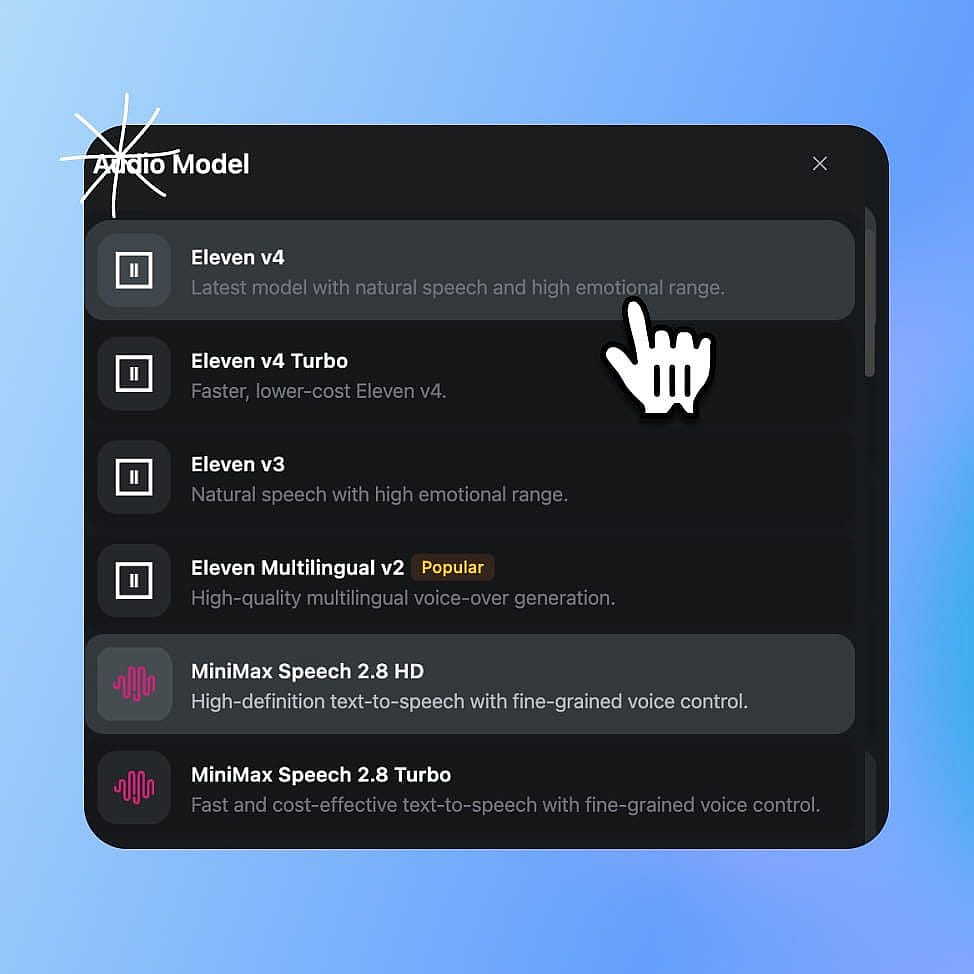
Open Create voice-over and pick Eleven v4
Go to OpenArt's audio tools, open Create voice-over, and choose Eleven v4 as the model. To use your own voice, start in Voice Clone and upload a short recording first.
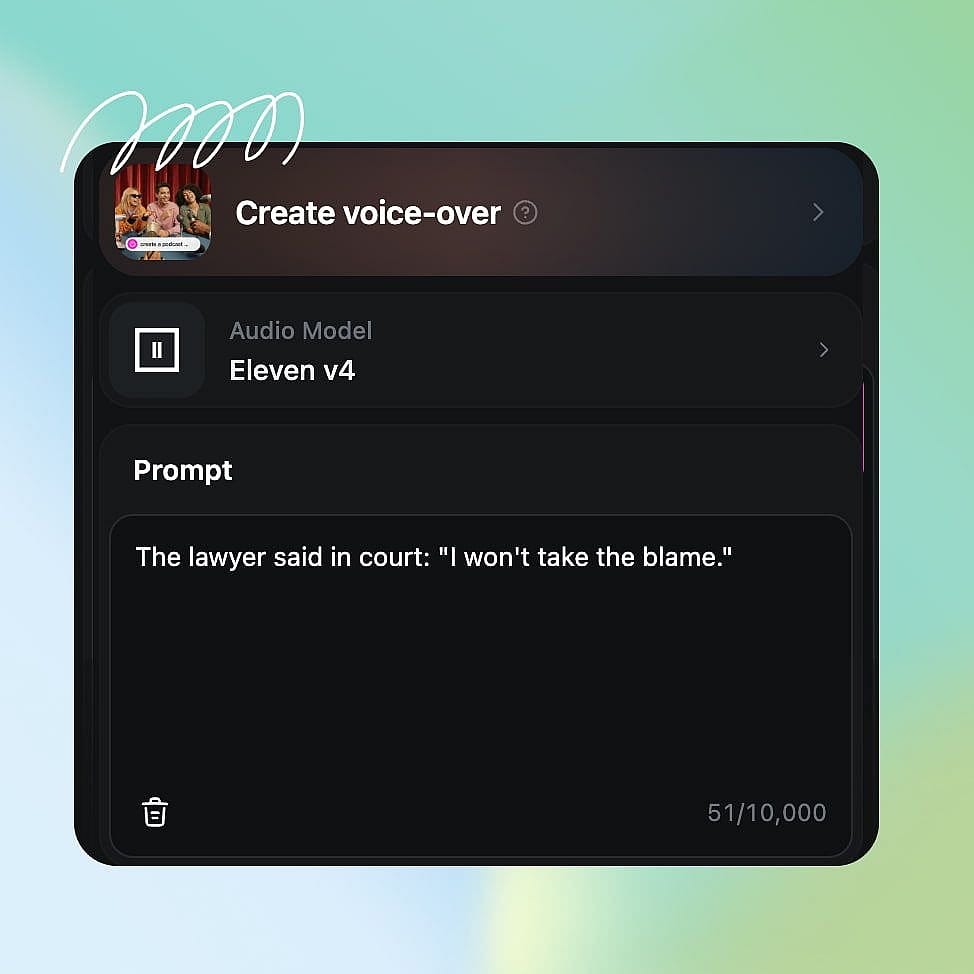
Paste your script and add directions
Paste up to 10,000 characters of script. Add directions in square brackets, like [whispers] or [laughs], where you want them.
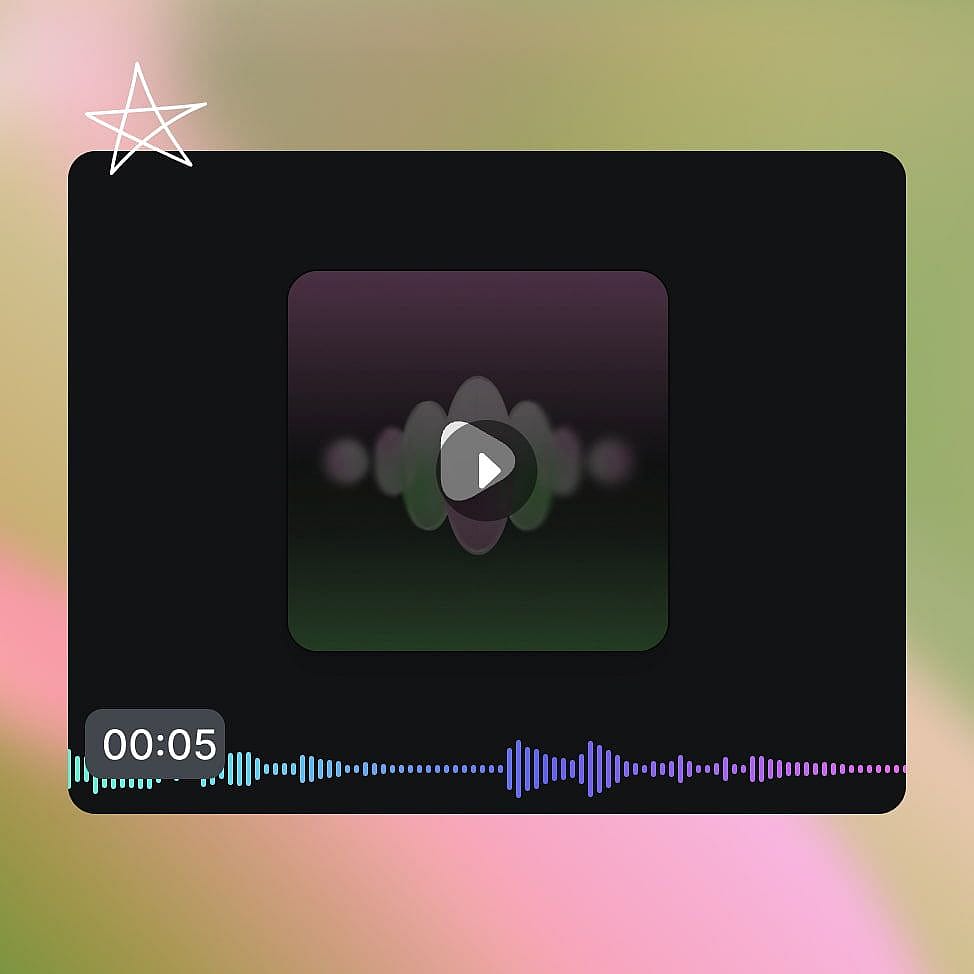
Pick a voice, generate, and download
Choose a voice for each speaker and generate the audio. Remake any line you want to change, then download the final file.
Best Use Cases for Eleven v4
Make ad reads that fit your campaign
Marketers and agencies can turn a product script into an AI voice over that matches the campaign. Say you are launching a water bottle. Write a 20-second script with [warm, friendly] at the start, and Eleven v4 reads it like a friendly host showing off a product. If the brand team wants more energy, change the direction to [excited] and make it again. You can also make the same ad in Spanish or French for other markets.
Try it NowGive your film and animation characters their voices
Filmmakers and animators can hear their characters speak before they book a recording studio. Write the scene with each character's lines and a direction for how they feel, like [nervous] or [angry, shouting]. Eleven v4 plays out the whole conversation, with each character in their own voice. If one line sounds wrong, rewrite it and make just that line again, and the character keeps the same voice.
Try it NowNarrate YouTube and social videos in the right mood
Creators need narration for every upload, and Eleven v4 works as an AI narrator that changes mood from video to video. A travel vlog might need a calm, happy voice, while a true crime short needs a low, tense one. Write the script, add a direction like [calm] or [tense, quiet] at the top, and Eleven v4 matches it. Use your cloned voice from Voice Clone so every video sounds like you, even on days you cannot record. You can post on schedule with narration that fits each video.
Try it NowExplain lessons and tutorials step by step
Educators and tutorial creators can turn written lessons into clear spoken explanations. Write one short paragraph for each step, like "Click Settings, then turn on dark mode." Eleven v4 reads each step in a calm, clear voice that is easy to follow. Long lessons work too, since one script can hold up to 10,000 characters. If a step in your product changes, rewrite that one paragraph and make it again in the same voice. You can also make the same lesson in another language for students around the world.
Try it NowLoved by Creators
I've tried many AI platforms... but OpenArt is still the best for character creation, image-to-video quality, and the variety of models available.
OpenArt offers an excellent array of AI tools... once you learn the features, the creative possibilities are amazing - and their support team is outstanding.
OpenArt is a very versatile AI platform with many image and video models, consistent character creation, and powerful editing tools.
Helpful AI tools all in one place - image and video generation, editing, and more... no need for multiple subscriptions.
Customer service is always quick and helpful... and the platform keeps getting better with new features and tools.
I've tried many AI platforms... but OpenArt is still the best for character creation, image-to-video quality, and the variety of models available.
OpenArt offers an excellent array of AI tools... once you learn the features, the creative possibilities are amazing - and their support team is outstanding.
OpenArt is a very versatile AI platform with many image and video models, consistent character creation, and powerful editing tools.
Helpful AI tools all in one place - image and video generation, editing, and more... no need for multiple subscriptions.
Customer service is always quick and helpful... and the platform keeps getting better with new features and tools.
I've tried many AI platforms... but OpenArt is still the best for character creation, image-to-video quality, and the variety of models available.
OpenArt offers an excellent array of AI tools... once you learn the features, the creative possibilities are amazing - and their support team is outstanding.
OpenArt is a very versatile AI platform with many image and video models, consistent character creation, and powerful editing tools.
Helpful AI tools all in one place - image and video generation, editing, and more... no need for multiple subscriptions.
Customer service is always quick and helpful... and the platform keeps getting better with new features and tools.
With so many AI platforms out there, OpenArt stood out as a stellar choice - I'd recommend it to any creator.
This platform includes everything you need for AI content creation - images, video, characters, audio, and multiple AI models in one place.
OpenArt is pushing the boundaries of AI video creation... and it's clear the team is committed to improving the creator experience.
I made my first AI music video with OpenArt... and their support team was the best help I've ever experienced.
I'm very happy with the support - my issue was resolved quickly and the team made the process easy.
With so many AI platforms out there, OpenArt stood out as a stellar choice - I'd recommend it to any creator.
This platform includes everything you need for AI content creation - images, video, characters, audio, and multiple AI models in one place.
OpenArt is pushing the boundaries of AI video creation... and it's clear the team is committed to improving the creator experience.
I made my first AI music video with OpenArt... and their support team was the best help I've ever experienced.
I'm very happy with the support - my issue was resolved quickly and the team made the process easy.
With so many AI platforms out there, OpenArt stood out as a stellar choice - I'd recommend it to any creator.
This platform includes everything you need for AI content creation - images, video, characters, audio, and multiple AI models in one place.
OpenArt is pushing the boundaries of AI video creation... and it's clear the team is committed to improving the creator experience.
I made my first AI music video with OpenArt... and their support team was the best help I've ever experienced.
I'm very happy with the support - my issue was resolved quickly and the team made the process easy.
Frequently Asked Questions
Eleven v4 is ElevenLabs' text-to-speech model for voiceovers, narration, and character dialogue. Eleven v4 reads the context of a script to choose the emotion and pace of each line, and it speaks more than 90 languages. On OpenArt, you can use Eleven v4 in the Create voice-over and Voice Clone tools.
Eleven v4 supports more than 90 languages, including English, Spanish, French, Hindi, Arabic, and Bengali. When you switch a voice to a new language, Eleven v4 speaks it fluently with a natural accent for that language. Some languages sound smoother than others, so listen to each version before you publish it.
Write the emotion in square brackets before the line, such as [excited] or [sad], and Eleven v4 reads the line with that feeling. Eleven v4 also picks up emotion from the script itself, so a line after bad news comes out sadder on its own. Keeping a whole scene in one script gives Eleven v4 the most to work with.
Eleven v4 takes up to 10,000 characters of script at a time, which is about 1,500 words. For longer projects, Eleven v4 helps each new part keep the pace and voice of the part before it.
In ElevenLabs' blind listening tests, listeners picked Eleven v4 over competing voice models about 75% of the time. Artificial Analysis, an independent site that compares AI models, ranked Eleven v4 first among text-to-speech models in September 2026.
Eleven v4 speaks more than 90 languages, up from more than 70 in Eleven v3. Eleven v4 also takes scripts up to 10,000 characters long, twice the 5,000-character limit of Eleven v3. ElevenLabs says Eleven v4 follows bracket directions more closely and keeps a speaker's voice steadier when you remake lines.
Audio tags are short directions in square brackets that tell Eleven v4 how to say a line. Examples include [whispering], [laughs], and [shouting], plus sounds like [light rain] or [phone buzzing]. On OpenArt, you type them straight into your script in Create voice-over.
Yes. Eleven v4 can voice a scene with several characters, each in their own voice. The characters respond to each other's tone, so the conversation sounds natural from one line to the next.
Yes. OpenArt's Voice Clone tool makes a copy of a voice from a short audio sample, and Eleven v4 can then read any script in that voice. Clone your own voice, or a voice you have clear permission to use.
Eleven v4 speaks the language your script is written in, so write or paste the script in the language you want to hear. To change the language of a video you already made, use OpenArt's Dub Video tool, which translates the speech and matches the speaker's mouth to the new words.