

Key Features of Eleven v4 Turbo
Turn text into speech in about a tenth of a second
Eleven v4 Turbo has a median inference latency of about 100 milliseconds. Put simply, the model turns your text into speech in about a tenth of a second, which is roughly the length of a blink. ElevenLabs reports that Turbo starts speaking in about 150 milliseconds, faster than the other real-time voice models it was tested against. That speed is why ElevenLabs designed it for live uses like talking assistants. On OpenArt, the speed means you spend more of your time listening and choosing.
Try it NowKeep the full range of feeling at top speed
Eleven v4 Turbo carries the full range of feeling and emotion that Eleven v4 has. A thank-you can come out warm, a warning can come out urgent, and a hold message can come out calm and patient. Bracket directions still work, so writing [cheerful] or [quietly] before a line shapes how Turbo says it. You get quick results and keep the expression that makes a voice sound real.
Try it NowUse the same voices in more than 90 languages
Every voice you use with Eleven v4 also works with Eleven v4 Turbo, including a voice you make in OpenArt's Voice Clone tool. Turbo speaks more than 90 languages and reads up to 10,000 characters of text at a time. You can draft a script quickly in Turbo, then make the final version in Eleven v4 with the same voice. Your brand voice carries from a quick test all the way to the finished ad.
Try it NowHow to Use Eleven v4 Turbo on OpenArt
Three steps get you from text to a voice you can download.
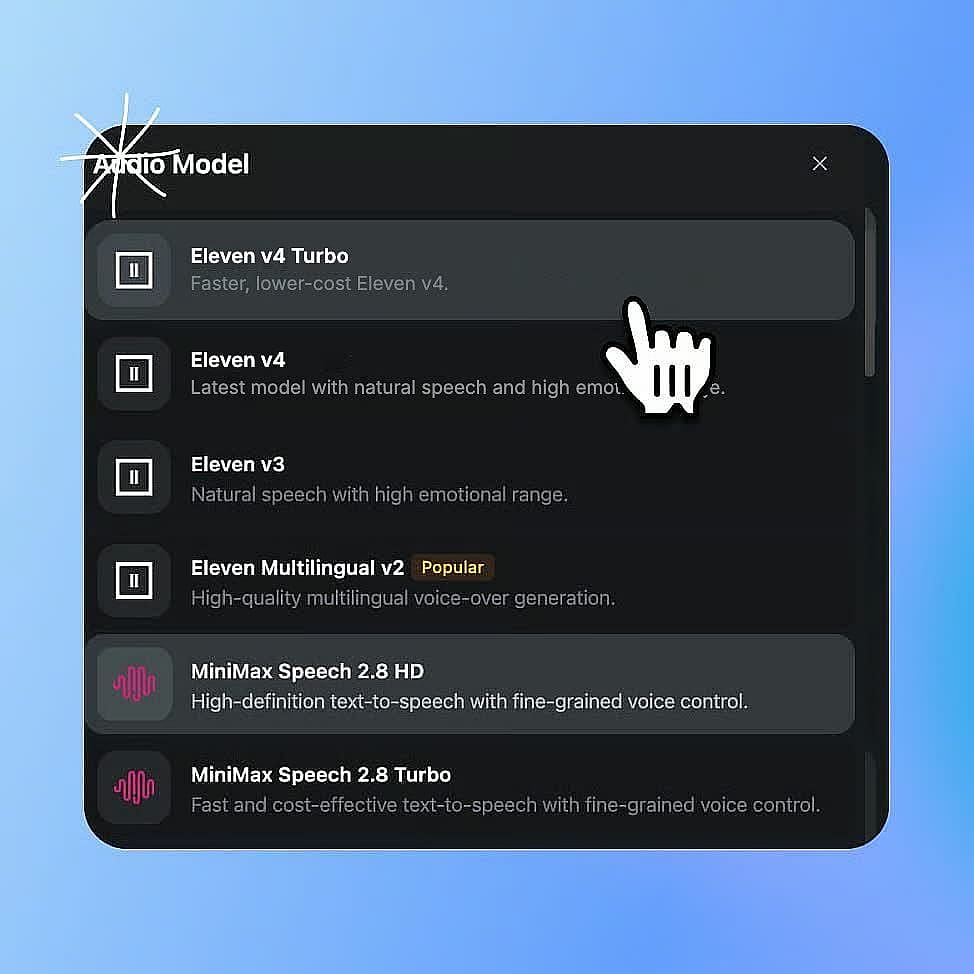
Pick Eleven v4 Turbo in Create voice-over
In OpenArt's audio menu, pick Create voice-over and set the model to Eleven v4 Turbo. Head to Voice Clone first if you want Turbo to speak in your own voice.
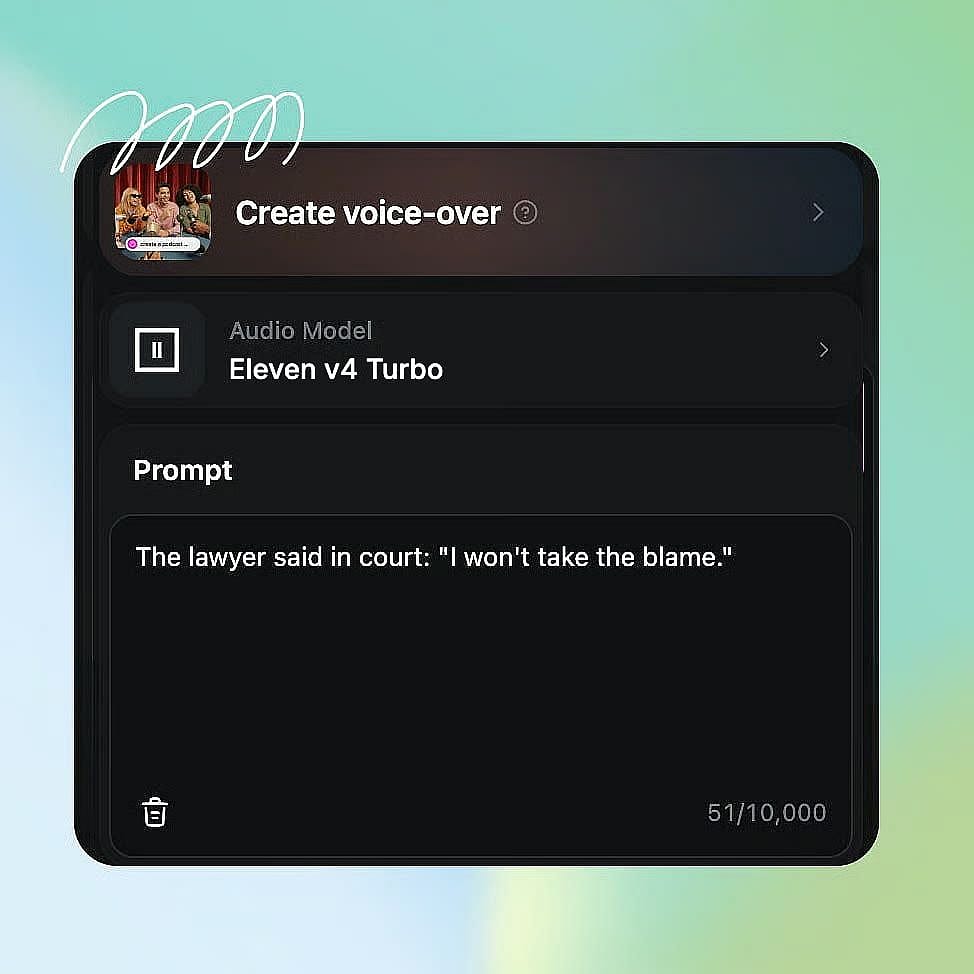
Type or paste your text
Add up to 10,000 characters, with bracket directions like [cheerful] wherever you want them.
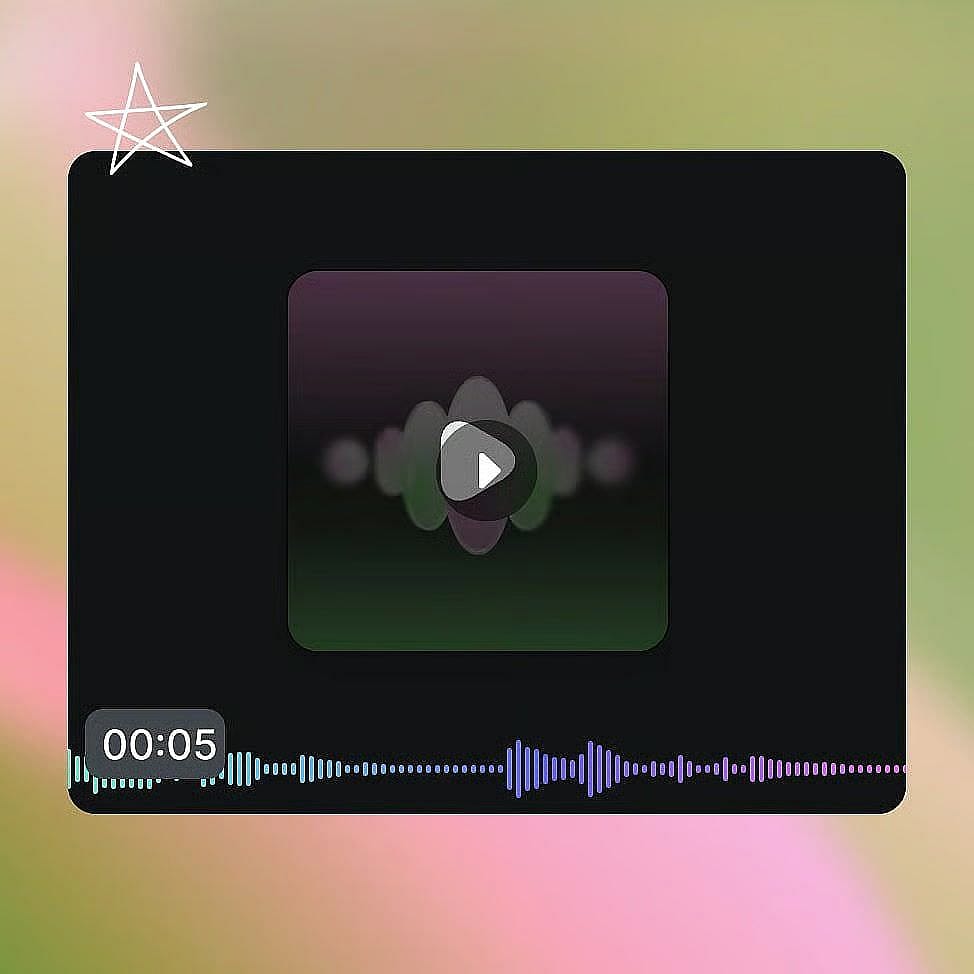
Generate, listen, and try again
Pick a voice and generate. Change a word or a direction and generate again until it sounds right, then download the audio.
Best Uses for Eleven v4 Turbo Model
Eleven v4 Turbo fits quick ad testing, voice lines for games and apps, and narration for trending social videos.
Test many ad reads before you pick one
Ad teams often need to hear a few reads before they know which one works. Eleven v4 Turbo returns each version quickly, so you can make ten versions of a 15-second script in one sitting. Try the same lines as [cheerful], [calm], and [urgent], or write the opening hook three different ways. Play them for your team and pick the winner in a single meeting. Keep the Turbo version, or make the final ad in Eleven v4 with the same voice. You can test more ideas before launch day.
Try it NowVoice game and app characters with hundreds of lines
Game makers and app builders often need hundreds of short lines, like greetings, hints, and reactions. Eleven v4 Turbo makes each short line quickly, so a full set of character lines comes together much faster. A shopkeeper can ask "Back again?" in a friendly voice, and a guard can yell "Stop right there!" with [shouting]. Each character keeps the same voice across every line you make. ElevenLabs built Turbo with interactive characters in mind, so it suits voice lines for games, chat apps, and talking assistants.
Try it NowNarrate trending social videos the same day
Social creators who post about trends and news need narration before the moment passes. Write a 30-second script, put [excited] or [serious] at the top, and Eleven v4 Turbo returns your voiceover quickly. If one sentence needs a fix, change it and hear the new version right away. If you made a copy of your voice in Voice Clone, every post can carry your own voice. Drop the finished audio onto a clip made with OpenArt's AI video generator. You can go from idea to posted video while the topic is still trending.
Try it NowLoved by Creators
I've tried many AI platforms... but OpenArt is still the best for character creation, image-to-video quality, and the variety of models available.
OpenArt offers an excellent array of AI tools... once you learn the features, the creative possibilities are amazing - and their support team is outstanding.
OpenArt is a very versatile AI platform with many image and video models, consistent character creation, and powerful editing tools.
Helpful AI tools all in one place - image and video generation, editing, and more... no need for multiple subscriptions.
Customer service is always quick and helpful... and the platform keeps getting better with new features and tools.
I've tried many AI platforms... but OpenArt is still the best for character creation, image-to-video quality, and the variety of models available.
OpenArt offers an excellent array of AI tools... once you learn the features, the creative possibilities are amazing - and their support team is outstanding.
OpenArt is a very versatile AI platform with many image and video models, consistent character creation, and powerful editing tools.
Helpful AI tools all in one place - image and video generation, editing, and more... no need for multiple subscriptions.
Customer service is always quick and helpful... and the platform keeps getting better with new features and tools.
I've tried many AI platforms... but OpenArt is still the best for character creation, image-to-video quality, and the variety of models available.
OpenArt offers an excellent array of AI tools... once you learn the features, the creative possibilities are amazing - and their support team is outstanding.
OpenArt is a very versatile AI platform with many image and video models, consistent character creation, and powerful editing tools.
Helpful AI tools all in one place - image and video generation, editing, and more... no need for multiple subscriptions.
Customer service is always quick and helpful... and the platform keeps getting better with new features and tools.
With so many AI platforms out there, OpenArt stood out as a stellar choice - I'd recommend it to any creator.
This platform includes everything you need for AI content creation - images, video, characters, audio, and multiple AI models in one place.
OpenArt is pushing the boundaries of AI video creation... and it's clear the team is committed to improving the creator experience.
I made my first AI music video with OpenArt... and their support team was the best help I've ever experienced.
I'm very happy with the support - my issue was resolved quickly and the team made the process easy.
With so many AI platforms out there, OpenArt stood out as a stellar choice - I'd recommend it to any creator.
This platform includes everything you need for AI content creation - images, video, characters, audio, and multiple AI models in one place.
OpenArt is pushing the boundaries of AI video creation... and it's clear the team is committed to improving the creator experience.
I made my first AI music video with OpenArt... and their support team was the best help I've ever experienced.
I'm very happy with the support - my issue was resolved quickly and the team made the process easy.
With so many AI platforms out there, OpenArt stood out as a stellar choice - I'd recommend it to any creator.
This platform includes everything you need for AI content creation - images, video, characters, audio, and multiple AI models in one place.
OpenArt is pushing the boundaries of AI video creation... and it's clear the team is committed to improving the creator experience.
I made my first AI music video with OpenArt... and their support team was the best help I've ever experienced.
I'm very happy with the support - my issue was resolved quickly and the team made the process easy.
Frequently Asked Questions
Eleven v4 Turbo is the low-latency version of ElevenLabs' Eleven v4 text-to-speech model, with a median inference latency of about 100 milliseconds. ElevenLabs built Eleven v4 Turbo for real-time use. OpenArt offers Eleven v4 Turbo inside the Create voice-over and Voice Clone tools.
ElevenLabs reports a median inference latency of about 100 milliseconds and a median time to first speech of about 150 milliseconds. In ElevenLabs' tests, other real-time voice models took between 262 and 814 milliseconds to start speaking. These numbers measure the model itself, so the full wait on OpenArt can run a little longer.
Real-time text to speech turns written words into spoken audio fast enough to keep up with a live conversation. ElevenLabs designed Eleven v4 Turbo for real-time uses like voice assistants and interactive characters. On OpenArt, that speed means each voiceover you generate comes back quickly.
Eleven v4 Turbo supports more than 90 languages, the same as Eleven v4. A single voice can move between languages and still sound fluent, with an accent that fits each one.
Eleven v4 Turbo is built for speed, while Eleven v4 is built for polished, long-form audio like audiobooks and character scenes. Both models speak more than 90 languages, read up to 10,000 characters at a time, follow the same bracket directions, and work with the same cloned voices. Pick Turbo when you want fast results and lots of tries, and pick Eleven v4 for your most polished final audio.
ElevenLabs says Eleven v4 Turbo keeps the full expressive range of Eleven v4. Eleven v4 Turbo follows the same bracket directions, such as [whispering], [laughs], or [shouting], so you can still shape how each line sounds.
Yes. A voice you make in OpenArt's Voice Clone tool works with both Eleven v4 Turbo and Eleven v4. Use Voice Clone on your own voice, or on a voice whose owner has given you permission.