AIプロモ動画ジェネレーター
1つのテキストプロンプトや商品画像を、数分で洗練されたプロモ動画に変えましょう。広告、商品ハイライト、キャンペーンコンテンツを生成できます。
AI プロモ動画クリエイターの主なメリット



アイデアから広告へ、素早く
絵コンテも撮影も編集ラッシュも不要。プロンプトや商品画像から、完成したプロモ動画までを1つのワークフローで。



あらゆるプラットフォームに対応
あらゆるアスペクト比、最大4K解像度で生成できるので、同じプロモ企画をTikTok、Reels、YouTube、ディスプレイ広告にそのままネイティブ配信できます。
スタジオ品質の仕上がり
映画的なモーション、環境音、効果音、リップシンクした台詞まで標準搭載。だからプロモ動画は「プロンプトで作った」のではなく「作り込まれた」仕上がりになります。
コミュニティの作品
OpenArtのAIプロモ動画ツールを使って、創業者、マーケター、代理店がどのように製品・キャンペーン・広告クリエイティブを立ち上げているかをご覧ください。
AIプロモ動画ジェネレーターの主な機能
OpenArtのAIプロモ動画ジェネレーターは、Seedance 2.0、Wan 2.7、Kling Omni、LTX 2.3、Google Veo 3.1をはじめとする、業界最高クラスのAI動画モデルで動作します。
テキストまたは商品写真から生成
欲しいプロモーションを説明するプロンプトから始めるか、商品写真をドロップしてOpenArtにヒーローショットへアニメーション化させましょう。テキストから動画はコンセプト広告やブランドフィルムに向けた自由な創作幅を、画像から動画は実物の商品やパッケージ、アイデンティティをそのまま保ちます。どちらのフローも最大4K解像度、最長15秒のクリップを生成でき、インパクトのあるフックや完成した短尺広告に十分な長さです。
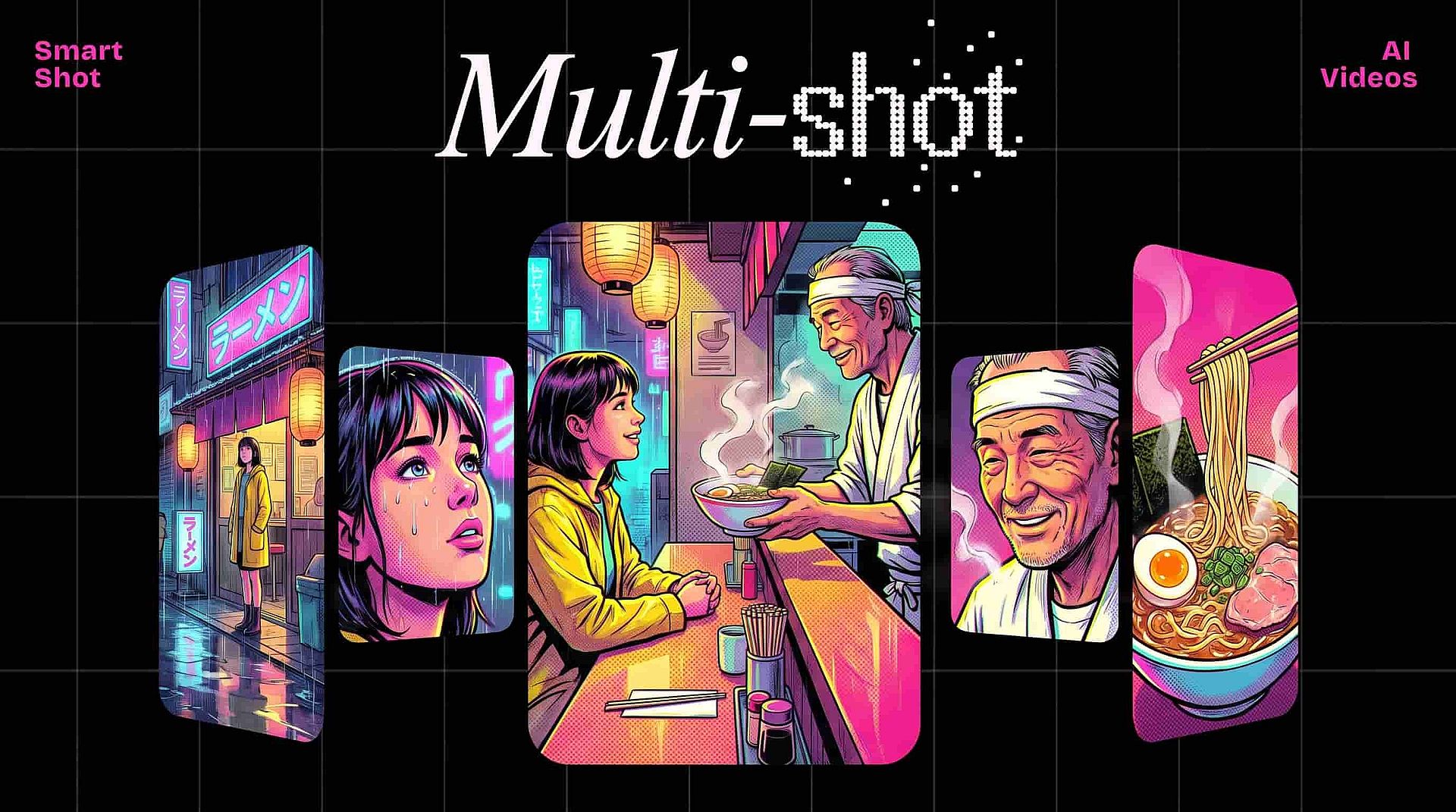
Smart Shotでマルチショットのプロモを作成
多くのプロモには、フック→製品披露→締めというシーケンスが必要です。Smart Shotは動画を作る前にストーリーボード全体を生成し、マルチカットの動画を一度に仕上げます。だから単発の浮いたクリップではなく、構成のあるプロモが手に入ります。Extend Videoと組み合わせれば、キャッチコピーやコールトゥアクションにもう少し余裕がほしいとき、どのショットも最大10秒まで伸ばせます。
ナレーション、効果音、環境音
音声のないプロモーションは、スクロールでスルーされてしまいます。OpenArtなら、プレゼンターやキャラクターを好きなセリフにリップシンクさせ、シンプルなテキストプロンプトで指定した効果音を重ね、生成時に環境音をオンに切り替えられます。仕上がりは完成した映像音声アセットであり、別のエディターに持ち込んで作業する必要のあるクリップではありません。
同じプロモを別キャンペーン向けにスタイル変更
あるキャンペーンではアニメ調、別のキャンペーンではサイバーパンク調で同じプロモが欲しい?Restyle Videoは、生成したどんなクリップにもアニメ、ジブリ、ピクサー、リック・アンド・モーティ、レトロ、クレイアニメ、LEGO、サイバーパンクなどのプリセットを適用します。1回の生成が、promptを一から作り直すことなくクリエイティブなテストマトリクス全体になります。
AIプロモ動画メーカーの使い方
白紙から完成したプロモまで3ステップ。
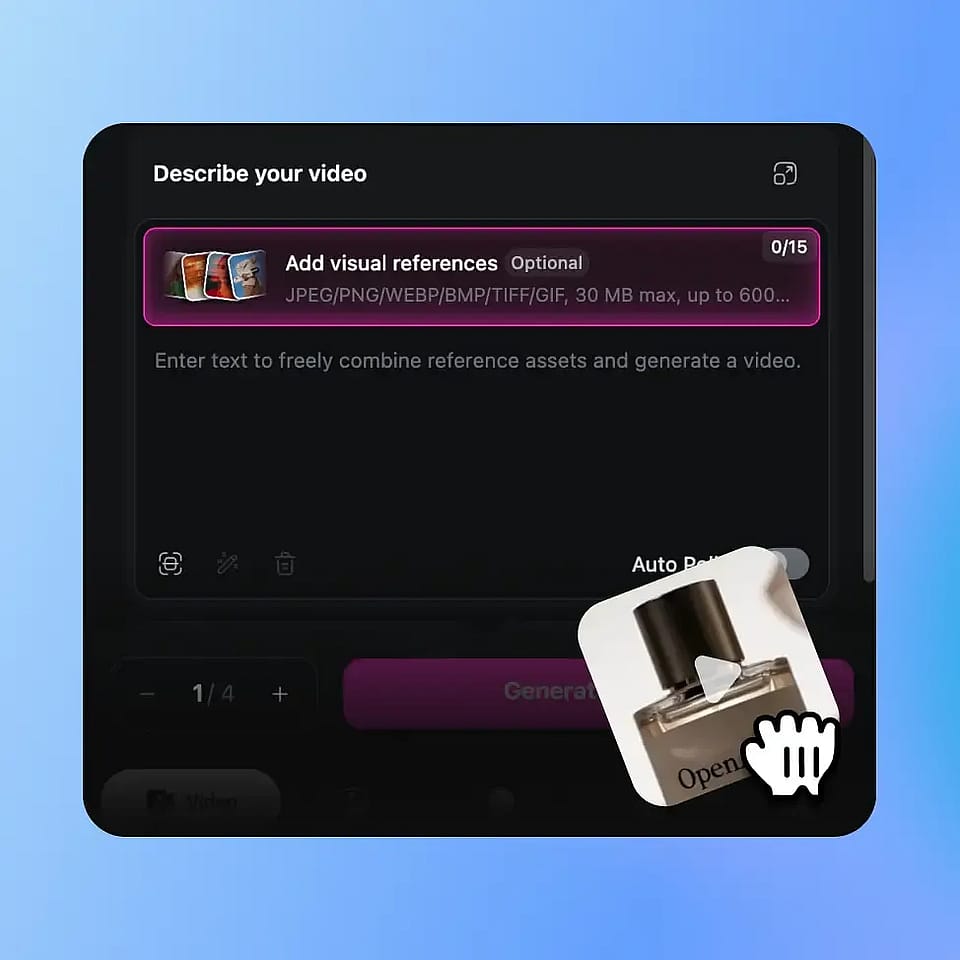
プロモを説明するか、商品画像をアップロード
商品、雰囲気、そして訴求ポイントをカバーするプロンプトを書くか、商品写真をアップロードして、実際のブランドアセットに動画を根づかせましょう。よりシャープな出力を求めるなら、自動プロンプト最適化をオンにすれば、OpenArtがブリーフを引き締めてくれます。
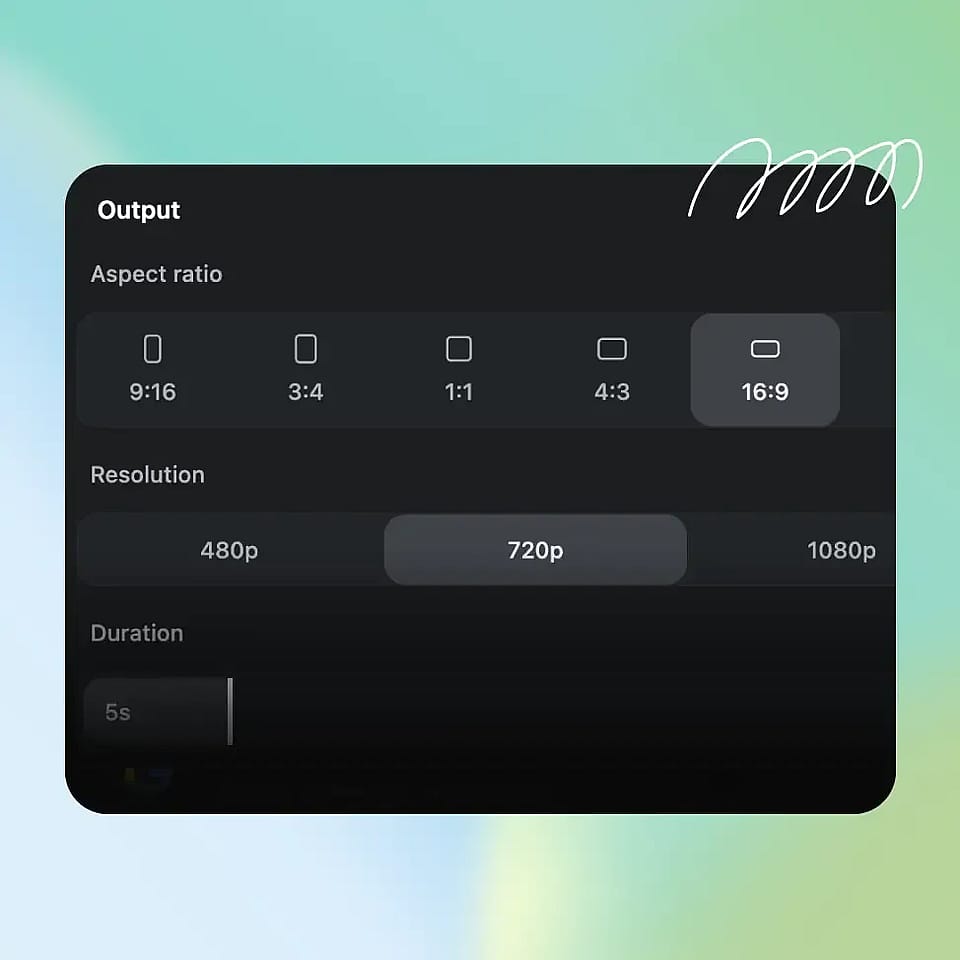
長さ・フォーマット・画質を設定
最大15秒までの尺、配信先プラットフォームに合わせたアスペクト比、最大4Kの解像度、そして高速ドラフトか高品質な最終版かを選べます。プロモに最初から雰囲気が必要なら、環境音をオンに切り替えましょう。
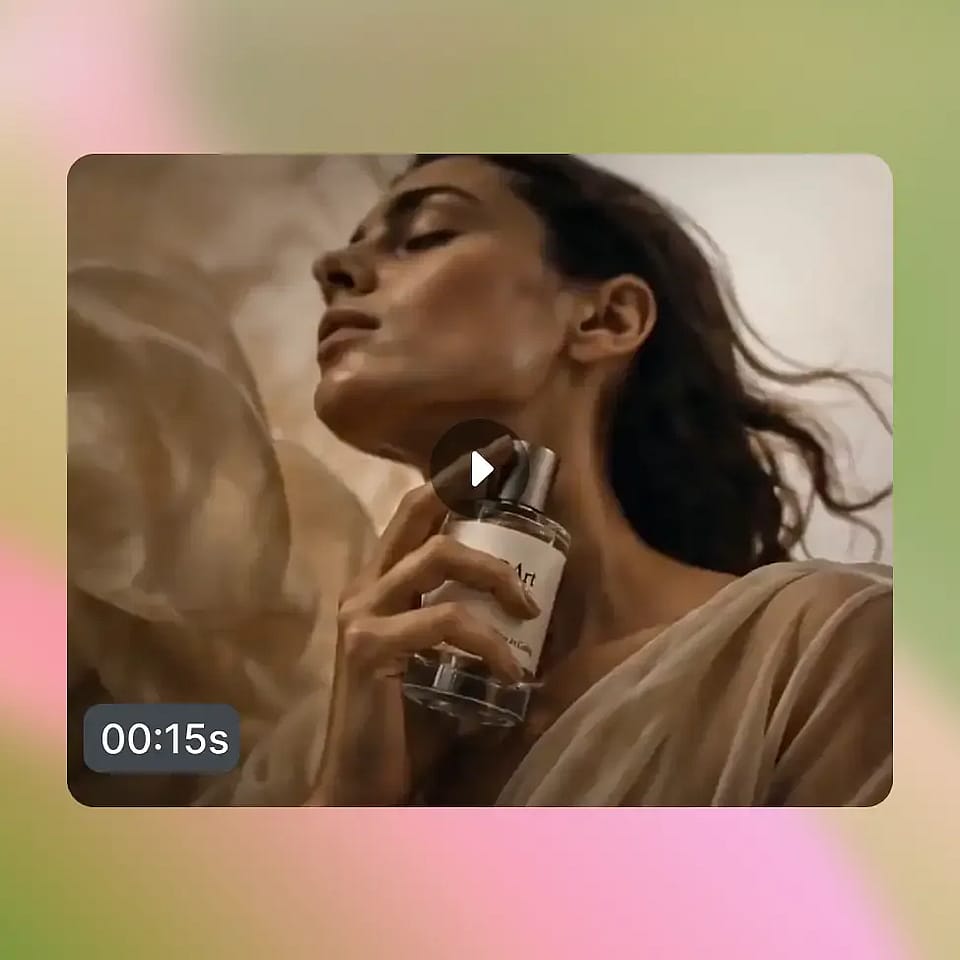
生成・ダウンロード・活用
生成を実行し、必要ならリップシンクのセリフや効果音を追加します。Restyle Videoを使えばA/Bテスト用にスタイルのバリエーションを展開でき、ショットにもう少し余裕が欲しいときはExtend Videoを使いましょう。
AIプロモ動画ジェネレーターのおすすめ活用法
個人の起業家から代理店まで、同じワークフローがあらゆるプロモーションにスケールします。
ECおよびDTCの製品ローンチ
画像から動画への変換に商品写真を入れるだけで、あなたのブランドの世界観に合わせて動く商品を演出するヒーロープロモが生成できます。Smart Shotなら、フック・機能紹介・CTAを一気にまとめたローンチリールを構築でき、4K書き出しに対応しているので、そのまま有料広告やサイトのヒーローセクションに使える素材が手に入ります。
今すぐ試すパフォーマンスマーケティングと有料ソーシャル広告
パフォーマンスチームには、クリエイティブのボリューム、バリエーション、そしてスピーディーな仕上がりが求められます。TikTok、Reels、Shorts、Metaの各配置に合わせたアスペクト比で、プロモ動画を午後だけで10パターン生成できます。Restyle Videoなら同じコンセプトをまったく異なるビジュアルスタイルでA/Bテストでき、Lip SyncとAdd Sound Effectを使えば、録り直し一切なしでナレーション付きのフックのバリエーションを量産できます。
今すぐ試すエージェンシー・クリエイティブスタジオ
「語る」より「見せる」ほうが、ピッチデックはずっと刺さります。クライアント向けのラフなプロモーション案を1時間足らずで立ち上げ、方向性が承認されたら新しいプロンプトやリスタイルで詰めていき、最終カットを4Kで納品しましょう。企画を支えるのと同じワークフローが制作も支えるので、何週間もの往復を数日に短縮できます。
今すぐ試すクリエイター、コーチ、パーソナルブランド
コース、ニュースレター、ポッドキャスト、あるいは自分のコンサルティング業務を宣伝するのに、もう撮影クルーは必要ありません。プロンプトを書いてプロモを生成し、自分の台本にリップシンクして投稿するだけ。Smart ShotとExtend Videoを使えば、制作漬けの日々で燃え尽きることなく、ブランドに沿ったプロモコンテンツを安定して量産できます。
今すぐ試すよくある質問 よくある質問
テキストプロンプトや商品画像を洗練されたプロモ動画に変える、OpenArt 内のワークフローです。テキストから動画、画像から動画の生成、複数カットの Smart Shot ストーリーボード、リップシンクや効果音などのオーディオツール、リスタイルのオプションまで、すべてが一か所にそろっています。
たくさんあります。動画を商品画像に紐づけてパッケージやブランドイメージをそのまま維持したり、Restyle Videoのプリセットでスタイルを固定したり、Smart Shotを使って生成前に構成されたシーケンスを計画し、完成した動画を思い描いたキャンペーンにぴったり合わせたりできます。
ほとんどの地域で答えはイエスですが、カテゴリー固有のルールがあります。現在、多くのプラットフォームが合成メディアへのAI表示を義務付けており、一部の業界(医療、金融、政治)ではより厳しいコンテンツ規制があります。OpenArtは制作ツールを提供します。あなたのキャンペーンに関するプラットフォームの規約や現地の広告法の確認はご自身の責任で行ってください。重要度の高いキャンペーンでは弁護士に相談するのが賢明です。
商用利用は、プランの階層と生成に使用した具体的なモデルによって異なります。有料キャンペーンでプロモーションを公開する前に、特に高額な広告アカウントの場合は、OpenArtの利用規約とサブスクリプションの詳細をご確認ください。
従来のプロモ撮影は、事前準備に数日、撮影に1日、そして編集サイクルがかかり、完成した素材1本あたり数千ドルもの費用が発生することも珍しくありません。OpenArtなら、プロモ1本あたり数分、コストもほんの一部に圧縮しながら、映画のような動き、音声、4K出力を実現します。あらゆるプレミアムなブランドフィルムを置き換えるわけではありませんが、スピーディに公開してSNSで成果を出す必要がある90%のプロモにとって、そのスピードはまさに別次元です。
OpenArtはSeedance 2.0、Wan 2.7、Kling Omni、LTX 2.3、Google Veo 3.1など、トップクラスの動画モデルを搭載しています。出力は最大4K解像度で、シネマティックな動きと音声を標準装備。だからプロモは、フィードだけでなく有料枠や大画面でもしっかり通用します。
製品ローンチ、EC広告、アプリ宣伝、講座やクリエイターのプロモ、代理店のピッチコンセプト、イベント予告、ブランドフィルム、SNSフック、そしてプラットフォームネイティブなショート広告。15秒のクリップに収まるもの、またはExtend Videoを加えたマルチカットのSmart Shotシーケンスなら何でも制作できます。
ますますそうなっています。Meta、TikTok、YouTubeといった主要プラットフォームは、広告における合成メディアや大幅に加工されたメディアについてAIの開示を義務づけています。コンプライアンス面だけでなく、透明性のあるラベリングは、あとから指摘されるよりも視聴者の信頼を築きやすくなります。
プロンプトは具体的に。製品名、シーン、カメラの動き、ムード、そして見どころを明記しましょう。表現に迷ったら自動プロンプト調整をオンに。実物の製品が重要なら画像to動画を、シーケンスが必要ならSmart Shotを使い、最初の1本を完璧にしようとするより、いくつかのバリエーションを生成して最も強いカットを選びましょう。