

Gemini Omni Flash 1.1 — AI動画モデル
Gemini Omni Flash 1.1 なら、4K解像度、対話型編集、マルチモーダル参照などのプレミアム動画機能を、手頃なコストと高速な生成スピードでご利用いただけます。
コミュニティの作品
クリエイターがGemini Omni Flashを使って、チャットで編集するプロダクト広告、スタイルを変えたSNSクリップ、キャラクター主導の解説動画を、すべて1つのOpenArtワークフロー内でどう作っているかご覧ください。
Gemini Omni Flash 1.1の主な機能
最大4Kの動画出力
Gemini Omni Flash 1.1が実現する、ウルトラHD 4K出力 OpenArtのAI動画ジェネレーター(オリジナルのOmni Flashモデルから大きく進化しています)。動画は4Kで出力されるため、別途AI動画アップスケーラーに通す必要はありません。YouTube動画、商品広告、個人プロジェクト用の作品など、そのまま公開できます。ディテール、動き、キャラクターの顔まで、4Kで鮮明かつ精細に保たれます。
今すぐ試すマルチモーダルなリファレンスと開始/終了フレーム
Gemini Omni Flash 1.1はリファレンス画像を受け取り、それを開始フレームと終了フレームとして使用します。動画の始まりと着地点はあなたが決め、その間はモデルがすべて生成。最初の画像から最後の画像まで、クリップ全体がなめらかにつながります。さらにGemini Omni Flash 1.1は、テキスト・動画・画像の入力を同時に受け取り、生成する内容をガイドできます。
今すぐ試す会話形式の動画編集
ここでの主役は、会話による動画編集です。タイムラインやマスクを扱うことなく、普通の言葉で説明するだけで、あらゆるキャラクター・オブジェクト・ディテールを変更できます。Omni Flash 1.1にキャラクターの差し替えや小道具の置き換え、照明を暖かくするよう頼めば、シーンの他の部分や動き、構図はそのままに変更を適用します。要するにOmni Flash 1.1は、新規のAI動画生成も、渡したリファレンス動画への生成的編集も、両方こなします。
今すぐ試すシーンの延長と連続ショット
Omni Flash 1.1は最大10秒のクリップを作成します。クリップの最後の10秒を読み取り、そこから次の10秒を構築することもできるので、新しいシーンが前のシーンの終わりからそのまま続きます。OpenArtにはこれを行う専用の動画延長ツールもありますが、Omni Flash 1.1は、最後のリファレンスとして与えたクリップの自然な続きに感じられる新しいクリップの生成が得意です。
今すぐ試す動きに合わせて追従する正確なテキスト
シンプルなプロンプトで、画面上のテキストやグラフィックを動画のアクションと連動させられます。文字は正しく綴られ、シーンの中をなめらかに動くので、タイトルが人物を追いかけたり、ラベルが動く商品に張り付いたままになったり。正確な文言をプロンプトに書けば、Omni Flash 1.1がきれいに動画内へ配置します。
今すぐ試すOpenArtでGemini Omni Flashを使う方法
プロンプトから完成クリップまで、シンプルな3ステップ。
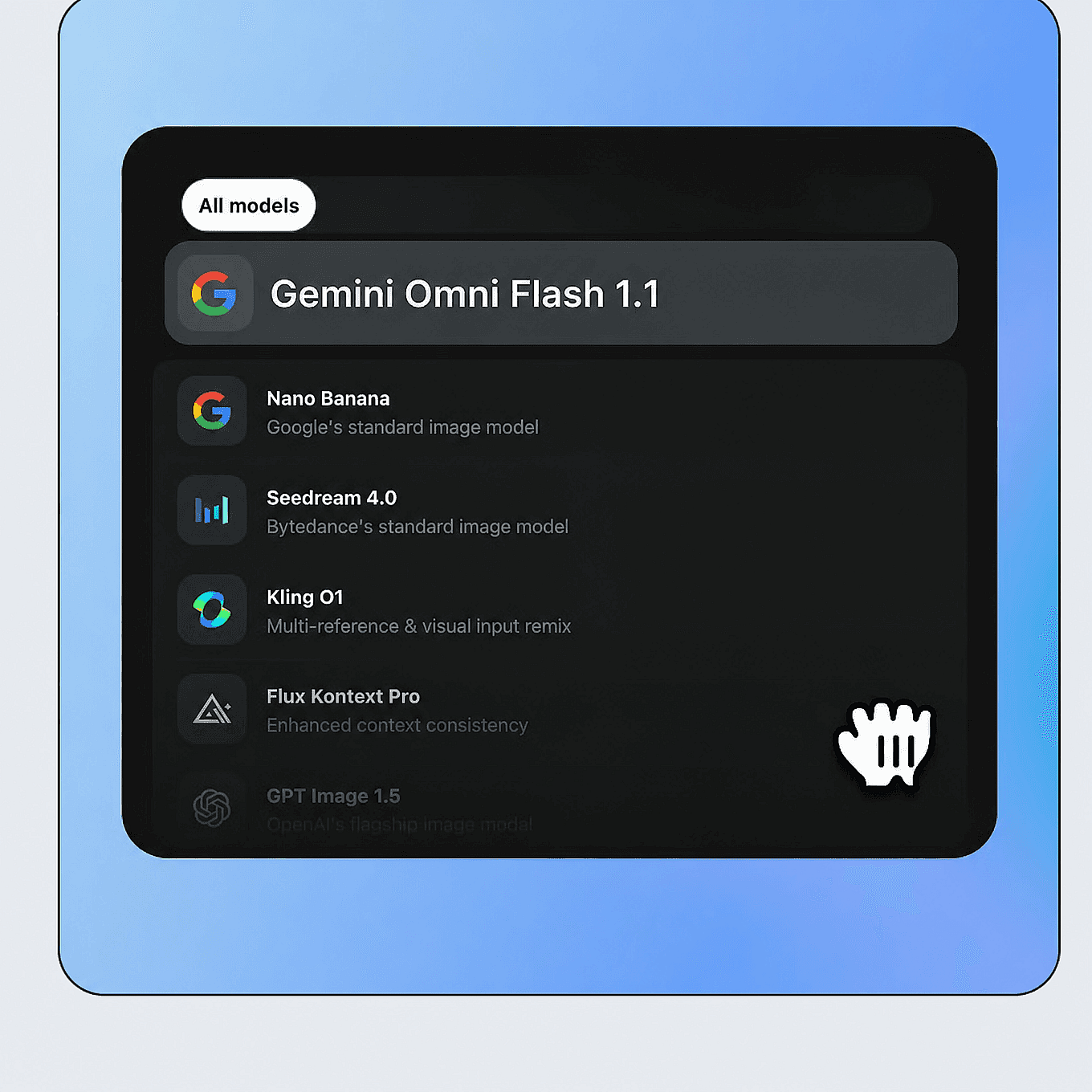
Gemini Omni Flashを選択
OpenArtの動画ツールを開き、テキストから動画または画像から動画を選択し、モデルメニューからGemini Omni 1.1 Flashを選びます。
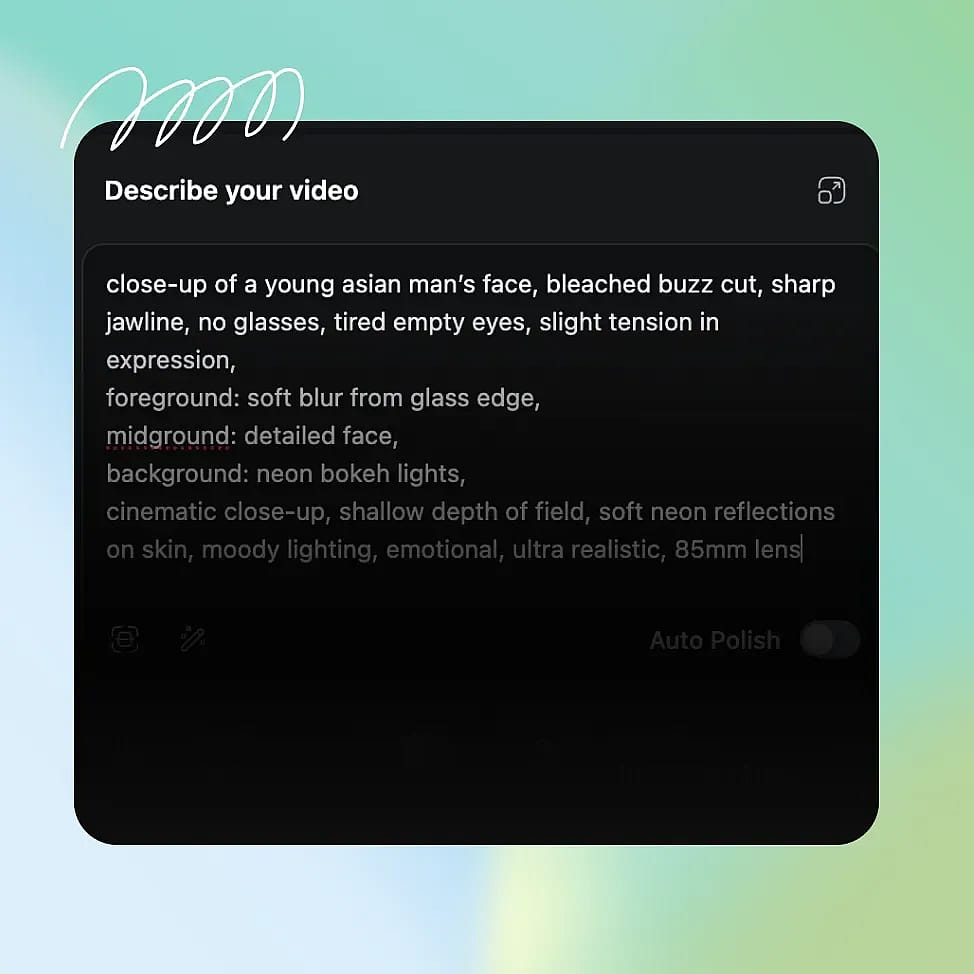
プロンプトまたは参照を追加
シーンを記述しましょう。被写体、アクション、設定、画面に表示したいテキストなど。構図やキャラクター、スタイルを導くために画像や短い動画のリファレンスを追加できます。
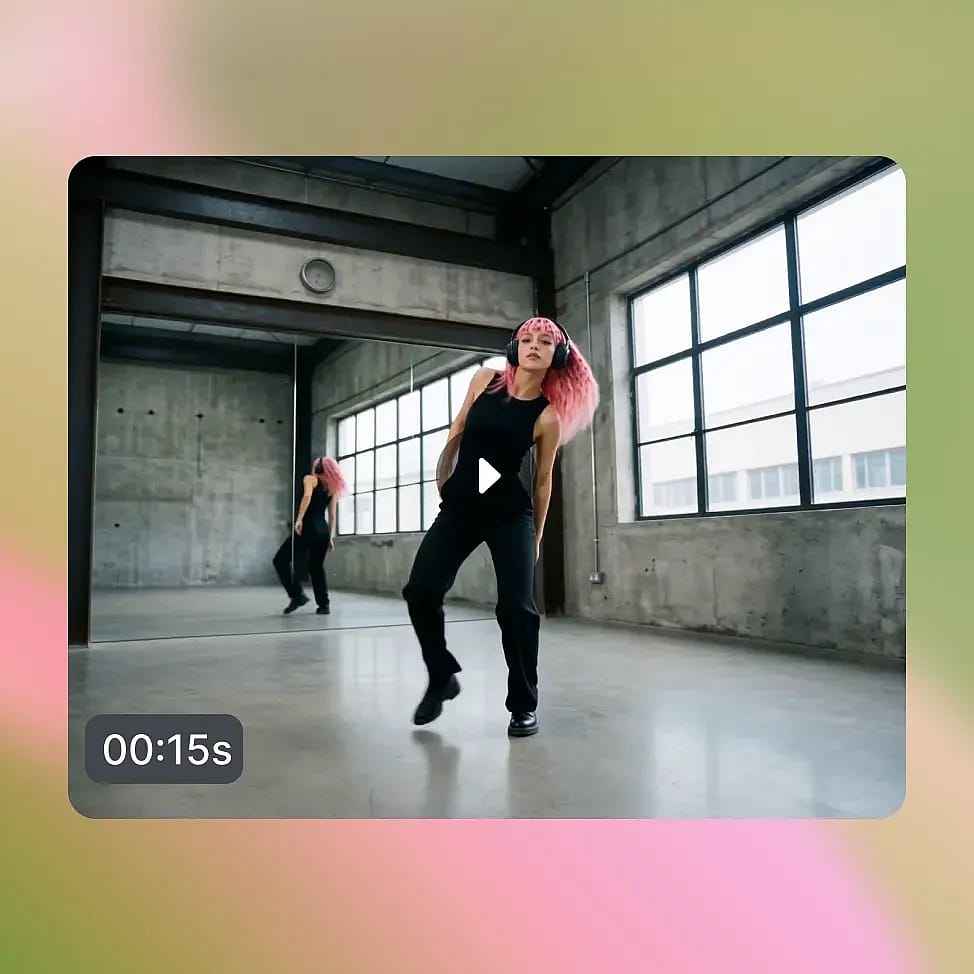
ダウンロード、またはチャットで仕上げる
クリップを生成したら、続きのチャットプロンプトで要素を差し替えたり、スタイルを変えたり、細部を修正したりして仕上げましょう。準備ができたらダウンロード。
スピーディーで反復的な動画制作のために
Omni Flash 1.1は、反復1回あたりのスピードとコストが制作量を左右するパイプラインに最適です。
アイデア出し、アニメーション化、編集
短いストーリーを普通の言葉で説明し、最初のクリップを生成して、チャットで対話しながら磨き上げる——すべてツールを切り替えずに。ルック、キャラクター、テンポを保ったまま次のショットへ進めます。生成が速く編集もチャットで完結するので、アイデアから完成クリップまで1セッションで到達でき、動画と一緒にネイティブサウンドも生成されます。
今すぐ試す多言語対応のSNS&ブランドコンテンツ
同じ広告やSNSクリップのローカライズ版を市場ごとにサッと立ち上げ、チャットでコピーやシーンを調整。横向きと縦向き(16:9と9:16)の出力があらゆるプラットフォームに対応しているので、ひとつのアイデアでコンテンツカレンダーをまるごと埋められます。高速・低コストな生成で、より多くのバリエーションをテストしながら、予算を気にせず投稿を続けられます。
今すぐ試すキャラクター主導のVlogやシリーズ
Omni Flash 1.1とOpenArt Charactersを組み合わせれば、Vlogや短編シリーズのどのエピソードでも同じ顔・衣装・スタイルを保てます。各回をすばやく生成し、衣装や設定、アクションはチャットで調整するだけ。最初からやり直す必要はありません。一貫したキャラクターと素早い制作で、定期的に続くシリーズも現実的に運用できます。
今すぐ試す解説コンテンツを大量に
教育・解説系コンテンツでは、Omni Flashの実世界の知識と正確な画面テキストにより、事実やラベルが正しく保たれます。わかりやすいグラフィックと同期した字幕付きで、短いレッスン、製品ガイド、ハウツー動画をまとめて制作しましょう。1本あたりのコストが低いので、1本だけでなくライブラリ全体を構築するのも現実的です。
今すぐ試す最高の結果を出すコツ

まずシーンを作り、そこから編集する
まずベースとなるクリップをフルに生成し、それからチャットプロンプトで修正しましょう。Omni Flashの編集機能は、最初の生成をワンショットのレンダリングではなく、下書きとして捉えると真価を発揮します。

promptはシンプルに
細部まで説明しすぎるのではなく、モデルの世界知識に頼りましょう。短く明確なプロンプトの方が忠実度が高くなることが多く、細かい点は後からの編集で重ねていけます。

参照画像を正しく活用する
キャラクターやスタイルには参照画像を追加し、動画の参照は短いクリップにとどめましょう。参照タイプを組み合わせると、テキストだけよりもシーン全体の一貫性を保てます。

正確なテキストは引用符で囲む
画面に表示したい文字はプロンプト内で引用符で囲み、行は短くコントラストを高く保ちましょう。英語が最も安定して描画されるため、文字量の多いショットは簡潔にまとめてください。
クリエイターに愛用されています
多くのAIプラットフォームを試してきましたが…キャラクター作成、画像から動画への品質、そして利用できるモデルの豊富さで、OpenArtは今も一番です。
OpenArtには優れたAIツールが揃っていて…機能を覚えれば、クリエイティブの可能性は無限大。サポートチームも本当に素晴らしいです。
OpenArtは、多彩な画像・動画モデル、一貫したキャラクター生成、強力な編集ツールを備えた、とても汎用性の高いAIプラットフォームです。
便利なAIツールがひとつに集約 - 画像・動画の生成、編集など…複数のサブスクリプションは不要です。
カスタマーサービスはいつも迅速で頼りになります…新しい機能やツールで、プラットフォームもどんどん良くなっています。
多くのAIプラットフォームを試してきましたが…キャラクター作成、画像から動画への品質、そして利用できるモデルの豊富さで、OpenArtは今も一番です。
OpenArtには優れたAIツールが揃っていて…機能を覚えれば、クリエイティブの可能性は無限大。サポートチームも本当に素晴らしいです。
OpenArtは、多彩な画像・動画モデル、一貫したキャラクター生成、強力な編集ツールを備えた、とても汎用性の高いAIプラットフォームです。
便利なAIツールがひとつに集約 - 画像・動画の生成、編集など…複数のサブスクリプションは不要です。
カスタマーサービスはいつも迅速で頼りになります…新しい機能やツールで、プラットフォームもどんどん良くなっています。
多くのAIプラットフォームを試してきましたが…キャラクター作成、画像から動画への品質、そして利用できるモデルの豊富さで、OpenArtは今も一番です。
OpenArtには優れたAIツールが揃っていて…機能を覚えれば、クリエイティブの可能性は無限大。サポートチームも本当に素晴らしいです。
OpenArtは、多彩な画像・動画モデル、一貫したキャラクター生成、強力な編集ツールを備えた、とても汎用性の高いAIプラットフォームです。
便利なAIツールがひとつに集約 - 画像・動画の生成、編集など…複数のサブスクリプションは不要です。
カスタマーサービスはいつも迅速で頼りになります…新しい機能やツールで、プラットフォームもどんどん良くなっています。
数あるAIプラットフォームの中でも、OpenArtは際立った選択肢でした。どんなクリエイターにもおすすめします。
このプラットフォームには、画像、動画、キャラクター、オーディオ、複数のAIモデルまで、AIコンテンツ制作に必要なすべてが一つに揃っています。
OpenArtはAI動画制作の可能性を広げ続けています…クリエイター体験の向上に真剣に取り組んでいるのが伝わってきます。
OpenArtで初めてのAIミュージックビデオを作りました…サポートチームは今まで受けた中で最高の対応でした。
サポートには大満足です。問題がすぐに解決し、チームのおかげでスムーズに進みました。
数あるAIプラットフォームの中でも、OpenArtは際立った選択肢でした。どんなクリエイターにもおすすめします。
このプラットフォームには、画像、動画、キャラクター、オーディオ、複数のAIモデルまで、AIコンテンツ制作に必要なすべてが一つに揃っています。
OpenArtはAI動画制作の可能性を広げ続けています…クリエイター体験の向上に真剣に取り組んでいるのが伝わってきます。
OpenArtで初めてのAIミュージックビデオを作りました…サポートチームは今まで受けた中で最高の対応でした。
サポートには大満足です。問題がすぐに解決し、チームのおかげでスムーズに進みました。
数あるAIプラットフォームの中でも、OpenArtは際立った選択肢でした。どんなクリエイターにもおすすめします。
このプラットフォームには、画像、動画、キャラクター、オーディオ、複数のAIモデルまで、AIコンテンツ制作に必要なすべてが一つに揃っています。
OpenArtはAI動画制作の可能性を広げ続けています…クリエイター体験の向上に真剣に取り組んでいるのが伝わってきます。
OpenArtで初めてのAIミュージックビデオを作りました…サポートチームは今まで受けた中で最高の対応でした。
サポートには大満足です。問題がすぐに解決し、チームのおかげでスムーズに進みました。
よくある質問 よくある質問
Gemini Omni Flash 1.1は、Gemini Omniファミリーに属するGoogle最新の高速・低コストな動画生成・編集モデルです。テキスト・画像・短い動画リファレンスから4K動画を作成し、普通の言葉でチャットしながらクリップを編集できます。
1回の生成あたりの高速性と低コストを追求して設計されており、OpenArtのVeo 3.1、Seedance 2.0、Kling Omniといったモデルと並んで、大量かつ反復的な作業に最適です。
Omni Flash 1.1は、指定に応じて3~10秒の短いクリップを生成します。OpenArtでは、より長い尺が必要なプロジェクトでも、動画延長機能でショットを伸ばしたり、続きの生成で尺を追加したりできます。
はい。画像・テキスト・短い動画クリップの参照を組み合わせて、構図・キャラクター・スタイルを指定できます。安定した結果を得るには、動画参照は短いクリップにとどめるのがおすすめです。
Gemini Omni Flashと新しい1.1バリアントは、GoogleのAPIを直接利用して、OpenArtで今すぐ完全に利用できます。AI動画モデルのすべての機能・性能に対応。AI動画ツールに移動し、モデル選択メニューから選ぶだけで使い始められます。
いいえ。Gemini Omni Flash は2026年の Gemini Omni ファミリーに属する専用の動画生成・編集モデルで、旧来の言語モデル Gemini 2.0 Flash とは別物です。
Gemini Omni Flash 1.1はOpenArtで4つの解像度オプションを備えています:360p、720p、1080p、そしてフル4K。
OpenArtの新規アカウントはすべて無料の40クレジット付きで、すぐに製品をお試しいただけます。もっと作りたくなったら、有料プランで毎月のクレジットとウォーターマークなしのダウンロードが利用できます。