

Hailuo 3.0 — Video Generation Model
The Hailuo 3.0 AI video model delivers native 2K video with synchronized sound and dialogue, up to 15 seconds in a single generation. Combine image, video, and audio references to hold your character, style, and voice across shots, so you can start creating your perfect video today on OpenArt.

Community Creations
See what creators are making with Hailuo 3.0 on OpenArt. Explore community videos and get inspired for your first generation.
Key Features of Hailuo 3.0
Generate crisp, native 2K video
Hailuo 3.0 renders at full 2K pixel density inside the model itself, so crisp detail is the output rather than the result of a separate enhancement pass. That matters when your video has to hold up on a large display, a retail screen, or a client's high-resolution delivery spec.
Try it NowGet true cinematic motion
Hailuo 3.0 generates at a fixed 24 frames per second, the same cadence film and broadcast are shot at, so your clip cuts into a real timeline without conforming or frame blending. Stronger temporal consistency keeps motion stable across the whole take instead of warping or drifting partway through.
Try it NowGenerate up to 15 seconds
Hailuo 2.3 tops out near 10 seconds, which covers a single moment or an opening hook. Hailuo 3.0 extends that to 15 seconds and generates multiple shots inside one clip. Moreover, you can use our Extend Video tool to stretch it all the way up to 30 secs.
Try it NowKeep one character consistent
Hailuo 3.0 accepts up to nine reference images, three reference video clips, and three audio clips in a single generation, and holds the character's face, styling, motion, and voice across every shot. Pair it with a saved character from OpenArt Characters to keep the same person through a full sequence.
Try it NowEdit videos by chatting
Hailuo 3.0 takes editing instructions on an existing generation and applies them to characters, objects, scenes, sound, or pacing. Change a jacket color, swap the background, or retime the action by describing the change in words, with no masking or compositing in a separate editor.
Try it NowGet fully synced audio
Hailuo 3.0 produces dialogue, sound effects, and room atmosphere alongside the video in one pass, timed to what happens on screen. Speech lands on the mouth movements and glass cracks as it breaks, so you skip the separate sound design step for short-form work.
Try it NowHow to Use Hailuo 3.0 on OpenArt
Three steps take you from a blank prompt to your first clip.
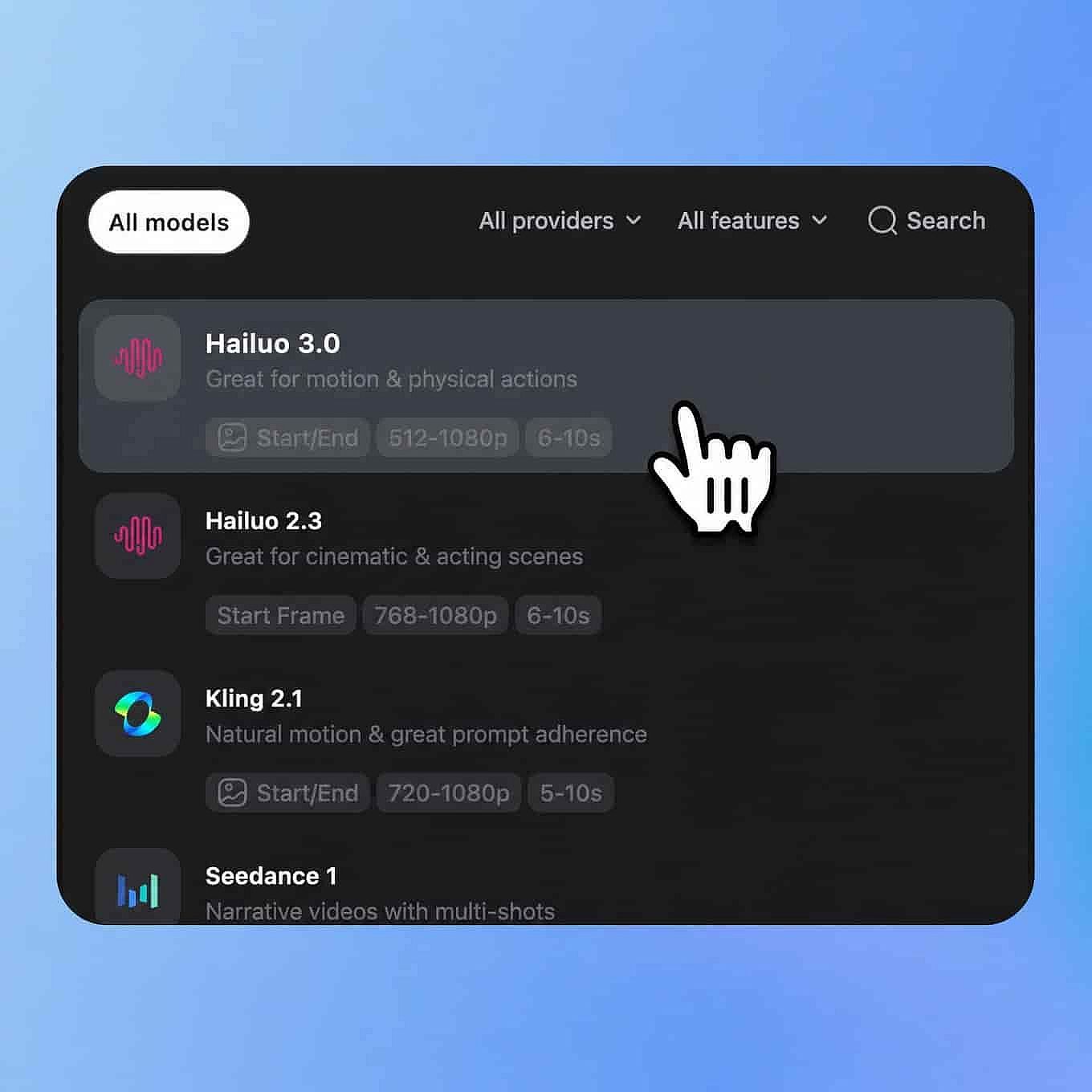
Choose Your Model
Open OpenArt's video tools and select Hailuo 3 from the model menu.
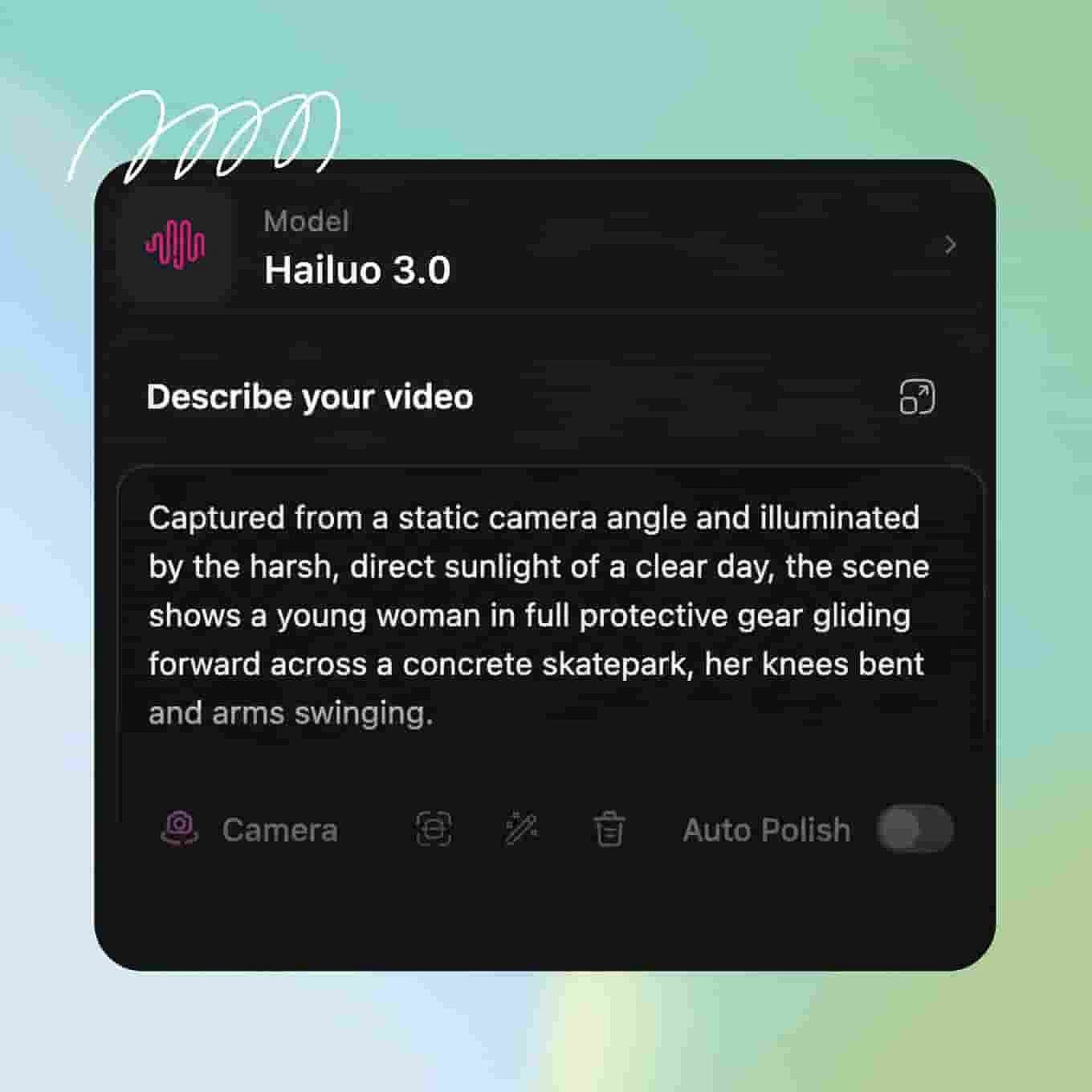
Prompt and Add References
Describe your subject, action, camera movement, and lighting, and spell out the dialogue and sounds you want.
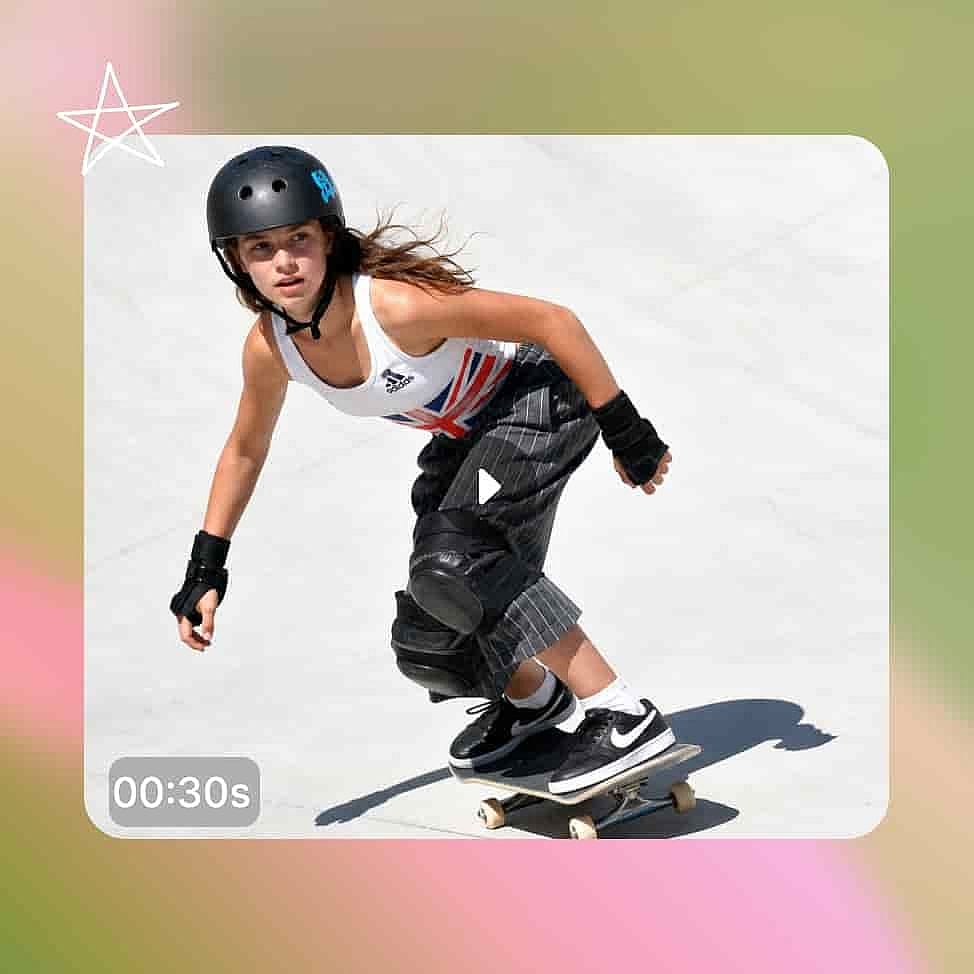
Generate and Export
Set your duration and aspect ratio, then generate and review the clip with sound on. Download when finished.
Built for Longer and Sharper Video
Longer Ad Creatives
A complete spot needs an opening, a product moment, and a closing frame. At 15 seconds with multiple shots in a single generation, your lighting and product appearance stay consistent from the first frame to the last, so you are reviewing one clip instead of matching three separate ones in an editor.
Try it NowAction Scenes and Filmmaking
Lighting, atmosphere, camera choreography, and performance all have to agree for a shot to look as film rather than as a clip. Hailuo 3.0 resolves those in one generation pass and shoots at 24FPS, which makes it a fit for previsualization, mood films, and action scenes.
Try it NowCharacter-Driven Storytelling
A short film needs the same person to appear in a wide shot, a close-up, and a profile without their face or their voice changing. Hailuo 3.0 holds character identity from your reference assets and generates multiple shots per clip, so a full scene with camera movements and a final ending fits in one go.
Try it NowCommercial Content Production
E-commerce listings, brand social, game trailers, and interface motion design all expect a clean high-resolution master. Native 2K generation gives you a file that meets that spec without an AI video upscaler step, and Hailuo 3.0 handles the text overlays, brand elements, and product showcases easily.
Try it NowTips for Best Results

Name your camera move in the prompts
Write the move out in professional shot language, for example "slow orbit to the right" or "handheld tracking shot." Hailuo 3.0 follows camera language while it generates, so naming the move gives you a more consistent camera path than describing the scene alone.

Refine with an edit instruction
When a generation is close but one detail is off, send an edit instruction rather than starting a new prompt from scratch. Editing the existing clip keeps the framing, lighting, and performance you already approved and changes only the part you named.

Upload a clean reference for character work
For any recurring person, use reference images with even lighting, a direct face angle, and nothing covering the features, and add a clean audio clip for the voice. Consistency works from the data in those references, so a profile shot or a noisy recording gives the model less to hold onto.
Name your camera move in the prompts
Write the move out in professional shot language, for example "slow orbit to the right" or "handheld tracking shot." Hailuo 3.0 follows camera language while it generates, so naming the move gives you a more consistent camera path than describing the scene alone.
Refine with an edit instruction
When a generation is close but one detail is off, send an edit instruction rather than starting a new prompt from scratch. Editing the existing clip keeps the framing, lighting, and performance you already approved and changes only the part you named.
Upload a clean reference for character work
For any recurring person, use reference images with even lighting, a direct face angle, and nothing covering the features, and add a clean audio clip for the voice. Consistency works from the data in those references, so a profile shot or a noisy recording gives the model less to hold onto.
Loved by Creators
I've tried many AI platforms... but OpenArt is still the best for character creation, image-to-video quality, and the variety of models available.
OpenArt offers an excellent array of AI tools... once you learn the features, the creative possibilities are amazing - and their support team is outstanding.
OpenArt is a very versatile AI platform with many image and video models, consistent character creation, and powerful editing tools.
Helpful AI tools all in one place - image and video generation, editing, and more... no need for multiple subscriptions.
Customer service is always quick and helpful... and the platform keeps getting better with new features and tools.
I've tried many AI platforms... but OpenArt is still the best for character creation, image-to-video quality, and the variety of models available.
OpenArt offers an excellent array of AI tools... once you learn the features, the creative possibilities are amazing - and their support team is outstanding.
OpenArt is a very versatile AI platform with many image and video models, consistent character creation, and powerful editing tools.
Helpful AI tools all in one place - image and video generation, editing, and more... no need for multiple subscriptions.
Customer service is always quick and helpful... and the platform keeps getting better with new features and tools.
I've tried many AI platforms... but OpenArt is still the best for character creation, image-to-video quality, and the variety of models available.
OpenArt offers an excellent array of AI tools... once you learn the features, the creative possibilities are amazing - and their support team is outstanding.
OpenArt is a very versatile AI platform with many image and video models, consistent character creation, and powerful editing tools.
Helpful AI tools all in one place - image and video generation, editing, and more... no need for multiple subscriptions.
Customer service is always quick and helpful... and the platform keeps getting better with new features and tools.
With so many AI platforms out there, OpenArt stood out as a stellar choice - I'd recommend it to any creator.
This platform includes everything you need for AI content creation - images, video, characters, audio, and multiple AI models in one place.
OpenArt is pushing the boundaries of AI video creation... and it's clear the team is committed to improving the creator experience.
I made my first AI music video with OpenArt... and their support team was the best help I've ever experienced.
I'm very happy with the support - my issue was resolved quickly and the team made the process easy.
With so many AI platforms out there, OpenArt stood out as a stellar choice - I'd recommend it to any creator.
This platform includes everything you need for AI content creation - images, video, characters, audio, and multiple AI models in one place.
OpenArt is pushing the boundaries of AI video creation... and it's clear the team is committed to improving the creator experience.
I made my first AI music video with OpenArt... and their support team was the best help I've ever experienced.
I'm very happy with the support - my issue was resolved quickly and the team made the process easy.
With so many AI platforms out there, OpenArt stood out as a stellar choice - I'd recommend it to any creator.
This platform includes everything you need for AI content creation - images, video, characters, audio, and multiple AI models in one place.
OpenArt is pushing the boundaries of AI video creation... and it's clear the team is committed to improving the creator experience.
I made my first AI music video with OpenArt... and their support team was the best help I've ever experienced.
I'm very happy with the support - my issue was resolved quickly and the team made the process easy.