

 ChatGPT
 Perplexity
 Claude
 Gemini
500個の箱を印刷してからロゴが小さすぎると気づくのは、高くつく学び方です。モックアップのプロンプトなら、まず箱を確認できます。
製品やロゴのモックアップから、パッケージ、グッズ、スマホ画面まで、40種類を作成しました。ほとんどのグループには自分のデザインを使うプロンプトが含まれており、モックアップに実際のロゴやラベルがオブジェクト上に表示されます。
プロンプトをコピーして、OpenArtでモックアップを作成しましょう AIモックアップジェネレーター。他のスタイルのプロンプトについては、こちらのガイドをご覧ください AI画像生成に最適なプロンプト.
要点
- モックアップのプロンプトには、対象物とデザインを配置する場所が必要です。
- 自分のロゴやラベルを使うには、それをアップロードして「Keep my design exactly as it is.」から始めましょう。
- シーンに合った柔らかな影と光が、モックアップをリアルに見せます。
- 製品上のテキストは短くまとめ、近くで確認しましょう。
- 以下の各グループには、サンプル画像1枚と使用したOpenArtモデルを掲載しています。
モックアップ・プロンプトとは?
モックアップのプロンプトは、箱やTシャツなどのオブジェクトにあなたのデザインを載せた状態を説明します。印刷する前に、ロゴやラベルが実際にどう見えるかを確認できます。
モックアップは、あなたのデザインを物に載せて見せるものです。商品リストそのものに使う写真が必要なときは、こちらのガイドをご覧ください: Amazon商品撮影 で詳しく解説しています。
モックアップ・プロンプトの型
優れたモックアッププロンプトの多くは、同じ順序に従います。各項目を埋めれば、モックアップデザイン用のプロンプトが完成します:
[your design and where it sits] + [object, material and color] + [setting and props] + [lighting] + [camera angle and framing] + [style]
- デザインとその配置。 ロゴやラベルをアップロードする場合は、まず「デザインはそのまま維持」と指定し、「バッグの正面に」のように配置する場所を伝えましょう。
- オブジェクト、素材、色。 デザインを適用する対象を指定しましょう。例「マットな白いコーヒーバッグ」や「ブラッシュド加工の金属サイン」など。
- 背景と小道具。 「コーヒー豆の隣、明るいオークのカウンターの上に」のように、配置場所を指定しましょう。
- ライティング。 「左からの柔らかい窓明かり」のような、ライトを1つ選ぶ。
- カメラアングルと構図。 「45度のアングル、クローズアップ」や「真上からのフラットレイ」を試してみましょう。
- スタイル。 「クリーンでミニマルな製品写真」のように、求める仕上がりで締めくくりましょう。
順番を保ったまま自分の詳細に置き換えるだけで、シンプルなモックアッププロンプトジェネレーターのように使えます。
Keep my design exactly as it is. Place it on the front of a matte white coffee bag, standing on a light oak counter next to a few coffee beans. Soft window light from the left, gentle shadow, 45-degree angle, clean and minimal product photo.
タイプ別モックアップ・プロンプト
デザインを載せる対象ごとにプロンプトをまとめました。各グループには例として画像が1枚と、使用したOpenArtモデルを掲載しています。「デザインを使用」と記されたプロンプトは、先にロゴや商品写真をアップロードする必要があります。
商品モックアップのプロンプト
なぜ効果的か:製品の下にできる柔らかな影こそが、実際の面に置かれていると目に伝えてくれるからです。
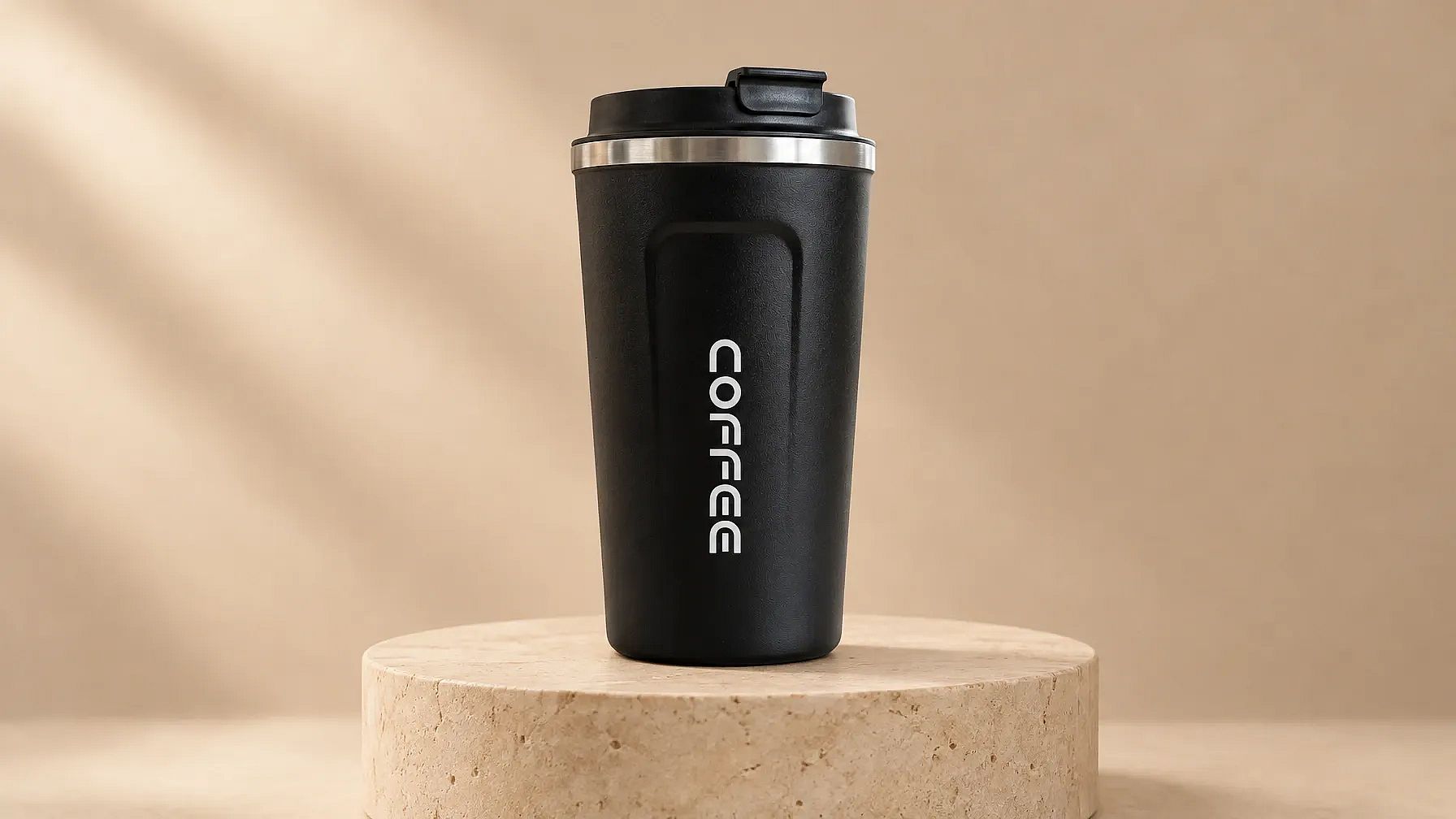
1. 石の台座に乗せた製品(あなたのデザインで)
Keep my product exactly as it is. Place it on a round beige stone plinth against a soft sand-colored backdrop. Soft studio light from the top left, gentle contact shadow, 45-degree angle.
2. リネン生地の上のフラットレイ
Top-down flat lay product mockup of a skincare bottle on white linen, with dried eucalyptus, a small towel and a ceramic dish around it. Bright, even daylight, 1:1.
3. 浮遊する3D製品
3D product mockup of a sleek wireless speaker floating above a glossy surface with a clear reflection below it. Dark gradient background, soft rim light around the edges.
4. キッチンシーンの中の商品
Product mockup of a glass olive oil bottle with a blank label on a marble kitchen counter, next to fresh tomatoes and a wooden board. Warm morning light, shallow depth of field.
5. 手に持った商品(あなたのデザイン入り)
Keep my product and its label exactly as they are. Show it held in one hand against a plain light background, label facing the camera. Natural skin tones, soft light, close-up.
ロゴモックアップのプロンプト
なぜうまくいくのか:ブラッシュメタルやレザーなど素材を指定することで、AIにロゴをどう見せるべきか伝わります。これらのプロンプトをOpenArtで試してみましょう AIロゴジェネレーター.
6. 壁に設置した3Dメタルサイン(あなたのデザインで)
Keep my logo exactly as it is. Turn it into a 3D brushed metal sign mounted on a smooth concrete wall in a modern office lobby. Soft spotlight from above, small shadow behind the letters.
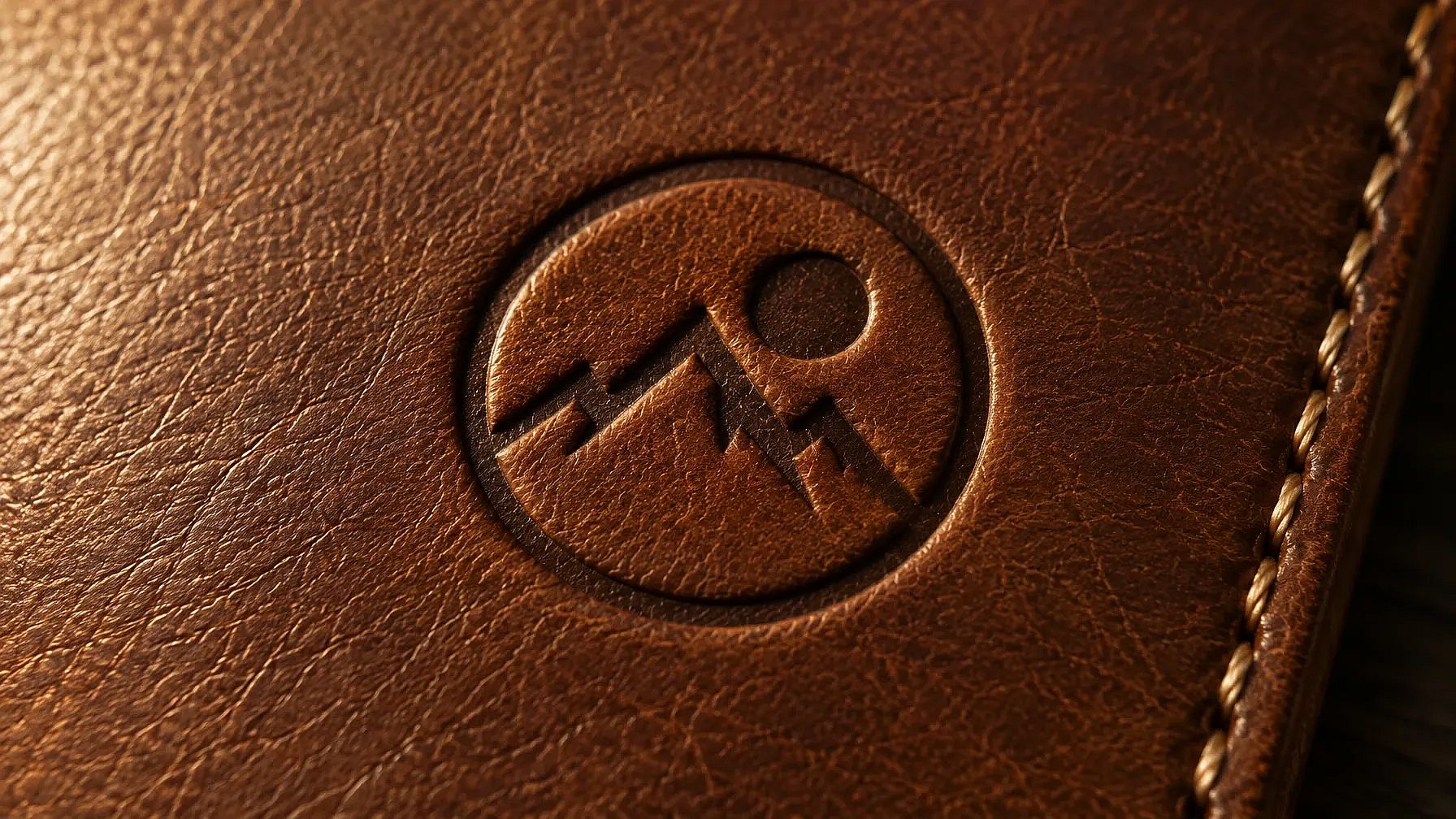
7. レザーに型押しされたロゴ
Logo mockup of a simple round logo embossed into brown leather, close-up, with visible stitching along one edge. Warm side light that shows the depth of the emboss.
8. すりガラスのドアに描かれたロゴ
Logo mockup of a logo etched on a frosted glass office door, with a soft blurred office behind it. Cool daylight, straight-on view.
9. 店頭オーニングのロゴ
Logo mockup of a small café storefront with a dark green awning and a cream logo printed on it. Street-level view, morning sun, a few potted plants by the door.
10. ステーショナリーに載せたロゴ(あなたのデザインで)
Keep my logo exactly as it is. Place it on a letterhead, an envelope and a business card laid out on a light gray desk. Top-down view, soft even light.
パッケージ・ラベルのモックアッププロンプト
なぜ効果的か:ラベルが形に沿うとパッケージがリアルに見えるので、丸い瓶や背の高いボトルなど、形を指定しましょう。
11. 高級感のある商品パッケージ
Photorealistic mockup of a product packaging, elegant and sophisticated style, ideal for luxury brands.
12. ラベルを巻いたガラスボトル(あなたのデザイン入り)
Keep my label design exactly as it is. Wrap it around a tall clear glass bottle with a cork stopper, standing on a dark wood shelf. Soft side light, small reflection on the glass.
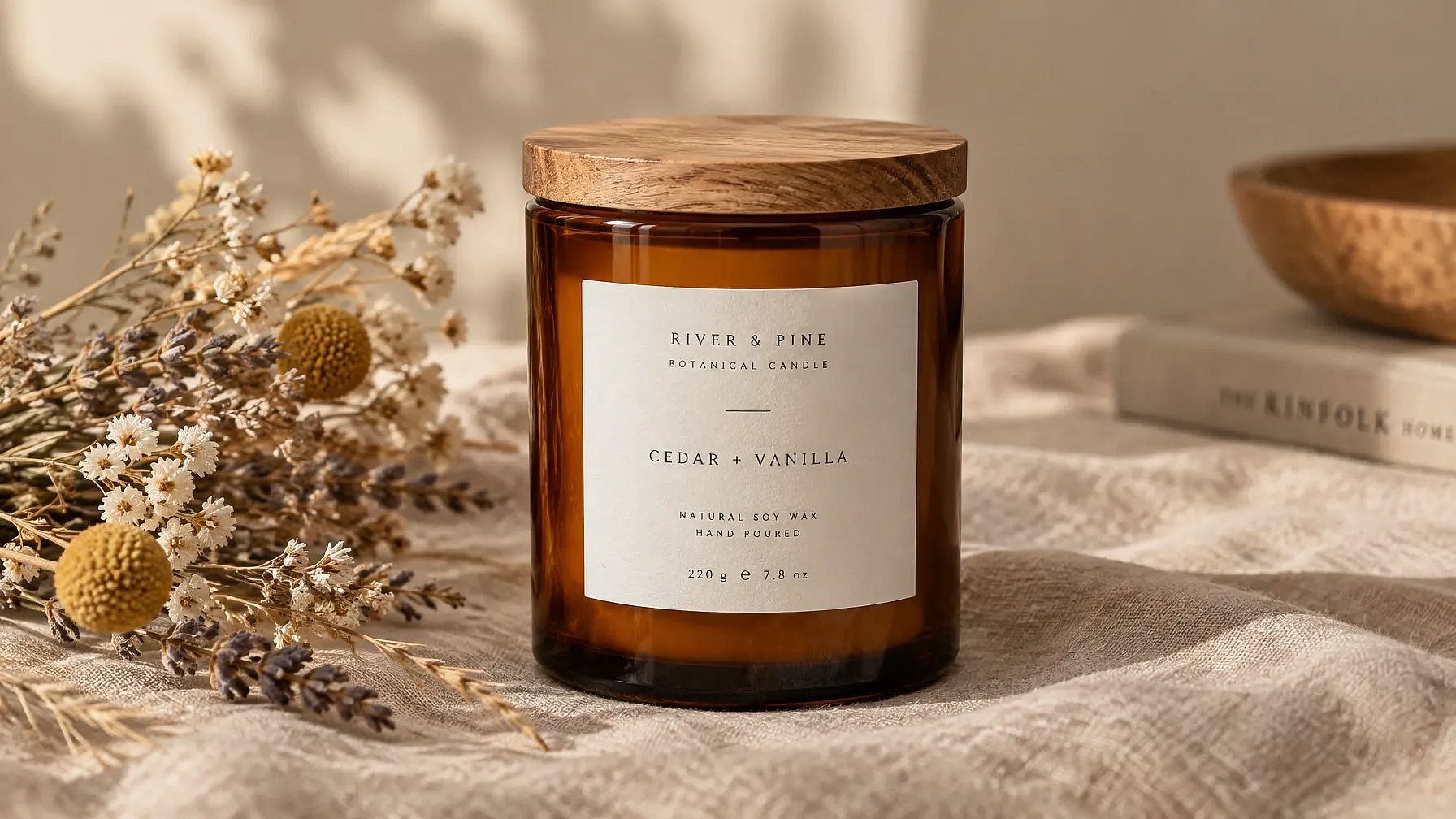
13. ミニマルなラベルのキャンドルジャー
Packaging mockup of an amber glass candle jar with a minimal white label and a wooden lid, on a linen cloth next to dried flowers. Warm, soft light.
14. コスメのジャーとチューブのセット
Packaging mockup of a matching cosmetic jar and squeeze tube in soft pink with blank labels, on a white marble shelf. Bright, clean light, straight-on view.
15. 開いたクラフト紙のメーラーボックス
Box mockup of an open kraft mailer box with white tissue paper inside and a small thank-you card on top, on a light wood table. Top-down view, soft daylight.
パッケージデザイン全体については、こちらをご覧ください パッケージデザインのプロンプト、または次を試してみましょう AIパッケージデザインジェネレーター.
アパレル・グッズのモックアッププロンプト
うまくいく理由:本物の生地にはシワがあるので、それを指定しましょう。シャツにフラットで完璧なプリントは、貼り付けたように見えてしまいます。
16. ストリートウェアTシャツ
Photorealistic mockup of a T-shirt, casual and contemporary style, ideal for streetwear brands.
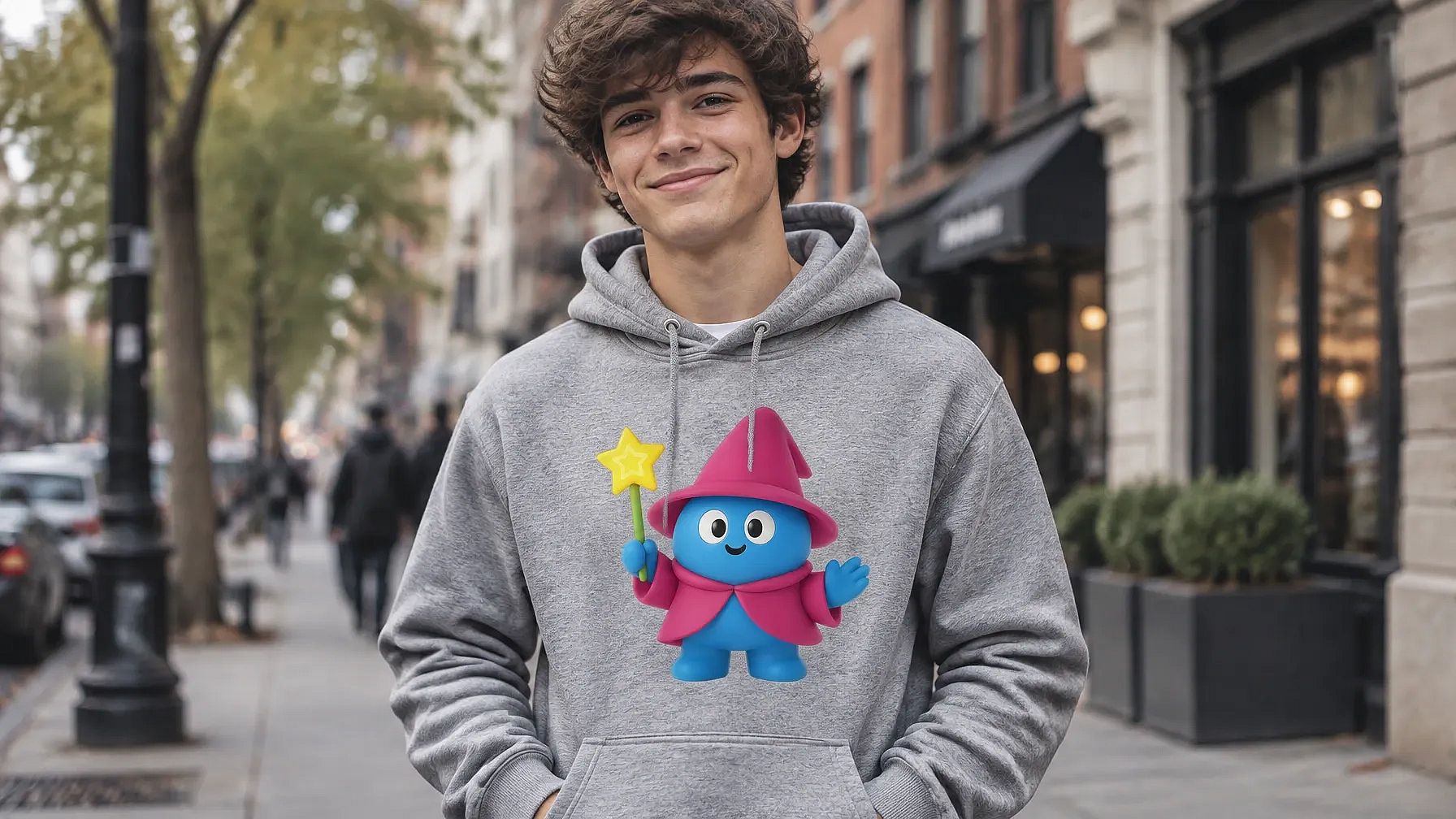
17. モデルが着たパーカー(あなたのデザイン入り)
Keep my design exactly as it is. Print it on the front of a heather gray hoodie worn by a young man on a city street. Natural fabric folds, soft overcast light, waist-up shot.
18. 刺繍入りキャップ
Cap mockup of a navy baseball cap with a small embroidered logo on the front, resting on a wooden table. Close-up, soft side light that shows the stitching.
19. キャンバストートバッグ
Tote bag mockup of a natural canvas tote with a simple printed design, hanging on the back of a wooden chair. Soft daylight, straight-on view.
20. カフェのテーブルに置かれたマグカップ
Mug mockup of a white ceramic mug with a printed logo, on a café table with a little steam rising from the coffee. Warm morning light, shallow depth of field.
Tシャツのモックアップをもっと見たい方は、こちらをご覧ください Tシャツデザインプロンプト.
プリントモックアップのプロンプト
なぜ効果的か:紙には質感があるので、マットや光沢など指定することで、プリントのリアルさが変わります。
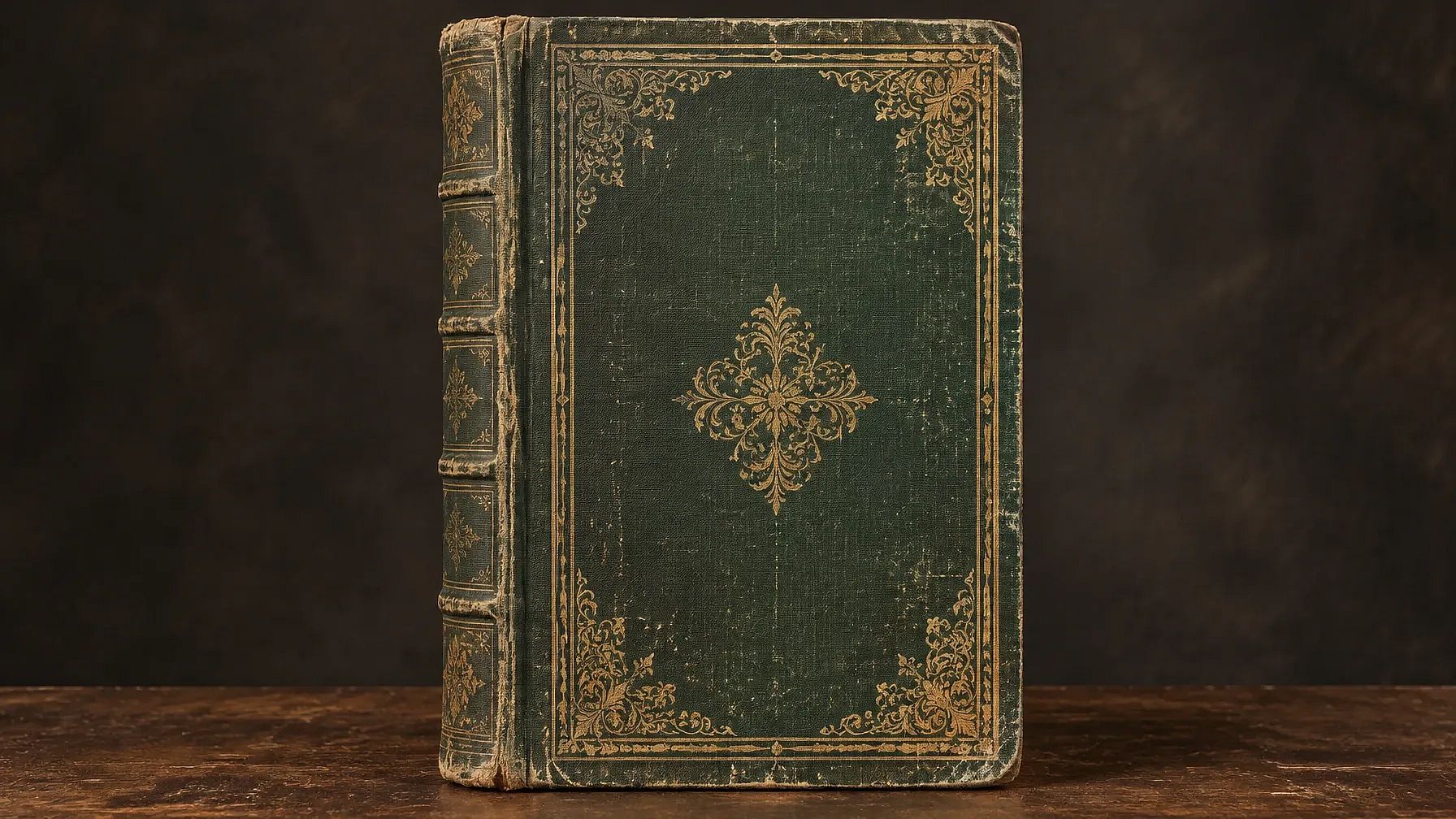
21. クラシックな書籍カバー
High-resolution mockup of a book cover, classic and timeless style, suitable for literary fiction.
22. 棚に並ぶハードカバーの本(あなたのデザインで)
Keep my cover design exactly as it is. Put it on a hardcover book standing upright on a wooden bookshelf, next to a small plant. Soft warm light, slight angle so the spine shows.
23. リビングに飾られたポスター
Poster mockup of a large framed poster with a thin black frame, hanging above a beige sofa in a bright living room. Natural daylight, straight-on view.
24. レタープレス名刺
Business card mockup of a small stack of thick cream letterpress business cards on dark slate, with the top card slightly turned. Close-up, soft side light that shows the pressed letters.
25. カフェのテーブルに置かれた折りたたみチラシ
Flyer mockup of a folded A5 flyer lying on a café table next to a coffee cup. Top-down view, soft morning light, matte paper.
スマホ・ノートPC・Webサイトのモックアッププロンプト
なぜうまくいくのか:すっきりしたデスクとソフトライトが画面に視線を集めます。画面をカメラに向けるよう指定すれば、デザインが読み取りやすくなります。
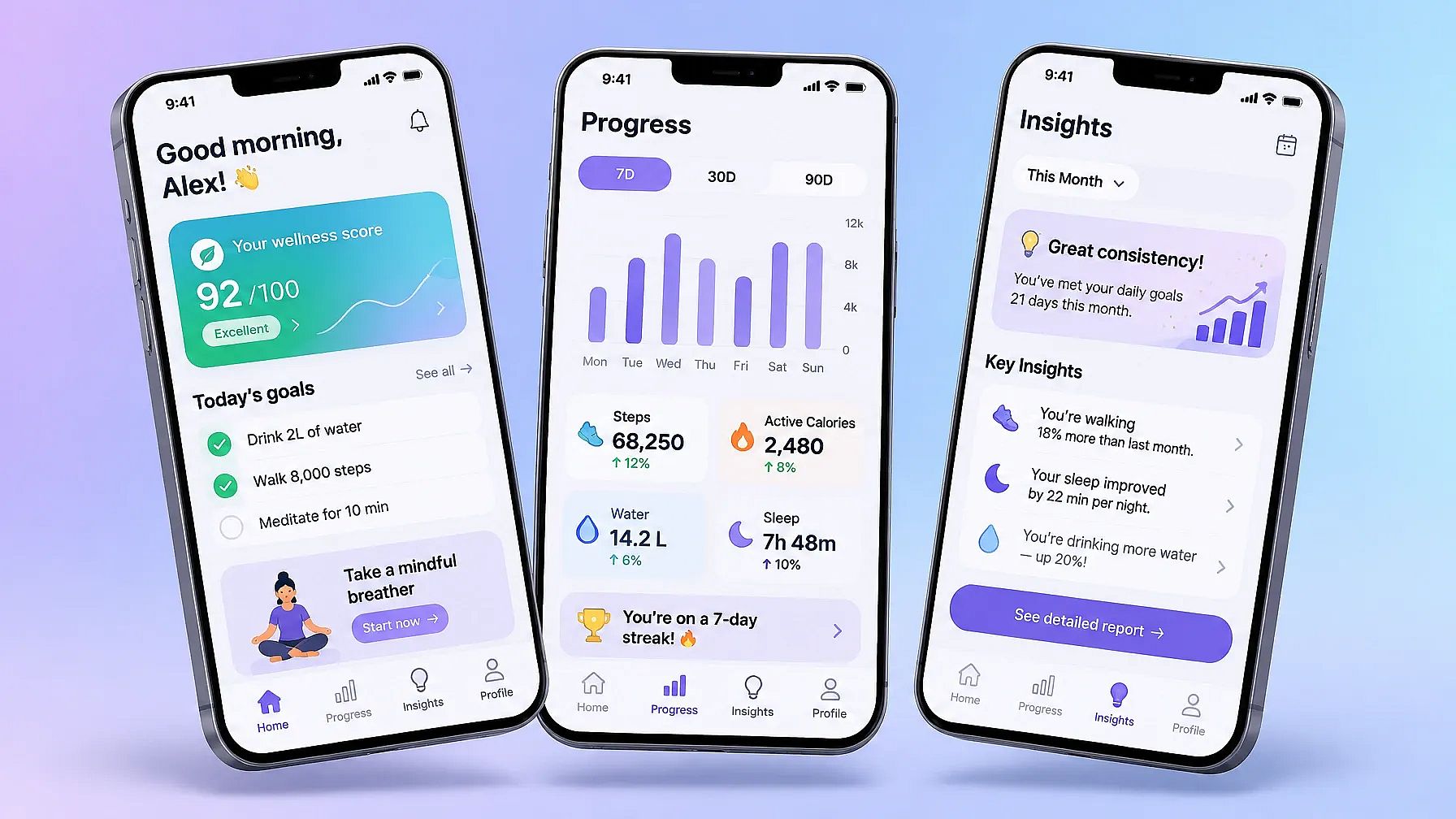
26. スタイリッシュなスマートフォン
High-resolution mockup of a smartphone, sleek and modern style, suitable for tech product showcases.
27. あなたのデザインを表示したウェブサイトのノートパソコン
Keep my website screenshot exactly as it is. Show it on the screen of an open laptop on a clean white desk, with a notebook and a coffee cup beside it. Soft daylight, screen facing the camera.
28. 斜めから見たアプリ画面
App mockup of three smartphone screens floating at a slight angle, side by side, on a soft gradient background. Clean, modern, soft shadows under each phone.
29. ブラウザウィンドウ内のウェブサイト
Website mockup of a homepage shown in a clean browser window on a large desktop monitor, in a bright home office. Straight-on view, sharp screen.
30. タブレットとスマホを並べて
Responsive design mockup of a tablet and a smartphone lying side by side on a light wood desk, showing the same app. Top-down view, even light.
看板・サイネージのモックアッププロンプト
効果的な理由:看板は遠くから見られるため、カメラアングルが重要です。ストリートレベルを指定すると、スケール感が自然になります。
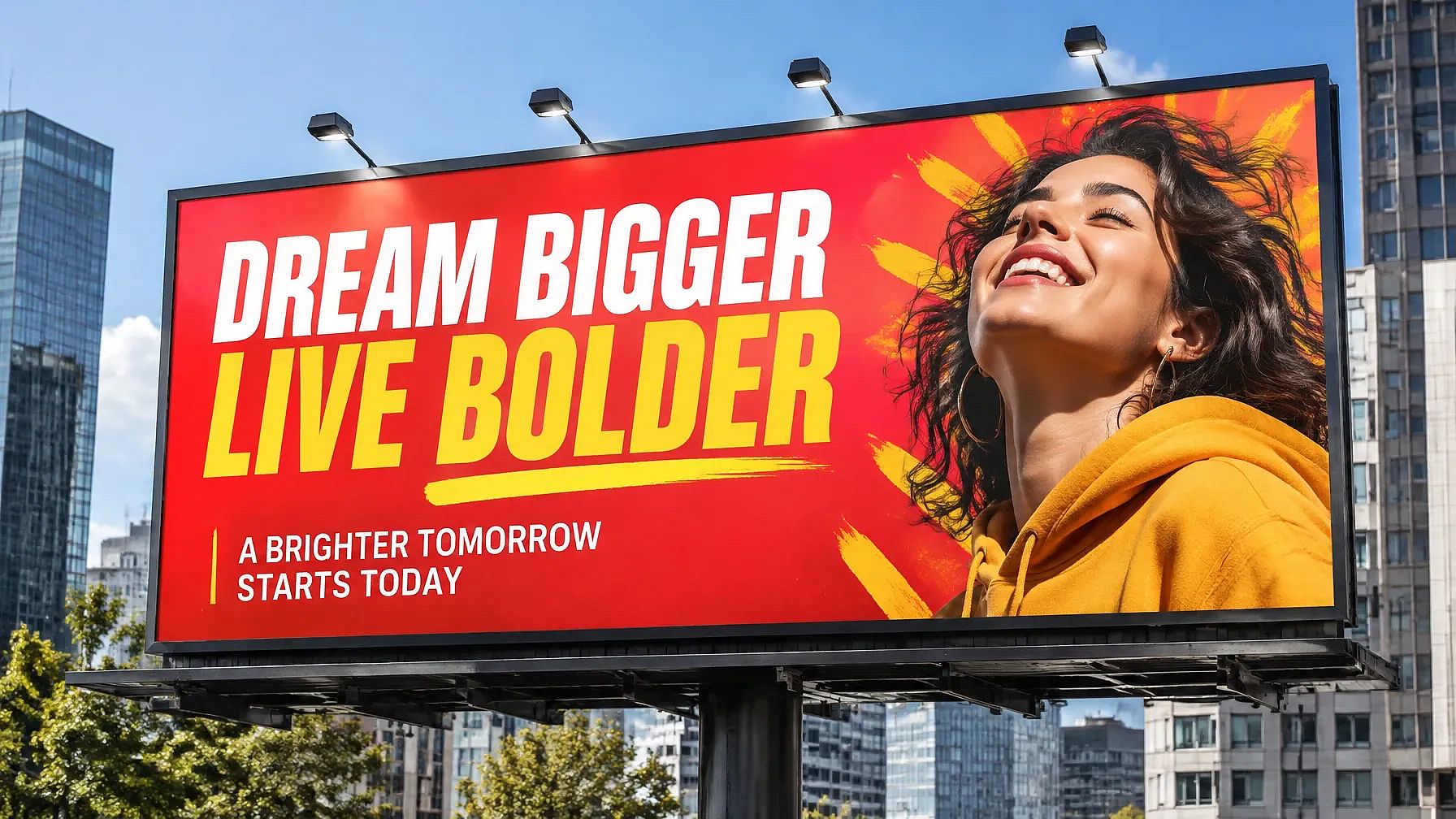
31. シティ看板
Realistic mockup of a billboard advertisement, eye-catching and bold style, perfect for urban settings.
32. 夜のバス停ポスター(あなたのデザインで)
Keep my poster design exactly as it is. Place it in a lit bus stop ad panel on a city street at night, with a few blurred car lights passing by. Street-level view.
33. ショーウィンドウのステッカー
Signage mockup of a white vinyl logo decal on a clean shop window, with the store interior softly blurred behind the glass. Daylight, straight-on view.
34. 吊り下げ式のカフェ看板
Signage mockup of a round hanging wooden sign with a painted logo, on a metal bracket outside a brick café. Morning light, slight upward angle.
35. 展示会ブースのバナー
Mockup of a trade show booth with a tall roll-up banner and a branded back wall, in a bright exhibition hall. Wide view, even lighting.
SNS・広告のモックアッププロンプト
効果的な理由:スマホの画面に投稿を映し出すことで、それがどこに表示されるかが一目で伝わり、モックアップの承認がスムーズになります。
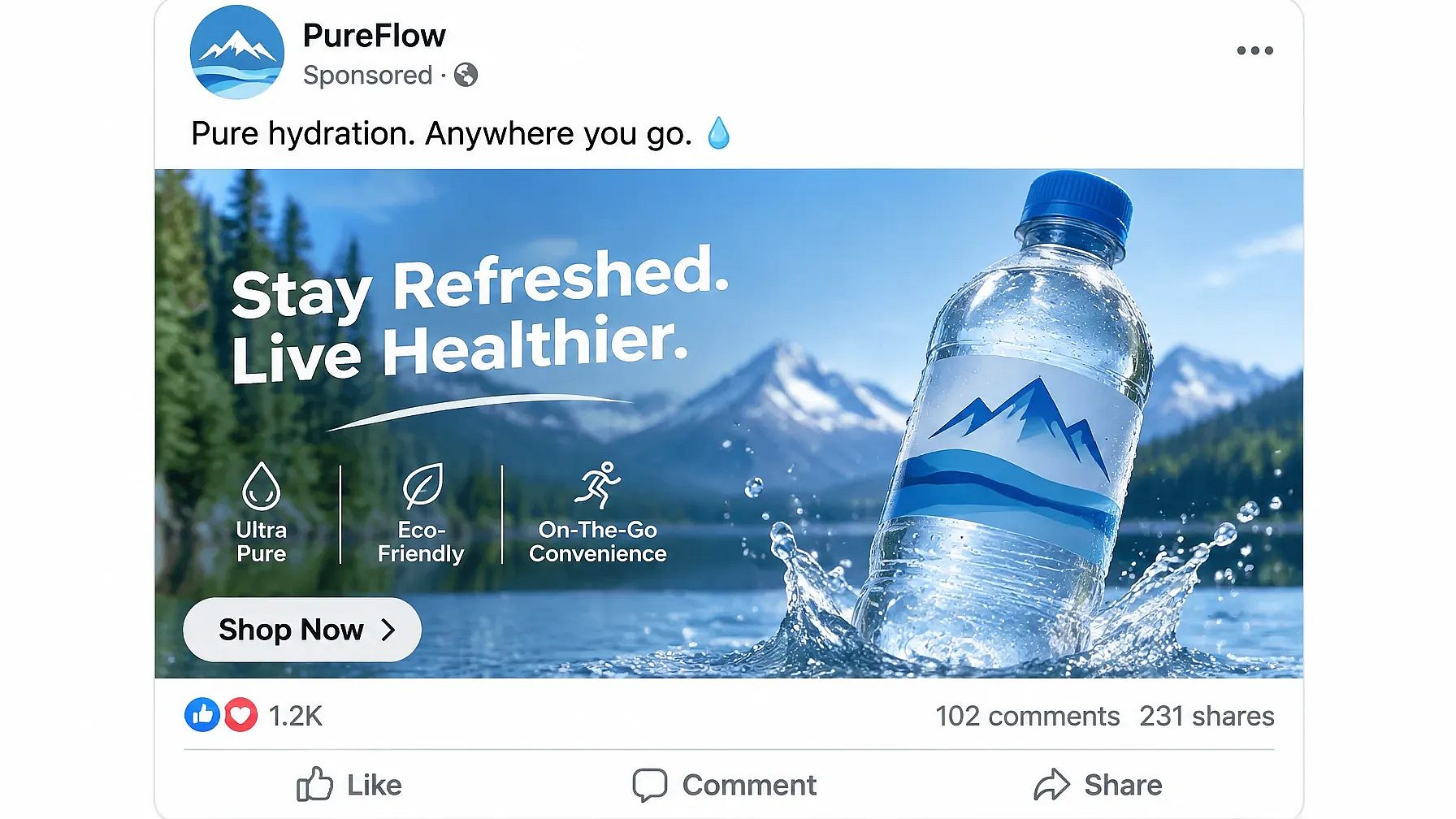
36. 手に持ったスマホの投稿(あなたのデザインで)
Keep my post design exactly as it is. Show it as a square post on a social media feed, on a smartphone held in one hand. Soft natural light, background slightly blurred.
37. スマホ上のストーリー広告
Mockup of a vertical 9:16 story ad on a smartphone screen, the phone propped on a desk next to a coffee cup. Clean, bright, screen facing the camera.
商品モックアップを動かしたいですか?こちらにアップロードしましょう AI動画ジェネレーター 商品がスタンドの上でゆっくり回転するなど、動きを描写しましょう。短いクリップはReelsやストーリー広告に最適です。
38. 1つの商品からフルの広告セット
Ad mockup showing the same product ad in three sizes side by side: a square post, a tall story and a wide banner, on a light gray background. Clean and evenly lit.
39. ノートパソコンに表示されたメールヘッダー
Mockup of a marketing email open on a laptop screen, with a colorful header image at the top. Clean desk, soft daylight, screen facing the camera.
40. ニュースサイトのディスプレイ広告
Mockup of a display ad inside a news website shown on a desktop monitor, with the ad clearly visible in the sidebar. Straight-on view, sharp screen.
ホリデーキャンペーンの計画中ですか?こちらの クリスマスのマーケティングアイデア ガイドには、さらに多くの広告プロンプトと投稿カレンダーが用意されています。
自分のデザインをモックアップに載せるには?
ロゴや商品写真を参照画像としてアップロードし、プロンプトを「私のデザインをそのまま保ってください」で始めましょう。AIがそれを中心にモックアップを作成し、デザインには手を加えません。
- デザインをアップロード。 AIモックアップジェネレーター、または「画像を作成」を開きます: AI画像ジェネレーター、ロゴや商品写真を参照画像として追加します。
- プロンプトを貼り付けます。 上記の「あなたのデザインで」と書かれたプロンプトを使いましょう。
- 正確に配置。 デザインの位置がずれたら、OpenArtを開いてください AI画像エディターでエリア編集を選択し、配置したい場所をハイライトします。
- 生成してダウンロードします。 いくつかバージョンを作成し、デザインが最も自然に見えるものを選びましょう。
同じプロンプトはChatGPTやGeminiでも使えます。チャットにデザインをアップロードしてプロンプトを貼り付けるだけ。新規アカウントには40の無料トライアルクレジットが付くので、支払う前にいくつかモックアップを作れます。
チャットやClaudeからモックアップを作成
プロンプトの作成を省略することもできます。
- チャットモード。 欲しいモックアップを普通の言葉で説明するだけ。OpenArtがモデルを選んで画像を作成します。
- Claude。 OpenArt's MCPコネクター チャットしながらClaudeに製品モックアップを作ってもらえます。
- すべてのモックアップを一目で確認。 ロゴとブランドカラーを含むブランドキットを追加しましょう。GPT Image 2.5とGPT Image 2での画像作成で機能し、マスコットやロゴをどのマグカップやトートバッグでも同じように表示できます。
モックアップ・プロンプトのヒント
デザインが物体の上に浮いているとモックアップが偽物っぽく見えます。以下の言葉で表面に馴染ませましょう。
| モックアップをリアルに見せる言葉 | 問題を引き起こす単語 |
|---|---|
| 自然な布のたたみ目、ボトルに巻きつくラベル | フラットで完璧なプリント |
| 柔らかな接地影 | 影なし、浮遊 |
| シーンに合った光 | ドラマチックなネオンの輝き |
| 私のロゴはそのまま維持してください | 商品に長い文章 |
| 正しいパースペクティブ、45度のアングル | 複合的・極端なアングル |
よくあるモックアッププロンプトの間違い
- デザインの配置場所を指定しないため、ランダムな位置に収まってしまう。
- 製品に長いテキストを入れようとすること。名前か短い一文に留めましょう。
- ぼやけた、または小さすぎるロゴのアップロード。最も鮮明なファイルを使いましょう。
- 1つのショットに物を詰め込みすぎて、商品が埋もれてしまう。
- モックアップを共有する前に、文字やエッジを拡大してチェックするのを省略してしまう。
モックアッププロンプトのよくある質問
モックアッププロンプトとは?
モックアッププロンプトとは、マグカップのロゴやボトルのラベルのように、あなたのデザインを配置したオブジェクトをテキストで説明したものです。AI画像ジェネレーターで使い、デザインが実物でどう見えるかを確認できます。
製品モックアップに最適なプロンプトは?
商品名と素材を指定し、次に置く面と光を指定しましょう。例:「私の商品はそのまま維持してください。ベージュの石の台座に置き、柔らかなスタジオライト、やわらかな影、45度の角度で。」プロンプト1〜5はそのままコピーして使えます。
モックアップにロゴを載せるには?
OpenArtを開く AI画像変換ジェネレーターでは、ロゴを参照画像としてアップロードし、プロンプトを「ロゴはそのままの状態を保って」で始めましょう。続けて対象物とロゴを配置する場所を記述します。位置がずれた場合は、画像編集のエリア編集で調整してください。
AIで本のモックアップは作れますか?
はい。カバーデザインをアップロードし、プロンプト22のように棚に立てかけたハードカバー本に適用するよう指示しましょう。背表紙が見えるよう、少し角度をつけるよう指定してください。
モックアップと製品写真の違いは何ですか?
モックアップは、ラベルやロゴなどのデザインを物体に載せて見せるものです。製品写真は、ストアや広告向けに完成した製品そのものを見せます。詳しくはこちらのガイドをご覧ください: AIプロダクト撮影 それらの作り方を紹介します。
これらのモックアッププロンプトはChatGPTやGeminiでも使えますか?
はい。チャットでデザインをアップロードし、プロンプトを貼り付けるだけです。OpenArtでは、Nano Banana 2.1やGPT Image 2などのモデルを選ぶこともできます。
無料のAIモックアップジェネレーターはありますか?
はい。OpenArtのAIモックアップジェネレーターでは、新規アカウントに40回分の無料トライアルクレジットが付与されるので、いくつかのモックアップを無料で作成できます。このページのすべてのプロンプトも無料でコピーできます。
モックアップ全体でブランドを統一するには?
追加する ブランドキット ロゴとブランドカラーをOpenArtプロジェクトに。GPT Image 2.5とGPT Image 2の画像作成で使えるので、セット内のすべてのモックアップが揃います。