
MiniMax H3 Image
主要な画像モデルを統合した独立系AIプラットフォーム、OpenArtでMiniMax H3 Imageを使いましょう。MiniMax H3 Image AI画像生成ツールで、説明したカメラアングル、レイアウト、光のとおりに4K画像を作成できます。最大16枚の参照画像で各画像の方向性を指定し、ポスターやグラフィック向けに長めのテキストも追加できます。

MiniMax H3 Imageの主な機能
カメラアングル、レイアウト、光を設定
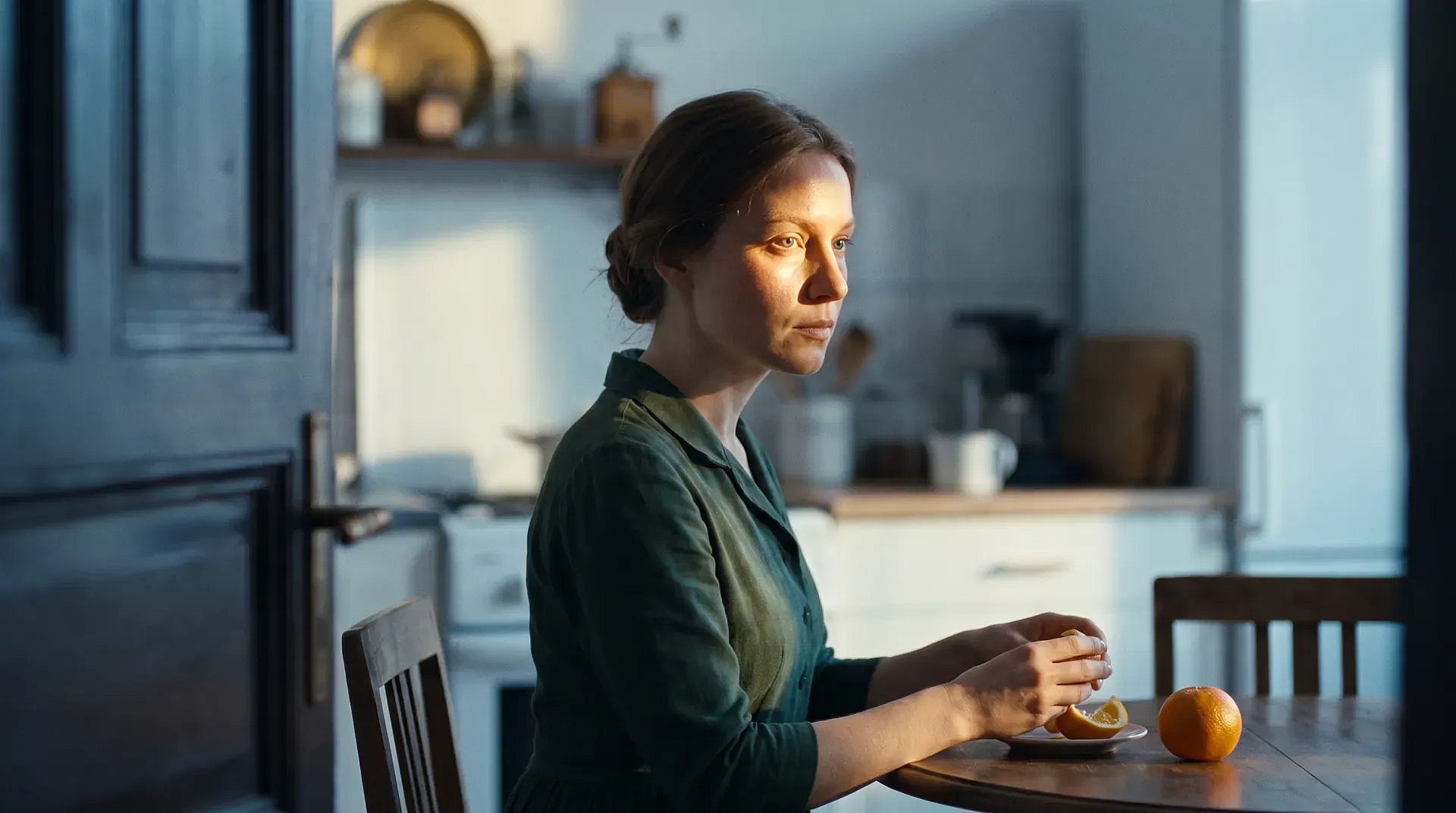
MiniMax H3 Image follows the camera angle, layout, and lighting you write in your prompt. Say where the camera sits, such as at eye level, down near the floor, or straight overhead. Say what goes in front, what sits behind, and where the light comes from. You can also ask for small details that depend on those choices, like a chair reflected in a mirror or a shadow falling across a countertop. Light from a side window can fall across fabric, leather, and wood, with soft shadows under the table legs. Getting the setup right in your prompt saves you rounds of fixing it by hand.
今すぐ試す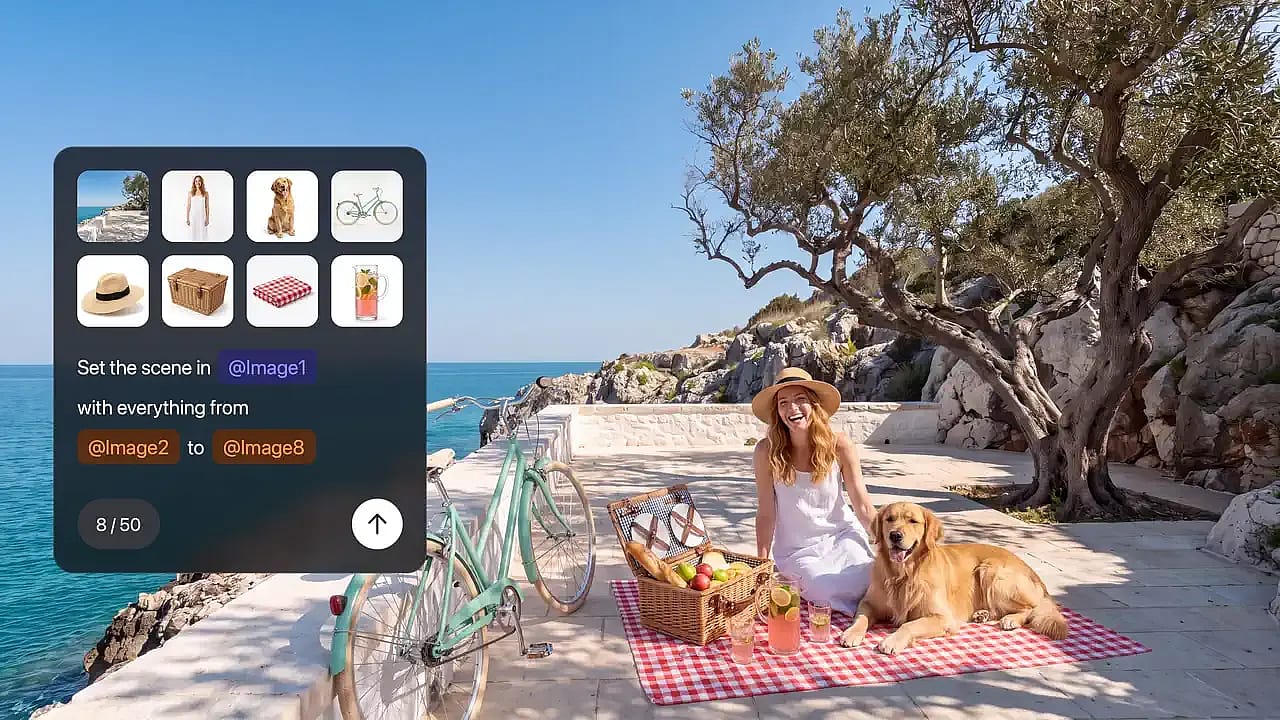
最大16枚の参照画像で方向性を指定
MiniMax H3 Image can use up to 16 reference images in a single request. Give each image its own job: one shows the product, one sets the style, and one sets the layout. For example, upload a photo of an empty room plus nine photos of furniture on white backgrounds, and ask for one furnished living room. You can also upload one photo and ask for a single change, such as moving a lamp to the other side of the sofa. Say what should change and what should stay the same. To mark the exact spot you want changed, open the photo in OpenArt's AI photo editor.
今すぐ試す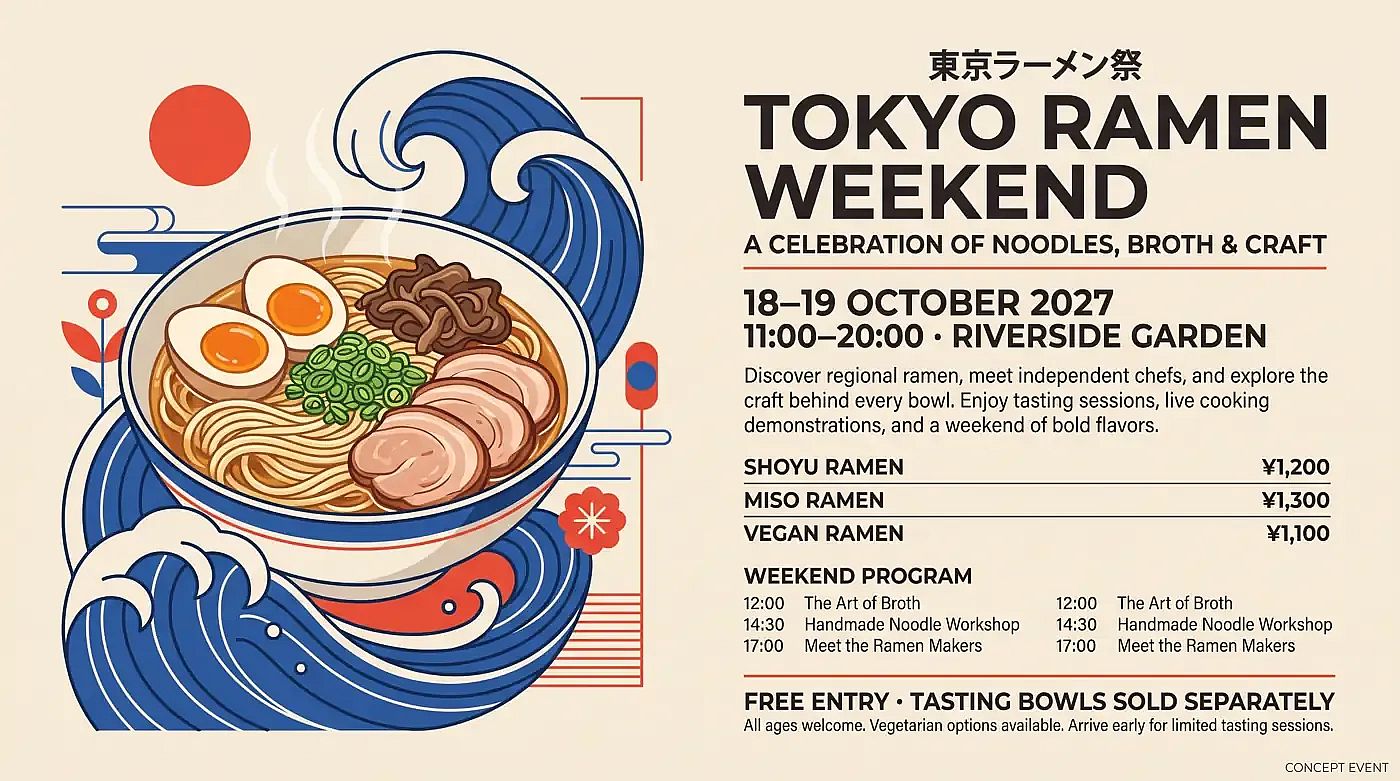
ポスターや画面に長めのテキストを書き込む
MiniMax H3 Image writes English and other languages inside your image, including longer blocks of text. Use MiniMax H3 Image as an AI poster generator for event posters, or make infographics, app screen mockups, and guides split into several panels. Type the exact words in quotation marks and say where each line goes, like a headline at the top and a short caption under each panel. Your prompt can run several paragraphs long, so one prompt can hold all the copy for a full layout. Proofread every word before an image goes out, especially names, prices, and dates.
今すぐ試す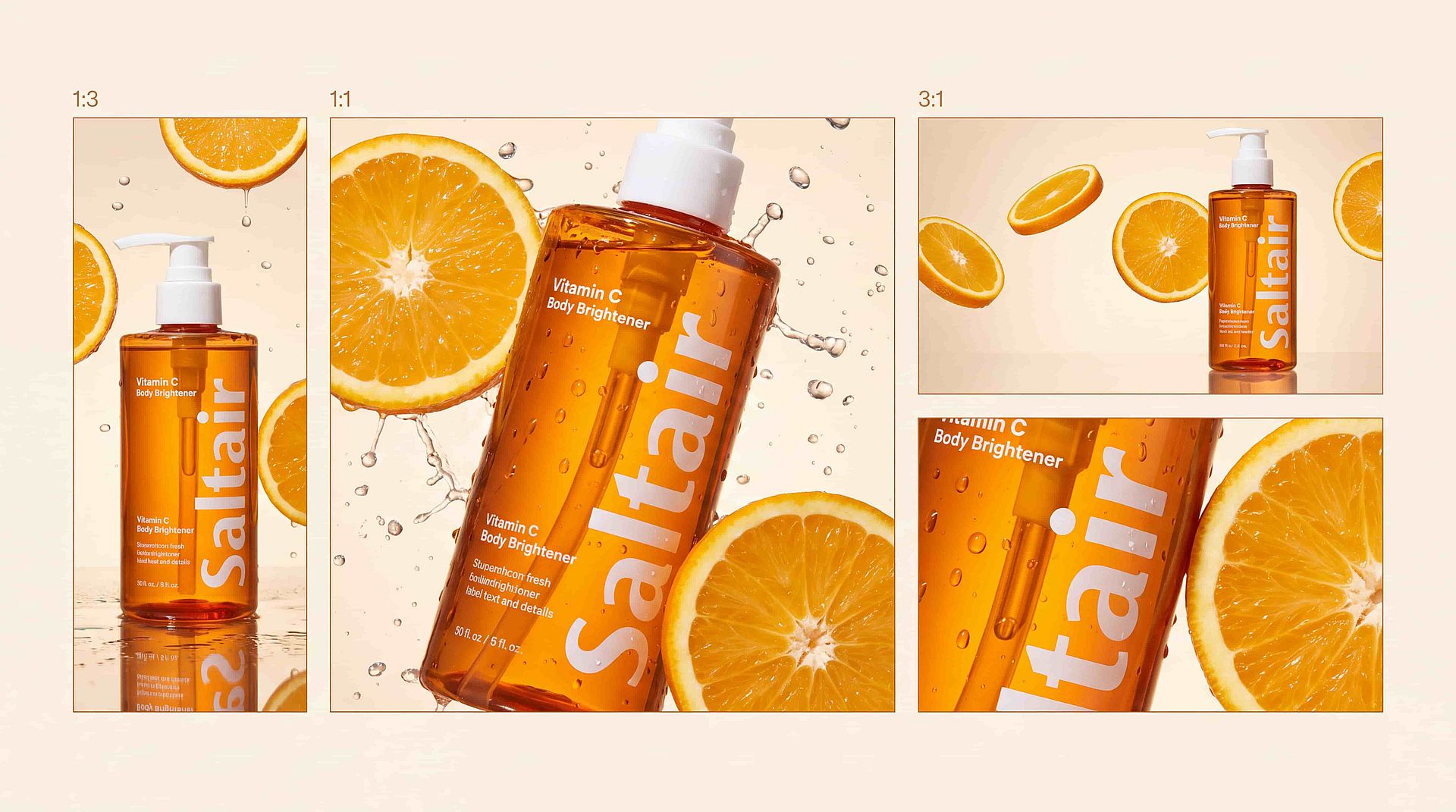
さまざまな形状で4K画像を作成
MiniMax H3 Imageは1K、2K、4Kで画像を作成します。4Kの正方形画像は約4096×4096ピクセル、およそ16メガピクセルになります。縦長の1:3から横長の3:1まで形状を選べるので、1つのアイデアを縦型ストーリー、正方形の投稿、ワイドバナーに展開できます。編集した画像も同じ大きなサイズで出力されます。大きなファイルは、トリミング、印刷、大画面での表示でもディテールを保ちます。
今すぐ試すMiniMax H3 Imageの使い方
プロンプトからMiniMax H3 Imageの完成した画像まで、たった3ステップで仕上げられます。
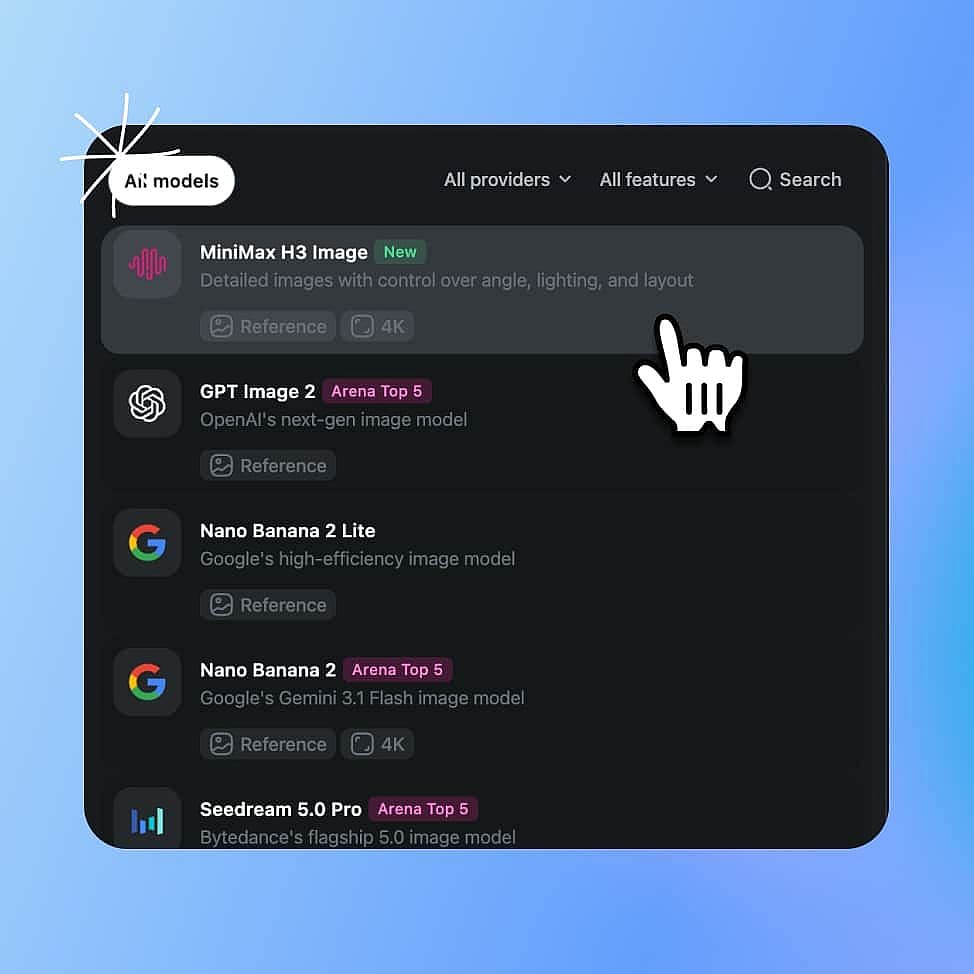
MiniMax H3 Imageモデルを選択
OpenArtのAI画像生成ツールを開き、モデルメニューからMiniMax H3 Imageを選びます。
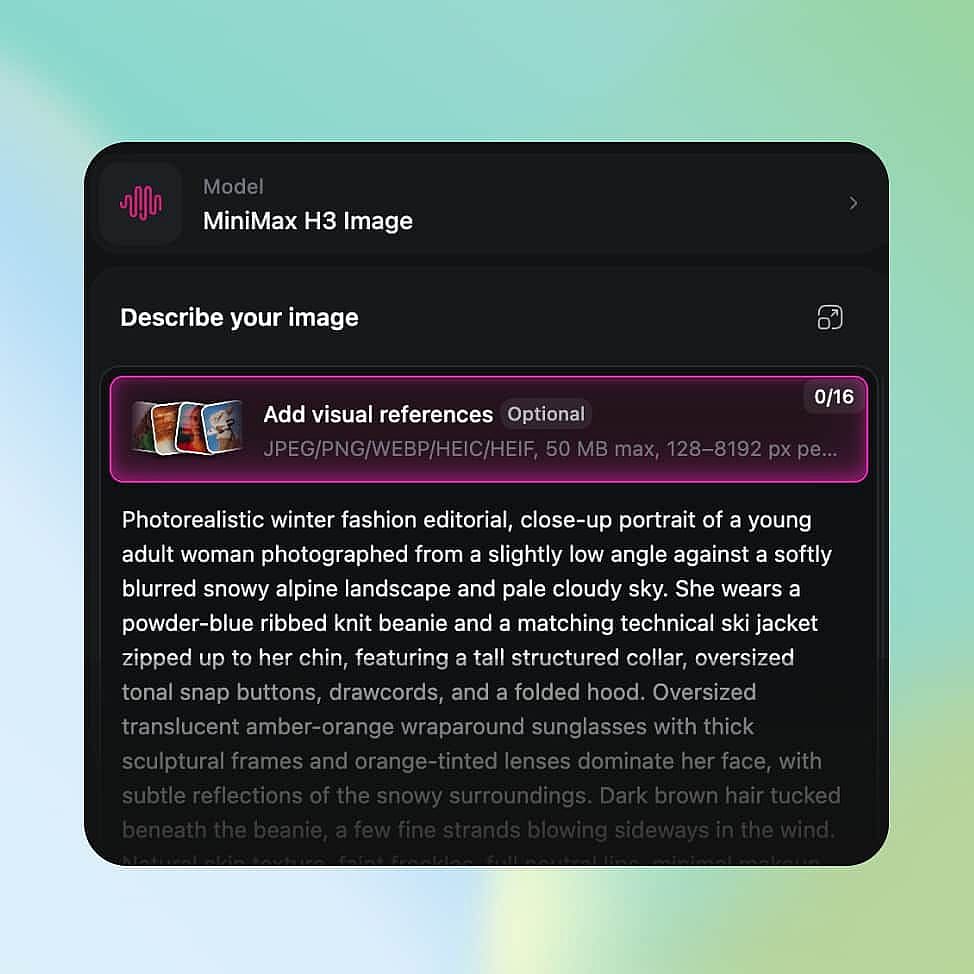
画像を説明し、出力を設定
画像を説明し、絵の中に入れたい言葉は引用符で囲み、参照画像があれば追加しましょう。最大4Kまで、サイズと形状を選べます。
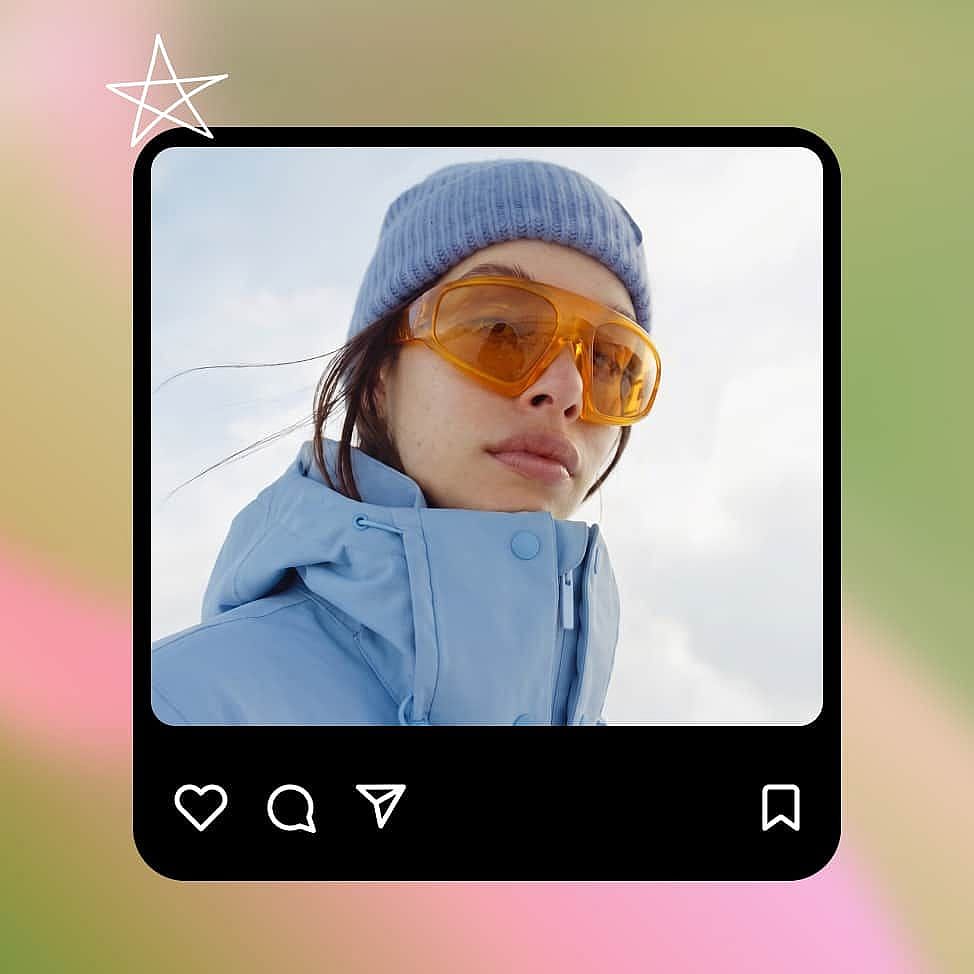
生成、調整、ダウンロード
画像を生成したら、思いどおりになるまでプロンプトを変えたり、一度に1つずつ変更を依頼したりしましょう。完成した画像をダウンロードします。
MiniMax H3 Imageの最適な活用例
MiniMax H3 Imageは、キャンペーンのコンセプト、広告テスト画像、オンラインストア向けの商品シーン、映像のショット設計に適しています。
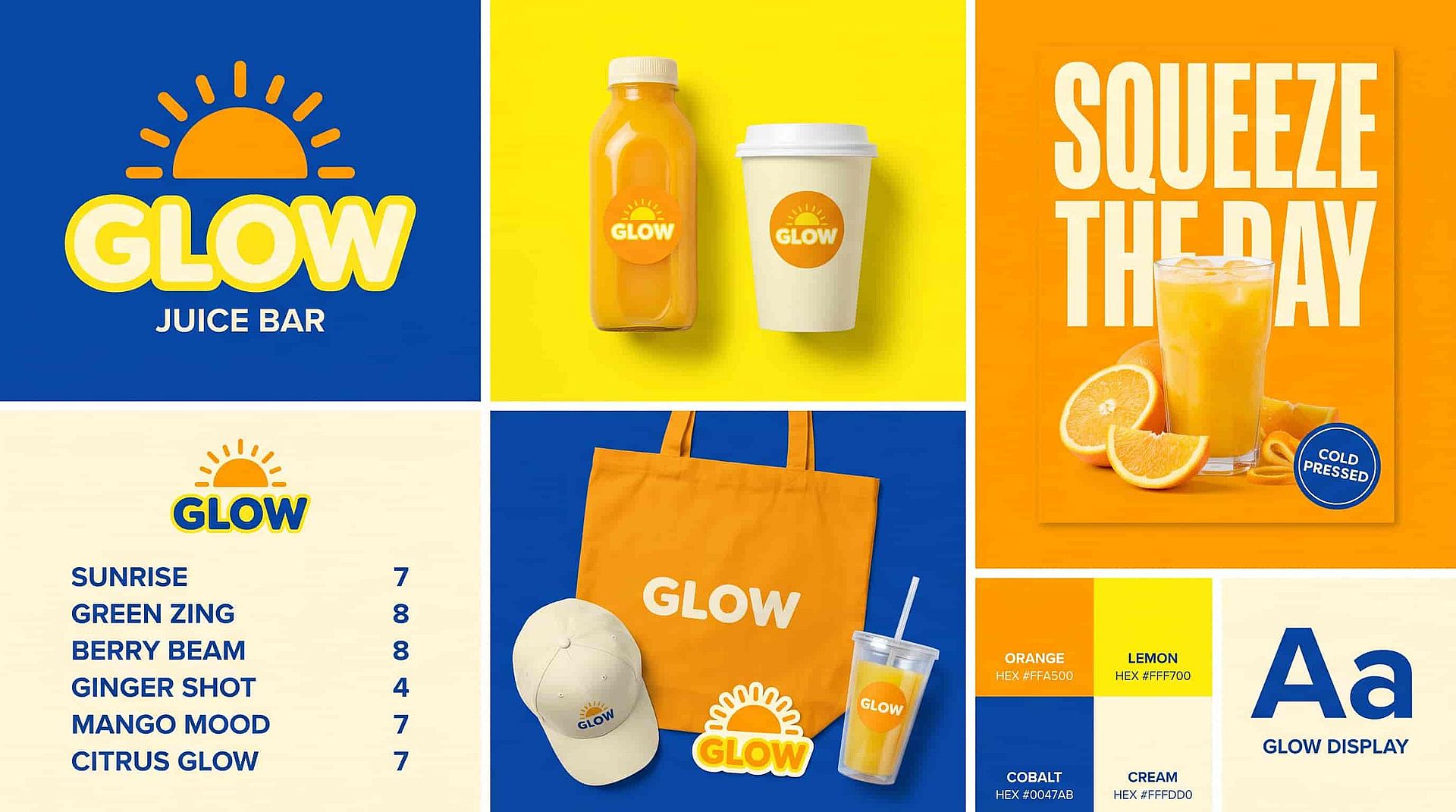
ブランド・クリエイティブチーム向けのキャンペーンコンセプト
MiniMax H3 Image helps brand designers, creative directors, and agency teams turn a campaign brief into an image everyone can give feedback on. Say the brief calls for a running shoe on a wet city street at night. Ask for the shoe in the left third of the frame, lit from one side, with neon signs blurred in the background. Add your product photo as a reference so the shoe keeps its shape and colors. Then ask for a clean studio version of the same idea so the client can compare two directions. Your team can share both images and agree on a look before anyone books a shoot. Check logos, colors, and product details before you present them.
今すぐ試す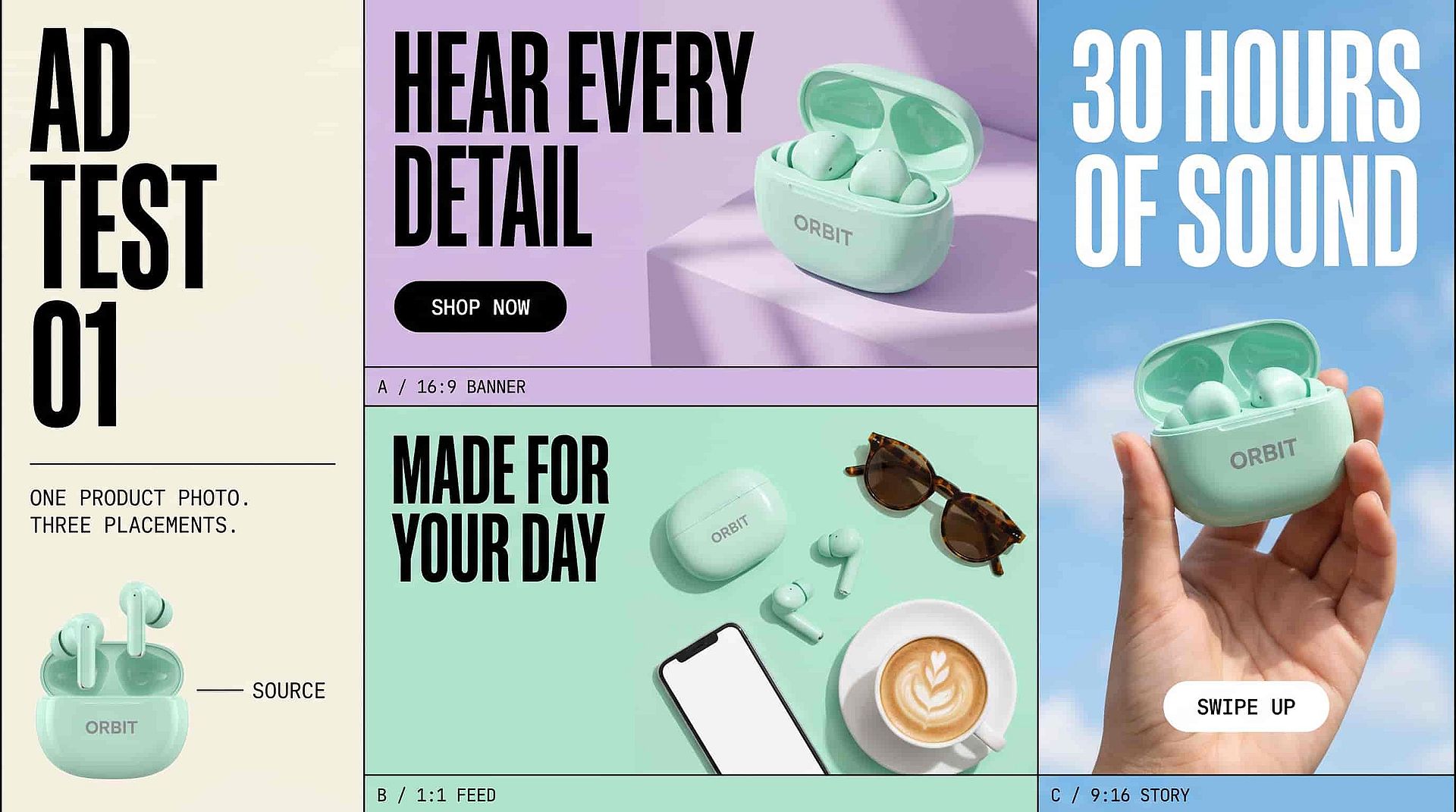
パフォーマンスマーケター向けの広告テスト画像
MiniMax H3 Image helps performance marketers and ad designers plan product images for different ad placements. Upload your product photo and ask for the product on the right side of the frame, with open space on the left for your headline and button. Then ask for an overhead version for a square feed ad and a tall version for stories. Put your exact headline in quotation marks if you want the words inside the image. Every version starts from the same product photo, so each test shows how the layout and background perform. Proofread every word and check the product details before an ad goes live.
今すぐ試す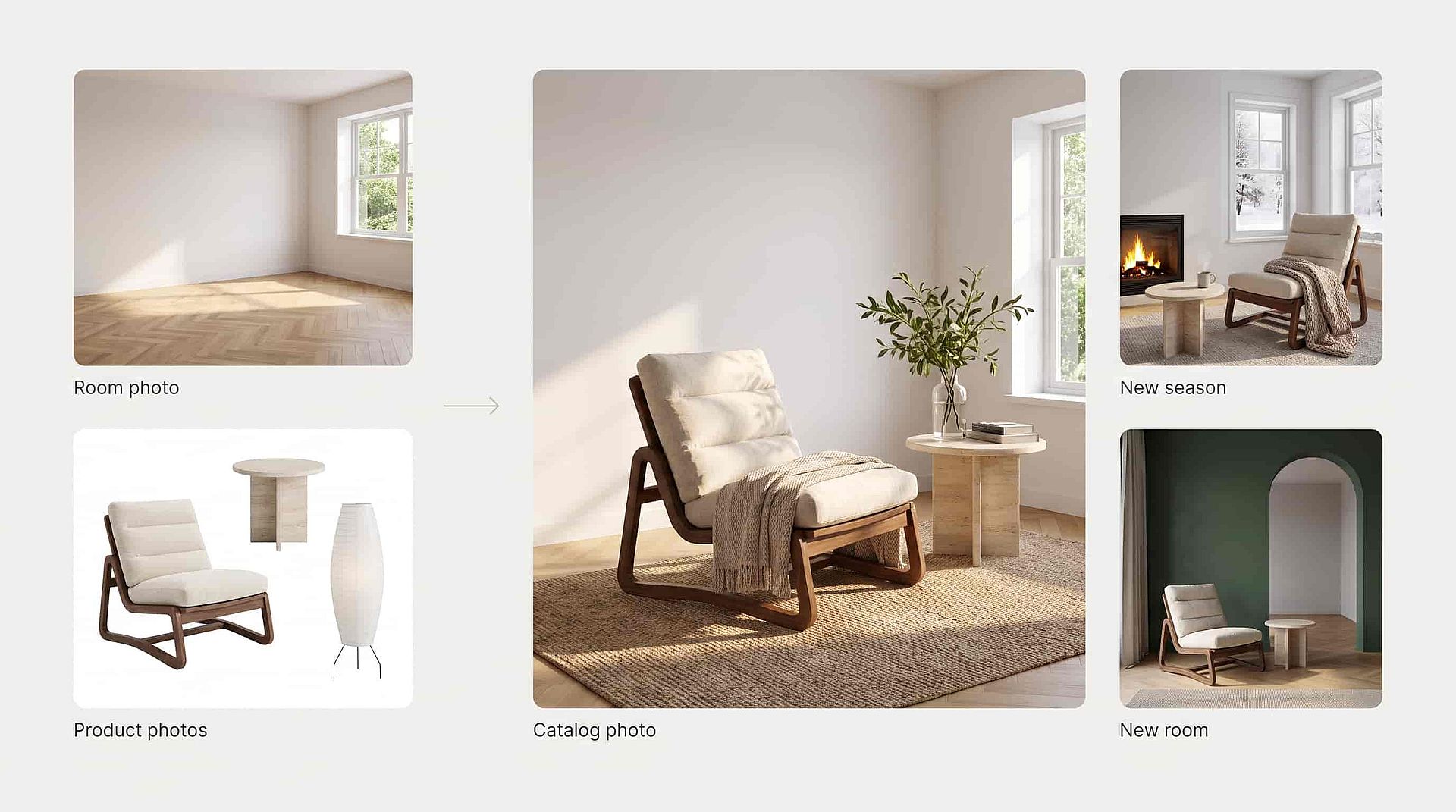
スモールビジネスオーナー向けの商品シーン
MiniMax H3 Image helps small business owners and online store teams make catalog photos without booking a shoot. Upload a photo of an empty room and white-background photos of the furniture you sell. Ask MiniMax H3 Image to place each piece in the room and keep the same camera position. Show your best-selling lounge chair from an angle that shows its wooden frame. Light from the window can fall across the fabric and wood, with shadows under the table and chair legs. When you need fresh photos, ask for a new season or a new room with the same products. Compare colors, sizes, and details with the real products before you sell with the image.
今すぐ試す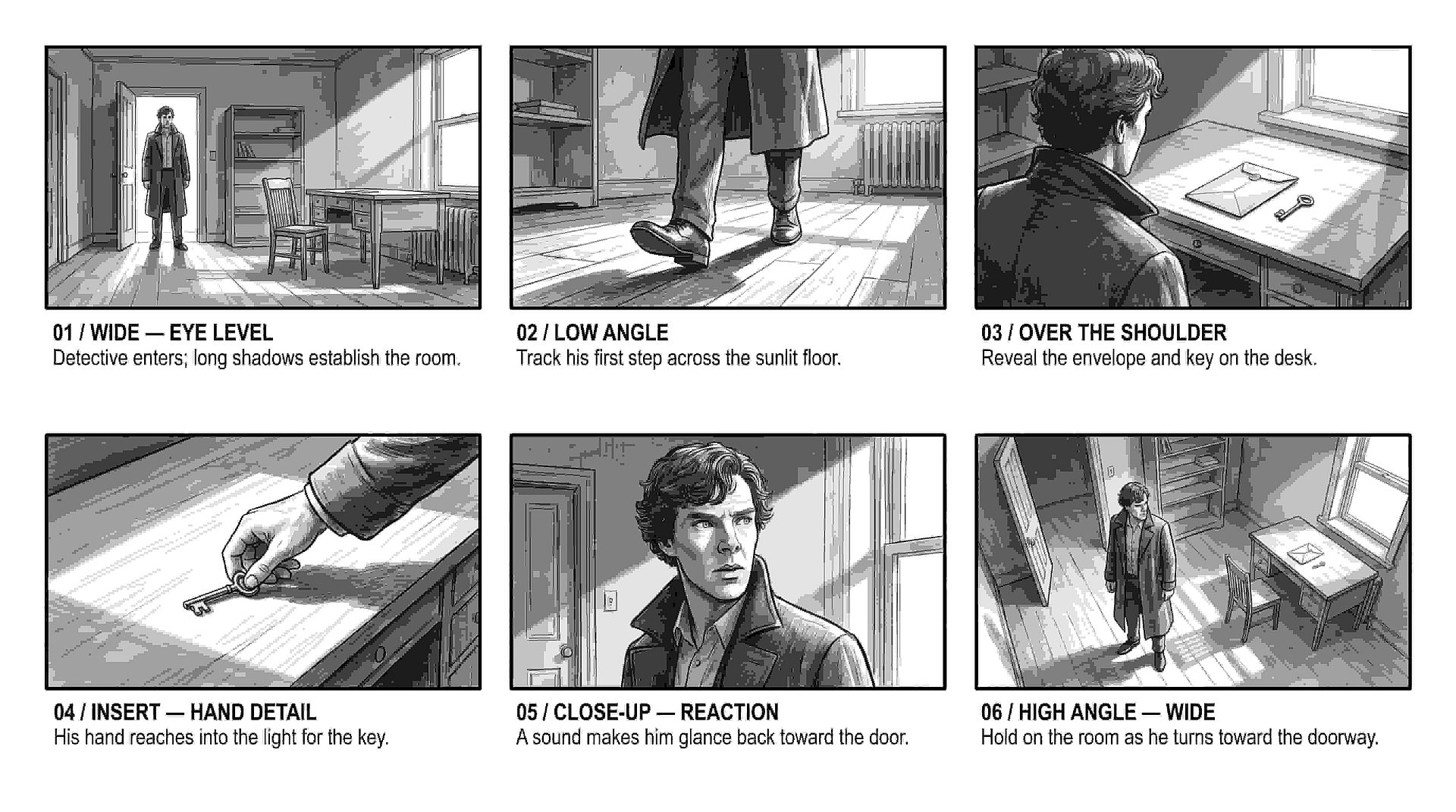
映像制作者やストーリーボードアーティスト向けのショット設計
MiniMax H3 Image helps filmmakers and storyboard artists see how a shot will look before the crew sets up. Use MiniMax H3 Image as an AI storyboard generator: describe the scene, then say where the camera sits, where each actor stands, and where the light comes from. Make the same moment once at eye level and once from a low angle near the floor to see which one tells the story better. Write each frame in plain words, like "the detective stands in the doorway, lit from behind, with his shadow stretching toward the camera."
今すぐ試す最高の結果を出すコツ
さらに多くのAIモデルを見る
画像・動画・音声制作にわたる最先端のAIモデル。
よくある質問 よくある質問
MiniMax H3 Imageは、詳細な文章による指示から画像を生成・編集するためのMiniMaxのモデルで、OpenArtのAI画像ジェネレーターで利用できます。MiniMax H3 Imageは、あなたが説明したカメラアングル、レイアウト、光を忠実に再現し、最大16枚の参照画像を使用し、より長いテキストを描写し、最大4Kの画像を生成します。
カメラの位置と向きを書きましょう。たとえば「目線の高さ」「床近くのローアングル」「真上から」などです。さらに、手前にあるもの、奥にあるもの、光の差し込む方向も加えましょう。
MiniMax H3 Imageは1K、2K、4Kの画像を生成でき、4Kの正方形画像はおよそ4096 × 4096ピクセルで出力されます。縦長の1:3から横長の3:1まで、さまざまな比率に対応します。
はい。画像を参照としてアップロードし、「ランプをソファの左側に移動」のように1つの変更を説明します。変えない部分も伝えましょう。変更したい箇所を正確に指定するには、OpenArtのAI写真編集ツールで画像を開きます。
はい。MiniMaxはH3 Imageをオープンウェイトモデルとして公開しているため、技術チームは自社サーバーで実行できます。OpenArtなら、セットアップ不要でブラウザからMiniMax H3 Imageを使えます。
MiniMax H3 Imageは静止画を作成します。MiniMax H3はMiniMaxの別の動画モデルで、MiniMax H3 Imageの画像をOpenArtのMiniMax H3動画の最初のフレームとして使えます。
MiniMax H3 Imageは1回のリクエストで最大16枚の参照画像を使えます。被写体、スタイル、レイアウトなど、各画像の用途をモデルに伝えましょう。
はい。MiniMax H3 Imageは英語やその他の言語を書き込め、ポスター、インフォグラフィック、アプリ画面、複数パネルのレイアウト向けの長めのテキストブロックにも対応します。正確な言葉を引用符で囲み、結果を校正してください。
商品の切り抜きや透明な背景のロゴが必要なときは、OpenArtのAI画像生成ツールでSeedream 5.5またはGPT Image 2.6を選びましょう。背景も画像の一部となるシーン全体、ポスター、広告にはMiniMax H3 Imageを使います。
はい。商用利用にはPlusプラン以上が必要で、プランはOpenArtの料金ページで比較できます。アップロードする写真、ロゴ、人物の権利を保有していることを確認してください。
クリエイターに愛用されています
多くのAIプラットフォームを試してきましたが…キャラクター作成、画像から動画への品質、そして利用できるモデルの豊富さで、OpenArtは今も一番です。
OpenArtには優れたAIツールが揃っていて…機能を覚えれば、クリエイティブの可能性は無限大。サポートチームも本当に素晴らしいです。
OpenArtは、多彩な画像・動画モデル、一貫したキャラクター生成、強力な編集ツールを備えた、とても汎用性の高いAIプラットフォームです。
便利なAIツールがひとつに集約 - 画像・動画の生成、編集など…複数のサブスクリプションは不要です。
カスタマーサービスはいつも迅速で頼りになります…新しい機能やツールで、プラットフォームもどんどん良くなっています。
多くのAIプラットフォームを試してきましたが…キャラクター作成、画像から動画への品質、そして利用できるモデルの豊富さで、OpenArtは今も一番です。
OpenArtには優れたAIツールが揃っていて…機能を覚えれば、クリエイティブの可能性は無限大。サポートチームも本当に素晴らしいです。
OpenArtは、多彩な画像・動画モデル、一貫したキャラクター生成、強力な編集ツールを備えた、とても汎用性の高いAIプラットフォームです。
便利なAIツールがひとつに集約 - 画像・動画の生成、編集など…複数のサブスクリプションは不要です。
カスタマーサービスはいつも迅速で頼りになります…新しい機能やツールで、プラットフォームもどんどん良くなっています。
多くのAIプラットフォームを試してきましたが…キャラクター作成、画像から動画への品質、そして利用できるモデルの豊富さで、OpenArtは今も一番です。
OpenArtには優れたAIツールが揃っていて…機能を覚えれば、クリエイティブの可能性は無限大。サポートチームも本当に素晴らしいです。
OpenArtは、多彩な画像・動画モデル、一貫したキャラクター生成、強力な編集ツールを備えた、とても汎用性の高いAIプラットフォームです。
便利なAIツールがひとつに集約 - 画像・動画の生成、編集など…複数のサブスクリプションは不要です。
カスタマーサービスはいつも迅速で頼りになります…新しい機能やツールで、プラットフォームもどんどん良くなっています。
数あるAIプラットフォームの中でも、OpenArtは際立った選択肢でした。どんなクリエイターにもおすすめします。
このプラットフォームには、画像、動画、キャラクター、オーディオ、複数のAIモデルまで、AIコンテンツ制作に必要なすべてが一つに揃っています。
OpenArtはAI動画制作の可能性を広げ続けています…クリエイター体験の向上に真剣に取り組んでいるのが伝わってきます。
OpenArtで初めてのAIミュージックビデオを作りました…サポートチームは今まで受けた中で最高の対応でした。
サポートには大満足です。問題がすぐに解決し、チームのおかげでスムーズに進みました。
数あるAIプラットフォームの中でも、OpenArtは際立った選択肢でした。どんなクリエイターにもおすすめします。
このプラットフォームには、画像、動画、キャラクター、オーディオ、複数のAIモデルまで、AIコンテンツ制作に必要なすべてが一つに揃っています。
OpenArtはAI動画制作の可能性を広げ続けています…クリエイター体験の向上に真剣に取り組んでいるのが伝わってきます。
OpenArtで初めてのAIミュージックビデオを作りました…サポートチームは今まで受けた中で最高の対応でした。
サポートには大満足です。問題がすぐに解決し、チームのおかげでスムーズに進みました。
数あるAIプラットフォームの中でも、OpenArtは際立った選択肢でした。どんなクリエイターにもおすすめします。
このプラットフォームには、画像、動画、キャラクター、オーディオ、複数のAIモデルまで、AIコンテンツ制作に必要なすべてが一つに揃っています。
OpenArtはAI動画制作の可能性を広げ続けています…クリエイター体験の向上に真剣に取り組んでいるのが伝わってきます。
OpenArtで初めてのAIミュージックビデオを作りました…サポートチームは今まで受けた中で最高の対応でした。
サポートには大満足です。問題がすぐに解決し、チームのおかげでスムーズに進みました。