AI商品動画ジェネレーター
OpenArtのAI商品動画ジェネレーターは、1枚の商品写真を数分でシネマティックな商品動画、デモ、広告向けクリップに変えます。回転する商品ショット、使用シーンのライフスタイル映像、Amazon・Shopify・有料ソーシャル・DTCサイト向けにサイズを最適化したフル広告カットを作成できます。
AI商品動画メーカーの主なメリット



1枚の写真から、いくつもの動画へ
1枚の商品写真をアップロードし、そこから10種類の異なるカットを生成できます。新たに何もアップロードせずに、アングル、シーン、長さ、アスペクト比を変更可能。承認済みの美容液ボトルの写真1枚が、ローンチ全体のための商品動画のフルセットになります。



EC向けに設計
このEC商品動画メーカーは、Amazon、Shopify、TikTok Shop、Meta、そして自社ストアが求めるサイズで書き出します。生成前にアスペクト比を選べば、そのままアップロードできる動画が完成。リサイズや再編集の手間を完全にスキップできます。
スタジオ品質の映像クオリティ
クリーンなライティング、ブランドに合ったシーン、そして本当に撮影したかのような動きを実現。OpenArtはあなたのpromptからセット、照明、カメラワークを構築するので、製品動画はまるでスタジオで撮影したかのように仕上がります。無料クレジットで、支払う前にAI製品動画メーカーをお試しいただけます。
コミュニティの作品
DTCブランド、Eコマース販売者、商品マーケターが、OpenArtで1枚の商品写真からコンテンツライブラリ一式を作り上げている様子をご覧ください。
AI商品動画ジェネレーターの主な機能
Seedance 2.5、Veo 3.1、Kling Omni、Wan 2.7、Gemini Omni、MiniMax H3など、最高のAI動画モデルを搭載。
あらゆる商品をアニメーション化
商品写真、マーケットプレイス画像、またはOpenArtで生成した商品画像をアップロードすると AI動画ジェネレーター モーション、カメラワーク、雰囲気を加えます。ボトルを回したり、箱を開けたり、ドリンクを注いだり、誰かの手に商品を持たせたり。スタジオもモデルもなしでAI商品デモ動画が手に入ります。
複数のカメラアングル
Multi View画像ツールで、1枚のリファレンス写真から同じ商品を最大9つのカメラアングルで生成し、そのどれでも動画に変換できます。ゆっくりとしたオービット、寄りのプッシュ、商品を横切るスライドなど、普段の言葉でリクエスト。何度でも生成し直せます。
セットいらずのライフスタイル撮影
同じ商品をスタイリングされたシーンの中に配置しましょう。大理石のカウンター、日差しの差し込むキッチン、ネオンに照らされたバーなど、思い描いたものは何でも。先に背景を生成するか、後からOpenArt VFXで差し替え・ライティング調整し、その中で商品を動かします。ロケーションを予約せずにコンテキスト付きの商品動画を作る最速の方法です。
ブランドに統一されたショット
カラー、フォント、ロゴ、商品写真をBrand Kitに一度保存すれば、動画用に生成するすべての画像がブランドに沿って仕上がります。OpenArt Charactersでモデルの顔を固定すれば、キャンペーン全体を通して同じ人物が登場。パッケージ、カラーパレット、商品アイデンティティがカットからカットへ一貫します。
AI商品動画クリエイターの使い方
商品写真から完成した商品動画まで、たった3ステップ。

写真をアップロード
パックショット、マーケットプレイス用の画像、ライフスタイル写真をアップロードするか、OpenArt内で商品の新しい画像をそのまま生成しましょう。
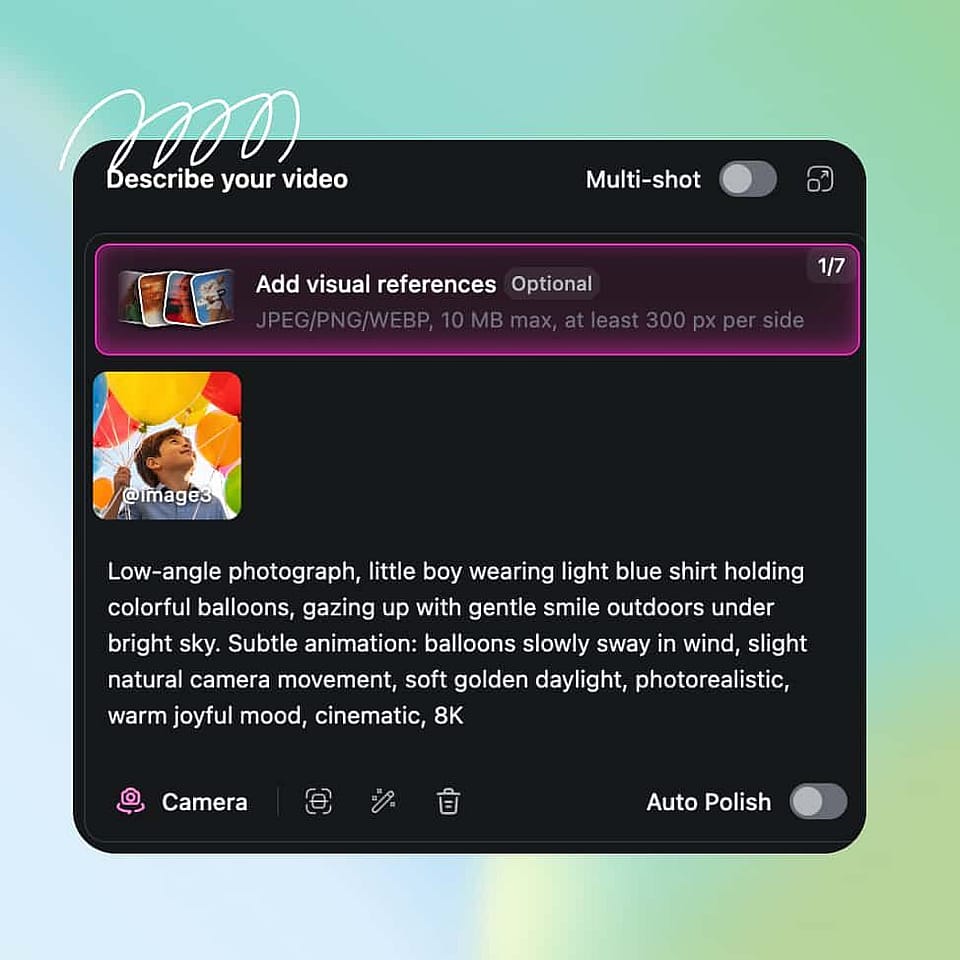
動画を設定する
テキストプロンプトで動画とそのシーンを説明します。次に、適切なアスペクト比、長さ、解像度、出力品質を選択します。
生成してエクスポート
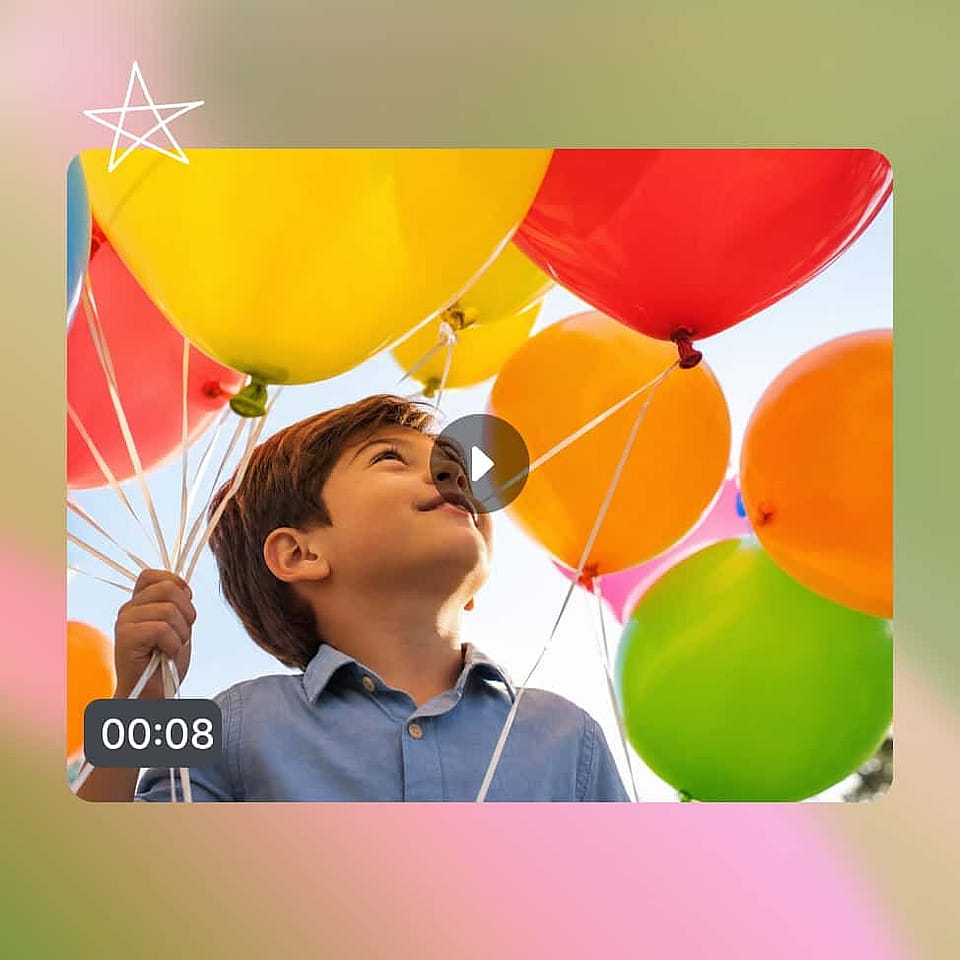
生成をクリックすれば、動画は数分で完成します!ほとんどのAIモデルで最大15秒の動画を、最高4Kの解像度でエクスポートできます。
AI製品動画ジェネレーターのおすすめ活用法
DTC・Eコマースブランド
新しいSKU、季節ごとの新商品、そして現代のリテールが求める大量のクリエイティブに対応しましょう。1枚の商品写真から、ホームページ、商品ページ、有料ソーシャル、メール向けにサイズを最適化したフルセットのカットを生成。ローンチと決めたその日に商品動画が完成します。
今すぐ試すAmazon・マーケットプレイス出品者
スタジオを予約せずに、Amazon、Walmart、その他のマーケットプレイス向けのリスティング動画を作成。この商品動画ジェネレーターは、承認済みの写真1枚を、回転する商品ショット、使用デモ、機能ハイライトに変え、各マーケットプレイスの動画枠に合わせてサイズを最適化します。写真1枚で出品ページ全体をカバーできます。
今すぐ試すパフォーマンスマーケティングチーム
1枚のSKU写真から数十種類の有料ソーシャル向けバリエーションを一気に生成し、どのフック・アングル・シーンがクリックにつながるかをテストしましょう。同じプロジェクト内で、TikTokやReels向けの縦型、Meta向けの正方形、YouTube向けの横型を生成できます。
今すぐ試す代理店・クリエイティブスタジオ
制作予算を投じる前にキャンペーンの方向性をテストしましょう。クライアントへの提案用に3〜4種類のスタイルでカットを生成し、承認されたものを実写撮影やAIによる本番納品のブリーフとして活用。クライアントの合意がより早く得られ、月あたりの提案件数も増やせます。
今すぐ試すよくある質問 よくある質問
AI商品動画ジェネレーターは、静止した商品写真を、モーション・カメラワーク・周囲のシーンを備えた動画に変えます。OpenArtのAI商品動画クリエイターは、商品デモ、ショーケース・リスティング動画、ライフスタイルシーン、ローンチ動画の4種類をカバー。写真をアップロードし、シーンを説明するだけで、数分で完成した商品動画が手に入ります。
はい、これが最も一般的な使い方です。すでに出品ページにアップロード済みの写真をそのまま動かし、各プラットフォームが求めるアスペクト比で書き出せます。Amazon、Walmart、Shopify、TikTok ShopはすべてMP4出力をそのまま受け付けるので、後からリサイズする必要はありません。
はい。商品写真をアップロードし、ローンチシーンと表現したい雰囲気を説明すれば、その日のうちにクリップを生成できます。撮影の日程調整も編集の待ち時間も不要なので、企業が決めたその日にローンチ動画が完成します。
はい。ロゴ、カラー、フォント、商品写真、ブランドルールをBrand Kitに一度保存すれば、そのプロジェクトのすべての生成に適用されます。また、OpenArt Charactersでモデルの顔を固定すれば、キャンペーン全体のどのクリップにも同じ人物が登場します。
TikTok・Reels・Shorts向けに9:16、MetaやInstagramフィード向けに1:1、YouTube・DTCサイト・マーケットプレイスの動画枠向けに16:9で書き出せます。出力は最大4K解像度のMP4形式です。
無地またはスタイリングされた背景で、明るく撮影されたクリアな写真が最適です。標準的な商品写真、マーケットプレイス画像、AIで生成した商品レンダーも含まれます。写真の中の商品がクリアであるほど、モーションもきれいになり、より多くのシーンやアングルをリクエストできます。
はい。始めるのに必要なのはクリアな商品写真1枚だけ。OpenArtがモーション、カメラワーク、周囲のシーンを加えるので、動画素材も撮影セットも編集経験も不要です。すでに出品ページで使っている写真がそのまま使えます。
はい。商品の機能を説明すれば、OpenArtがそれを見せるモーションを生成します。フタが開く、液体が注がれる、デバイスの電源が入る、あるいは誰かの手に商品がある様子など。1枚の静止画からAI商品デモ動画が得られ、撮影もカメラの前に置く商品サンプルも不要です。
はい。各商品に必要なのは写真1枚と生成1回だけなので、SKUが5つでも500でも動画1本あたりのコストは一定です。チームはこの商品動画メーカーを使い、1つずつ撮影する価値がなかったカタログもカバーしています。
ほとんどの商品動画は、長さ・解像度・選んだモデルにもよりますが、30秒から数分で完成します。短い回転商品ショットや素早い使用シーンのカットが最も早く仕上がります。長めのクリップや4K書き出しは少し時間がかかります。
はい。有料ソーシャル、ブランドキャンペーン、マーケットプレイス出品、DTCストアフロント、クライアント案件など、OpenArtの商品動画を商用利用できます。ご利用プランのライセンス詳細はOpenArtの利用規約をご確認ください。
はい。シーンを選んで、希望する舞台のリファレンス写真をアップロードするか、OpenArtの画像ツールでまったく新しい背景を生成し、その中で商品を動かせます。周囲の世界が変わっても商品はそのままです。