

 ChatGPT
 Perplexity
 Claude
 Gemini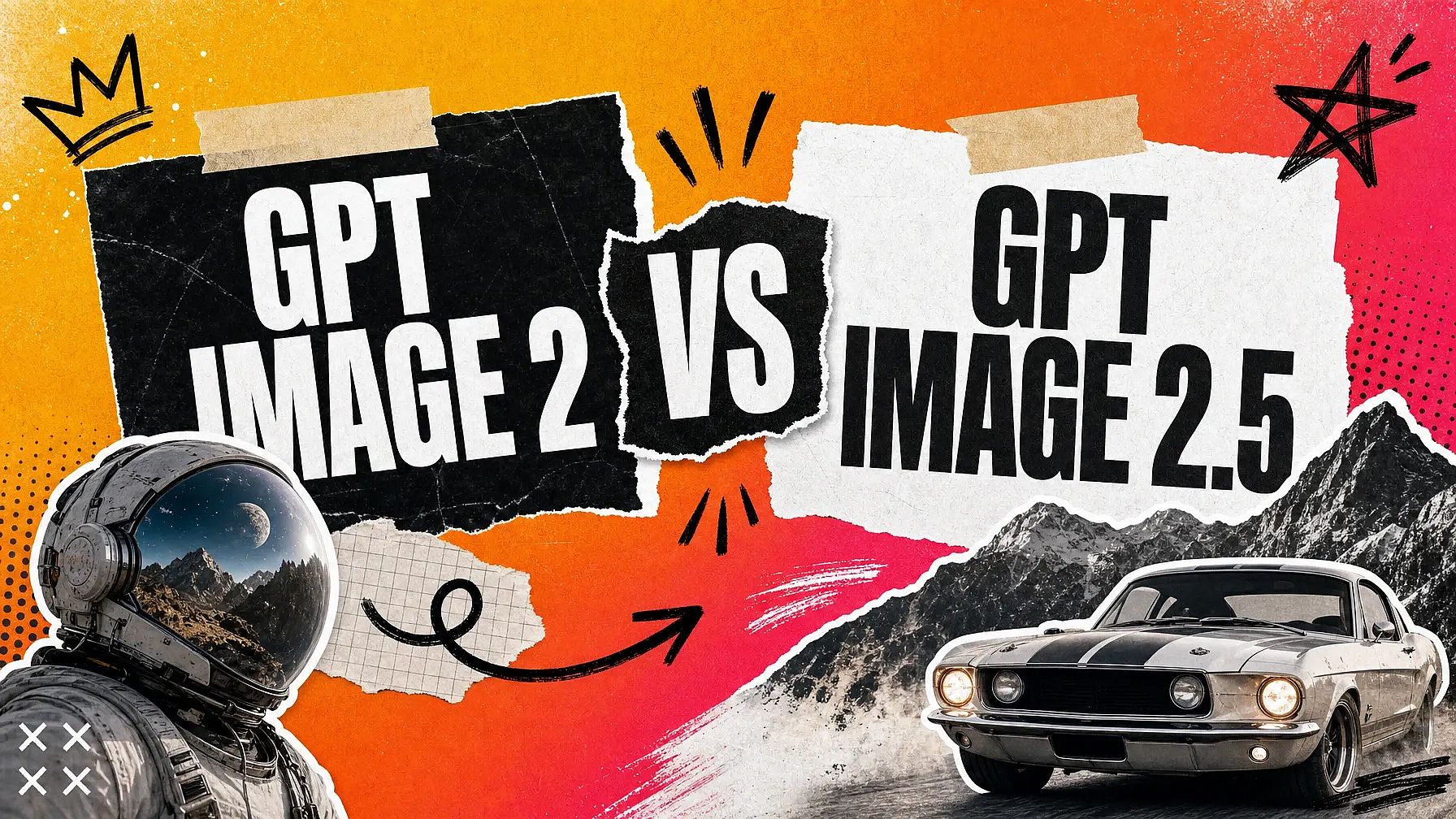
OpenAIは2026年4月にGPT Image 2をリリースし、詳細な背景や画像内の正確なテキストが必要なとき、多くの人が真っ先に選ぶモデルとなりました。GPT Image 2.5は2026年9月8日に登場し、Image 2のあらゆる機能を向上させています。
新しいモデルは2つのモードで登場します。スピード重視のFlareと、品質と深みを重視するSunburstです。新バージョンでアップグレードされた点と、目的に応じた選び方を見ていきましょう。
要点
- 今使うべきモデルはGPT Image 2.5。2つのモードを搭載し、日常の作業にはFlare、細部にこだわる仕事にはSunburstが最適です。
- OpenAIによると、FlareはGPT Image 2よりも半分の時間で優れた画像を生成します。
- GPT Image 2.5は背景を透明にして画像を保存するので、どんな色にもすぐに配置できます。
- 編集は指定した箇所だけを変更し、画像のそれ以外の部分はそのまま残します。
- 複数の編集を連続して重ねても、以前の編集はそのまま一貫して保たれます。
GPT Image 2 vs GPT Image 2.5 ひと目でわかる比較
| GPT Image 2 | GPT Image 2.5 | |
|---|---|---|
| リリース済み | April 21, 2026 | September 8, 2026 |
| モード | 1つのモデル、1つの速度 | FlareとSunburst |
| 最大解像度 | 3840 x 2160、2560 x 1440を超える解像度は試験的機能とされています | 3840 x 2160 |
| 背景をクリア | あとで自分で切り抜く | 組み込み済み、PNGまたはWebPで保存 |
| 画像内の文字 | 強 | パワフルに、さらにチャートや図表、ラベルにも対応 |
1つのモデルが2つのモードに
GPT Image 2ではモデルも速度も1つだけ。GPT Image 2.5なら生成前に選べます。
Flareは日常の作成・編集向けの高速モードです。OpenAIによると、FlareはGPT Image 2よりも高品質な画像を、半分の時間で生成できます。アイデアを試している段階でぜひ活用してください。
Sunburstは最高品質モードで、中程度の速度で動作します。細部の描写や丁寧な編集が最も重要な作業に選びましょう。
身につける価値のある習慣はシンプルです。Flareで下書きを作り、お気に入りのプロンプトをSunburstでもう一度実行して最終的な画像を仕上げましょう。
透明な背景が最初から組み込み
GPT Image 2.5は、背景を透明にした画像をPNGまたはWebPファイルとして保存できます。
ステッカー、ロゴマーク、商品の切り抜き、アプリアイコンなどが、好きな色の上にそのまま配置できる状態で仕上がります。GPT Image 2では、まず画像を保存し、別のアプリで自分で背景を切り抜く必要がありました。
このひとつの変更で、ほとんどのパッケージ、グッズ、広告制作から手順がひとつ減ります。
編集した箇所はそのまま維持
これは、最初の一発のあとに画像を作り込む人にとって最大のアップグレードです。
編集後の画像で青いジャケットをGPT Image 2.5にリクエストすれば、青いジャケットが手に入ります。顔、ポーズ、ライティング、背景はそのまま維持。差し替えたい箇所を正確にマークして、それ以外はまったく変更しないこともできます。
さらに続けましょう。空を変え、シャツを変え、コーヒーカップを追加しても、3回目の編集でも最初の2つの変更はそのまま残っています。
以前のモデルは、リクエストのたびに画像を少しずつ描き直す傾向がありました。フレームを固定したままにすることで、最初からやり直さずに小さな一点だけを修正できます。
参照写真は変換後もそのまま残ります
GPT Image 2.5は、参照写真の人物や商品を新しい画像でも見分けやすく保つのが得意です。
これは、5つのシーンに配置する創業者のヘッドショットや、一度撮影したスニーカーをビーチ、街角、スタジオ背景で見せる場合に重要です。被写体は同じ被写体のまま見えます。
テキスト、チャート、ラベル
GPT Image 2は文字を正しく綴れるため、ポスターやセールバナーでもすでに安心して使える選択肢でした。
GPT Image 2.5はそれを維持しつつ、読み取れる実世界の情報を追加します:グラフのラベル、図表、価格表、栄養成分表など。公開する前に画像内の文字を確認し、間違って表示されたものは追加編集で修正しましょう。
サンプル生成
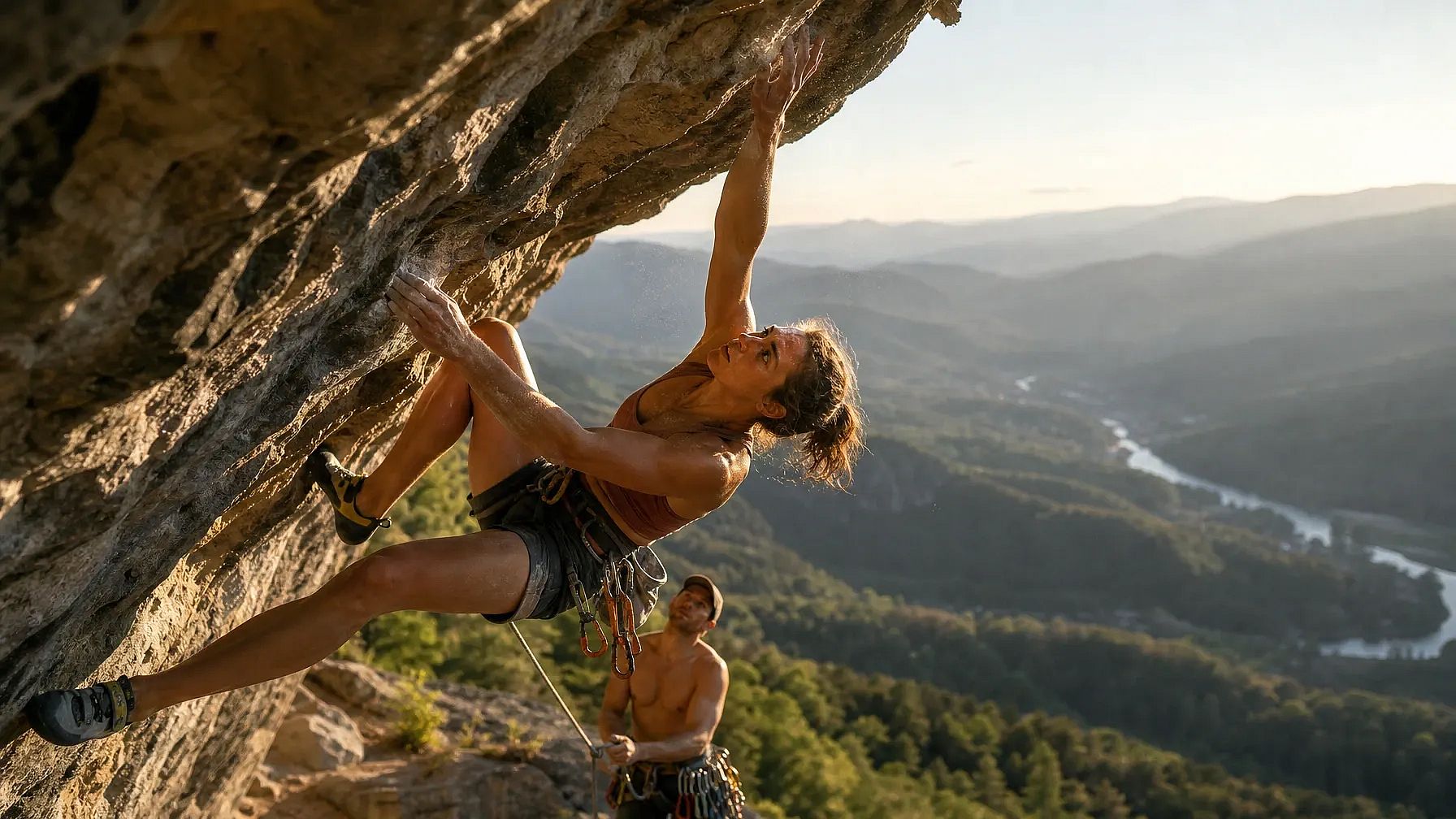
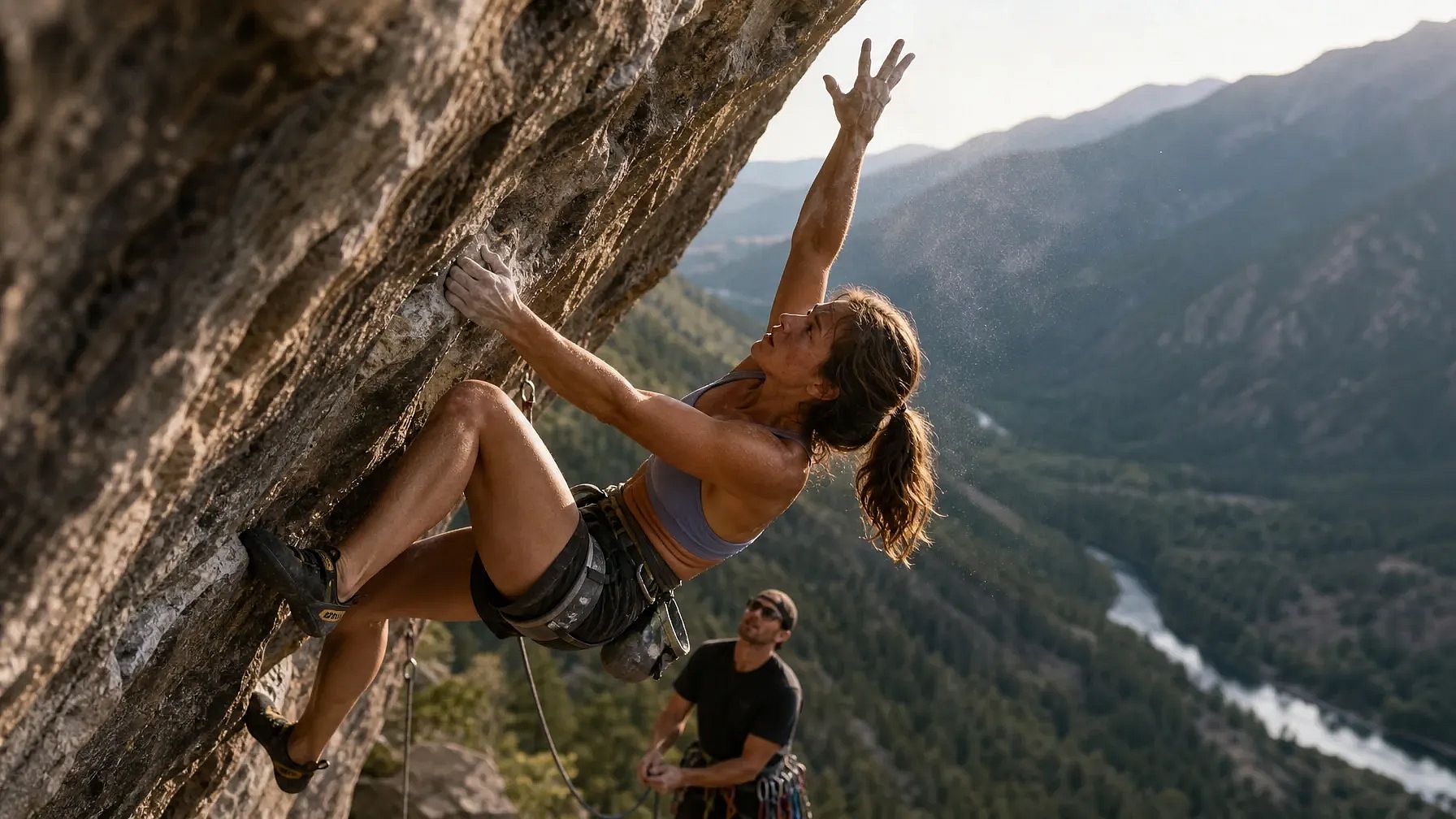
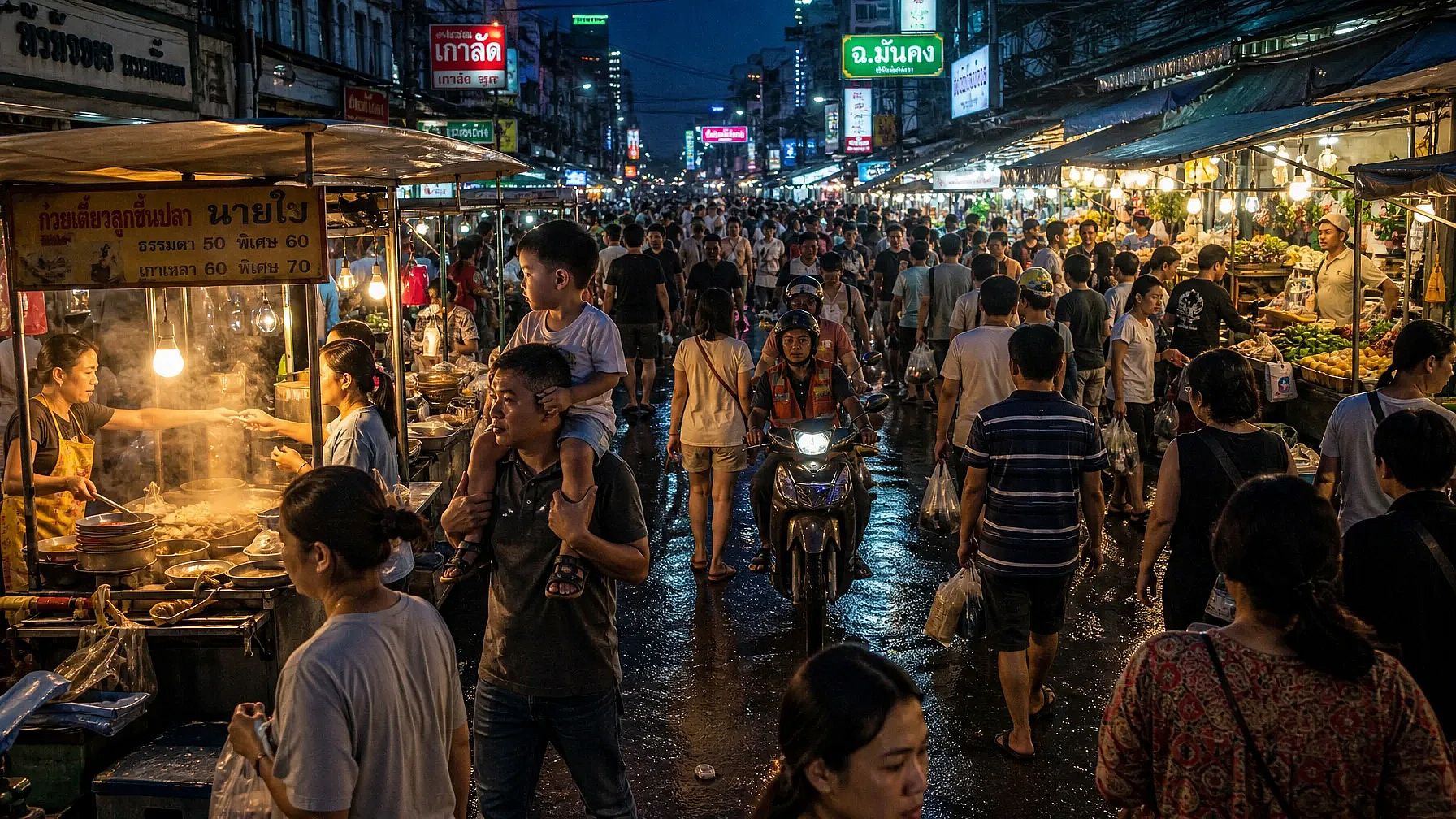
GPT Image 2とGPT Image 2.5(Sunburst)の両方で実行した3つの異なるプロンプトの結果を見て、写実性、人体、複雑な背景の観点から比較してみましょう。
プロンプト1:複数人物のアクション、動きの中の複雑な人体構造
A photorealistic action shot of a professional rock climber mid-dynamic-move on an overhanging cliff face, one hand gripping a small hold and the other reaching upward, fingers splayed and tendons visible under strain. Her body is twisted in a diagonal torque, left leg bent with the knee driving toward the wall while the right leg extends outward for balance. Chalk dust drifts off her hands, caught in a shaft of late-afternoon sunlight. Below her, a belayer looks upward, rope taut, with a cluttered gear rack of carabiners and cams clipped to his harness. The background shows a sprawling valley with layered mountain ridges fading into haze, a river winding through a forest far below. Skin texture should show sweat, sun exposure, and fine hair on the forearms. Shadows fall correctly across the rock's uneven texture, matching the sun's low angle. Capture this on a 35mm lens, shallow depth of field on the climber, sharp foreground rock texture, natural film grain.
GPT Image 2の結果:
GPT Image 2.5の結果:
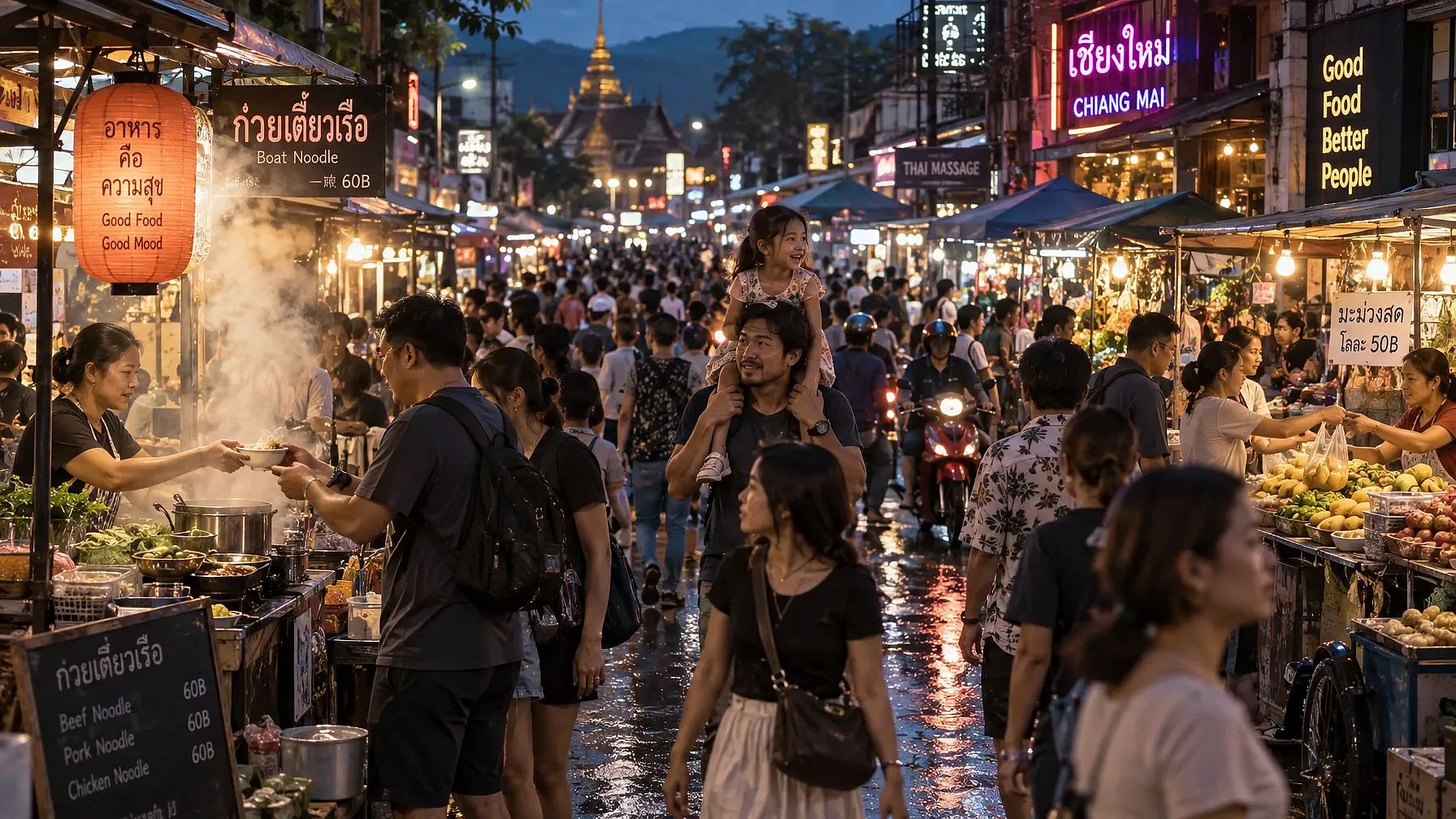
プロンプト2:密集した群衆シーン、繰り返される人型
A photorealistic wide shot of a crowded night market street in Southeast Asia, packed with dozens of people walking in different directions, each with distinct clothing, height, and posture. Vendors lean over stalls stacked with produce and lit by strings of warm bulbs, their hands mid-gesture as they hand items to customers. In the foreground, a child sits on a parent's shoulders, both faces lit by the glow of a nearby food cart's steam. Reflections of neon signage ripple across wet pavement from a recent rain. Steam rises from a noodle stall, partially obscuring two figures mid-conversation. Background stalls recede into a blur of motion and color, with motorbikes weaving through gaps in the crowd. Every visible hand and face should maintain correct proportions even at a small scale. Lighting is mixed, warm tungsten stalls against cool blue ambient dusk light, creating complex color temperature interplay across skin tones.
GPT Image 2の結果:
GPT Image 2.5の結果:
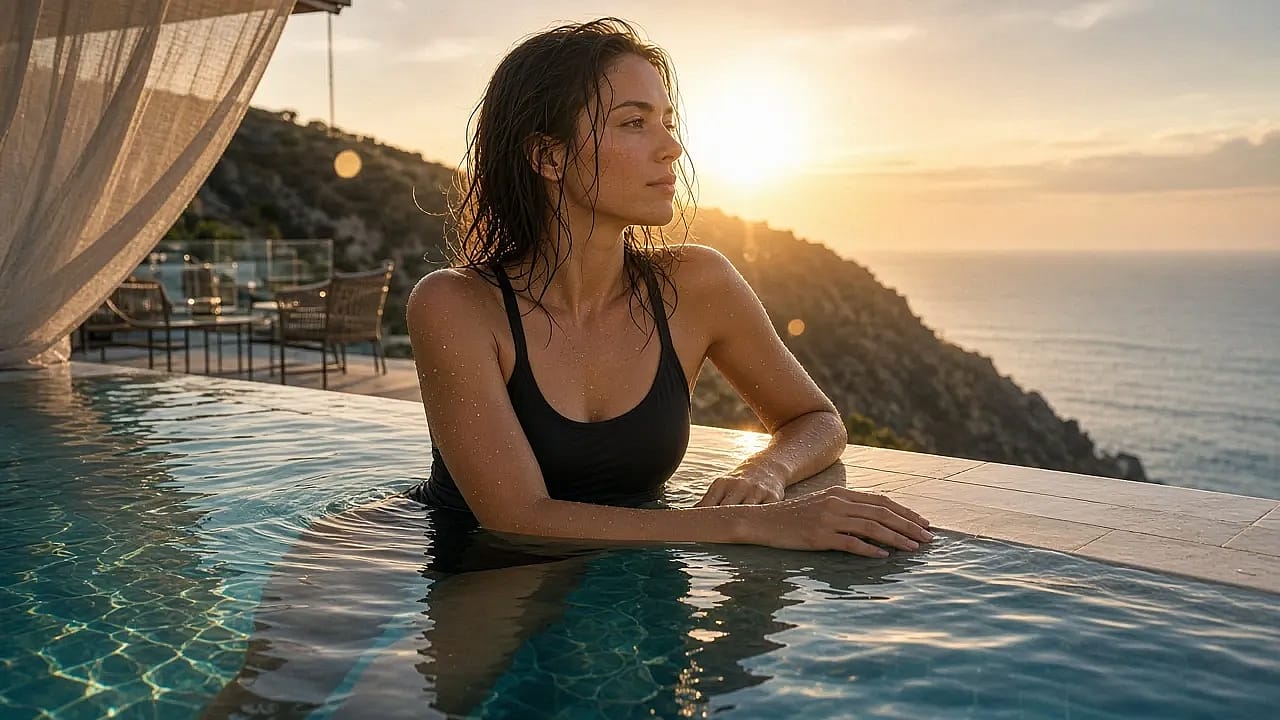
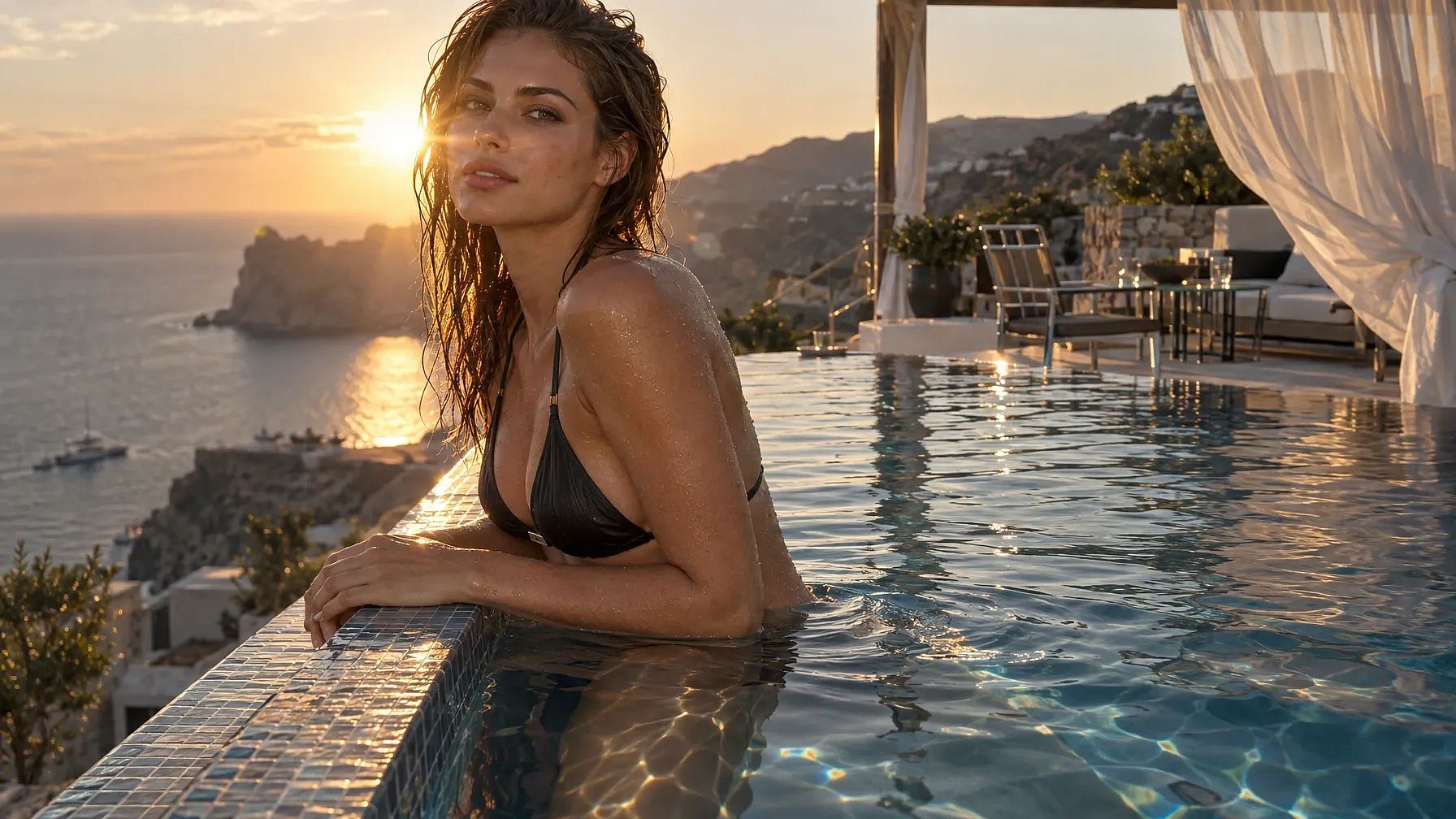
プロンプト3:反射・透明な表面と1体の人物
A photorealistic portrait of a swimmer standing waist-deep at the edge of an infinity pool overlooking a coastal cliffside at golden hour, water dripping down her arms and shoulders with individually visible droplets. Her reflection appears distorted but physically accurate in the pool's rippling surface, and a faint refraction line is visible where her legs submerge into the water. Behind her, the pool's edge blends into the ocean horizon, with a lounge area of glass tables and metal chairs catching scattered sun glare. A gauzy curtain from a nearby cabana billows in the wind, partially translucent with visible weave texture. Wet hair clings unevenly to her collarbone and neck, individual strands catching backlight. Her hands rest on the pool's tiled edge, fingers naturally relaxed, nails and knuckle creases rendered accurately. The sun sits low behind her, producing lens flare and a rim-light halo along her shoulders. Overall color grading should favor warm highlights against cool shadow tones, with accurate caustic light patterns dancing on the underwater tile.
GPT Image 2の結果:
GPT Image 2.5の結果:
GPT Image 2.5 vs 2.0:どちらを使うべき?
GPT Image 2.5をデフォルトにしましょう。FlareモードではGPT Image 2よりも高速で、画像の仕上がりも良く、上記のすべてのアップグレードがその上に加わります。
選択 フレア 日常の作業に:SNS投稿、素早いコンセプト作り、複数サイズの広告のバッチ制作など、確認して何度も試したいものすべてに。
選択 サンバースト 画像を顧客に見せるとき、背景をクリアにする必要があるとき、または同じ画像を何度も編集する予定のとき。
これでほぼすべての作業をカバーできます。Flareで始めてSunburstで仕上げ、まだ移行していない古いプロンプトがある場合だけGPT Image 2を使いましょう。
よくある質問
GPT Image 2とGPT Image 2.5の違いは何ですか?
GPT Image 2.5にはFlareとSunburstという2つのモードがありますが、GPT Image 2はモデルも速度も1種類のみです。さらにGPT Image 2.5では、背景を透明にする機能が標準搭載され、複数回の編集でも変更箇所を保持し、参照写真の被写体をより忠実に維持し、通常のテキストはもちろんグラフや図、ラベルにも対応します。
GPT Image 2とGPT Image 2.5はいつリリースされましたか?
OpenAIはGPT Image 2を2026年4月21日に、GPT Image 2.5を2026年9月8日にリリースしました。
FlareとSunburstの違いは何ですか?
Flareは日常的な作成や編集に適した高速モードです。OpenAIによると、GPT Image 2よりも半分の時間で高品質な画像を生成できるとのことです。Sunburstは最高品質モードで、速度は中程度のため、最終的な画像や細部までこだわった作業、複数回編集する予定の画像に向いています。
GPT Image 2.5は背景が透明な画像を作れますか?
はい。GPT Image 2.5は背景を透明にした画像をPNGまたはWebPファイルとして保存できます。GPT Image 2では、別のアプリで自分で背景を削除する必要がありました。
OpenArtでGPT Image 2とGPT Image 2.5を試せますか?
はい。どちらのモデルもOpenArtのAI画像生成ツールのモデルメニューに用意されているので、同じプロンプトをそれぞれで実行して結果を比較できます。
OpenArt で両方試す
どちらのモデルもモデルメニューにあります OpenArt のAI画像ジェネレーターだから同じプロンプトをそれぞれで試して、気に入った画像を選べます。保存済みのカラーやフォントを取り込むこともできます ブランドキット 保存した顔を再利用 OpenArt Characters.