

HappyHorse AI動画ジェネレーター
OpenArtのHappyHorse AIで、同期オーディオ、リアルな動き、高速生成を備えたシネマティックな動画を作成しましょう。

コミュニティの作品
クリエイターたちがなめらかな動き、自然な音声、一貫したビジュアルで、シネマティックなシーンや話すアバター、商品動画をどう生み出しているのかをご覧ください。
HappyHorse AI 動画ジェネレーターの主な機能
HappyHorseはOpenArtで利用できる次世代AI動画モデルで、動き・音声・タイミングを含む完成度の高いシーンを一度の生成でつくり出せるよう設計されています。
音声+動画のネイティブ生成
HappyHorse generates visuals and audio together instead of treating them as separate steps. Dialogue, sound effects, and motion are created in sync, which means lip movements match speech naturally and scenes feel cohesive without extra editing. For example, a talking character will not just move their lips randomly; the timing aligns with the generated voice. This removes the need for external voiceover tools or manual syncing, making it possible to create complete video clips directly from a single prompt.
今すぐ試す高速動画生成
HappyHorse AI significantly reduces generation time compared to traditional video models. Short clips can be generated in seconds, and even high-quality videos render quickly enough to support rapid iteration. This allows you to test multiple ideas without waiting through long processing times. Instead of committing to one version, you can explore variations of the same scene, adjust motion or pacing, and refine outputs quickly. The speed makes it practical for workflows where multiple drafts are needed in a short time.
今すぐ試すリアルなモーションと時間的一貫性
AI動画における最大の課題の一つが、フレーム間の一貫性を保つことです。HappyHorseは、キャラクター、オブジェクト、カメラの動きが時間を通じて安定した、滑らかなモーションを生み出します。髪、布地、環境の要素が、ちらついたり歪んだりせず自然に動きます。パン、ズーム、スローなプッシュインといったカメラワークも、つなぎ合わせたようではなく連続的に感じられます。これにより、シーンが緩くつながったフレームの寄せ集めではなく、実写映像のように見えるのです。
今すぐ試すHappyHorse AI 動画ジェネレーターの使い方
シンプルなワークフローで、動きと音声を備えた完成度の高い動画を生成できます。
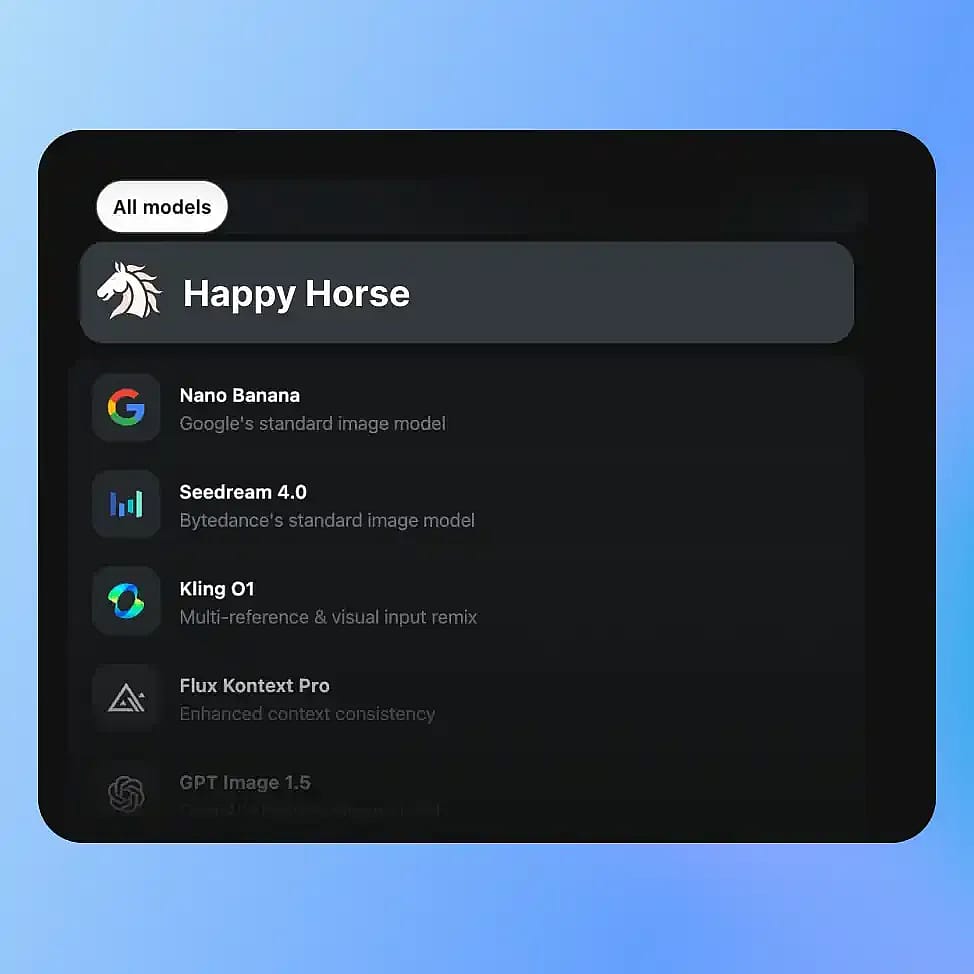
モデルを選択
OpenArtの動画ツールに移動し、モードを選択します。Text-to-VideoまたはImage-to-Videoを選んだら、利用可能なモデルからHappyHorseを選びましょう。
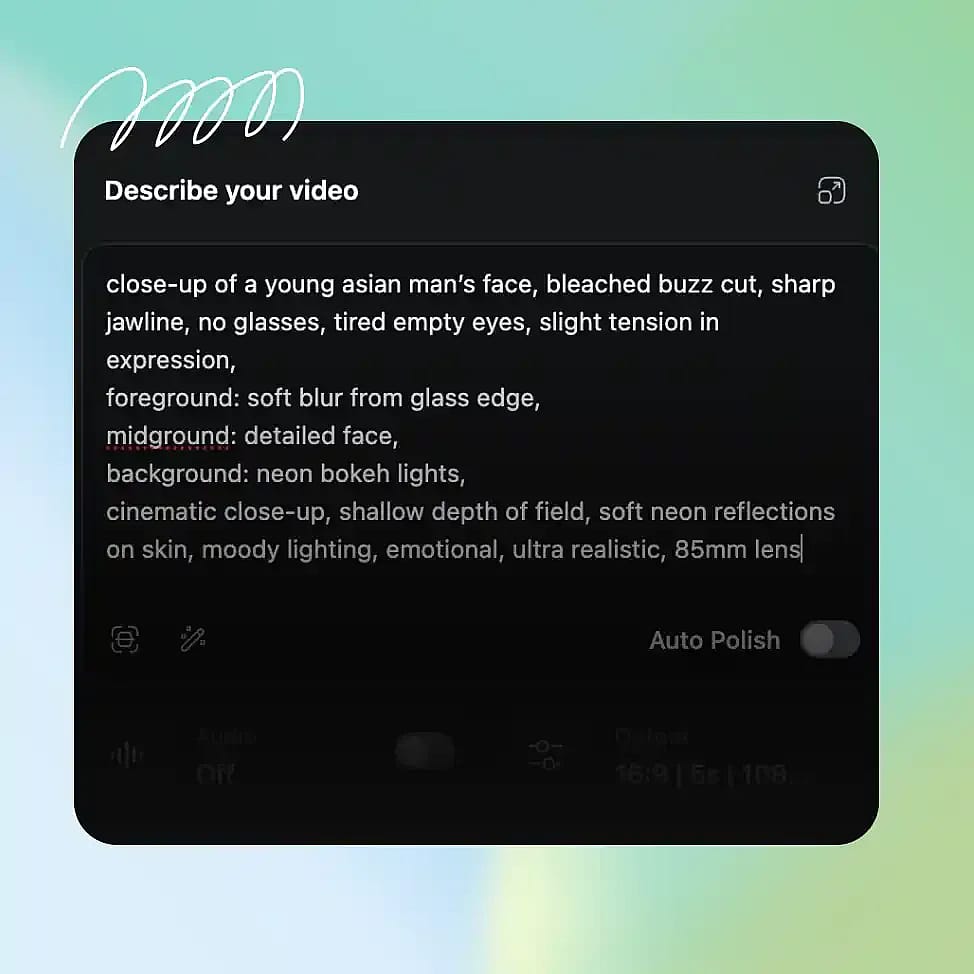
シーンを記述する
被写体、環境、動き、セリフや音などを明確に記述したプロンプトを書きましょう。カメラワークやムードといった細部を加えると、出力をより思い通りに導けます。
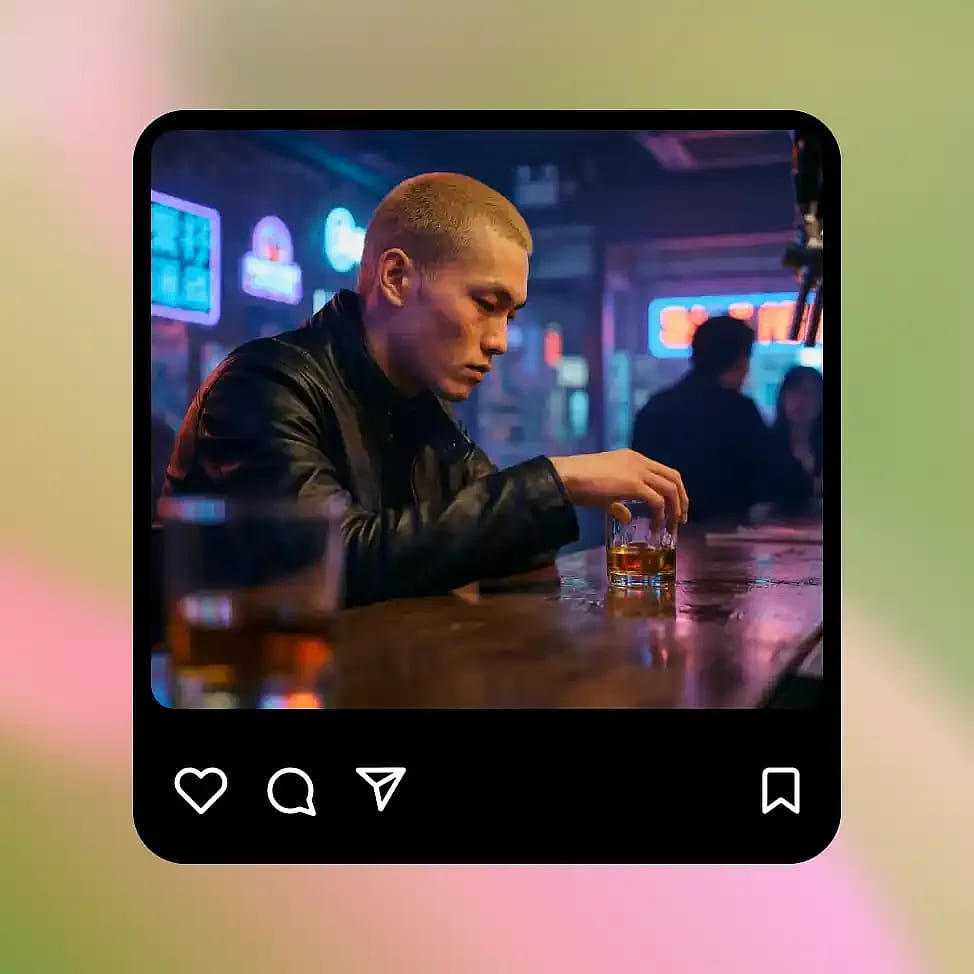
生成と調整
動画を生成して、動き、タイミング、オーディオを確認しましょう。プロンプトを調整すれば、テンポ、カメラの動き、シーン構成など特定の要素を細かく仕上げられます。
HappyHorseはシネマティックな動画制作のために作られた——より速く、より完璧に
同期した音声、リアルな動き、そして高速な反復で、ストーリーシーンや話す動画、商品アニメーション、ビジュアルコンセプトを作りましょう。
リアルでシネマティックなシーン生成
HappyHorse is especially strong at generating short cinematic sequences with clear direction and movement. You can describe a scene like a character walking through a city at night with a slow camera push, and the model will produce motion that feels continuous and intentional. Lighting, camera movement, and pacing work together instead of feeling random. This makes it useful for creating short films, story moments, or visual narratives without needing traditional video production tools or editing timelines.
今すぐ試す話すキャラクターとアバター
You can generate videos of characters speaking with synchronized lip movement and matching audio. Instead of adding voice separately, HappyHorse produces speech and facial motion together, so the result feels more natural. This works well for explainer videos, presentations, or simple talking avatars. You can control tone and pacing through your prompt, and refine the output by adjusting dialogue or delivery style. Because everything is generated together, the final video does not require extra syncing or post-processing.
今すぐ試すImage-to-Videoアニメーション
HappyHorseは、静止画やフレームを動きのあるシーンにアニメーション化しながら、被写体の一貫性を非常に高く保ちます。たとえば、商品画像やキャラクターのポートレートを、モーション、カメラの動き、環境エフェクトを加えたショート動画に変換できます。元の構造とアイデンティティは安定して保たれるため、被写体がフレーム間でぶれたり歪んだりしません。これにより、静的なアセットを一から作り直したり手作業でアニメーション化したりせずに、魅力的なコンテンツへと変えるのに役立ちます。
今すぐ試す商品・SNS向け動画コンテンツ
シーンと思い描くモーションを説明するだけで、短いプロダクト動画やSNSクリップを作成できます。たとえば、柔らかな照明のもとテーブルに置かれた商品がゆっくり回転する様子を、雰囲気までマッチした完成動画として生成できます。生成が速いので、長い制作サイクルを経ずに複数のスタイル、アングル、ムードを試せます。これにより、バリエーションごとに撮影しなくても、キャンペーンやSNS向けに一貫した動画コンテンツを手軽に制作できます。
今すぐ試す最高の結果を出すコツ

動きを明確に記述する
被写体の動き方やカメラの動きを指定すると、よりコントロールされたリアルな結果が得られます。

プロンプトに音声の意図を盛り込む
セリフや音を指定すると、出力でビジュアルとオーディオが自然に揃います。

シーンを絞り込む
被写体が明確でシンプルなシーンほど、安定して一貫性のあるモーションが得られます。

小さな変更を重ねて調整
カメラの動きやペースなど、一度に1つの要素を調整して、シーン全体を崩さずに結果を磨きましょう。
よくある質問 よくある質問
HappyHorse は映像と音声を別々の工程として扱うのではなく、1回の処理で同時に生成します。そのため唇の動きが発話に合い、効果音が動きに同期し、シーン全体がより自然に感じられます。他の多くのモデルでは、後から音声を追加したり手動で同期させたりする必要があります。さらに HappyHorse はフレーム間の安定した動きにもこだわっているため、動画中にキャラクターや物体がちらついたり不自然にずれたりしません。
はい。口の動きとオーディオがぴったり同期して話すキャラクターを生成できます。モデルが音声と顔の動きを同時に作り出すため、オーディオを別々に追加するシステムよりも自然な仕上がりになります。解説動画、短いプレゼン、タイミングや表情が重要なキャラクター中心のコンテンツに最適です。
HappyHorseは、映画のようなシーン、話すアバター、商品動画、SNS用クリップに最適です。特に、ビジュアルと音声をまとめて生成したいときや、複数の動画バリエーションを素早く作りたいときに役立ちます。撮影や編集をせずにアイデアを可視化する初期構想の段階にも使えます。
はい。ズーム、パン、スローな動きといったカメラの動作をpromptで記述すれば、モデルがその指示に従います。これにより、ランダムではなく意図のあるシーンを作りやすくなり、特にストーリーテリングや商品重視の動画に効果的です。
HappyHorseは高速なイテレーションを想定して設計されています。短いクリップはわずか数秒で生成でき、長尺や高品質の動画も従来の動画モデルよりはるかに速くレンダリングされます。これにより、出力ごとに数分待つのではなく、複数のアイデアを素早くテストできます。生成が速いので、シーンを段階的に調整しながら、はるかに短い時間で使える結果にたどり着けます。
はい。静止画をアップロードして、動きやカメラワーク、環境エフェクトを加えた短い動画に変換できます。モデルは被写体の一貫性を保ちながら動きを加えるため、元の画像が歪んだり別人になったりすることはありません。商品画像やキャラクターのポートレート、動きを加えたい静的なビジュアルに最適です。
いいえ。シンプルなテキストプロンプトで完成した動画を生成できます。動き・音声・タイミングはモデルが処理するので、タイムラインやレイヤー、編集ソフトを扱う必要はありません。欲しいものを言葉で伝え、プロンプトを調整して結果を仕上げていけます。
シーンで何が起きているかを明確に伝えましょう。被写体、環境、動き、含めたいオーディオやセリフを記載します。プロンプトを絞り込み、反復ごとに小さく変更していくことで、一貫性を保ちながら全体の品質を高められます。
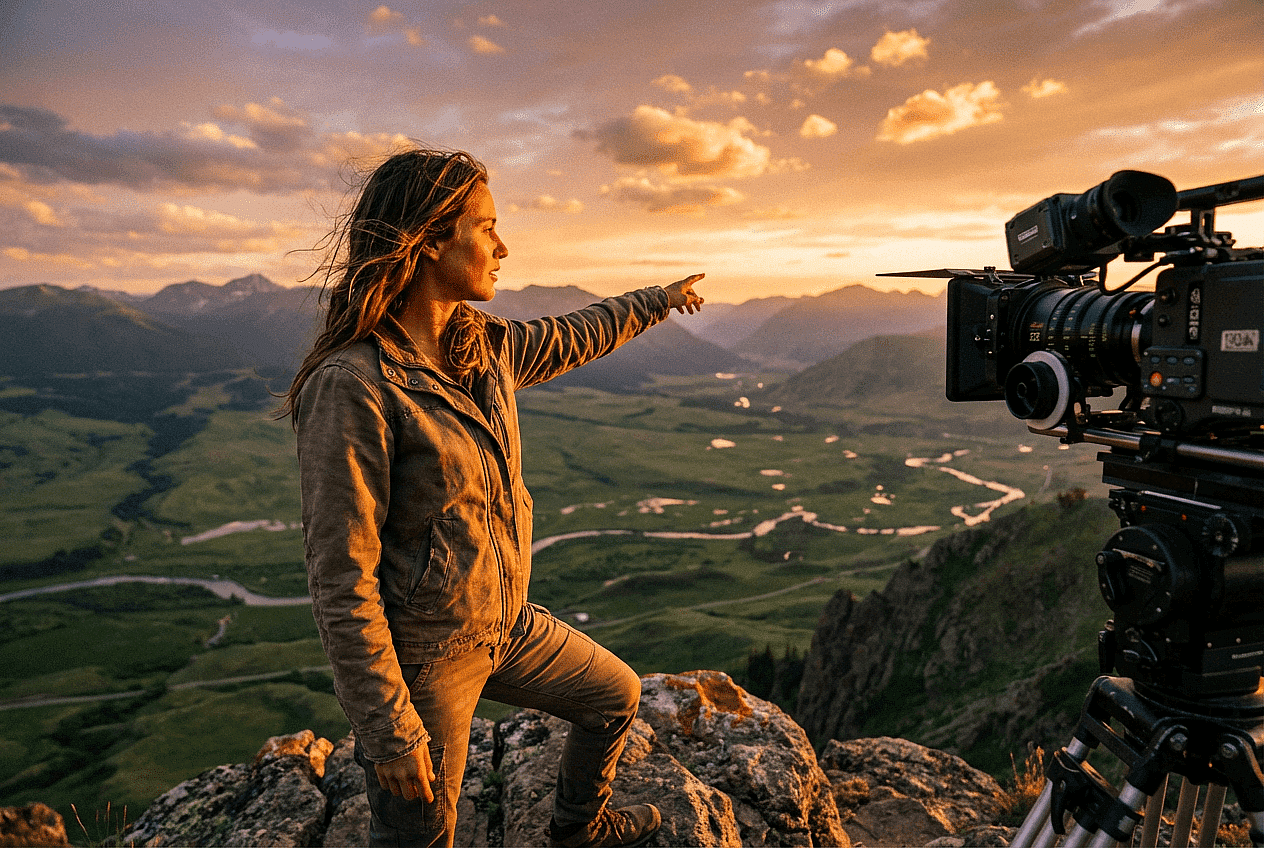
クリエイターに愛用されています
多くのAIプラットフォームを試してきましたが…キャラクター作成、画像から動画への品質、そして利用できるモデルの豊富さで、OpenArtは今も一番です。
OpenArtには優れたAIツールが揃っていて…機能を覚えれば、クリエイティブの可能性は無限大。サポートチームも本当に素晴らしいです。
OpenArtは、多彩な画像・動画モデル、一貫したキャラクター生成、強力な編集ツールを備えた、とても汎用性の高いAIプラットフォームです。
便利なAIツールがひとつに集約 - 画像・動画の生成、編集など…複数のサブスクリプションは不要です。
カスタマーサービスはいつも迅速で頼りになります…新しい機能やツールで、プラットフォームもどんどん良くなっています。
多くのAIプラットフォームを試してきましたが…キャラクター作成、画像から動画への品質、そして利用できるモデルの豊富さで、OpenArtは今も一番です。
OpenArtには優れたAIツールが揃っていて…機能を覚えれば、クリエイティブの可能性は無限大。サポートチームも本当に素晴らしいです。
OpenArtは、多彩な画像・動画モデル、一貫したキャラクター生成、強力な編集ツールを備えた、とても汎用性の高いAIプラットフォームです。
便利なAIツールがひとつに集約 - 画像・動画の生成、編集など…複数のサブスクリプションは不要です。
カスタマーサービスはいつも迅速で頼りになります…新しい機能やツールで、プラットフォームもどんどん良くなっています。
多くのAIプラットフォームを試してきましたが…キャラクター作成、画像から動画への品質、そして利用できるモデルの豊富さで、OpenArtは今も一番です。
OpenArtには優れたAIツールが揃っていて…機能を覚えれば、クリエイティブの可能性は無限大。サポートチームも本当に素晴らしいです。
OpenArtは、多彩な画像・動画モデル、一貫したキャラクター生成、強力な編集ツールを備えた、とても汎用性の高いAIプラットフォームです。
便利なAIツールがひとつに集約 - 画像・動画の生成、編集など…複数のサブスクリプションは不要です。
カスタマーサービスはいつも迅速で頼りになります…新しい機能やツールで、プラットフォームもどんどん良くなっています。
数あるAIプラットフォームの中でも、OpenArtは際立った選択肢でした。どんなクリエイターにもおすすめします。
このプラットフォームには、画像、動画、キャラクター、オーディオ、複数のAIモデルまで、AIコンテンツ制作に必要なすべてが一つに揃っています。
OpenArtはAI動画制作の可能性を広げ続けています…クリエイター体験の向上に真剣に取り組んでいるのが伝わってきます。
OpenArtで初めてのAIミュージックビデオを作りました…サポートチームは今まで受けた中で最高の対応でした。
サポートには大満足です。問題がすぐに解決し、チームのおかげでスムーズに進みました。
数あるAIプラットフォームの中でも、OpenArtは際立った選択肢でした。どんなクリエイターにもおすすめします。
このプラットフォームには、画像、動画、キャラクター、オーディオ、複数のAIモデルまで、AIコンテンツ制作に必要なすべてが一つに揃っています。
OpenArtはAI動画制作の可能性を広げ続けています…クリエイター体験の向上に真剣に取り組んでいるのが伝わってきます。
OpenArtで初めてのAIミュージックビデオを作りました…サポートチームは今まで受けた中で最高の対応でした。
サポートには大満足です。問題がすぐに解決し、チームのおかげでスムーズに進みました。
数あるAIプラットフォームの中でも、OpenArtは際立った選択肢でした。どんなクリエイターにもおすすめします。
このプラットフォームには、画像、動画、キャラクター、オーディオ、複数のAIモデルまで、AIコンテンツ制作に必要なすべてが一つに揃っています。
OpenArtはAI動画制作の可能性を広げ続けています…クリエイター体験の向上に真剣に取り組んでいるのが伝わってきます。
OpenArtで初めてのAIミュージックビデオを作りました…サポートチームは今まで受けた中で最高の対応でした。
サポートには大満足です。問題がすぐに解決し、チームのおかげでスムーズに進みました。