

 ChatGPT
 Perplexity
 Claude
 Gemini
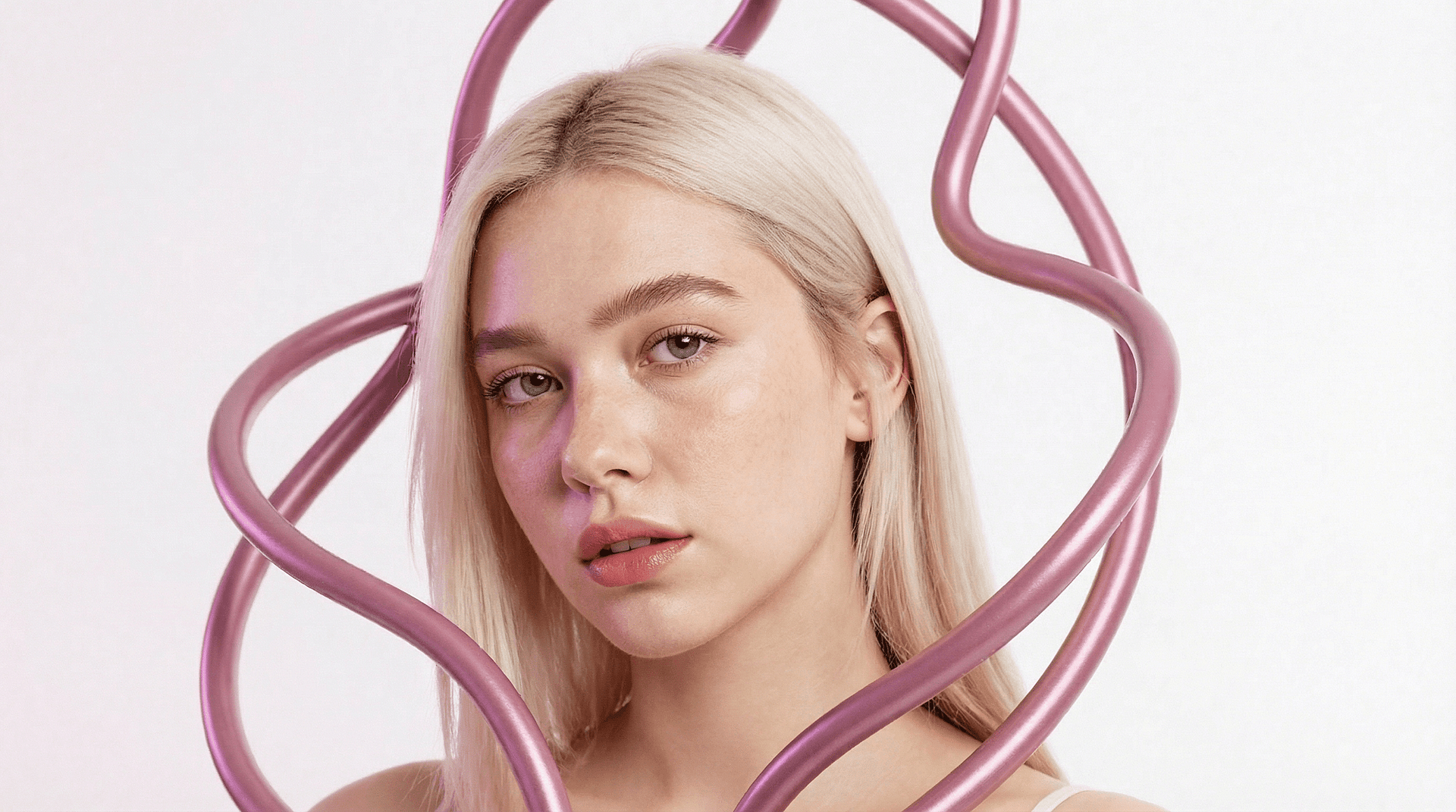
Los generadores de imágenes con IA son excelentes creando retratos, pero aún tienen problemas con un detalle concreto: la piel realista.
Si alguna vez has generado un retrato y has notado que la cara se ve demasiado lisa, brillante o casi como de cera, has visto lo que los creadores suelen llamar piel de plástico. Es una de las mayores señales visuales de que una imagen fue creada por IA.
Por suerte, este problema es más fácil de resolver de lo que crees. Con herramientas como Vellum AI, que podría considerarse el «cuidado de la piel para la IA», puedes restaurar la textura natural de la piel y hacer que los retratos con IA parezcan mucho más realistas.
Veamos por qué aparece la piel de plástico y cómo solucionarlo.
Por qué los retratos con IA suelen quedar demasiado suaves
La piel humana es increíblemente compleja. No es perfectamente uniforme ni pulida. La piel real contiene pequeños detalles como poros, arrugas tenues, ligeras imperfecciones y sutiles variaciones de color.
A muchos modelos de imagen con IA les cuesta recrear esta complejidad. En su lugar, producen caras en las que la piel queda uniforme y demasiado pulida. Cuando desaparece la textura, un retrato puede empezar a verse:
- ceroso
- brillante
- difuminado
- perfecto de forma poco natural
Aunque la estructura facial parezca correcta, la falta de microdetalles hace que la imagen resulte artificial.
Para resolver este problema, El despistado desarrolló Vellum AI Skin Enhancer, ya disponible en OpenArt. El modelo está diseñado para restaurar la textura natural de la piel al escalar retratos de IA, ayudando a que se vean más nítidos, detallados y cercanos a la fotografía hiperrealista.
Qué significa realmente la «piel de plástico»
La piel de plástico no consiste solo en una suavidad artificial. Es la ausencia de estructura y textura naturales de la piel. La piel real refleja la luz de forma irregular por los poros, las pequeñas sombras y las sutiles variaciones de la superficie. Cuando estos detalles desaparecen, la luz se reparte de manera uniforme por todo el rostro y se crea ese inquietante aspecto sintético.
Por eso los retratos de IA con piel plástica a menudo se sienten ligeramente raros. Tu cerebro reconoce que algo en la textura no se comporta como la piel humana real.
Causas habituales de la piel plástica en imágenes de IA
Varios factores pueden provocar este efecto:
Suavizado agresivo durante la generación
Algunos modelos de IA suavizan automáticamente la piel para que los retratos se vean más limpios, pero el proceso suele eliminar la textura natural.
Imágenes de origen con poco detalle
Si una imagen no contiene suficiente detalle, la IA no puede reconstruir con precisión los poros ni las microtexturas.
Filtros intensos o retoque
Los filtros de belleza y las herramientas de edición suelen difuminar la superficie de la piel, eliminando información necesaria para una reconstrucción realista.
Varias pasadas de edición
Cada vez que una imagen se reprocesa o se mejora, pequeños detalles pueden desaparecer poco a poco. Una vez que se pierde esa textura, el retrato pierde uno de los ingredientes clave del realismo.
Cómo Vellum AI restaura la textura natural de la piel
Este potenciador de piel con IA está diseñado específicamente para resolver este problema. En lugar de suavizar aún más la piel, el modelo analiza el retrato y reconstruye el detalle natural de la superficie que hace que la piel parezca humana.
Funciona restaurando varios elementos a la vez.
Microtextura de la piel
Se reconstruyen pequeños detalles como poros, arrugas tenues y la sutil textura de la superficie para recuperar la estructura natural de la piel.
Variación tonal
La piel real tiene ligeros cambios de color y diferencias de brillo. Vellum reintroduce estas variaciones para evitar que la cara se vea plana.
Nitidez del detalle facial
Elementos importantes como los labios, la nariz y los contornos faciales se mantienen nítidos mientras la piel gana realismo.
Profundidad de iluminación
La textura mejorada interactúa con la iluminación existente, de modo que las sombras y los reflejos siguen siendo creíbles. El resultado es un retrato que parece menos un render digital y más una fotografía.
Arreglar la piel de plástico con Vellum AI
Mejorando un retrato con Vellum AI en OpenArt solo requiere unos pocos pasos.
Paso 1: Selecciona Skin Enhancer y sube tu imagen
Abre el módulo de imagen en OpenArt y elige Skin Enhancer. Después, sube el retrato o la imagen generada con IA que quieras mejorar.
Paso 2: Elige la resolución de escalado
Selecciona la resolución de salida que prefieras (2K, 4K u 8K) según el nivel de detalle y nitidez que quieras en la imagen final.
Paso 3: Ajusta el nivel de textura de la piel
Usa la puntuación de textura de piel para controlar con qué intensidad el modelo realza los detalles naturales, como poros, arrugas y sutiles variaciones de la piel.
Paso 4: Genera y descarga el resultado
Ejecuta la mejora con los ajustes que hayas seleccionado. Una vez procesada la imagen, descarga la versión final con una textura de piel mejorada y un retrato más realista.
Consejos para mejorar los resultados al mejorar la piel
La calidad de la imagen de entrada puede marcar una diferencia notable en el resultado final.
Empieza con retratos de mayor resolución
Las imágenes con más detalle permiten a la IA reconstruir la textura de la piel con mayor precisión.
Usa imágenes con el rostro bien visible
Los retratos con la cara bien iluminada y despejada suelen dar mejores resultados.
Evita los filtros intensos antes de mejorar
Los filtros que difuminan o suavizan la piel eliminan la información de textura que la IA necesita.
Revisa con atención el resultado mejorado
Comparar las versiones original y mejorada ayuda a confirmar que el realismo mejoró mientras la identidad facial se mantuvo intacta.
Prueba distintos retratos
Las distintas condiciones de iluminación y ángulos faciales pueden influir en lo bien que funciona la reconstrucción de la textura.
Por qué importa una piel realista en los retratos con IA
La textura de la piel puede parecer un detalle menor, pero desempeña un papel enorme en lo creíble que resulta un retrato. Cuando falta textura, los espectadores notan de inmediato que algo no cuadra, aunque no sepan explicar exactamente por qué.
Restaurar los poros, las arrugas y la variación natural acerca el retrato a cómo se comporta realmente la piel humana bajo la luz, lo que mejora enormemente el realismo.
Casos de uso y qué probar a continuación
Vellum AI Skin Enhancer resulta útil en cualquier situación en la que importe el realismo del retrato. Si generas retratos con IA para proyectos creativos, diseño de personajes, imágenes de marketing o redes sociales, restaurar la textura natural de la piel puede hacer que la imagen resulte al instante mucho más creíble.
Los creadores suelen usarlo para corregir caras de IA demasiado suaves, pulir retratos de personajes, mejorar imágenes de perfil o realzar visuales de alta resolución donde el detalle facial se nota más. La microtextura añadida y la variación natural de la piel ayudan a que los retratos aguanten mejor en primeros planos, pantallas grandes y trabajos creativos profesionales.
Si estás experimentando con retratos de IA o escalado en OpenArt, el siguiente paso es sencillo: prueba a pasar algunas de tus imágenes por el mejorador de piel. Prueba con retratos con distintas iluminaciones, expresiones y resoluciones para ver cómo la reconstrucción de la textura cambia el realismo general.