

Seedream 5.0 Pro — Modelo de imagen con IA
Genera imágenes que puedes separar en capas, haz ediciones precisas y contextuales, y añade texto nativo en 14 idiomas con el modelo de imágenes con IA Seedream 5.0 Pro de ByteDance en OpenArt.
Características clave de Seedream 5.0 Pro
Seedream 5.0 Pro es el nuevo modelo de imagen insignia de ByteDance, el nivel Pro de la línea Seedream 5.0, ya disponible en las herramientas de imagen de OpenArt.
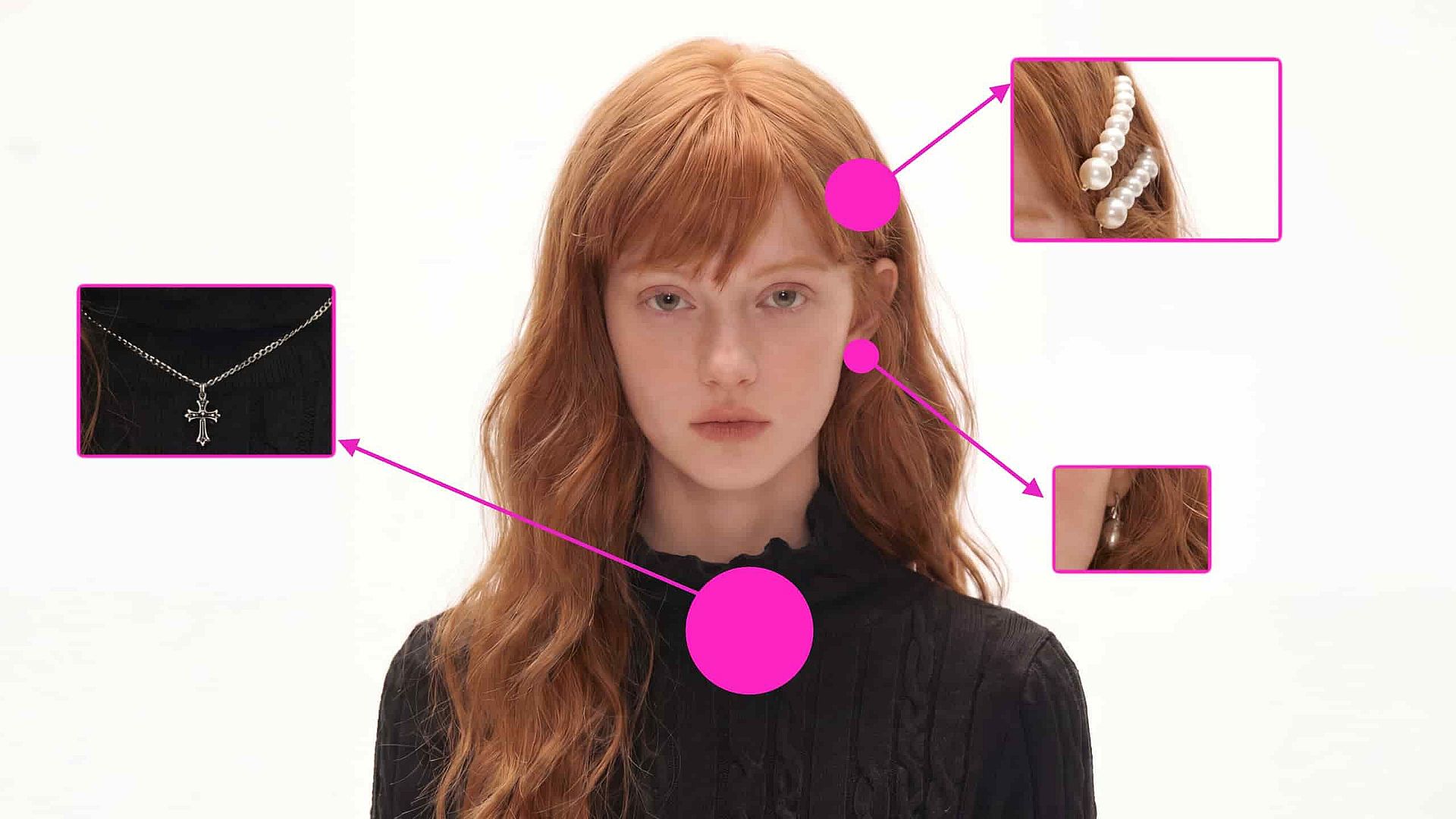
Precisión espacial y de intención al detalle
Seedream 5.0 Pro lee dónde se sitúa cada elemento en el encuadre y qué pide realmente tu prompt, para que las instrucciones detalladas acierten en el objetivo correcto. Marca el punto con un punto, un recuadro delimitador, una flecha o un boceto rápido, describe el cambio y el modelo edita solo ese elemento mientras el resto del encuadre se queda igual. Y todo eso en resolución nativa 2K, con reescalado disponible hasta 4K.
Pruébalo ahoraSeparación multicapa a demanda
Pide a Seedream 5.0 Pro que divida un resultado en capas independientes y editables: un titular, un personaje, un producto o todo el fondo. Cada capa puede luego reposicionarse, escalarse o modificarse por separado, de modo que los cambios son no destructivos en lugar de regenerar toda la imagen. Aporta el control de una herramienta de diseño, más cercano a trabajar con un archivo de diseño por capas que a lanzar prompts para obtener una imagen plana, a un flujo de creación de imágenes con IA.
Pruébalo ahoraGeneración de diseños de alta densidad
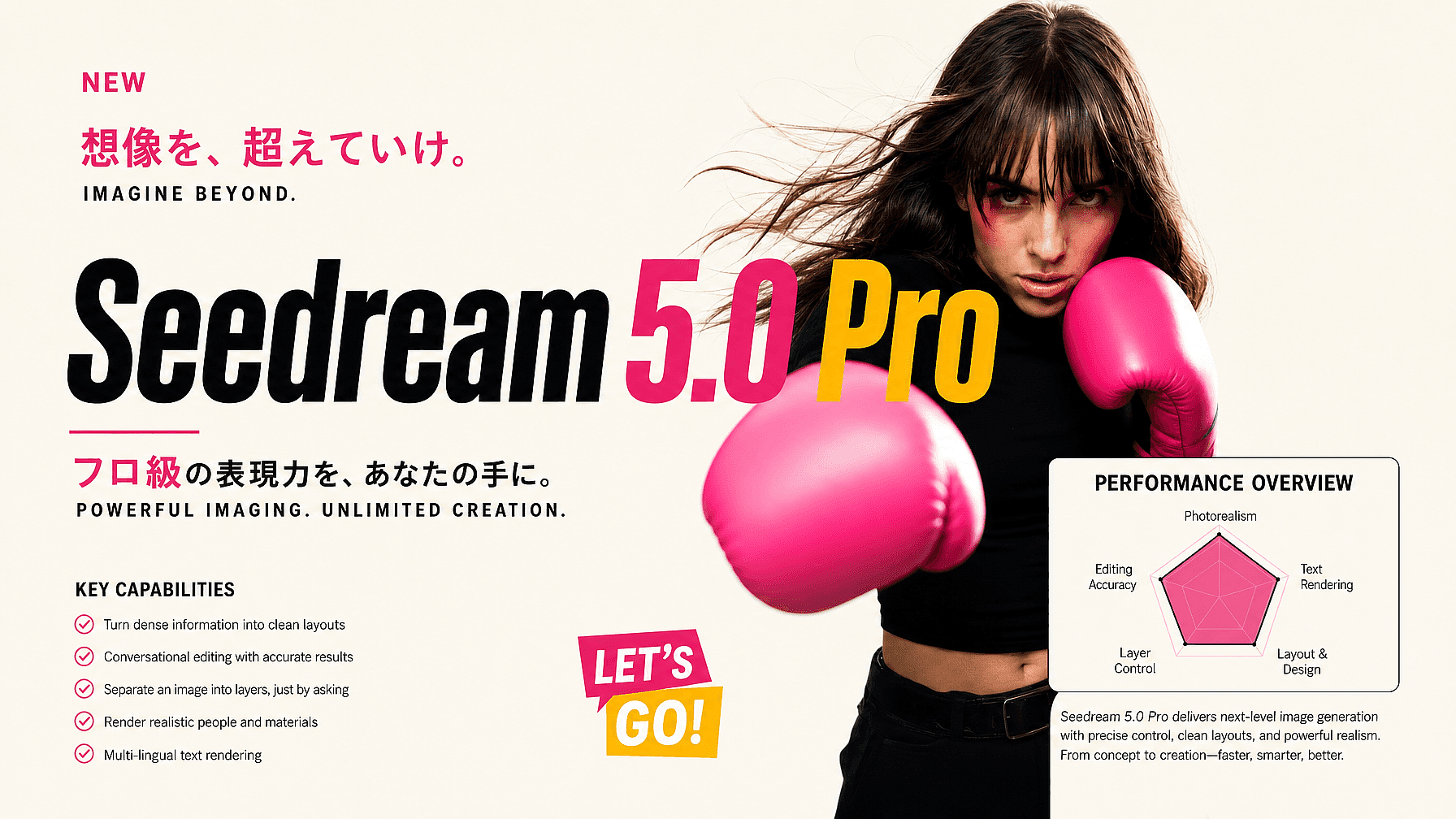
Donde los modelos más antiguos manejan un único sujeto potente por imagen, Seedream 5.0 Pro compone imágenes ricas en información de una sola pasada: pósters, infografías, diseños de diapositivas, gráficos de datos, diagramas de flujo y esquemas. Mantiene una jerarquía visual estructurada a lo largo de muchos elementos y conserva las etiquetas pequeñas legibles con un orden de lectura claro. Eso lo hace práctico para trabajos donde el diseño es el producto, no solo el fondo.
Pruébalo ahora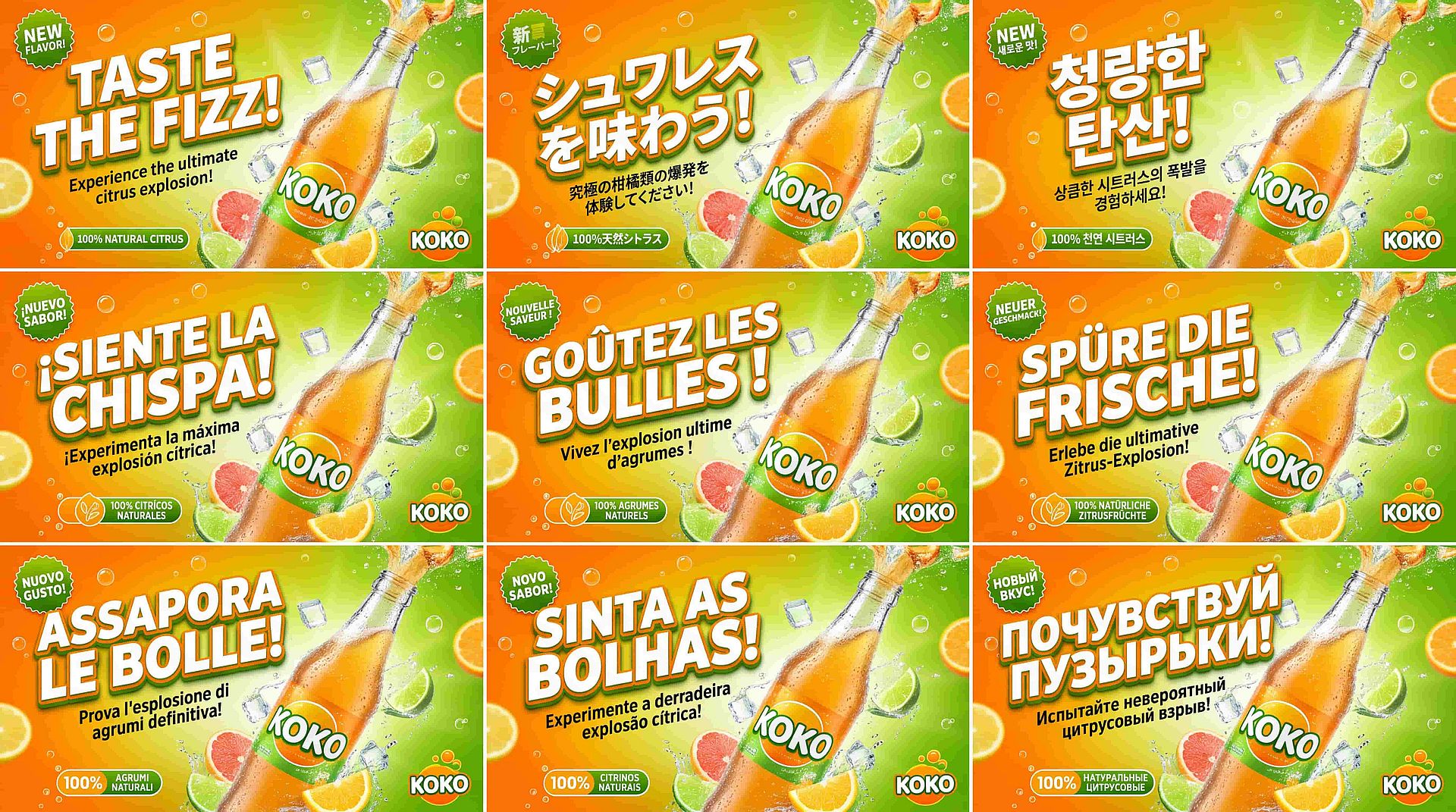
Texto nativo en más de 14 idiomas
Seedream 5.0 Pro genera texto directamente en varios idiomas, como árabe, japonés, coreano, ruso y tailandés, con las formas de letra correctas y una tipografía local. Como el texto se renderiza de forma nativa en lugar de traducirse y pegarse, las escrituras de derecha a izquierda se leen bien y los tonos se apilan donde deben. Un solo modelo puede llevar una campaña a varios mercados sin una pasada de limpieza por idioma.
Pruébalo ahoraCómo usar Seedream 5.0 Pro
Tres pasos te llevan del prompt a una imagen final por capas.
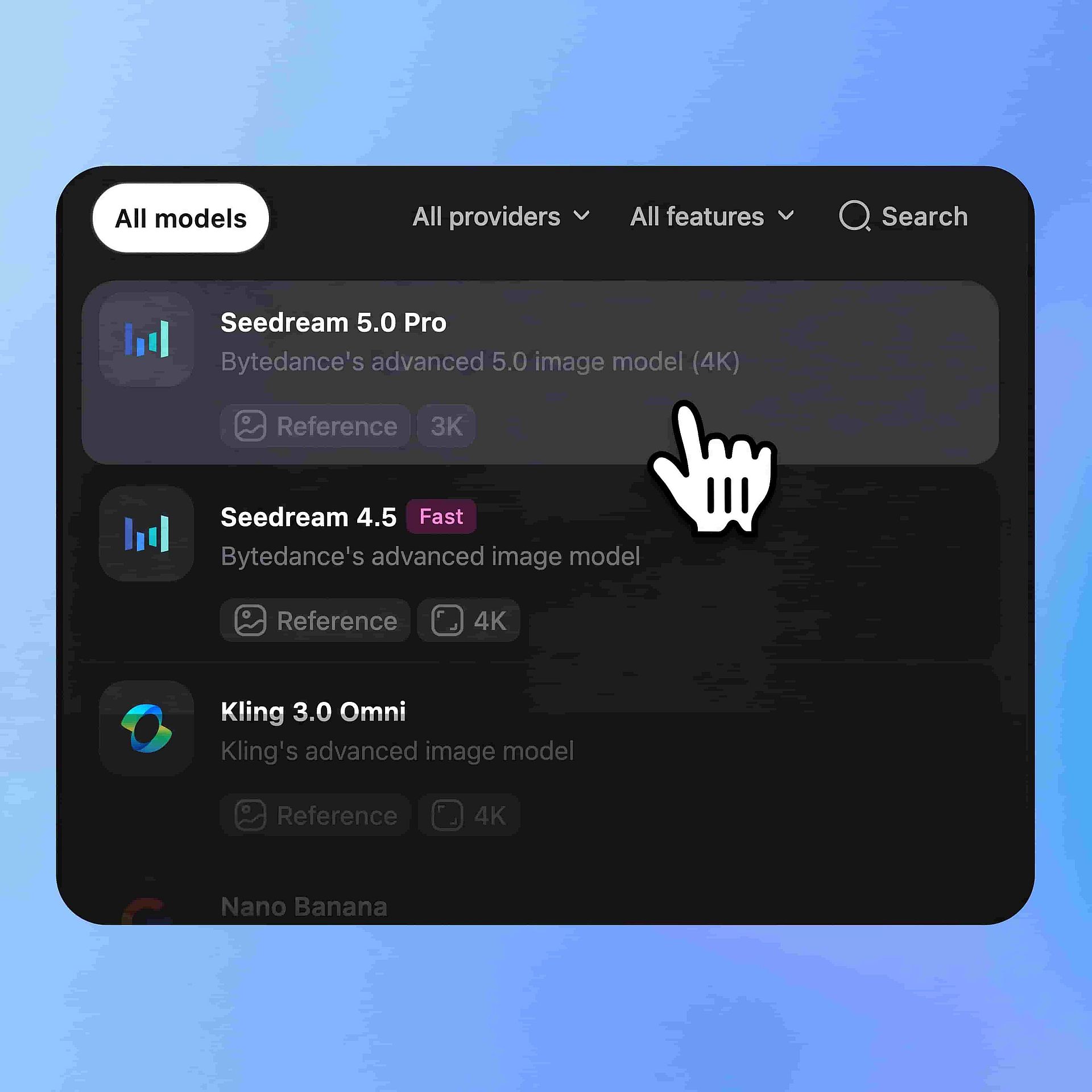
Elige el modelo
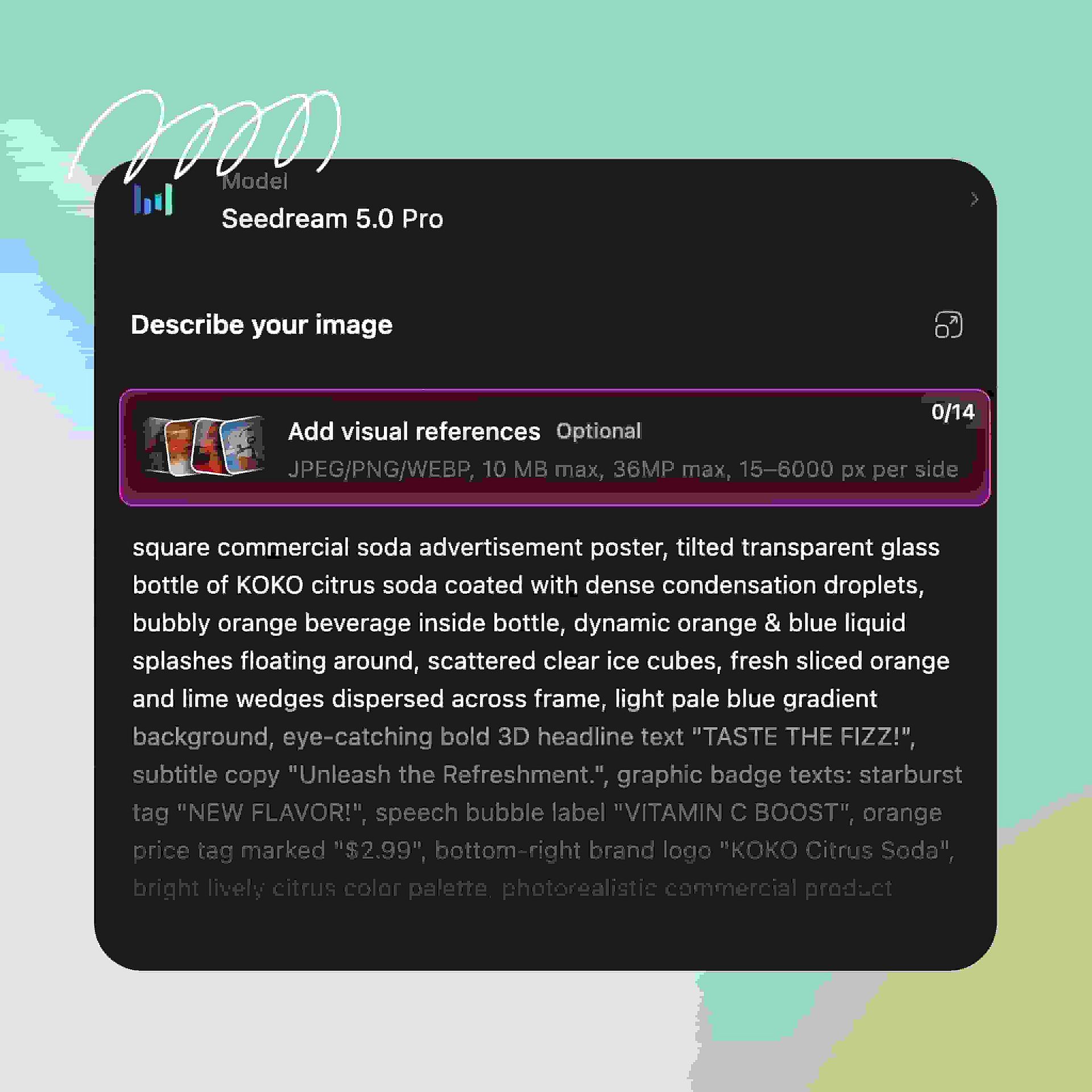
Abre el generador de imágenes de OpenArt y selecciona Seedream 5.0 Pro en el menú de modelos. Elige la relación de aspecto: vertical para redes sociales, cuadrada para feeds o panorámica para banners y diapositivas.
Escribe tu prompt
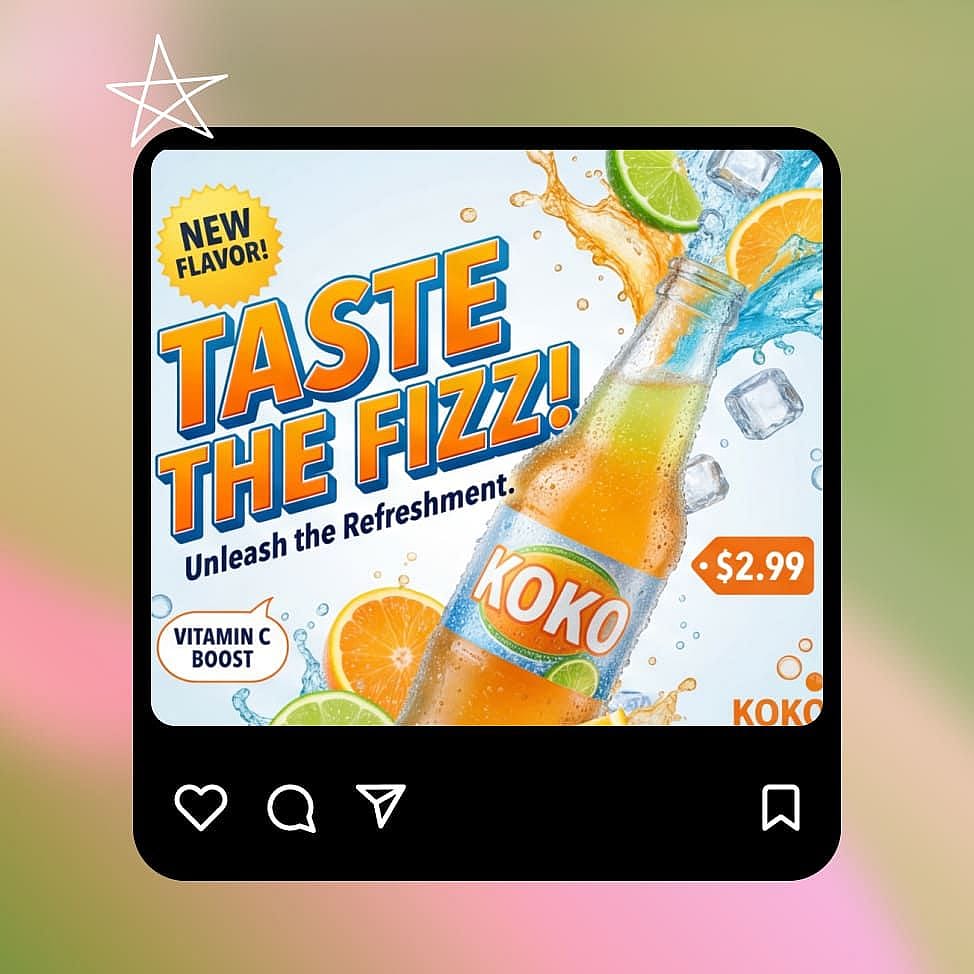
Describe el tema, el estilo, la disposición y cualquier texto dentro de la imagen, incluyendo el idioma en el que debe aparecer. Para diseños con mucha información, especifica la jerarquía: titular arriba, gráfico en el centro y pie de foto abajo.
Edita por región o capa
Genera y luego refina con precisión en lugar de volver a tirar el dado. Marca una zona para cambiar solo ese elemento, o pide al modelo que separe una capa y la reposicione, escale o cambie de estilo por su cuenta antes de descargar.
Mejores casos de uso de Seedream 5.0 Pro
Dónde encaja de forma natural el generador de imágenes con IA Seedream 5.0 Pro en tu flujo de trabajo en OpenArt.
Pósters por capas y diseños de marca
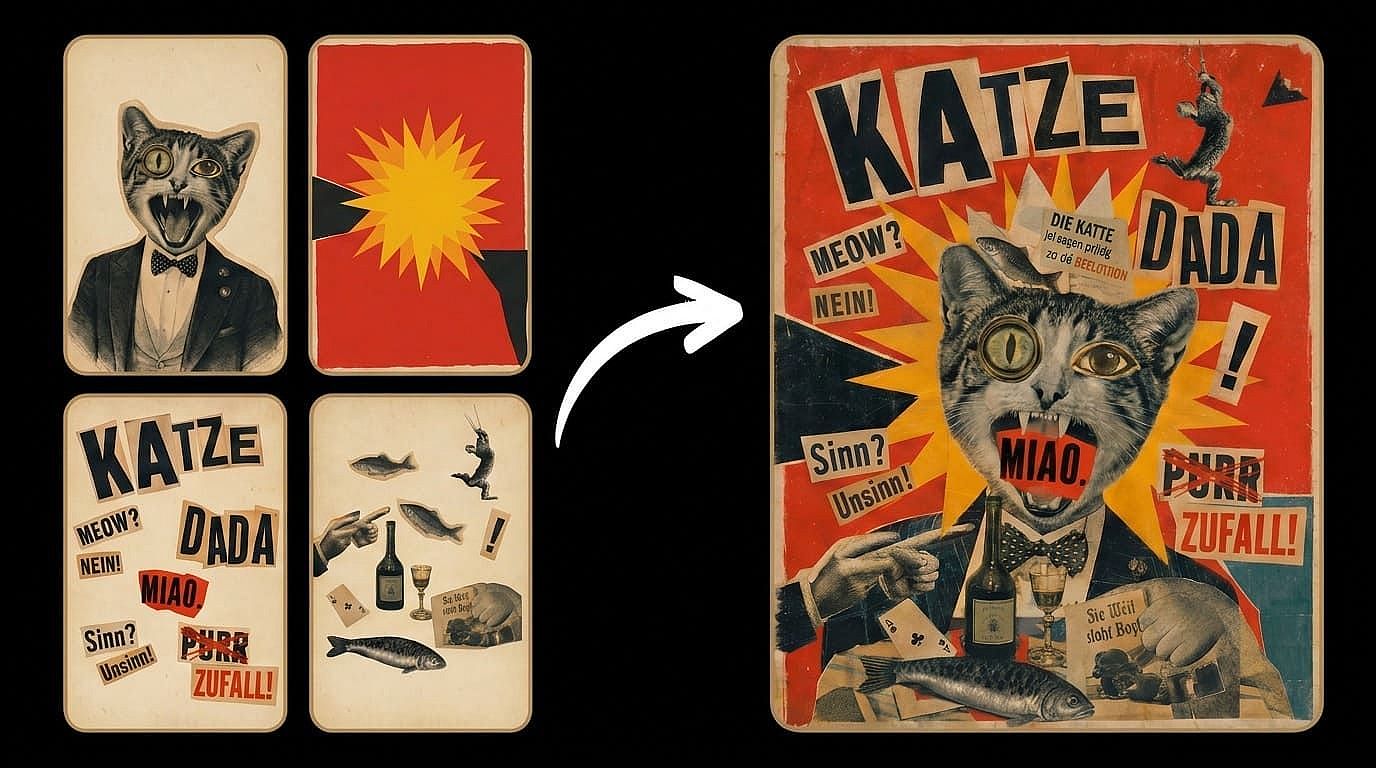
Genera un póster y luego divídelo en capas de texto, sujeto y fondo que puedes ajustar de forma independiente. Mueve el titular, cambia el fondo o escala el producto sin tocar nada más. Un diseño deja de ser una renderización congelada y se convierte en un archivo de trabajo sobre el que iteras.
Pruébalo ahora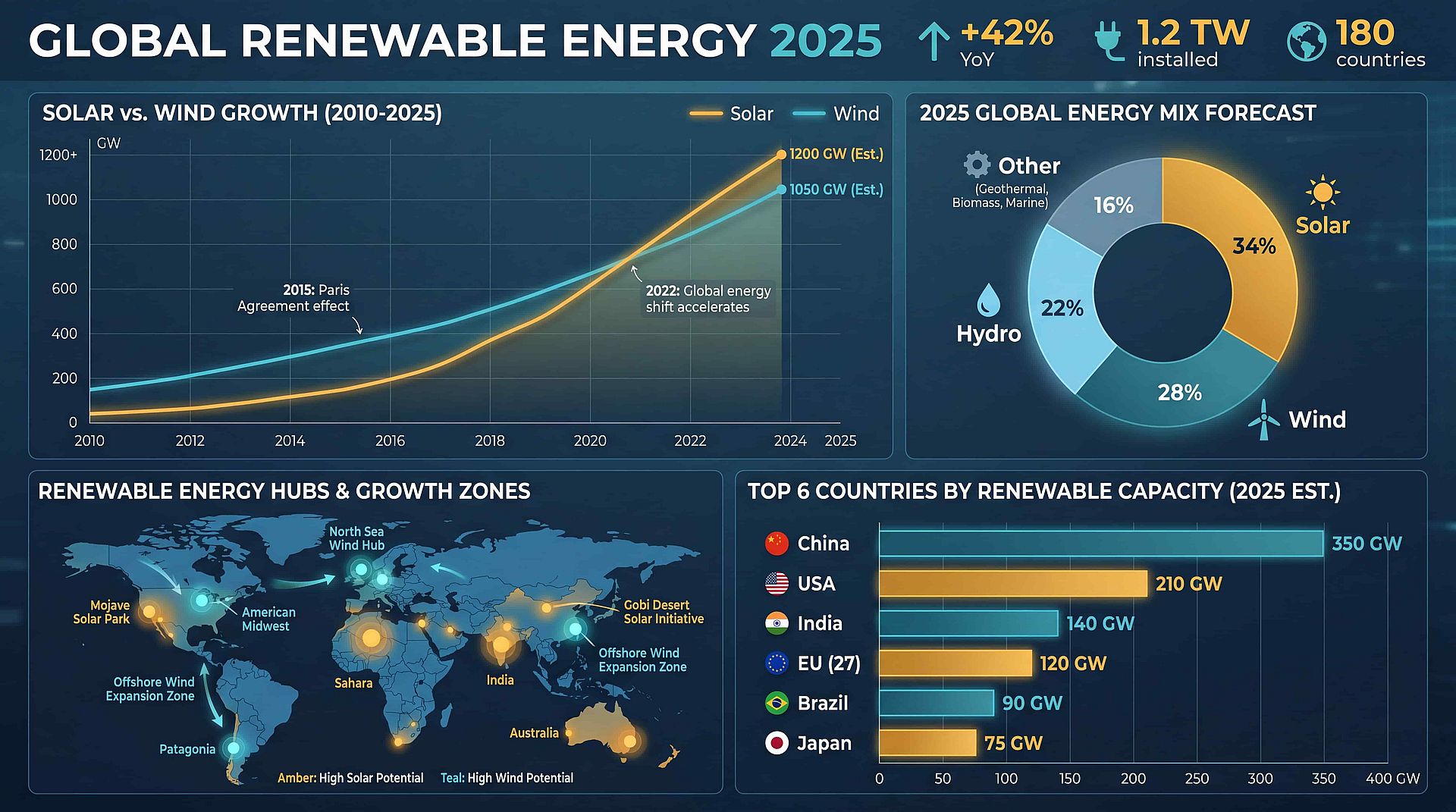
Infografías, gráficos y diapositivas
Genera gráficos de datos, diagramas de flujo, diagramas anotados y elementos visuales para diapositivas en una sola generación, con texto pequeño que sigue siendo legible. La jerarquía estructurada del modelo mantiene la información densa fácil de leer en lugar de recargada. Los equipos pueden esbozar gráficos explicativos y elementos visuales para presentaciones sin partir de un lienzo de diseño en blanco.
Pruébalo ahora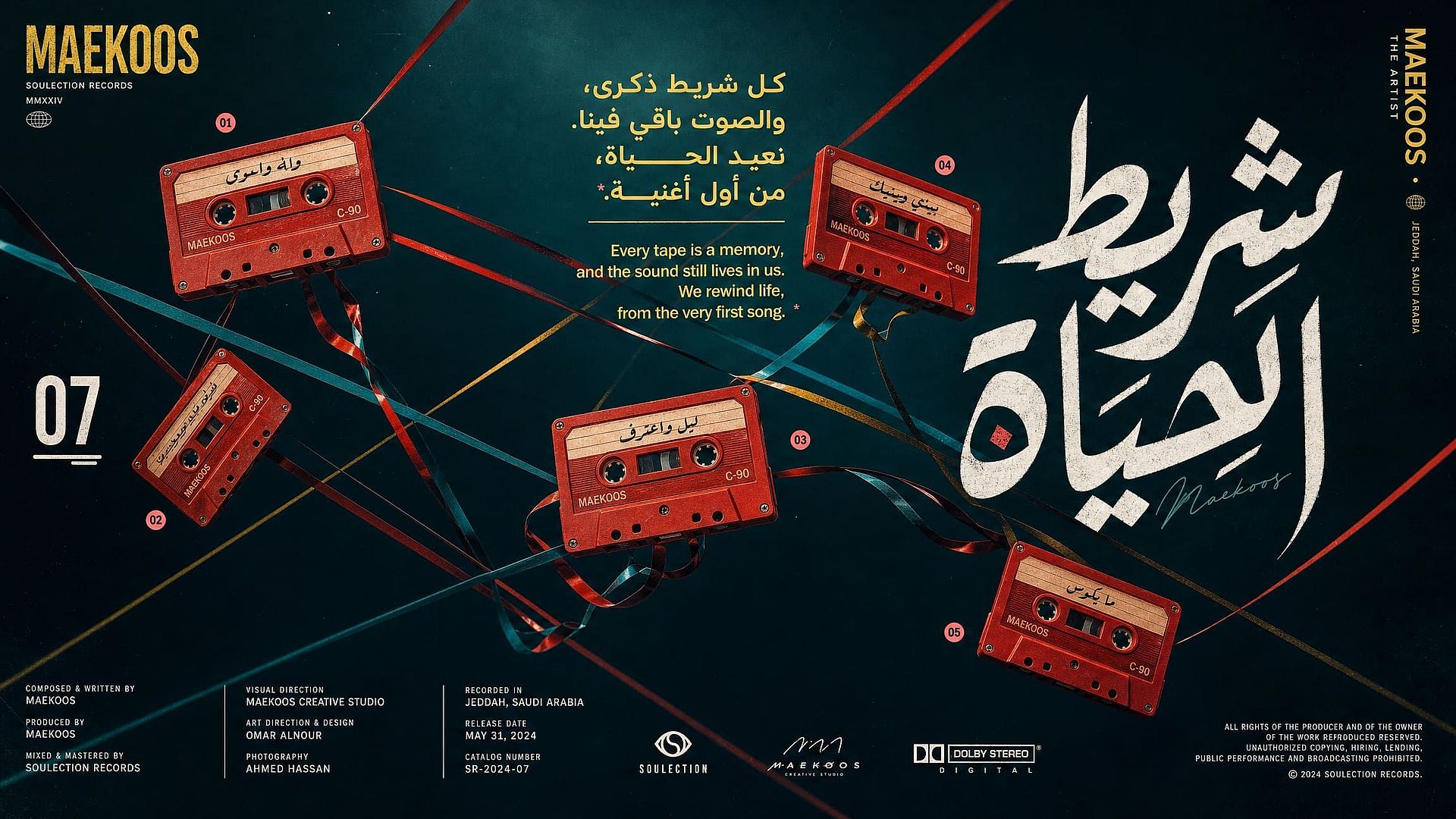
Creatividades para campañas multilingües
Usa un mismo sistema visual en distintos mercados renderizando texto nativo en 14 idiomas, desde un cartel de rebajas en árabe hasta un banner de producto en chino. Las formas de las letras, la dirección y la tipografía salen correctas en la propia generación. Eso convierte la localización de un rediseño en un simple cambio de prompt.
Pruébalo ahora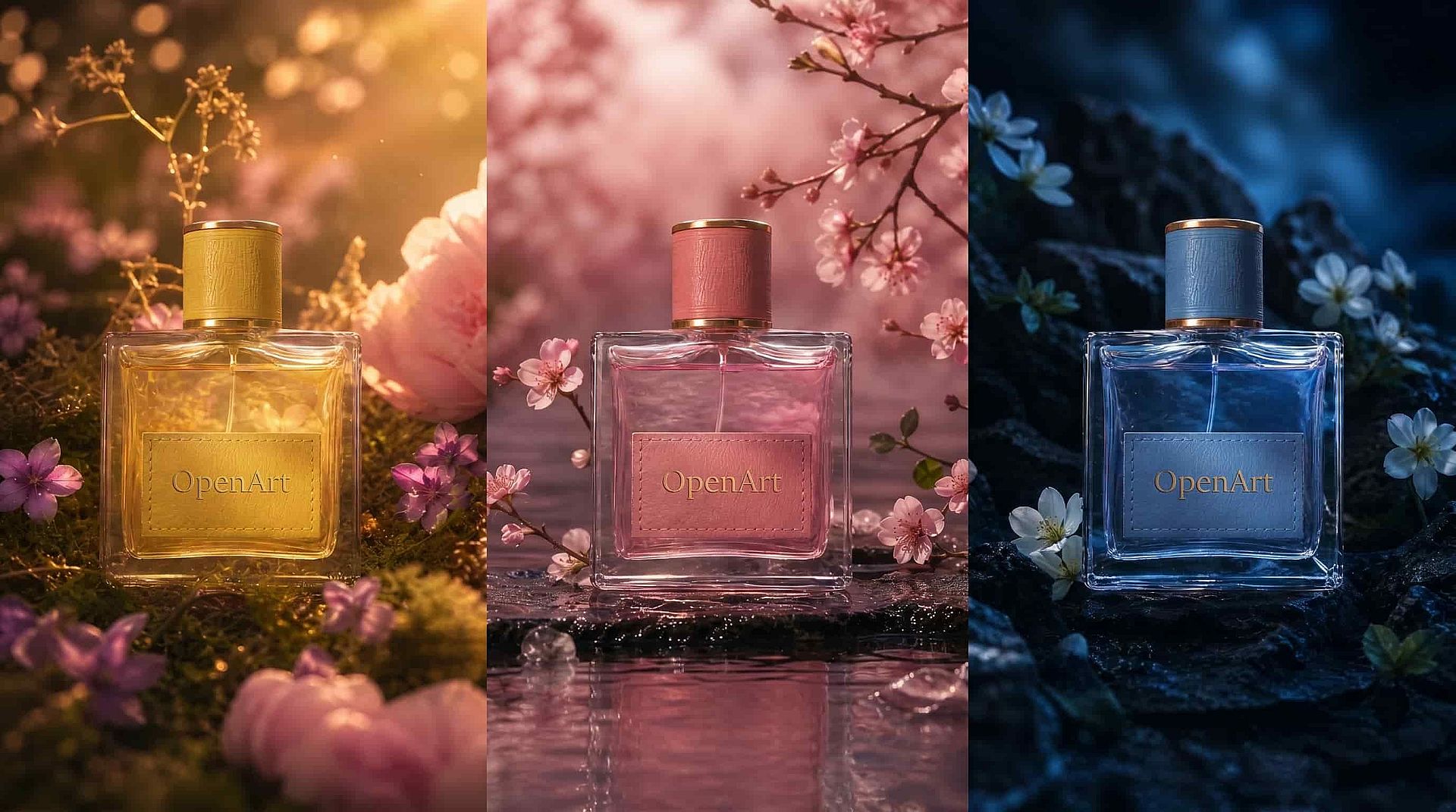
Ediciones de producto y catálogo
Apunta a una etiqueta, una combinación de colores o un fondo y cambia solo esa zona mientras el producto se mantiene idéntico píxel a píxel. El anclaje espacial hace que los retoques de packaging y las variantes de catálogo sean fiables en toda una línea de productos. Consigues variaciones controladas en lugar de tirar los dados de nuevo con cada imagen.
Pruébalo ahoraElegir el modelo adecuado para crear imágenes con IA
| Modelo | Ideal para |
|---|---|
| Seedream 5.0 Pro | Separación multicapa, ediciones precisas por zonas, diseños de alta densidad y texto nativo en 14 idiomas. |
| Seedream 5.0 Lite | Comprensión más inteligente de las instrucciones con anclaje web en tiempo real, diseños limpios estilo póster y entrada de PNG transparente para trabajos de diseño por capas. |
| Seedream 4.5 | Detalle fotorrealista y resultados estables y fieles a la referencia, con tipografía densa y precisa para trabajos profesionales de producto y retrato. |
| Nano Banana Pro / 2 Lite | Fotorrealismo de alta resolución, consistencia de personajes y generación nativa rápida. |
| GPT Image 2 | Composición fotorrealista, tipografía y diseños comerciales estructurados. |
| Recraft V4 | Ilustración de estilo vectorial, sistemas de marca y diseño gráfico limpio con SVG nativo. |
Consejos para obtener los mejores resultados
Preguntas frecuentes Preguntas
Seedream 5.0 Pro es el modelo insignia de generación y edición de imágenes de ByteDance, el nivel más alto de la línea Seedream 5.0. Se centra en la edición precisa por regiones, la separación multicapa, las composiciones de alta densidad y el texto nativo en 14 idiomas.
Seedream 4.5 se centraba en la generación en alta resolución y una potente edición en imágenes planas. Seedream 5.0 Pro añade anclaje espacial para ediciones precisas por regiones, separación de capas bajo demanda, composiciones con más elementos y texto multilingüe nativo más amplio.
Sí. Genera gráficos de datos, diagramas de flujo, esquemas, pósteres y diseños tipo diapositiva en una sola pasada, manteniendo legible el texto pequeño y clara la jerarquía visual.
Sí. Seedream 5.0 Pro forma parte de la gama de imagen de OpenArt, así que puedes generar con él junto a GPT Image 2, Nano Banana Pro, Recraft V4, Flux, Imagen, Wan y Kling en un mismo espacio de trabajo.
basado en entrevistas más que en experimentos
Puedes pedirle al modelo que divida una imagen en capas independientes, como una línea de texto, un personaje, un objeto o el fondo. Después, cada capa se puede mover, escalar o editar por separado, igual que si trabajaras en un archivo de diseño por capas.
Genera texto de forma nativa en 14 idiomas, incluidos árabe, inglés, japonés, coreano, ruso y tailandés. El renderizado nativo implica formas de letra correctas y tipografía local, así que las escrituras de derecha a izquierda y las marcas de tono apiladas salen bien.
Sí. Marca el objetivo con un punto, un cuadro delimitador, una flecha o un boceto y describe el cambio. El modelo edita ese elemento mientras el resto del fotograma se mantiene como estaba.
Seedream 5.0 encaja mejor si necesitas capas editables, diseños de infografías densos o texto multilingüe nativo. Para otras prioridades (fotorrealismo, estilo de composición, etc.), compara los resultados directamente. Ejecuta tú mismo los tres modelos en OpenArt y elige según los resultados reales y tus necesidades.
Consigue consejos de expertos en el blog
Consigue la información que necesitas. Nuestros expertos comparten trucos prácticos, analizan los temas más candentes y ofrecen guías esenciales para ayudarte a crear, optimizar y escalar.
Leer más
Adorado por los creadores
He probado muchas plataformas de IA... pero OpenArt sigue siendo la mejor para crear personajes, por la calidad de imagen a vídeo y por la variedad de modelos disponibles.
OpenArt ofrece una excelente variedad de herramientas de IA... una vez que aprendes las funciones, las posibilidades creativas son increíbles, y su equipo de soporte es excepcional.
OpenArt es una plataforma de IA muy versátil con muchos modelos de imagen y vídeo, creación de personajes consistentes y potentes herramientas de edición.
Herramientas útiles de IA en un solo lugar: generación de imágenes y vídeo, edición y mucho más... sin necesidad de varias suscripciones.
El servicio de atención al cliente siempre es rápido y útil... y la plataforma no deja de mejorar con nuevas funciones y herramientas.
He probado muchas plataformas de IA... pero OpenArt sigue siendo la mejor para crear personajes, por la calidad de imagen a vídeo y por la variedad de modelos disponibles.
OpenArt ofrece una excelente variedad de herramientas de IA... una vez que aprendes las funciones, las posibilidades creativas son increíbles, y su equipo de soporte es excepcional.
OpenArt es una plataforma de IA muy versátil con muchos modelos de imagen y vídeo, creación de personajes consistentes y potentes herramientas de edición.
Herramientas útiles de IA en un solo lugar: generación de imágenes y vídeo, edición y mucho más... sin necesidad de varias suscripciones.
El servicio de atención al cliente siempre es rápido y útil... y la plataforma no deja de mejorar con nuevas funciones y herramientas.
He probado muchas plataformas de IA... pero OpenArt sigue siendo la mejor para crear personajes, por la calidad de imagen a vídeo y por la variedad de modelos disponibles.
OpenArt ofrece una excelente variedad de herramientas de IA... una vez que aprendes las funciones, las posibilidades creativas son increíbles, y su equipo de soporte es excepcional.
OpenArt es una plataforma de IA muy versátil con muchos modelos de imagen y vídeo, creación de personajes consistentes y potentes herramientas de edición.
Herramientas útiles de IA en un solo lugar: generación de imágenes y vídeo, edición y mucho más... sin necesidad de varias suscripciones.
El servicio de atención al cliente siempre es rápido y útil... y la plataforma no deja de mejorar con nuevas funciones y herramientas.
Con tantas plataformas de IA por ahí, OpenArt destacó como una opción excelente; se la recomendaría a cualquier creador.
Esta plataforma incluye todo lo que necesitas para crear contenido con IA: imágenes, vídeo, personajes, audio y múltiples modelos de IA en un solo lugar.
OpenArt está superando los límites de la creación de vídeo con IA... y está claro que el equipo se compromete a mejorar la experiencia de los creadores.
Hice mi primer videoclip musical con IA con OpenArt... y su equipo de soporte fue la mejor ayuda que he tenido nunca.
Estoy muy contento con el soporte: mi problema se resolvió rápido y el equipo hizo que todo fuera fácil.
Con tantas plataformas de IA por ahí, OpenArt destacó como una opción excelente; se la recomendaría a cualquier creador.
Esta plataforma incluye todo lo que necesitas para crear contenido con IA: imágenes, vídeo, personajes, audio y múltiples modelos de IA en un solo lugar.
OpenArt está superando los límites de la creación de vídeo con IA... y está claro que el equipo se compromete a mejorar la experiencia de los creadores.
Hice mi primer videoclip musical con IA con OpenArt... y su equipo de soporte fue la mejor ayuda que he tenido nunca.
Estoy muy contento con el soporte: mi problema se resolvió rápido y el equipo hizo que todo fuera fácil.
Con tantas plataformas de IA por ahí, OpenArt destacó como una opción excelente; se la recomendaría a cualquier creador.
Esta plataforma incluye todo lo que necesitas para crear contenido con IA: imágenes, vídeo, personajes, audio y múltiples modelos de IA en un solo lugar.
OpenArt está superando los límites de la creación de vídeo con IA... y está claro que el equipo se compromete a mejorar la experiencia de los creadores.
Hice mi primer videoclip musical con IA con OpenArt... y su equipo de soporte fue la mejor ayuda que he tenido nunca.
Estoy muy contento con el soporte: mi problema se resolvió rápido y el equipo hizo que todo fuera fácil.