

Reiluminación de vídeo con IA
La reiluminación de vídeo con IA transforma por completo el carácter visual de tu metraje, incluyendo la iluminación, la atmósfera, el color y el estilo, manteniendo intactas tu interpretación y tu movimiento. Sube tu clip, elige un preset o una imagen de referencia, y el mundo que rodea a tu sujeto cambia en minutos.



Reestilizado de fotograma completo
La iluminación, la atmósfera, el color y el carácter visual se transforman a la vez en una sola pasada, no como una pila de filtros.



Ajuste preestablecido o dirección personalizada
Elige entre estilos predefinidos, sube tu propia imagen de referencia o genera un look totalmente nuevo con IA.

El rendimiento se mantiene intacto
Tu movimiento, expresión y ritmo se conservan. Solo cambia el mundo que te rodea.
Creaciones de la comunidad
Descubre cómo los creadores convierten tomas planas en cine con luz dorada, clips informales en cortos noir y planos estándar en anime, ciencia ficción y terror con la reiluminación de vídeo con IA.
El mismo vídeo. Un mundo totalmente nuevo.
La herramienta de reiluminación y ambiente de vídeo con IA de OpenArt forma parte de OpenArt VFX. Sube cualquier vídeo y la IA reestiliza todo el fotograma, incluyendo la iluminación, la atmósfera, el color y el carácter visual, sin tocar tu interpretación.
Las tomas estándar se vuelven cinematográficas.
Un clip diurno plano y sobreexpuesto puede convertirse en una rica escena de hora dorada. Un plano estándar de una persona hablando puede transformarse en una secuencia cinematográfica y atmosférica. Un vlog informal puede convertirse en un corto de estilo noir. La reiluminación de vídeo con IA transforma la iluminación, el color y el carácter visual de todo el fotograma en una sola generación, dando a cualquier clip el aspecto de un metraje grabado con intención. Sin línea de tiempo, sin corrección de color manual, sin fotogramas clave.
Aplica un estilo nuevo por completo.
Más allá del etalonaje, la reiluminación de vídeo con IA aplica transformaciones de estilo completas a cada fotograma de tu clip. Elige una dirección —noir, terror, anime, ciencia ficción, fantasía o cualquier otra estética capturada en tu imagen de referencia— y la IA reestiliza el mundo en el que está tu sujeto. Tu actuación permanece intacta mientras todo lo que la rodea se recompone en el estilo que elijas. El cambio no es un filtro superpuesto al metraje. Es el carácter visual de la escena reconstruyéndose.
Tu interpretación se mantiene. El mundo que la rodea cambia.
La reiluminación de vídeo con IA transforma lo que rodea a tu sujeto sin cambiar al propio sujeto. Tu cara, tus expresiones, tu ritmo, tu movimiento y la sincronización del audio se mantienen exactamente como los grabaste. La composición se conserva. El encuadre de cámara se conserva. Solo se reconstruyen la iluminación, la atmósfera y el carácter visual del mundo. La interpretación que hiciste es la que ve el espectador, en un mundo que elegiste después.
Reconstruye la luz, no te limites a recolorearla.
El etalonaje de vídeo tradicional desplaza los valores de color por todo el fotograma. La herramienta de reiluminación de vídeo con IA, impulsada por SwitchX de Beeble, va más allá. Este modelo de IA subyacente reconstruye realmente la luz de tu escena para que coincida con la referencia, con sombras, luces altas y color ambiental respondiendo al mundo que elegiste. El resultado se percibe como una escena que se iluminó así de verdad, no como una escena con un filtro encima. Esa es la diferencia entre colorear un clip y reiluminarlo.
Cómo usar la reiluminación de vídeo con IA
Tres pasos, desde la subida hasta una escena totalmente reestilizada.
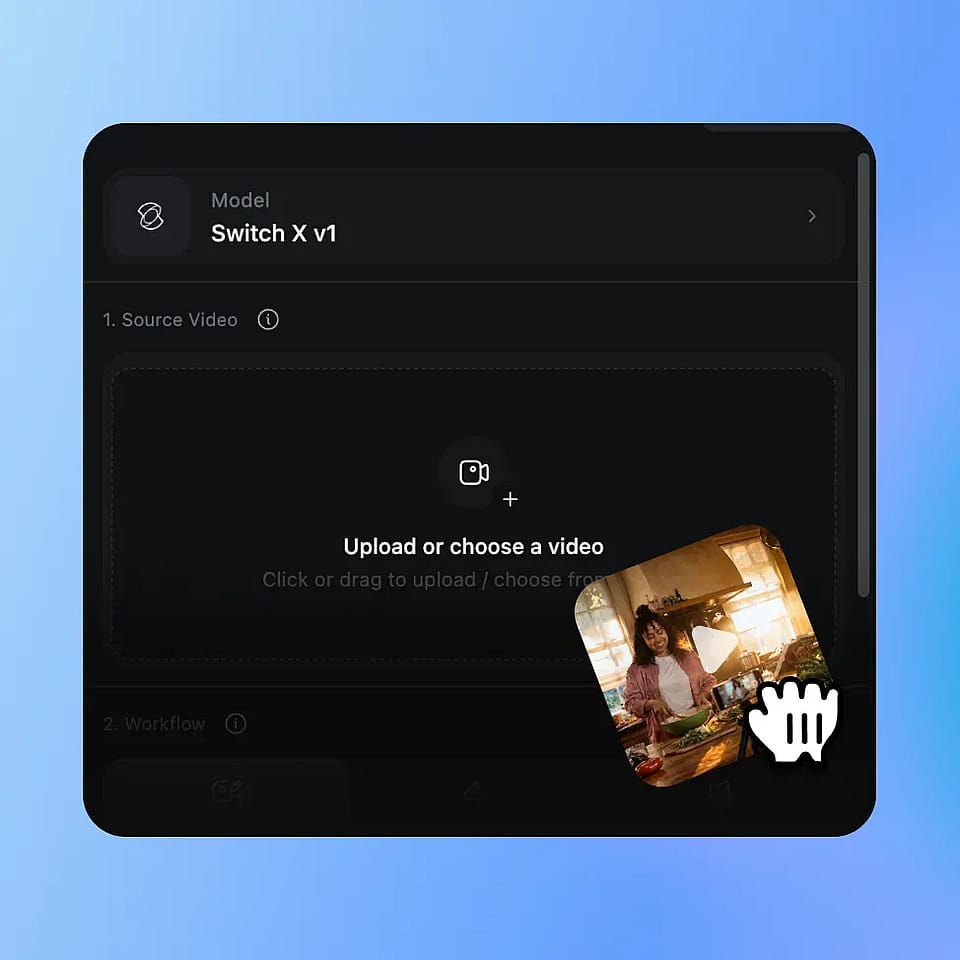
Sube tu vídeo
Sube cualquier clip MP4 o MOV. Cualquier habitación, cualquier iluminación, cualquier configuración de cámara. La reiluminación de vídeo con IA funciona con el material que ya grabaste.
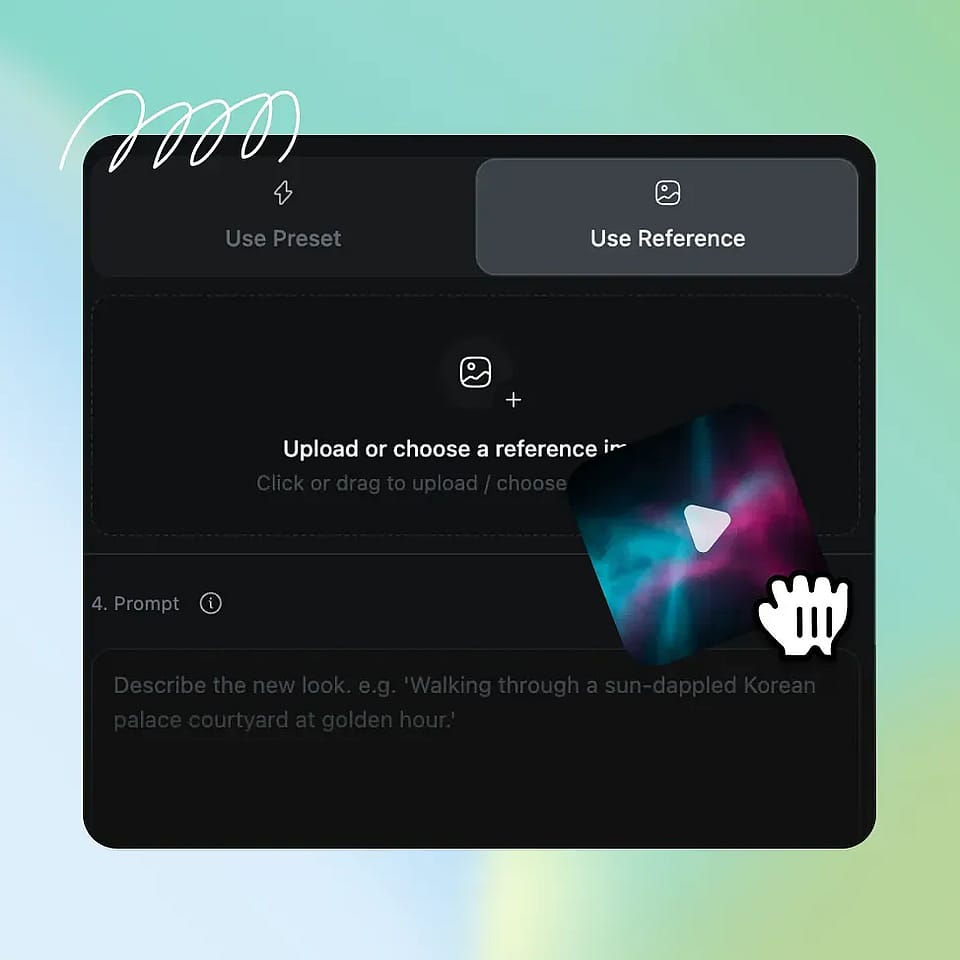
Elige tu dirección
Elige un preajuste de estilo cuidadosamente seleccionado, sube tu propia imagen de referencia o genera una nueva con las herramientas de imagen con IA de OpenArt. Añade un prompt de texto opcional para llevar la atmósfera en una dirección concreta.
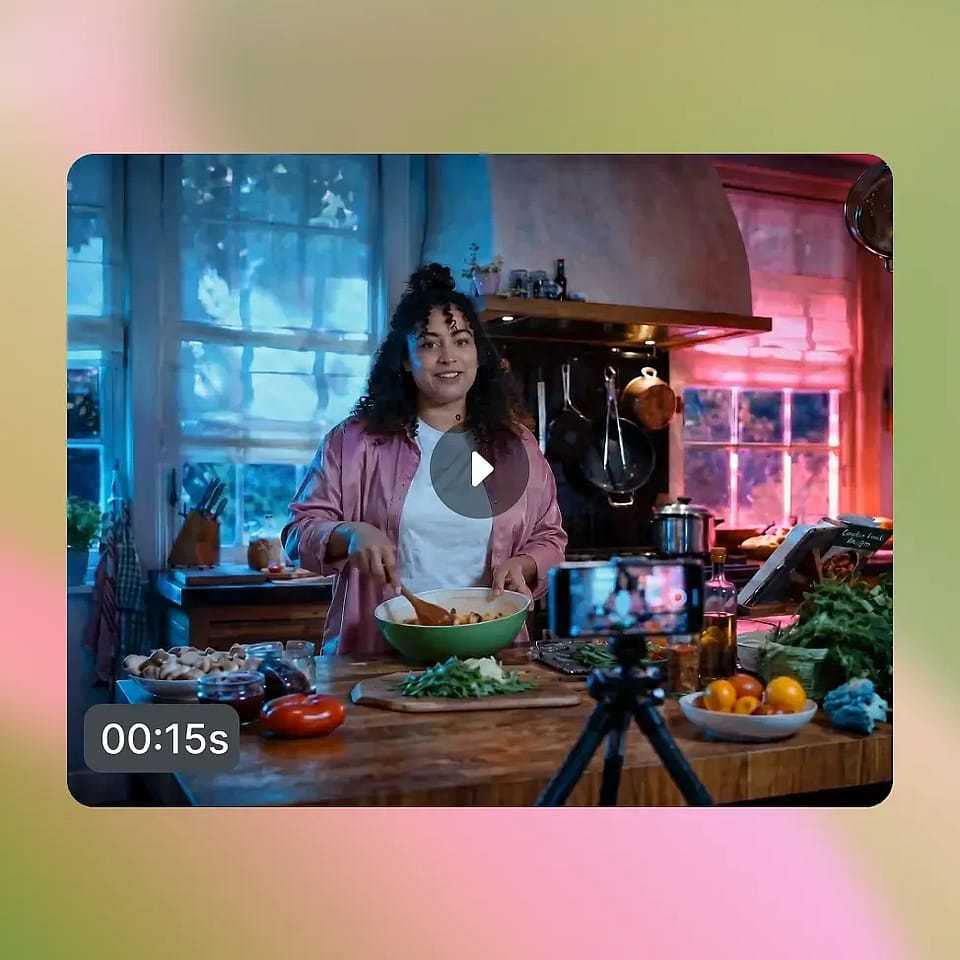
Genera y compara
SwitchX reestiliza tu fotograma completo en unos minutos y te entrega el resultado con vistas comparativas en paralelo. Ajusta la referencia, vuelve a generar o descarga el clip final en MP4.
Diseñado para creadores y editores cinematográficos
De vídeos musicales a campañas de marca, así usan los creadores la herramienta de IA para reiluminar y ambientar vídeos.
Music video directors and filmmakers
Music video directors and short filmmakers can apply multiple visual styles to the same performance and compare them side by side before committing to a final grade. A music video that needs three different scenes can come from a single take, each one relit and restyled in a different cinematic direction. Indie shorts get a cinematic look without a colorist, a DP, or a grading suite, just the take you captured and the world you imagined for it.
Pruébalo ahoraCreadores de contenido y redes sociales
Los youtubers, tiktokers y creadores de Reels pueden dar a su contenido una identidad visual propia sin cambiar su forma de grabar. Coge un vlog casual y publícalo como cine negro en un episodio, hora dorada en el siguiente y ciencia ficción en el tercero. Tu audiencia percibe una estética coherente en todo el canal mientras tú sigues grabando igual, desde la misma habitación y con el mismo equipo.
Pruébalo ahoraCreadores y editores con curiosidad por los VFX
La reiluminación de vídeo con IA es la vía más sencilla para lograr transformaciones visuales de nivel VFX. Sin keying, sin software de etalonaje, sin flujo de composición, sin curva de aprendizaje. Elige un preset o una imagen de referencia, pulsa generar y el resultado parece metraje iluminado y estilizado para un look concreto, no un clip con un efecto puesto por encima. Este es el tipo de resultado que se comparte, se remezcla y se repostea en las comunidades de creadores.
Pruébalo ahoraEquipos de vídeo de marca y producto
Los equipos de vídeo de marca y producto pueden coger un solo recurso y publicarlo en varios estilos visuales para varias campañas o plataformas. Un vídeo de producto puede volverse sombrío y editorial para una campaña de marca, cálido y soleado para una promoción de temporada, o estilizado para un momento de lanzamiento, todo a partir de una sola sesión de grabación. Un rodaje, muchos looks listos para campaña, sin necesidad de repetir.
Pruébalo ahoraPreguntas frecuentes Preguntas
La reiluminación de vídeo con IA es una herramienta que transforma todo el carácter visual de un vídeo (la iluminación, la atmósfera, el color y el estilo) manteniendo intactos la interpretación y el movimiento del sujeto. En OpenArt forma parte de OpenArt VFX y funciona con el modelo SwitchX de Beeble. Sube un clip, elige una dirección y el mundo en el que vive tu sujeto cambia por completo.
Desde estilos de nivel cinematográfico, como golden hour, blue hour y noir, hasta un cambio de género completo como terror, fantasía, anime o ciencia ficción. Elige entre los estilos prediseñados de OpenArt, sube tu propia imagen de referencia o crea una nueva referencia con las herramientas de imagen con IA de OpenArt.
La mayoría de las generaciones y ediciones se completan en unos minutos. La generación se ejecuta de forma asíncrona con progreso en directo, así que puedes salir de la pestaña y volver cuando el resultado esté listo. Puedes previsualizar, cambiar referencias, regenerar o descargar el resultado como MP4.
Sí. El resultado se puede usar en proyectos comerciales, incluidas campañas en redes de pago, campañas de marca, vídeos musicales, contenido monetizado de YouTube y trabajos para clientes. Consulta los términos del servicio de OpenArt para conocer los últimos detalles sobre uso comercial en tu plan.
El etalonaje tradicional cambia los valores de color del fotograma y punto. La reiluminación de vídeo con IA va un paso más allá. La IA puede recrear la luz, el ambiente y la estética del mundo en el que está tu sujeto, haciendo que parezca que la iluminación y el estilismo se planearon desde el principio para lograr ese look. Sin línea de tiempo, sin fotogramas clave, sin software especializado.
No. Tu identidad, tus expresiones faciales, tu movimiento y la sincronización del audio se mantienen intactos en cada fotograma. La reiluminación de vídeo con IA transforma lo que rodea al sujeto, no al sujeto en sí. La interpretación que hiciste es la que ve el espectador, en un nuevo mundo visual.
Sí. Puedes subir cualquier imagen de referencia para dirigir el aspecto del reestilizado. La IA usa el carácter visual de tu referencia, incluyendo su iluminación, paleta y ambiente, como guía para el resultado reiluminado. Si no tienes una referencia lista, puedes generar una con las herramientas de imagen de OpenArt y llevarla directamente.
No. Un filtro se coloca sobre los píxeles existentes y desplaza los colores por el encuadre. La reiluminación de vídeo con IA usa SwitchX de Beeble para recrear físicamente la iluminación de tu escena y ajustarla a tu referencia. Las sombras, las luces y el color ambiental siguen el entorno que has elegido, así que el resultado parece una escena realmente iluminada de esa manera.
La mayoría de los clips sirven, pero los mejores resultados se obtienen con clips que muestren claramente al sujeto, tengan buena iluminación y usen un movimiento de cámara moderado. La reiluminación de vídeo con IA admite los formatos MP4 y MOV, y produce vídeos en 720p o 1080p.
Consigue consejos de expertos en el blog
Consigue la información que necesitas. Nuestros expertos comparten trucos prácticos, analizan los temas más candentes y ofrecen guías esenciales para ayudarte a crear, optimizar y escalar.
Leer más
OpenArt Director es el n.º 1 en el benchmark de agentes de anuncios de vídeo con IA de Physion Labs
