

Qwen Image 3.0 Generador y editor de imágenes con IA
Qwen Image 3.0 de Alibaba está diseñado para imágenes que transmiten información real. Admite prompts de hasta 4500 tokens y puede crear infografías, páginas de periódico, maquetas de interfaces y cuadrículas de productos en una sola imagen, con texto que las demos de Qwen muestran legible a unos 10 píxeles. Pruébalo directamente en OpenArt sin lista de espera de API ni una cuenta de Alibaba aparte.

Características clave de Qwen Image 3.0
Qwen Image 3.0 combina la comprensión de prompts largos, el renderizado de texto multilingüe, la edición basada en referencias y resultados detallados para proyectos visuales complejos.
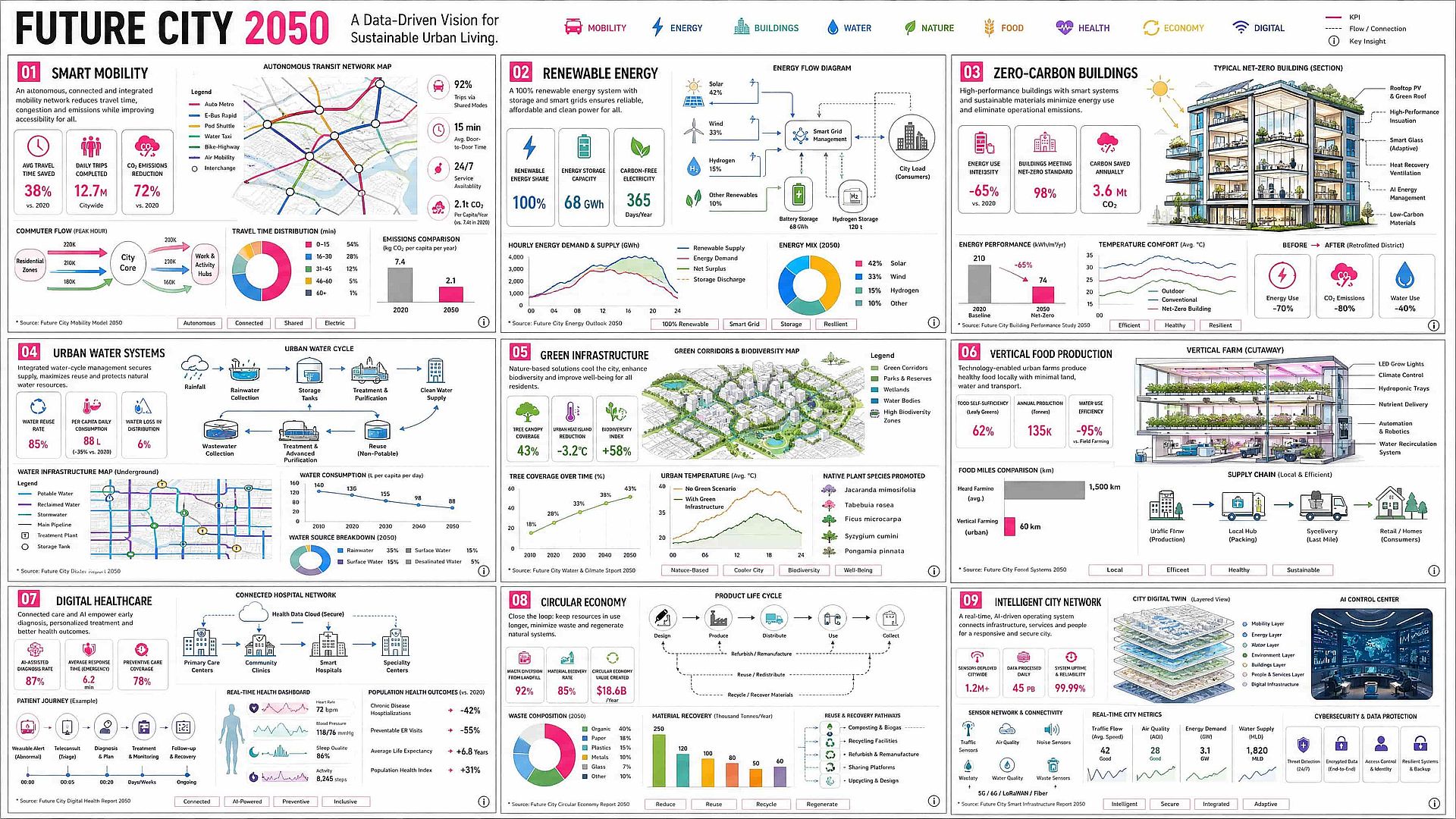
Convierte un brief creativo largo en una sola imagen
Qwen Image 3.0 puede procesar hasta 4.500 tokens, lo que te permite definir el diseño, los textos, los colores y los detalles en una sola solicitud. En la demo de lanzamiento de Qwen, un único prompt de 3.700 tokens creó nueve infografías en una cuadrícula de 3x3, haciendo el modelo útil para carruseles, gráficos comparativos y diseños educativos sin construir cada panel por separado.
Pruébalo ahora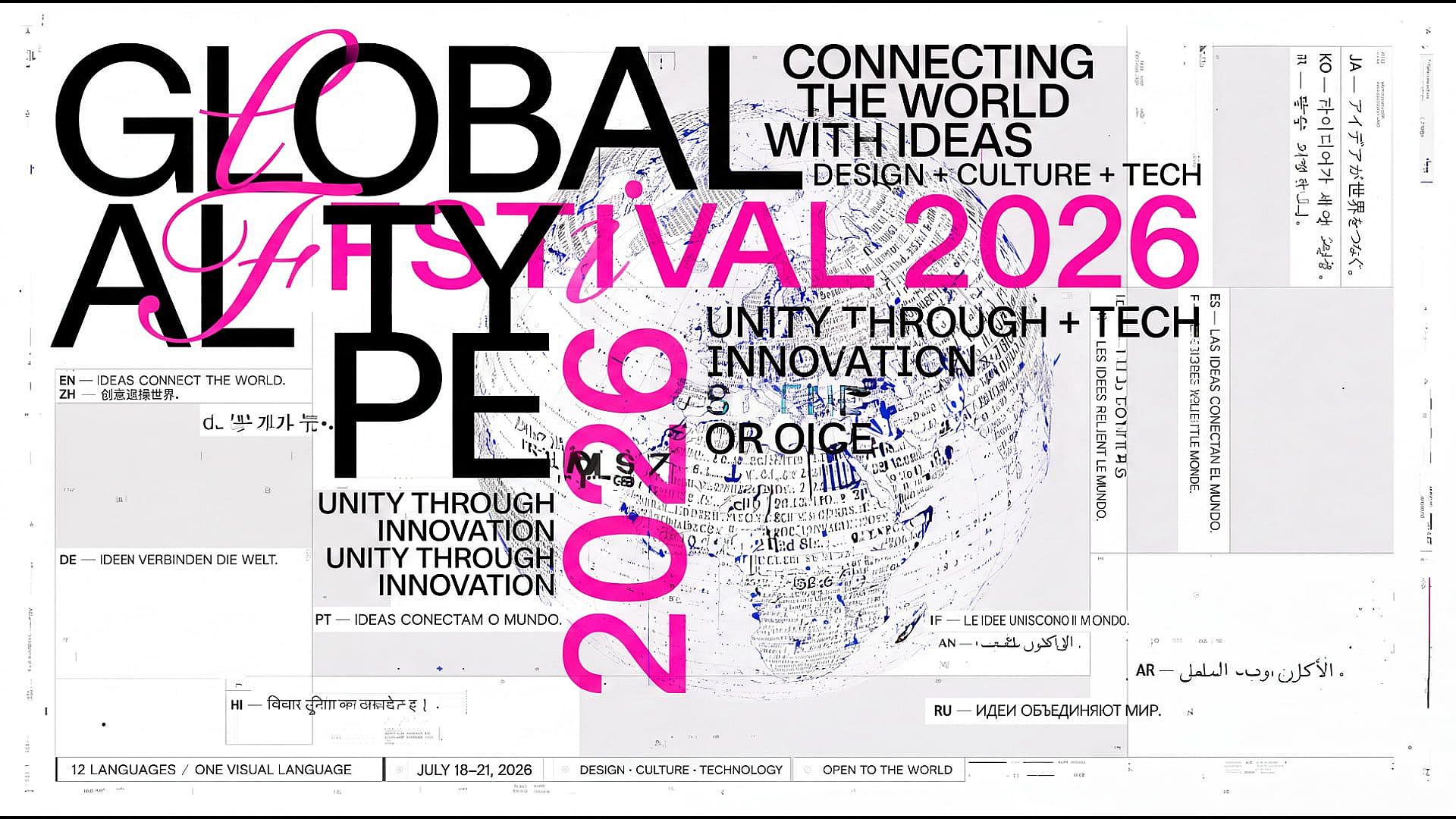
Renderiza texto multilingüe nítido
Qwen's launch examples show legible text at around 10 pixels across 12 languages, including Chinese, English, Japanese, Korean, and Spanish. This makes the model useful for OpenArt's Creador de pósteres con IA, conceptos de diapositivas, gráficos de producto y contenido para redes sociales, aunque el texto pequeño o en otros idiomas debería revisarse antes de publicar.
Pruébalo ahora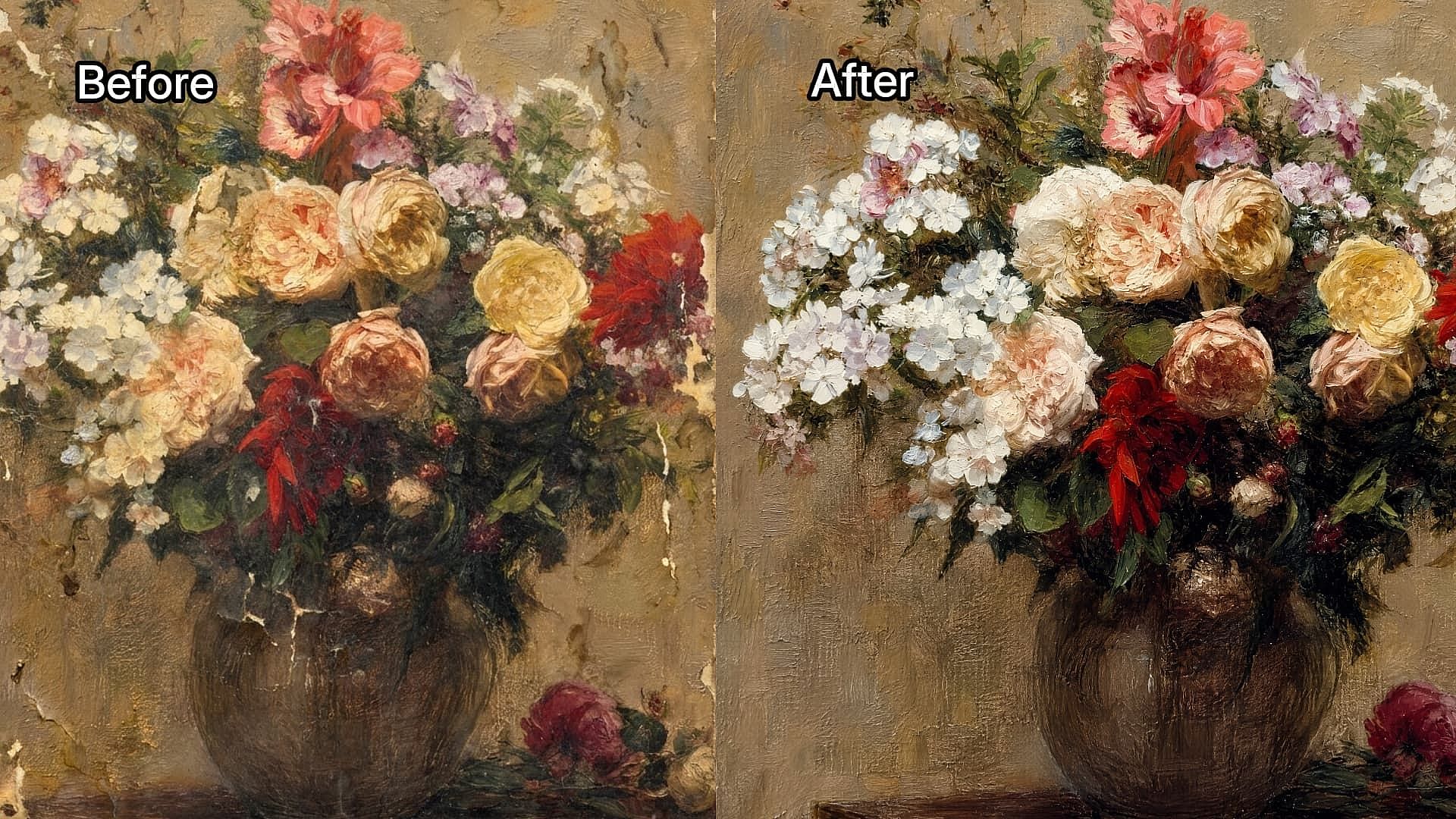
Editar con imágenes de referencia
Sube hasta tres imágenes de referencia y describe lo que quieres cambiar manteniendo los detalles importantes de los originales. Usa el de OpenArt Generador de imagen a imagen con IA para dar un nuevo estilo a la imagen de un producto, cambiar un escenario o un atuendo, añadir elementos gráficos o crear nuevas variaciones con un sujeto coherente.
Pruébalo ahora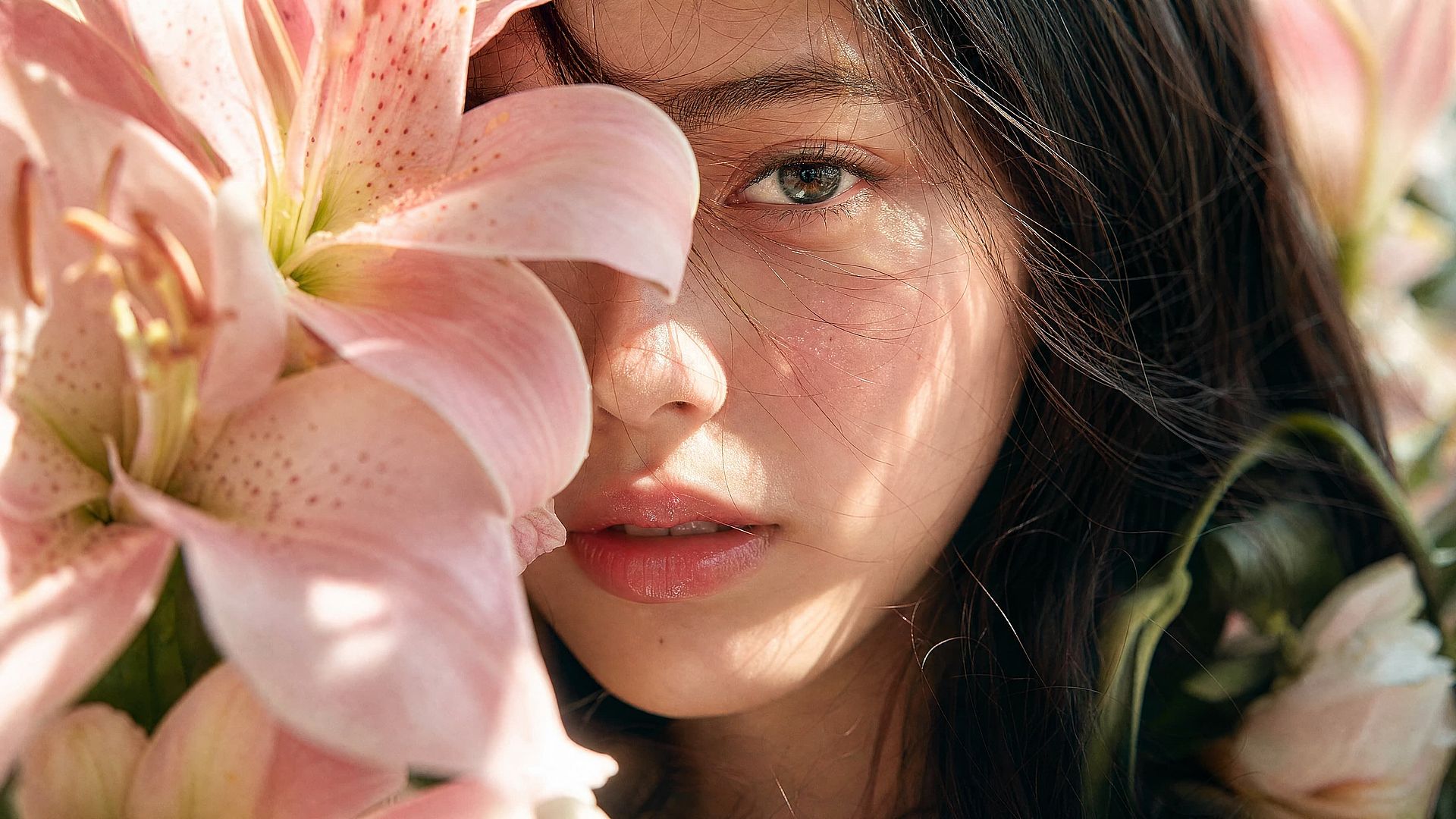
Genera en 2K y escala a 4K
Qwen Image 3.0 generates images at resolutions up to 2048 × 2048 pixels, capturing fine details in skin, hair, paper, fabric, and other materials. Create clear posters, product concepts, and editorial portraits in 2K, then use OpenArt’s Escalador de imágenes a 4K para convertirlas en imágenes más grandes y de mayor resolución cuando lo necesites.
Pruébalo ahoraCómo usar Qwen Image 3.0 en OpenArt
Crea una nueva imagen o perfecciona una existente en tres pasos, desde elegir el modelo y describir la composición hasta revisar los detalles finales.
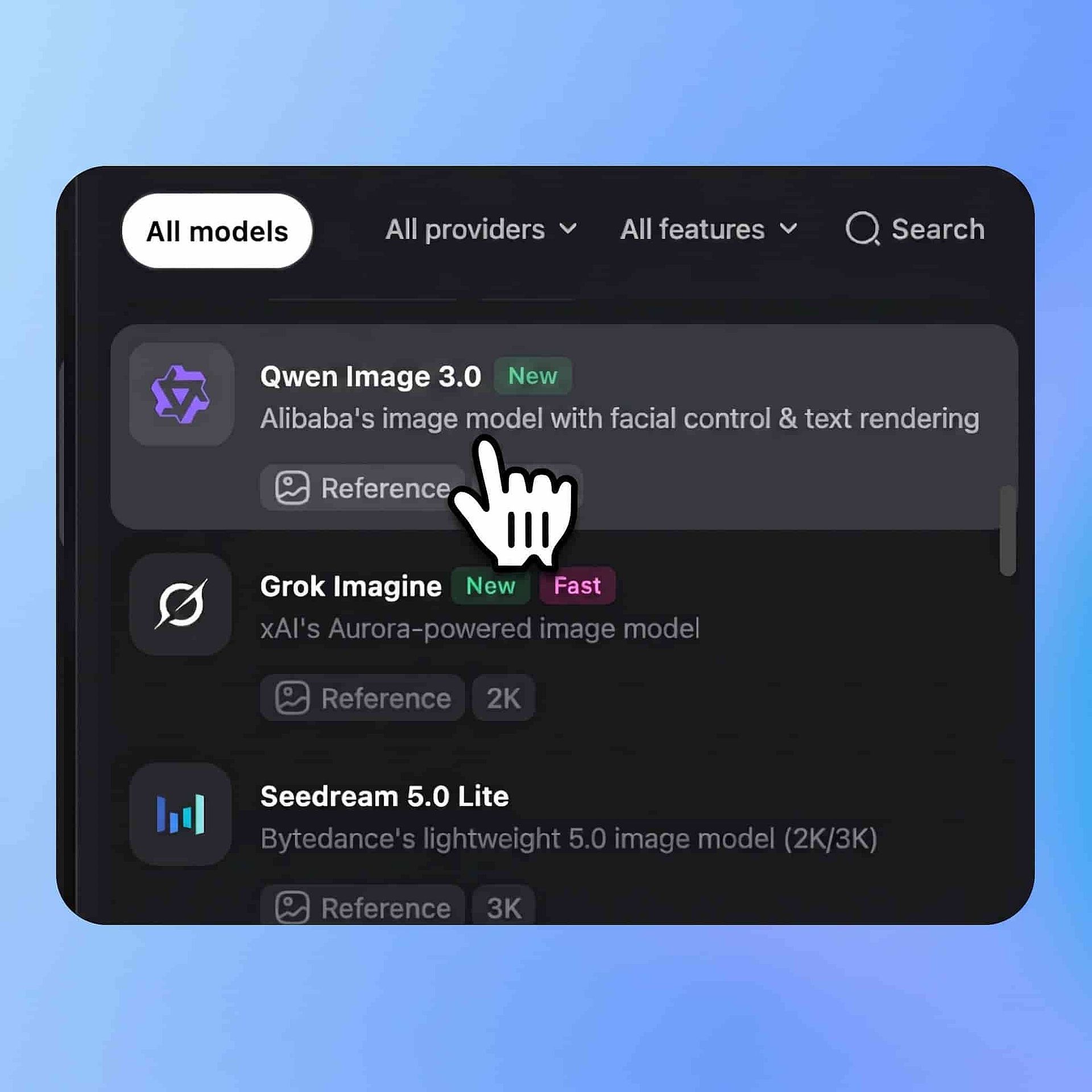
Elige Qwen Image 3.0
Abre las herramientas de imagen de OpenArt y selecciona Qwen Image 3.0 en el menú de modelos. Elige generación de imágenes si partes de un prompt, o edición de imágenes si quieres trabajar a partir de un elemento visual existente.
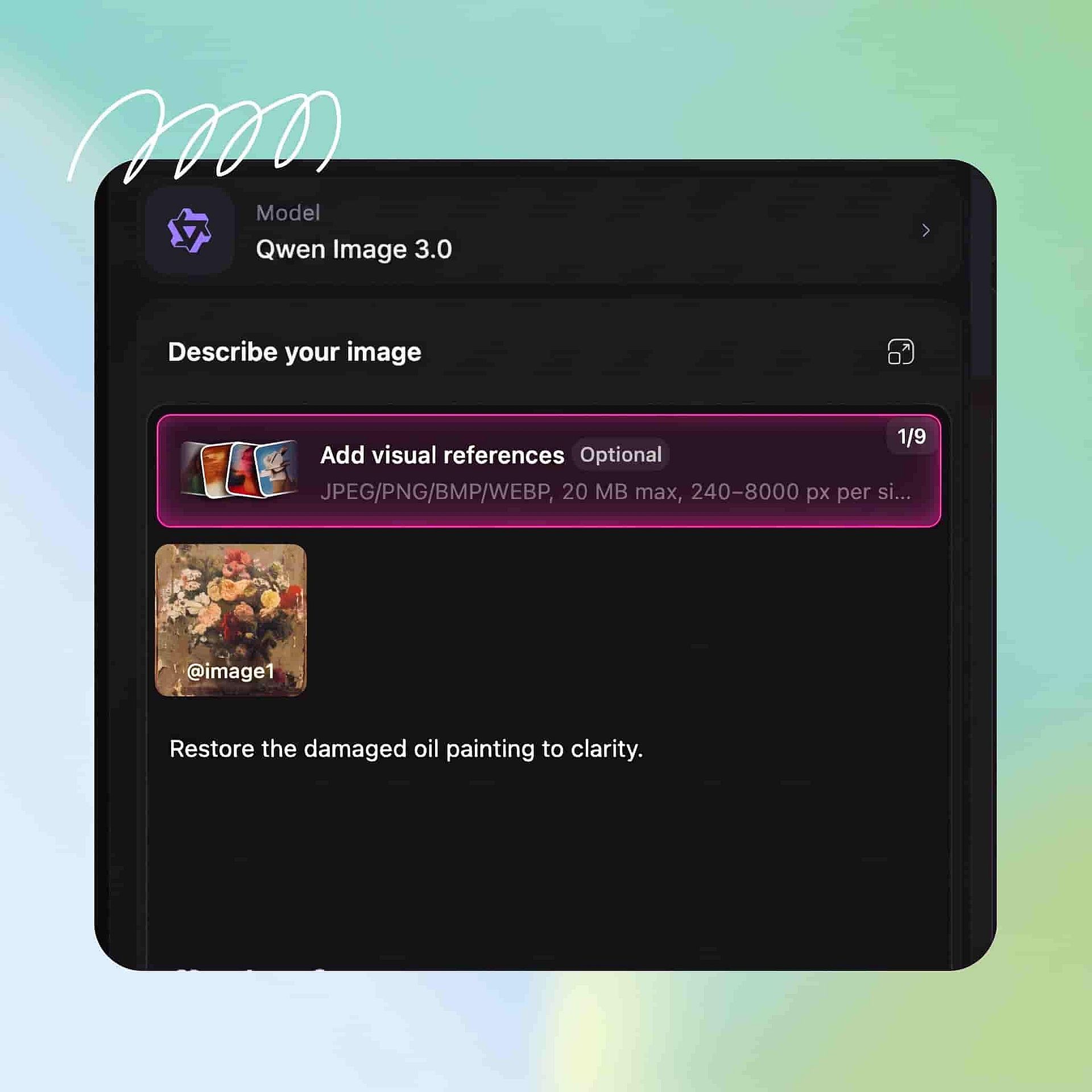
Describe el diseño
Define el lienzo, el diseño, el texto exacto, los colores, el estilo, el espaciado y cualquier elemento que deba mantenerse coherente. Para editar imágenes, sube tus imágenes de referencia e indica qué debe cambiar y qué debe permanecer intacto.
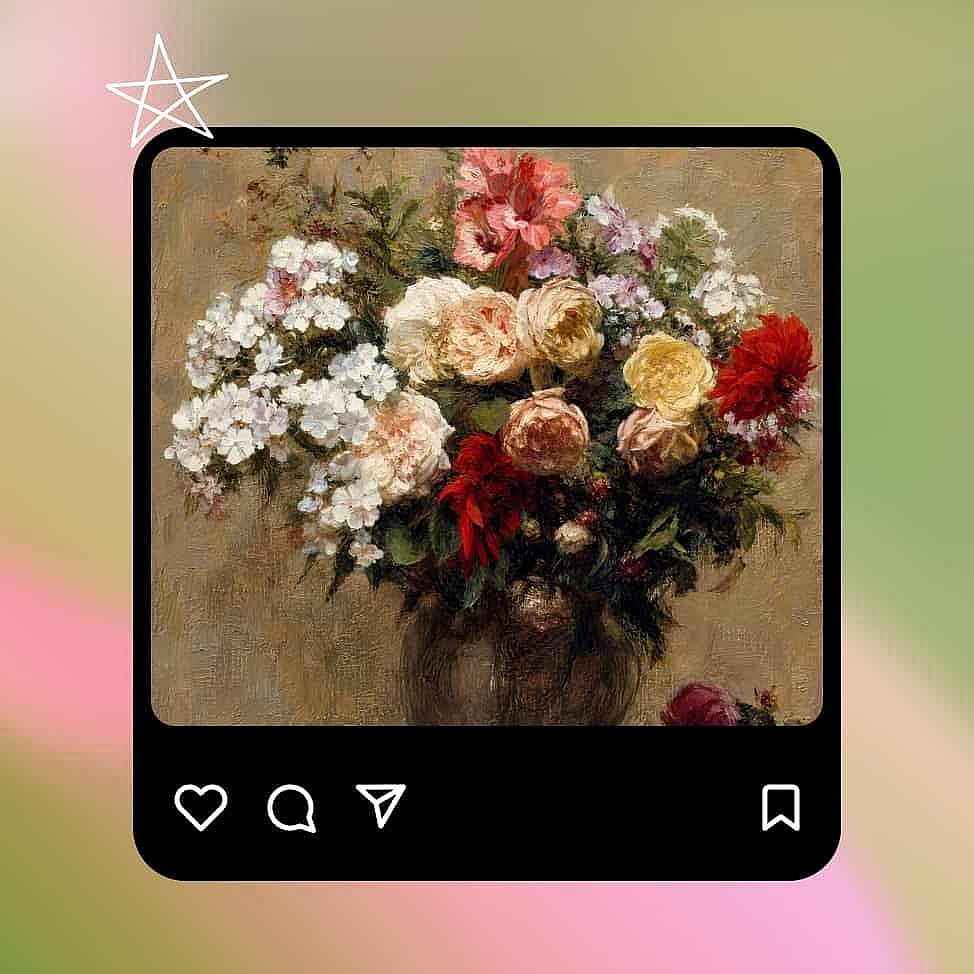
Crea y refina
Crea la imagen, amplíala y revisa cada titular, etiqueta, fórmula y número. Perfecciona los puntos débiles con una instrucción concreta y luego descarga el resultado cuando la composición y el contenido estén listos.
Diseñado para imágenes detalladas y llenas de información
Qwen Image 3.0 está diseñado para proyectos que necesitan texto claro, diseños estructurados y varios elementos visuales dentro de una misma imagen.
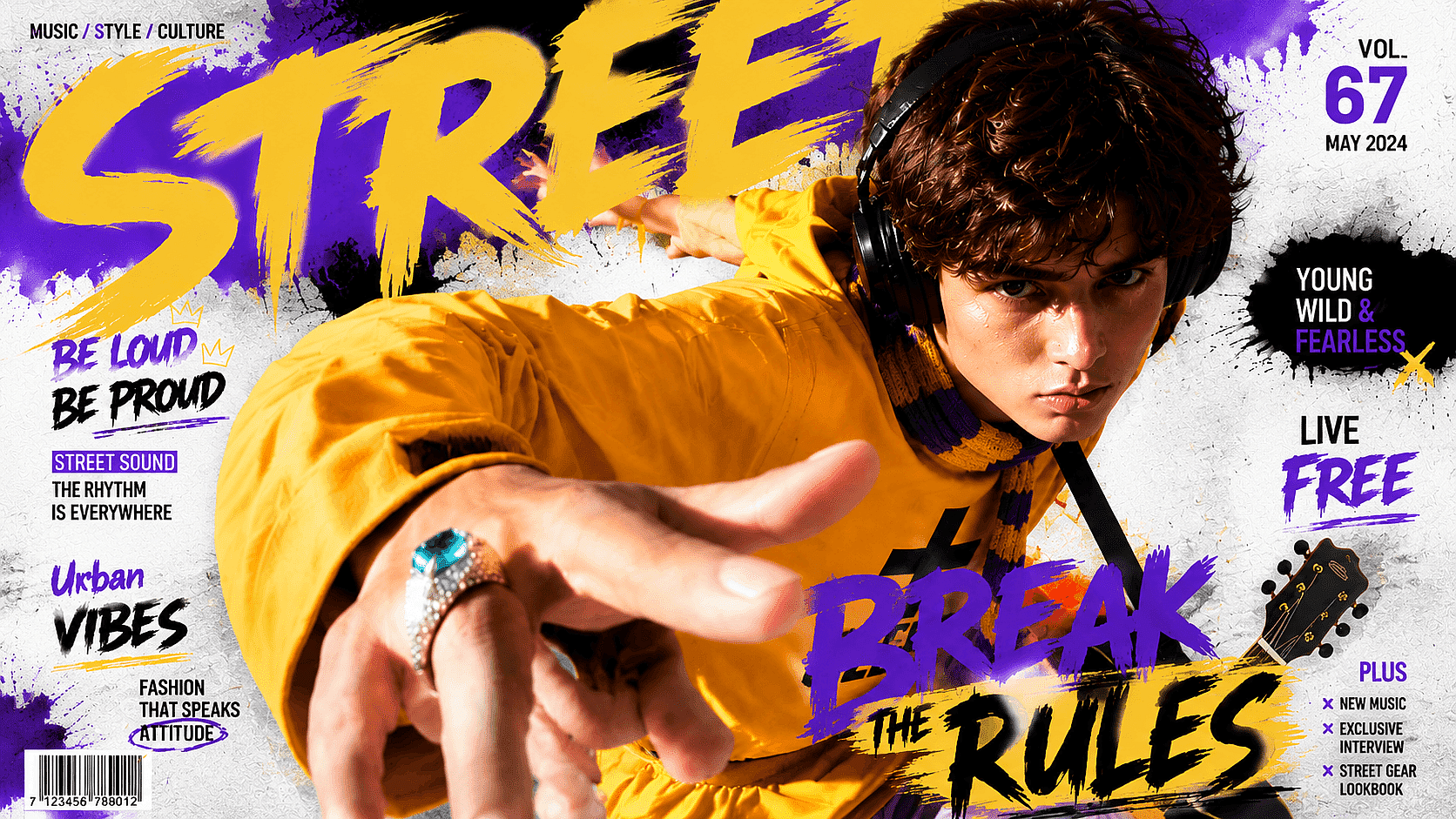
Infografías y publicaciones tipo carrusel
Crea una infografía completa, un tutorial paso a paso o un carrusel de varios paneles a partir de un solo prompt estructurado. Dale a cada panel su propio titular, texto e icono manteniendo los mismos colores, espaciado y estilo visual en toda la composición.
Pruébalo ahora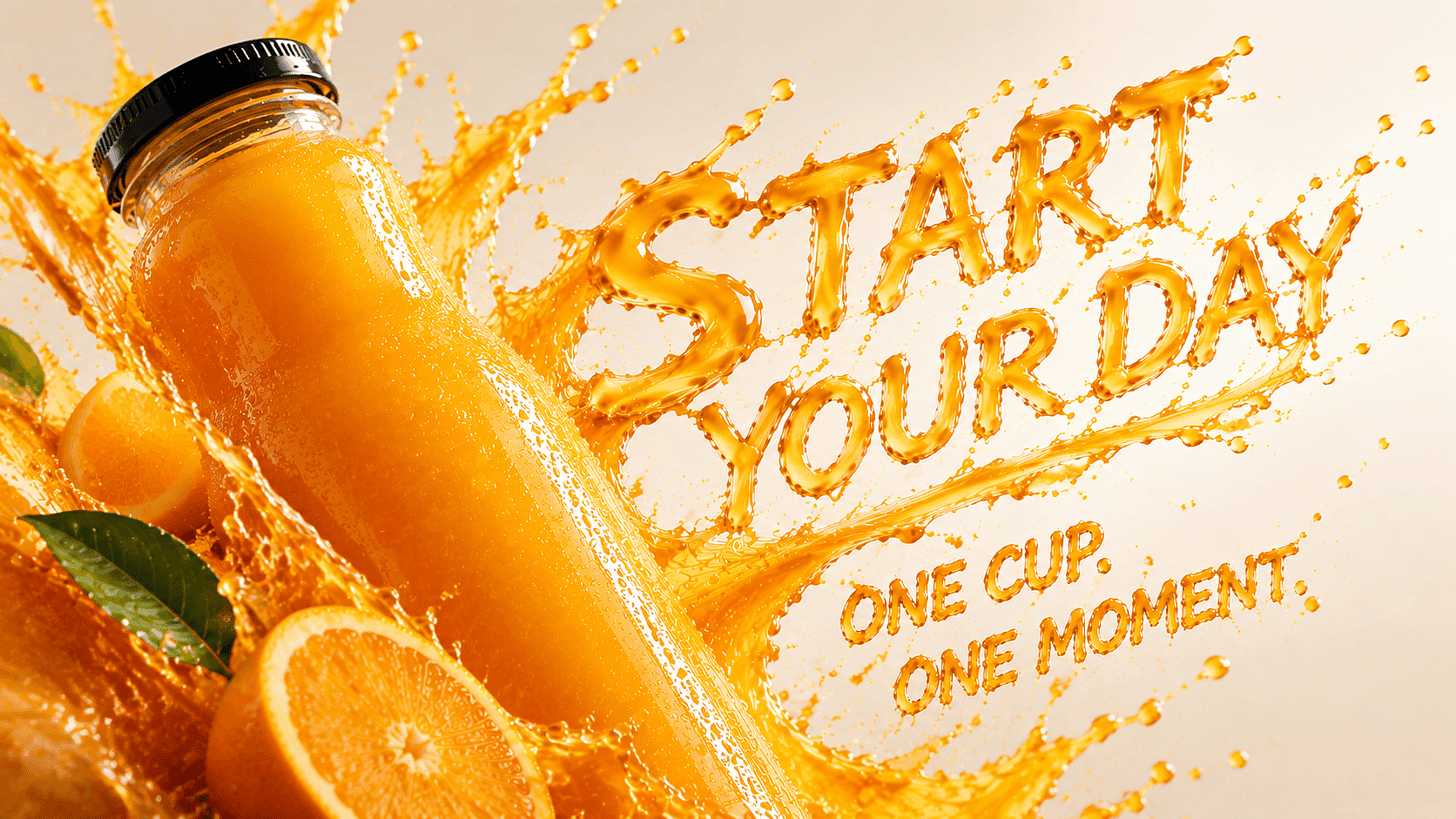
Carteles y conceptos de campaña
Diseña carteles de producto, gráficos de eventos, conceptos de packaging, tarjetas de visita y anuncios sociales con el texto ya colocado dentro de la imagen. Define el titular, la posición del producto, la tipografía, el fondo y el espaciado para explorar una dirección de campaña completa antes de la producción final.
Pruébalo ahora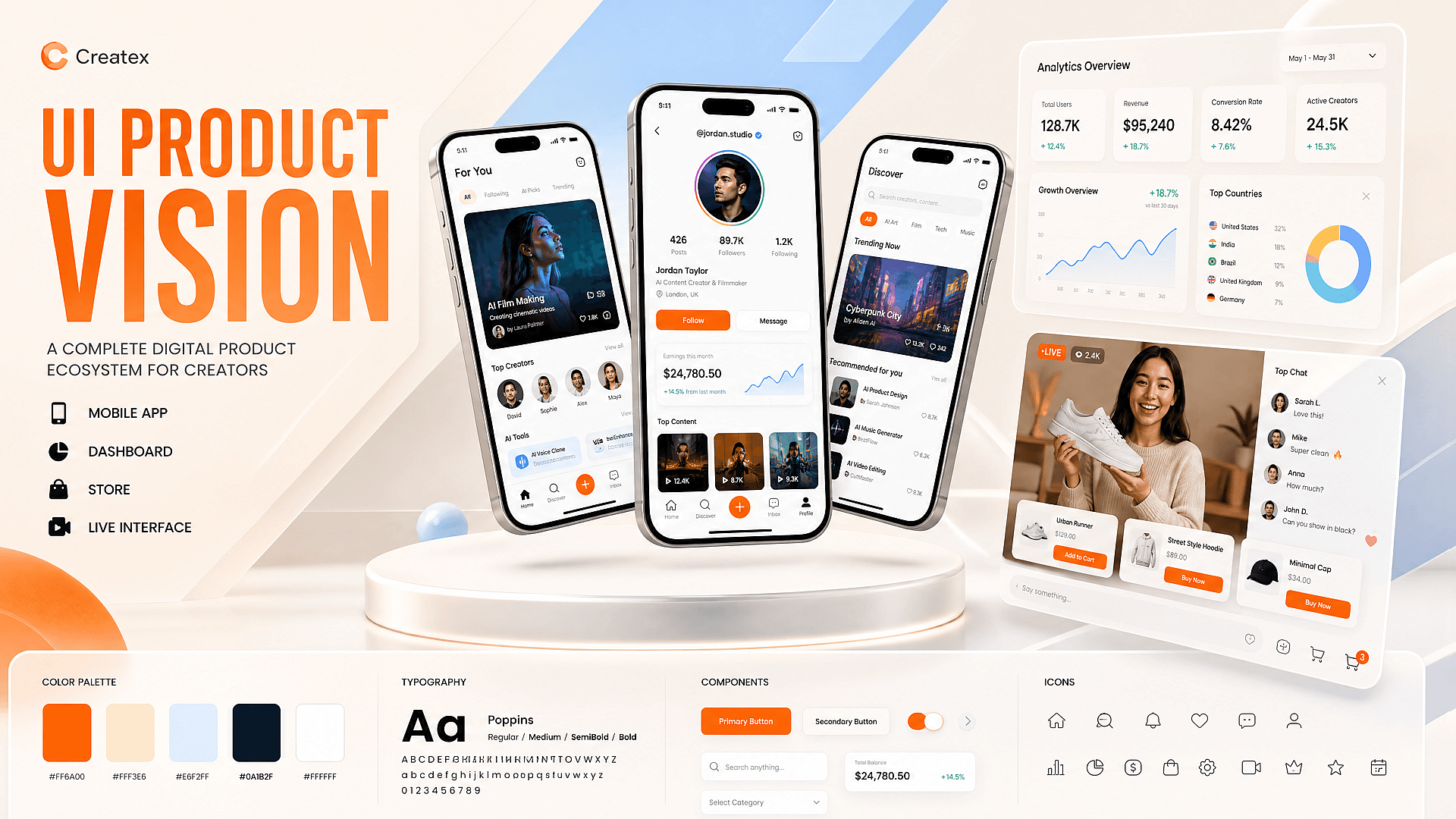
Maquetas de interfaz y visuales de producto
Crea pantallas de apps, paneles, páginas de tienda, interfaces de directo y otros conceptos de producto digital a partir de una especificación escrita. Usa el resultado para explorar diseños y maquetas de campaña, y luego lleva la dirección aprobada a una herramienta de diseño antes del desarrollo.
Pruébalo ahora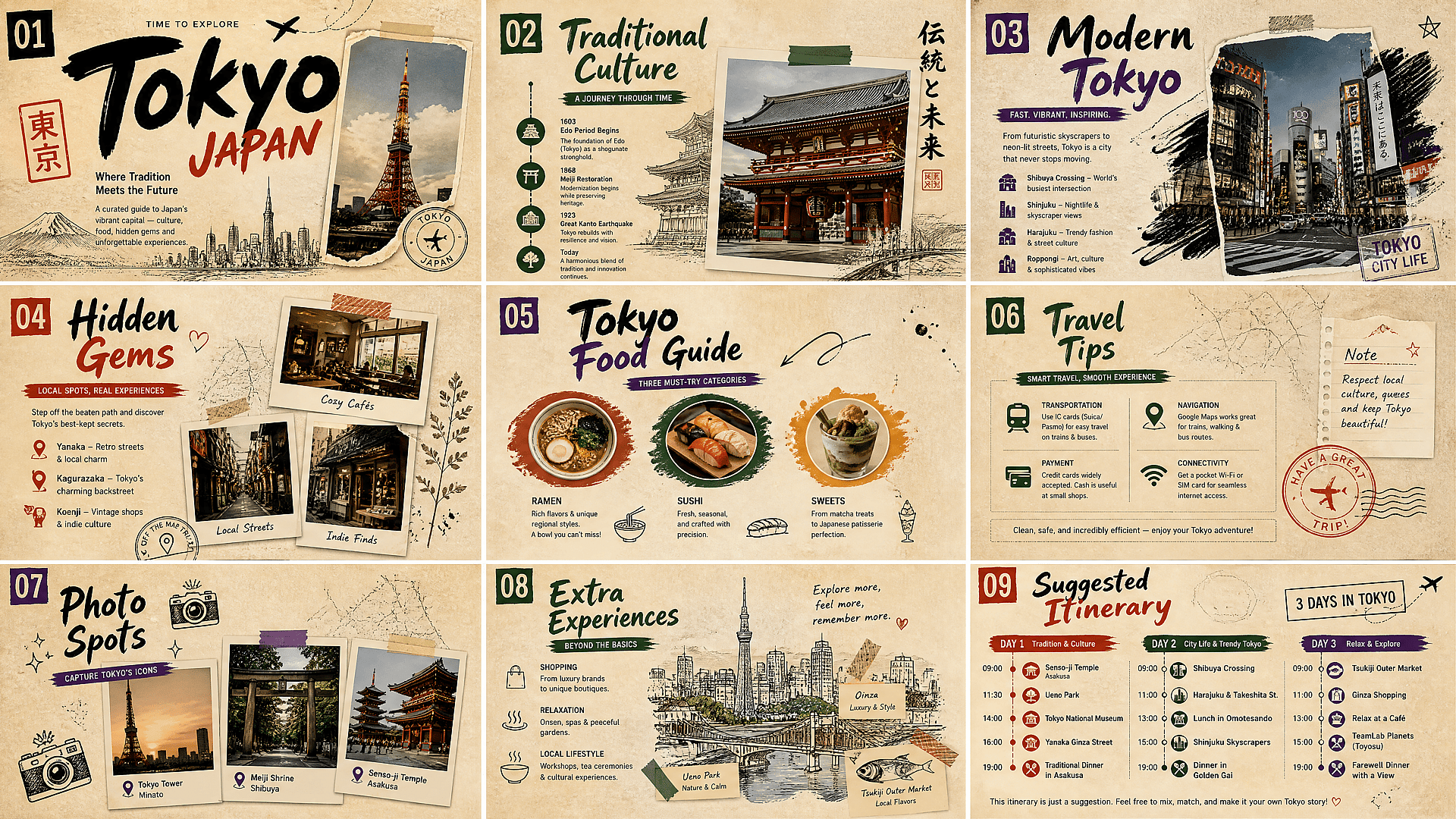
Storyboards y tarjetas de conocimiento
Crea secuencias de escenas, hojas de personajes, tarjetas educativas, diagramas de procesos e ilustraciones etiquetadas en un solo lienzo. Qwen Image 3.0 puede organizar el diseño y la dirección visual entre paneles, pero conviene revisar los pequeños detalles y el contenido factual.
Pruébalo ahoraQwen Image 3.0 vs Qwen Image 2.0
| Función | Qwen Image 2.0 | Qwen Image 3.0 |
|---|---|---|
| Ideal para | Creación de imágenes general, edición y diseños profesionales | Briefs creativos extensos, diseños densos, visuales multilingües y composiciones complejas |
| Longitud del prompt | Hasta 1.000 tokens | Hasta 4.500 tokens |
| Resolución de imagen | Generación nativa en 2K | Hasta 2048 × 2048 píxeles |
| Renderizado de texto | Maneja textos largos y tipografía multilingüe | Renderiza texto más denso, fórmulas complejas y texto tan pequeño como unos 10 píxeles |
| Soporte de idiomas | Amplia representación de texto multilingüe | Renderizado de texto nativo en 12 idiomas |
| Complejidad del diseño | Ideal para diapositivas, pósters, cómics e infografías | Más adecuado para cuadrículas de varios paneles, interfaces anidadas, documentos y diseños con mucha información |
| Edición de imágenes | Generación y edición de imágenes unificadas | Admite generación y edición con una a tres imágenes de referencia |
| Detalle visual | Iluminación, materiales y texturas de alta resolución realistas | Microdetalles mejorados como la textura de la piel, los mechones de pelo individuales, la tela y el papel |
Los mejores modelos de IA para crear imágenes y vídeos
Explora los principales modelos de imagen y vídeo con IA de múltiples proveedores en un solo espacio de trabajo. Compara sus puntos fuertes en estilos artísticos, generación de imágenes, animación y creación de vídeo, y elige el modelo ideal para tu proyecto.
Adorado por los creadores
He probado muchas plataformas de IA... pero OpenArt sigue siendo la mejor para crear personajes, por la calidad de imagen a vídeo y por la variedad de modelos disponibles.
OpenArt ofrece una excelente variedad de herramientas de IA... una vez que aprendes las funciones, las posibilidades creativas son increíbles, y su equipo de soporte es excepcional.
OpenArt es una plataforma de IA muy versátil con muchos modelos de imagen y vídeo, creación de personajes consistentes y potentes herramientas de edición.
Herramientas útiles de IA en un solo lugar: generación de imágenes y vídeo, edición y mucho más... sin necesidad de varias suscripciones.
El servicio de atención al cliente siempre es rápido y útil... y la plataforma no deja de mejorar con nuevas funciones y herramientas.
He probado muchas plataformas de IA... pero OpenArt sigue siendo la mejor para crear personajes, por la calidad de imagen a vídeo y por la variedad de modelos disponibles.
OpenArt ofrece una excelente variedad de herramientas de IA... una vez que aprendes las funciones, las posibilidades creativas son increíbles, y su equipo de soporte es excepcional.
OpenArt es una plataforma de IA muy versátil con muchos modelos de imagen y vídeo, creación de personajes consistentes y potentes herramientas de edición.
Herramientas útiles de IA en un solo lugar: generación de imágenes y vídeo, edición y mucho más... sin necesidad de varias suscripciones.
El servicio de atención al cliente siempre es rápido y útil... y la plataforma no deja de mejorar con nuevas funciones y herramientas.
He probado muchas plataformas de IA... pero OpenArt sigue siendo la mejor para crear personajes, por la calidad de imagen a vídeo y por la variedad de modelos disponibles.
OpenArt ofrece una excelente variedad de herramientas de IA... una vez que aprendes las funciones, las posibilidades creativas son increíbles, y su equipo de soporte es excepcional.
OpenArt es una plataforma de IA muy versátil con muchos modelos de imagen y vídeo, creación de personajes consistentes y potentes herramientas de edición.
Herramientas útiles de IA en un solo lugar: generación de imágenes y vídeo, edición y mucho más... sin necesidad de varias suscripciones.
El servicio de atención al cliente siempre es rápido y útil... y la plataforma no deja de mejorar con nuevas funciones y herramientas.
Con tantas plataformas de IA por ahí, OpenArt destacó como una opción excelente; se la recomendaría a cualquier creador.
Esta plataforma incluye todo lo que necesitas para crear contenido con IA: imágenes, vídeo, personajes, audio y múltiples modelos de IA en un solo lugar.
OpenArt está superando los límites de la creación de vídeo con IA... y está claro que el equipo se compromete a mejorar la experiencia de los creadores.
Hice mi primer videoclip musical con IA con OpenArt... y su equipo de soporte fue la mejor ayuda que he tenido nunca.
Estoy muy contento con el soporte: mi problema se resolvió rápido y el equipo hizo que todo fuera fácil.
Con tantas plataformas de IA por ahí, OpenArt destacó como una opción excelente; se la recomendaría a cualquier creador.
Esta plataforma incluye todo lo que necesitas para crear contenido con IA: imágenes, vídeo, personajes, audio y múltiples modelos de IA en un solo lugar.
OpenArt está superando los límites de la creación de vídeo con IA... y está claro que el equipo se compromete a mejorar la experiencia de los creadores.
Hice mi primer videoclip musical con IA con OpenArt... y su equipo de soporte fue la mejor ayuda que he tenido nunca.
Estoy muy contento con el soporte: mi problema se resolvió rápido y el equipo hizo que todo fuera fácil.
Con tantas plataformas de IA por ahí, OpenArt destacó como una opción excelente; se la recomendaría a cualquier creador.
Esta plataforma incluye todo lo que necesitas para crear contenido con IA: imágenes, vídeo, personajes, audio y múltiples modelos de IA en un solo lugar.
OpenArt está superando los límites de la creación de vídeo con IA... y está claro que el equipo se compromete a mejorar la experiencia de los creadores.
Hice mi primer videoclip musical con IA con OpenArt... y su equipo de soporte fue la mejor ayuda que he tenido nunca.
Estoy muy contento con el soporte: mi problema se resolvió rápido y el equipo hizo que todo fuera fácil.
Preguntas frecuentes Preguntas
Qwen Image 3.0 es el modelo de generación y edición de imágenes de Alibaba para diseños detallados, texto multilingüe, infografías, conceptos de interfaz y edición de imágenes. Se lanzó en julio de 2026 y admite prompts de hasta 4.500 tokens.
Sí. El modelo admite edición de imágenes con una a tres imágenes de referencia, lo que te permite cambiar el escenario, el estilo, la ropa, el texto u otros elementos mientras conservas los detalles importantes de las imágenes originales.
Qwen indica que renderiza texto en 12 idiomas, con ejemplos oficiales que muestran chino, inglés, japonés, coreano y español. El soporte no garantiza una ortografía perfecta, así que un hablante nativo debería revisar el texto localizado.
Qwen Image 2.0 introdujo la generación nativa en 2K, prompts de hasta 1000 tokens y la generación y edición de imágenes unificadas. Qwen Image 3.0 amplía el límite de prompts a 4500 tokens y mejora los diseños densos, el texto pequeño, el renderizado multilingüe y los detalles visuales finos. Estas mejoras lo hacen más adecuado para infografías, pósteres, interfaces, storyboards y otros visuales complejos con muchos elementos.
Sí, pero el modelo debe usarse para la maquetación y el tratamiento visual, no como fuente de los datos. Comprueba cada número, etiqueta y valor representado con la fuente original antes de usar la imagen en trabajos empresariales, científicos o académicos.
Los ejemplos oficiales de Qwen muestran texto pequeño legible, notación matemática, texto multilingüe y diseños tipo periódico. Aún pueden aparecer errores de ortografía, sobre todo en texto pequeño o en idiomas distintos del inglés, así que revisa cada línea antes de publicar.
Qwen Image 3.0 encaja mejor con prompts largos, diseños densos y visuales con mucho texto. Nano Banana 2 y GPT Image 2 puede ir mejor para otros flujos de trabajo, así que lo más útil es probar el mismo prompt en los distintos modelos y comparar los resultados.
Sí. Qwen Image 3.0 admite la generación de texto en 12 idiomas y puede manejar etiquetas pequeñas, fórmulas, titulares y diseños con varias secciones. Los resultados aún pueden variar cuando un diseño contiene grandes cantidades de texto muy pequeño, así que unas instrucciones de diseño claras y un texto conciso suelen dar mejores resultados.