

SwitchX - Modelo de VFX con IA
Transforma cualquier vídeo con preservación del sujeto a nivel de píxel, reiluminación de fotograma completo y ediciones de regiones enmascaradas en minutos con SwitchX en OpenArt, impulsado por Beeble AI.

Creaciones de la comunidad
Descubre cómo los creadores reescenifican tomas en entornos nuevos, reiluminan escenas con ambientes distintos y añaden VFX localizados a metraje que ya han grabado, todo con la potencia de SwitchX.
Características clave del modelo de edición de vídeo con IA SwitchX
El primer modelo de vídeo a vídeo de Beeble ya está disponible en OpenArt, dándote control a nivel de píxel sobre fondos, iluminación y VFX específicos de cada fotograma sin perder la interpretación original.
Conservación del sujeto a nivel de píxel
SwitchX se guía directamente por tu material original a nivel de píxel, y eso es lo que lo diferencia de los modelos estándar de vídeo a vídeo, que alucinan o deforman al sujeto entre fotogramas. Tu identidad, tus rasgos faciales, el movimiento y la sincronización del audio se mantienen totalmente intactos en el resultado. La transformación ocurre alrededor del sujeto y sobre la escena, nunca sobre la interpretación en sí.
Pruébalo ahoraSustitución de fondo sin croma
El modo fondo aísla automáticamente a tu sujeto y sustituye todo el entorno que hay detrás. Un clip de plano tipo talking-head puede pasar de un dormitorio a un estudio, una playa, un set con tu marca o un mundo cinematográfico, mientras que la interpretación original, el ritmo y el encuadre de la cámara se mantienen intactos.
Pruébalo ahoraReiluminación de fotograma completo y control del ambiente
Relight and Mood reestiliza todo el fotograma, incluyendo iluminación, atmósfera, color y carácter visual, usando una imagen de referencia como guía. Convierte imágenes diurnas planas en hora dorada, cine negro, terror o el look de una campaña de marca sin volver a grabar el clip.
Pruébalo ahoraVFX de regiones enmascaradas en minutos
El modo VFX te permite pintar una máscara en el primer fotograma y transformar todo lo que quede fuera de esa región en cada fotograma. Sustituye atrezo, ajusta detalles del vestuario o modifica parte de la escena dejando el objeto enmascarado exactamente como se grabó. SwitchX procesa de forma asíncrona y puede generar salidas en 720p o 1080p en minutos.
Pruébalo ahoraCómo usar SwitchX
Tres pasos, desde la subida hasta el plano de VFX terminado.
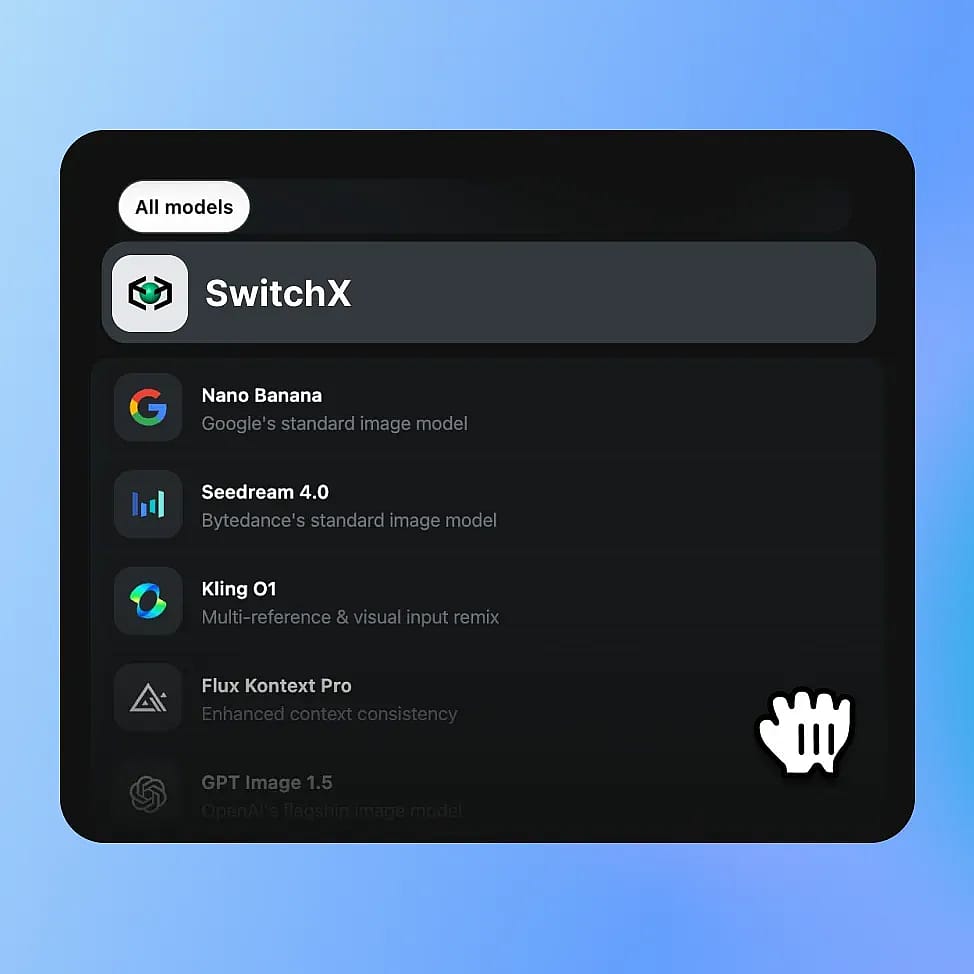
Elige SwitchX en OpenArt VFX
Abre OpenArt VFX desde las herramientas de vídeo de OpenArt. SwitchX impulsa los tres modos, así que una sola subida desbloquea todo el conjunto de transformaciones. Se admiten archivos MP4 y MOV en H.264 o HEVC.
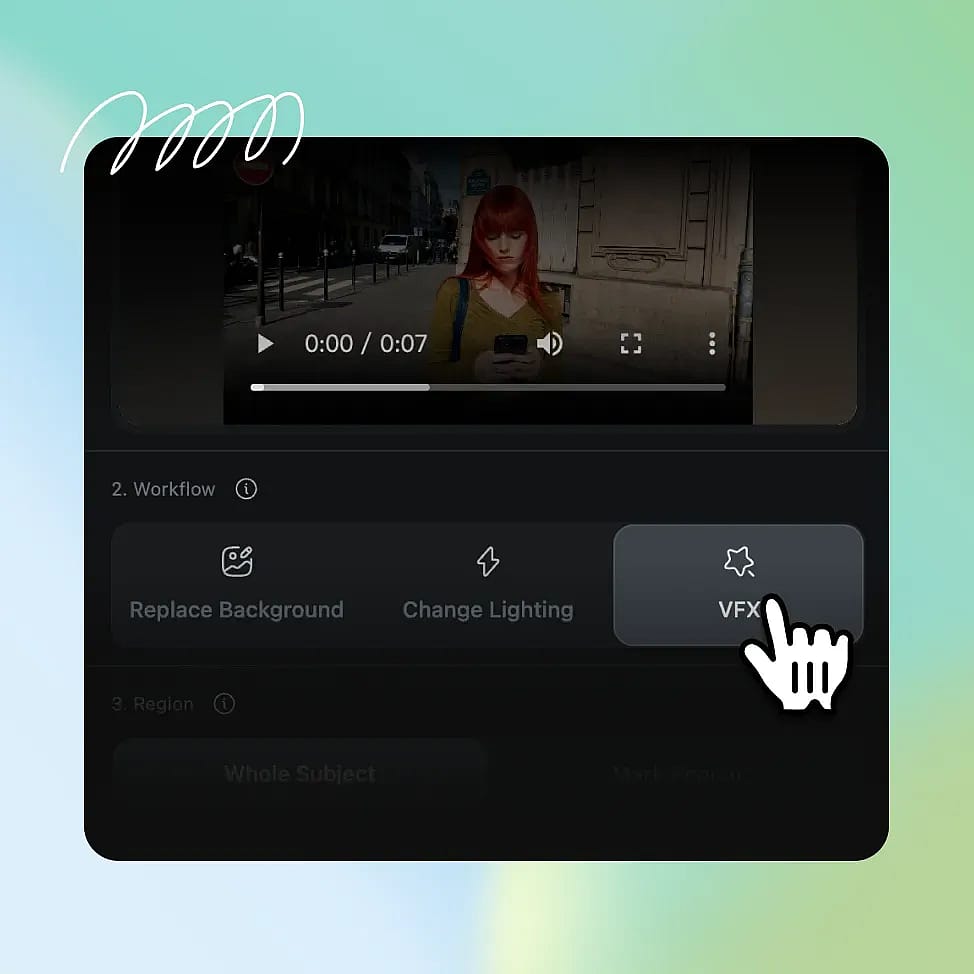
Elige tu modo y tus entradas
Elige Fondo para cambiar tu entorno, Reiluminar para reestilizar todo el encuadre o Inpainting para pintar una máscara en una zona concreta. Añade una imagen de referencia, un preajuste seleccionado o un prompt de texto opcional para dirigir el resultado.
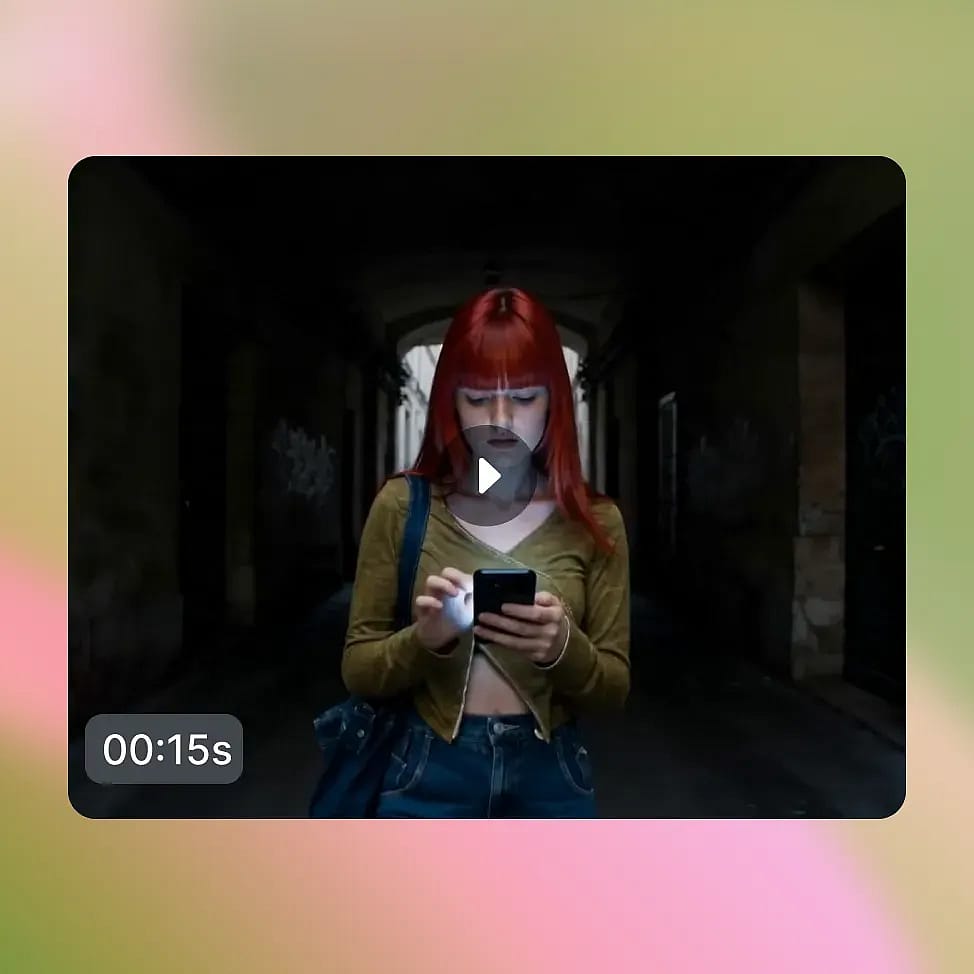
Genera y compara
Elige 720p o 1080p y genera. SwitchX procesa tu clip de forma asíncrona y entrega un resultado terminado en 3 a 7 minutos, con vistas integradas en paralelo de Resultado, Fuente, Alfa y Comparación.
Diseñado para transformar el material que ya has grabado
SwitchX está creado para el tipo de trabajo que antes requería un croma, un compositor o una cadena de producción de VFX completa. Esto es lo que desbloquea en OpenArt.
Regraba el fondo, no la actuación
Un clip de una persona hablando a cámara grabado en un dormitorio puede convertirse en la misma actuación en un estudio profesional, en una playa, en una ciudad con luces de neón o en cualquier entorno de marca. La actuación, las palabras, el ritmo y el encuadre de la cámara se mantienen idénticos. Lo único que cambia es el mundo detrás del sujeto.
Pruébalo ahoraCambia el estilo, conserva la toma
Relight and Mood permite que un clip plano de día se convierta en hora dorada, que un vlog informal se vuelva un noir cinematográfico, o que un plano de un presentador estándar se transforme en un corto de terror, todo ello manteniendo intacta la interpretación y el movimiento de base. La composición se mantiene igual mientras el ambiente y la iluminación cambian por completo.
Pruébalo ahoraAñade VFX localizados sin un pipeline
El modo VFX ofrece a cineastas independientes y creadores avanzados un control a nivel de fotograma sin la carga de Nuke, After Effects o un equipo de composición. Pinta una máscara en el primer fotograma, describe el cambio y SwitchX transforma solo lo que queda fuera de la región enmascarada a lo largo del clip.
Pruébalo ahoraCrea muchas variaciones a partir de un solo clip
Una marca o creador puede grabar una sola vez y aplicar muchos resultados distintos de SwitchX al mismo metraje, generando una biblioteca de variaciones de contenido a partir de una única sesión de grabación. Una sola toma puede servir para varias campañas, canales, tonos o entornos.
Pruébalo ahoraPrevisualiza, compara y publica más rápido
SwitchX te ofrece las vistas Salida, Origen, Alfa y Comparar para que inspecciones el resultado antes de descargar el MP4 final. Así es más fácil revisar cambios de fondo, reiluminación y efectos VFX con máscara sin salir del navegador.
Pruébalo ahoraConsejos para obtener los mejores resultados

Usa un contraste nítido entre sujeto y fondo
SwitchX aísla el sujeto de forma más limpia cuando hay una separación clara entre el sujeto y el fondo. Las tomas con diferencias de iluminación marcadas o contraste de color entre el sujeto y el entorno producen las máscaras más limpias en todos los fotogramas.

Mantén el movimiento de cámara moderado
SwitchX gestiona bien el movimiento moderado, pero las sacudidas extremas, los barridos rápidos o el movimiento de alta frecuencia pueden poner a prueba la coherencia entre fotogramas. Los planos fijos y las tomas estables a mano dan resultados más estables que los clips de acción o deportes.

Ajusta la referencia al ambiente que quieres
Tanto si subes tu propia imagen de referencia como si la generas con las herramientas de imagen de OpenArt, lo que SwitchX aprovecha es el carácter visual de la referencia. Elige una referencia cuya iluminación, paleta y composición encajen con el mundo que quieres, no solo el sujeto literal.

Enmascara el primer fotograma con cuidado
En modo VFX, SwitchX usa la máscara de tu primer fotograma para seguir la región a lo largo del resto del clip. Tómate tu tiempo para enmascarar con precisión en el fotograma uno. Un borde de máscara limpio ahí significa un resultado limpio en cada fotograma posterior.
Adorado por los creadores
He probado muchas plataformas de IA... pero OpenArt sigue siendo la mejor para crear personajes, por la calidad de imagen a vídeo y por la variedad de modelos disponibles.
OpenArt ofrece una excelente variedad de herramientas de IA... una vez que aprendes las funciones, las posibilidades creativas son increíbles, y su equipo de soporte es excepcional.
OpenArt es una plataforma de IA muy versátil con muchos modelos de imagen y vídeo, creación de personajes consistentes y potentes herramientas de edición.
Herramientas útiles de IA en un solo lugar: generación de imágenes y vídeo, edición y mucho más... sin necesidad de varias suscripciones.
El servicio de atención al cliente siempre es rápido y útil... y la plataforma no deja de mejorar con nuevas funciones y herramientas.
He probado muchas plataformas de IA... pero OpenArt sigue siendo la mejor para crear personajes, por la calidad de imagen a vídeo y por la variedad de modelos disponibles.
OpenArt ofrece una excelente variedad de herramientas de IA... una vez que aprendes las funciones, las posibilidades creativas son increíbles, y su equipo de soporte es excepcional.
OpenArt es una plataforma de IA muy versátil con muchos modelos de imagen y vídeo, creación de personajes consistentes y potentes herramientas de edición.
Herramientas útiles de IA en un solo lugar: generación de imágenes y vídeo, edición y mucho más... sin necesidad de varias suscripciones.
El servicio de atención al cliente siempre es rápido y útil... y la plataforma no deja de mejorar con nuevas funciones y herramientas.
He probado muchas plataformas de IA... pero OpenArt sigue siendo la mejor para crear personajes, por la calidad de imagen a vídeo y por la variedad de modelos disponibles.
OpenArt ofrece una excelente variedad de herramientas de IA... una vez que aprendes las funciones, las posibilidades creativas son increíbles, y su equipo de soporte es excepcional.
OpenArt es una plataforma de IA muy versátil con muchos modelos de imagen y vídeo, creación de personajes consistentes y potentes herramientas de edición.
Herramientas útiles de IA en un solo lugar: generación de imágenes y vídeo, edición y mucho más... sin necesidad de varias suscripciones.
El servicio de atención al cliente siempre es rápido y útil... y la plataforma no deja de mejorar con nuevas funciones y herramientas.
Con tantas plataformas de IA por ahí, OpenArt destacó como una opción excelente; se la recomendaría a cualquier creador.
Esta plataforma incluye todo lo que necesitas para crear contenido con IA: imágenes, vídeo, personajes, audio y múltiples modelos de IA en un solo lugar.
OpenArt está superando los límites de la creación de vídeo con IA... y está claro que el equipo se compromete a mejorar la experiencia de los creadores.
Hice mi primer videoclip musical con IA con OpenArt... y su equipo de soporte fue la mejor ayuda que he tenido nunca.
Estoy muy contento con el soporte: mi problema se resolvió rápido y el equipo hizo que todo fuera fácil.
Con tantas plataformas de IA por ahí, OpenArt destacó como una opción excelente; se la recomendaría a cualquier creador.
Esta plataforma incluye todo lo que necesitas para crear contenido con IA: imágenes, vídeo, personajes, audio y múltiples modelos de IA en un solo lugar.
OpenArt está superando los límites de la creación de vídeo con IA... y está claro que el equipo se compromete a mejorar la experiencia de los creadores.
Hice mi primer videoclip musical con IA con OpenArt... y su equipo de soporte fue la mejor ayuda que he tenido nunca.
Estoy muy contento con el soporte: mi problema se resolvió rápido y el equipo hizo que todo fuera fácil.
Con tantas plataformas de IA por ahí, OpenArt destacó como una opción excelente; se la recomendaría a cualquier creador.
Esta plataforma incluye todo lo que necesitas para crear contenido con IA: imágenes, vídeo, personajes, audio y múltiples modelos de IA en un solo lugar.
OpenArt está superando los límites de la creación de vídeo con IA... y está claro que el equipo se compromete a mejorar la experiencia de los creadores.
Hice mi primer videoclip musical con IA con OpenArt... y su equipo de soporte fue la mejor ayuda que he tenido nunca.
Estoy muy contento con el soporte: mi problema se resolvió rápido y el equipo hizo que todo fuera fácil.
Preguntas frecuentes Preguntas
SwitchX es el primer modelo de IA de vídeo a vídeo desarrollado por Beeble. Ajusta la iluminación, el fondo, los objetos y otros aspectos de un vídeo sin alterar al sujeto real. SwitchX se usa en los tres modos de OpenArt VFX: sustitución de fondo, reiluminación de fotograma completo y ediciones de regiones enmascaradas.
Sí. SwitchX conserva la identidad, los rasgos faciales, el movimiento y la sincronización de audio en todo el clip. Donde un modelo generativo típico podría desviar sutilmente la cara del sujeto de un fotograma a otro, SwitchX usa los píxeles de tu fuente como señal de control directa, y eso es lo que hace que el resultado parezca la misma toma que grabaste, solo que en otro mundo.
En OpenArt, SwitchX genera a 720p o 1080p. Los clips de entrada pueden tener hasta 240 fotogramas a 10 fps en formato MP4 o MOV (H.264 o HEVC). La salida en 2K y 4K no está disponible actualmente en OpenArt.
Sí. El resultado de SwitchX en OpenArt puede usarse en proyectos comerciales, incluidos anuncios de pago en redes, campañas de marca, marketing de productos, vídeo monetizado y trabajo para clientes. Consulta los términos de servicio de OpenArt para conocer los últimos detalles sobre el uso comercial de tu plan.
La mayoría de los modelos de vídeo generativos crean alucinaciones o deforman el sujeto entre los fotogramas, lo que provoca la pérdida de la interpretación original. SwitchX opera directamente sobre tu metraje original a nivel de píxel, sincronizándose con la identidad, el movimiento y el audio de tu clip a partir del clip original. El cambio se produce alrededor o sobre el sujeto, pero no en el sujeto.
Tres. El modo Fondo cambia todo el entorno detrás de tu sujeto. Reiluminar y Ambiente (Relleno) reestiliza el fotograma completo, incluyendo iluminación, atmósfera, color y carácter visual. Inpainting (Selección) te permite pintar una máscara y transformar cualquier cosa fuera de esa región en todos los fotogramas.
La mayoría de los trabajos se completan en 3 a 7 minutos según la duración del clip y la resolución. La generación se ejecuta de forma asíncrona con progreso en directo, así que puedes salir de la pestaña y volver cuando el resultado esté listo.