

Wan 3.0 — Modelo de generación de vídeo
El modelo de vídeo con IA Wan 3.0 genera clips en 1080p con audio de hasta 30 segundos, admite hasta 20 referencias multimodales y mantiene el mismo personaje en vídeos distintos. ¡Empieza a crear con Wan 3.0 en OpenArt!

Características principales de Wan 3.0
1080p nativo de hasta 30 segundos
Wan 3.0 te permite crear vídeos cinematográficos con IA, renderizando en densidad de píxeles nativa de 1080p durante 30 segundos completos en una sola pasada, así que un anuncio con apertura, momento de producto y fotograma de cierre encaja perfectamente en una sola generación.
Pruébalo ahoraMantén el mismo personaje en todos los vídeos
Wan 3.0 mantiene estables la cara y los rasgos de un personaje de una generación a la siguiente, así que la misma persona puede aparecer en toda una serie con mínimas variaciones. Combínalo con un personaje guardado de OpenArt Characters para reutilizar a esa persona en cualquier vídeo futuro.
Pruébalo ahoraUsa hasta 20 referencias a la vez
Wan 3.0 admite hasta 20 referencias en un solo vídeo: 10 imágenes, 5 clips de vídeo y 5 clips de audio, más un documento. Tus clips de vídeo pueden sumar hasta 15 segundos, y tus clips de audio otros 15 segundos. Dale la cara de un personaje, la foto de un producto, un clip con los gestos que quieras y una voz, y los cuatro caben en la misma toma.
Pruébalo ahoraConsigue audio sincronizado en el mismo clip
Wan 3.0 on OpenArt's Generador de vídeo con IA crea su audio en la misma pasada que los visuales, sincronizado con la acción del fotograma en lugar de superponerse después. Para cortes para redes y revisiones internas, eso te da un clip terminado con sonido en vez de un archivo mudo esperando a un diseñador de sonido.
Pruébalo ahoraCómo usar Wan 3.0 en OpenArt
Tres pasos te llevan de un prompt en blanco a tu primer clip.
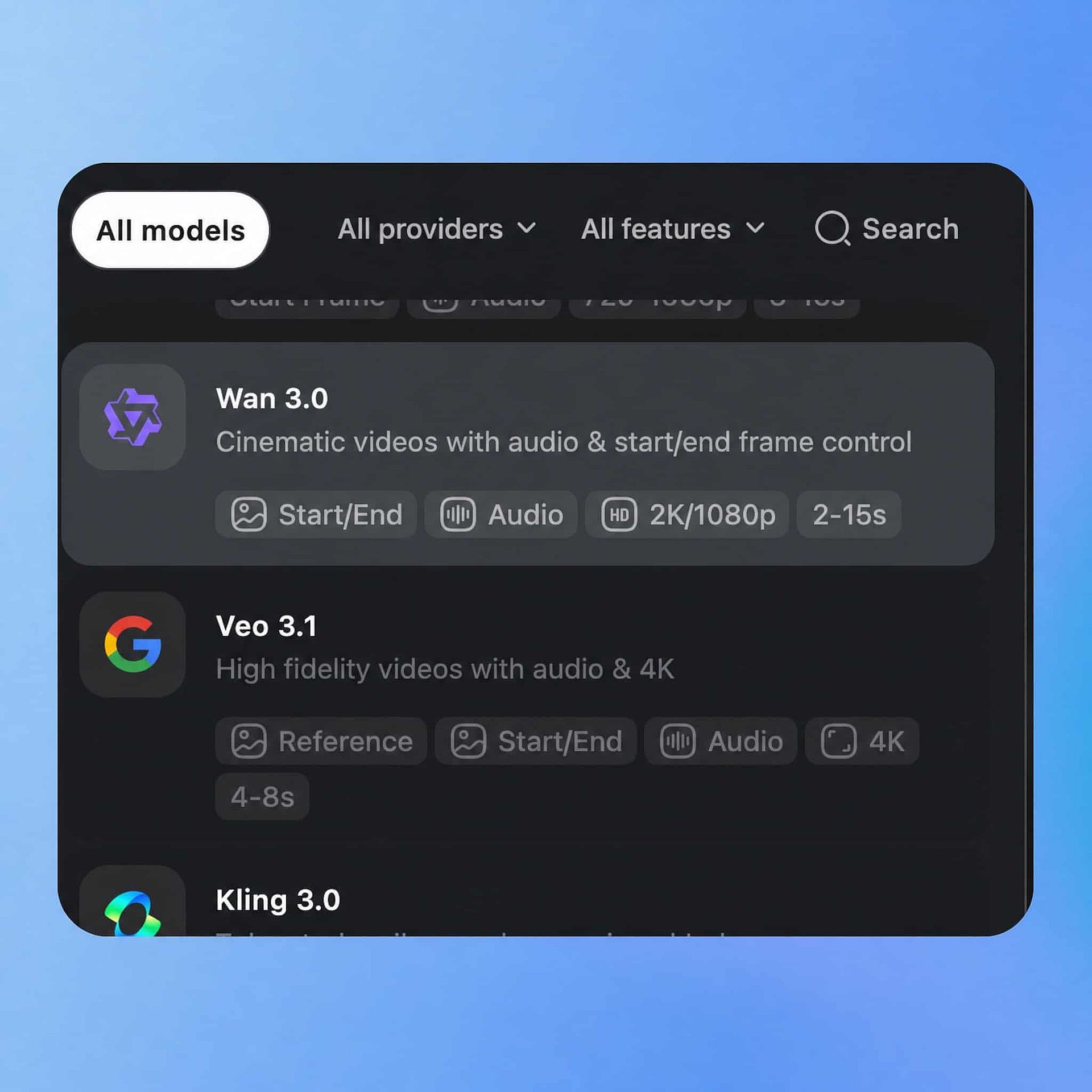
Elige tu modelo
Abre la herramienta de texto a vídeo de OpenArt, selecciona Wan 3.0 en el panel de modelos y elige tu entrada: un prompt escrito, una imagen inicial o imágenes de referencia que subas.
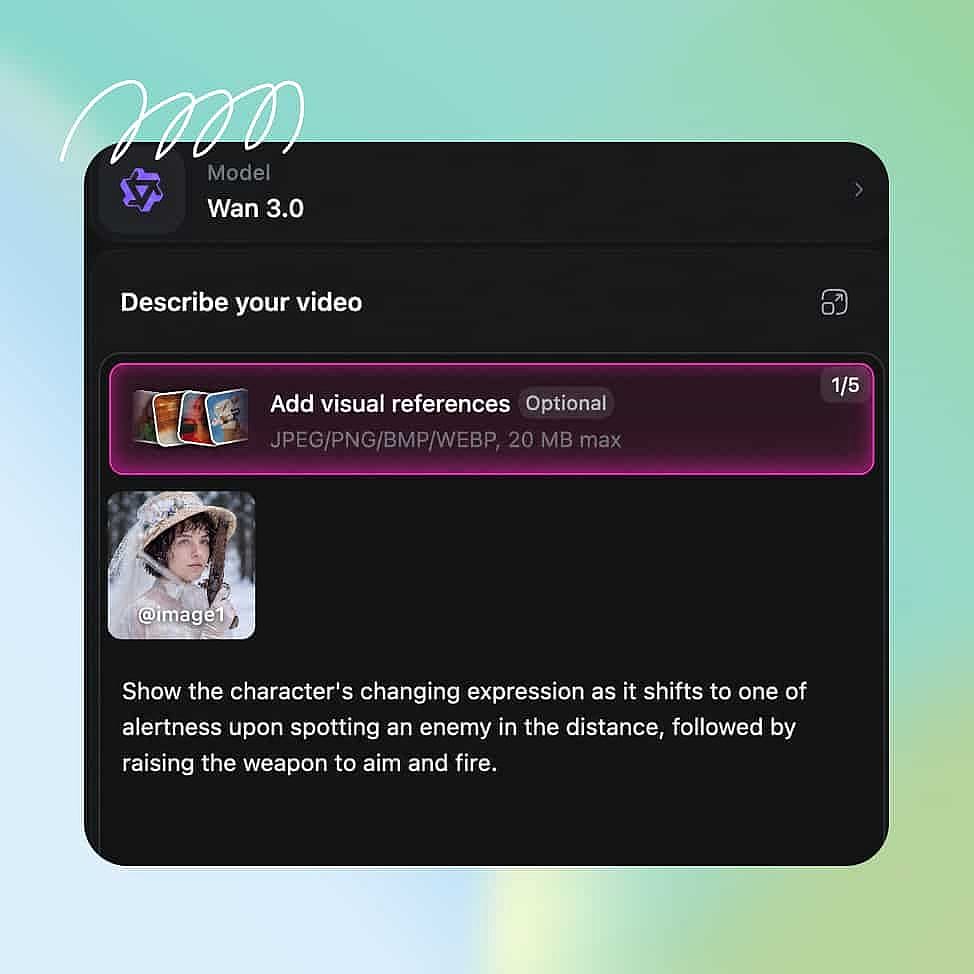
Escribe el prompt y añade referencias
Añade hasta 10 imágenes de referencia para tu producto, ubicación y estilo, e incluye una referencia de personaje si la misma persona debe aparecer en vídeos posteriores.
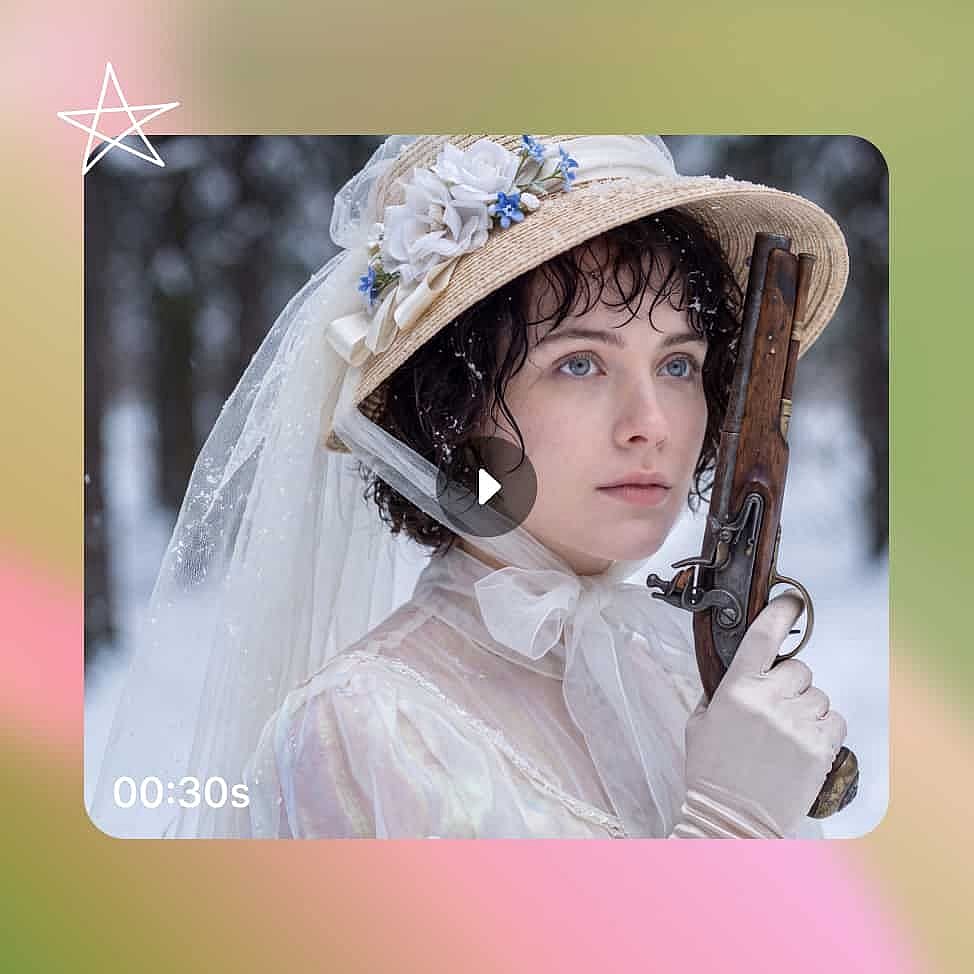
Genera y exporta
Define la duración, la resolución y la relación de aspecto, y luego genera y descarga la secuencia como un MP4 con audio incluido.
Mejores usos del modelo de vídeo con IA Wan 3.0
Agencias de marketing que gestionan campañas de clientes
Las agencias entregan cumpliendo especificaciones de Full HD y crean versiones de un concepto para varios clientes en la misma semana. Los másteres nativos en 1080p y los clips de 30 segundos cumplen directamente una especificación de broadcast o de publicidad exterior, y la consistencia de personajes de Wan 3.0 mantiene idéntico al portavoz de cada cliente en cada corte que entregas.
Pruébalo ahoraCineastas independientes que crean escenas completas
Una escena puede necesitar un plano general, un primer plano y un contraplano que muestren la misma localización en el mismo entorno. Wan 3.0 genera esa secuencia con continuidad a través de múltiples ángulos de cámara, para que tu escena perfecta cuaje en una sola salida.
Pruébalo ahoraMarcas de comercio electrónico que graban vídeos de producto
El vídeo de producto necesita que el artículo se vea idéntico en cada fotograma y se mantenga nítido en los vídeos de retail. Imagen a vídeo mantiene tu embalaje, color y etiqueta fieles a las fotos que subes, lo que significa que puedes lanzar anuncios y demos de e-commerce directamente y con rapidez.
Pruébalo ahoraCreadores de UGC y contenido para redes sociales
Los creadores publican varias veces por semana y rara vez tienen un set, un equipo o tiempo para una segunda toma. El modo imagen a vídeo convierte un selfie o cualquier foto de tu móvil en un clip terminado, y el vídeo a vídeo te permite hacer variaciones del mismo vídeo con los cambios que quieras.
Pruébalo ahoraConsejos para obtener los mejores resultados

Escribe una línea por plano
Una secuencia de varias tomas sigue un guion de planos de forma más fiable que un párrafo largo. Dale a cada toma su propia frase con un sujeto y un encuadre, por ejemplo "primer plano de la botella mientras la etiqueta capta la luz."

Describe la iluminación y el encuadre, no el ambiente
Palabras genéricas como «cinematográfico» o «épico» dejan demasiado a la interpretación. «Sol bajo de la tarde, tomado a la altura de la cintura» le dice al modelo qué construir de verdad y te da un resultado que puedes repetir en tu próximo vídeo.

Mantén tu conjunto de referencias enfocado
Cuatro o cinco imágenes que apunten al mismo estilo guiarán una generación mejor que una docena que tiren en direcciones distintas. Añade referencias para lo que debe mantenerse fiel, normalmente tu personaje y tu producto.
Preguntas frecuentes Preguntas
Wan 3.0 es el modelo más reciente de la serie de vídeo Wan, tras Wan 2.1, 2.2 y 2.7. Genera vídeo nativo en 1080p de hasta 30 segundos por clip, encadena tomas conectadas en una sola salida, mantiene al mismo personaje coherente entre generaciones, admite hasta 10 imágenes de referencia y produce el audio en la misma pasada que la imagen.
Una sola generación de Wan 3.0 llega hasta 30 segundos. Puedes ampliar el resultado aún más con la herramienta Extend Video de OpenArt.
Identity Lock es el nombre de la tecnología subyacente que mantiene el rostro y los rasgos de un personaje consistentes de una generación de Wan 3.0 a la siguiente. En OpenArt obtienes el mismo resultado a través de tu biblioteca de Personajes, donde guardas a una persona una vez y la reutilizas en cualquier vídeo que generes.
Sí. Wan 3.0 publica sus pesos en Hugging Face y ModelScope bajo la licencia Apache 2.0, igual que los modelos anteriores de la serie Wan. En OpenArt no necesitas nada de eso como usuario final, porque el modelo completo ya se ejecuta en tu navegador sin pesos que descargar, sin GPU que configurar y sin una cuenta aparte.
Wan 2.7 genera clips controlables en 1080p de hasta 15 segundos. Wan 3.0 da el salto a 4K nativo con 30 segundos como modelo (actualmente hasta 1080p en OpenArt), y añade secuencias de varias tomas, coherencia de personajes entre generaciones, 10 imágenes de referencia y generación de audio, además de todo lo que Wan 2.7 ya hace.
Wan 3.0 ejecuta un diseño mixture-of-experts de 60.000 millones de parámetros, que activa solo los parámetros que necesita cada generación en lugar del conjunto completo cada vez. En OpenArt, nada de esto afecta a tu configuración, porque el modelo se ejecuta en la infraestructura de OpenArt y tú solo eliges tu prompt y tus ajustes.
Wan 3.0 admite hasta 20 referencias multimodales en un vídeo: 10 imágenes, 5 clips de vídeo y 5 clips de audio. Puedes añadir además un documento o una página web, así que un personaje, un producto, una ubicación y una voz pueden guiar la misma toma. Tus referencias de vídeo pueden sumar 15 segundos, y las de audio otros 15 segundos.
Consigue consejos de expertos en el blog
Consigue la información que necesitas. Nuestros expertos comparten trucos prácticos, analizan los temas más candentes y ofrecen guías esenciales para ayudarte a crear, optimizar y escalar.
Leer más
Adorado por los creadores
He probado muchas plataformas de IA... pero OpenArt sigue siendo la mejor para crear personajes, por la calidad de imagen a vídeo y por la variedad de modelos disponibles.
OpenArt ofrece una excelente variedad de herramientas de IA... una vez que aprendes las funciones, las posibilidades creativas son increíbles, y su equipo de soporte es excepcional.
OpenArt es una plataforma de IA muy versátil con muchos modelos de imagen y vídeo, creación de personajes consistentes y potentes herramientas de edición.
Herramientas útiles de IA en un solo lugar: generación de imágenes y vídeo, edición y mucho más... sin necesidad de varias suscripciones.
El servicio de atención al cliente siempre es rápido y útil... y la plataforma no deja de mejorar con nuevas funciones y herramientas.
He probado muchas plataformas de IA... pero OpenArt sigue siendo la mejor para crear personajes, por la calidad de imagen a vídeo y por la variedad de modelos disponibles.
OpenArt ofrece una excelente variedad de herramientas de IA... una vez que aprendes las funciones, las posibilidades creativas son increíbles, y su equipo de soporte es excepcional.
OpenArt es una plataforma de IA muy versátil con muchos modelos de imagen y vídeo, creación de personajes consistentes y potentes herramientas de edición.
Herramientas útiles de IA en un solo lugar: generación de imágenes y vídeo, edición y mucho más... sin necesidad de varias suscripciones.
El servicio de atención al cliente siempre es rápido y útil... y la plataforma no deja de mejorar con nuevas funciones y herramientas.
He probado muchas plataformas de IA... pero OpenArt sigue siendo la mejor para crear personajes, por la calidad de imagen a vídeo y por la variedad de modelos disponibles.
OpenArt ofrece una excelente variedad de herramientas de IA... una vez que aprendes las funciones, las posibilidades creativas son increíbles, y su equipo de soporte es excepcional.
OpenArt es una plataforma de IA muy versátil con muchos modelos de imagen y vídeo, creación de personajes consistentes y potentes herramientas de edición.
Herramientas útiles de IA en un solo lugar: generación de imágenes y vídeo, edición y mucho más... sin necesidad de varias suscripciones.
El servicio de atención al cliente siempre es rápido y útil... y la plataforma no deja de mejorar con nuevas funciones y herramientas.
Con tantas plataformas de IA por ahí, OpenArt destacó como una opción excelente; se la recomendaría a cualquier creador.
Esta plataforma incluye todo lo que necesitas para crear contenido con IA: imágenes, vídeo, personajes, audio y múltiples modelos de IA en un solo lugar.
OpenArt está superando los límites de la creación de vídeo con IA... y está claro que el equipo se compromete a mejorar la experiencia de los creadores.
Hice mi primer videoclip musical con IA con OpenArt... y su equipo de soporte fue la mejor ayuda que he tenido nunca.
Estoy muy contento con el soporte: mi problema se resolvió rápido y el equipo hizo que todo fuera fácil.
Con tantas plataformas de IA por ahí, OpenArt destacó como una opción excelente; se la recomendaría a cualquier creador.
Esta plataforma incluye todo lo que necesitas para crear contenido con IA: imágenes, vídeo, personajes, audio y múltiples modelos de IA en un solo lugar.
OpenArt está superando los límites de la creación de vídeo con IA... y está claro que el equipo se compromete a mejorar la experiencia de los creadores.
Hice mi primer videoclip musical con IA con OpenArt... y su equipo de soporte fue la mejor ayuda que he tenido nunca.
Estoy muy contento con el soporte: mi problema se resolvió rápido y el equipo hizo que todo fuera fácil.
Con tantas plataformas de IA por ahí, OpenArt destacó como una opción excelente; se la recomendaría a cualquier creador.
Esta plataforma incluye todo lo que necesitas para crear contenido con IA: imágenes, vídeo, personajes, audio y múltiples modelos de IA en un solo lugar.
OpenArt está superando los límites de la creación de vídeo con IA... y está claro que el equipo se compromete a mejorar la experiencia de los creadores.
Hice mi primer videoclip musical con IA con OpenArt... y su equipo de soporte fue la mejor ayuda que he tenido nunca.
Estoy muy contento con el soporte: mi problema se resolvió rápido y el equipo hizo que todo fuera fácil.