

Grok Imagine
Generador de imágenes y vídeos con IA
Grok Imagine Image 2.0 incorpora la edición por regiones a la biblioteca de modelos de OpenArt, además de la generación de vídeo y audio que Grok Imagine ya admite en OpenArt. Genera una imagen, edita justo la parte que falla y luego anímala, todo desde una misma cuenta.

Funciones clave de Grok Imagine
Grok Imagine, el modelo creativo de IA de xAI. Grok Imagine reúne la creación de imágenes, la edición, el vídeo y el sonido en un solo flujo creativo. Crea el primer fotograma, refínalo con referencias y luego conviértelo en movimiento sin reconstruir la idea en otra herramienta.
Texto a imagen
Escribe un prompt y Grok Imagine genera imágenes limpias que siguen las instrucciones al pie de la letra en 1K o 2K. Con OpenArt's Generador de imágenes con IA, controlas la relación de aspecto y la cantidad, y obtienes varias opciones por ejecución para compararlas una al lado de la otra antes de elegir.
Pruébalo ahoraEdición de varias imágenes
Edita cualquier imagen con lenguaje natural o combina hasta 3 imágenes de referencia en una sola petición. Así puedes componer sujetos, transferir un estilo y montar una escena a partir de fuentes distintas sin enmascarar a mano.
Pruébalo ahoraTexto, imagen y referencia a vídeo
Grok Imagine admite 1080p nativo para texto a vídeo e imagen a vídeo, con clips de hasta 15 segundos. Para escenas con más control, la función de referencia a vídeo admite hasta 7 imágenes, hasta tres referencias de voz y una salida de hasta 720p.
Pruébalo ahoraGeneración de audio nativa
Grok Imagine crea diálogos, sonido ambiental y efectos junto con el vídeo, así que el audio sigue la acción desde el principio. Con Grok Imagine 1.5, la conversión de referencia a vídeo también puede usar hasta tres referencias de voz para guiar quién habla y qué voz sigue el vídeo.
Pruébalo ahoraCómo usar Grok Imagine en OpenArt
Tres pasos te llevan del prompt al clip terminado.
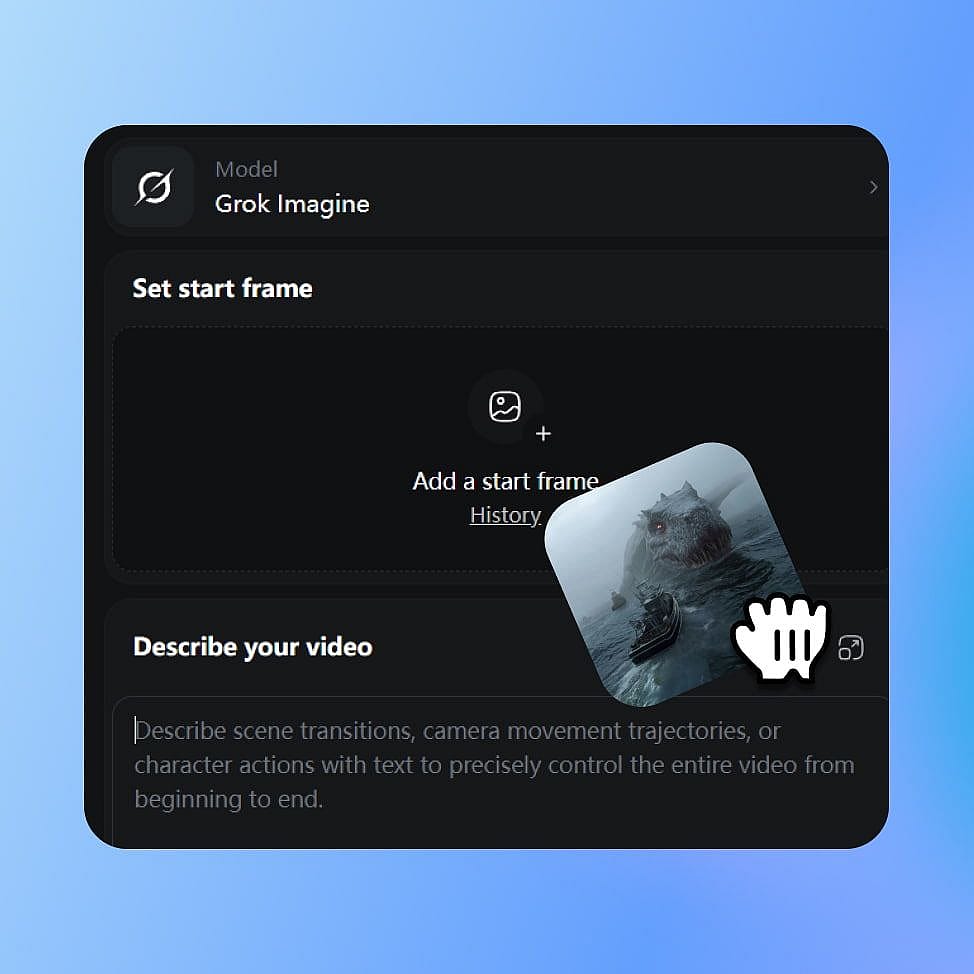
Elige Grok Imagine
Abre las herramientas de imagen o vídeo de OpenArt y selecciona Grok Imagine en el menú de modelos. Elige tu modo: crear una imagen, editar una o generar vídeo.
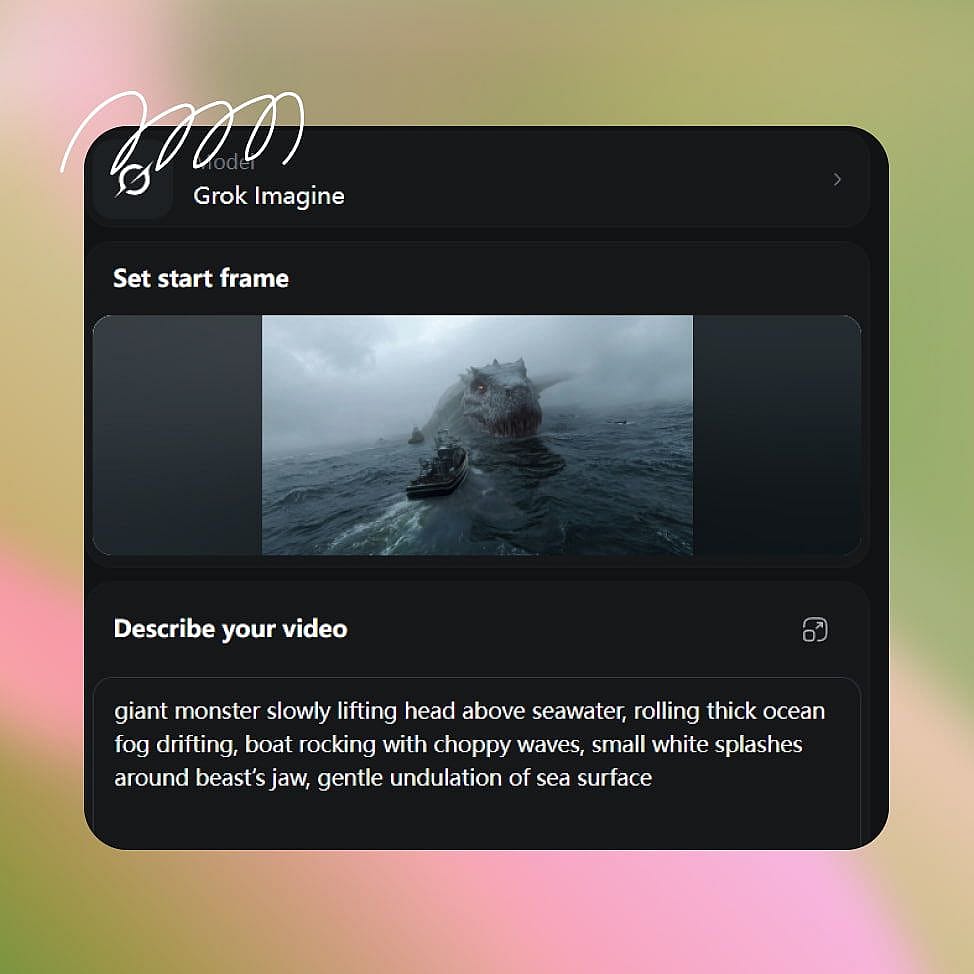
Escribe tu prompt
Describe tu sujeto, el estilo y los movimientos de cámara que quieras. Para imagen a vídeo, sube o genera un primer fotograma y añade imágenes de referencia cuando necesites más control.
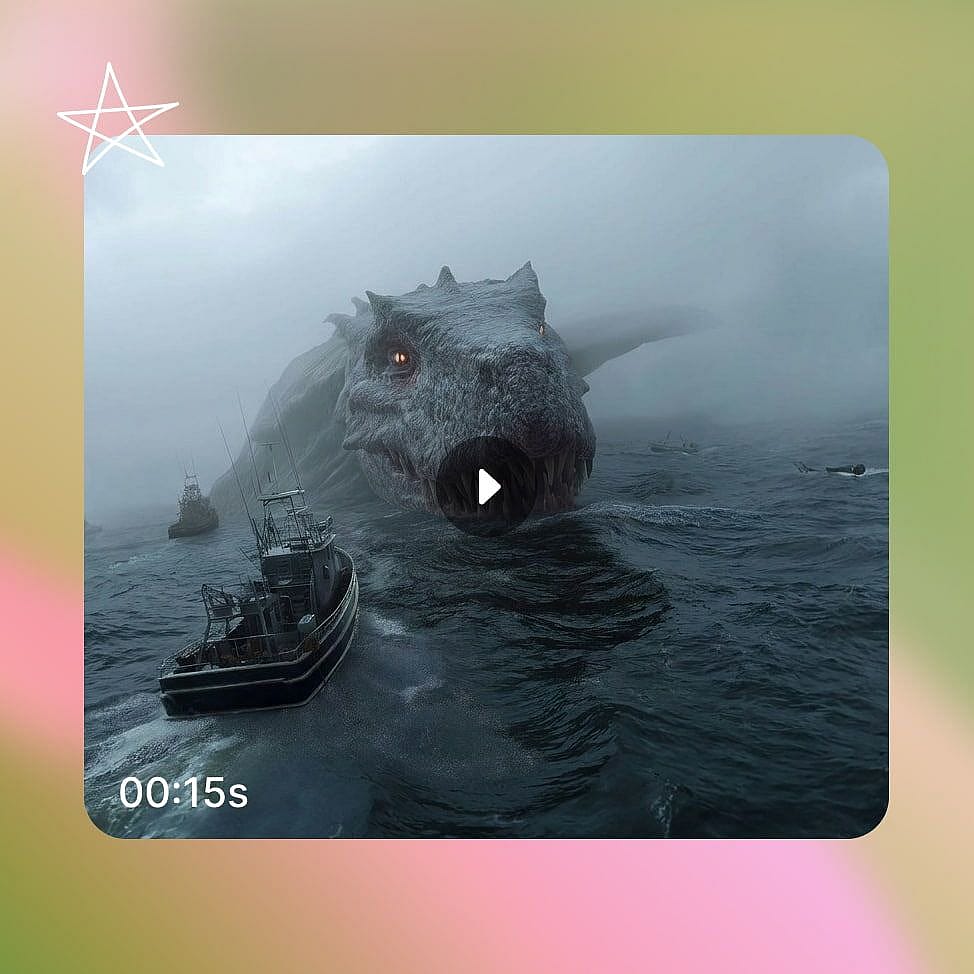
Crea y refina
Define tu relación de aspecto y resolución, y luego genera. Ajusta tu prompt o cambia una imagen de referencia y vuelve a generar para fijar el resultado.
Para quién está pensado Grok Imagine
Grok Imagine encaja con cualquiera que necesite tanto imágenes fijas como vídeos cortos, rápido y desde un solo modelo. Aquí es donde se aplica al trabajo real.
Creadores de redes sociales
Convierte una sola imagen en un clip vertical con audio sincronizado para TikTok, Reels y Shorts. La generación rápida te permite probar varios ganchos en el tiempo que lleva una edición tradicional, así puedes publicar más y descubrir qué funciona.
Pruébalo ahoraMarketers que trabajan con el Brand Kit
Kit de marca lleva tus colores, tipografías y normas de marca guardados a la producción de campañas. Usa Grok Imagine para cambiar un detalle de producto o el fondo que lo rodea sin regenerar toda la imagen, y luego redimensiona la misma creatividad para cada emplazamiento publicitario.
Pruébalo ahoraCineastas y narradores
Anima arte conceptual e imágenes fijas en planos cinematográficos con control de cámara y diálogo sincronizado. La conversión de imagen a vídeo conserva tu fotograma inicial, así que un storyboard o diseño de personaje pasa directamente a la escena.
Pruébalo ahoraPequeñas empresas y comercio electrónico
Crear fotos de producto y clips promocionales cortos sin necesidad de un estudio ni de un equipo de rodaje. Edita una sola foto de producto para convertirla en varias escenas y luego transforma la mejor en una demo con sonido, para que puedas promocionar un lanzamiento por tu cuenta.
Pruébalo ahoraConsejos para obtener los mejores resultados
Adorado por los creadores
He probado muchas plataformas de IA... pero OpenArt sigue siendo la mejor para crear personajes, por la calidad de imagen a vídeo y por la variedad de modelos disponibles.
OpenArt ofrece una excelente variedad de herramientas de IA... una vez que aprendes las funciones, las posibilidades creativas son increíbles, y su equipo de soporte es excepcional.
OpenArt es una plataforma de IA muy versátil con muchos modelos de imagen y vídeo, creación de personajes consistentes y potentes herramientas de edición.
Herramientas útiles de IA en un solo lugar: generación de imágenes y vídeo, edición y mucho más... sin necesidad de varias suscripciones.
El servicio de atención al cliente siempre es rápido y útil... y la plataforma no deja de mejorar con nuevas funciones y herramientas.
He probado muchas plataformas de IA... pero OpenArt sigue siendo la mejor para crear personajes, por la calidad de imagen a vídeo y por la variedad de modelos disponibles.
OpenArt ofrece una excelente variedad de herramientas de IA... una vez que aprendes las funciones, las posibilidades creativas son increíbles, y su equipo de soporte es excepcional.
OpenArt es una plataforma de IA muy versátil con muchos modelos de imagen y vídeo, creación de personajes consistentes y potentes herramientas de edición.
Herramientas útiles de IA en un solo lugar: generación de imágenes y vídeo, edición y mucho más... sin necesidad de varias suscripciones.
El servicio de atención al cliente siempre es rápido y útil... y la plataforma no deja de mejorar con nuevas funciones y herramientas.
He probado muchas plataformas de IA... pero OpenArt sigue siendo la mejor para crear personajes, por la calidad de imagen a vídeo y por la variedad de modelos disponibles.
OpenArt ofrece una excelente variedad de herramientas de IA... una vez que aprendes las funciones, las posibilidades creativas son increíbles, y su equipo de soporte es excepcional.
OpenArt es una plataforma de IA muy versátil con muchos modelos de imagen y vídeo, creación de personajes consistentes y potentes herramientas de edición.
Herramientas útiles de IA en un solo lugar: generación de imágenes y vídeo, edición y mucho más... sin necesidad de varias suscripciones.
El servicio de atención al cliente siempre es rápido y útil... y la plataforma no deja de mejorar con nuevas funciones y herramientas.
Con tantas plataformas de IA por ahí, OpenArt destacó como una opción excelente; se la recomendaría a cualquier creador.
Esta plataforma incluye todo lo que necesitas para crear contenido con IA: imágenes, vídeo, personajes, audio y múltiples modelos de IA en un solo lugar.
OpenArt está superando los límites de la creación de vídeo con IA... y está claro que el equipo se compromete a mejorar la experiencia de los creadores.
Hice mi primer videoclip musical con IA con OpenArt... y su equipo de soporte fue la mejor ayuda que he tenido nunca.
Estoy muy contento con el soporte: mi problema se resolvió rápido y el equipo hizo que todo fuera fácil.
Con tantas plataformas de IA por ahí, OpenArt destacó como una opción excelente; se la recomendaría a cualquier creador.
Esta plataforma incluye todo lo que necesitas para crear contenido con IA: imágenes, vídeo, personajes, audio y múltiples modelos de IA en un solo lugar.
OpenArt está superando los límites de la creación de vídeo con IA... y está claro que el equipo se compromete a mejorar la experiencia de los creadores.
Hice mi primer videoclip musical con IA con OpenArt... y su equipo de soporte fue la mejor ayuda que he tenido nunca.
Estoy muy contento con el soporte: mi problema se resolvió rápido y el equipo hizo que todo fuera fácil.
Con tantas plataformas de IA por ahí, OpenArt destacó como una opción excelente; se la recomendaría a cualquier creador.
Esta plataforma incluye todo lo que necesitas para crear contenido con IA: imágenes, vídeo, personajes, audio y múltiples modelos de IA en un solo lugar.
OpenArt está superando los límites de la creación de vídeo con IA... y está claro que el equipo se compromete a mejorar la experiencia de los creadores.
Hice mi primer videoclip musical con IA con OpenArt... y su equipo de soporte fue la mejor ayuda que he tenido nunca.
Estoy muy contento con el soporte: mi problema se resolvió rápido y el equipo hizo que todo fuera fácil.
Preguntas frecuentes Preguntas
Image 2.0 añade edición de imagen dirigida a Grok Imagine. Puedes seleccionar regiones, eliminar fondos, combinar referencias y redimensionar composiciones dentro de OpenArt. Estos controles te permiten retocar un resultado existente en lugar de generarlo de nuevo.
Grok Imagine puede crear imágenes a partir de texto, editar imágenes con referencias, animar una imagen fija, crear vídeo directamente desde texto y construir un vídeo a partir de múltiples referencias visuales.
Grok Imagine puede animar una imagen existente manteniendo su sujeto, composición, iluminación y dirección visual. Grok Imagine 1.5 admite imagen a vídeo en 1080p nativo y clips de hasta 15 segundos.
Sí. Grok Imagine admite imágenes de referencia tanto para edición como para creación de vídeo. Con Grok Imagine 1.5 reference-to-video, puedes usar hasta 7 imágenes para guiar a las personas, los productos, el escenario, la ropa, la composición o el estilo de una toma.
Grok Imagine está disponible en las herramientas de imagen y vídeo de OpenArt. Selecciónalo en el menú de modelos y luego elige si quieres crear una imagen, editar un visual existente o crear un vídeo.
Grok Imagine es el modelo de xAI para crear y editar imágenes y convertir texto o imágenes en vídeos cortos con sonido. En OpenArt, puedes usarlo tanto en flujos de imagen como de vídeo.
Hasta cinco. OpenArt las usa para guiar detalles como el estilo, la forma del producto o el parecido de una persona. Con más referencias tienes un control más preciso sobre una edición compleja que con una sola imagen.
Sí. Grok Imagine crea diálogos, sonido ambiente y efectos junto con el vídeo. Grok Imagine 1.5 también admite una referencia de audio opcional en el modo referencia a vídeo.
Grok Imagine entiende indicaciones de cámara como zoom, panorámica, inclinación, acercamiento y movimiento en mano a partir de la descripción, lo que te da más control sobre cómo se desarrolla el plano.
xAI reforzó la moderación de Grok Imagine tras las denuncias de finales de 2025 de que se estaba usando para generar ediciones sexualizadas sin consentimiento, y desde entonces algunos usuarios de Reddit sostienen que los filtros ahora bloquean prompts rutinarios y con ropa junto con el contenido que debían frenar. Los resultados pueden variar según la petición, ya que xAI sigue ajustando esto. Si Grok Imagine rechaza o malinterpreta un prompt, puedes cambiar a otro de los modelos de imagen de OpenArt dentro de la misma biblioteca.
Crea sin límites
Únete a miles de creadores que usan OpenArt para generar imágenes, vídeos y mucho más impresionantes, todo en una sola plataforma.
Empieza gratis →