

GPT Image 2: generador de imágenes con IA
Genera imágenes de alta calidad con texto casi perfecto, detalles coherentes y una velocidad de iteración hasta 4 veces más rápida con GPT Image 2 en OpenArt.

Creaciones de la comunidad
Descubre cómo los creadores generan creatividades publicitarias, maquetas de UI y visuales de producto con texto legible, diseños estructurados y funciones consistentes.
Características principales de GPT Image 2
El último modelo de imagen de OpenAI ya está disponible en OpenArt, ofreciéndote generaciones rápidas y edición ágil basada en instrucciones.
Renderizado de texto casi perfecto
GPT Image 2.0 generates visuals with text that doesn’t mutate or break unlike in other AI image models. In fact, this AI model achieves ~99% text rendering accuracy in common scenarios. This makes GPT Image 2.0 highly effective for advertising, product marketing, branded content, and UI/UX design. Moreover, this means that you save time and effort on post-generation edits or iterations, and even if they are required, GPT Image 2.0 is amazingly precise and consistent with editing images based on your prompts.
Pruébalo ahoraGeneración e iteración hasta 4× más rápidas
Las generaciones estándar con GPT Image 2.0 son hasta 4 veces más rápidas que su predecesor, GPT Image 1.5. Esto te permite generar imágenes mucho más rápido. Lo mejor es que una mayor velocidad no significa perder calidad: en realidad, GPT Image 2.0 ofrece a la vez mayor calidad y mayor velocidad que los modelos de imagen anteriores. Su mayor velocidad también se nota en la edición de imágenes, donde hacer cambios en imágenes ya generadas solo lleva unos segundos.
Pruébalo ahoraEdición de precisión sin regenerar
Older AI image models used to regenerate major parts of the image or alter some features when applying edits. With GPT Image 2.0, that problem doesn’t exist anymore. OpenArt offers region selection when editing images so you can make highly accurate edits when you make changes on our platform. You can precisely change the color of some hair streaks, or change the buttons on a shirt, simply by highlighting those areas and explaining your desired changes in the text prompts. This enables multi-step edits without quality degradation.
Pruébalo ahoraCómo usar GPT Image 2
Genera o edita imágenes con GPT Image 2.0 en OpenArt en tres sencillos pasos.
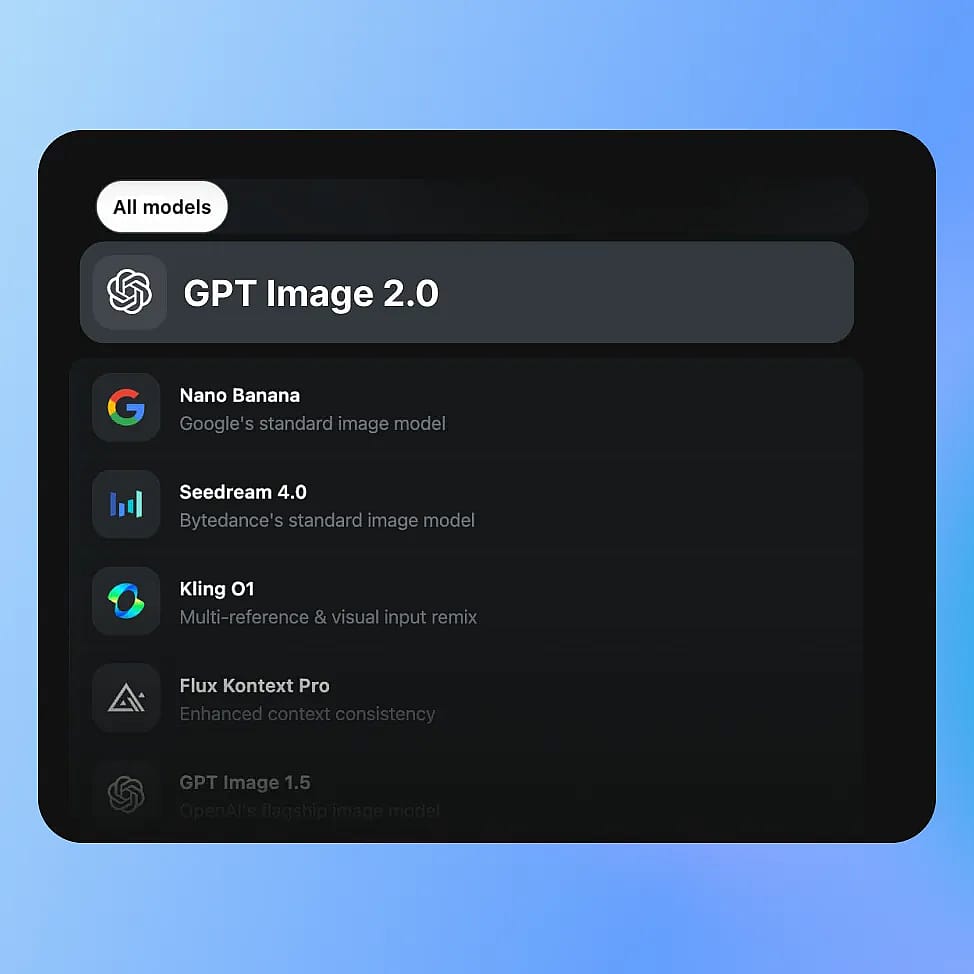
Elige tu modelo
Ve a las herramientas de imagen de OpenArt y selecciona tu modo: Crear imagen, Editar imagen o Variaciones de imagen, y luego elige GPT Image 2.0 entre los modelos disponibles.
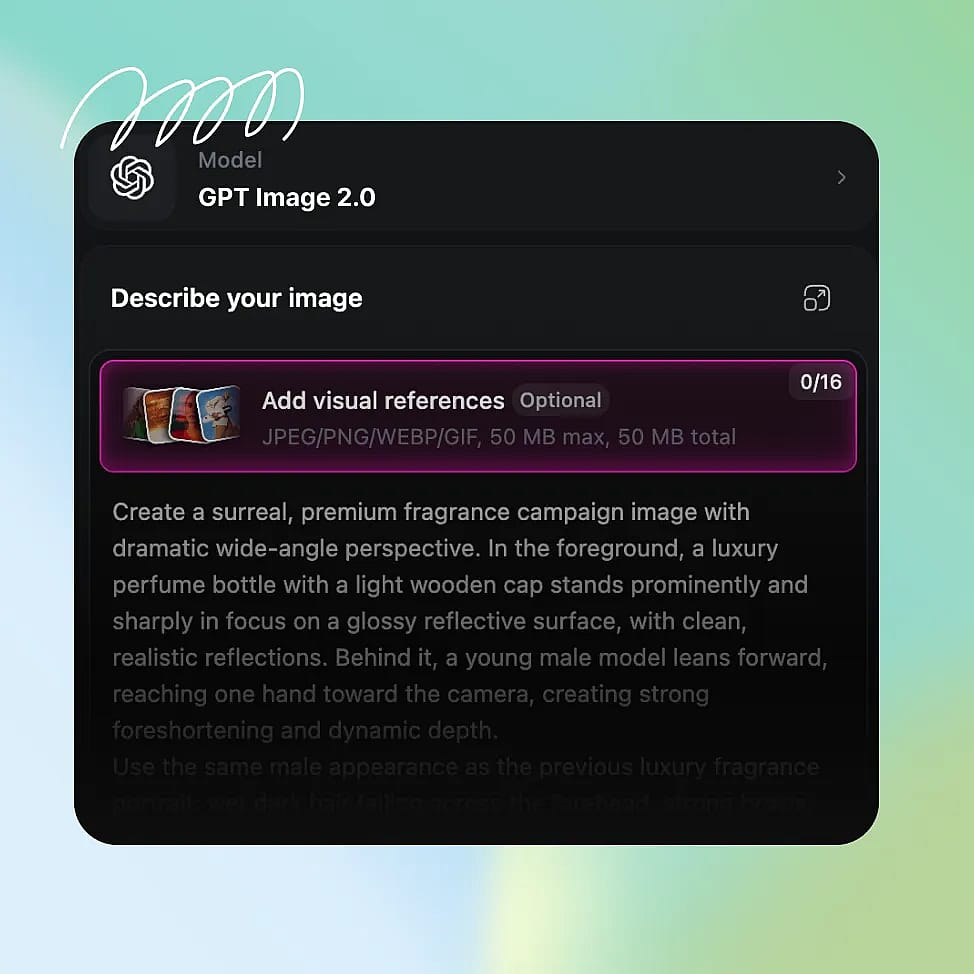
Escribe tu prompt
Describe tu imagen con detalles claros: sujeto, composición, iluminación y cualquier texto o elemento de maquetación que quieras incluir. También puedes subir imágenes de referencia para tener más control.
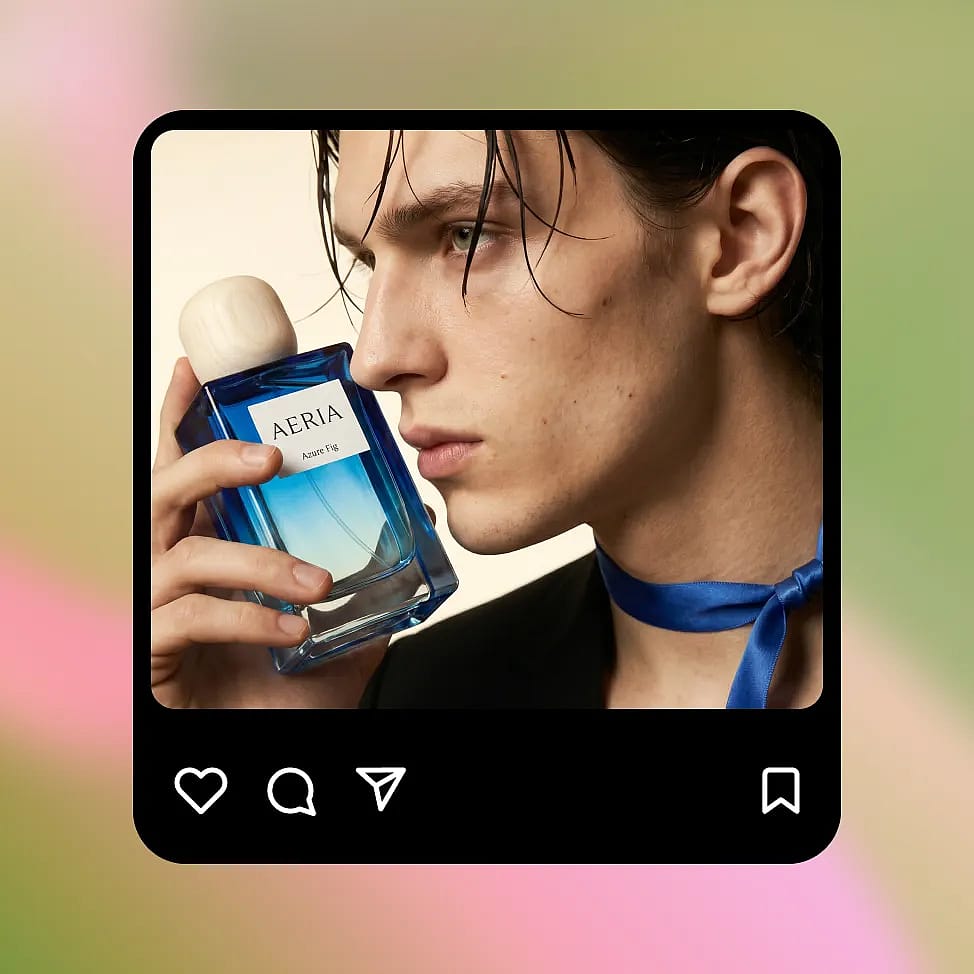
Genera e itera
Selecciona tu resolución y relación de aspecto, y luego genera tu imagen. Usa ediciones específicas o pequeños ajustes en el prompt para refinar el resultado sin perder coherencia.
GPT Image 2 está diseñado para darte resultados de la máxima calidad: más rápido y más barato
Crea recursos visuales de marketing, imágenes de producto, mockups de UX y ediciones divertidas con texto preciso, coherencia visual e iteraciones rápidas y controladas.
Creatividades de marketing con copy real
Create ad banners and social posts that already include usable text instead of placeholder gibberish. You can ask for a clear headline, short supporting line, and a button, and the model places them in a logical order. For example, a simple product ad can include a readable headline at the top, a product image in the center, and a call-to-action at the bottom. If you want to test variations, you can change only the headline or button text and keep everything else the same. This makes it easy to create multiple versions of the same ad without rebuilding the layout each time.
Pruébalo ahoraEdiciones personales y transformaciones divertidas
GPT Image 2.0 also works great for more casual, creative use like transforming selfies or generating stylized edits. You can upload a photo and ask for changes like a new background, different lighting, or a themed look, and the model will keep your face and key details consistent. For example, you can turn a normal selfie into a cinematic portrait, a studio-style headshot, or place yourself in a completely different setting. You can also experiment with celebrity-style edits or visual mashups while keeping the image coherent. Because edits are targeted, you can keep refining the same image instead of starting over each time.
Pruébalo ahoraImágenes de marketing de producto a gran escala
You can create product images in different settings while keeping the product itself consistent. Start with a clean studio shot, then place the same product in a kitchen, outdoors, or in a lifestyle scene. The shape, color, and branding stay stable across changes, so the product does not get distorted as you iterate. This is useful when you need multiple images for a product page or campaign but do not want to organize a full photoshoot. You can also test different lighting or backgrounds quickly, and keep refining the same image instead of generating a completely new one each time.
Pruébalo ahoraPantallas de UI/UX e imágenes estructuradas
GPT Image 2.0 can generate simple app screens and layouts with readable labels and clear structure. If you describe a screen with a title at the top, content in the middle, and a button at the bottom, the model follows that layout instead of placing elements randomly. Text like “Balance” or “Send Money” appears clearly and in the right place. You can then update specific parts, like changing button text or adding a new section, without affecting the rest of the screen. This makes it useful for quickly visualizing ideas before moving into a proper design tool.
Pruébalo ahoraPreguntas frecuentes Preguntas
Los modelos GPT Image ofrecen una generación de imágenes hasta 4 veces más rápida, con una eficiencia aún mayor en las ediciones, ya que solo se regeneran las zonas modificadas.
Sí. GPT Image 2.0 muestra mejoras notables en fotorrealismo, precisión de la iluminación y coherencia del detalle en comparación con versiones anteriores.
GPT Image 2.0 combina generación rápida, edición precisa, renderizado de texto exacto y resultados conscientes del diseño, lo que lo hace más adecuado para flujos de trabajo creativos reales que los modelos tradicionales basados en difusión.
GPT Image 2.0 mejora notablemente la representación del texto, alcanzando una precisión casi perfecta (~99%) en muchos casos habituales, como etiquetas de interfaz y textos publicitarios.
Sí. Gestiona escenas con varios objetos y diseños estructurados con más fiabilidad, manteniendo las relaciones entre elementos y reduciendo los errores de generación habituales.
Consejos para obtener los mejores resultados con GPT Image 2
Descubre más en nuestro blog
Consigue la información que necesitas. Nuestros expertos comparten trucos prácticos, analizan los temas más candentes y ofrecen guías esenciales para ayudarte a crear, optimizar y escalar.
Cómo crear influencers de IA que se hagan virales en redes sociales
Aprende a crear influencers con IA para redes sociales, aplica la estrategia de medios adecuada para crecer rápido y monetiza con contenido escalable.
No te cases con un modelo: por qué merece la pena una práctica creativa multimodelo
Están saliendo modelos nuevos, los antiguos evolucionan y el panorama se reescribe sin parar. En un momento así, las prácticas creativas más gratificantes son las que se construyen sobre la flexibilidad y no sobre el compromiso con una sola herramienta.
Cómo comprobar si las imágenes y vídeos de IA infringen derechos de autor
Aprende a evitar riesgos de derechos de autor en contenido generado por IA y comprueba posibles problemas de propiedad intelectual antes de usarlo comercialmente.
Adorado por los creadores
He probado muchas plataformas de IA... pero OpenArt sigue siendo la mejor para crear personajes, por la calidad de imagen a vídeo y por la variedad de modelos disponibles.
OpenArt ofrece una excelente variedad de herramientas de IA... una vez que aprendes las funciones, las posibilidades creativas son increíbles, y su equipo de soporte es excepcional.
OpenArt es una plataforma de IA muy versátil con muchos modelos de imagen y vídeo, creación de personajes consistentes y potentes herramientas de edición.
Herramientas útiles de IA en un solo lugar: generación de imágenes y vídeo, edición y mucho más... sin necesidad de varias suscripciones.
El servicio de atención al cliente siempre es rápido y útil... y la plataforma no deja de mejorar con nuevas funciones y herramientas.
He probado muchas plataformas de IA... pero OpenArt sigue siendo la mejor para crear personajes, por la calidad de imagen a vídeo y por la variedad de modelos disponibles.
OpenArt ofrece una excelente variedad de herramientas de IA... una vez que aprendes las funciones, las posibilidades creativas son increíbles, y su equipo de soporte es excepcional.
OpenArt es una plataforma de IA muy versátil con muchos modelos de imagen y vídeo, creación de personajes consistentes y potentes herramientas de edición.
Herramientas útiles de IA en un solo lugar: generación de imágenes y vídeo, edición y mucho más... sin necesidad de varias suscripciones.
El servicio de atención al cliente siempre es rápido y útil... y la plataforma no deja de mejorar con nuevas funciones y herramientas.
He probado muchas plataformas de IA... pero OpenArt sigue siendo la mejor para crear personajes, por la calidad de imagen a vídeo y por la variedad de modelos disponibles.
OpenArt ofrece una excelente variedad de herramientas de IA... una vez que aprendes las funciones, las posibilidades creativas son increíbles, y su equipo de soporte es excepcional.
OpenArt es una plataforma de IA muy versátil con muchos modelos de imagen y vídeo, creación de personajes consistentes y potentes herramientas de edición.
Herramientas útiles de IA en un solo lugar: generación de imágenes y vídeo, edición y mucho más... sin necesidad de varias suscripciones.
El servicio de atención al cliente siempre es rápido y útil... y la plataforma no deja de mejorar con nuevas funciones y herramientas.
Con tantas plataformas de IA por ahí, OpenArt destacó como una opción excelente; se la recomendaría a cualquier creador.
Esta plataforma incluye todo lo que necesitas para crear contenido con IA: imágenes, vídeo, personajes, audio y múltiples modelos de IA en un solo lugar.
OpenArt está superando los límites de la creación de vídeo con IA... y está claro que el equipo se compromete a mejorar la experiencia de los creadores.
Hice mi primer videoclip musical con IA con OpenArt... y su equipo de soporte fue la mejor ayuda que he tenido nunca.
Estoy muy contento con el soporte: mi problema se resolvió rápido y el equipo hizo que todo fuera fácil.
Con tantas plataformas de IA por ahí, OpenArt destacó como una opción excelente; se la recomendaría a cualquier creador.
Esta plataforma incluye todo lo que necesitas para crear contenido con IA: imágenes, vídeo, personajes, audio y múltiples modelos de IA en un solo lugar.
OpenArt está superando los límites de la creación de vídeo con IA... y está claro que el equipo se compromete a mejorar la experiencia de los creadores.
Hice mi primer videoclip musical con IA con OpenArt... y su equipo de soporte fue la mejor ayuda que he tenido nunca.
Estoy muy contento con el soporte: mi problema se resolvió rápido y el equipo hizo que todo fuera fácil.
Con tantas plataformas de IA por ahí, OpenArt destacó como una opción excelente; se la recomendaría a cualquier creador.
Esta plataforma incluye todo lo que necesitas para crear contenido con IA: imágenes, vídeo, personajes, audio y múltiples modelos de IA en un solo lugar.
OpenArt está superando los límites de la creación de vídeo con IA... y está claro que el equipo se compromete a mejorar la experiencia de los creadores.
Hice mi primer videoclip musical con IA con OpenArt... y su equipo de soporte fue la mejor ayuda que he tenido nunca.
Estoy muy contento con el soporte: mi problema se resolvió rápido y el equipo hizo que todo fuera fácil.
Crea sin límites
Únete a miles de creadores que usan OpenArt para generar imágenes, vídeos y mucho más impresionantes, todo en una sola plataforma.
Empieza gratis →