

Generador de vídeos con IA HappyHorse
Crea vídeos cinematográficos con audio sincronizado, movimiento realista y generación rápida usando HappyHorse AI en OpenArt.

Creaciones de la comunidad
Descubre cómo los creadores generan escenas cinematográficas, avatares que hablan y vídeos de producto con movimiento fluido, audio natural e imágenes consistentes.
Características clave del generador de vídeo con IA HappyHorse
HappyHorse es un modelo de vídeo con IA de nueva generación disponible en OpenArt, diseñado para generar escenas completas con movimiento, sonido y ritmo en una sola pasada.
Generación nativa de audio + vídeo
HappyHorse generates visuals and audio together instead of treating them as separate steps. Dialogue, sound effects, and motion are created in sync, which means lip movements match speech naturally and scenes feel cohesive without extra editing. For example, a talking character will not just move their lips randomly; the timing aligns with the generated voice. This removes the need for external voiceover tools or manual syncing, making it possible to create complete video clips directly from a single prompt.
Pruébalo ahoraGeneración de vídeo a alta velocidad
HappyHorse AI significantly reduces generation time compared to traditional video models. Short clips can be generated in seconds, and even high-quality videos render quickly enough to support rapid iteration. This allows you to test multiple ideas without waiting through long processing times. Instead of committing to one version, you can explore variations of the same scene, adjust motion or pacing, and refine outputs quickly. The speed makes it practical for workflows where multiple drafts are needed in a short time.
Pruébalo ahoraMovimiento realista y coherencia temporal
Uno de los mayores retos del vídeo con IA es mantener la coherencia entre fotogramas. HappyHorse produce movimiento fluido en el que personajes, objetos y movimientos de cámara se mantienen estables en el tiempo. El pelo, la tela y los elementos del entorno se mueven de forma natural, sin parpadeos ni distorsiones. Acciones de cámara como paneos, zooms o acercamientos lentos se sienten continuas en lugar de cosidas entre sí. Esto hace que las escenas parezcan metraje real en vez de una secuencia de fotogramas mal enlazados.
Pruébalo ahoraCómo usar el generador de vídeo con IA HappyHorse
Genera vídeos completos con movimiento y sonido en un flujo de trabajo sencillo.
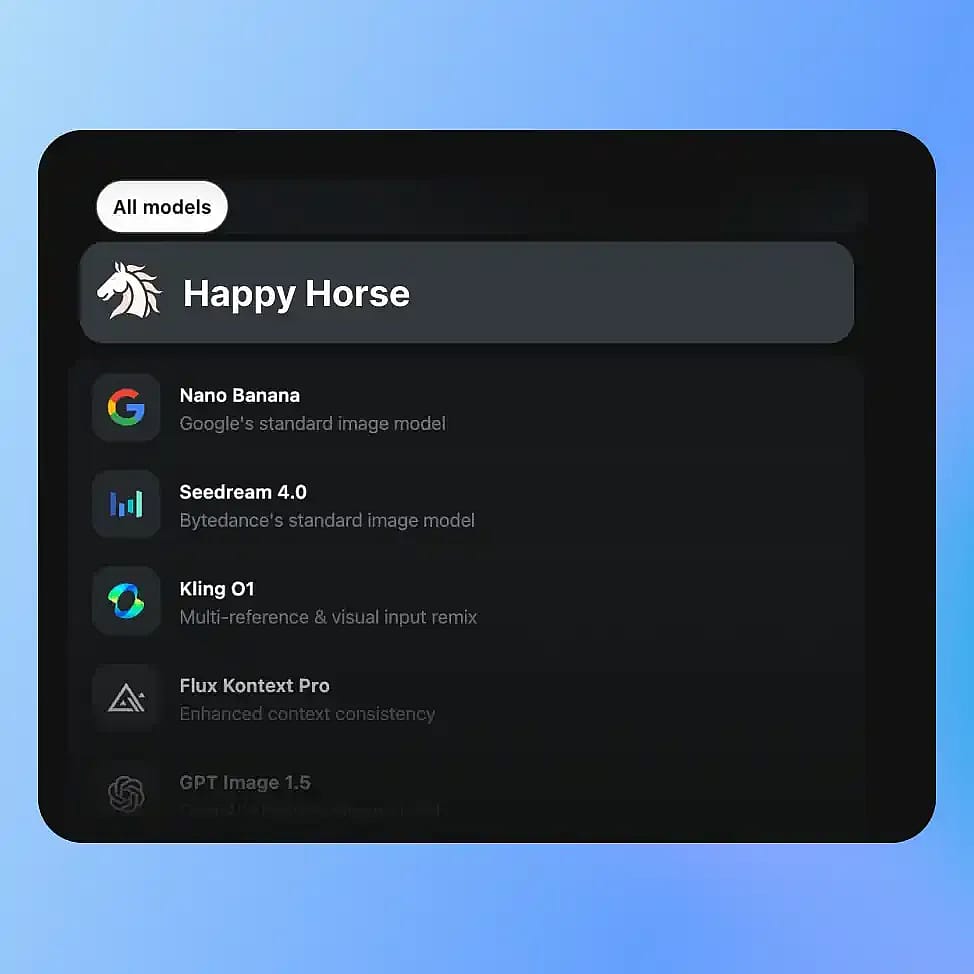
Elige tu modelo
Ve a las herramientas de vídeo de OpenArt y selecciona tu modo: Texto a vídeo o Imagen a vídeo, y luego elige HappyHorse entre los modelos disponibles.
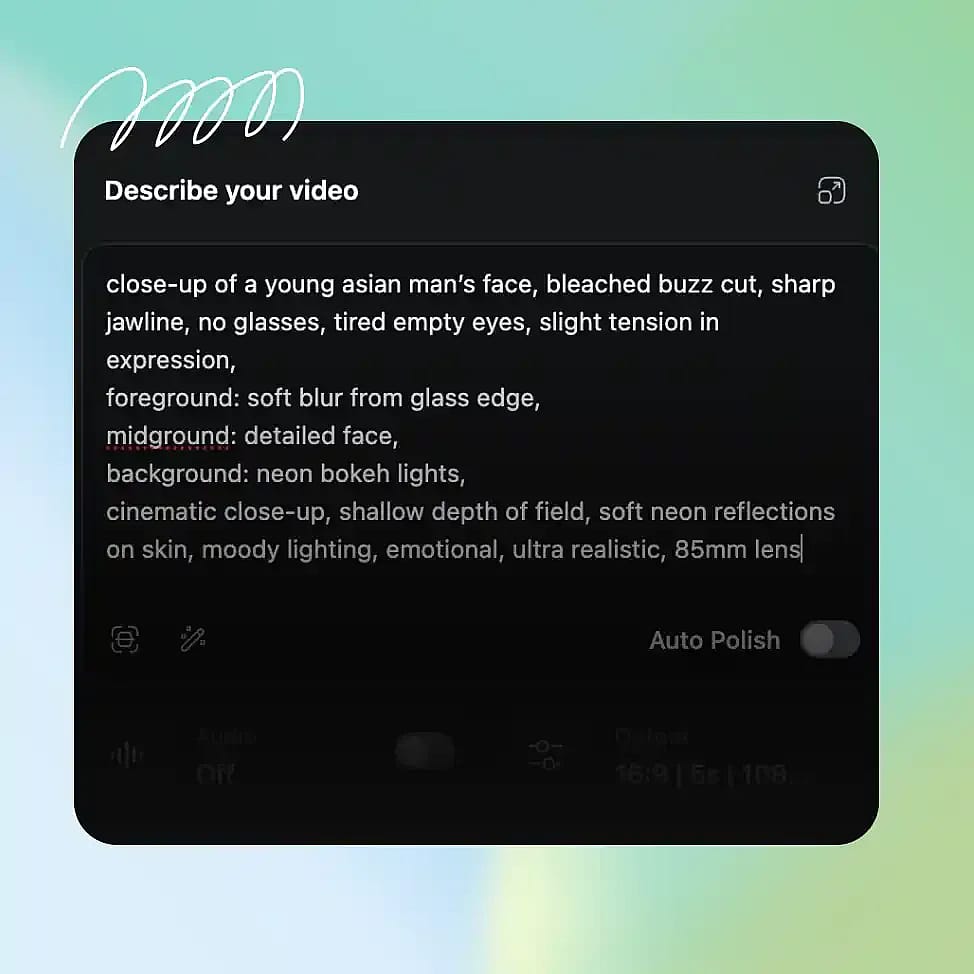
Describe tu escena
Escribe un prompt claro que describa el sujeto, el entorno, el movimiento y cualquier diálogo o sonido. Puedes incluir detalles como el movimiento de cámara o el ambiente para guiar el resultado.
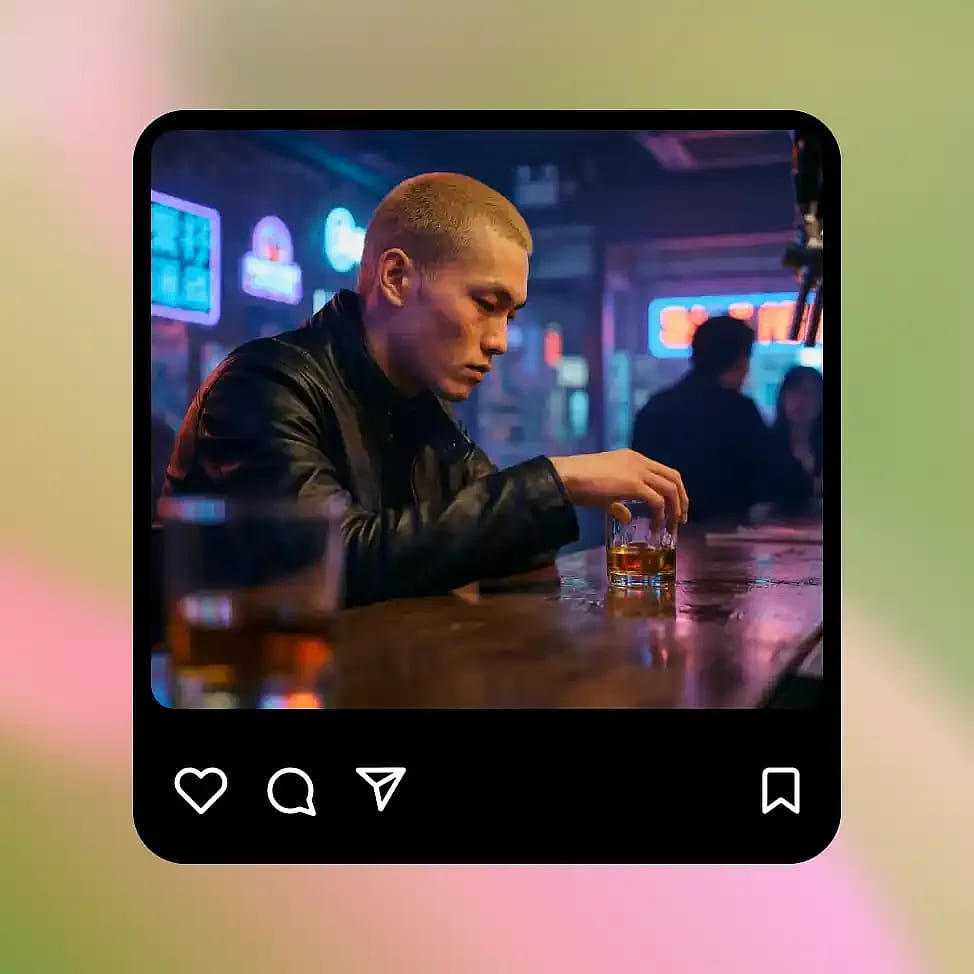
Genera y perfecciona
Genera tu vídeo y revisa el movimiento, el ritmo y el audio. Ajusta el prompt para refinar elementos concretos como el ritmo, el movimiento de cámara o la composición de la escena.
HappyHorse está hecho para la creación de vídeo cinematográfico: más rápido y más completo
Crea escenas de historias, vídeos hablados, animaciones de producto y conceptos visuales con audio sincronizado, movimiento realista e iteración rápida.
Generación de escenas realistas y cinematográficas
HappyHorse is especially strong at generating short cinematic sequences with clear direction and movement. You can describe a scene like a character walking through a city at night with a slow camera push, and the model will produce motion that feels continuous and intentional. Lighting, camera movement, and pacing work together instead of feeling random. This makes it useful for creating short films, story moments, or visual narratives without needing traditional video production tools or editing timelines.
Pruébalo ahoraPersonajes y avatares que hablan
You can generate videos of characters speaking with synchronized lip movement and matching audio. Instead of adding voice separately, HappyHorse produces speech and facial motion together, so the result feels more natural. This works well for explainer videos, presentations, or simple talking avatars. You can control tone and pacing through your prompt, and refine the output by adjusting dialogue or delivery style. Because everything is generated together, the final video does not require extra syncing or post-processing.
Pruébalo ahoraAnimación de imagen a vídeo
HappyHorse puede animar imágenes fijas o fotogramas convirtiéndolos en escenas en movimiento manteniendo una coherencia total del sujeto. Por ejemplo, puedes coger una imagen de producto o un retrato de personaje y convertirlo en un vídeo corto con movimiento, movimiento de cámara y efectos ambientales. La estructura y la identidad originales se mantienen estables, así que el sujeto no se deforma ni se desvía entre fotogramas. Esto lo hace útil para transformar recursos estáticos en contenido atractivo sin tener que rehacerlos desde cero ni animarlos a mano.
Pruébalo ahoraContenido de vídeo de producto y para redes sociales
Puedes crear vídeos cortos de producto o clips para redes sociales describiendo la escena y el movimiento que deseas. Por ejemplo, un producto colocado sobre una mesa con luz suave y una rotación lenta puede generarse como un vídeo completo con la ambientación adecuada. Como la generación es rápida, puedes probar varios estilos, ángulos y ambientes sin largos ciclos de producción. Esto facilita producir contenido de vídeo coherente para campañas o plataformas sociales sin tener que grabar cada variación.
Pruébalo ahoraConsejos para obtener los mejores resultados

Describe el movimiento con claridad
Menciona cómo se mueven los sujetos o cómo se comporta la cámara para obtener resultados más controlados y realistas.

Incluir la intención de audio en los prompts
Describe diálogos o sonidos para que la imagen y el audio encajen de forma natural en el resultado.

Mantén las escenas centradas
Las escenas más sencillas con sujetos claros producen un movimiento más estable y coherente.
Itera con pequeños cambios
Ajusta un elemento cada vez, como el movimiento de cámara o el ritmo, para refinar los resultados sin alterar toda la escena.
Preguntas frecuentes Preguntas
HappyHorse genera vídeo y audio a la vez en una sola pasada, en lugar de tratarlos como pasos separados. Esto significa que los movimientos de los labios coinciden con el habla, los efectos de sonido se alinean con el movimiento y las escenas se sienten más naturales en general. La mayoría de los demás modelos requieren añadir el audio después o sincronizarlo manualmente. HappyHorse también se centra en un movimiento estable entre fotogramas, para que los personajes y objetos no parpadeen ni se desplacen de forma inesperada durante el vídeo.
Sí. Puedes generar personajes que hablan con movimiento de labios sincronizado y audio a juego. El modelo crea la voz y el movimiento facial a la vez, así que el resultado resulta más natural que en sistemas donde el audio se añade por separado. Esto es útil para vídeos explicativos, presentaciones breves o contenido sencillo protagonizado por personajes donde el tiempo y la expresión importan.
HappyHorse funciona mejor para escenas cinematográficas, avatares que hablan, vídeos de producto y clips para redes sociales. Es especialmente útil cuando quieres generar tanto los visuales como el audio a la vez, o cuando necesitas crear varias variaciones de vídeo rápidamente. También sirve para el desarrollo de conceptos en fases iniciales, cuando quieres visualizar ideas sin rodar ni editar.
Sí. Puedes describir acciones de cámara como zoom, panorámica o movimiento lento en tu prompt, y el modelo seguirá esas instrucciones. Esto facilita crear escenas que se sienten intencionadas en lugar de aleatorias, especialmente para narrativas o vídeos centrados en productos.
HappyHorse está diseñado para iterar rápido. Los clips cortos se generan en solo unos segundos, y los vídeos más largos o de mayor calidad se renderizan mucho más rápido que con los modelos de vídeo tradicionales. Esto te permite probar varias ideas rápidamente en lugar de esperar varios minutos por cada resultado. Como la generación es rápida, puedes refinar las escenas paso a paso y llegar a un resultado usable en mucho menos tiempo.
Sí. Puedes subir una imagen fija y convertirla en un vídeo corto con movimiento, desplazamientos de cámara y efectos ambientales. El modelo mantiene el sujeto coherente mientras añade movimiento, así que la imagen original no se distorsiona ni cambia de identidad. Funciona muy bien con imágenes de producto, retratos de personajes o cualquier visual estático que quieras hacer más dinámico.
No. Puedes generar vídeos completos con simples prompts de texto. Como el modelo se encarga del movimiento, el audio y el timing, no necesitas trabajar con líneas de tiempo, capas ni software de edición. Solo tienes que describir lo que quieres y perfeccionar el resultado ajustando tu prompt.
Ten claro qué está pasando en la escena. Menciona el sujeto, el entorno, el movimiento y cualquier audio o diálogo que quieras incluir. Mantener los prompts centrados y hacer pequeños cambios entre iteraciones ayuda a mantener la coherencia y mejora la calidad general.
Consigue consejos de expertos en el blog
Consigue la información que necesitas. Nuestros expertos comparten trucos prácticos, analizan los temas más candentes y ofrecen guías esenciales para ayudarte a crear, optimizar y escalar.
Leer más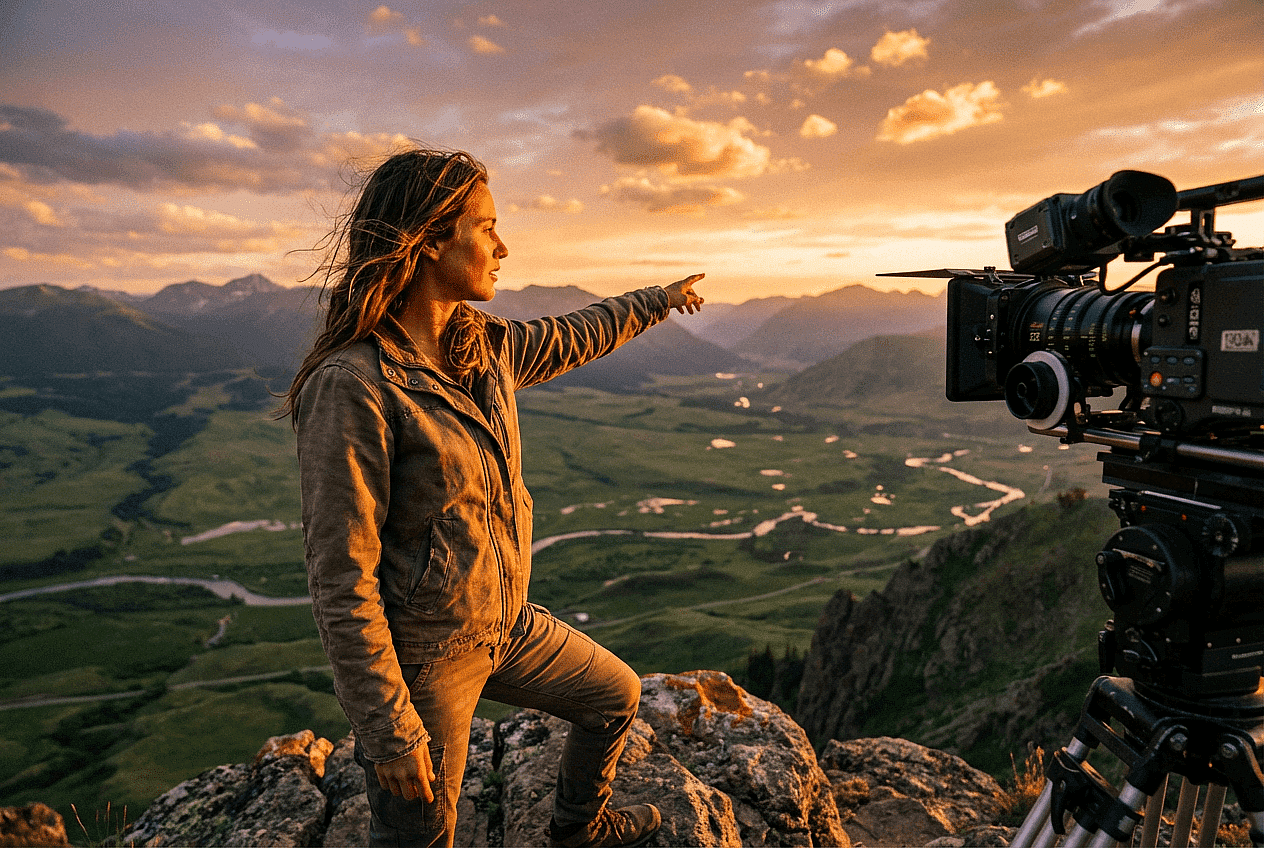
Adorado por los creadores
He probado muchas plataformas de IA... pero OpenArt sigue siendo la mejor para crear personajes, por la calidad de imagen a vídeo y por la variedad de modelos disponibles.
OpenArt ofrece una excelente variedad de herramientas de IA... una vez que aprendes las funciones, las posibilidades creativas son increíbles, y su equipo de soporte es excepcional.
OpenArt es una plataforma de IA muy versátil con muchos modelos de imagen y vídeo, creación de personajes consistentes y potentes herramientas de edición.
Herramientas útiles de IA en un solo lugar: generación de imágenes y vídeo, edición y mucho más... sin necesidad de varias suscripciones.
El servicio de atención al cliente siempre es rápido y útil... y la plataforma no deja de mejorar con nuevas funciones y herramientas.
He probado muchas plataformas de IA... pero OpenArt sigue siendo la mejor para crear personajes, por la calidad de imagen a vídeo y por la variedad de modelos disponibles.
OpenArt ofrece una excelente variedad de herramientas de IA... una vez que aprendes las funciones, las posibilidades creativas son increíbles, y su equipo de soporte es excepcional.
OpenArt es una plataforma de IA muy versátil con muchos modelos de imagen y vídeo, creación de personajes consistentes y potentes herramientas de edición.
Herramientas útiles de IA en un solo lugar: generación de imágenes y vídeo, edición y mucho más... sin necesidad de varias suscripciones.
El servicio de atención al cliente siempre es rápido y útil... y la plataforma no deja de mejorar con nuevas funciones y herramientas.
He probado muchas plataformas de IA... pero OpenArt sigue siendo la mejor para crear personajes, por la calidad de imagen a vídeo y por la variedad de modelos disponibles.
OpenArt ofrece una excelente variedad de herramientas de IA... una vez que aprendes las funciones, las posibilidades creativas son increíbles, y su equipo de soporte es excepcional.
OpenArt es una plataforma de IA muy versátil con muchos modelos de imagen y vídeo, creación de personajes consistentes y potentes herramientas de edición.
Herramientas útiles de IA en un solo lugar: generación de imágenes y vídeo, edición y mucho más... sin necesidad de varias suscripciones.
El servicio de atención al cliente siempre es rápido y útil... y la plataforma no deja de mejorar con nuevas funciones y herramientas.
Con tantas plataformas de IA por ahí, OpenArt destacó como una opción excelente; se la recomendaría a cualquier creador.
Esta plataforma incluye todo lo que necesitas para crear contenido con IA: imágenes, vídeo, personajes, audio y múltiples modelos de IA en un solo lugar.
OpenArt está superando los límites de la creación de vídeo con IA... y está claro que el equipo se compromete a mejorar la experiencia de los creadores.
Hice mi primer videoclip musical con IA con OpenArt... y su equipo de soporte fue la mejor ayuda que he tenido nunca.
Estoy muy contento con el soporte: mi problema se resolvió rápido y el equipo hizo que todo fuera fácil.
Con tantas plataformas de IA por ahí, OpenArt destacó como una opción excelente; se la recomendaría a cualquier creador.
Esta plataforma incluye todo lo que necesitas para crear contenido con IA: imágenes, vídeo, personajes, audio y múltiples modelos de IA en un solo lugar.
OpenArt está superando los límites de la creación de vídeo con IA... y está claro que el equipo se compromete a mejorar la experiencia de los creadores.
Hice mi primer videoclip musical con IA con OpenArt... y su equipo de soporte fue la mejor ayuda que he tenido nunca.
Estoy muy contento con el soporte: mi problema se resolvió rápido y el equipo hizo que todo fuera fácil.
Con tantas plataformas de IA por ahí, OpenArt destacó como una opción excelente; se la recomendaría a cualquier creador.
Esta plataforma incluye todo lo que necesitas para crear contenido con IA: imágenes, vídeo, personajes, audio y múltiples modelos de IA en un solo lugar.
OpenArt está superando los límites de la creación de vídeo con IA... y está claro que el equipo se compromete a mejorar la experiencia de los creadores.
Hice mi primer videoclip musical con IA con OpenArt... y su equipo de soporte fue la mejor ayuda que he tenido nunca.
Estoy muy contento con el soporte: mi problema se resolvió rápido y el equipo hizo que todo fuera fácil.
Crea sin límites
Únete a miles de creadores que usan OpenArt para generar imágenes, vídeos y mucho más impresionantes, todo en una sola plataforma.
Empieza gratis →