

AI動画インペインティング
AI 動画インペインティングは、マスクした部分を守りながら動画を変換します。残したい部分を塗り、変えたい部分をプロンプトで指定すれば、AI がすべてのフレームを処理。Beeble の SwitchX を搭載した OpenArt VFX の一機能です。
AI動画インペイントのメリット



フレーム単位のコントロール
残したい部分にマスクを塗り、プロンプトを書けば、AIがマスクの外側をすべてのフレームで変換します。



見事なオブジェクトの一貫性
マスクした部分はすべて、撮影したそのまま、1フレームずつ保持されます。
コンポジターもパイプラインも不要
NukeやAfter Effectsを使わずに、ブラウザから数分でコンポジター級の変形が可能です。
コミュニティの作品
クリエイターがAI Video Inpaintingで小道具を入れ替えたり、衣装を変えたり、シーン要素を差し替える様子をご覧ください。
フレーム単位のコントロール。マスクした部分はそのまま維持されます。
残したい部分にマスクを塗り、プロンプトを書けば、マスクの外側すべてが全フレームにわたって変化します。
残すものを塗る。あとはすべて変える。
VFXモードならフレーム単位で制御できます。最初のフレームで、残したい部分(顔、小道具、演者など)にマスクをブラシで塗りましょう。AIがその領域を全フレームにわたって追跡し、それ以外をすべて変換しながら、保護した部分の色、ライティング、動きを保ちます。
パフォーマンスはそのまま。世界だけを変える。
アクターをマスクして、周囲の環境だけを変化させましょう。手に持った小道具を保護しながら、背景を新しいものに。衣装の一部をロックして、ショットの残りをリスタイル。より的確なディレクションには参照画像を追加してください。
保護した領域以外のすべてを変換。
AI動画インペインティングは、単一オブジェクトのスワップでは対応しきれない広範な変更を処理します。保護された被写体の周りのシーン全体をスタイル変更したり、演者を新しい環境に配置したり、マスク領域を撮影時のまま保ちつつ背景全体を切り替えたりできます。
コンポジターの精度。コンポジターなし。
プロ品質のVFXには常に精度が求められてきました。クリーンなマスク、明確な意図、そして変化を適用する範囲のコントロールです。AI動画インペインティングなら、NukeもAfter Effectsもロトスコープも不要でそれを実現。AIが最初のフレームのマスクを全フレームにわたって自動でトラッキングします。
AI ビデオインペインティングの使い方
アップロードからマスク変換の完成まで、たった3ステップ。
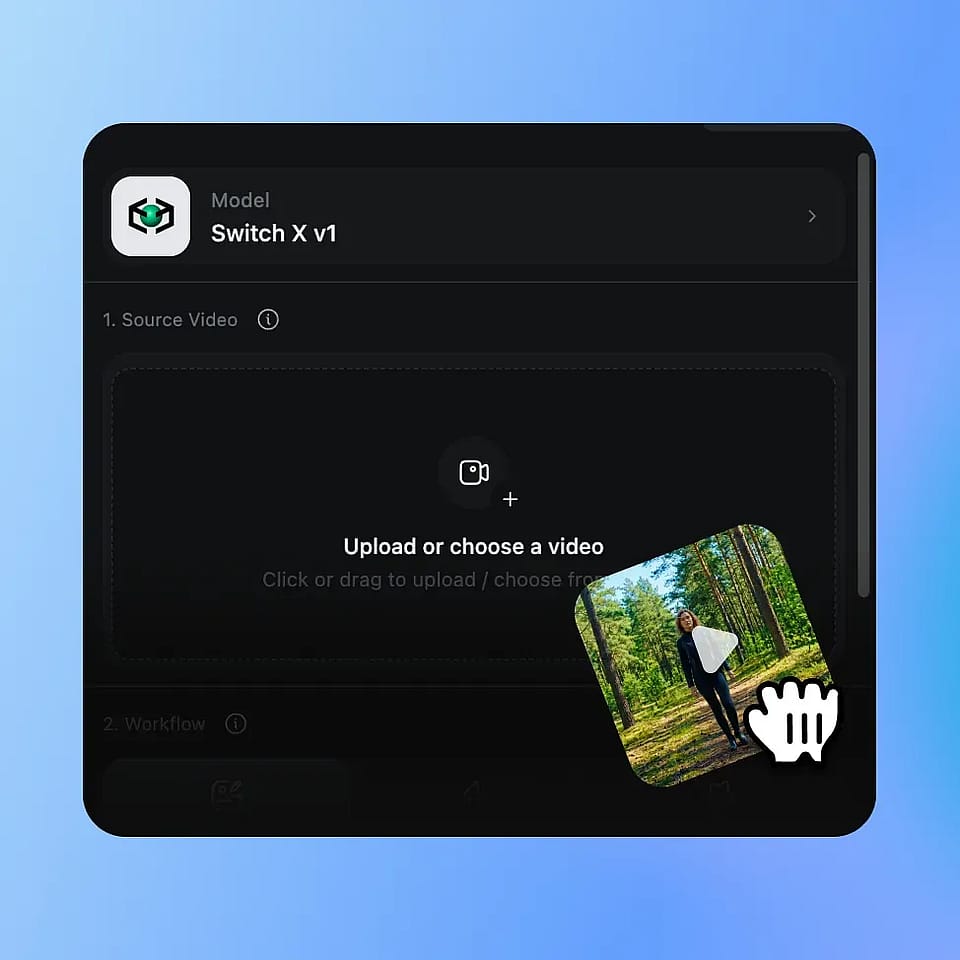
動画をアップロード
MP4 や MOV のクリップをアップロードするだけ。AI 動画インペインティングは、特定の領域を保護しながらショットを変えたいあらゆる映像で活躍します。
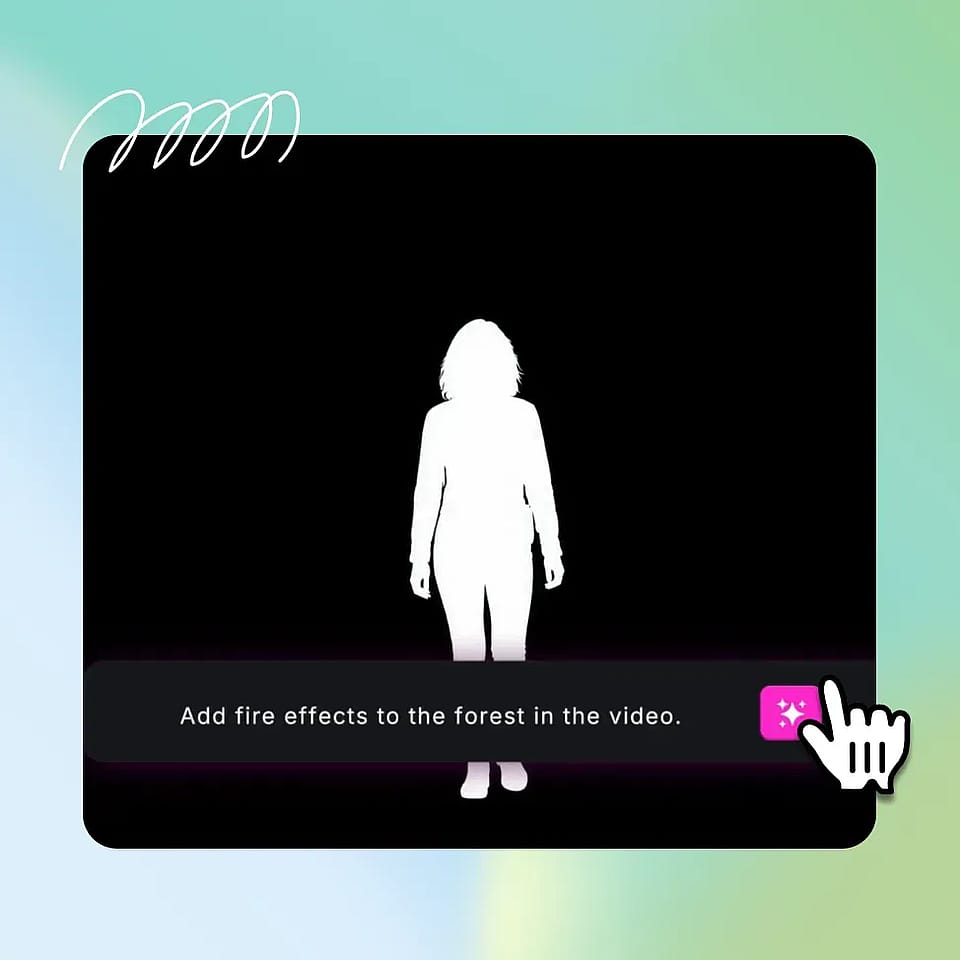
マスクを塗って、プロンプトを書く
ブラシを使って最初のフレームにマスクを塗り、残したい領域をぴったり覆います。フレームの残りの部分に何を表示させたいかをプロンプトで記述し、必要に応じてリファレンス画像をアップロードします。
生成して比較
AIシステムがマスクした領域を自動で追跡しながら、全フレームにわたって変更を生成します。結果をプレビューし、必要ならマスクやpromptを調整して、最終クリップをMP4でダウンロードしましょう。
精密な動画制作のために設計
インディー映画監督からブランドチームまで、クリエイターたちがAI動画インペインティングをどう活用しているかをご紹介します。
インディー映画制作者と監督向け
演技はバッチリなのに、周りの世界がしっくりこないときに使うモードです。演者はそのままに、環境を変えましょう。主役の小道具を固定し、シーンをリスタイル。撮り直しや合成作業が、ブラシとプロンプトひとつになります。
今すぐ試す上級クリエイター向け
チュートリアルやレビュー、長尺フォーマットを手がけるYouTuberは、AIビデオインペインティングを使って、出演者をそのままにシーンをリスタイルできます。新しいスポンサーコーナー向けに背景を変える。撮り直さずに部屋の雰囲気を一新する。何度でも、きれいに。
今すぐ試すVFXに興味があるクリエイターへ
VFXコンテンツをフォローしていて自分でも作ってみたいクリエイターにとって、AI Video Inpaintingは、かつて何年もの合成作業を要した仕事への本当の入り口になります。ブラシはシンプル。出来上がるのは本物の、シェアできる映像エフェクトです。
今すぐ試すブランド・商品動画チーム向け
代理店や商品チームは、メインの商品や出演者を保護しつつ、周囲のシーンだけを変換できます。背景を作り変えるだけで、一度撮影した素材を各市場で再利用可能。1回の撮影が、保護要素を保ったまま多数のキャンペーン用カットに生まれ変わります。
今すぐ試すよくある質問 よくある質問
AI動画インペインティングを使えば、実際に撮影したまま残したい特定の領域を守りながら動画を変換できます。残したい部分にマスクを塗り、他の部分に何を映すかをプロンプトで記述すると、AIがすべてのフレームに変更を反映します。OpenArtでは、AI動画インペインティングはOpenArt VFXスイートの一部で、BeebleのSwitchXモデルで動作します。
はい。マスクを描くのは最初のフレームだけでOK。AIが以降のすべてのフレームで保護領域を自動的に追跡するので、被写体やカメラが動いてもロックされたまま保たれます。キーフレームも手動のロトスコープも不要です。
はい。テキストプロンプトに加えて、マスク領域の外側に表示される見た目を導くためのリファレンス画像をアップロードできます。プロンプトだけに頼るのではなく、特定のビジュアルスタイル・色・環境を指定したいときに特に便利です。
はい、最初のフレームで丁寧にマスクを描けば可能です。AI動画インペインティングを支えるAIモデルSwitchXは、保護領域の周りにきれいなエッジを生成し、周囲の変化をその領域とクリーンに合成します。最もきれいな結果は、1フレーム目で明確かつ意図的にマスクすることで得られます。
従来のVFXでは、保護したい領域をフレームごとにロトスコープし、ライティングと色に配慮して新しいコンテンツを合成し、専用ソフトウェアでレンダリングする必要がありました。AI動画インペインティングなら、マスキング、トラッキング、生成をワンパスで処理します。
塗った通りに精密に反映されます。ブラシツールでは、最初のフレームの保護領域を細かくコントロールでき、ハードエッジ、ソフトエッジ、細かいディテール部分まで対応します。SwitchXは最初のフレームのマスクを境界として使うため、マスクが精密であるほど保護領域がきれいに保たれます。
シーンを作り直しながら被写体を保護する、環境を変えつつ主役の小道具を固定する、フレーム全体を変換しながら衣装の一部をそのまま残す、前景の被写体を保持しつつ背景をまるごと差し替える、といったことが可能です。
ほとんどのジョブは数分で完了します。生成は進捗をリアルタイムで表示しながら非同期で実行されるので、タブを離れて結果ができたら戻ってくることもできます。
はい。生成物は、有料ソーシャル広告、ブランドキャンペーン、商品マーケティング、収益化動画、クライアントワークなど、商用プロジェクトで利用できます。ご利用プランの最新の商用利用条件については、OpenArtの利用規約をご確認ください。