

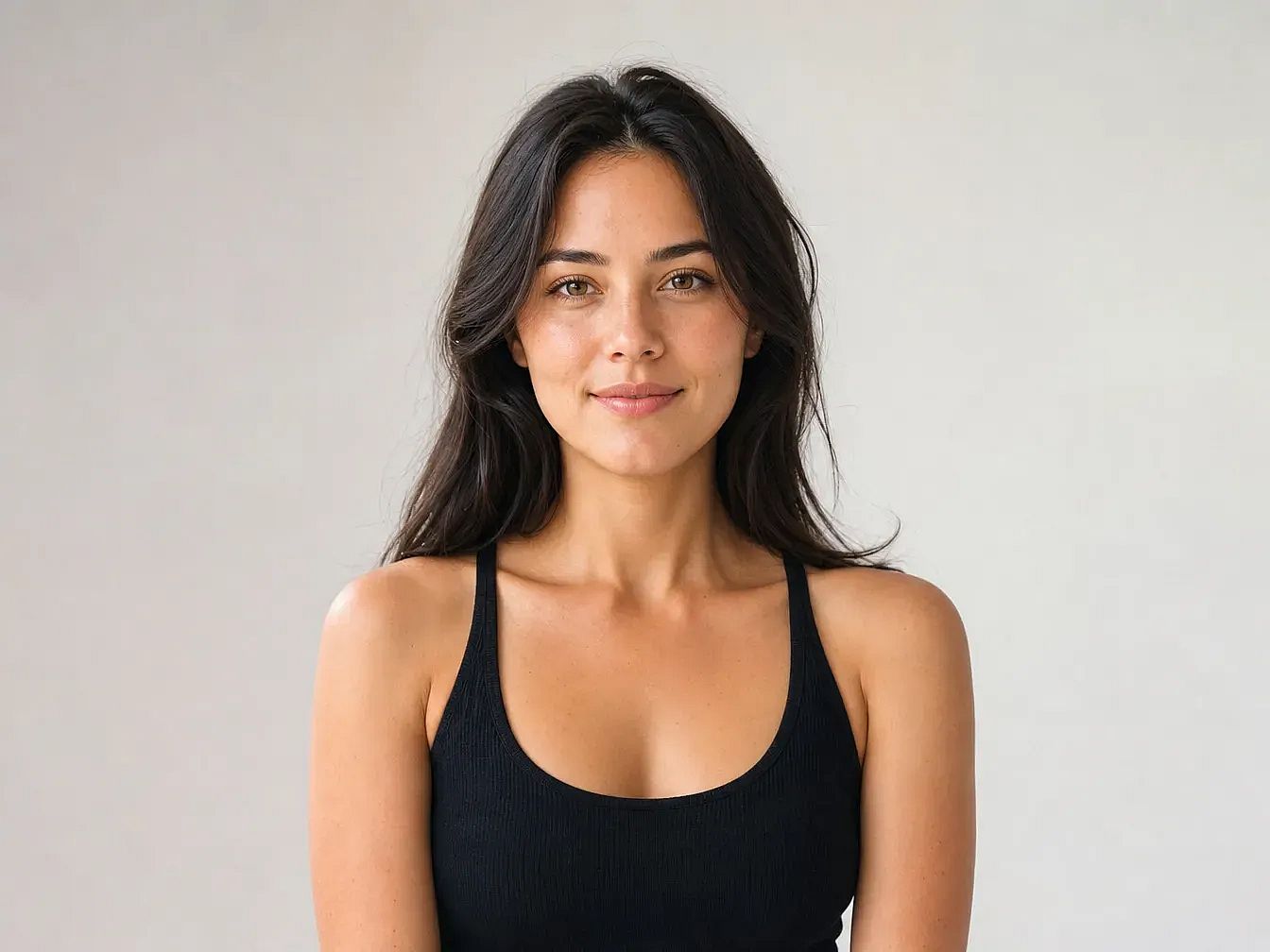
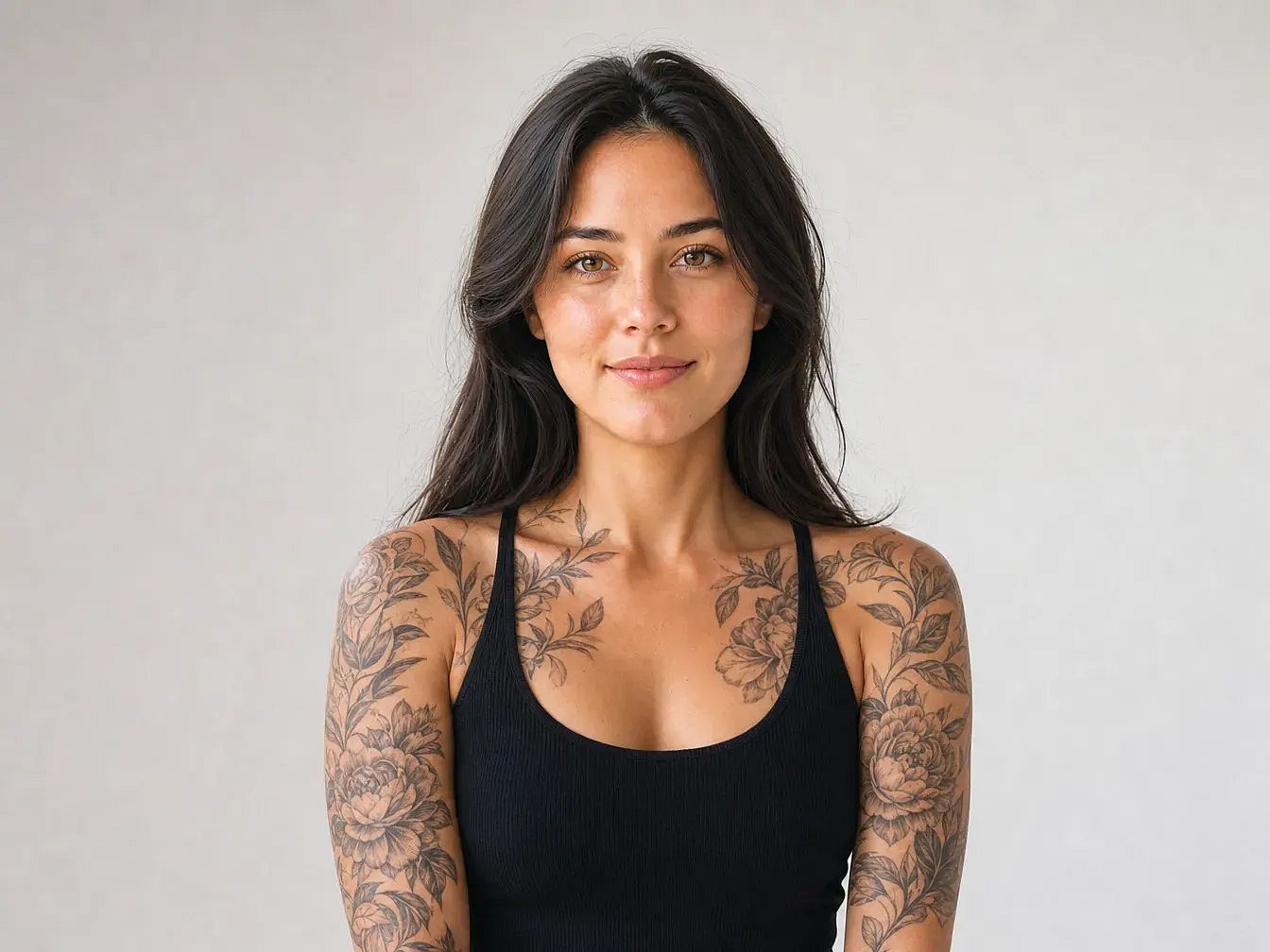
写真にタトゥーを追加
写真にタトゥーを数秒で追加し、どんなデザインが自分の肌に映えるか確認できます。場所を指定してタトゥーを説明すれば、OpenArt が本物のインクのように体になじませます。
 画像を追加 またはここにドラッグ&ドロップ · JPEG、PNG、WEBP、HEICJPEG、PNG、WEBP、HEIC
 人気のテンプレートをもっと見る
さまざまなアイデア、スタイル、可能性を組み合わせて、最初の一歩を踏み出しましょう。


よくある質問 よくある質問
写真をOpenArtにアップロードして、タトゥーを入れたい場所を選びましょう。デザインをテキストで説明すると、AIがリアルなライティングと肌の起伏に沿って描き出します。
OpenArtでは無料クレジットで始められます。いくつかのタトゥーデザインを無料で生成し、より高解像度やレンダリング数を増やしたいときにアップグレードできます。
はい、有料プランをご利用の場合に可能です。無料プランの画像は個人利用向けです。ProおよびStudioの各プランには商用利用権が含まれます。
はい。テキストプロンプトを変えたり、デザインの詳細を調整したりして新しいバリエーションを生成できます。各レンダリングは数秒で完了します。
AIはトラディショナル、リアリズム、ブラックワーク、トライバル、ミニマルライン、水彩など幅広く対応します。最良の結果を得るには、プロンプトでスタイルを説明してください。
AIが写真の肌の色、体のライン、ライティングに合わせて調整するので、タトゥーが自然になじみます。明るくクリアなポートレートを使うと、より良い仕上がりになります。