

 ChatGPT
 Perplexity
 Claude
 Gemini
Los 50 mejores prompts de imágenes con IA: plantillas para copiar y pegar en cualquier caso de uso
Un buen prompt de imagen de IA le dice al modelo qué mostrar y qué detalles visuales importan. En lugar de «un paisaje bonito», describe el lugar, el primer plano, la luz y el ambiente: «picos alpinos escarpados al amanecer, niebla llenando los valles, flores silvestres en primer plano, luz cálida sobre la cima, fotografía de paisaje fotorrealista».
Below are 50 copy-and-paste AI image prompts across 10 categories, plus a reusable template for each category. Start with an example in OpenArt's Generador de imágenes con IA, o sustituye los campos entre corchetes de una plantilla para crear la tuya. Las imágenes de muestra ilustran la dirección visual; los resultados varían según el modelo, los ajustes, las referencias y la generación.
Ir a una categoría:
- Retrato y foto de perfil
- Paisajes y naturaleza
- Producto y mockup
- Logotipo y visuales de marca
- Anime y manga
- Concept art y fantasía
- Arquitectura e interiores
- Comida y estilo de vida
- Cyberpunk y ciencia ficción
- Vintage y retro
La anatomía de un gran prompt de imagen con IA
Un generador de imágenes con IA convierte tu prompt de texto en una imagen asociando cada palabra a los patrones visuales que aprendió durante el entrenamiento. Cuanto más específico sea el prompt, menos tiene que adivinar el modelo y más se parecerá la imagen generada por IA a lo que imaginaste.Cómo funciona la generación de imágenes con IA a partir del prompt indicado
La mayoría de los buenos prompts de imágenes con IA siguen la misma fórmula: empieza por lo que más importa
- Sujeto y acción: ¿quién o qué aparece en la imagen y qué está haciendo?
- Escenario: ¿Dónde transcurre la escena y qué elementos del entorno importan?
- Cámara y composición: ¿es un primer plano, una vista cenital, un plano general o una composición centrada?
- Iluminación: indica la dirección, la suavidad y el color de la luz.
- Estilo: especifica fotografía, ilustración, pintura u otro tratamiento visual.
No necesitarás todos los elementos cada vez. Un logotipo no requiere ningún posicionamiento de cámara, y un paisaje no necesita expresión.
Prompt de imagen con IA débil vs. potente
Aquí tienes la misma idea escrita de dos formas.
Prompt flojo:
una cafetería
Prompt potente:
Interior de una pequeña cafetería escandinava a las 8 de la mañana, barra de roble claro, un barista preparando latte art, sol matutino entrando por ventanales altos y proyectando sombras largas, vapor subiendo de las tazas, tomada con una lente de 35 mm a la altura de los ojos, profundidad de campo reducida, ambiente cálido y tranquilo, 4:5
El prompt débil me dio una cafetería genérica tipo banco de imágenes sin gente [reemplazar tras probar]. El fuerte acertó con la luz y el barista a la primera, porque cada decisión visual ya estaba tomada. Para ediciones, indica también qué debe permanecer sin cambios. Para imágenes con texto, pon el texto exacto entre comillas y describe su ubicación. Define las dimensiones de salida en el generador en lugar de confiar en que el prompt las controle.
Para las ediciones, indica también qué debe permanecer sin cambios. Para imágenes con texto, pon las palabras exactas entre comillas y describe su ubicación. Define las dimensiones de salida en el generador en lugar de confiar en el prompt para controlarlas.
Los 50 prompts de imagen con IA
1. Prompts de imagen con IA para retratos y fotos de perfil
Para los retratos, describe a la persona, el encuadre, la expresión y la dirección de la luz. Añade unos cuantos detalles de piel naturales en lugar de depender solo de palabras como «perfecto» o «impecable».
Plantilla reutilizable: Retrato de [SUJETO], [EXPRESIÓN Y POSE], con [VESTUARIO], en [ESCENARIO], encuadrado como [TIPO DE PLANO], con [ILUMINACIÓN], [ESTILO VISUAL] y textura de piel natural.
Para un encuadre más cerrado, sustituye el tipo de plano por «cabeza y hombros». Para un retrato de ti mismo o de otra persona concreta, añade una foto de referencia.
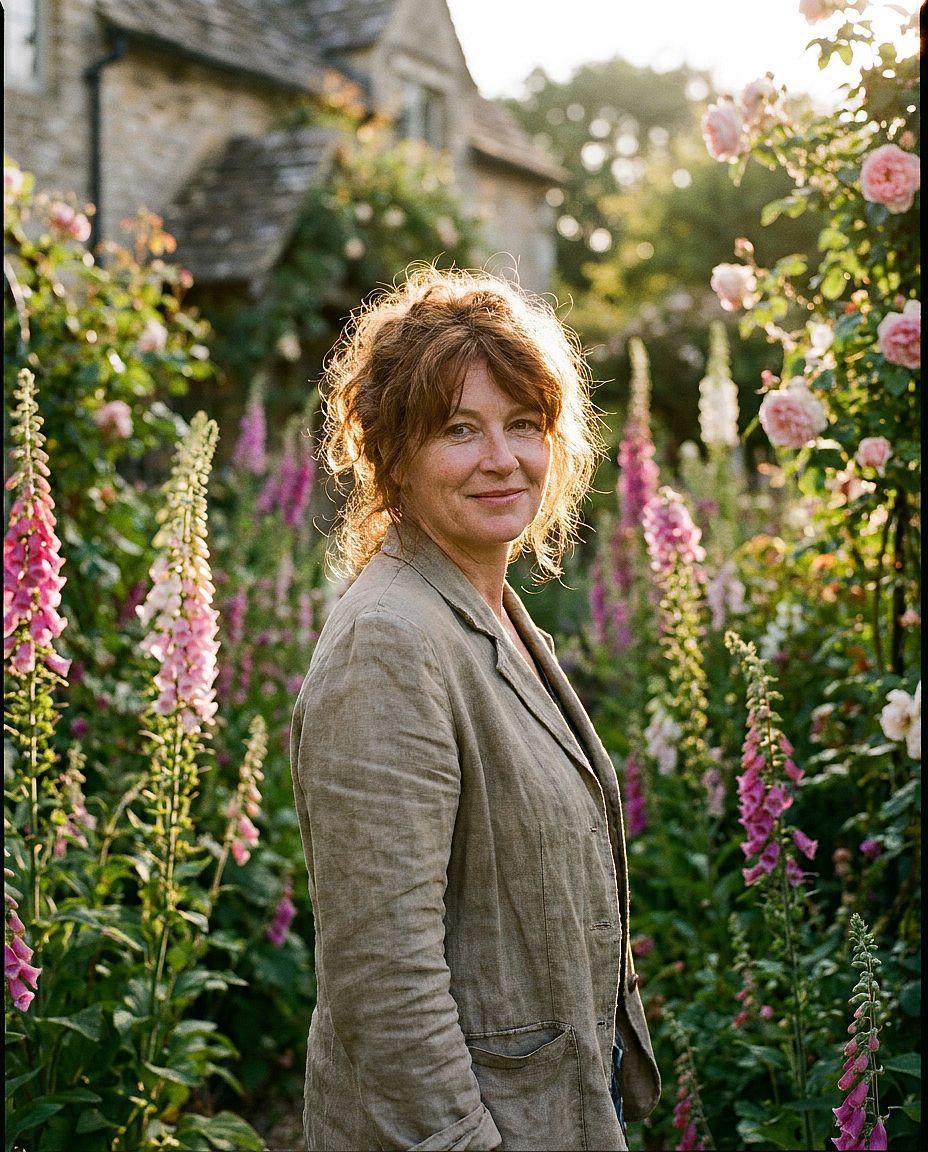
1. Retrato a la hora dorada
Prompt: Retrato de una mujer de pelo castaño rojizo, de unos 35 años, con una sonrisa suave y natural, de pie en un jardín de casa de campo inglesa con dedaleras en flor, iluminación de contorno a la hora dorada, poca profundidad de campo, tomada con Hasselblad 80mm, estilo editorial fotorrealista, grano de película de 35mm
2. Foto de perfil corporativa
Prompt: Retrato profesional de un hombre del sur de Asia, de unos 40 años, traje azul marino, fondo de estudio blanco y limpio, iluminación Rembrandt suave con sutiles brillos en los ojos, enfoque nítido, ligera sonrisa segura, fotografía comercial de alta gama, sin atrezo
Para tu propia foto de perfil: Sube una foto de referencia clara y describe la ropa, el fondo y la iluminación que quieres cambiar. El Generador de retratos con IA proporciona un punto de partida para este flujo de trabajo. Comprueba que el resultado siga pareciéndose a ti.

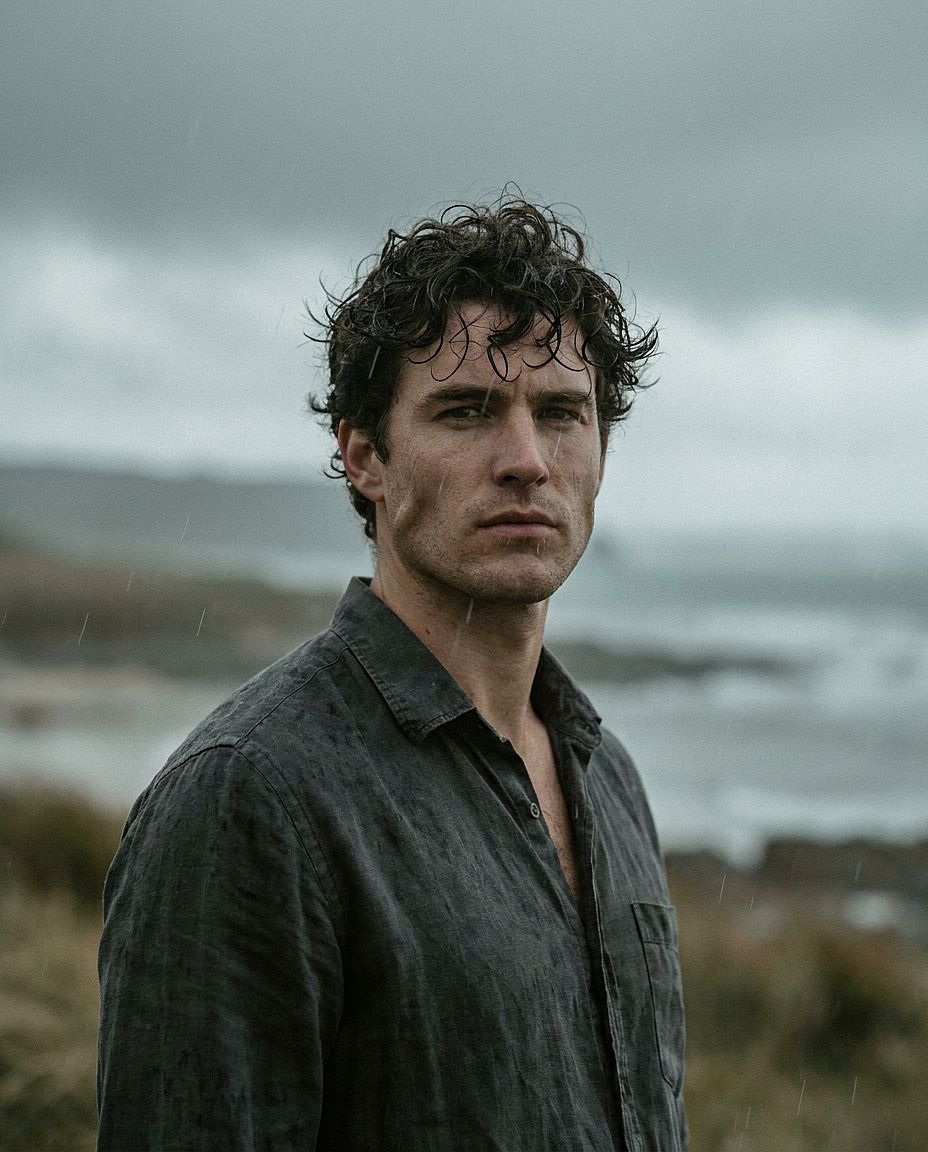
3. Retrato masculino dramático
Prompt: Retrato en primer plano de un hombre de casi 30 años, mandíbula marcada, pelo oscuro y rizado, con camisa de lino, luz exterior tenue y nublada, compresión de lente de 85 mm, textura auténtica de grano de película, gradación de color cinematográfica con altas luces ligeramente desaturadas
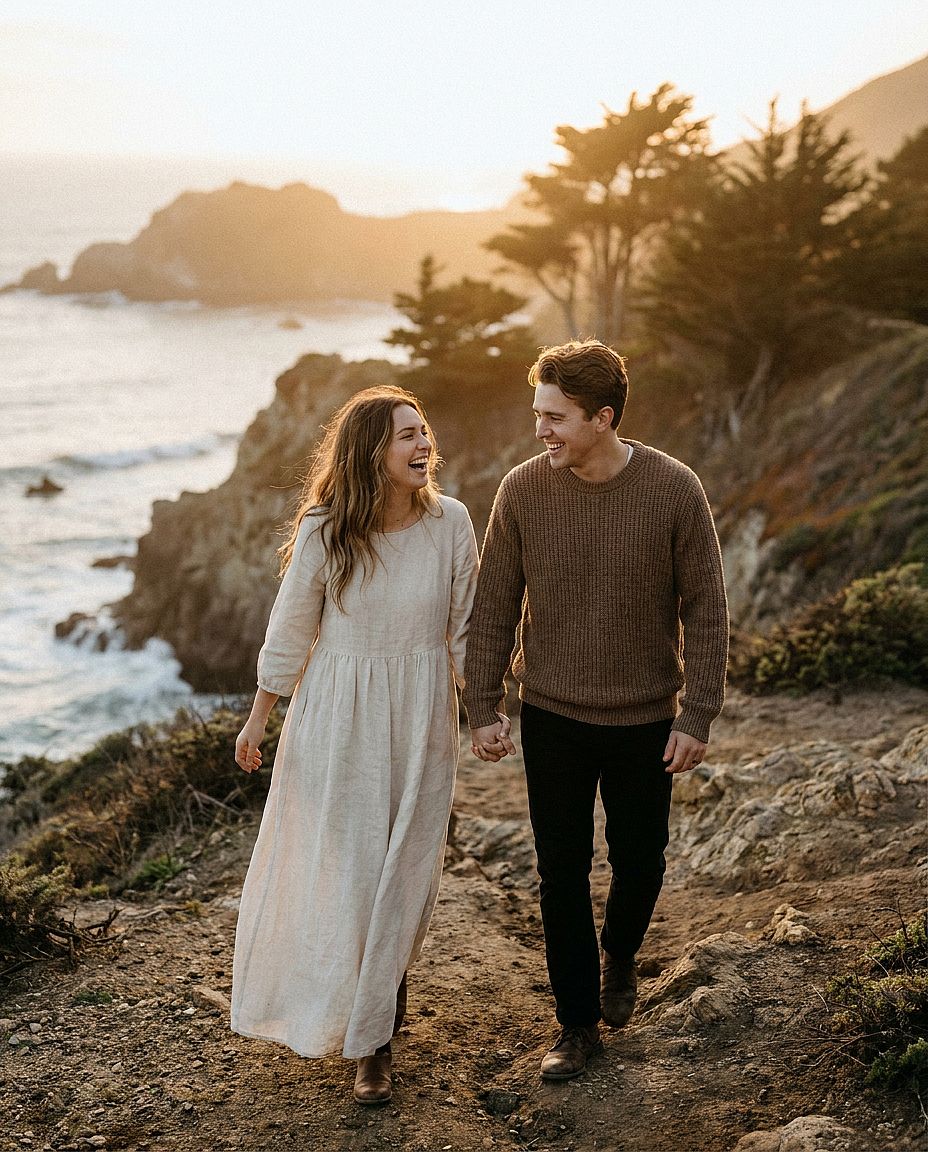
4. Foto de pareja
Prompt: Retrato cinematográfico de una pareja joven de casi 30 años caminando por un sendero de acantilado batido por el viento en la costa del Pacífico a la hora dorada, ella con un vaporoso vestido de lino color crema, él con un jersey de punto en tonos tierra, cogidos de la mano y riendo, cálida y suave luz del atardecer, escasa profundidad de campo, tomada con una Sony A7IV 85mm f/1.8, fotografía de boda editorial fotorrealista, tonos de piel naturales, grano de película de 35mm
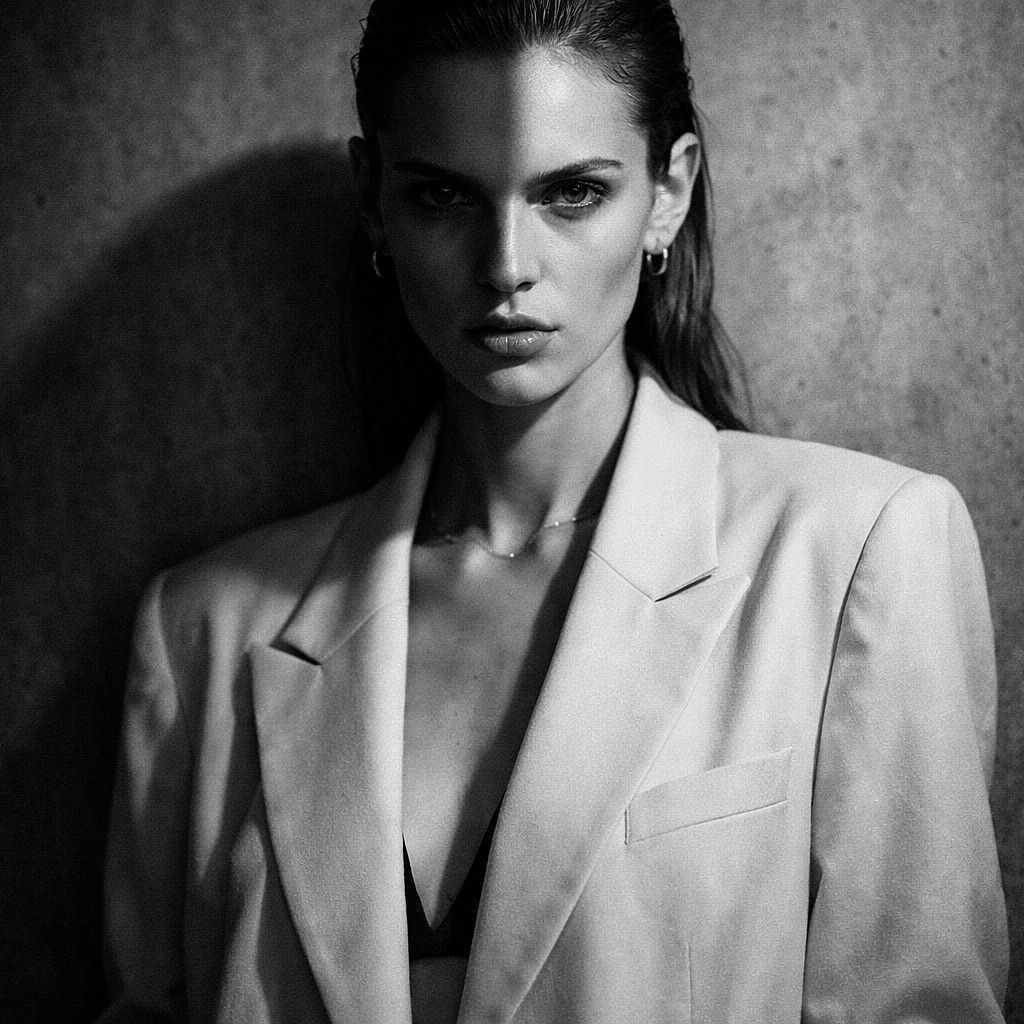
5. Retrato de moda de estudio
Prompt: Retrato editorial de moda de una modelo con pómulos marcados, con blazer oversize color crema, joyería mínima, fondo de hormigón gris texturizado, iluminación dividida dramática, conversión a blanco y negro de alto contraste, estética editorial de Vogue, 50mm
2. Prompts de imagen con IA de paisajes y naturaleza
Los prompts de paisajes son más fáciles de controlar cuando defines un primer plano, un punto focal principal y un fondo. Describe cómo afectan el clima y la hora del día a la escena.
Plantilla reutilizable: [PAISAJE] a [HORA DEL DÍA], con [DETALLE DE PRIMER PLANO], [PUNTO FOCAL PRINCIPAL] y [FONDO], bajo [CONDICIONES METEOROLÓGICAS], [ILUMINACIÓN], [COMPOSICIÓN], [ESTILO VISUAL].
Cambiar el amanecer por un mediodía nublado da un ambiente distinto al mismo paisaje. Mantén fijos el primer plano y la posición de la cámara si quieres comparar la iluminación.
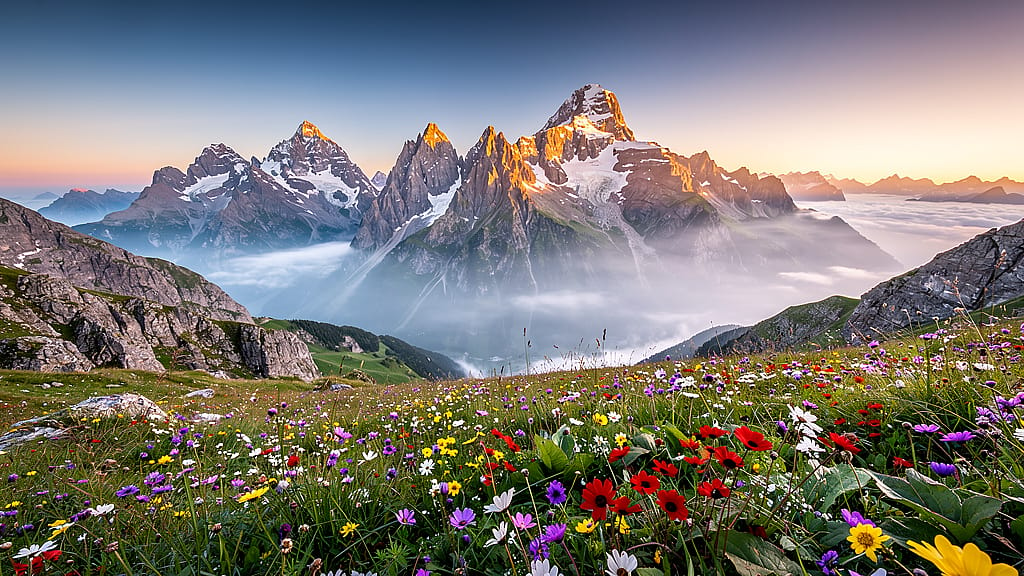
6. Amanecer alpino
Prompt: Vista panorámica de escarpados picos alpinos al amanecer, flores silvestres en flor en primer plano, capas de niebla llenando los valles de abajo, cálida luz dorada pintando la cumbre, composición ultrapanorámica, fotografía de paisaje fotorrealista, hiperdetallada, sin personas
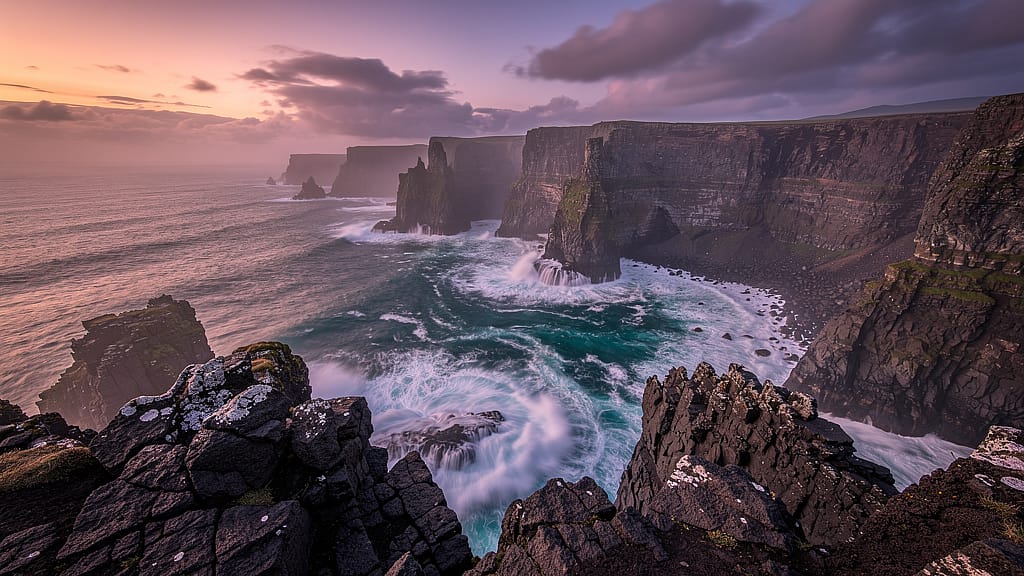
7. Acantilados costeros al anochecer
Prompt: Espectaculares acantilados marinos al atardecer, agua turquesa rompiendo contra la oscura roca volcánica debajo, cielo de tonos magenta y naranja suaves, efecto de agua suavizada por larga exposición, fotografía de paisaje HDR, textura nítida de la roca en primer plano, relación de aspecto cinematográfica 2,39:1
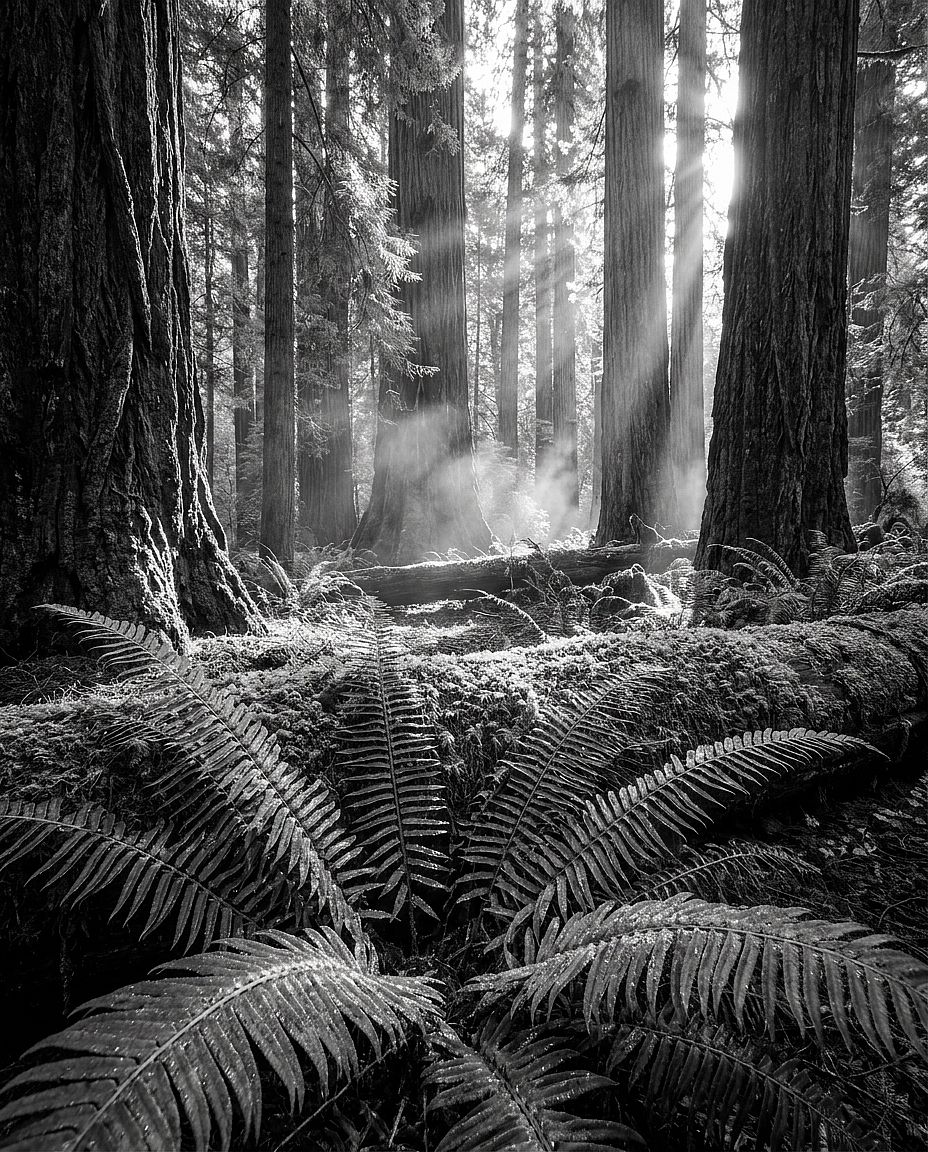
8. Antiguo bosque de secuoyas
Prompt: Interior de un antiguo bosque de secuoyas, haces de luz dorada que se filtran a través del imponente dosel, musgo verde y suave que cubre el suelo, una neblina tenue a la altura de los ojos, composición en contrapicado mirando hacia arriba, helechos nítidos en primer plano, fotografía de paisaje con la calidad de Ansel Adams
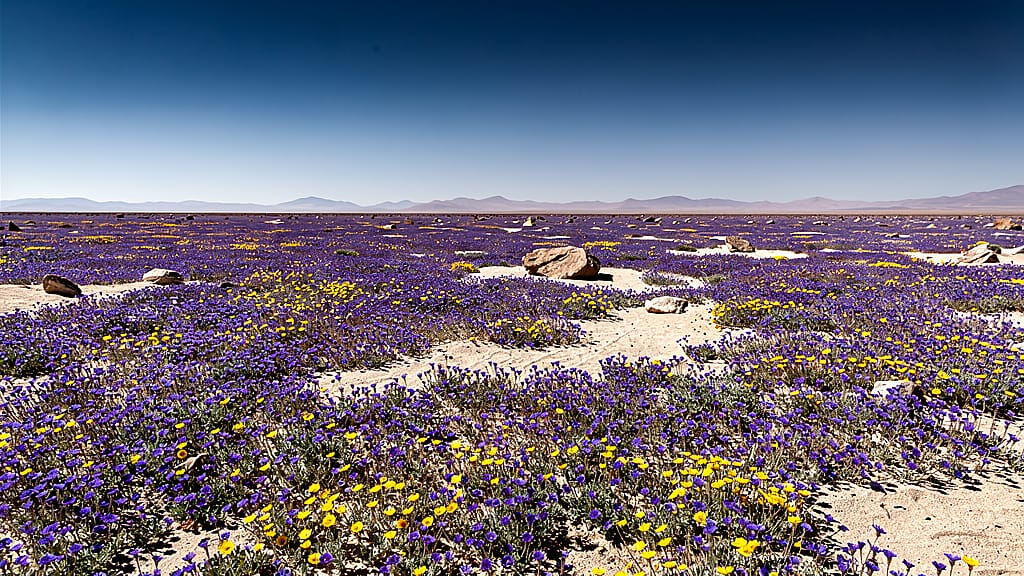
9. Floración de flores silvestres del desierto
Prompt: Desierto de Atacama en su rara temporada de floración, alfombra infinita de flores silvestres moradas y amarillas hasta el horizonte, cielo azul despejado, sol del mediodía proyectando sombras nítidas y limpias, estilo fotográfico de National Geographic, perspectiva amplia y plana, ultranítido en todo el encuadre
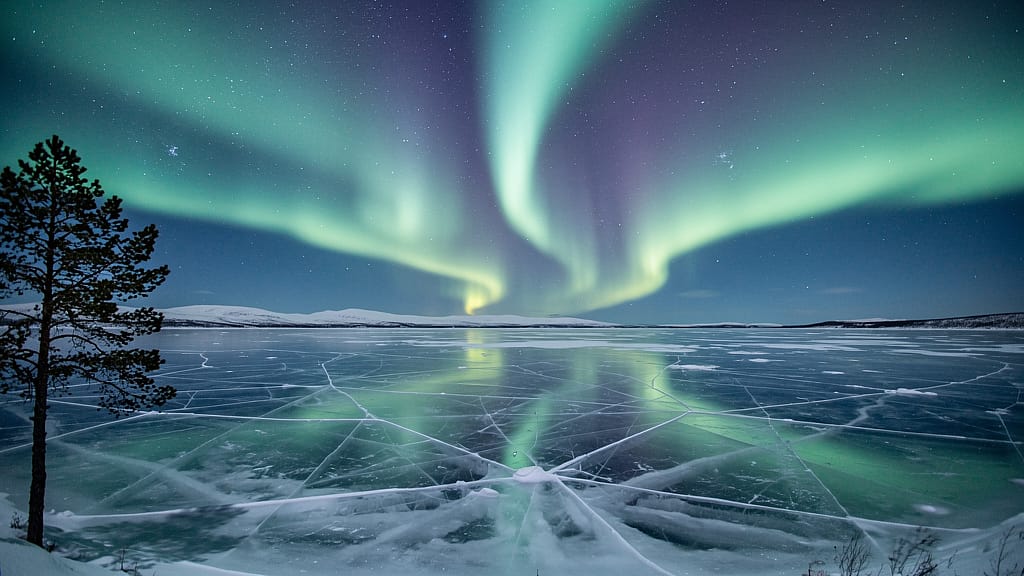
10. Reflejo de aurora boreal
Prompt: Aurora boreal sobre un lago helado en la Laponia noruega, cintas de luz esmeralda y violeta perfectamente reflejadas en la superficie de hielo cristalino, silueta de un único pino en el borde izquierdo, larga exposición, campo estelar completo visible, detalle ultranítido
3. Prompts de imágenes de IA de productos y mockups
Los prompts de producto necesitan una colocación clara del objeto, una iluminación controlada y descripciones específicas de materiales. Los siguientes ejemplos son puntos de partida para conceptos de producto; el texto por sí solo no reproducirá de forma fiable un artículo existente.
Plantilla reutilizable: Fotografía de producto de [PRODUCTO] sobre [SUPERFICIE], con [FONDO], iluminado por [ILUMINACIÓN], visto desde [ÁNGULO DE CÁMARA], con [COMPOSICIÓN], con una estética [ESTILO VISUAL].
Para un producto real, empieza con una foto de referencia y construye el entorno a su alrededor. Compara el empaquetado, la etiqueta, los colores y las proporciones con el original antes de usar el resultado. El Guía de fotografía de producto con IA explica este proceso paso a paso.
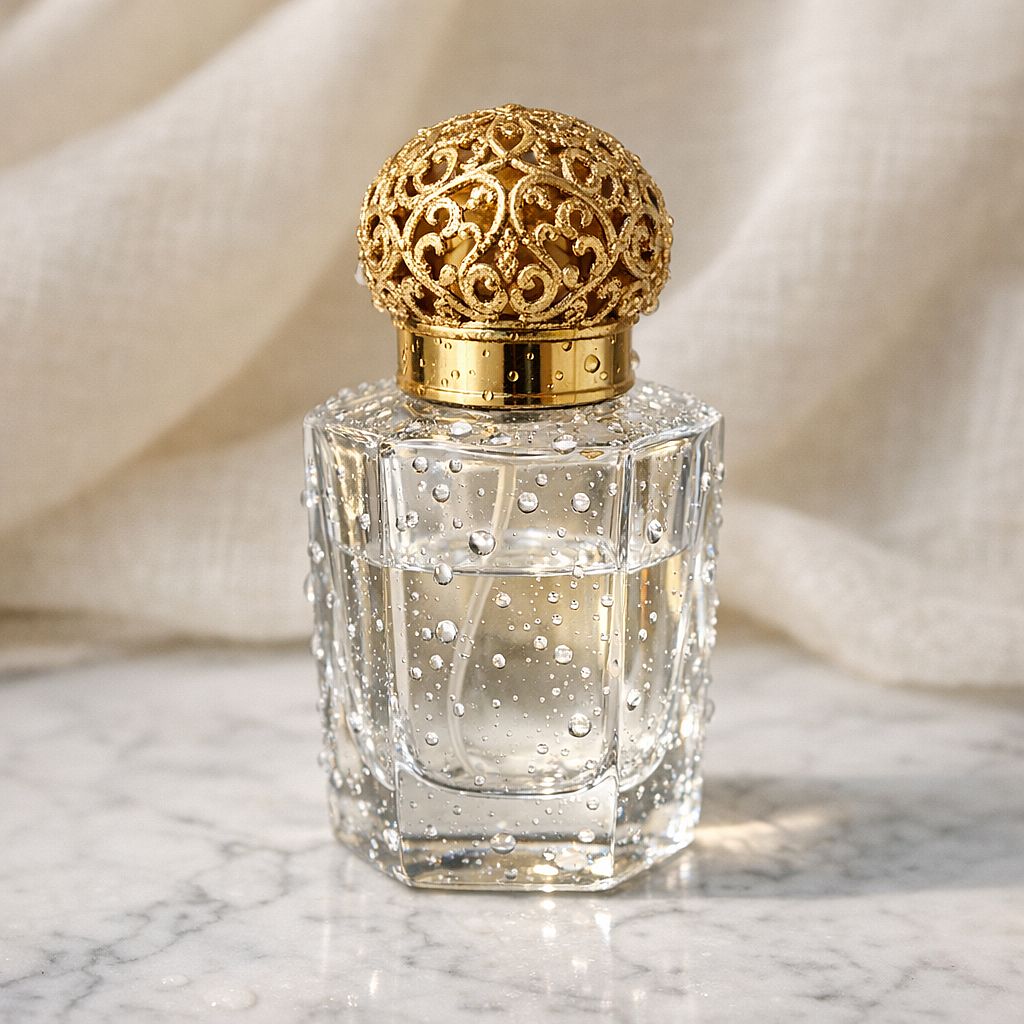
11. Frasco de perfume de lujo
Prompt: Frasco de perfume de cristal de lujo con tapón de filigrana dorada, colocado sobre mármol blanco de Carrara, iluminación suave de estudio de producto con una única sombra sutil, gotas de agua en la superficie del frasco, tejido de lino color crema desenfocado al fondo, fotografía comercial de producto, macro 85 mm
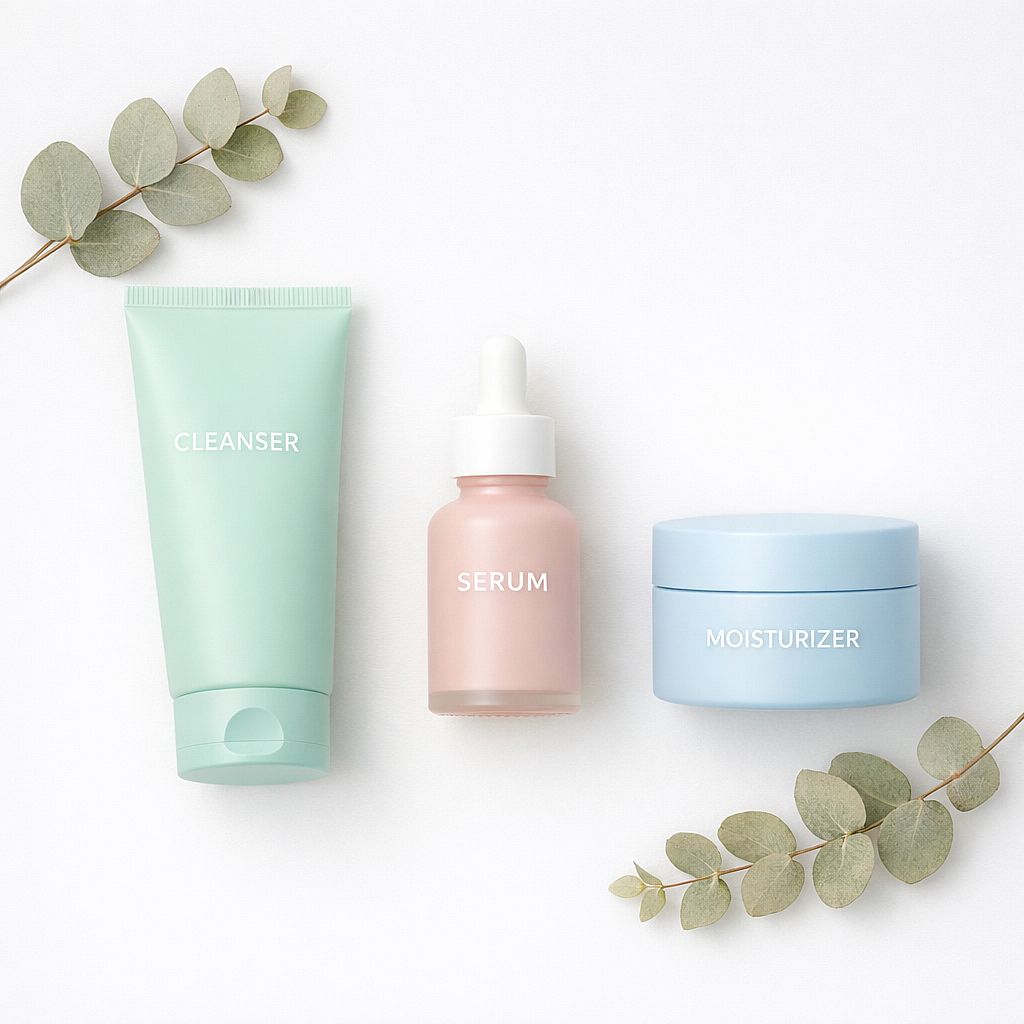
12. Flat lay de cuidado de la piel
Prompt: Bodegón minimalista de cuidado de la piel: limpiador, sérum y crema hidratante en envases pastel mate, dispuestos sobre una superficie blanca y limpia con ramitas de eucalipto seco, luz cenital suave y difusa, sin sombras duras, fotografía de producto para e-commerce, ultranítida en todos los elementos
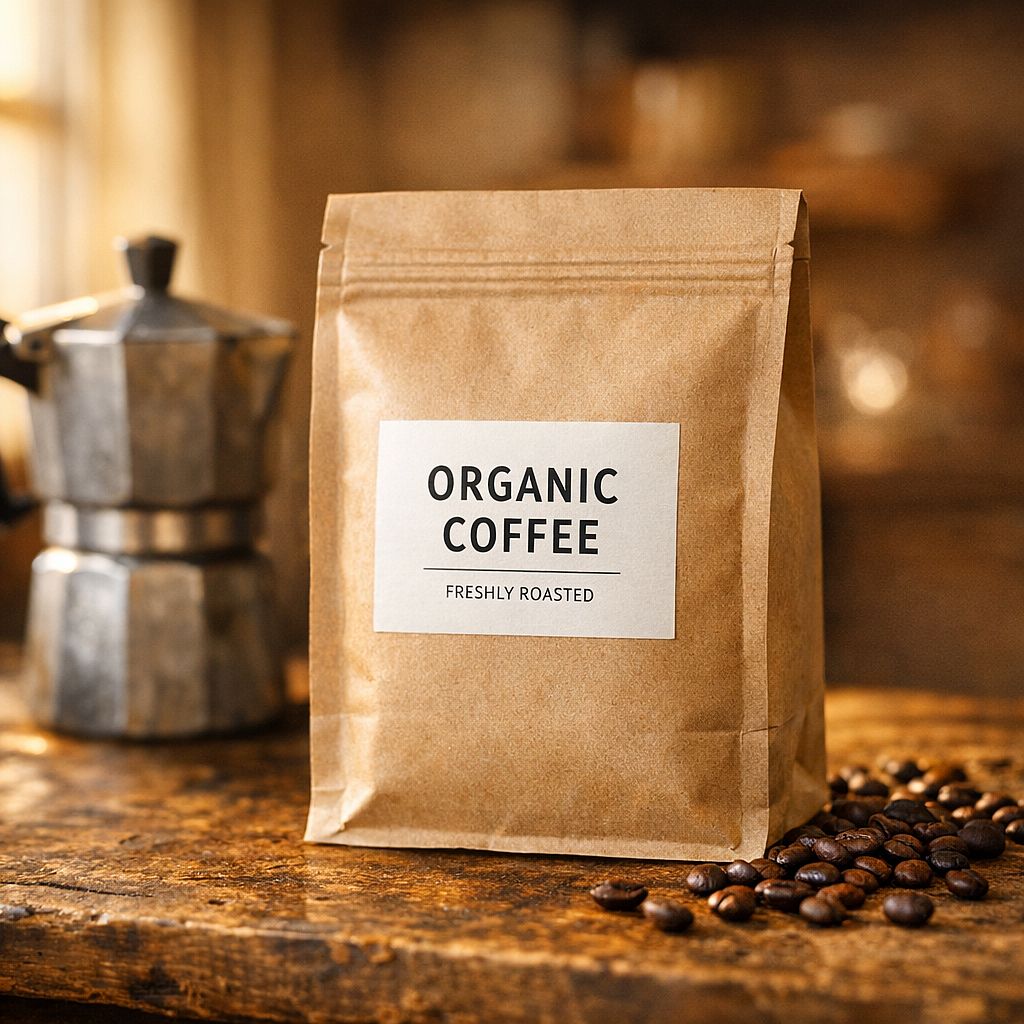
13. Mockup de bolsa de café
Prompt: Bolsa de café de papel kraft con una etiqueta minimalista, sobre una encimera de madera desgastada junto a una cafetera moka y granos de café enteros esparcidos, cálida luz matinal entrando por una ventana lateral, enfoque selectivo en la etiqueta, fondo cálido desenfocado, fotografía artesanal de alimentos y bebidas
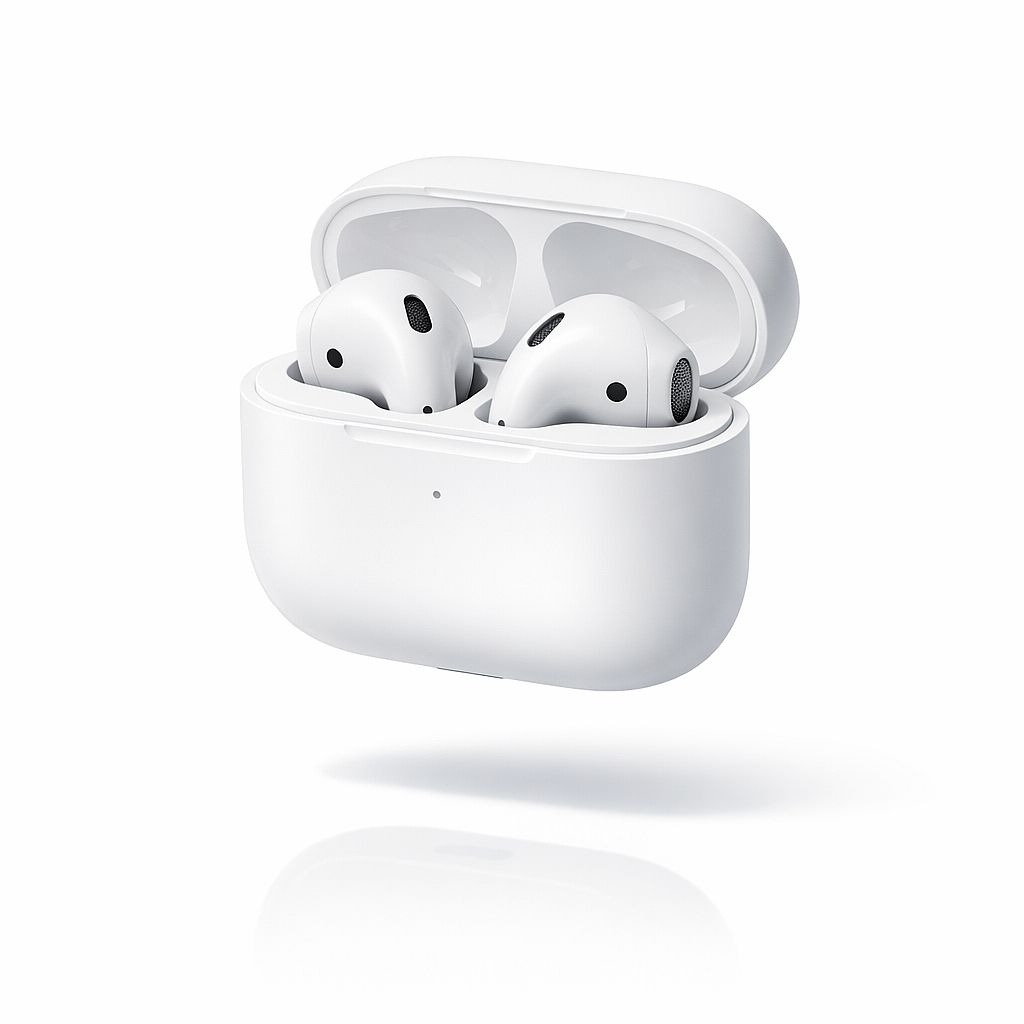
14. Auriculares inalámbricos
Prompt: Auriculares inalámbricos elegantes en su estuche de carga, acabado blanco mate, flotando en el aire sobre una superficie blanca reflectante, fondo de estudio blanco puro, sombra proyectada sutil debajo, detalle nítido en la rejilla de malla de los auriculares, fotografía comercial de electrónica, estética de catálogo de Apple
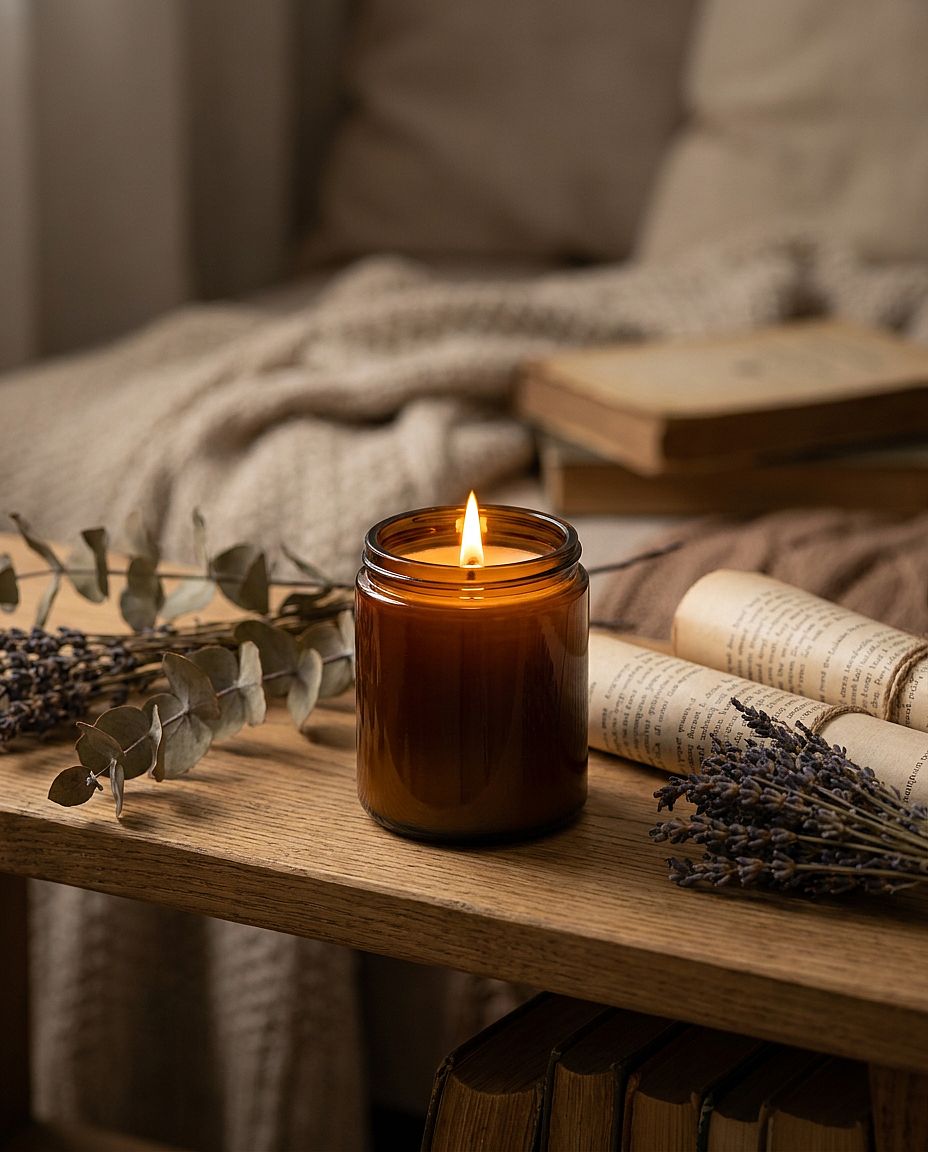
15. Toma lifestyle con vela
Prompt: Vela de cera de soja en un tarro de cristal ámbar con la llama encendida, colocada en un estante rústico de roble con botánicos secos y libritos, cálida luz dorada de la vela como fuente principal de luz, poca profundidad de campo que difumina el estante del fondo, fotografía de producto lifestyle acogedora
4. Prompts de imágenes IA para logos y elementos visuales de marca
El Generador de logotipos con IA es un lugar útil para explorar símbolos, formas y paletas. El «estilo vectorial» da a la imagen un aspecto gráfico; la salida en SVG editable depende del modelo y de las opciones de exportación. Vectoriza o redibuja un concepto rasterizado cuando necesites trazados editables.
Plantilla reutilizable: Concepto de logotipo para [TIPO DE MARCA], con [SÍMBOLO], usando [COLORES], con [ESTILO DE LÍNEA O FORMA], dispuesto como [DISEÑO], sobre [FONDO].
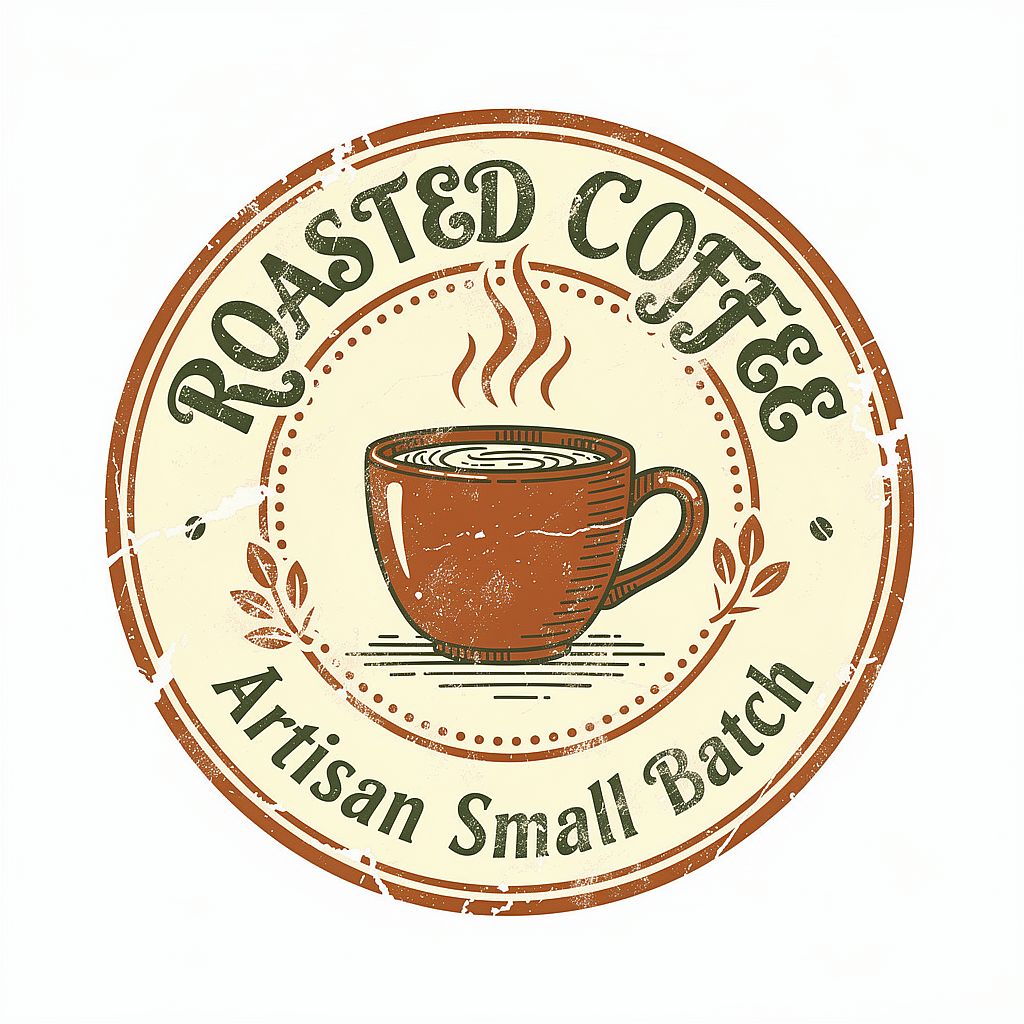
Para la insignia de café de abajo, podrías añadir: «Las palabras 'CEDAR COFFEE' siguen la curva superior de la insignia en una tipografía serif en negrita». Proporcionar el nombre real te da un concepto más útil para revisar.
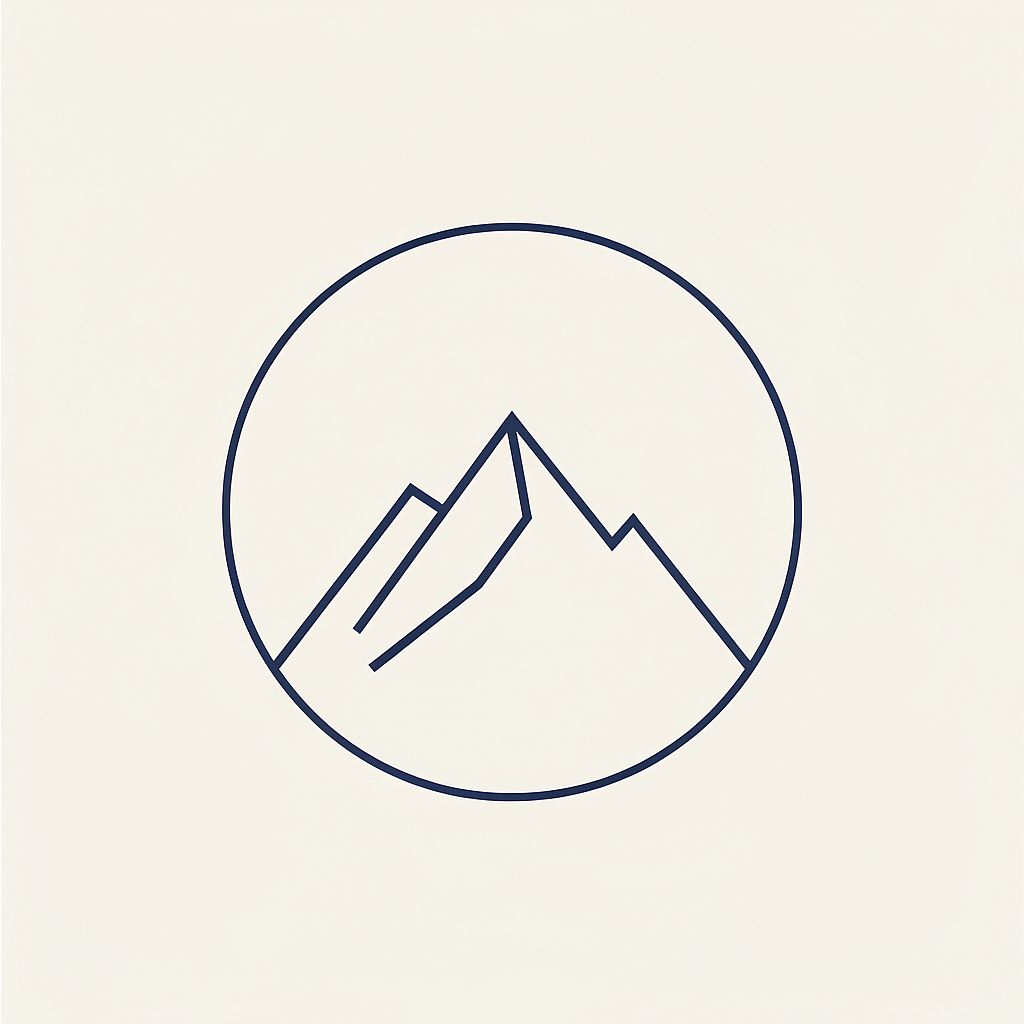
16. Marca de logotipo minimalista
Prompt: Logotipo geométrico minimalista, un pico de montaña estilizado dentro de un círculo perfecto, grosor de línea único y uniforme, azul marino sobre fondo blanco crema, estilo de ilustración vectorial, abundante espacio negativo, diseño de identidad de marca moderno, sin gradientes, sin sombras
17. Insignia de café artesanal
Prompt: Logotipo tipo insignia de una marca de café con letras dibujadas a mano, taza humeante ilustrada en el centro, paleta cálida y terrosa de terracota y verde bosque, textura de sello de tinta rugosa, formato de insignia circular, estética artesanal de pequeño negocio, aislado sobre fondo blanco
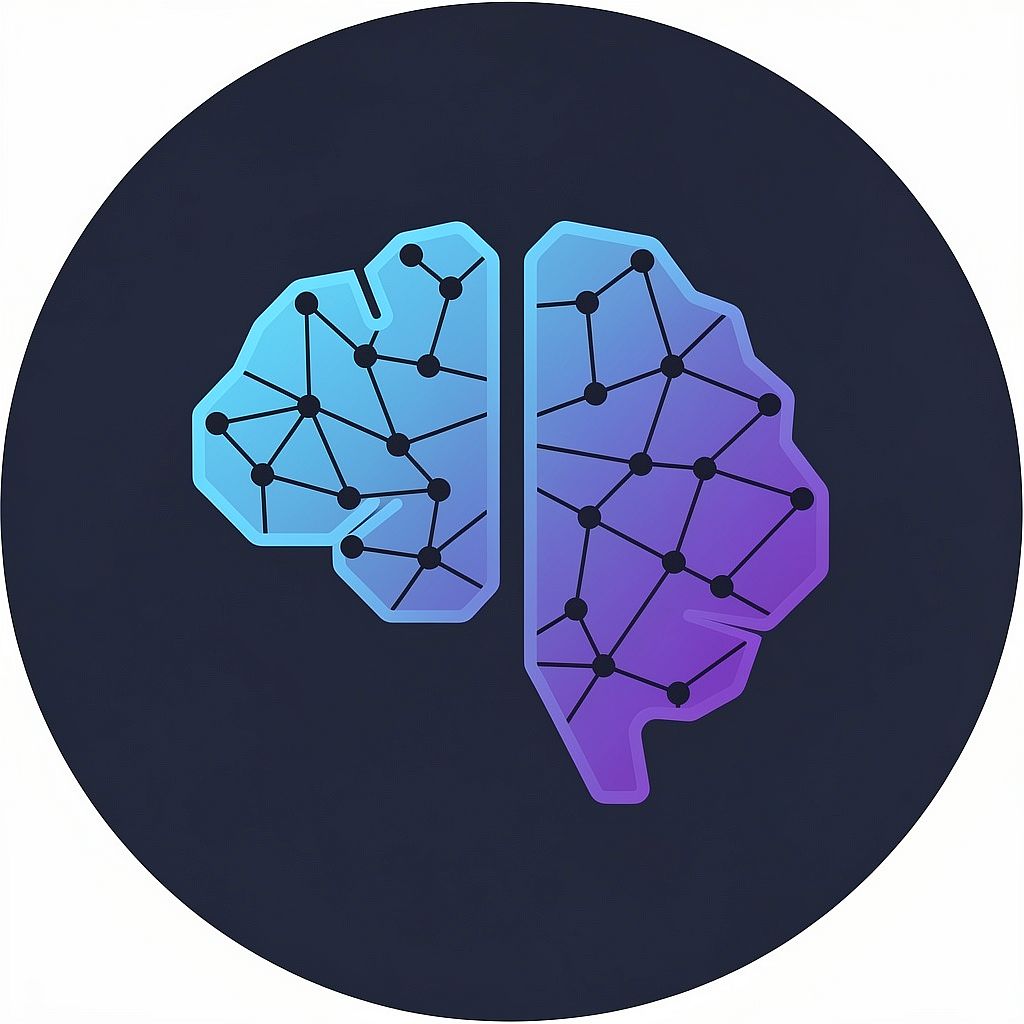
18. Icono de startup tecnológica
Prompt: Icono de logo abstracto de tecnología con IA, puntos y nodos interconectados que forman la silueta sutil de un cerebro, degradado de azul eléctrico a violeta intenso, fondo azul marino oscuro, estilo de icono de marca SaaS moderno, marca escalable, bordes limpios, estética de diseño 2026
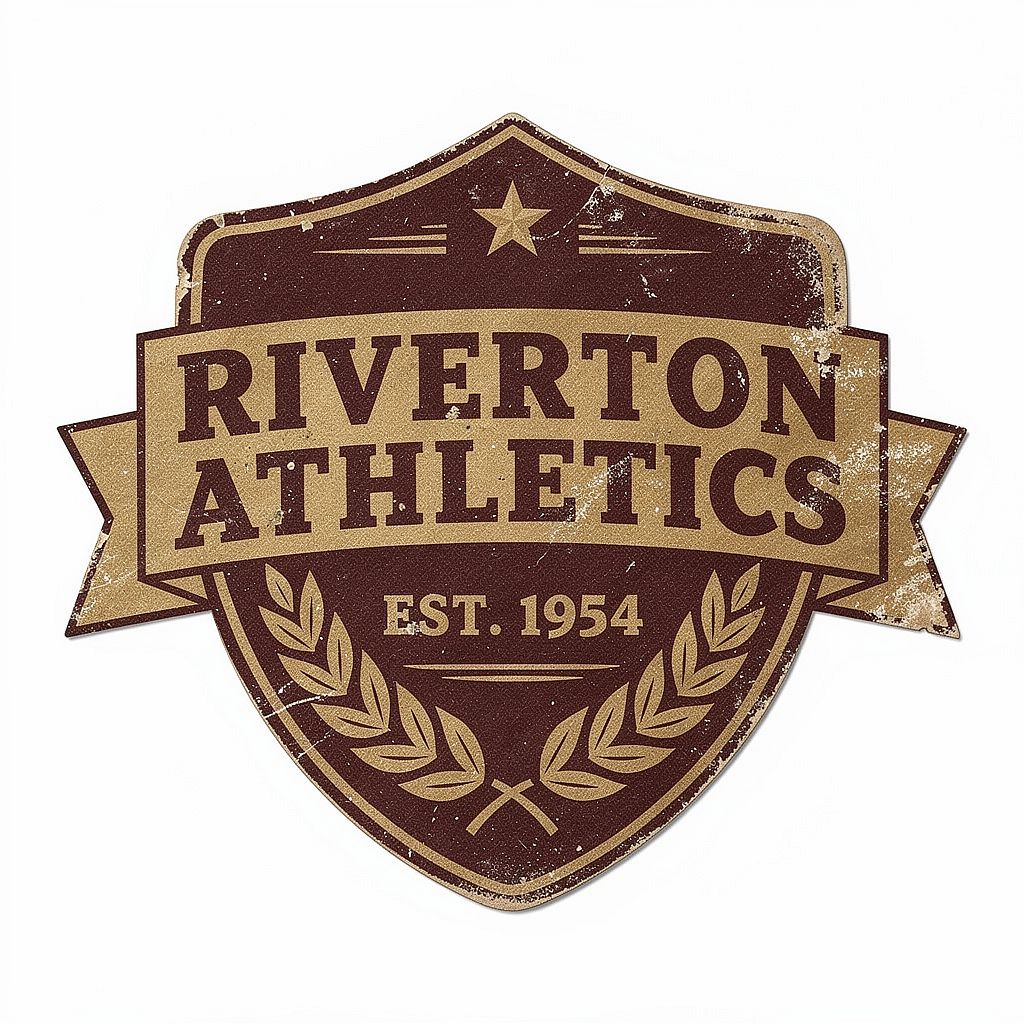
19. Insignia deportiva retro
Prompt: Logo de insignia de equipo deportivo vintage, textura desgastada y envejecida, tipografía serif condensada y contundente, diseño a dos colores en burdeos intenso y dorado mate, forma de escudo con detalle de corona de laurel, estética de artículos deportivos estadounidenses de los años 50, flat lay sobre blanco
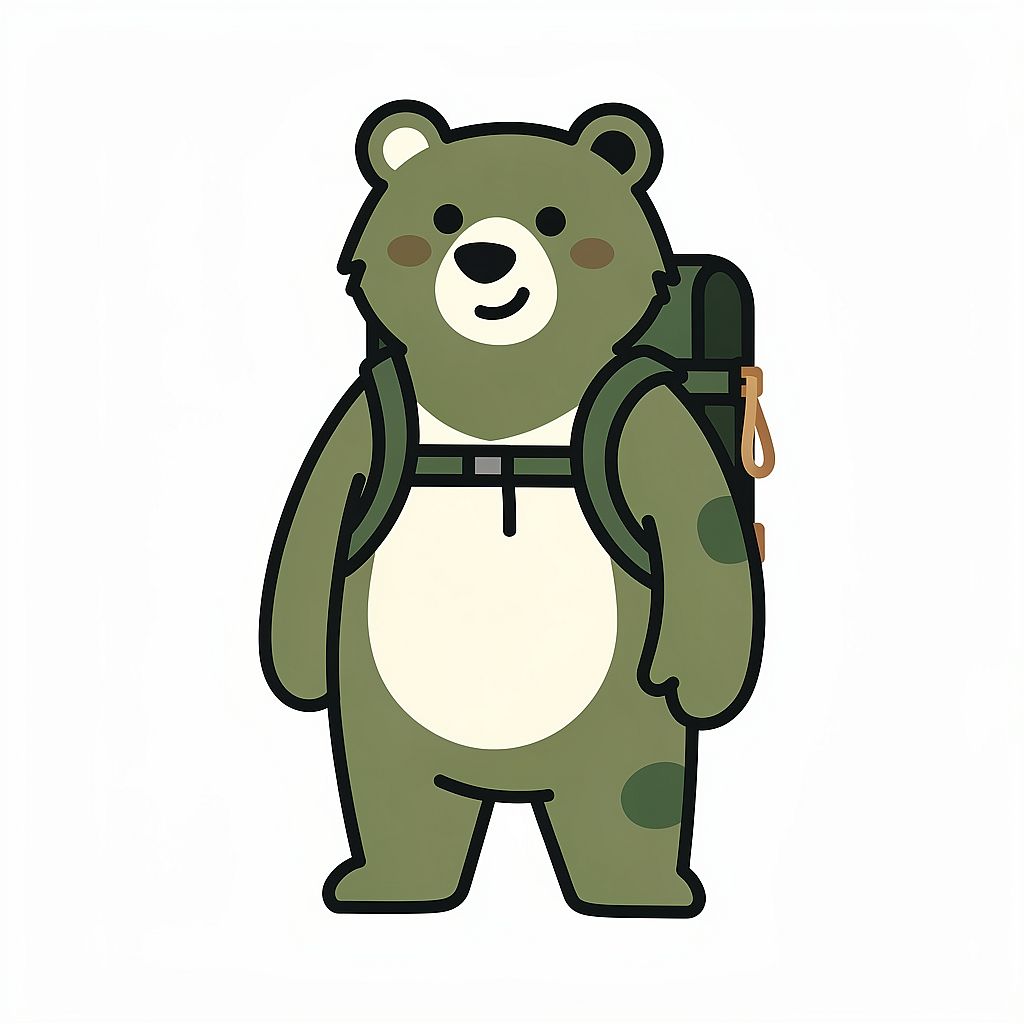
20. Mascota de marca natural
Prompt: Personaje mascota de oso ilustrado y amigable para una marca outdoor, con una pequeña mochila de senderismo, estilo de ilustración geométrica simplificada, paleta de colores verde bosque cálido y blanco roto, fondo blanco limpio, personaje de marca para uso en logotipo, formas ligeramente redondeadas, sin degradados
5. Prompts de imágenes de anime y manga con IA
Los prompts de anime funcionan mejor si especificas la calidad del trazo, el sombreado, las proporciones, la expresión y la pose. Prueba estos ejemplos en el Generador de anime con IA, y luego refina los detalles visuales que importan para tu personaje o escena.
Plantilla reutilizable: Ilustración anime de [PERSONAJE], con [ASPECTO], vistiendo [ATUENDO], en [POSE], mostrando [EXPRESIÓN], con [LÍNEAS Y SOMBREADO], [PALETA DE COLORES] y [FONDO].
Mantén coherentes algunos detalles distintivos, como el peinado, el color de ojos y el vestuario, cuando cambies la pose de un personaje. Una imagen de referencia ayuda a llevar esos detalles a la siguiente escena.
21. Héroe de batalla shonen
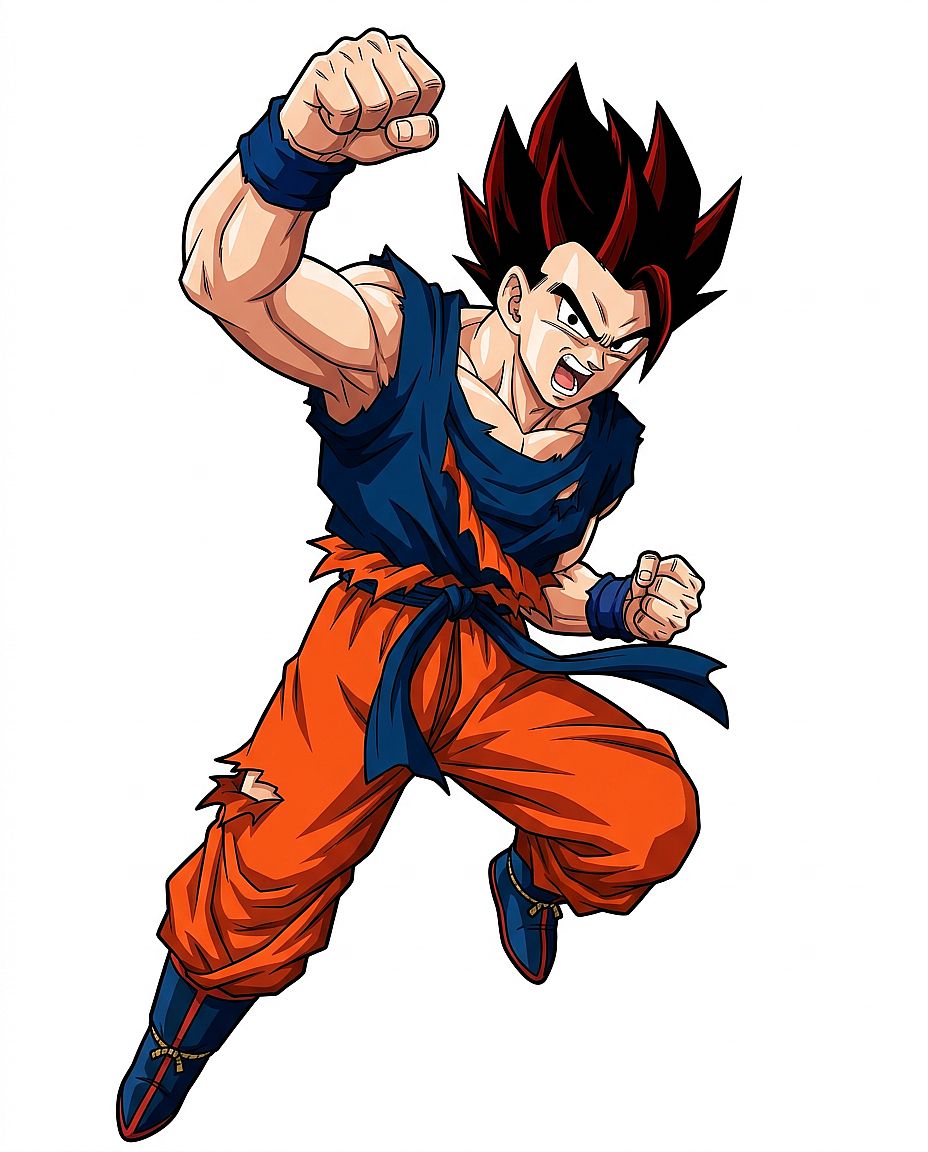
Prompt: Ilustración de cuerpo entero de un héroe shonen adolescente, pelo negro de punta con mechas rojas, gi de entrenamiento de batalla rasgado, pose de acción dinámica con un puño en alto, expresión decidida, estilo anime clásico con cel-shading, líneas limpias y marcadas, fondo blanco, sin escena de fondo
22. Campo al estilo Ghibli
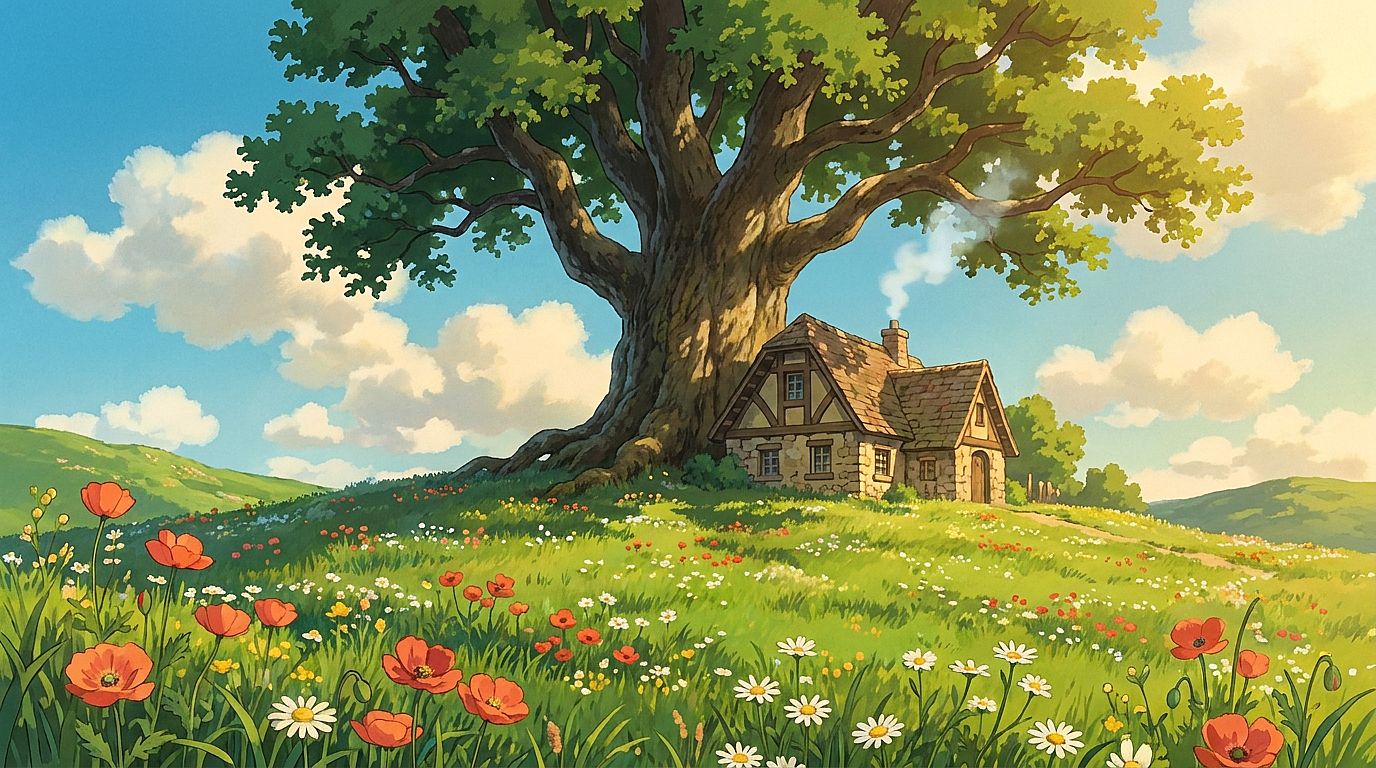
Prompt: Campo pastoral en estilo de animación de Studio Ghibli, colinas verdes onduladas salpicadas de flores silvestres, una pequeña casa de piedra con humo saliendo de la chimenea, un enorme roble centenario en el centro del encuadre, cielo despejado de verano con grandes nubes esponjosas, calidad pintada a mano, cálida luz de tarde
23. Retrato de anime ciberpunk
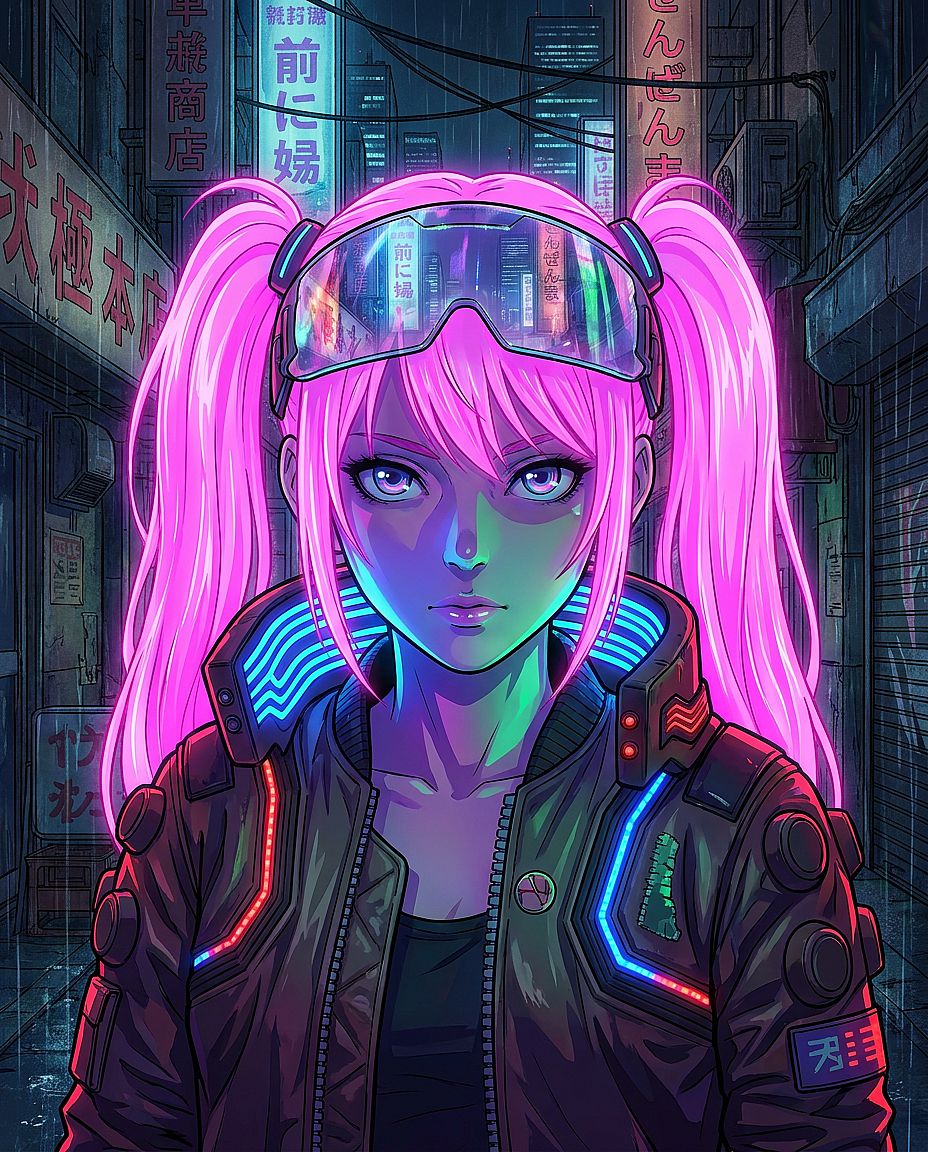
Prompt: Retrato anime de una joven con el pelo rosa neón en dos coletas, un visor que refleja un paisaje urbano de neón, chaqueta cyberpunk con detalles de tiras LED, iluminación neón dramática desde abajo que crea sombras de colores en su rostro, composición de retrato al estilo manga, calidad de producción del estudio MAPPA
24. Personaje mago chibi
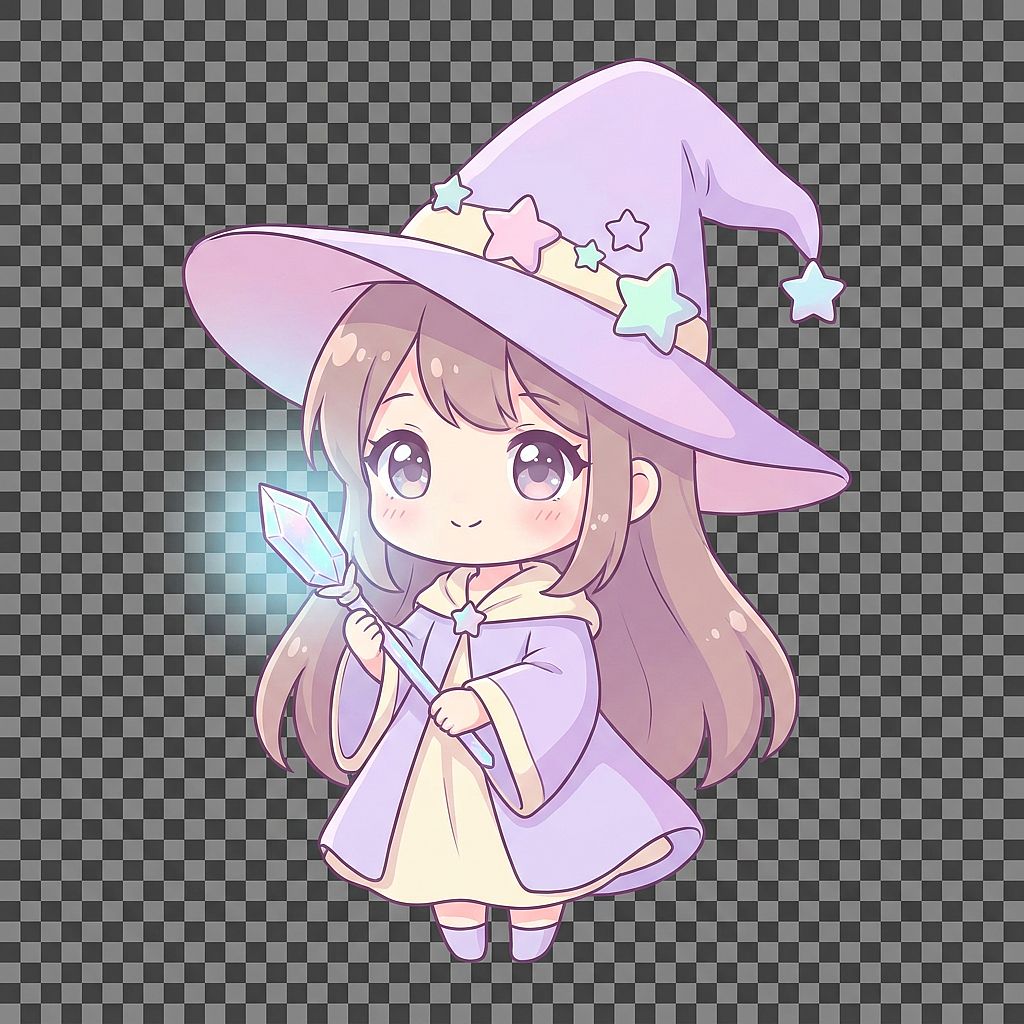
Prompt: Personaje de maga femenina en estilo chibi adorable, sombrero de mago puntiagudo y sobredimensionado con decoraciones de estrellas, ojos muy grandes y expresivos, sosteniendo una varita de cristal brillante, paleta de colores lavanda pastel y crema, proporciones redondeadas y sencillas, estilo de ilustración anime suave, fondo transparente
Nota de exportación: Para un recorte de personaje reutilizable, elige una opción de salida compatible con la transparencia y descarga un PNG con canal alfa. Si no, elimina el fondo tras la generación.
25. Viñeta de manga clásica
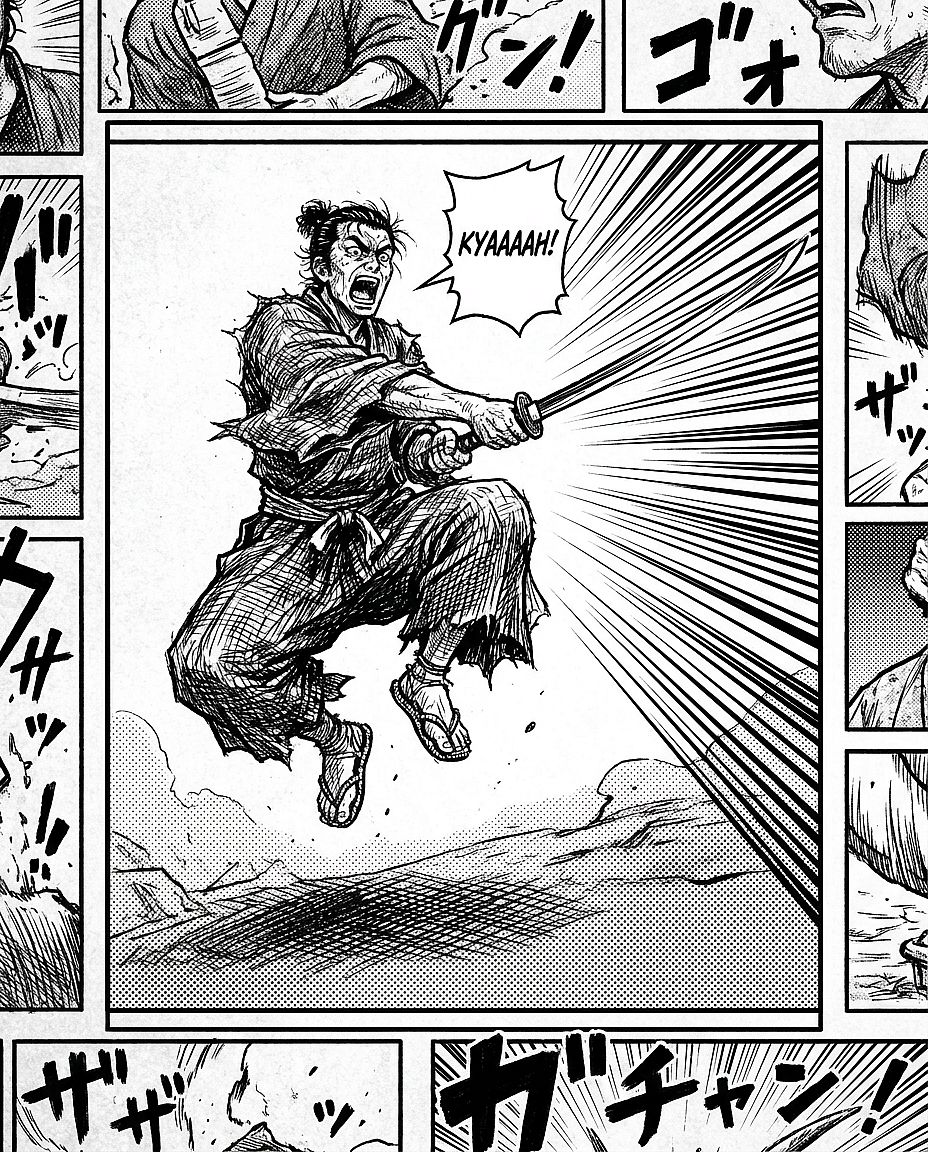
Prompt: Viñeta de manga en blanco y negro, samurái en pose de combate en pleno golpe con la espada desenvainada, dramáticas líneas de velocidad de fondo que convergen en la hoja, tramado denso en las zonas de sombra, textura de screen tone en el suelo, rostro expresivo y contorsionado mostrando el kiai de batalla, composición de viñeta estilo Shonen Jump
6. Prompts de imágenes con IA de arte conceptual y fantasía
El arte fantástico y conceptual se beneficia de un punto focal claro, una sensación de escala y una historia visual. Usa el generador de arte con IA para explorar estas escenas y luego afina la composición en torno al elemento en el que quieres que se fijen primero.
Plantilla reutilizable: Arte conceptual de [SUJETO O LUGAR], con [ACCIÓN PRINCIPAL O DETALLE NARRATIVO], [PRIMER PLANO] y [FONDO], iluminado por [FUENTE DE LUZ], con [PALETA DE COLORES], [COMPOSICIÓN] y [MEDIO ARTÍSTICO].
Decide dónde se usará la imagen antes de elegir la composición. Una portada de libro necesita espacio para el título; una escena panorámica puede dejar más sitio al paisaje que la rodea.
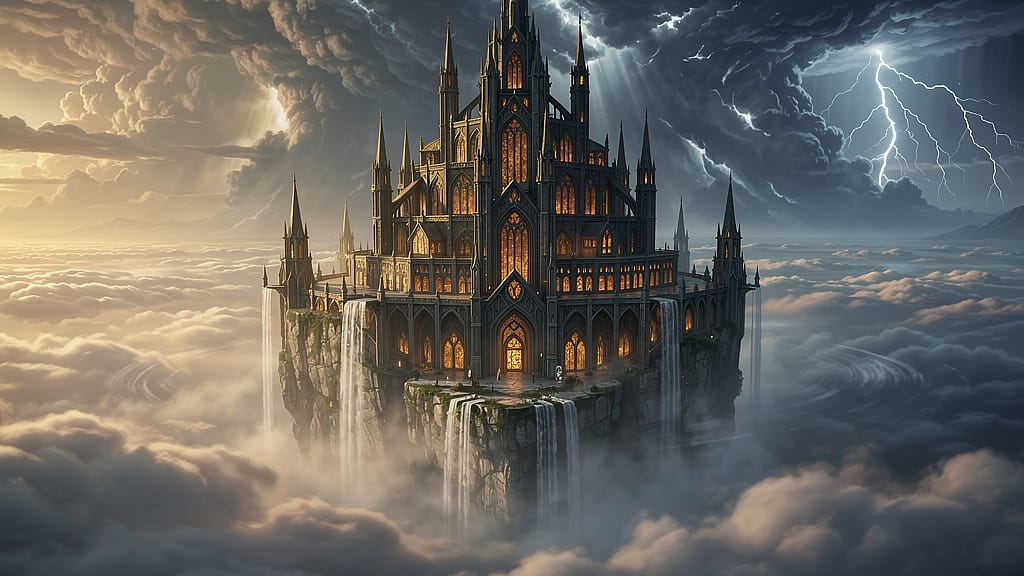
26. Castillo flotante
Prompt: Arte conceptual cinematográfico de un castillo flotante enorme sobre un mar de nubes, con cascadas que caen por los bordes hacia el vacío, agujas góticas con ventanas de brillo cálido, nubes de tormenta acumulándose al fondo con destellos de rayos, plano general en gran angular, composición de portada de libro de RPG de fantasía
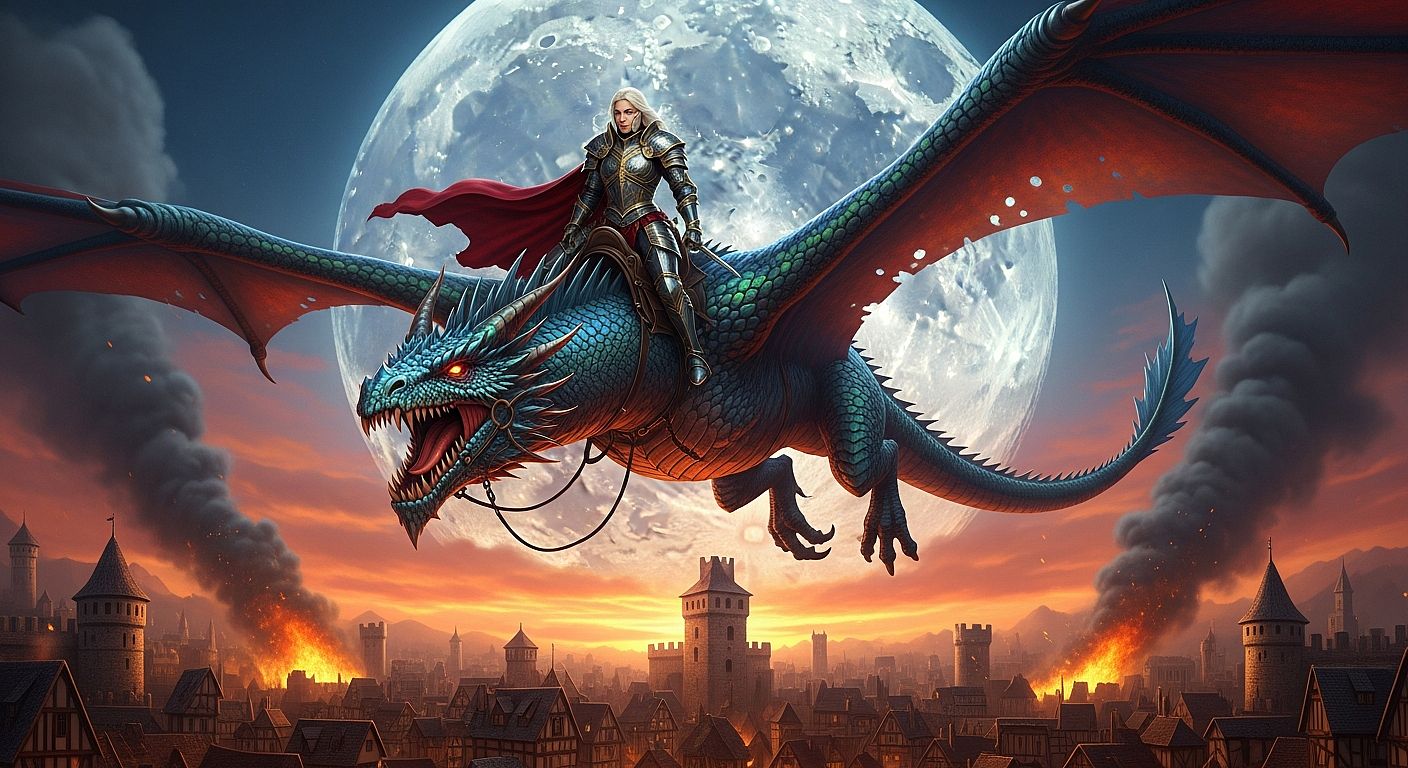
27. Jinete de dragón
Prompt: Arte conceptual de fantasía épica de una guerrera con armadura completa de placas montada sobre un gran dragón iridiscente, en lo alto sobre una ciudad medieval en llamas, con contraluz dramático de una enorme luna llena, paleta de colores rojos y dorados intensos, plano general amplio, calidad de arte clave de película de fantasía, gran detalle
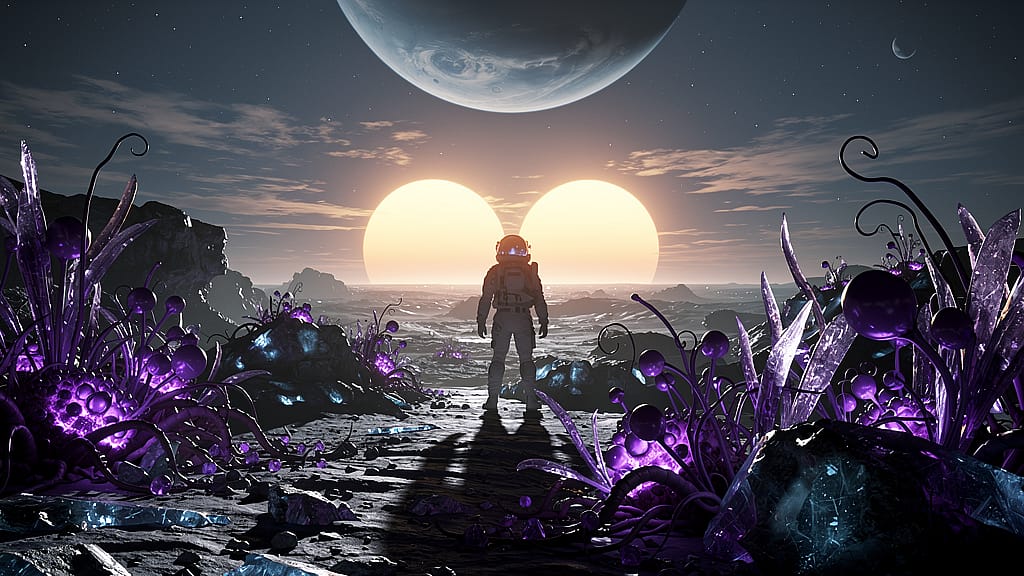
28. Paisaje lunar alienígena
Prompt: Concept art de ciencia ficción de la superficie de una luna alienígena con dos soles ocultándose en el horizonte proyectando sombras dobles, vegetación bioluminiscente de color púrpura en primer plano, silueta de un astronauta con traje EVA en el centro del encuadre, formato ultrapanorámico cinematográfico 2.39:1, concept art VFX con calidad de James Cameron
29. Cámara de la mazmorra
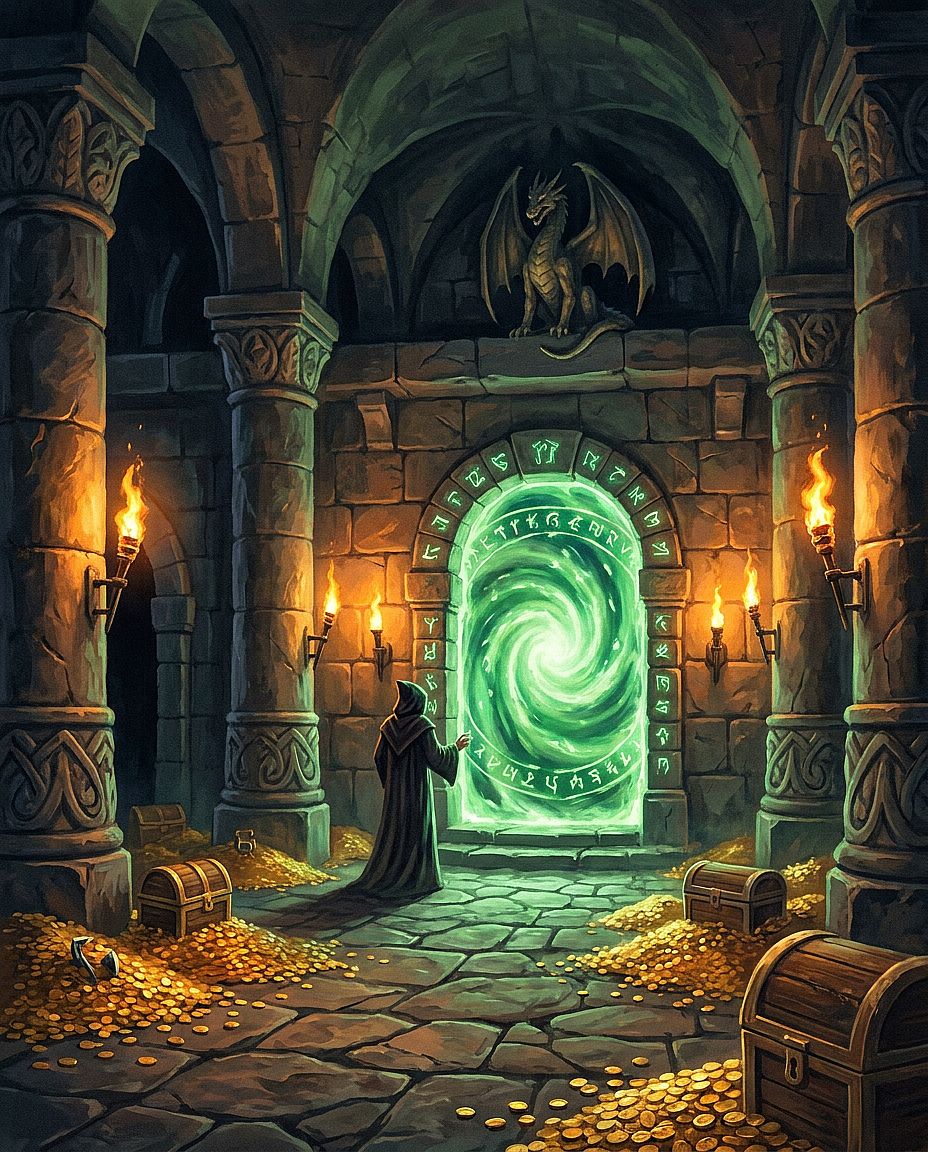
Prompt: Interior de una mazmorra fantástica con enormes columnas de piedra, un portal antiguo hecho de runas verdes brillantes en el centro, monedas de oro dispersas y restos de esqueletos en el suelo de piedra, dramática iluminación baja de antorchas en apliques de pared, estilo de portada de guía para dungeon master, pintura digital al óleo
30. Espíritu del bosque
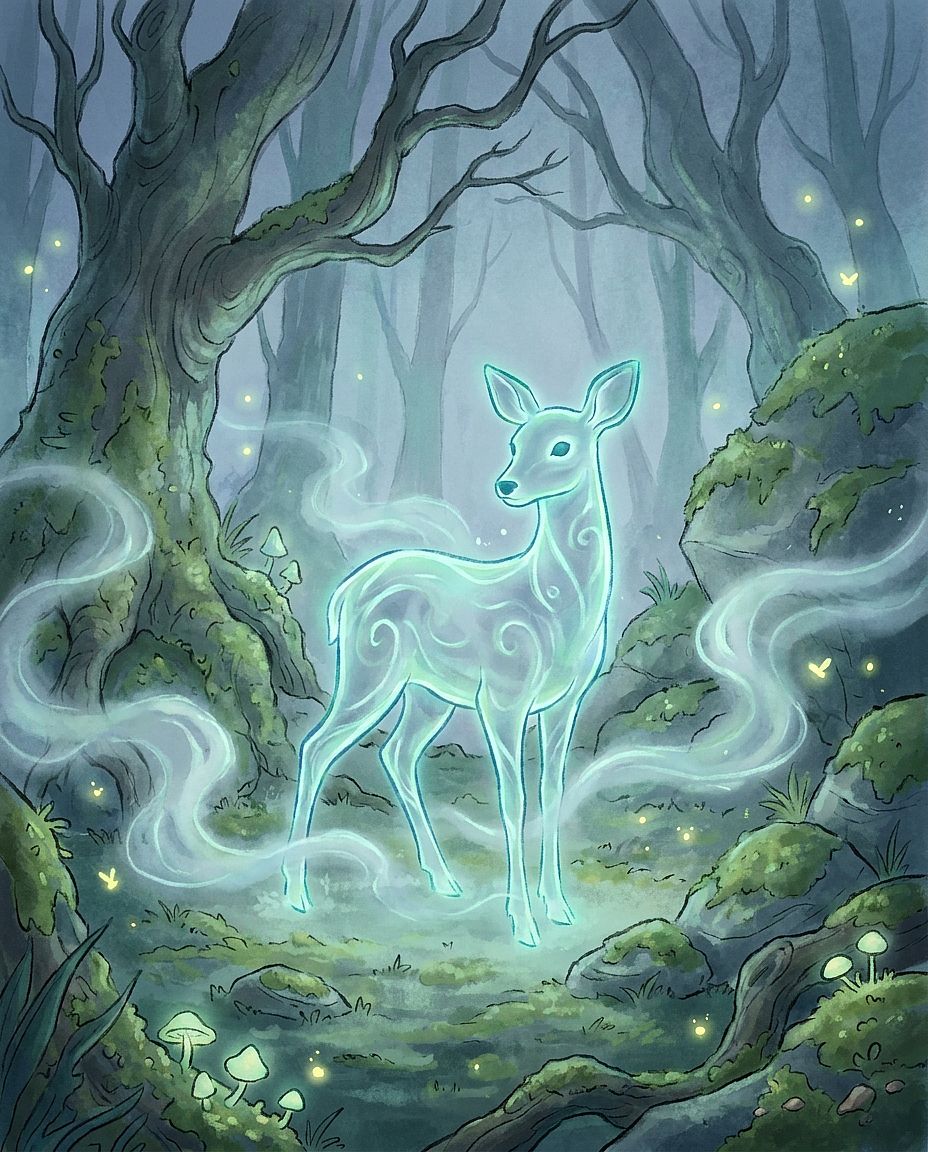
Prompt: Espíritu etéreo del bosque, forma bioluminiscente translúcida con figura de híbrido ciervo-humano, de pie en un claro brumoso del bosque en pleno crepúsculo, suave resplandor azul verdoso emanando de su contorno, niebla a la altura de las rodillas, arte conceptual para una película de animación, detalle impresionista
7. Prompts de imágenes de IA de arquitectura e interiorismo
Los prompts arquitectónicos se benefician de descripciones concretas de materiales y distribución. Nombra el estilo de diseño y luego describe las superficies, la colocación del mobiliario, la posición de las ventanas y el ángulo de cámara que lo definen.
Plantilla reutilizable: [INTERIOR O EXTERIOR] en [ESTILO ARQUITECTÓNICO], con [MATERIALES], [ESTRUCTURAS O MOBILIARIO CLAVE] y [DISTRIBUCIÓN], visto desde [POSICIÓN DE CÁMARA], con [ILUMINACIÓN], [ESTILO DE RENDERIZADO].
Prueba la misma habitación con muebles de roble, nogal o pintados para explorar la paleta. Si trabajas con un espacio existente, añade una referencia y mantén en el brief la posición de la pared y las ventanas.
31. Salón Japandi
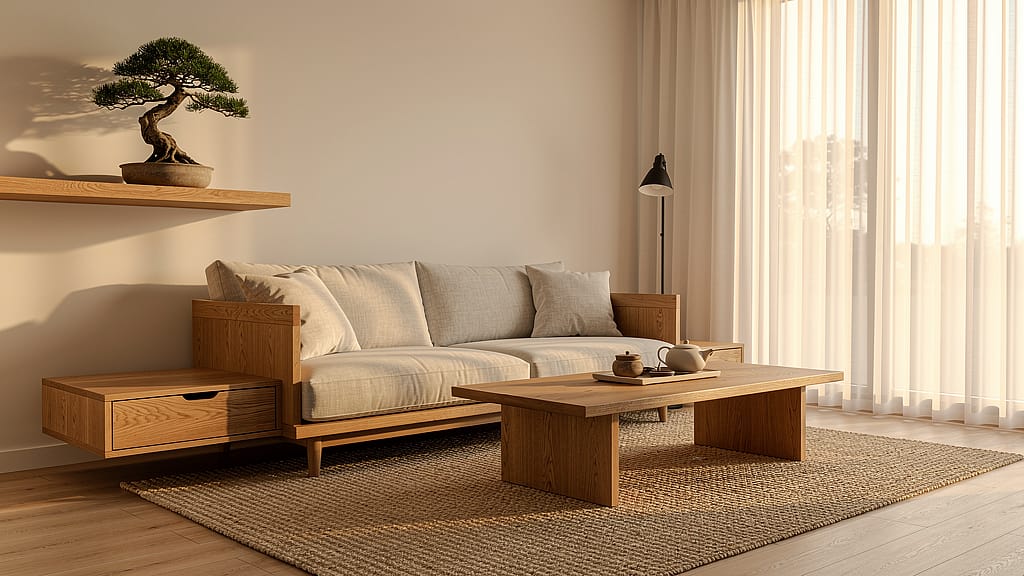
Prompt: Fotografía de diseño de interiores de un salón de estilo japandi, muebles de madera de roble cálida con líneas limpias y sin ornamentos, tapicería de lino natural, alfombra de yute tejido, ventanales del suelo al techo con luz de tarde filtrada, un pequeño bonsái en una estantería flotante de roble, calidad de revista de arquitectura
32. Exterior de museo brutalista
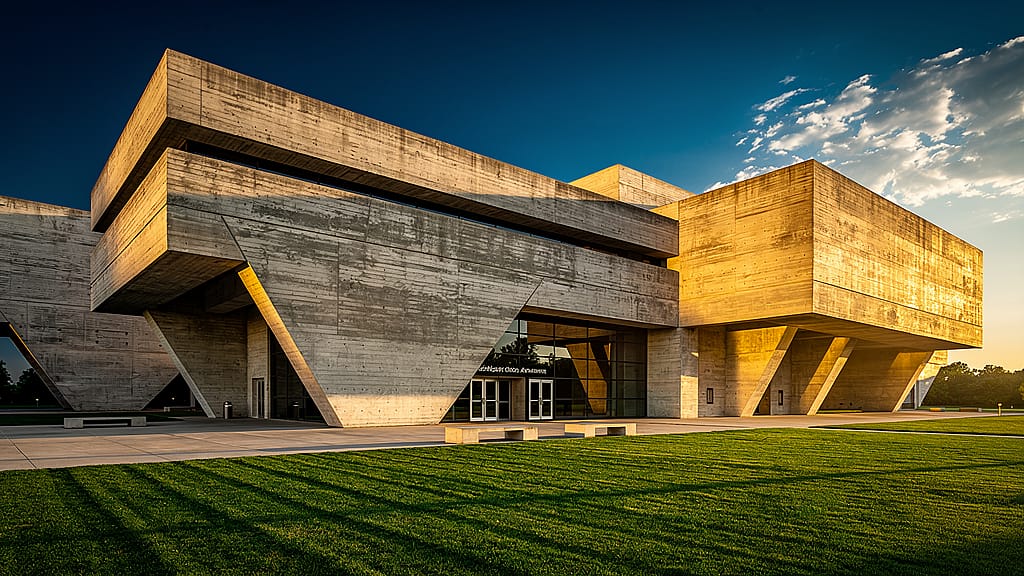
Prompt: Fotografía de arquitectura exterior de un gran museo brutalista de hormigón, dramáticos voladizos angulares que proyectan sombras geométricas marcadas, sol de última hora de la tarde barriendo la fachada, césped perfectamente cuidado en primer plano, detalle ultranítido, perspectiva amplia, calidad Architectural Digest
33. Dormitorio principal de lujo
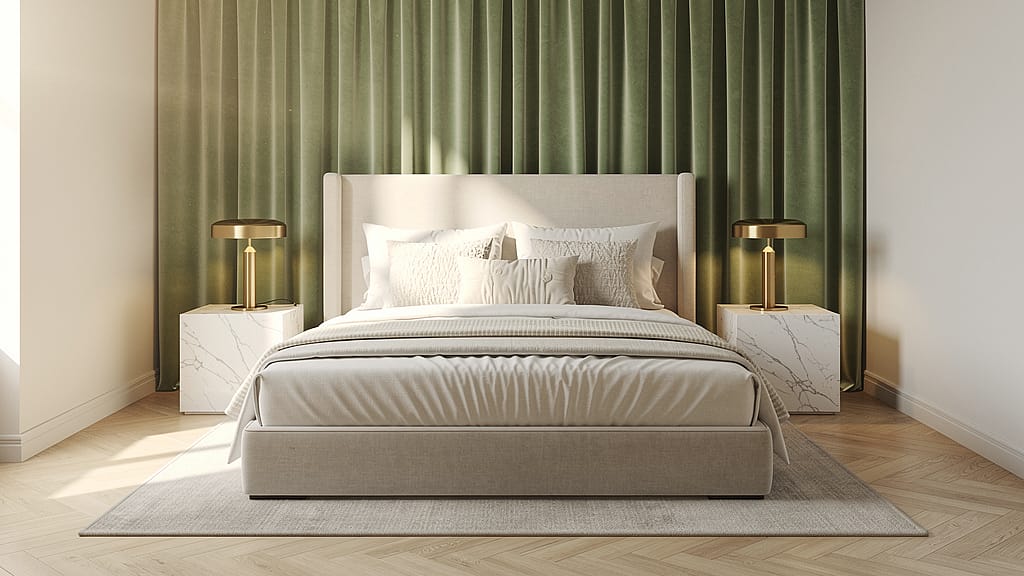
Prompt: Render de diseño de interiores de un dormitorio principal de lujo, cama de matrimonio con ropa de cama de lino marfil por capas, mesitas de mármol a juego con lámparas de latón cepillado, cortinas de terciopelo verde salvia de suelo a techo, luz de la mañana entrando desde la izquierda, fotografía de interiores editorial, sin desorden, calma aspiracional
34. Villa tropical desde el aire
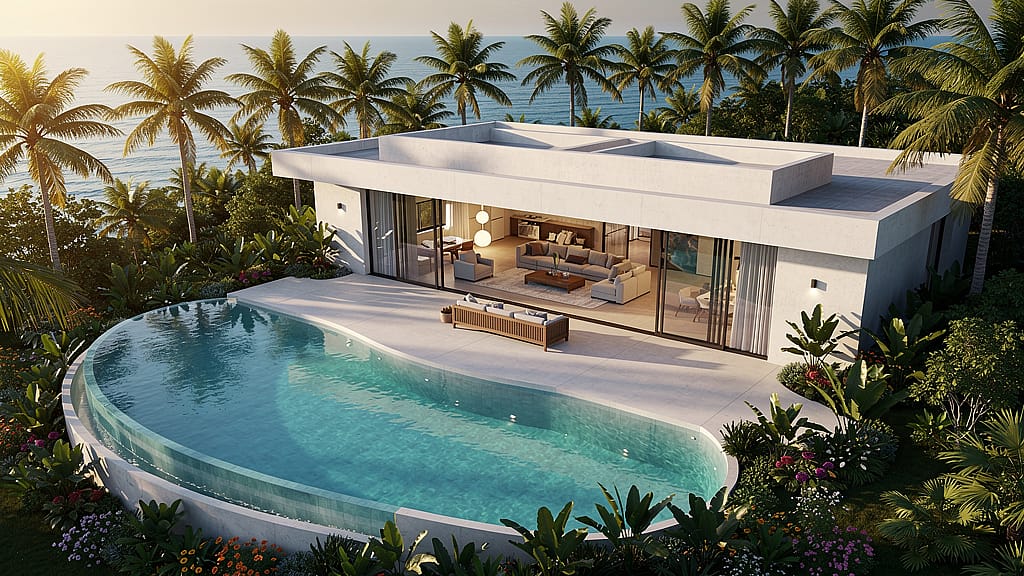
Prompt: Vista aérea con dron de una villa tropical moderna con piscina infinita curva, rodeada de densas palmeras y jardín tropical, salón de planta abierta visible a través de paredes correderas de cristal completo, océano en el horizonte, cálida luz de la hora dorada, visualización arquitectónica, render limpio e hiperrealista
35. Callejón estrecho de Tokio
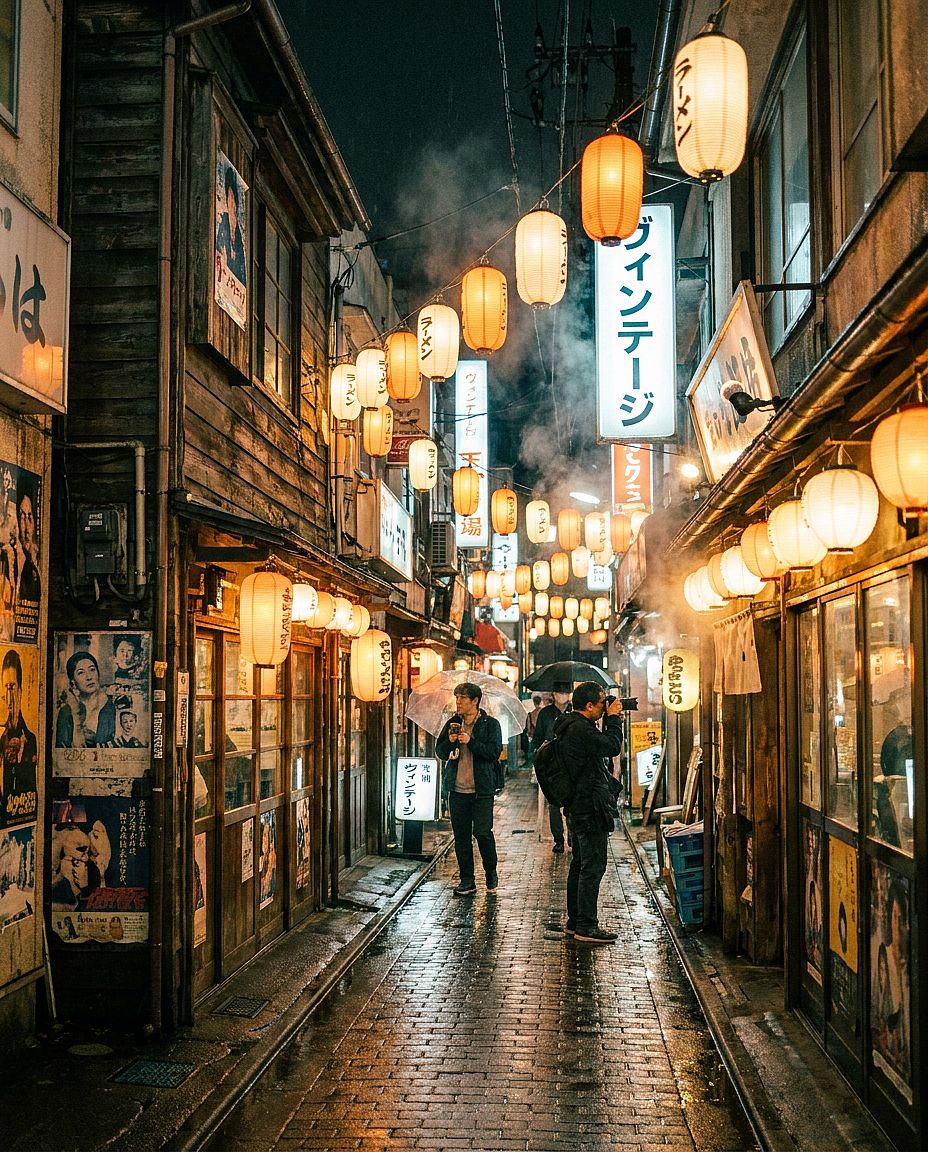
Prompt: Fotografía arquitectónica a pie de calle en un callejón estrecho del barrio de Shimokitazawa de Tokio, edificios de madera vintage descabalados con farolillos de papel colgantes, adoquines mojados que reflejan la cálida luz de las tiendas tras la lluvia, letreros vintage escritos a mano, fotografía de viajes documental, perspectiva de 35 mm
8. Prompts de imágenes con IA de comida y estilo de vida
Los prompts de comida y estilo de vida necesitan un sujeto claro, texturas creíbles y una dirección de luz intencionada. Describe cómo se prepara y presenta la comida, junto con las superficies y objetos que la rodean.
Plantilla reutilizable: Fotografía de comida de [PLATO O BEBIDA], presentado con [GUARNICIÓN Y DETALLES DE SERVICIO], sobre [SUPERFICIE], con [ACCESORIOS], fotografiado desde [ÁNGULO], iluminado por [ILUMINACIÓN], [ESTILO VISUAL].
Una vista cenital es ideal para un desayuno completo, mientras que un ángulo más bajo puede mostrar la altura y las capas de un plato. Para una carta de restaurante, usa una referencia para poder comparar la ración y la presentación con la comida que sirves.
36. Plano estrella de alta cocina
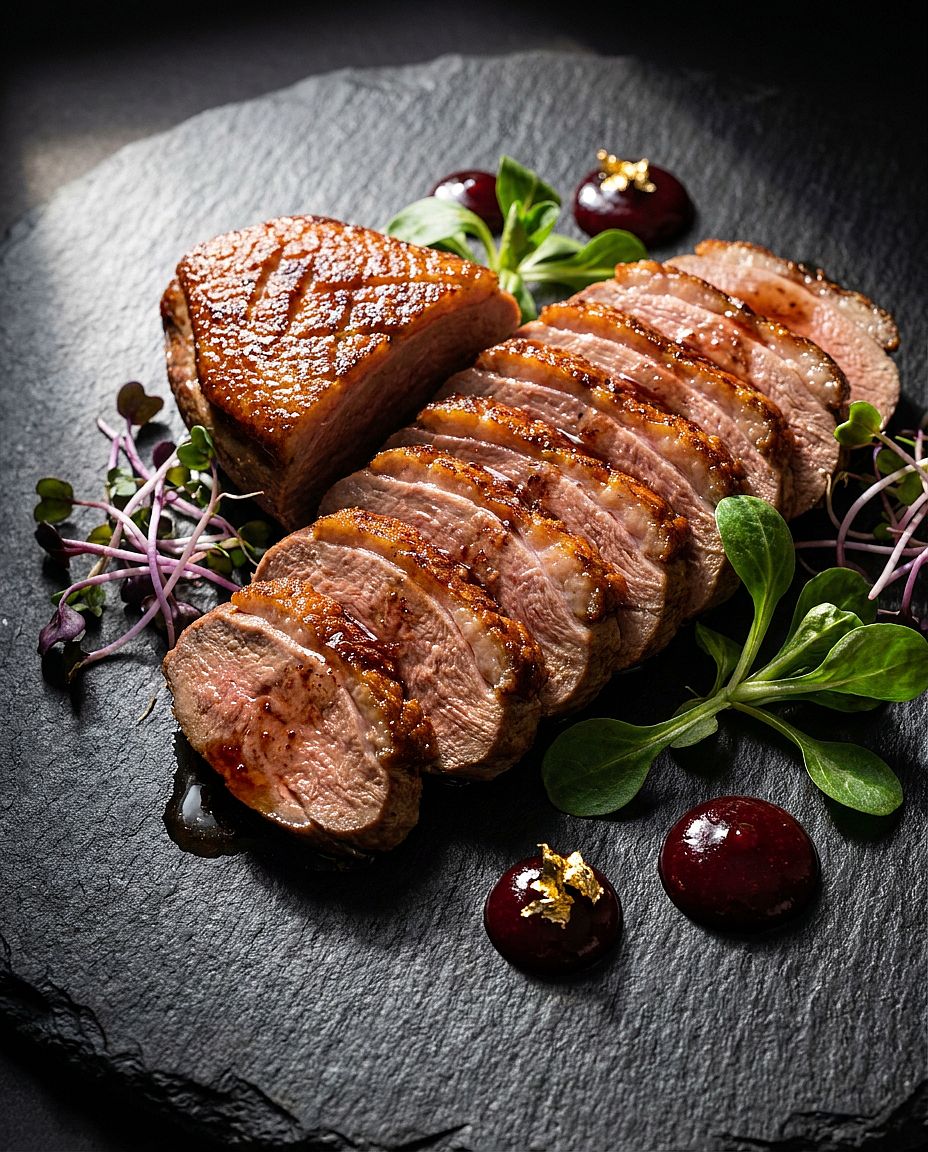
Prompt: Plano estrella de menú de restaurante de una pechuga de pato perfectamente sellada, cortada fina y desplegada en abanico sobre un plato de pizarra, rodeada de brotes tiernos y puntos de gastrique de cereza, decorada con pan de oro comestible, iluminación lateral dramática de fuente única desde la izquierda, fotografía gastronómica de alta cocina, detalle macro de la textura de la carne
37. Flat lay matutino de tostada de aguacate
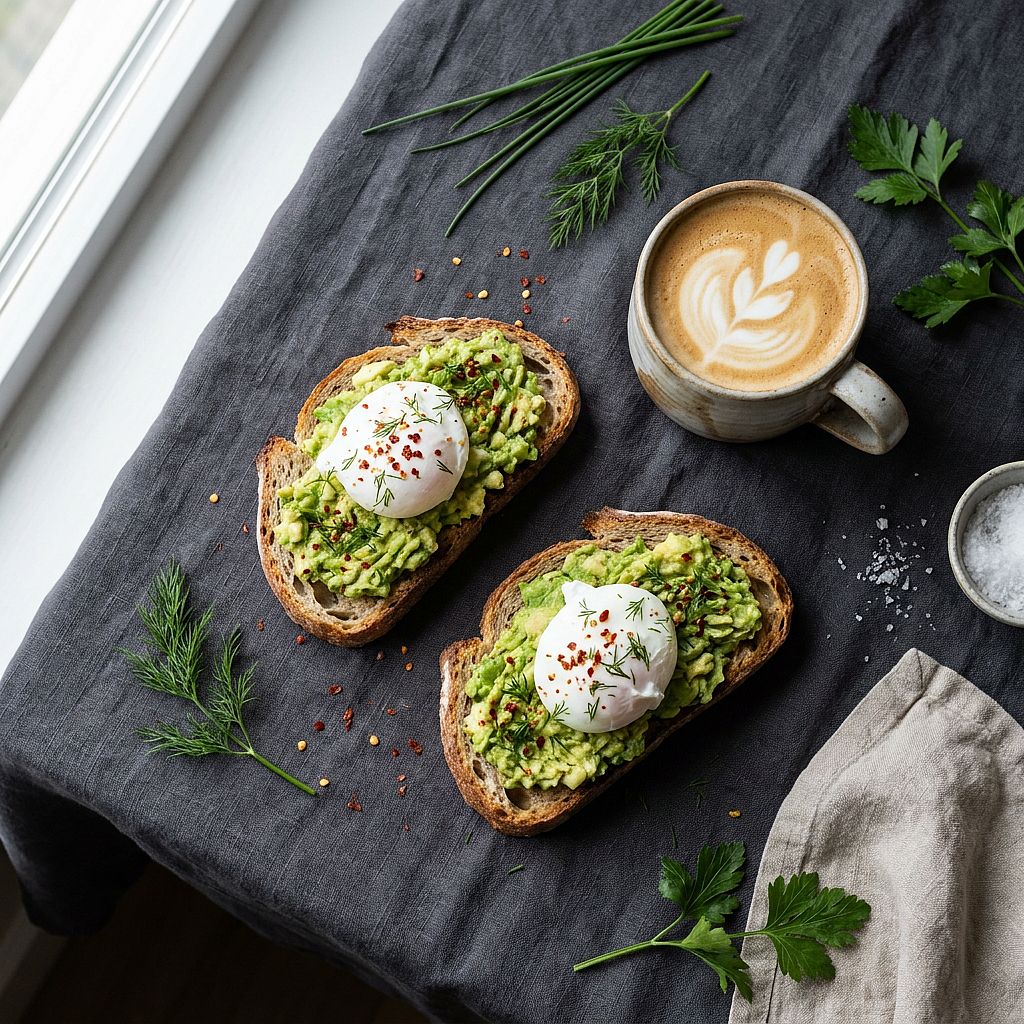
Prompt: Bodegón de desayuno cenital, tostada rústica de masa madre con aguacate, huevos escalfados y copos de chile, una taza de cerámica con latte y arte latte de hoja al lado, hierbas frescas esparcidas sobre un mantel de lino oscuro, luz suave de ventana desde la izquierda, estilismo gastronómico escandinavo, limpio y minimalista
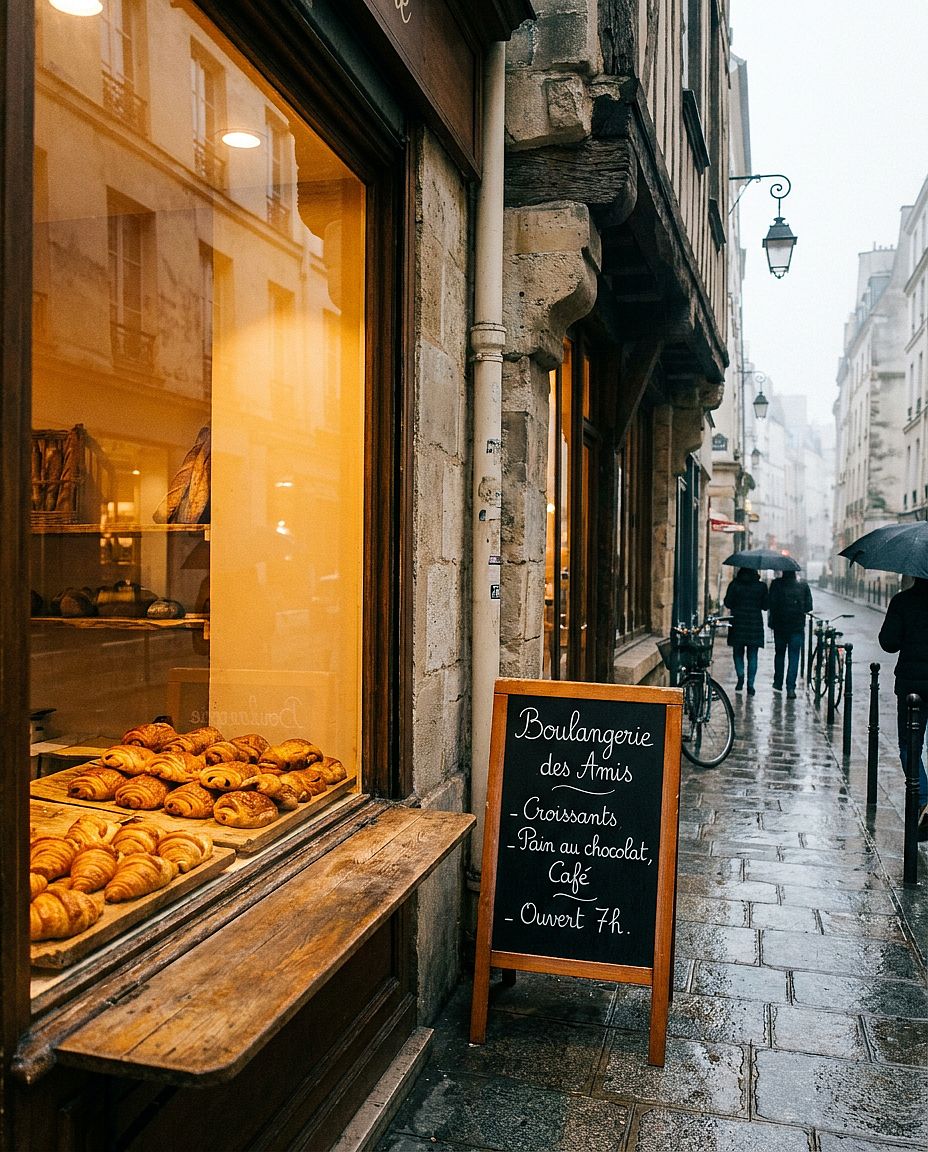
38. Escaparate de panadería francesa
Prompt: Toma exterior del escaparate de una panadería parisina, filas ordenadas de croissants dorados y pain au chocolat sobre tablas de madera envejecida en el interior, menú de pizarra con letra cursiva a mano, cálida luz ámbar que se derrama desde el interior sobre los adoquines de la mañana, ligera bruma fuera, fotografía editorial de estilo de vida
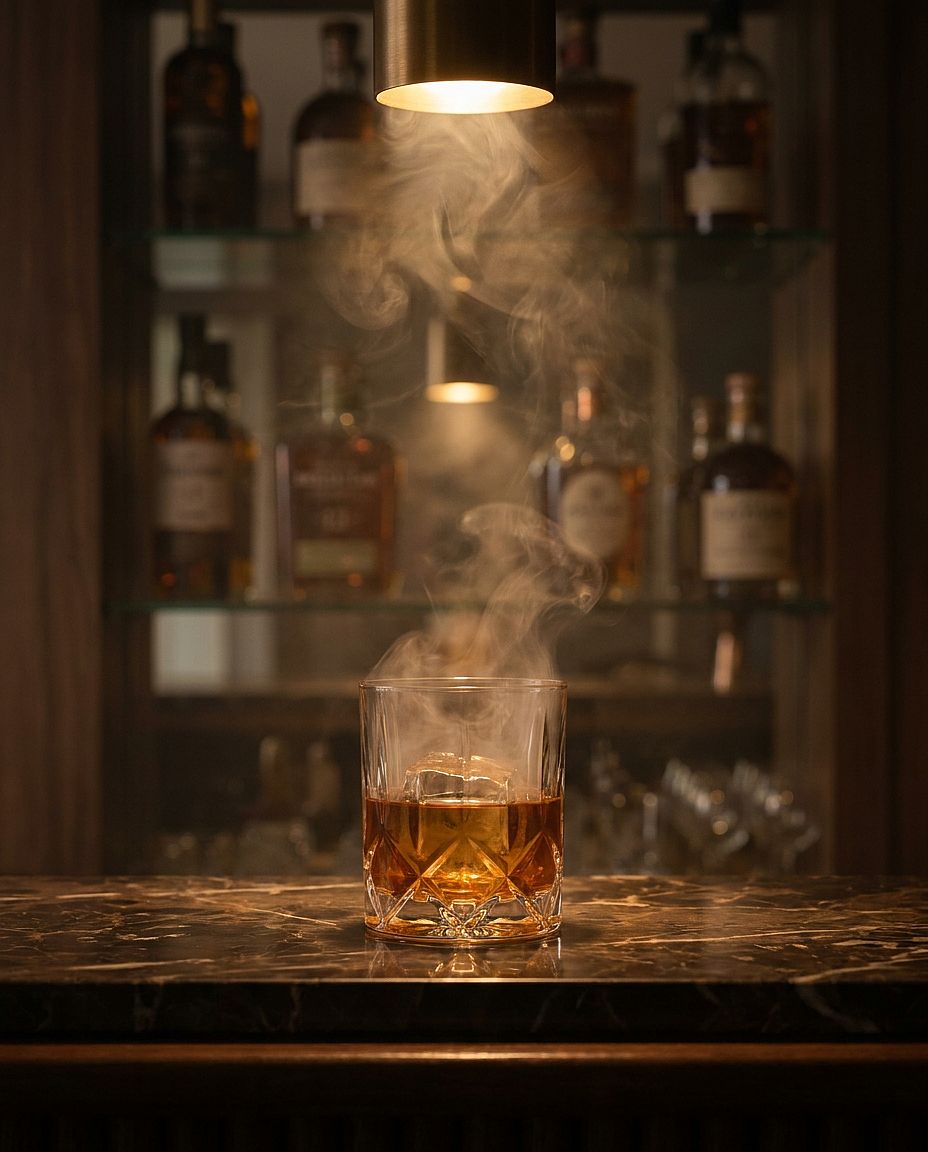
39. Bar de cócteles con ambiente
Prompt: Escena de bar de cócteles con ambiente íntimo, whisky en un vaso de cristal lleno de humo sobre una barra de mármol oscuro, líquido ámbar con un gran cubito de hielo transparente, botellas desenfocadas en estanterías con espejo al fondo, foco cálido de tungsteno directamente desde arriba, gradación de color cinematográfica, calidad de anuncio de licores de lujo
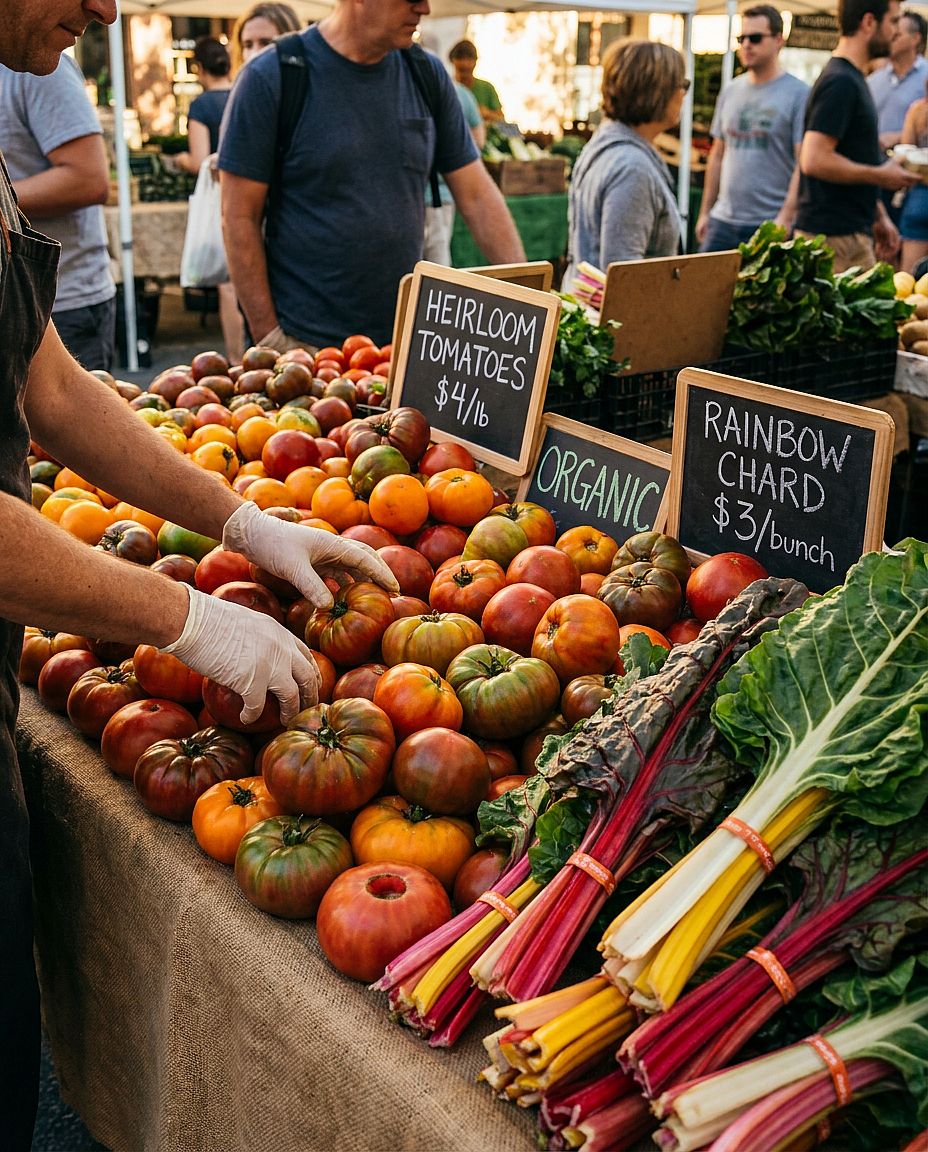
40. Puesto de mercado agrícola
Prompt: Vibrante puesto de mercado de agricultores al aire libre rebosante de tomates autóctonos en rojo, naranja y verde, acelgas arcoíris apiladas, etiquetas de precio pintadas a mano en pequeñas pizarras, las manos del vendedor colocando los productos en el encuadre, cálida luz de tarde moteada, fotografía documental de estilo de vida, tonos naturales saturados
9. Prompts de imágenes con IA cyberpunk y ciencia ficción
Las escenas cyberpunk y de ciencia ficción necesitan algo más que una lista de colores de neón. Especifica de dónde viene la luz, qué la refleja y cómo destaca el sujeto principal del entorno.
Plantilla reutilizable: Escena de ciencia ficción de [SUJETO O LUGAR], con [DETALLES TECNOLÓGICOS], con [ACCIÓN PRINCIPAL], [FUENTES DE LUZ], [PALETA DE COLORES], [ATMÓSFERA] y [COMPOSICIÓN DE CÁMARA].
Elige uno o dos colores de luz dominantes y dales una fuente, como el letrero de una tienda o un panel de control azul. Si un letrero necesita palabras legibles, incluye el texto exacto y su posición.
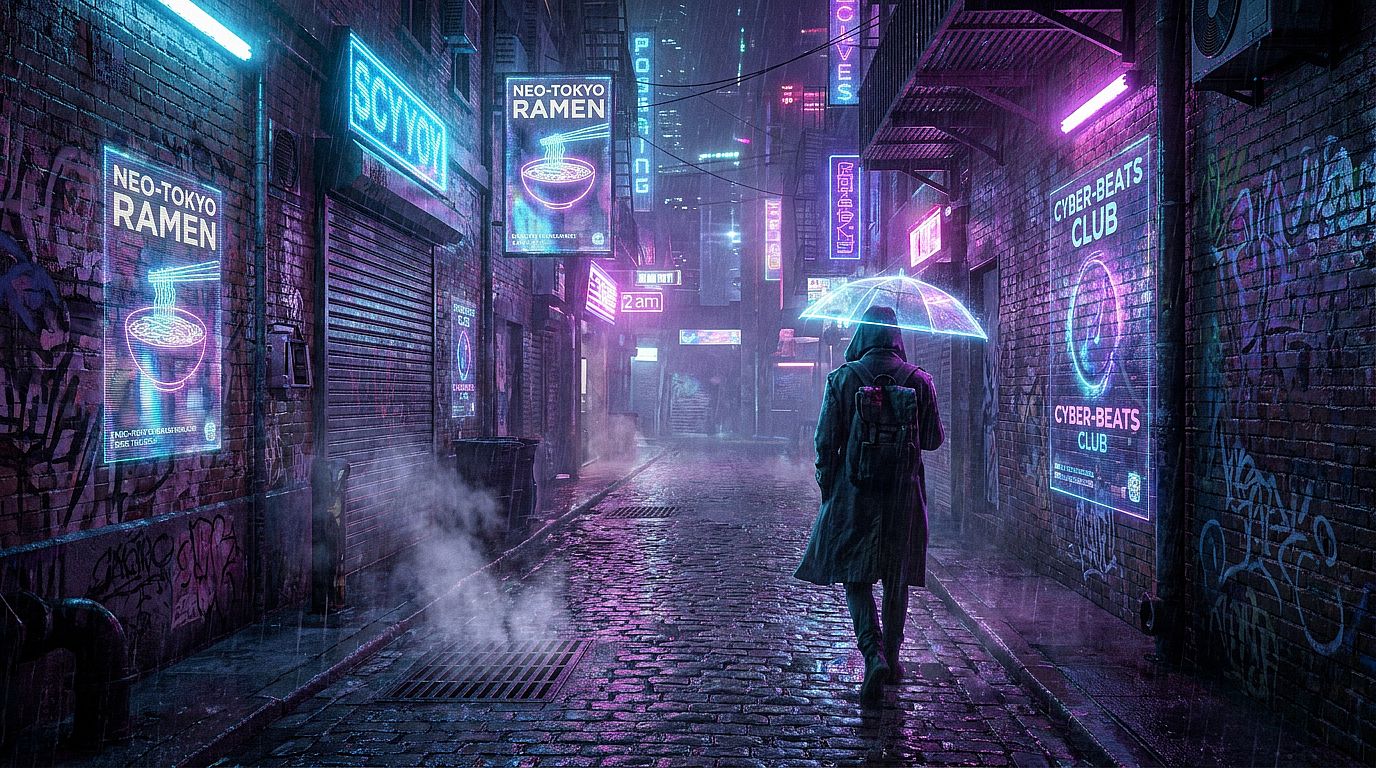
41. Callejón de neón de Tokio
Prompt: Callejón cyberpunk con neones y mojado por la lluvia a las 2 de la madrugada, proyecciones publicitarias holográficas parpadeando en las paredes húmedas de los edificios, una figura solitaria con gabardina larga alejándose de la cámara, vapor saliendo de las rejillas de desagüe en primer plano, intensos reflejos de neón azul eléctrico y rosa fucsia en los charcos, panorámica cinematográfica 2.39:1
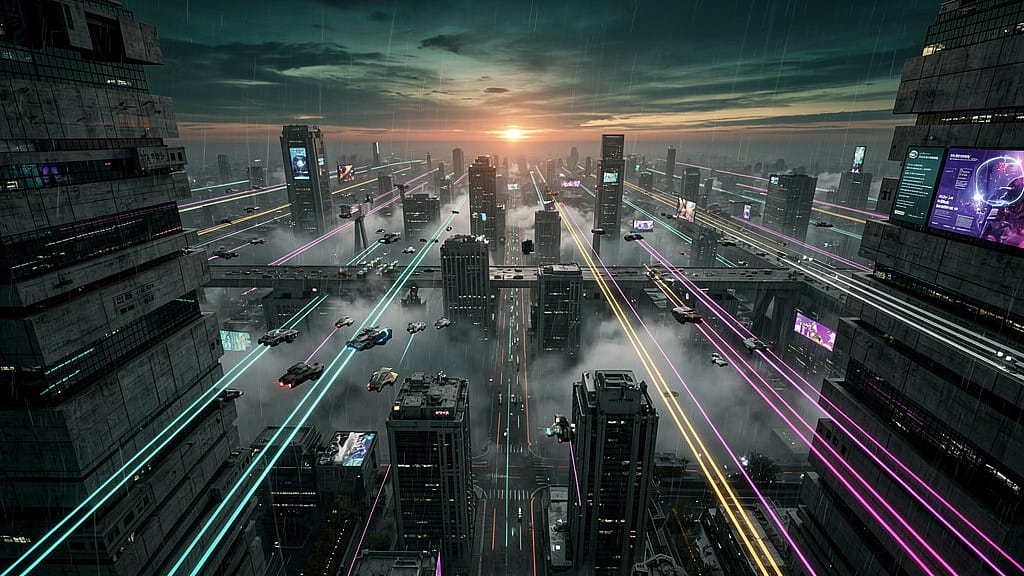
42. Megaciudad distópica
Prompt: Vista aérea de una enorme megaciudad distópica al atardecer, imponentes rascacielos brutalistas que se extienden hasta el horizonte, vehículos voladores con largas estelas de luz a media altura, densa niebla tóxica captando la última luz naranja cerca del horizonte, paleta de colores de Blade Runner 2049, concept art ultradenso y ultradetallado
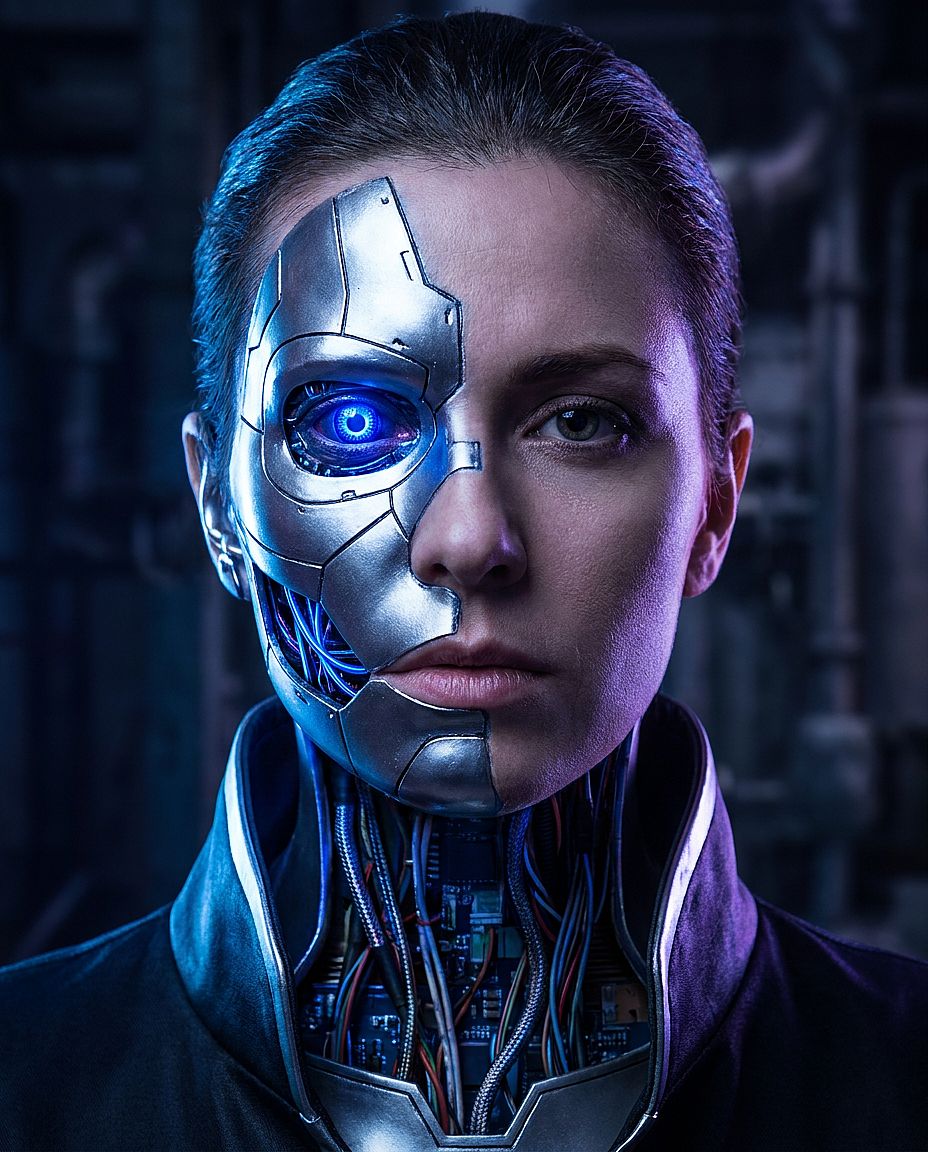
43. Retrato ciborg
Prompt: Retrato en primer plano de una mujer cíborg, placas de cromo y titanio cubriendo la mitad izquierda de su cara con costuras visibles, un implante óptico azul cobalto brillante en el ojo izquierdo, cableado de circuitos expuesto en la unión del cuello, dramática luz de contorno desde atrás, fotorrealista, calidad de fotograma de película de ciencia ficción
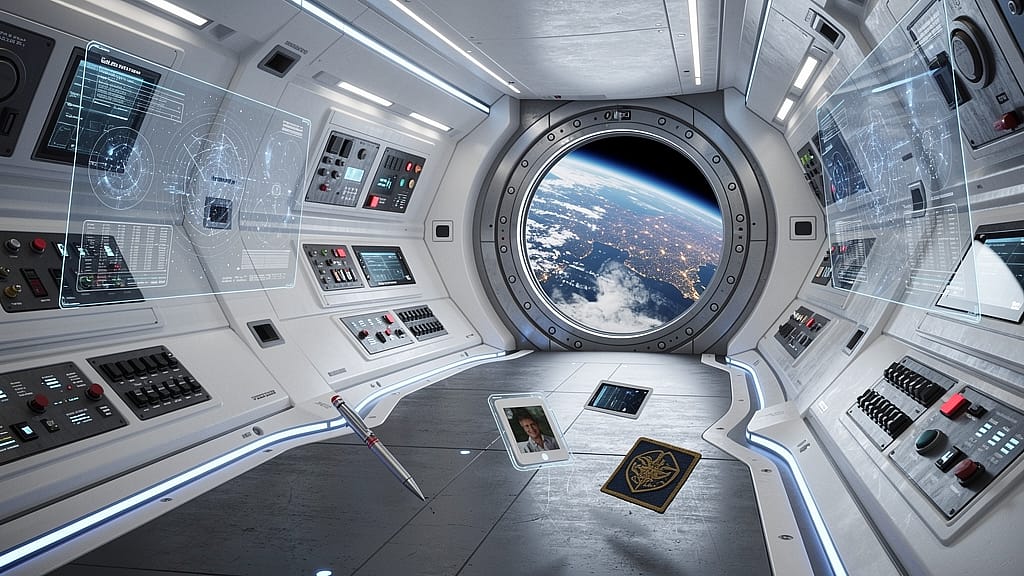
44. Interior de una estación espacial
Prompt: Interior del pasillo de un centro de estación en el espacio profundo futurista, paredes curvas de polímero blanco con tiras de iluminación LED azul integradas, paneles de control con pantallas holográficas, un gran ojo de buey circular que muestra la Tierra desde la órbita, objetos personales flotando en gravedad cero, estilo visual de ciencia ficción dura fotorrealista
45. Instalación de neón en el desierto
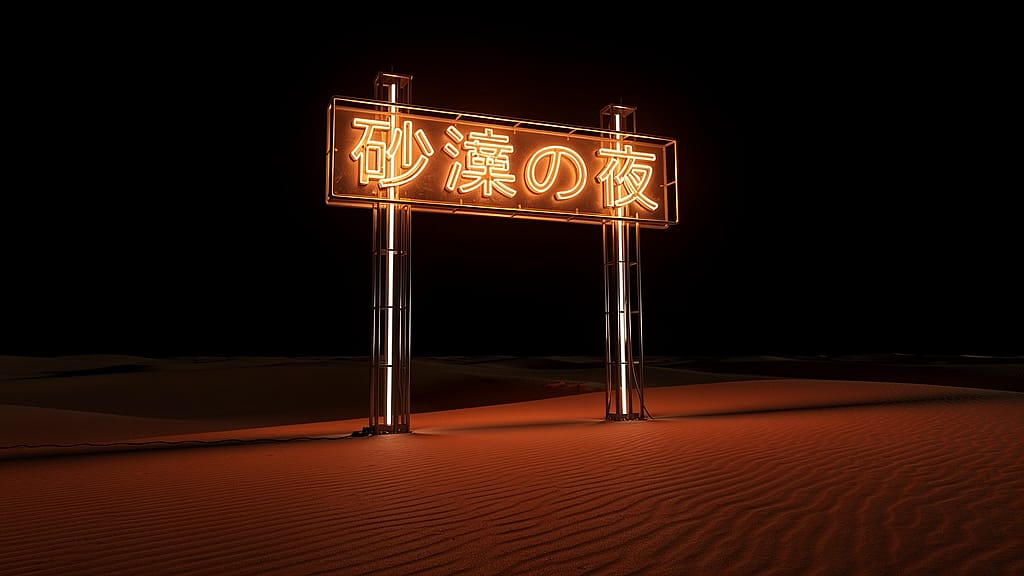
Prompt: De noche en un desierto vacío, un enorme letrero de neón brillante con caracteres kanji japoneses solo en la arena, la cálida luz de neón derramándose sobre las dunas cercanas y proyectando largas sombras, un cielo oscuro infinito arriba, composición mínima y austera, fotografía artística que se cruza con instalación de ciencia ficción
10. Prompts de imágenes con IA vintage y retro
Los prompts retro son más fáciles de dirigir si especificas la década, la ropa, el entorno y el tratamiento fotográfico. Describe los efectos visuales que quieres, como colores desvaídos, flash directo, grano o un borde de copia desgastado.
Plantilla reutilizable: Fotografía inspirada en la [DÉCADA] de [SUJETO], con [ROPA], en [ESCENARIO], con [ILUMINACIÓN], [TRATAMIENTO DE COLOR], [TEXTURA] y [ENCUADRE].
Ajusta la ropa y los accesorios a la época que tienes en mente. Usa grano, flash, decoloración y bordes de copia impresa para dar forma al look fotográfico; comprueba por separado los detalles de época cuando importe la precisión histórica.
46. Retrato de película de los años 70
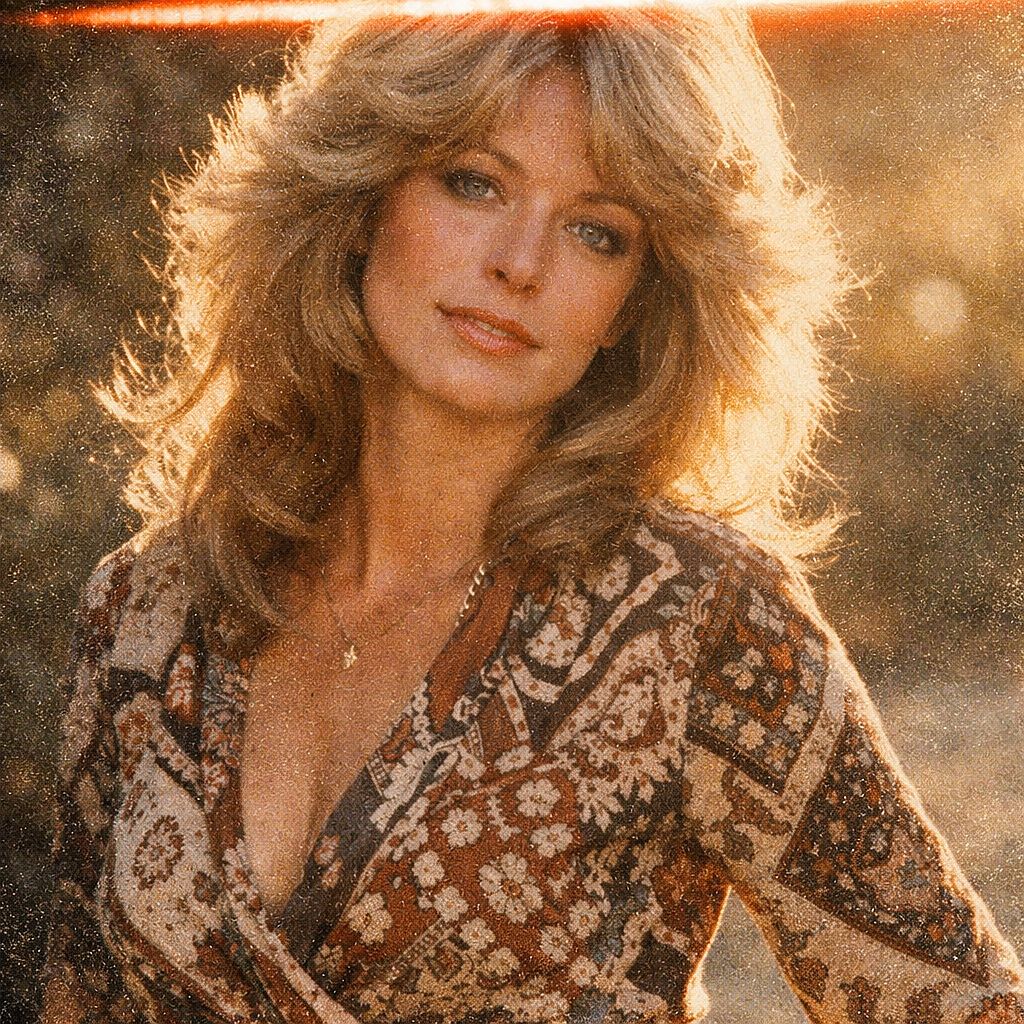
Prompt: Retrato de fotografía de película de los años 70 de una mujer de casi 30 años, pelo escalonado en capas al estilo Farrah Fawcett, con un vestido cruzado estampado, suave contraluz cálido del sol de última hora de la tarde, grano de película muy marcado, paleta de color analógica desvaída, franja de fuga de luz en el borde superior, simulación de película Kodak Ektar
47. Fiesta Polaroid de los 90
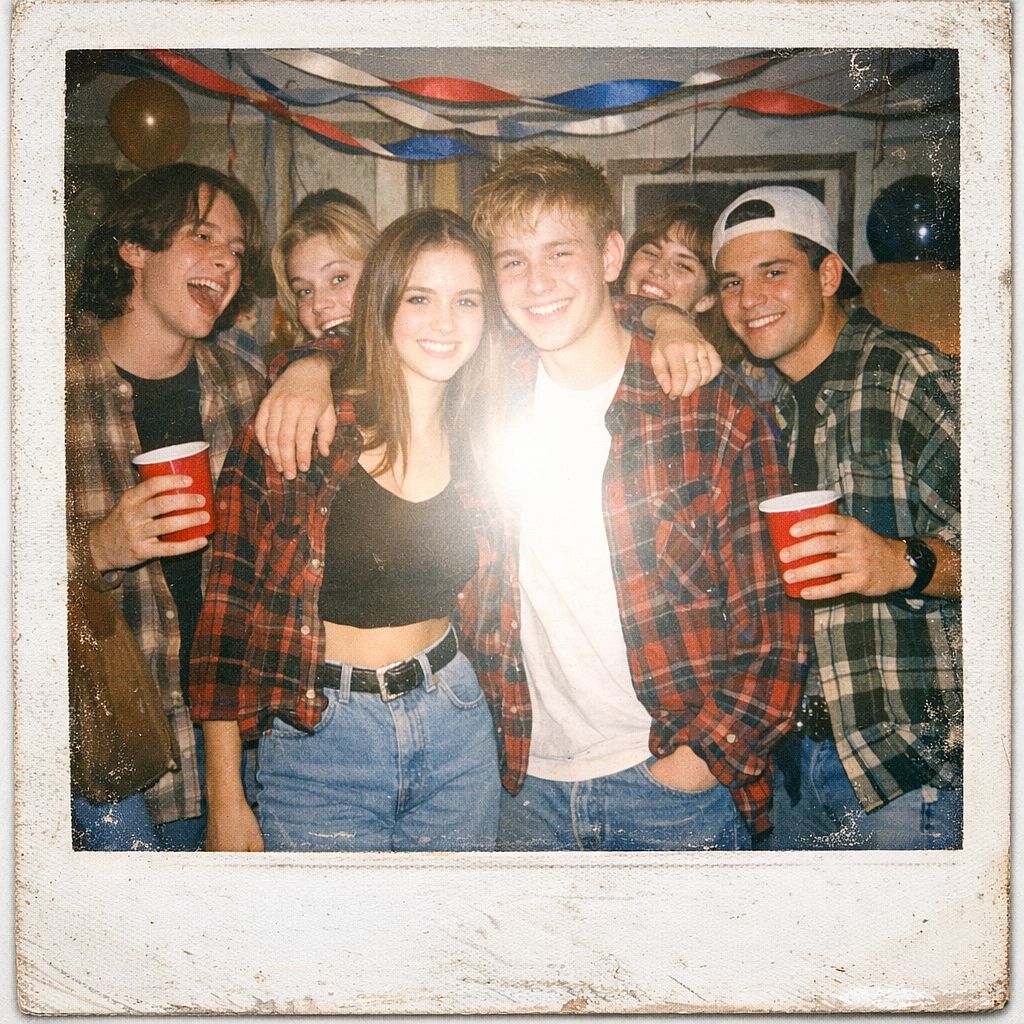
Prompt: Estética de fotografía Polaroid, grupo de adolescentes en una fiesta casera de los 90, camisas de franela, botas Doc Martens y vaqueros de talle alto, el flash de una cámara desechable quema el centro del encuadre, luces sobreexpuestas, decoración de fiesta anticuada con serpentinas y vasos Solo, borde blanco de Polaroid desgastado y nostálgico
48. Fotografía de explorador victoriano
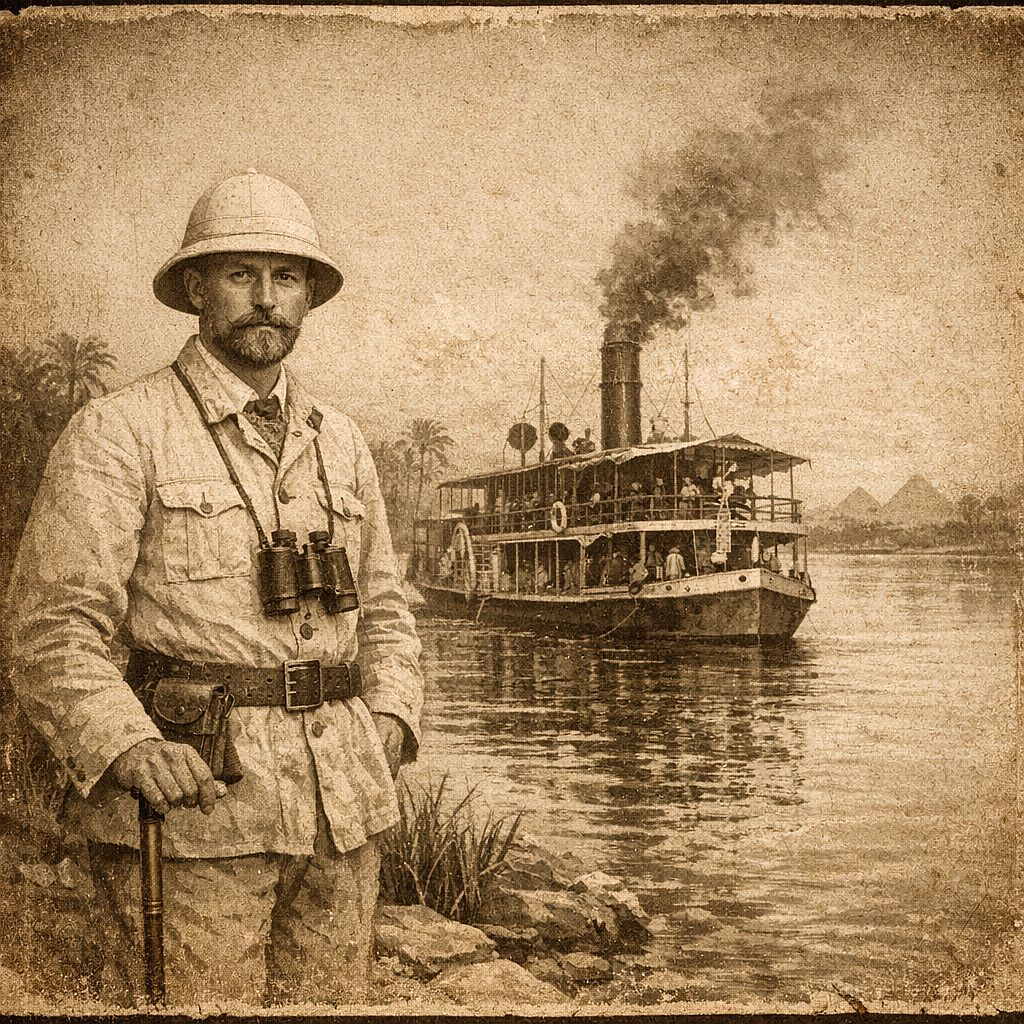
Prompt: Fotografía antigua en tonos sepia de alrededor de 1890, un explorador europeo con casco de médula de lino de pie al borde del Nilo, un barco fluvial de vapor a carbón detrás de él, retrato formal y compuesto, textura de papel envejecido con tonos marrones y crema, viñeta oscureciendo los bordes, sin artefactos digitales
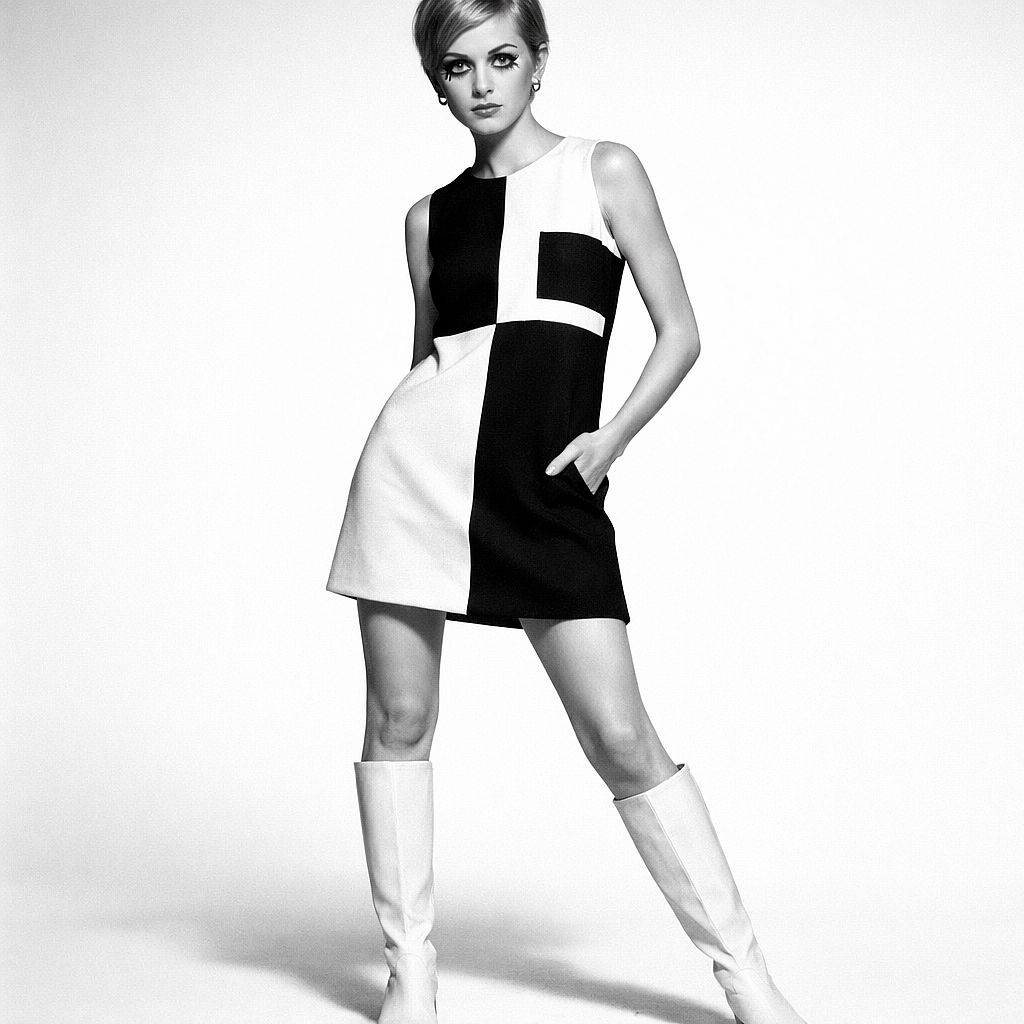
49. Moda mod de los años 60
Prompt: Fotografía editorial de moda de los años 60, modelo femenina con un atrevido minivestido Mod geométrico en blanco y negro y botas go-go blancas, fondo de estudio infinito blanco y limpio, fotografía en blanco y negro de alto contraste, proporciones y maquillaje de la era Twiggy, calidad Vogue París, lente de 50 mm
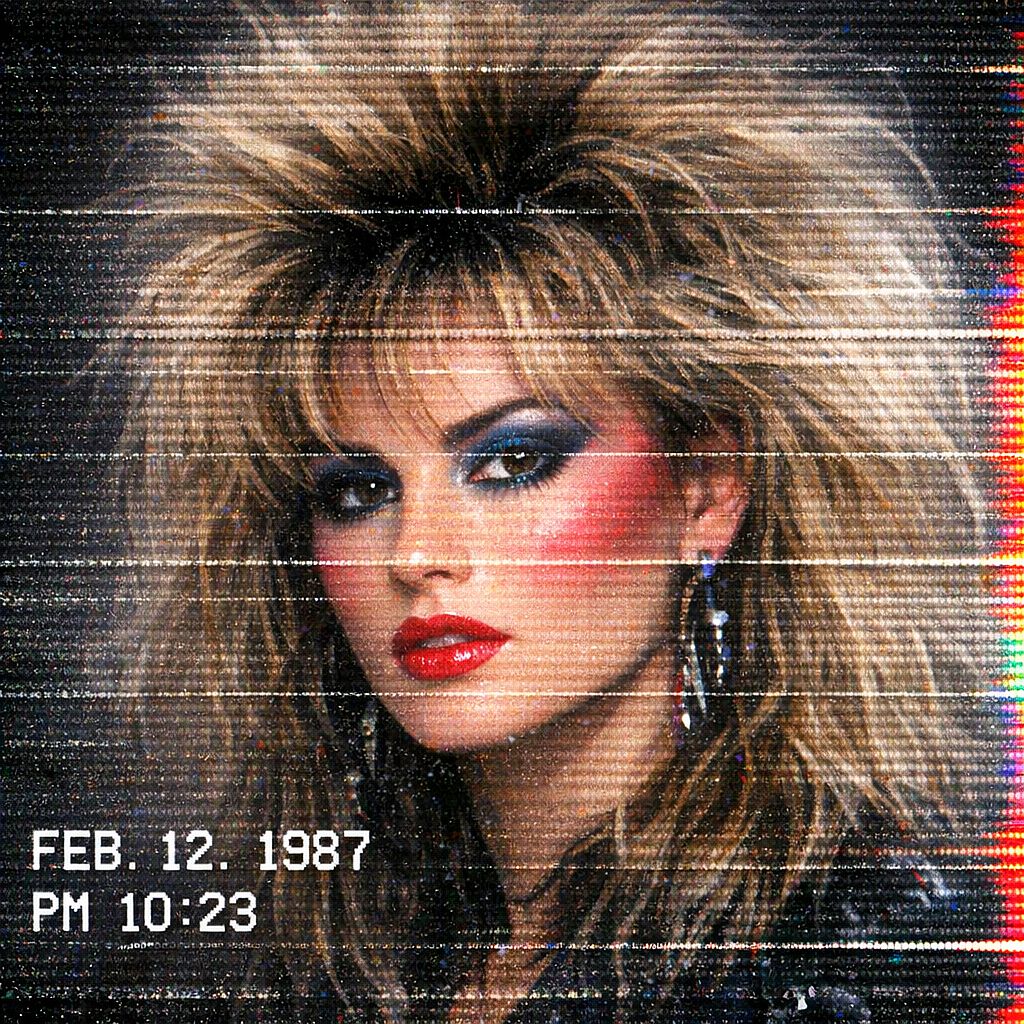
50. Retrato VHS Glitch
Prompt: Retrato con estética de glitch VHS, sujeto con voluminoso pelo ochentero y maquillaje llamativo, distorsión de líneas de barrido horizontales por toda la imagen, sangrado de canales de color en el borde derecho, marca de tiempo blanca superpuesta en la esquina inferior izquierda, fuerte ruido digital y textura de estática, aspecto de grabación de televisión retro
Variación de texto: Para una marca de tiempo concreta, añade el texto exacto entre comillas, como "Una marca de tiempo blanca que dice '08:42 PM' aparece en la esquina inferior izquierda." Comprueba los caracteres renderizados antes de usar la imagen.
Prompts de arte con IA por estilo
La forma más rápida de cambiar por completo la sensación de una imagen es nombrar un estilo artístico o un medio. Usa las palabras de estilo de abajo como chuleta y pruébalas con los prompts de arte con IA mencionados arriba.
| Estilo | Palabras que lo activan | Funciona bien para |
|---|---|---|
| Acuarela | aguadas suaves, bordes difuminados, textura de papel | Paisajes, motivos florales, ilustración infantil |
| Pintura al óleo | impasto grueso, pinceladas visibles, textura de lienzo | Retratos, bodegones |
| Ukiyo-e | grabado en madera, color plano, contornos marcados | Olas, montañas, escenas urbanas |
| Pixel art | 16 bits, paleta limitada, píxeles nítidos | Escenas de juego, avatares |
| Surrealismo | onírico, escala imposible, formas fundiéndose | Piezas conceptuales, portadas de álbum |
| Bauhaus | colores primarios, círculos y rectángulos, cuadrícula | Pósters, estampados abstractos |
| Line art | una sola línea continua, negro sobre blanco | Logotipos, tatuajes, estampados minimalistas |
Consejos y técnicas para escribir prompts de imágenes con IA
Estos consejos para prompts de imágenes con IA te ayudan a adaptar cualquiera de los prompts de arriba a tu propio proyecto.
1. Elige un modelo para la imagen que necesitas
Empieza por el tipo de trabajo que quieres crear. Los modelos de abajo están disponibles en OpenArt y ofrecen distintas formas de generar, editar y perfeccionar una imagen.
| Modelo | Cuándo probarlo | Cómo usar estos prompts |
|---|---|---|
| GPT Image 2.5 | Fotografía de producto, retratos, imágenes con texto y ediciones concretas. | Usa Flare para explorar variaciones o Sunburst cuando quieras priorizar el detalle. Especifica el sujeto, la composición y el texto exacto que deba aparecer. |
| Nano Banana 2 | Explora estilos fotográficos e ilustrados, incluidas escenas con varios sujetos. | Describe dónde va cada sujeto. Mantén fija la composición mientras comparas variaciones de iluminación, ropa o estilo. |
Para una comparación útil, pasa el mismo prompt y las mismas referencias por dos modelos con ajustes similares. Fíjate en el parecido facial en los retratos, en la precisión del packaging en los productos y en el texto en los recursos de marca. Elige el resultado que mejor encaje con tu brief.
2. Elige la relación de aspecto antes de generar
Ajusta el lienzo a la ubicación final. Estos son puntos de partida útiles, sujetos a las relaciones de aspecto que admita el modelo seleccionado:
- 1:1: Gráficos cuadrados para redes, avatares y composiciones de producto centradas.
- 4:5: Imágenes de feed y visuales de producto en orientación vertical.
- 9:16: Composiciones verticales a pantalla completa.
- 16:9: Imágenes destacadas de blog, miniaturas apaisadas y elementos visuales para presentaciones.
- 3:2: Composiciones fotográficas con orientación horizontal.
- 2:3: Fotografía de retrato, conceptos de pósteres y conceptos de portadas de libros.
Un encuadre cinematográfico de 2,39:1 es más ancho que 16:9. Si tu modelo no admite la proporción solicitada, elige un lienzo disponible adecuado y deja margen para recortar. Mantén las caras, objetos y textos importantes lejos de los bordes de recorte.
3. Usa una referencia cuando deban conservarse detalles concretos
Usa un flujo de imagen a imagen cuando una cara, un producto, una sala o una composición ya existentes deban guiar el resultado. Elige un modelo que acepte referencias, sube la imagen y describe tanto los cambios que quieres como los detalles que conviene mantener. La compatibilidad con referencias y los controles varían según el modelo.
Si quieres una descripción escrita de la iluminación, el encuadre, la paleta o el estilo de una referencia, usa el herramienta de imagen a prompt. Edita la descripción resultante antes de generar. Úsala como punto de partida de la referencia y luego ajusta los detalles para tu propia imagen.
4. Cambia una variable cada vez
Empieza por la mayor diferencia: sujeto, composición, iluminación o estilo. Cambia uno de esos elementos, genera de nuevo y compara. Guarda el prompt, el nombre del modelo, los ajustes y las referencias junto a un resultado que te guste para volver a la misma configuración.
Para una edición concreta, prueba: «Cambia solo el fondo por una pared de estudio gris lisa. Mantén sin cambios la cara, el peinado, la ropa, la pose y la iluminación del sujeto.» Tras la edición, comprueba que la cara, la ropa y la iluminación sigan coincidiendo con el original.
5. Corrige problemas habituales con instrucciones concretas
| Problema | Qué probar |
|---|---|
| La piel se ve cerosa o demasiado suave | Describe poros visibles, líneas finas, variaciones sutiles en el tono de piel y una luz suave con dirección. Reduce las peticiones de piel impecable o retoques excesivos. |
| Una cara o un producto cambia entre imágenes | Usa una referencia y enumera de forma explícita los detalles identificativos que hay que conservar. Compara esos detalles después de cada generación. |
| El texto está mal escrito o amontonado | Acorta el texto, pon las palabras exactas entre comillas y especifica su posición y tamaño. Corrige por separado los errores persistentes. |
| La composición resulta recargada | Mantén un único sujeto principal, reduce los elementos que compiten y describe dónde debe quedar espacio vacío. |
| El fondo está mal pero el sujeto es aprovechable | Edita la zona del fondo y luego revisa el sujeto, los bordes y las sombras para detectar cambios no deseados. |
| Una imagen supuestamente transparente tiene un fondo sólido | Comprueba la compatibilidad con transparencia del modelo y el archivo exportado. Un fondo blanco o con aspecto de tablero de ajedrez puede formar parte de la imagen. |
Para retratos que aún parecen demasiado suaves, consulta cómo corregir la piel de plástico en retratos con IA para un flujo de edición más detallado.
6. Palabras de iluminación y cámara que transforman tus prompts de imágenes con IA
Las palabras de iluminación y lente cambian una imagen más que cualquier adjetivo. Añade una de estas a un prompt y genera de nuevo para ver la diferencia.
| ¿Quieres este estilo? | Añade estas palabras |
|---|---|
| Cálido y favorecedor | hora dorada, contraluz suave, luz de contorno cálida |
| Sombrío y dramático | iluminación en clave baja, una sola luz dura, sombras profundas |
| Foto de producto limpia | iluminación con softbox, fondo blanco continuo, luz uniforme |
| Natural y espontáneo | luz de día nublado, luz de ventana, sin posar |
| Cinematográfico | lente anamórfica, graduación en tonos azules y naranjas, plano general |
| Amplio y épico | lente de 24 mm, ángulo bajo, enfoque profundo. |
Cómo usar estos prompts en OpenArt
- Abre Crear imagen. Inicia sesión en OpenArt y abre el espacio de creación de imágenes.
- Elige un modelo y un tipo de entrada. Usa solo texto para un concepto nuevo, o un modelo compatible con referencias cuando una imagen existente deba guiar el resultado.
- Pega un ejemplo o personaliza una plantilla. Sustituye cada campo entre corchetes por tus propios detalles. Configura la relación de aspecto, la resolución y otras opciones disponibles en la interfaz.
- Genera e inspecciona. Comprueba el sujeto, la composición, el texto y cualquier detalle que deba coincidir con una referencia. El tiempo de generación y el uso de créditos varían según el modelo y los ajustes.
- Refina y exporta. Ajusta una parte del prompt o edita la región afectada, luego descarga el resultado y comprueba sus dimensiones y formato de archivo.
Para un recorrido más completo por la interfaz, sigue cómo generar una imagen con IA en OpenArt. Consulta tu cuenta para ver los créditos disponibles y el Página de precios de OpenArt para ver las opciones de suscripción actuales.
Preguntas frecuentes
¿Qué hace que un prompt de imagen con IA sea bueno?
Un buen prompt comunica las decisiones visuales que importan: el sujeto, la acción, el escenario, la composición, la iluminación y el estilo. Pon primero los requisitos más importantes. Los detalles concretos como «luz suave de ventana desde la izquierda» son más fáciles de evaluar que peticiones genéricas como «hazlo bonito».
¿Puedo usar estos prompts en cualquier generador de imágenes con IA?
Estos ejemplos usan lenguaje natural, así que pueden servir como puntos de partida en muchos generadores de imágenes. Los resultados y las funciones compatibles varían. Comprueba cómo gestiona el modelo seleccionado las referencias, el texto, la transparencia y las instrucciones de exclusión, y define las dimensiones en la interfaz en lugar de suponer que el texto controlará el lienzo.
¿Qué modelo de IA da los retratos más realistas?
GPT Image 2.5 y Nano Banana 2 son buenos puntos de partida para retratos fotográficos. Prueba el mismo prompt y la misma referencia con ambos y luego compara la textura de la piel, los ojos, la iluminación y el parecido. Para una foto de perfil, elige la imagen que más se parezca a la persona que fotografiaste.
¿Por qué mi imagen de IA se ve distinta al ejemplo?
The prompt is only part of the setup. The model version, settings, reference images, and generation randomness can all affect the result. Save these details where available. For a person or character you want to reuse across scenes, OpenArt's Creador de personajes con IA ofrece un flujo de trabajo reutilizable para personajes; aun así, revisa la identidad y el estilo tras cada generación.
¿Cuánto debe medir un prompt de imagen con IA?
Usa suficiente detalle para expresar la imagen sin introducir instrucciones contradictorias. Un párrafo corto es un buen punto de partida; los conceptos sencillos pueden necesitar menos, y las escenas complejas más. No existe un mínimo universal de 30 palabras ni un máximo de 60. Los límites de entrada dependen del modelo y de la interfaz. Para prompts más largos, separa el sujeto, la escena, el estilo y las restricciones en frases claras o líneas etiquetadas.
¿Se pueden usar comercialmente las imágenes generadas con IA de forma gratuita?
El acceso gratuito a un prompt no determina los derechos de uso de la imagen que generes. Las condiciones actuales de OpenArt permiten el uso comercial de las creaciones generadas a partir del nivel de suscripción Plus, sujeto a las condiciones y a la legislación aplicable. Revisa las condiciones de OpenArt antes de usar los resultados en campañas de pago o en trabajos para clientes.
¿Puedo editar una imagen generada con IA después de crearla?
Sí. Puedes usar el inpainting de imágenes con IA para editar una zona seleccionada, como reemplazar un fondo o cambiar un objeto. Describe el cambio y después revisa los bordes, la luz y las sombras de alrededor. El resto de opciones de edición dependen del modelo y las herramientas que elijas.
Empieza con un prompt y luego hazlo tuyo
Elige la categoría más cercana a tu objetivo, pega un ejemplo o completa su plantilla reutilizable y ajusta el lienzo para el encuadre final. Usa una referencia cuando haya detalles específicos que deban conservarse, compara los resultados con esos requisitos y refina una decisión cada vez. Guarda la configuración cuando encuentres un resultado que merezca la pena desarrollar.