
MiniMax H3 Image
在 OpenArt 上使用 MiniMax H3 Image——这是一个集成了多款领先图像模型的独立 AI 平台。在 MiniMax H3 Image AI 图像生成器中,按你描述的镜头角度、布局和光线生成 4K 图像。每张画面最多可用 16 张参考图引导,还能为海报和图形添加更长的文字。

MiniMax H3 Image 核心功能
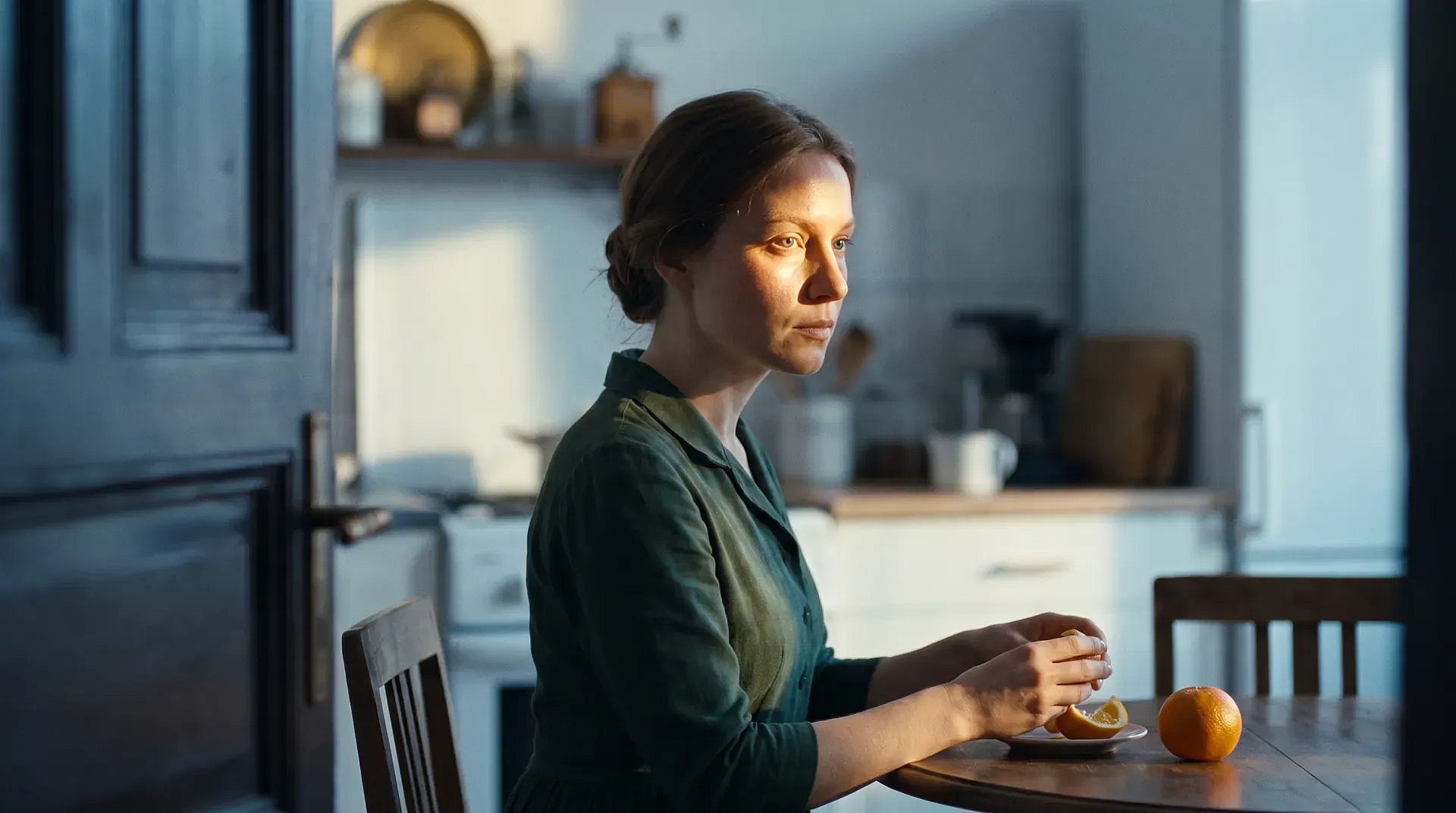
设置镜头角度、布局和光线
MiniMax H3 Image follows the camera angle, layout, and lighting you write in your prompt. Say where the camera sits, such as at eye level, down near the floor, or straight overhead. Say what goes in front, what sits behind, and where the light comes from. You can also ask for small details that depend on those choices, like a chair reflected in a mirror or a shadow falling across a countertop. Light from a side window can fall across fabric, leather, and wood, with soft shadows under the table legs. Getting the setup right in your prompt saves you rounds of fixing it by hand.
立即试用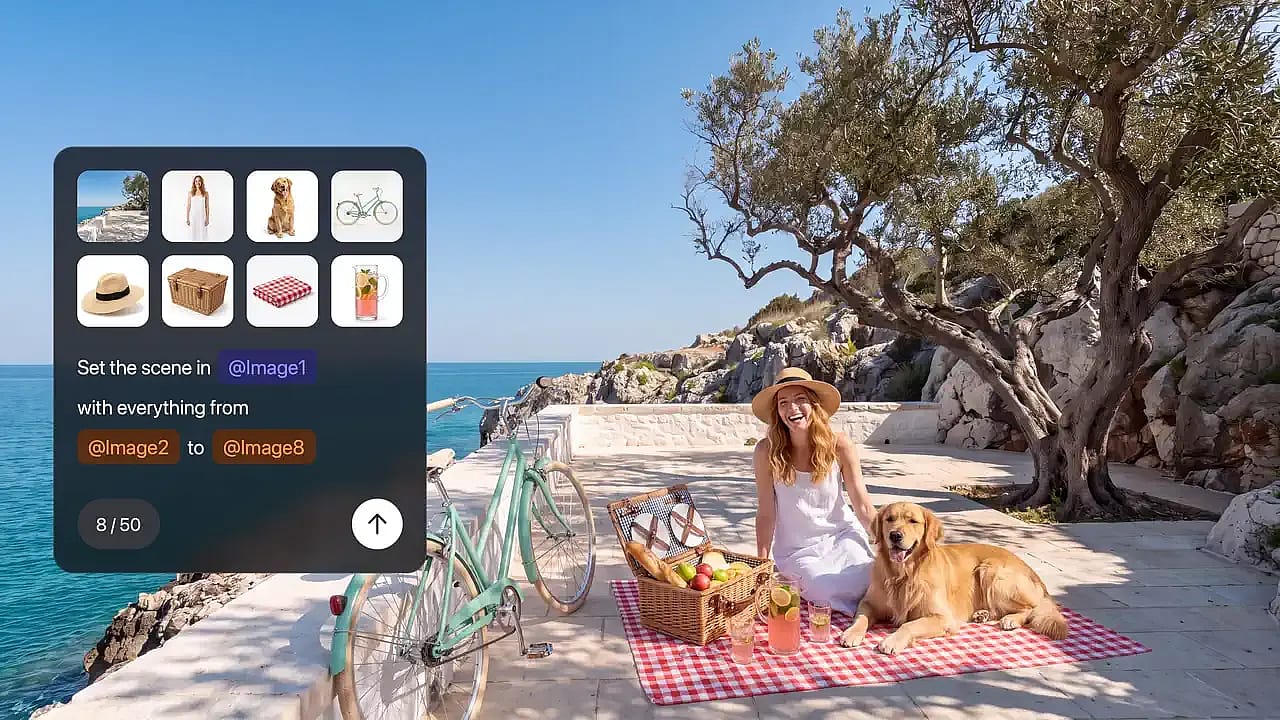
最多参考 16 张图像进行引导
MiniMax H3 Image can use up to 16 reference images in a single request. Give each image its own job: one shows the product, one sets the style, and one sets the layout. For example, upload a photo of an empty room plus nine photos of furniture on white backgrounds, and ask for one furnished living room. You can also upload one photo and ask for a single change, such as moving a lamp to the other side of the sofa. Say what should change and what should stay the same. To mark the exact spot you want changed, open the photo in OpenArt's AI photo editor.
立即试用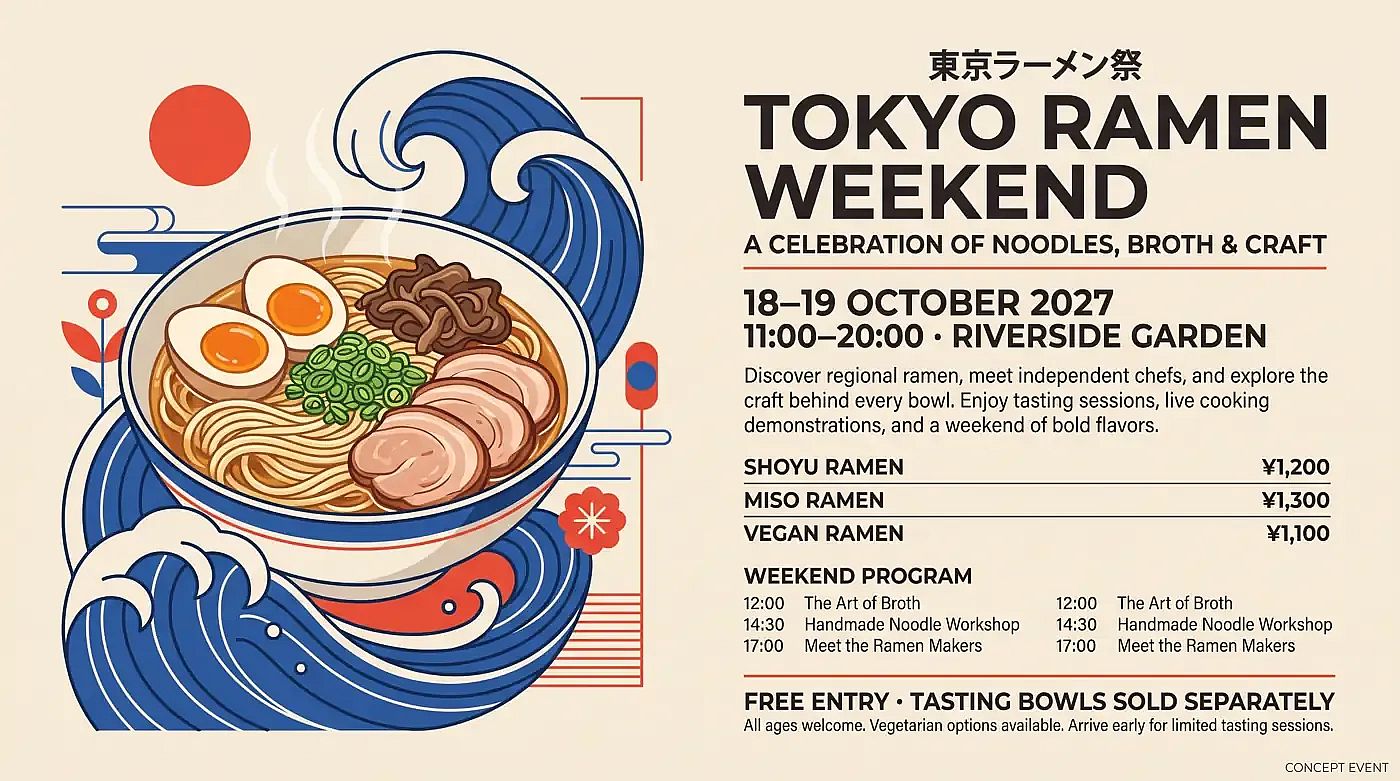
在海报和屏幕中写入更长的文字
MiniMax H3 Image writes English and other languages inside your image, including longer blocks of text. Use MiniMax H3 Image as an AI poster generator for event posters, or make infographics, app screen mockups, and guides split into several panels. Type the exact words in quotation marks and say where each line goes, like a headline at the top and a short caption under each panel. Your prompt can run several paragraphs long, so one prompt can hold all the copy for a full layout. Proofread every word before an image goes out, especially names, prices, and dates.
立即试用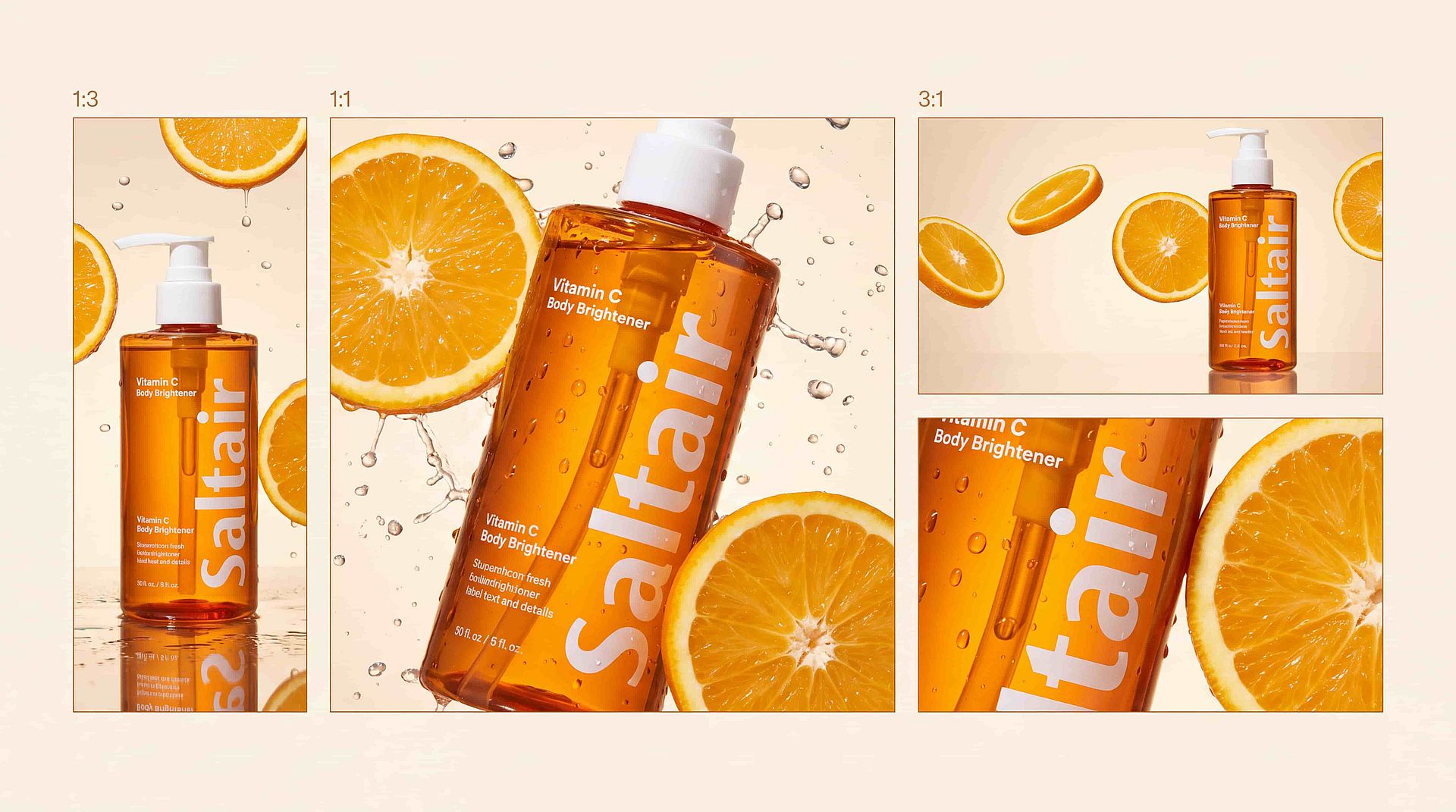
生成多种画幅比例的 4K 图像
MiniMax H3 Image 可生成 1K、2K 或 4K 图像。一张 4K 方形图约为 4096 × 4096 像素,约合 1600 万像素。你可以选择从竖版 1:3 到横版 3:1 的各种画幅,让同一个创意既能做成手机故事、方形帖子,也能做成宽幅横幅。编辑后的图像会以同样的大尺寸输出。大文件在裁剪、打印或在大屏幕上展示时都能保持细节清晰。
立即试用如何使用 MiniMax H3 Image
只需三步,你就能从一个 prompt 生成一张完整的 MiniMax H3 Image 图片。
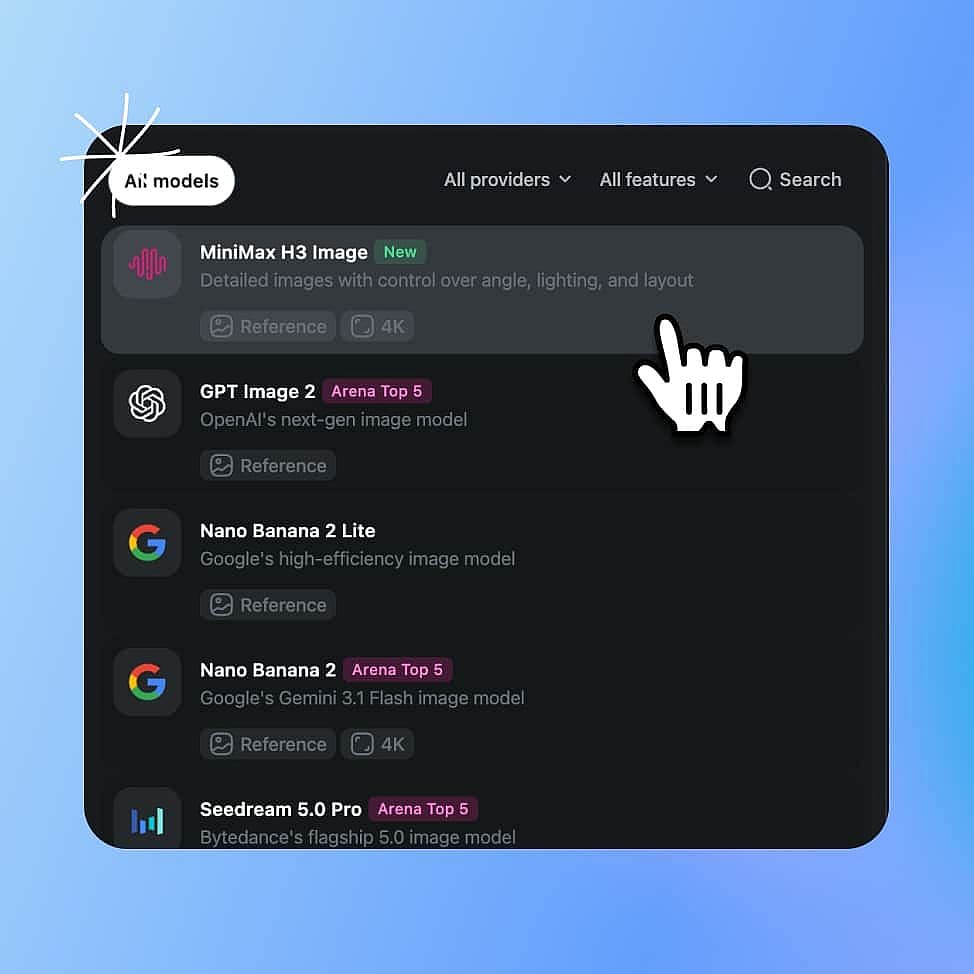
选择 MiniMax H3 Image 模型
打开 OpenArt 的 AI 图像生成器,在模型菜单中选择 MiniMax H3 Image。
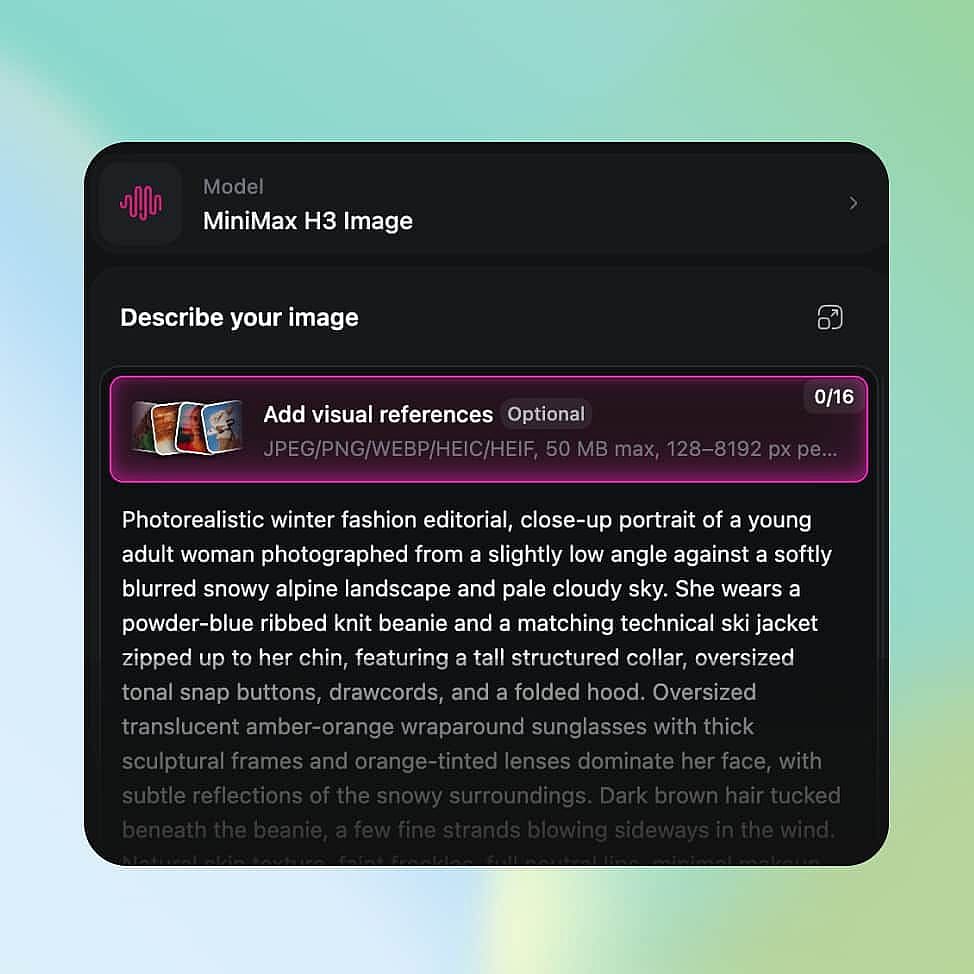
描述你的图像并设置输出
描述你的图像,把想出现在画面里的文字放进引号中,如果有参考图也一并添加。然后选择尺寸和画幅,最高可达 4K。
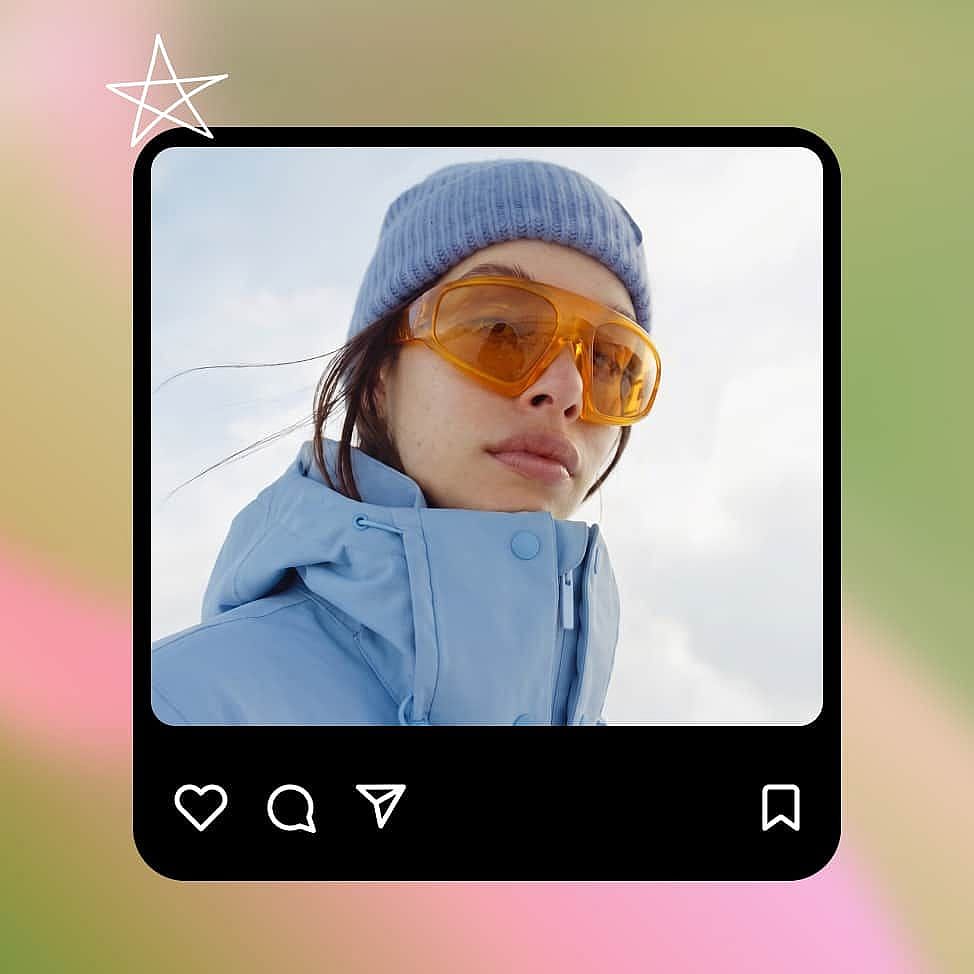
生成、调整并下载
生成图像后,可修改 prompt 或每次只提出一处改动,直到满意为止。然后下载最终图像。
MiniMax H3 Image 的最佳应用场景
MiniMax H3 Image 适用于广告创意概念、广告测试图、网店产品场景以及电影镜头规划。
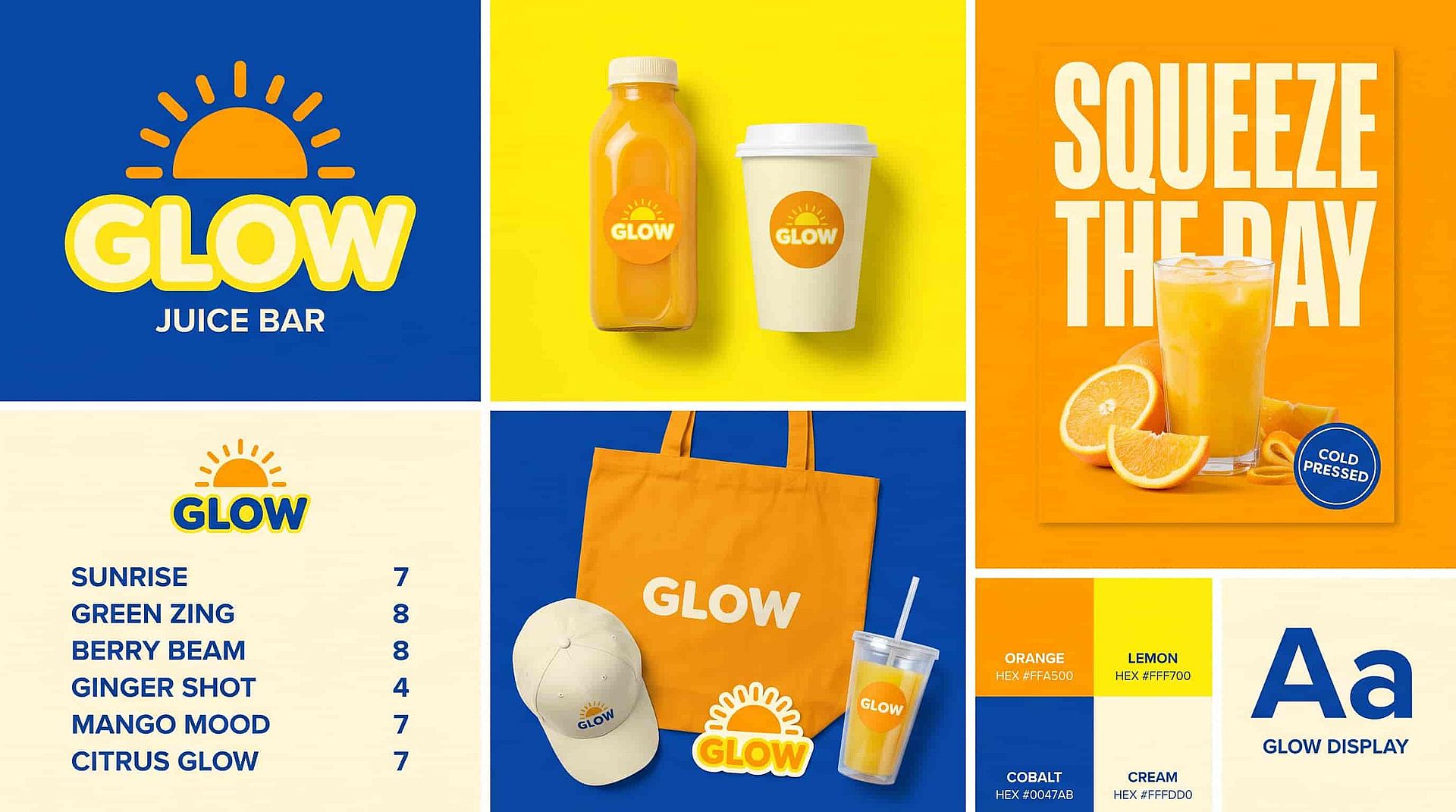
为品牌和创意团队打造活动概念
MiniMax H3 Image helps brand designers, creative directors, and agency teams turn a campaign brief into an image everyone can give feedback on. Say the brief calls for a running shoe on a wet city street at night. Ask for the shoe in the left third of the frame, lit from one side, with neon signs blurred in the background. Add your product photo as a reference so the shoe keeps its shape and colors. Then ask for a clean studio version of the same idea so the client can compare two directions. Your team can share both images and agree on a look before anyone books a shoot. Check logos, colors, and product details before you present them.
立即试用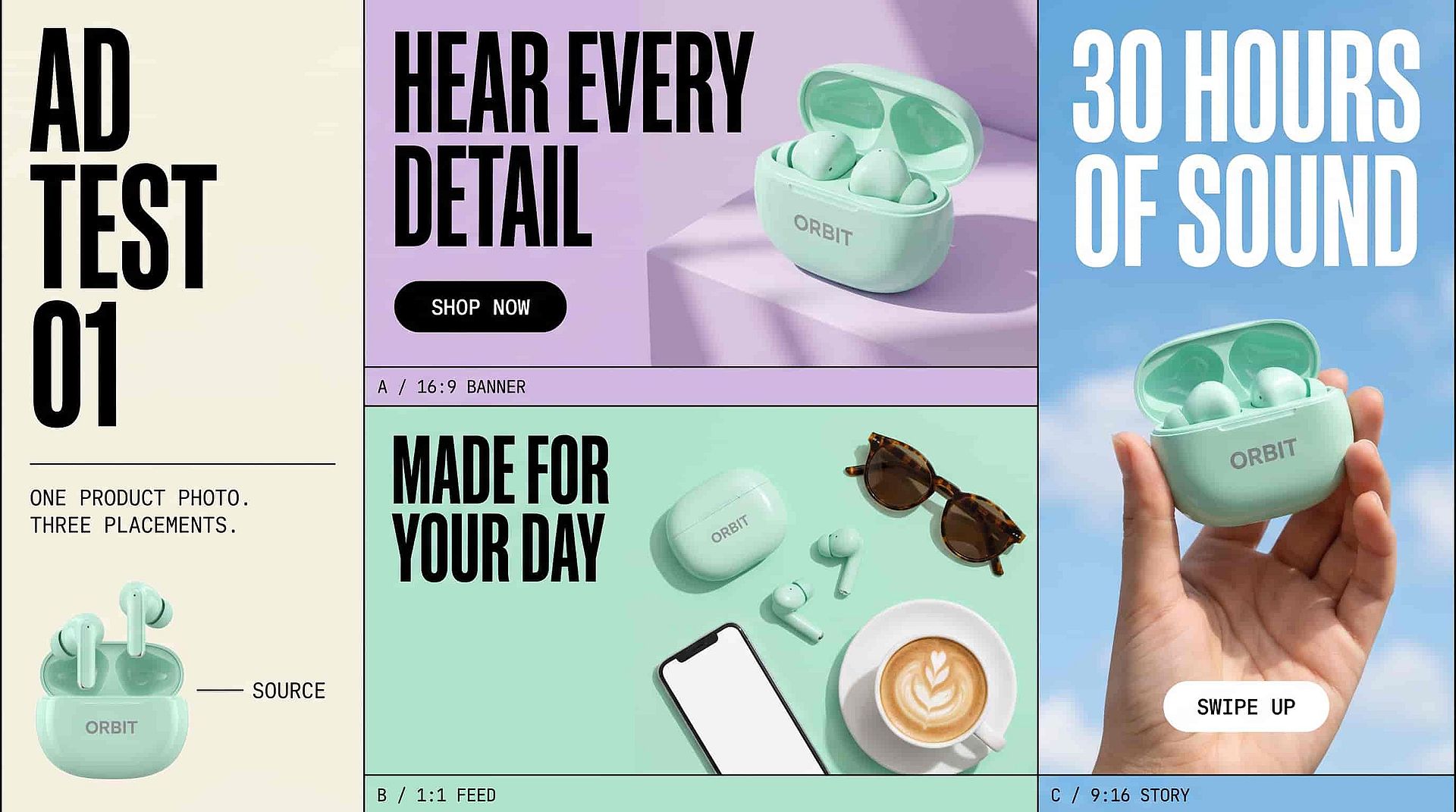
为效果营销人员生成广告测试图
MiniMax H3 Image helps performance marketers and ad designers plan product images for different ad placements. Upload your product photo and ask for the product on the right side of the frame, with open space on the left for your headline and button. Then ask for an overhead version for a square feed ad and a tall version for stories. Put your exact headline in quotation marks if you want the words inside the image. Every version starts from the same product photo, so each test shows how the layout and background perform. Proofread every word and check the product details before an ad goes live.
立即试用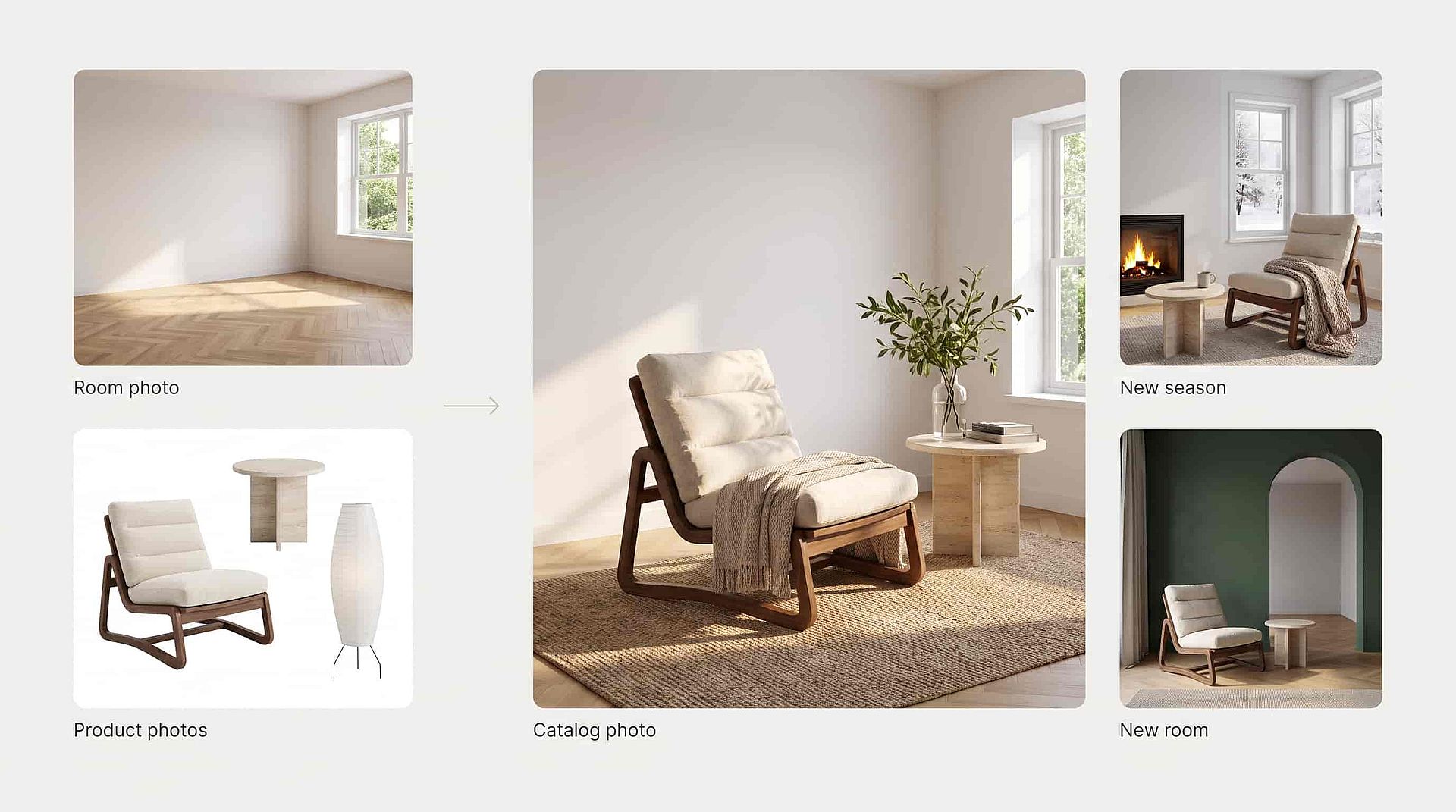
为小微企业主打造产品场景
MiniMax H3 Image helps small business owners and online store teams make catalog photos without booking a shoot. Upload a photo of an empty room and white-background photos of the furniture you sell. Ask MiniMax H3 Image to place each piece in the room and keep the same camera position. Show your best-selling lounge chair from an angle that shows its wooden frame. Light from the window can fall across the fabric and wood, with shadows under the table and chair legs. When you need fresh photos, ask for a new season or a new room with the same products. Compare colors, sizes, and details with the real products before you sell with the image.
立即试用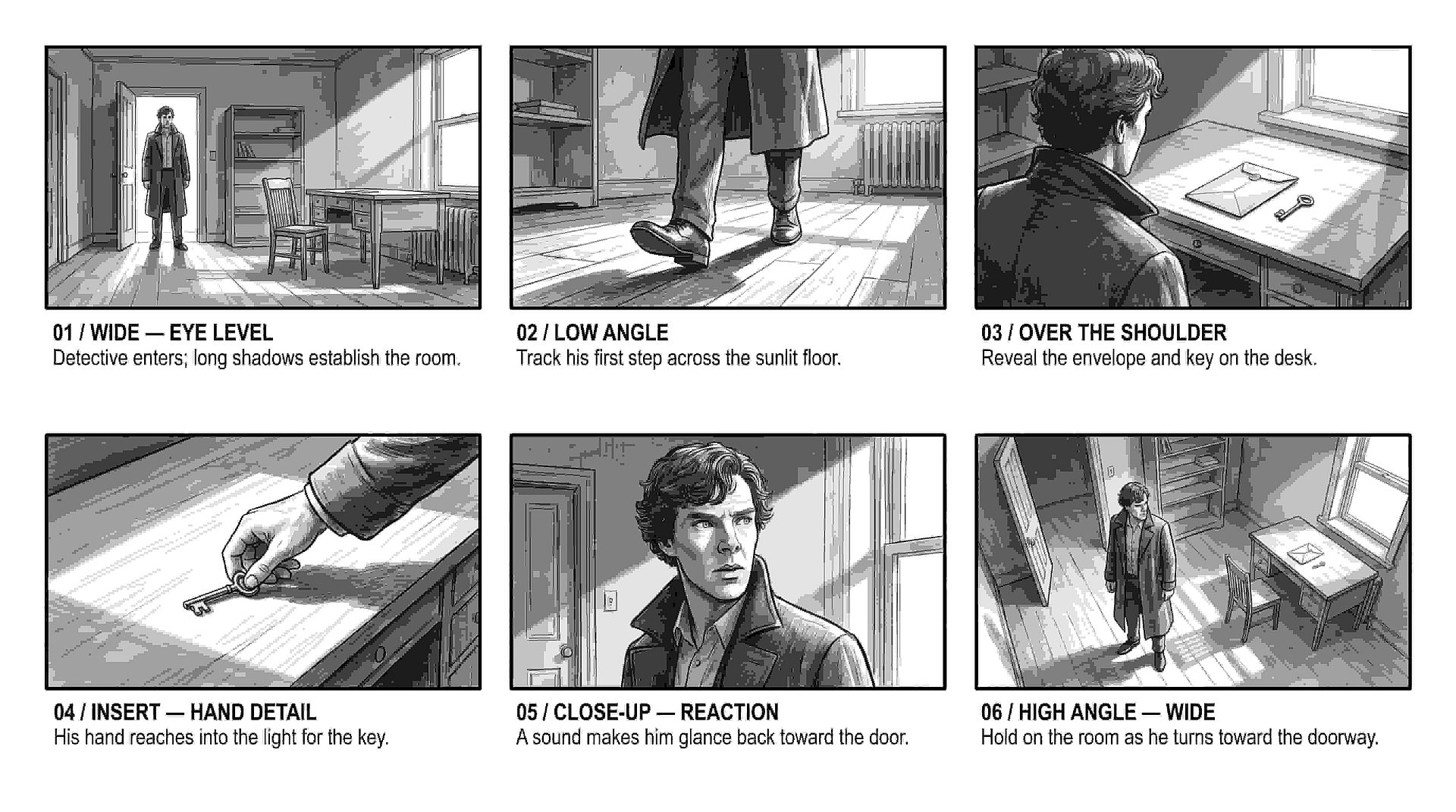
为电影人和分镜师进行镜头规划
MiniMax H3 Image helps filmmakers and storyboard artists see how a shot will look before the crew sets up. Use MiniMax H3 Image as an AI storyboard generator: describe the scene, then say where the camera sits, where each actor stands, and where the light comes from. Make the same moment once at eye level and once from a low angle near the floor to see which one tells the story better. Write each frame in plain words, like "the detective stands in the doorway, lit from behind, with his shadow stretching toward the camera."
立即试用获得最佳效果的技巧
探索更多 AI 模型
覆盖图像、视频和音频制作的顶尖 AI 模型。
常见问题 问题
MiniMax H3 Image 是 MiniMax 推出的模型,可根据详尽的文字描述生成和编辑图像,你可以在 OpenArt 的 AI 图像生成器中使用它。MiniMax H3 Image 会严格遵循你描述的相机角度、构图和光线,最多可参考 16 张参考图,能生成更长的文字,并支持高达 4K 的图像。
写清楚相机的位置和朝向,比如"平视"、"贴近地面的低角度"或"正上方俯拍"。然后再补充前景有什么、背景有什么,以及光线从哪里来。
MiniMax H3 Image 可生成 1K、2K 或 4K 图像,一张 4K 方形图像约为 4096 × 4096 像素。画面比例从高瘦的 1:3 到宽阔的 3:1 均可支持。
可以。将你的图像作为参考图上传,并描述一处改动,例如“把台灯移到沙发左侧”。说明哪些部分应保持不变。若要标记你想修改的精确位置,可在 OpenArt 的 AI 照片编辑器中打开该图像。
是的。MiniMax 以开放权重模型的形式发布了 H3 Image,技术团队可以在自己的服务器上运行它。在 OpenArt 上,你无需任何设置即可在浏览器中使用 MiniMax H3 Image。
MiniMax H3 Image 用于生成静态图像。MiniMax H3 是 MiniMax 独立的视频模型,你可以在 OpenArt 上把 MiniMax H3 Image 生成的图像作为 MiniMax H3 视频的首帧。
MiniMax H3 Image 单次请求最多可使用 16 张参考图。请告诉模型每张图的作用,例如主体、风格或布局。
可以。MiniMax H3 Image 能书写英文和其他语言,包括为海报、信息图、应用界面和多栏布局撰写更长的文字段落。把你想要的确切文字放进引号中,并对结果进行校对。
当你需要产品抠图或透明背景上的 Logo 时,可在 OpenArt 的 AI 图像生成器中选择 Seedream 5.5 或 GPT Image 2.6。若要完整场景、海报或背景本身也是画面一部分的广告,请使用 MiniMax H3 Image。
可以。商用需要 Plus 及以上套餐,你可以在 OpenArt 定价页面对比各套餐。请确保你拥有上传的任何照片、Logo 或人物肖像的使用权。
深受创作者喜爱
我试过很多 AI 平台……但在角色创作、图生视频质量和可用模型的丰富度上,OpenArt 仍然是最出色的。
OpenArt 提供了一系列出色的 AI 工具……一旦掌握了这些功能,创作的可能性令人惊叹——而且他们的支持团队也非常给力。
OpenArt 是一个功能非常多样的 AI 平台,拥有众多图像和视频模型、一致的角色创建能力以及强大的编辑工具。
实用的 AI 工具尽在一处——图像和视频生成、编辑等等……无需多个订阅。
客服总是快速又贴心……而且平台不断推出新功能和新工具,越来越好用。
我试过很多 AI 平台……但在角色创作、图生视频质量和可用模型的丰富度上,OpenArt 仍然是最出色的。
OpenArt 提供了一系列出色的 AI 工具……一旦掌握了这些功能,创作的可能性令人惊叹——而且他们的支持团队也非常给力。
OpenArt 是一个功能非常多样的 AI 平台,拥有众多图像和视频模型、一致的角色创建能力以及强大的编辑工具。
实用的 AI 工具尽在一处——图像和视频生成、编辑等等……无需多个订阅。
客服总是快速又贴心……而且平台不断推出新功能和新工具,越来越好用。
我试过很多 AI 平台……但在角色创作、图生视频质量和可用模型的丰富度上,OpenArt 仍然是最出色的。
OpenArt 提供了一系列出色的 AI 工具……一旦掌握了这些功能,创作的可能性令人惊叹——而且他们的支持团队也非常给力。
OpenArt 是一个功能非常多样的 AI 平台,拥有众多图像和视频模型、一致的角色创建能力以及强大的编辑工具。
实用的 AI 工具尽在一处——图像和视频生成、编辑等等……无需多个订阅。
客服总是快速又贴心……而且平台不断推出新功能和新工具,越来越好用。
在众多 AI 平台中,OpenArt 脱颖而出,是绝佳之选——我会向任何创作者推荐它。
这个平台囊括了 AI 内容创作所需的一切——图像、视频、角色、音频以及多种 AI 模型,尽在一处。
OpenArt 正在不断拓展 AI 视频创作的边界……显然,团队致力于提升创作者的体验。
我用 OpenArt 制作了我的第一支 AI 音乐视频……他们的支持团队是我遇到过最棒的帮手。
我对支持服务非常满意——我的问题很快得到解决,团队让整个过程变得轻松。
在众多 AI 平台中,OpenArt 脱颖而出,是绝佳之选——我会向任何创作者推荐它。
这个平台囊括了 AI 内容创作所需的一切——图像、视频、角色、音频以及多种 AI 模型,尽在一处。
OpenArt 正在不断拓展 AI 视频创作的边界……显然,团队致力于提升创作者的体验。
我用 OpenArt 制作了我的第一支 AI 音乐视频……他们的支持团队是我遇到过最棒的帮手。
我对支持服务非常满意——我的问题很快得到解决,团队让整个过程变得轻松。
在众多 AI 平台中,OpenArt 脱颖而出,是绝佳之选——我会向任何创作者推荐它。
这个平台囊括了 AI 内容创作所需的一切——图像、视频、角色、音频以及多种 AI 模型,尽在一处。
OpenArt 正在不断拓展 AI 视频创作的边界……显然,团队致力于提升创作者的体验。
我用 OpenArt 制作了我的第一支 AI 音乐视频……他们的支持团队是我遇到过最棒的帮手。
我对支持服务非常满意——我的问题很快得到解决,团队让整个过程变得轻松。