
Kling Image 4.0
在 OpenArt 上使用 Kling Image 4.0,这是一个集成了众多领先图像模型的独立 AI 平台。生成 2K、4K 或 8K 图像,一个 prompt 即可获得一整套风格统一的图像。用多达 10 张参考图引导每一张画面,或将你的产品照片变成产品页所需的一整套长图。

Kling Image 4.0 的核心功能
一次生成一整套风格统一的图像
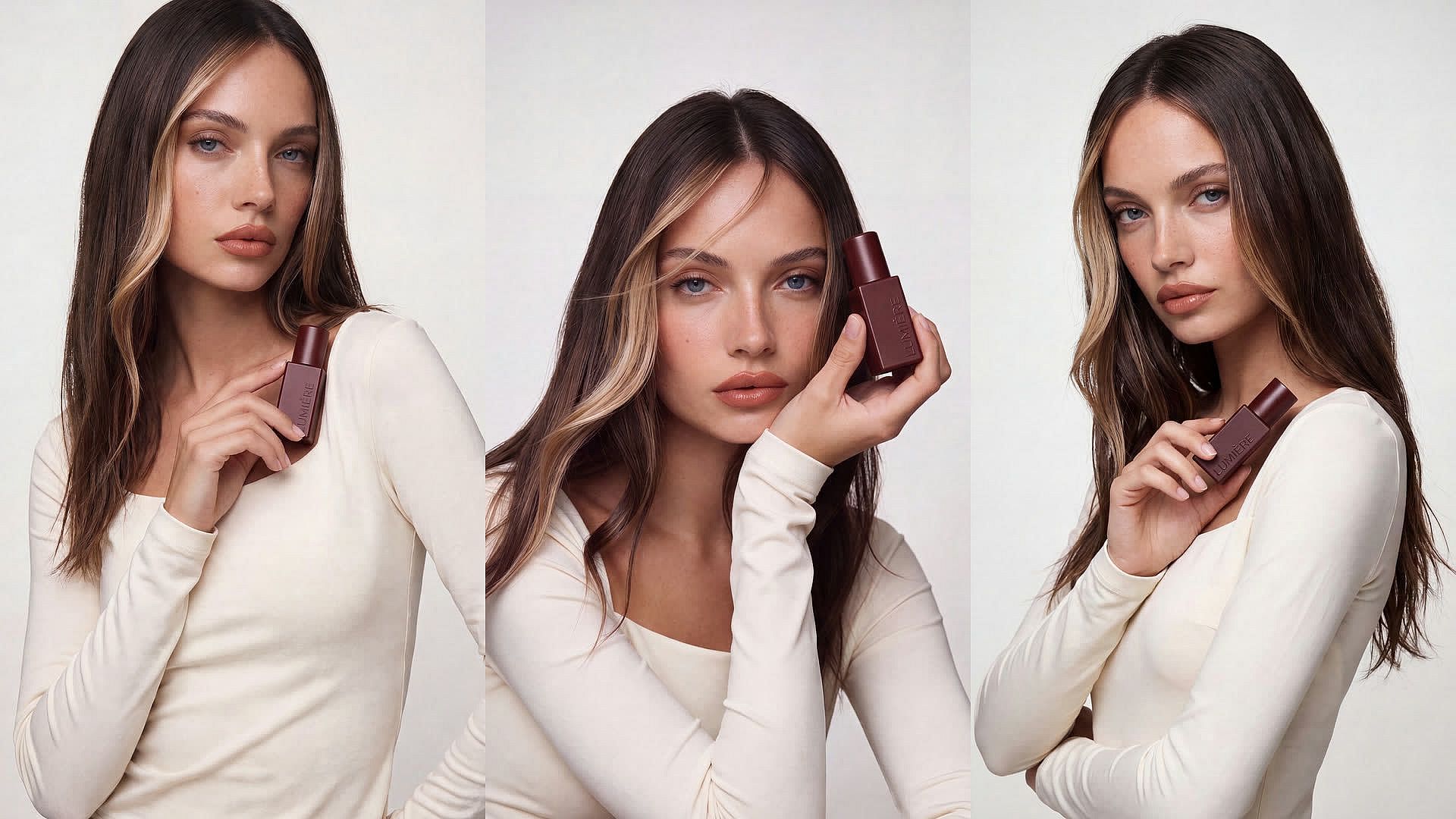
Kling Image 4.0 一次即可生成一整套风格统一的图片。每个 prompt 最多可设置 8 次生成,每张图片都遵循相同的 prompt、风格和参考图。上传一张你家狗狗的照片,要求生成它坐在咖啡馆窗边的 3D 动画场景,并设置 4 次生成。四张图片中狗狗的毛色和外观始终保持一致。
立即试用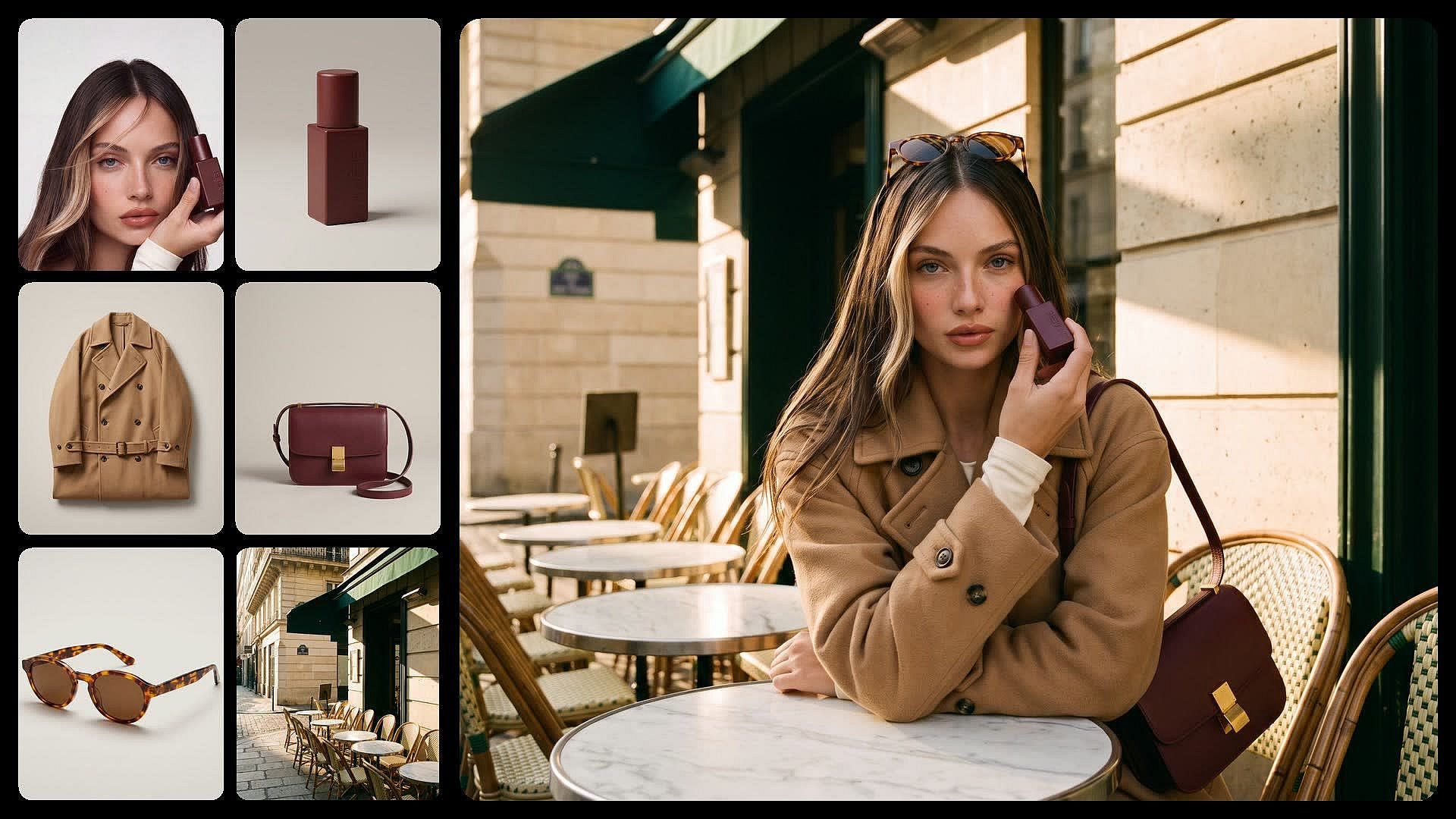
为产品页和网站构建长图
Kling Image 4.0 可为产品详情页或网站设计生成一张长长的可滚动图片。上传 1 到 3 张产品照片,Kling Image 4.0 会排布出主图、核心卖点以及产品使用场景。针对此类用例,Kling 4.0 Long Image 将作为独立模型在 OpenArt 中提供。
立即试用如何使用 Kling Image 4.0
只需三步,就能从一个 prompt 得到一张完成的 Kling Image 4.0 图片。
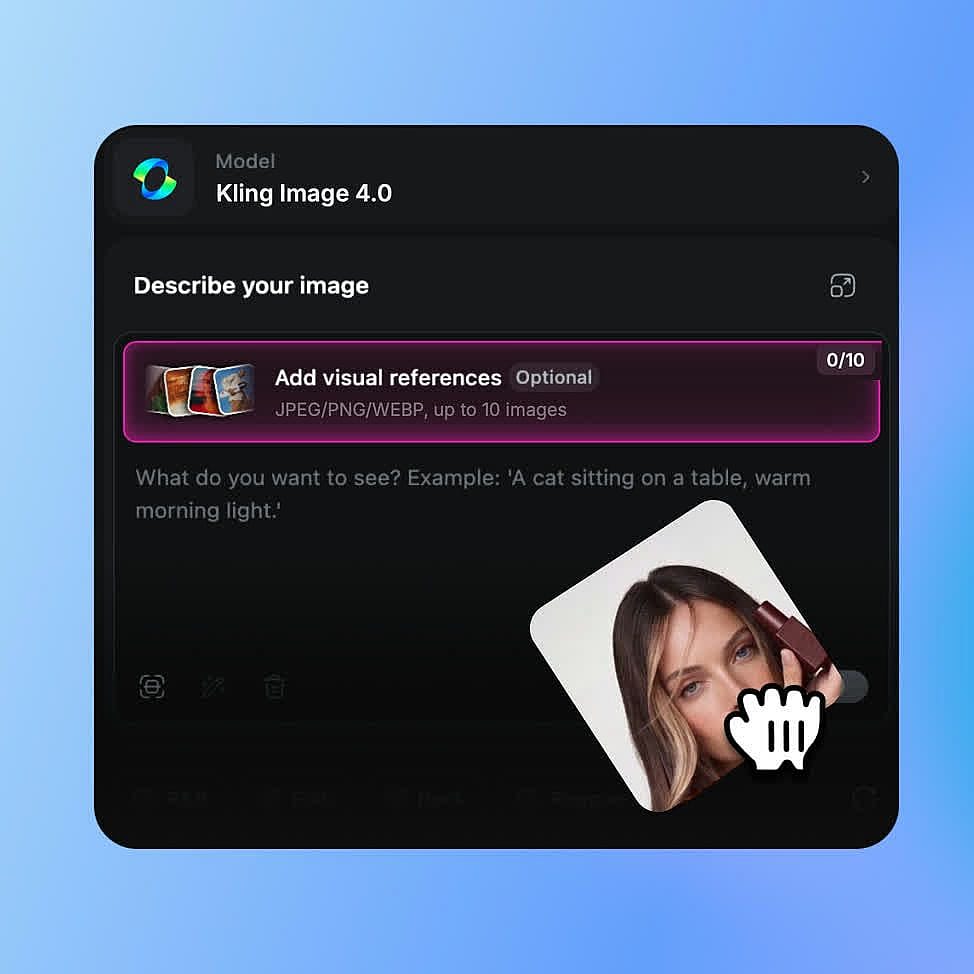
选择 Kling Image 4.0 模型
打开 OpenArt 的 AI 图像生成器,并从模型菜单中选择 Kling Image 4.0。
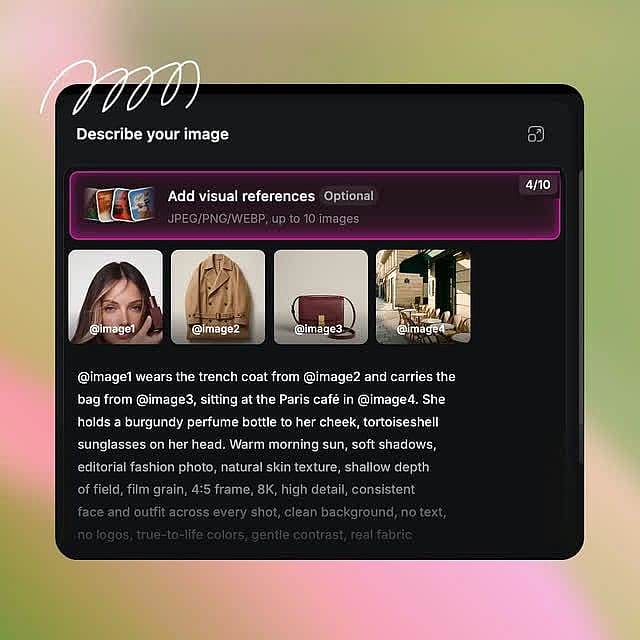
添加 prompt 并选择设置
写下你的 prompt,如果有参考图就添加进来,并用 @ 标记它们。选择尺寸、形状和生成数量,或者选择用于产品页的长图。
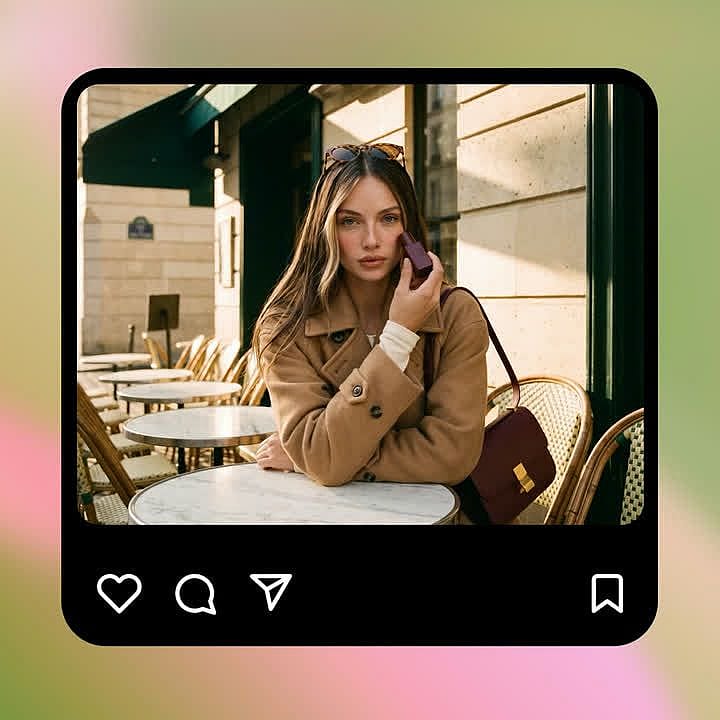
生成、调整并下载
生成图像后,不断调整 prompt 直到效果满意,再下载最终文件。
Kling Image 4.0 的最佳用途
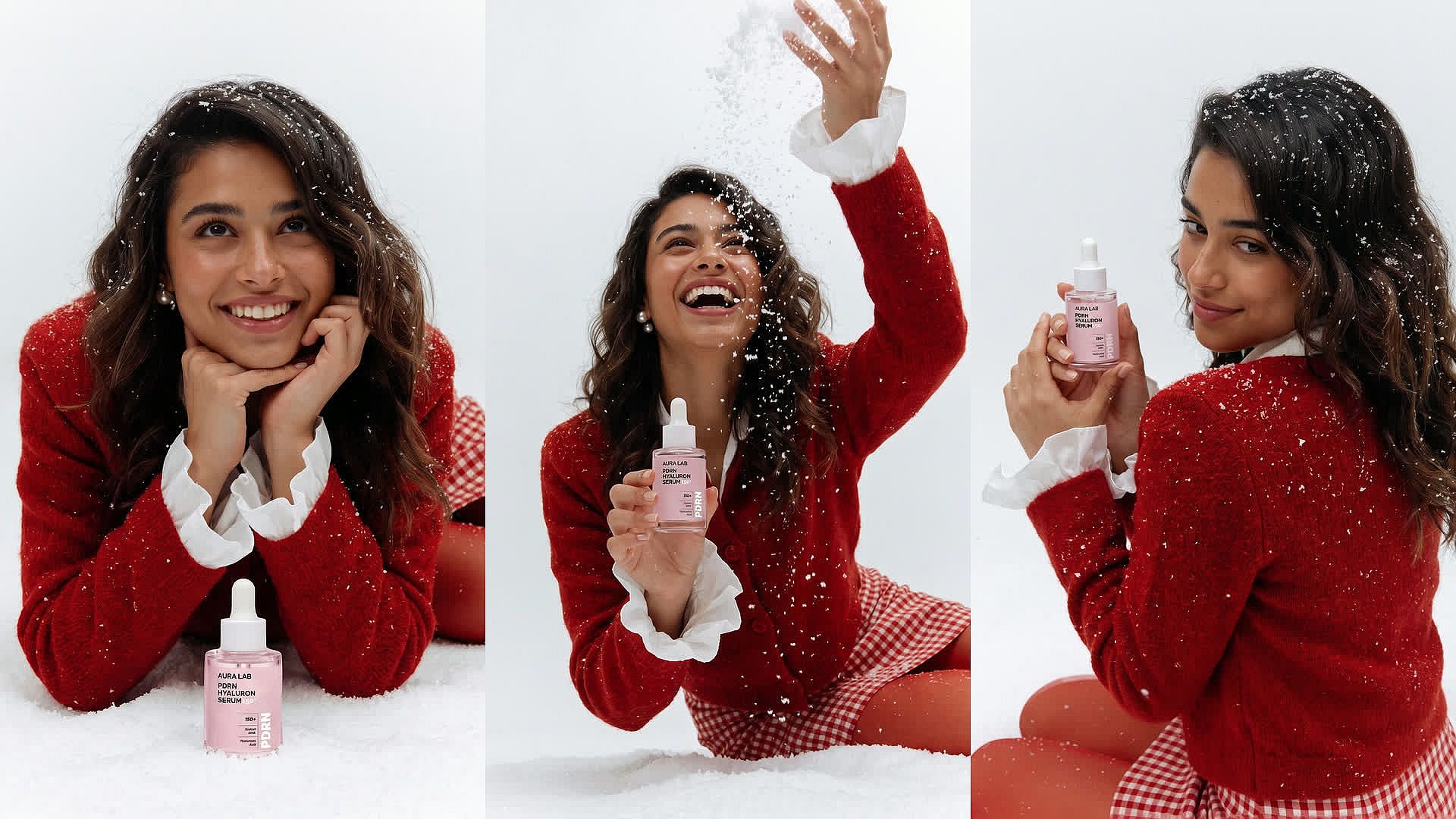
为创意团队打造风格统一的营销素材集
Kling Image 4.0 helps brand designers and agency teams make a campaign set that looks like one shoot. For a skincare winter launch, upload the product photo as @serum, ask for the bottle on fresh snow in soft blue light, and set up to 8 generations. Every image keeps the same product, colors, and style. Keep @serum and the same light in your next prompts to add a gift box or a bathroom shelf scene. Test ideas at 2K, then make the final set at 8K for print. Check logos and labels before anything goes out.
立即试用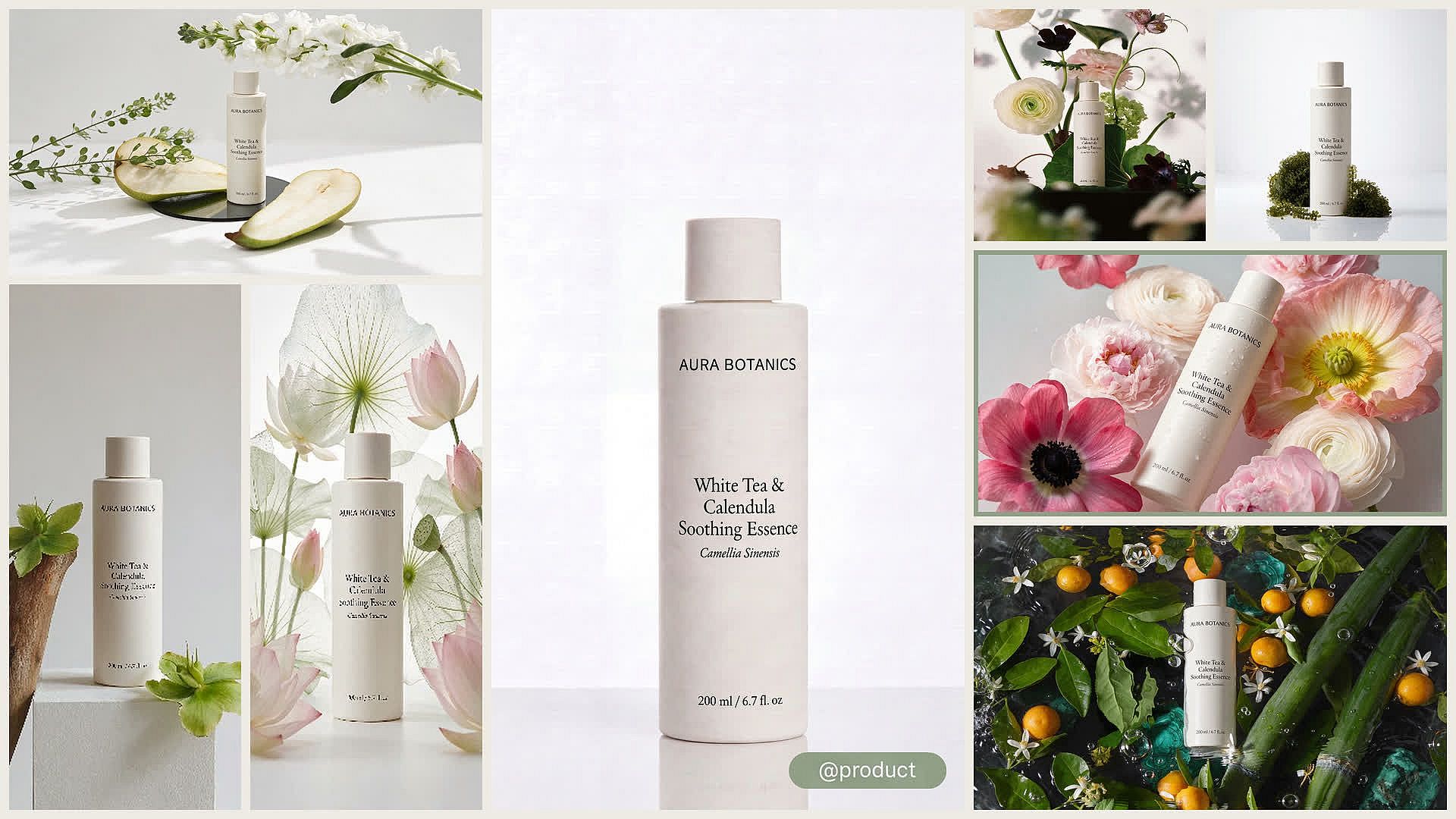
为效果营销人员打造广告变体
Kling Image 4.0 可帮助效果营销人员将一张产品照片变成一批广告测试素材。将你的产品作为 @product 上传,然后为每个场景写一条 prompt,比如厨房台面、健身包或办公桌。每条 prompt 最多可设置 8 次生成,并选择 9:16 用于故事、1:1 用于信息流或 16:9 用于横幅。每个版本都使用相同的产品参考,因此你的测试比较的是背景,而不是产品。将胜出版本制作成 4K 或 8K,并在广告上线前检查产品细节。
立即试用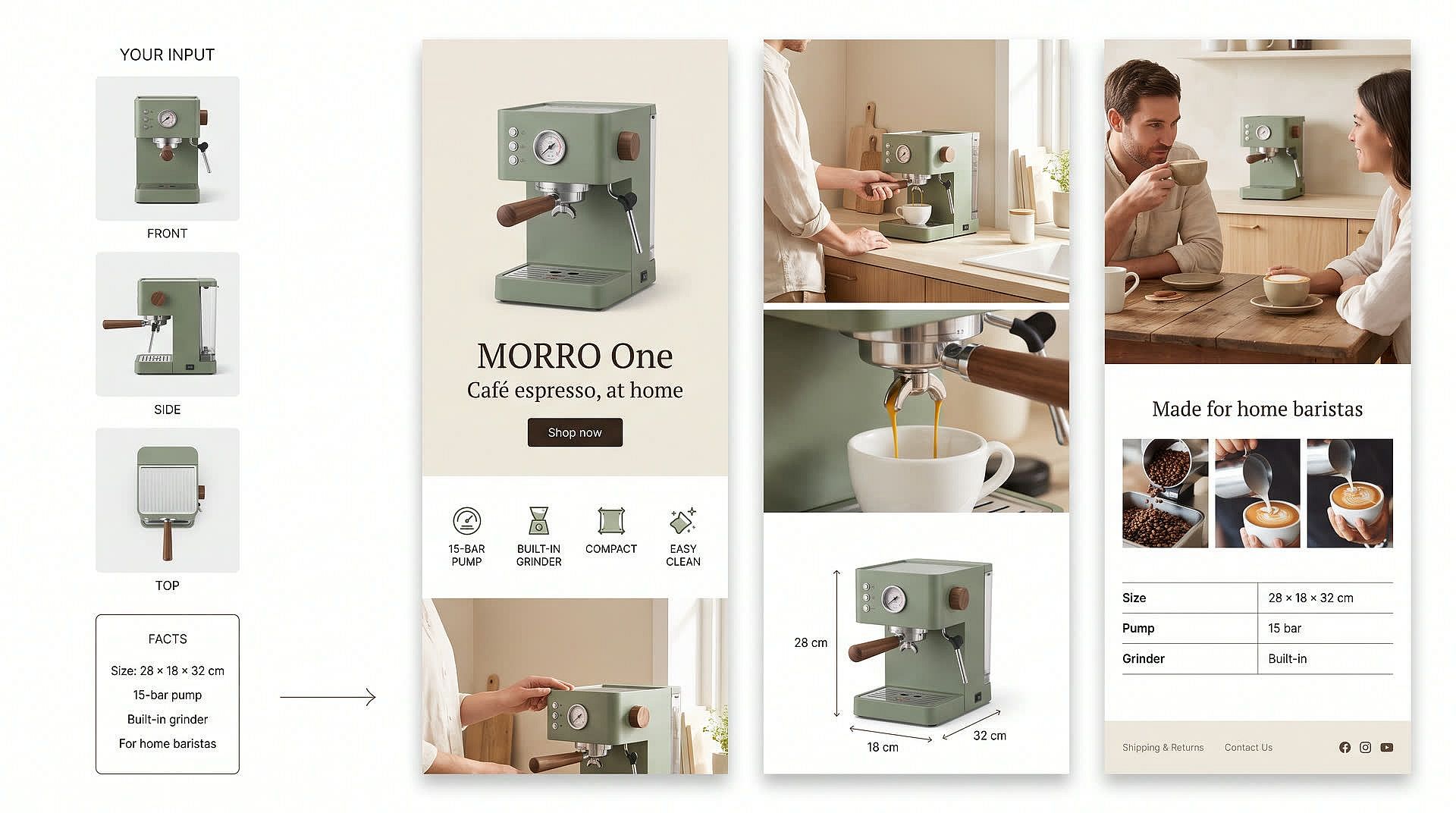
为在线卖家打造产品详情页
Kling Image 4.0 helps small business owners and ecommerce teams draft a full product detail page from a few photos. Upload 1 to 3 photos of your product, like a coffee machine from the front, the side, and the top. Ask for a medium page and list the facts to show, such as the size, the main features, and who it's for. Kling Image 4.0 returns one long image with a main banner, selling points, and scenes of the machine in use. Tell it to use only your facts so the page doesn't invent specs, and check every claim before you publish.
立即试用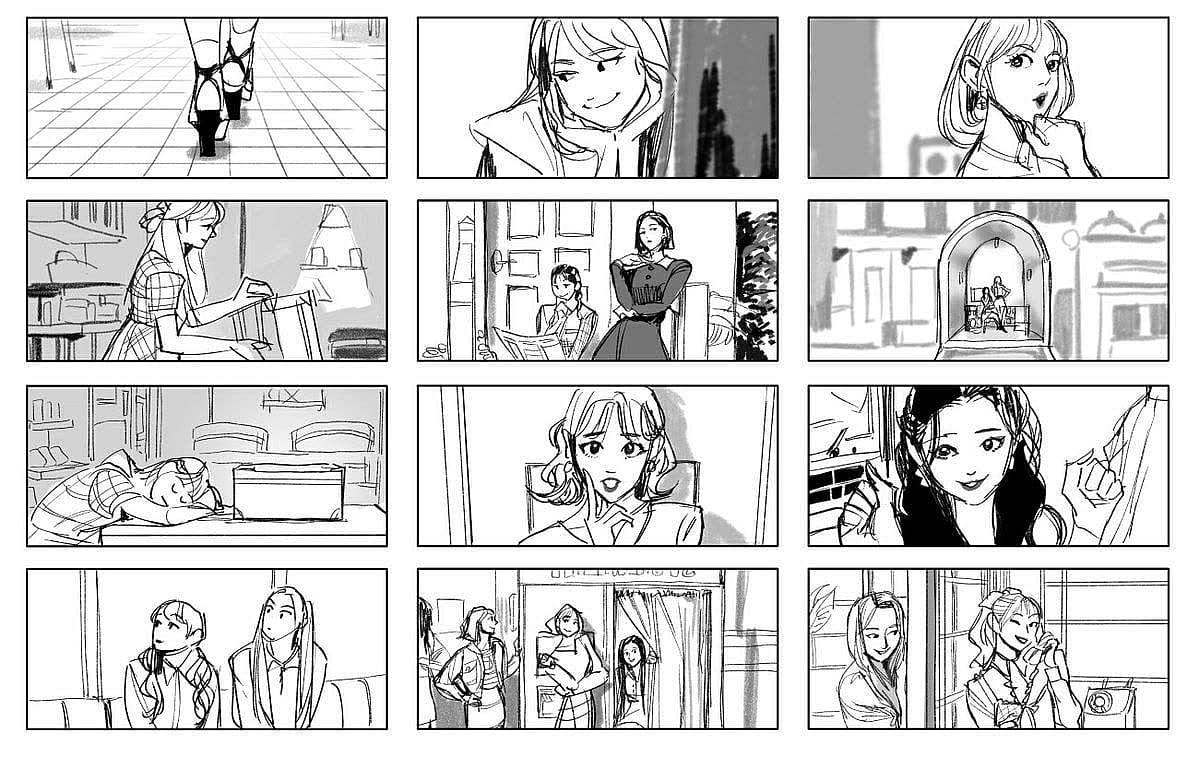
为电影人和视频创作者打造故事板
Kling Image 4.0 可帮助电影人和视频创作者逐帧规划场景。将主角照片作为 @lead 上传,并为每个节拍写一条 prompt,比如“@lead 打开门,看到空荡荡的房间,放下了她的包。”每条 prompt 设置多次生成,为每一帧获得匹配的镜头。相同的参考让角色的面部、服装和风格在每一帧之间保持一致。然后可将任意一帧用作视频的首帧。 Kling 4.0 视频 就在 OpenArt。
立即试用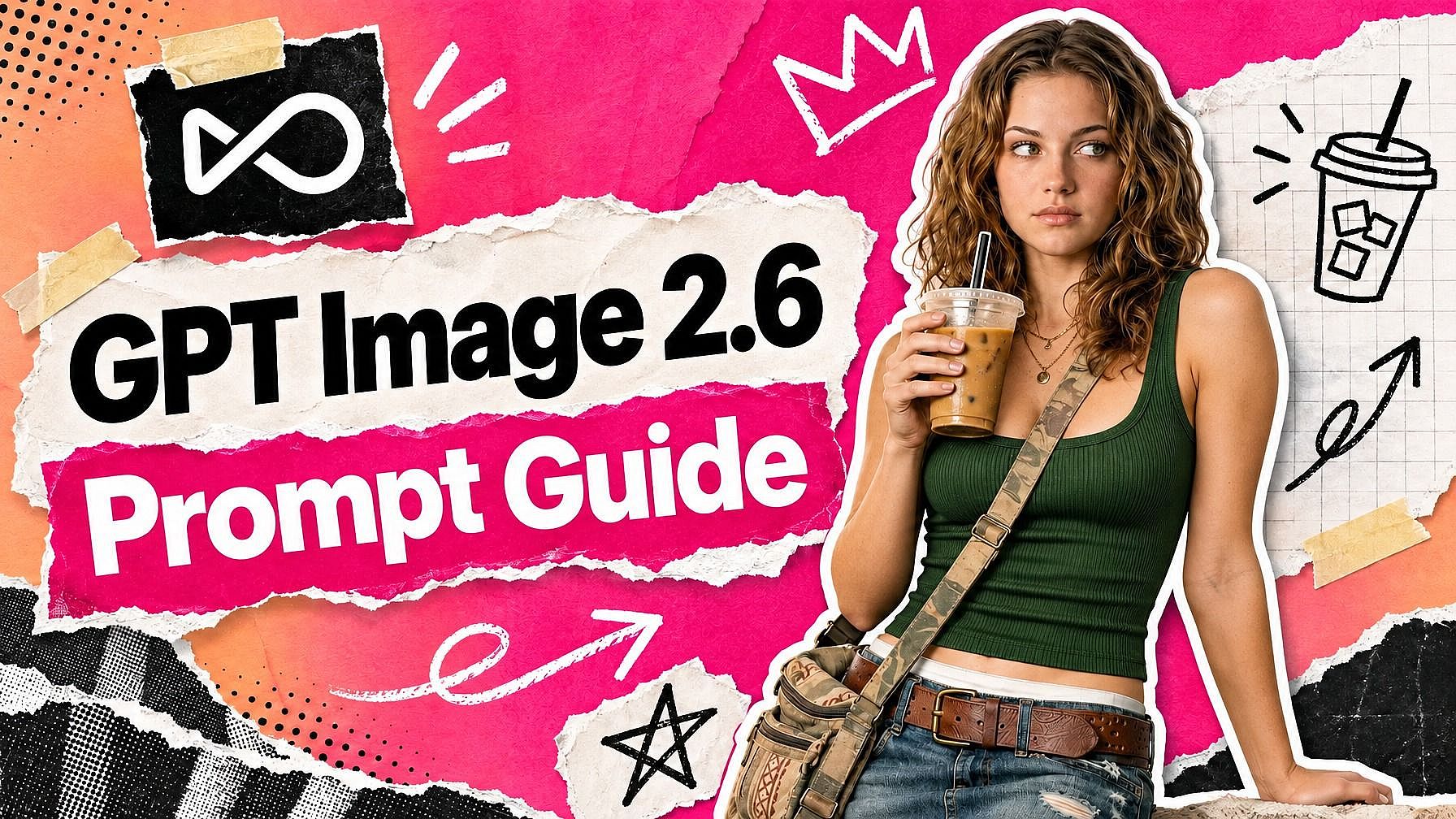
深受创作者喜爱
我试过很多 AI 平台……但在角色创作、图生视频质量和可用模型的丰富度上,OpenArt 仍然是最出色的。
OpenArt 提供了一系列出色的 AI 工具……一旦掌握了这些功能,创作的可能性令人惊叹——而且他们的支持团队也非常给力。
OpenArt 是一个功能非常多样的 AI 平台,拥有众多图像和视频模型、一致的角色创建能力以及强大的编辑工具。
实用的 AI 工具尽在一处——图像和视频生成、编辑等等……无需多个订阅。
客服总是快速又贴心……而且平台不断推出新功能和新工具,越来越好用。
我试过很多 AI 平台……但在角色创作、图生视频质量和可用模型的丰富度上,OpenArt 仍然是最出色的。
OpenArt 提供了一系列出色的 AI 工具……一旦掌握了这些功能,创作的可能性令人惊叹——而且他们的支持团队也非常给力。
OpenArt 是一个功能非常多样的 AI 平台,拥有众多图像和视频模型、一致的角色创建能力以及强大的编辑工具。
实用的 AI 工具尽在一处——图像和视频生成、编辑等等……无需多个订阅。
客服总是快速又贴心……而且平台不断推出新功能和新工具,越来越好用。
我试过很多 AI 平台……但在角色创作、图生视频质量和可用模型的丰富度上,OpenArt 仍然是最出色的。
OpenArt 提供了一系列出色的 AI 工具……一旦掌握了这些功能,创作的可能性令人惊叹——而且他们的支持团队也非常给力。
OpenArt 是一个功能非常多样的 AI 平台,拥有众多图像和视频模型、一致的角色创建能力以及强大的编辑工具。
实用的 AI 工具尽在一处——图像和视频生成、编辑等等……无需多个订阅。
客服总是快速又贴心……而且平台不断推出新功能和新工具,越来越好用。
在众多 AI 平台中,OpenArt 脱颖而出,是绝佳之选——我会向任何创作者推荐它。
这个平台囊括了 AI 内容创作所需的一切——图像、视频、角色、音频以及多种 AI 模型,尽在一处。
OpenArt 正在不断拓展 AI 视频创作的边界……显然,团队致力于提升创作者的体验。
我用 OpenArt 制作了我的第一支 AI 音乐视频……他们的支持团队是我遇到过最棒的帮手。
我对支持服务非常满意——我的问题很快得到解决,团队让整个过程变得轻松。
在众多 AI 平台中,OpenArt 脱颖而出,是绝佳之选——我会向任何创作者推荐它。
这个平台囊括了 AI 内容创作所需的一切——图像、视频、角色、音频以及多种 AI 模型,尽在一处。
OpenArt 正在不断拓展 AI 视频创作的边界……显然,团队致力于提升创作者的体验。
我用 OpenArt 制作了我的第一支 AI 音乐视频……他们的支持团队是我遇到过最棒的帮手。
我对支持服务非常满意——我的问题很快得到解决,团队让整个过程变得轻松。
在众多 AI 平台中,OpenArt 脱颖而出,是绝佳之选——我会向任何创作者推荐它。
这个平台囊括了 AI 内容创作所需的一切——图像、视频、角色、音频以及多种 AI 模型,尽在一处。
OpenArt 正在不断拓展 AI 视频创作的边界……显然,团队致力于提升创作者的体验。
我用 OpenArt 制作了我的第一支 AI 音乐视频……他们的支持团队是我遇到过最棒的帮手。
我对支持服务非常满意——我的问题很快得到解决,团队让整个过程变得轻松。
常见问题 问题
Kling Image 4.0 是快手最新的 Kling 图像模型,你可以在 OpenArt 的 AI 图像生成器中使用它。Kling Image 4.0 可生成最高 8K 的图像,每个 prompt 最多生成 8 张风格统一的图像,为产品页和网站构建长图,并支持多达 10 张参考图。
你可以选择 16:9、9:16、1:1、4:3、3:4、3:2、2:3 或 21:9,也可以让 Kling Image 4.0 自动选择最适合你 prompt 的尺寸。
可以,使用 Kling 4.0 Long Image 模型即可,你可以在 OpenArt 中与 Kling Image 4.0 相同的模型菜单里选择它。上传 1 到 3 张产品照片,然后选择短版页面(约 2 到 5 个版块)、中版页面(约 6 到 10 个)或长版页面(约 11 到 18 个)。AI 模型会返回一张长图,包含主横幅、卖点和产品场景。
Kling Image 3.0 Omni 可生成 2K 和 4K 图像。Kling Image 4.0 新增 8K 输出和适用于产品页面及网站的长图。
普通图像输出为 2K、4K 或 8K。用于产品页和网站的长图输出为 1K 或 2K。
每个 prompt 最多可设置 8 次生成,每张图都遵循相同的 prompt、风格和参考图。在后续 prompt 中复用同样的参考图,即可添加依然风格一致的新场景。长图请求则为你提供一张完整的图像。
常规图片在一次请求中最多可使用 10 张参考图,长图变体最多可使用 3 张。在 prompt 中用 @ 标记每张参考图,告诉 Kling Image 4.0 它的用途。
不是。Kling Image 4.0 生成静态图像,而 Kling 4.0 是 Kling 的视频模型。你可以在 OpenArt 上将 Kling Image 4.0 的图片用作 Kling 4.0 视频的首帧。