

 ChatGPT
 Perplexity
 Claude
 Gemini
Top 50 des prompts d'images IA : des modèles à copier-coller pour chaque usage
Un bon prompt d'image par IA indique au modèle ce qu'il doit montrer et quels détails visuels comptent. Au lieu de « un beau paysage », décris le lieu, le premier plan, la lumière et l'ambiance : « pics alpins déchiquetés au lever du soleil, brume envahissant les vallées, fleurs sauvages au premier plan, lumière chaude sur le sommet, photographie de paysage photoréaliste. »
Below are 50 copy-and-paste AI image prompts across 10 categories, plus a reusable template for each category. Start with an example in OpenArt's Générateur d'images IA, ou remplace les champs entre crochets d'un modèle pour créer le tien. Les images d'exemple illustrent la direction visuelle ; les résultats varient selon le modèle, les paramètres, les références et la génération.
Aller à une catégorie :
- Portrait et photo de profil
- Paysages et nature
- Produit et maquette
- Logo et identité visuelle
- Anime et manga
- Concept art et fantasy
- Architecture et intérieur
- Cuisine & Lifestyle
- Cyberpunk et science-fiction
- Vintage et rétro
L'anatomie d'un bon prompt d'image IA
Un générateur d'images IA transforme ton prompt textuel en image en associant chaque mot aux motifs visuels appris pendant son entraînement. Plus le prompt est précis, moins le modèle doit deviner, et plus l'image générée par l'IA se rapproche de ce que tu imaginais.Comment la génération d'images par IA fonctionne à partir du prompt fourni
Les meilleurs prompts d'image IA suivent la même formule : commence par ce qui compte le plus
- Sujet et action : qui ou quoi se trouve dans l'image, et que fait-il ?
- Décor : où se déroule la scène, et quels environnements comptent ?
- Caméra et composition : s'agit-il d'un gros plan, d'une vue en plongée, d'un plan large ou d'une mise en page centrée ?
- Éclairage : indique la direction, la douceur et la couleur de la lumière.
- Style : précise s'il s'agit de photographie, d'illustration, de peinture ou d'un autre traitement visuel.
Tu n'auras pas besoin de tous les éléments à chaque fois. Un logo n'a besoin d'aucun positionnement de caméra, et un paysage n'a besoin d'aucune expression.
Prompt d'image IA faible ou puissant
Voici la même idée écrite de deux façons.
Prompt faible :
un café
Prompt efficace :
Intérieur d'un petit café scandinave à 8h, comptoir en chêne clair, un barista versant un latte art, soleil matinal à travers de hautes fenêtres projetant de longues ombres, vapeur s'élevant des tasses, pris à l'objectif 35mm à hauteur des yeux, faible profondeur de champ, ambiance chaleureuse et calme, 4:5
Le prompt faible m'a donné un café générique de style banque d'images, sans personne [à remplacer après test]. Le prompt solide a réussi la lumière et le barista du premier coup, parce que chaque choix visuel était déjà fait. Pour les retouches, précise aussi ce qui doit rester inchangé. Pour les images avec du texte, mets le texte exact entre guillemets et décris son emplacement. Définis les dimensions de sortie dans le générateur plutôt que de compter sur le prompt pour les contrôler.
Pour les retouches, précise aussi ce qui doit rester inchangé. Pour les images avec du texte, mets le texte exact entre guillemets et décris son emplacement. Définis les dimensions de sortie dans le générateur plutôt que de compter sur le prompt pour les contrôler.
Les 50 prompts d'images IA
1. Prompts d'images IA pour portraits et photos de tête
Pour les portraits, décris la personne, le cadrage, l'expression et la direction de la lumière. Ajoute quelques détails naturels de peau plutôt que de te fier uniquement à des mots comme « parfait » ou « impeccable ».
Modèle réutilisable : Portrait de [SUJET], [EXPRESSION ET POSE], portant [TENUE], dans [DÉCOR], cadré en [TYPE DE PLAN], avec [ÉCLAIRAGE], [STYLE VISUEL], et une texture de peau naturelle.
Pour un cadrage plus serré, remplace le type de plan par « tête et épaules ». Pour un portrait de toi ou d'une autre personne précise, ajoute une photo de référence.
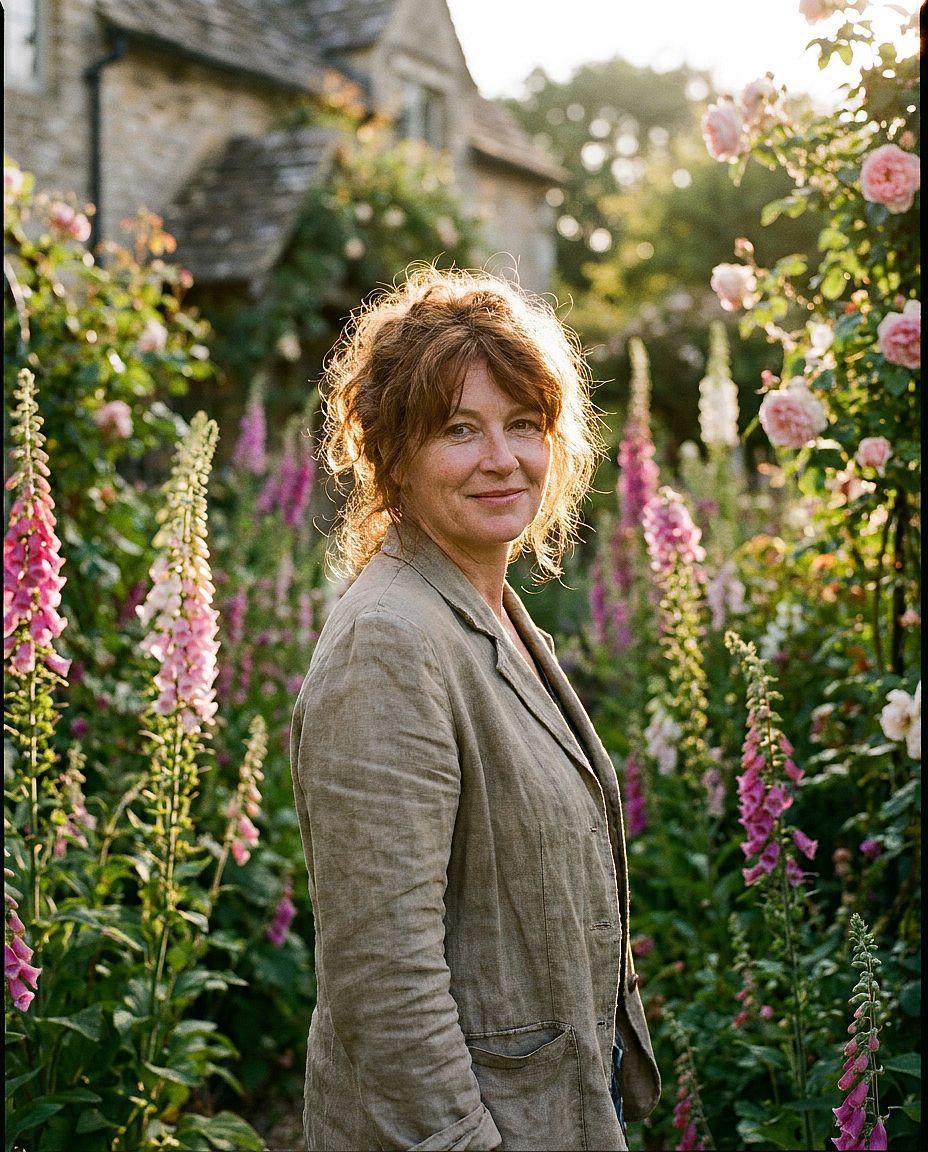
1. Portrait à l'heure dorée
Prompt : Portrait d'une femme aux cheveux auburn, la trentaine, doux sourire naturel, debout dans un jardin de cottage anglais avec des digitales en fleur, lumière rasante d'heure dorée, faible profondeur de champ, pris au Hasselblad 80mm, style éditorial photoréaliste, grain de pellicule 35mm
2. Portrait professionnel
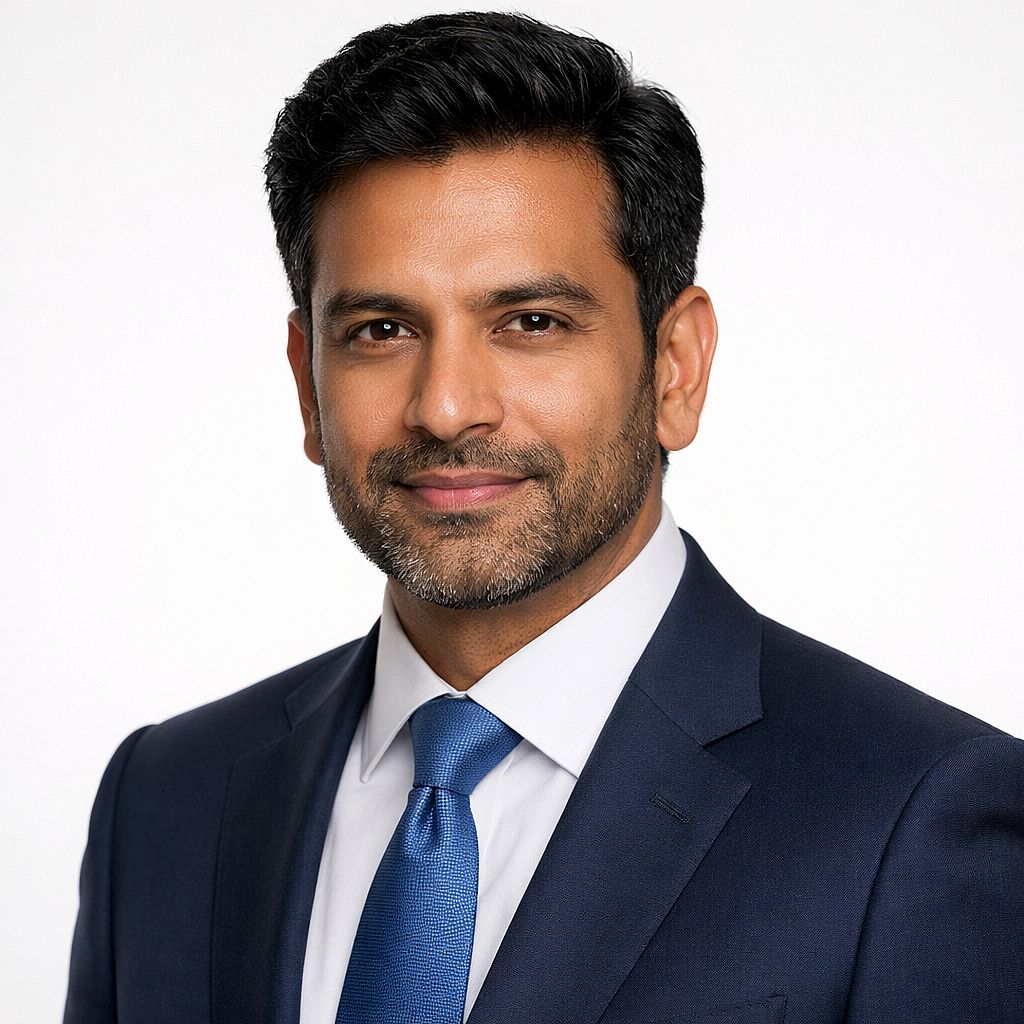
Prompt : Portrait professionnel d'un homme sud-asiatique, début de la quarantaine, costume bleu marine, fond de studio blanc épuré, éclairage Rembrandt doux avec de subtils reflets dans les yeux, mise au point nette, léger sourire assuré, photographie commerciale haut de gamme, sans accessoires
Pour ton propre portrait : Importe une photo de référence nette et décris les vêtements, l'arrière-plan et l'éclairage que tu veux changer. Le Générateur de portraits IA offre un point de départ pour ce workflow. Vérifie que le résultat te ressemble toujours.
3. Portrait masculin dramatique
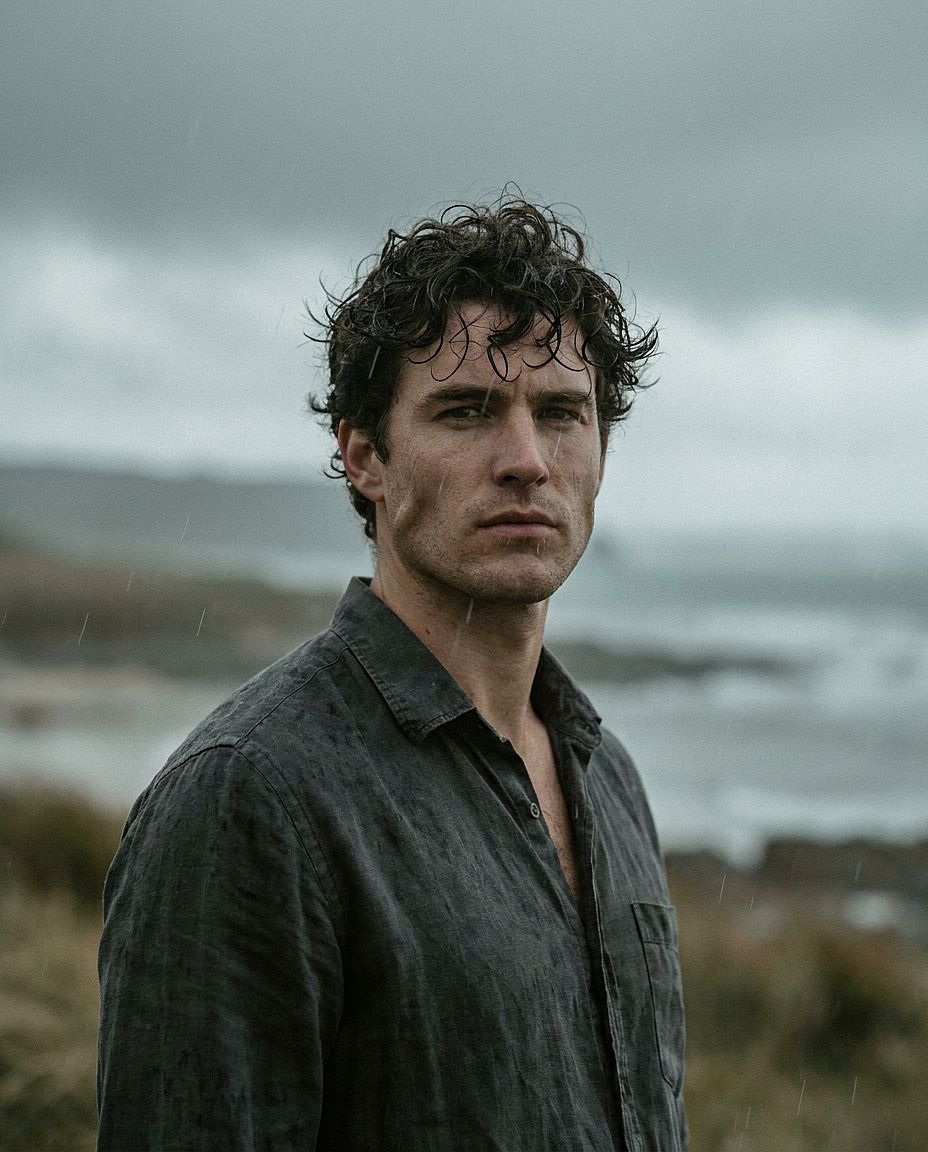
Prompt : Portrait en gros plan d'un homme d'une petite trentaine, mâchoire marquée, cheveux bouclés foncés, portant une chemise en lin, lumière extérieure maussade et couverte, compression d'objectif 85 mm, grain de film authentique, étalonnage cinématographique avec des hautes lumières légèrement désaturées
4. Photo de couple
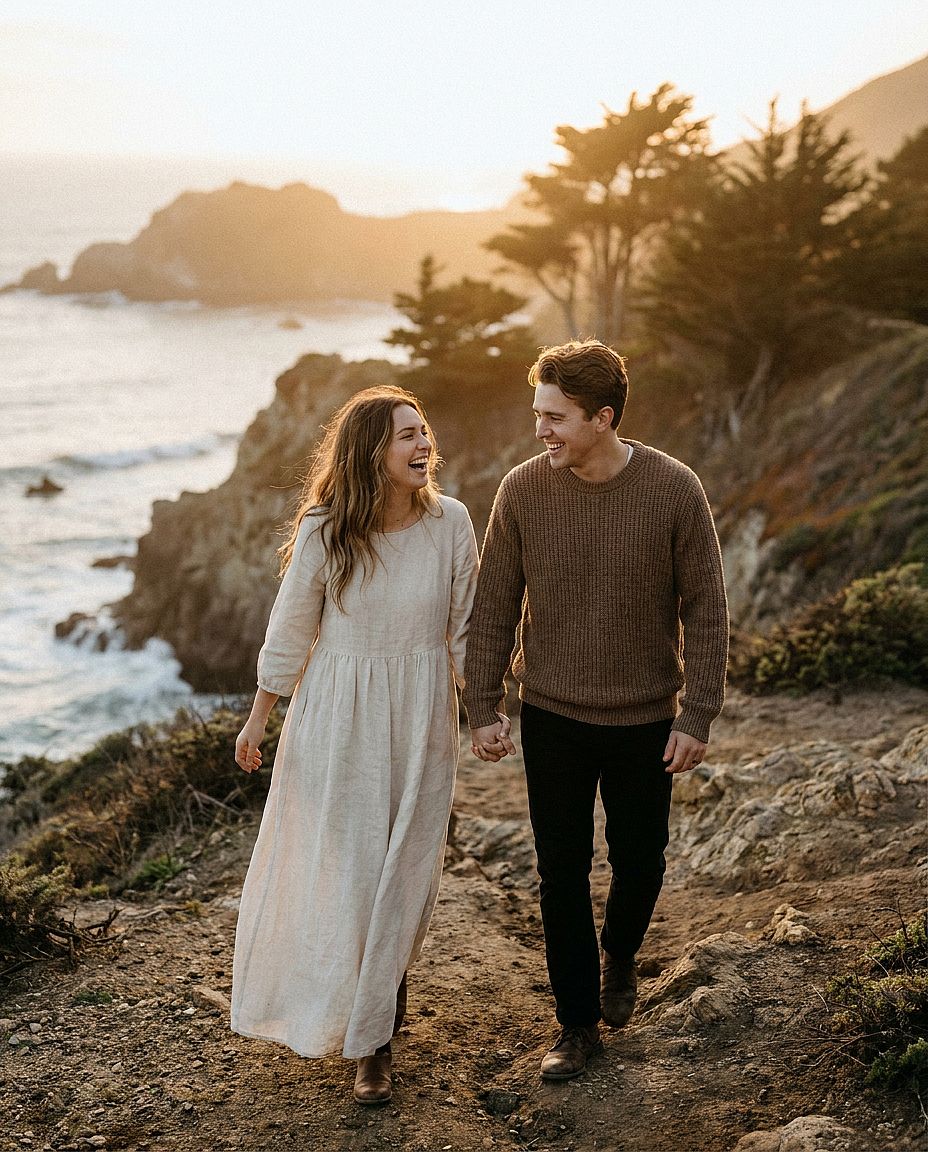
Prompt : Portrait de couple cinématographique montrant un jeune couple d'une petite trentaine marchant le long d'un sentier de falaise balayé par le vent sur la côte Pacifique à l'heure dorée, femme en robe fluide en lin crème, homme en pull tricoté aux tons terreux, main dans la main et riant, douce lumière chaude de coucher de soleil, faible profondeur de champ, pris avec un Sony A7IV 85mm f/1.8, photographie de mariage éditoriale photoréaliste, tons de peau naturels, grain de film 35mm
5. Portrait mode studio
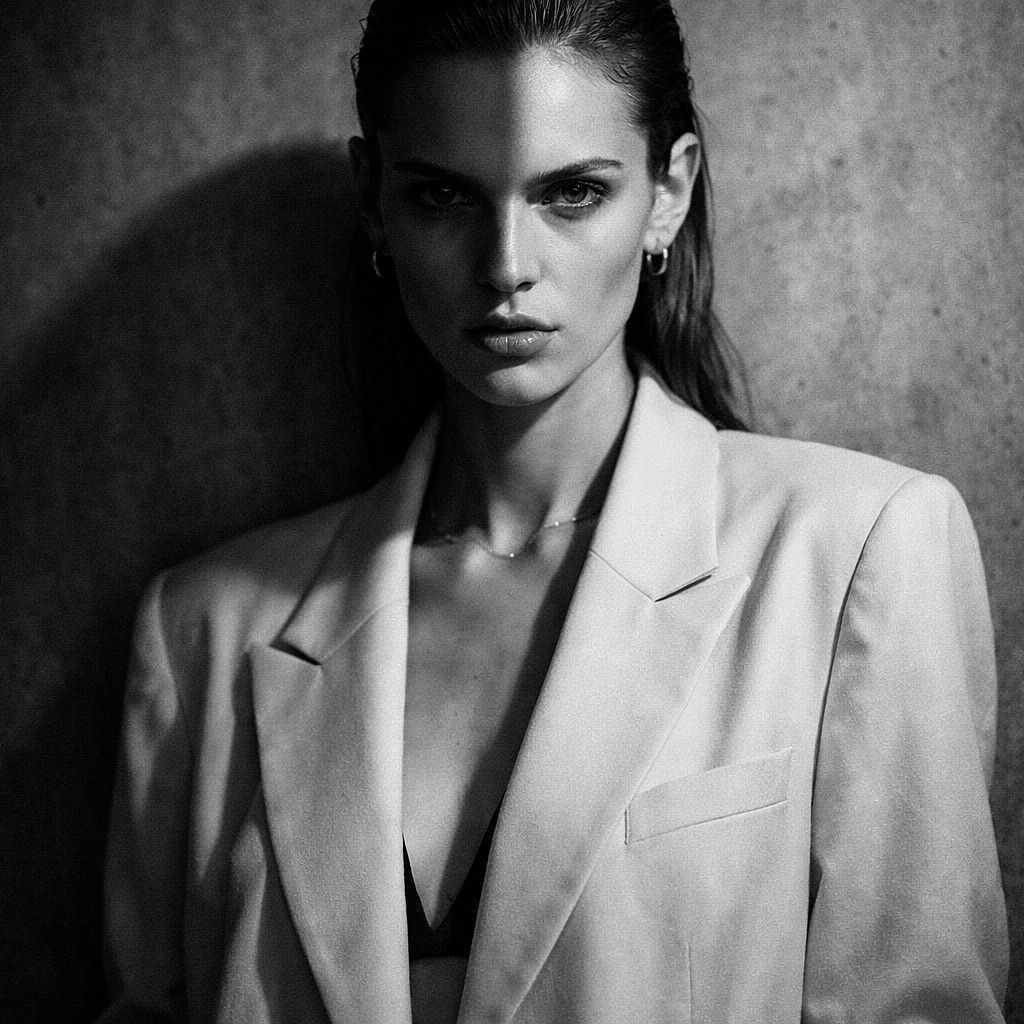
Prompt : Portrait éditorial mode d'un mannequin aux pommettes saillantes, portant un blazer oversize crème, bijoux minimalistes, fond en béton gris texturé, éclairage spectaculaire divisé, conversion noir et blanc à fort contraste, esthétique éditoriale à la Vogue, 50 mm
2. Prompts d'images IA de paysages et de nature
Les prompts de paysage deviennent plus faciles à maîtriser quand tu définis un premier plan, un point focal principal et un arrière-plan. Décris comment la météo et l'heure de la journée influencent la scène.
Modèle réutilisable : [PAYSAGE] à [MOMENT DE LA JOURNÉE], avec [DÉTAIL AU PREMIER PLAN], [POINT FOCAL PRINCIPAL] et [ARRIÈRE-PLAN], sous [CONDITIONS MÉTÉO], [ÉCLAIRAGE], [COMPOSITION], [STYLE VISUEL].
Passer d'un lever de soleil à une mi-journée nuageuse donne une tout autre ambiance au même paysage. Garde le premier plan et la position de la caméra fixes si tu veux comparer les éclairages.
6. Alpine Sunrise
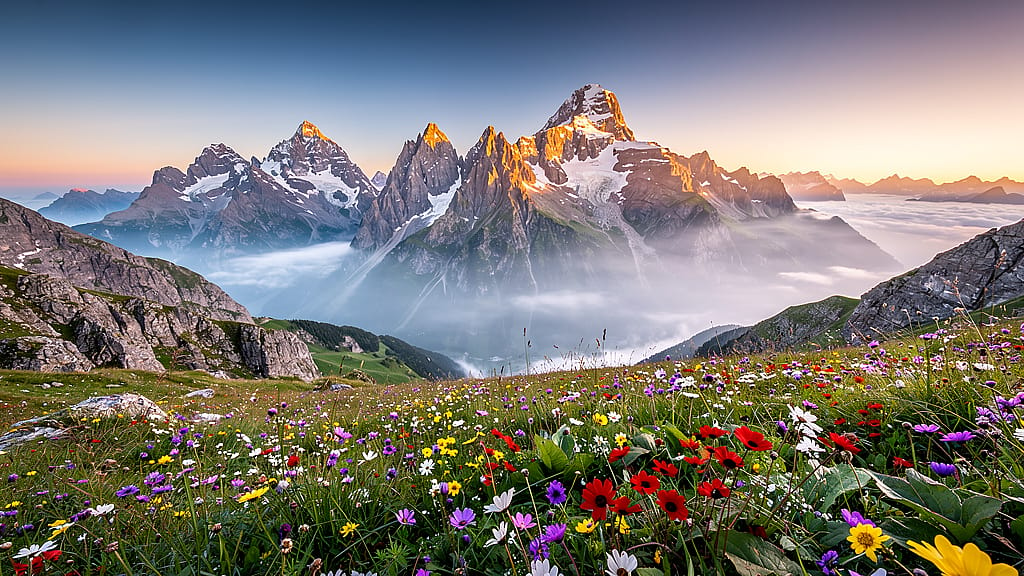
Prompt : Vue panoramique de pics alpins déchiquetés au lever du soleil, fleurs sauvages en fleur au premier plan, couches de brume remplissant les vallées en contrebas, lumière dorée et chaude peignant le sommet, composition ultra-large, photographie de paysage photoréaliste, hyper-détaillée, sans personnes
7. Falaises côtières au crépuscule
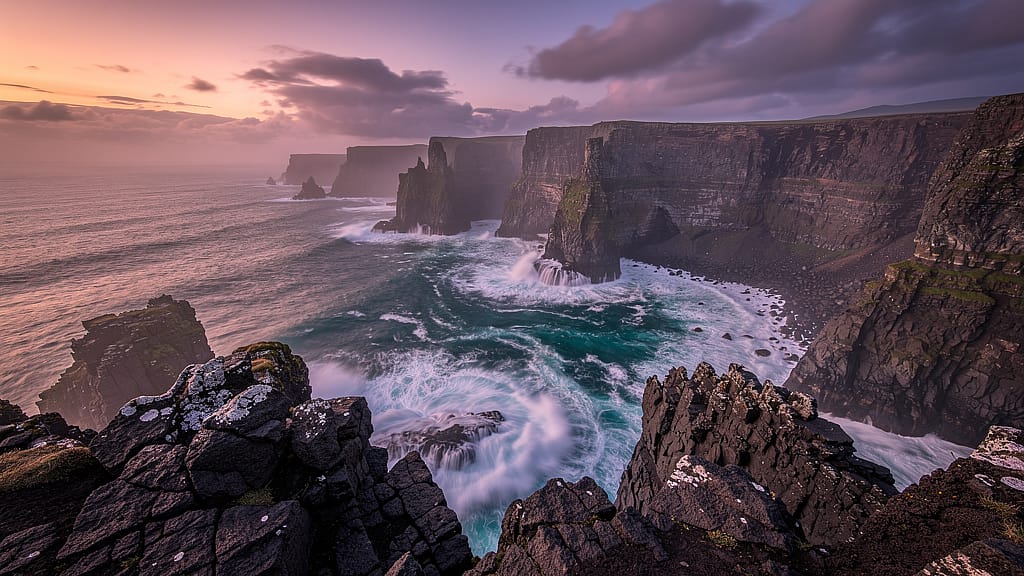
Prompt : Falaises maritimes spectaculaires au crépuscule, eau turquoise se brisant contre la roche volcanique sombre en contrebas, ciel doux magenta et orange, effet d'eau lissée en pose longue, photographie de paysage HDR, texture de roche nette au premier plan, format cinématographique 2.39:1
8. Ancienne forêt de séquoias
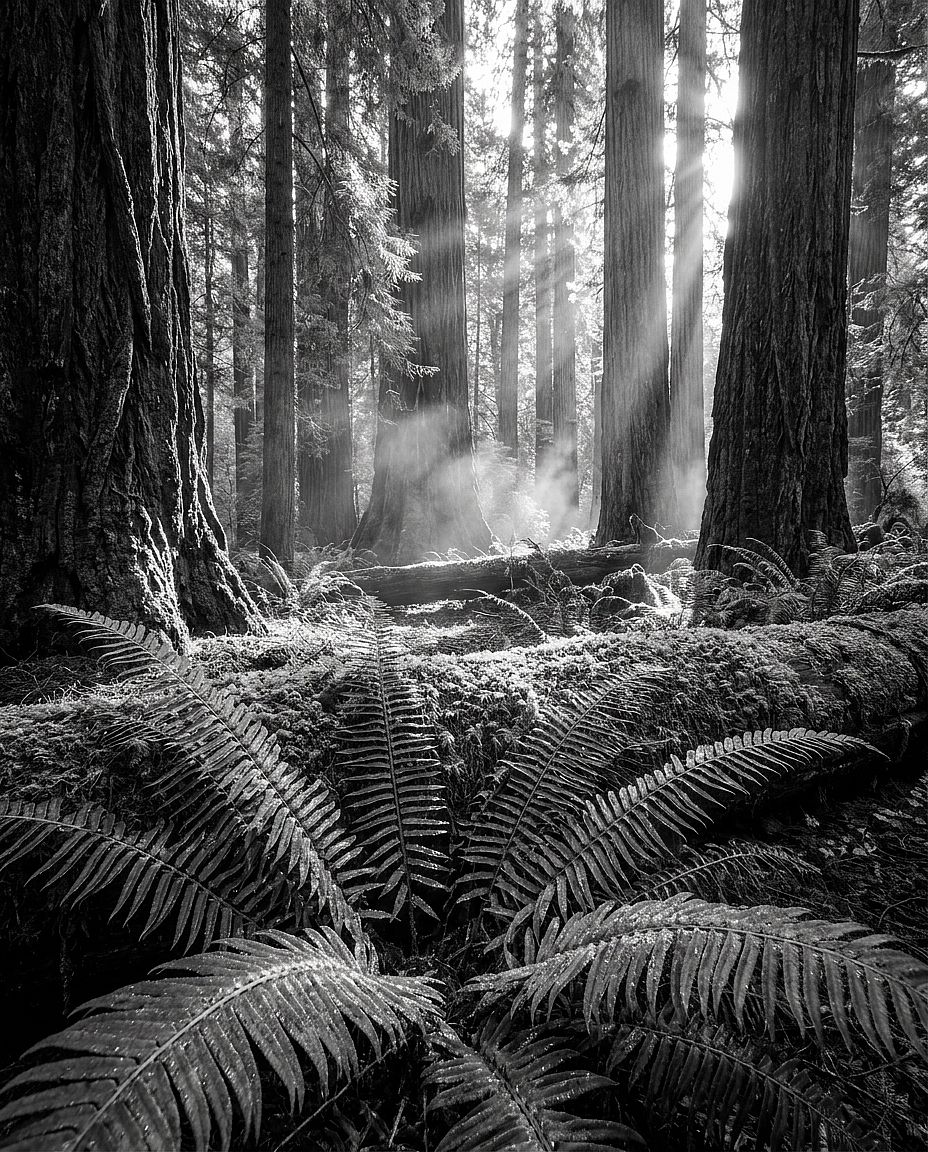
Prompt : Intérieur d'une ancienne forêt de séquoias, rayons de lumière dorée filtrant à travers une canopée immense, mousse verte et douce recouvrant le sol, brume légère à hauteur des yeux, composition en contre-plongée dirigée vers le haut, fougères nettes au premier plan, photographie de paysage à la qualité d'Ansel Adams
9. Floraison de fleurs sauvages du désert
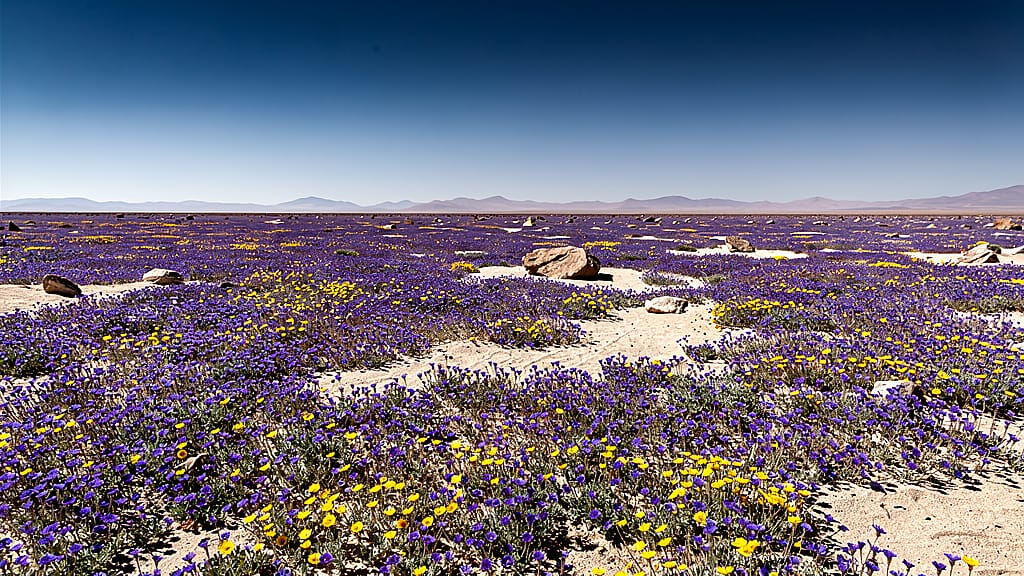
Prompt : Le désert d'Atacama en pleine floraison rare, tapis infini de fleurs sauvages violettes et jaunes jusqu'à l'horizon, ciel bleu clair, soleil de midi projetant des ombres nettes et franches, style photographie National Geographic, perspective large et plate, ultra-net sur toute l'image
10. Reflet d'aurore boréale
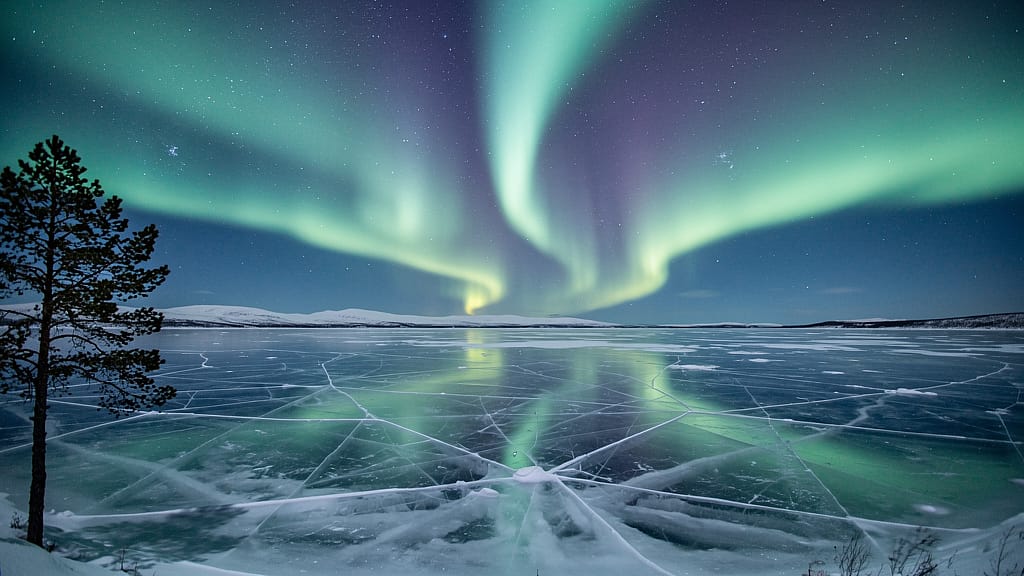
Prompt : Aurore boréale au-dessus d'un lac gelé en Laponie norvégienne, rubans de lumière émeraude et violette parfaitement reflétés à la surface de la glace vitreuse, silhouette d'un unique pin sur le bord gauche, longue exposition, ciel étoilé complet visible, détails ultra-nets
3. Prompts d'images IA pour produits et maquettes
Les prompts de produit nécessitent un placement clair de l'objet, un éclairage maîtrisé et des descriptions de matériaux précises. Les exemples ci-dessous sont des points de départ pour des concepts produit ; le texte seul ne reproduira pas de façon fiable un article existant.
Modèle réutilisable : Photo produit de [PRODUIT] sur [SURFACE], avec [ARRIÈRE-PLAN], éclairé par [ÉCLAIRAGE], vu depuis [ANGLE DE CAMÉRA], avec [COMPOSITION], dans une esthétique [STYLE VISUEL].
Pour un vrai produit, pars d'une photo de référence et construis le décor autour. Compare l'emballage, l'étiquette, les couleurs et les proportions avec l'original avant d'utiliser le résultat. Le Guide de la photographie de produit IA détaille ce processus.
11. Flacon de parfum de luxe
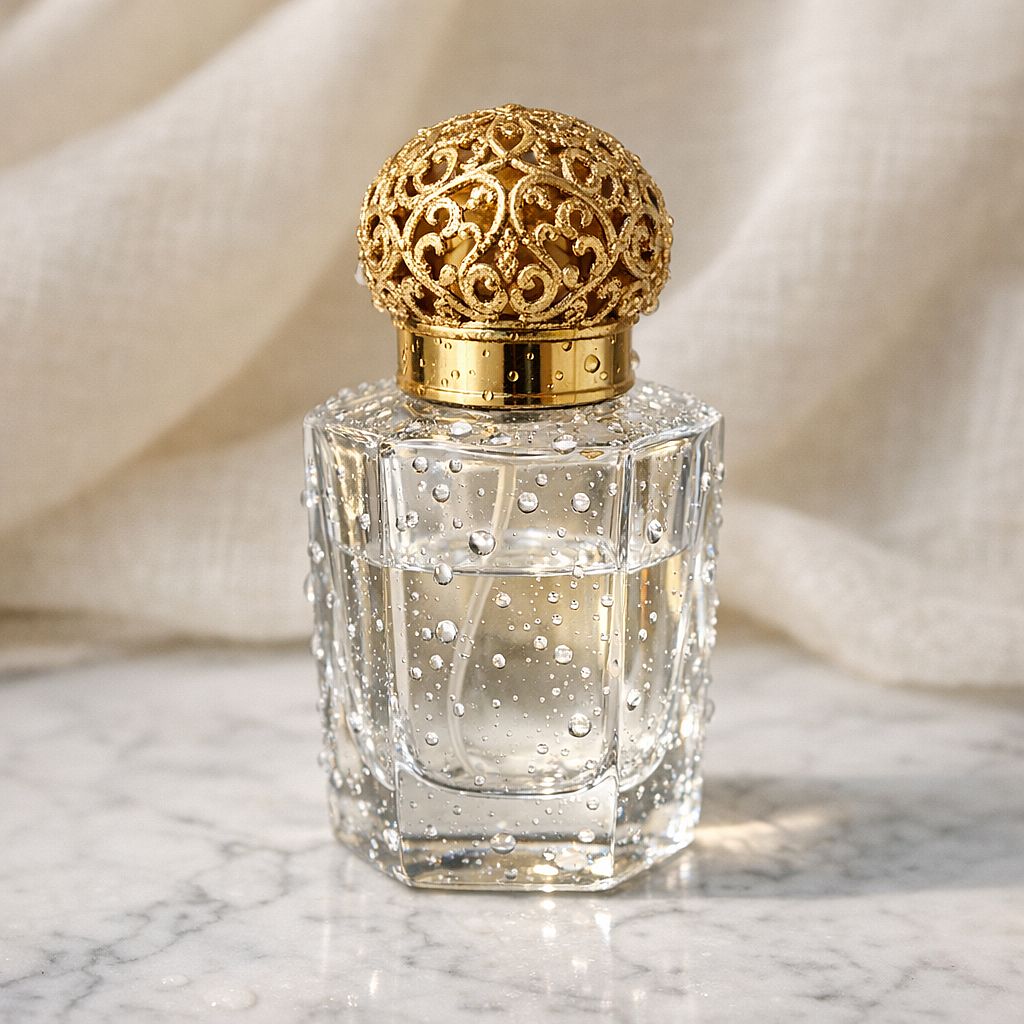
Prompt : Flacon de parfum en verre luxueux avec un bouchon en filigrane doré, posé sur du marbre blanc de Carrare, éclairage studio produit doux avec une seule ombre subtile, gouttelettes d'eau sur la surface du flacon, tissu de lin crème flou en arrière-plan, photographie produit commerciale, macro 85mm
12. Flat lay soins de la peau
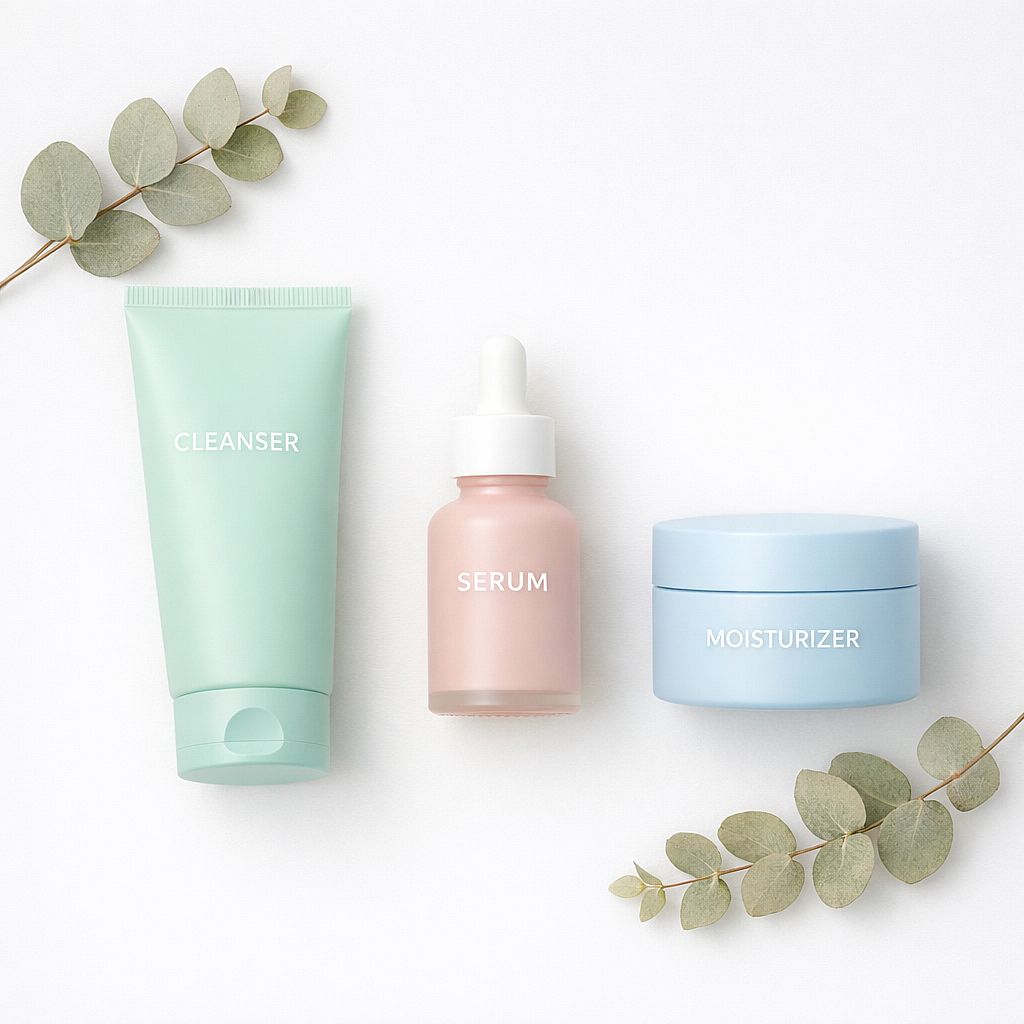
Prompt : Composition à plat de soins minimalistes — nettoyant, sérum et hydratant dans un packaging pastel mat, disposés sur une surface blanche épurée avec des brins d'eucalyptus séché, lumière douce et diffuse venant du dessus, sans ombres marquées, photographie produit e-commerce, ultra-nette sur tous les articles
13. Maquette de sac de café
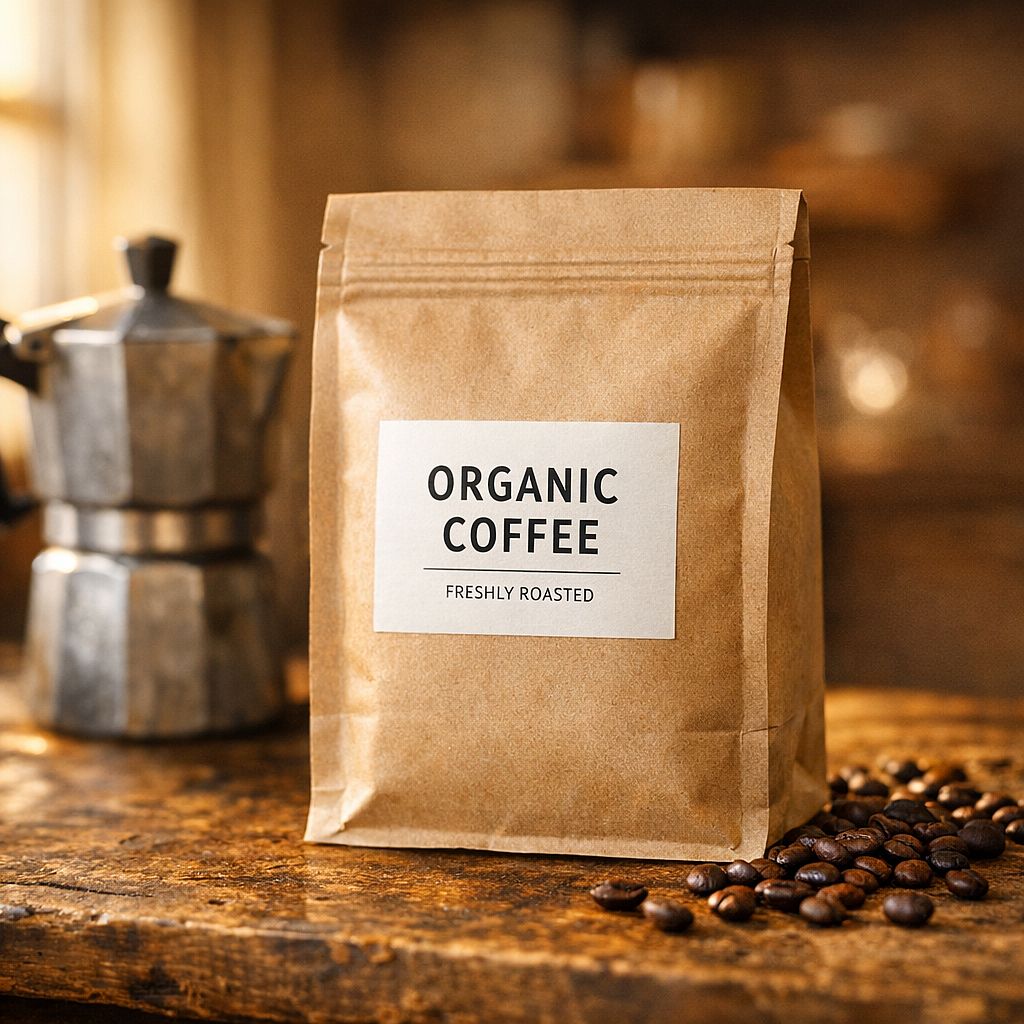
Prompt : Sachet de café en papier kraft avec une étiquette minimaliste, posé sur un comptoir en bois usé à côté d'une cafetière moka et de grains de café éparpillés, chaude lumière matinale entrant par une fenêtre latérale, mise au point sélective sur l'étiquette, arrière-plan chaud et flou, photographie culinaire artisanale
14. Écouteurs sans fil
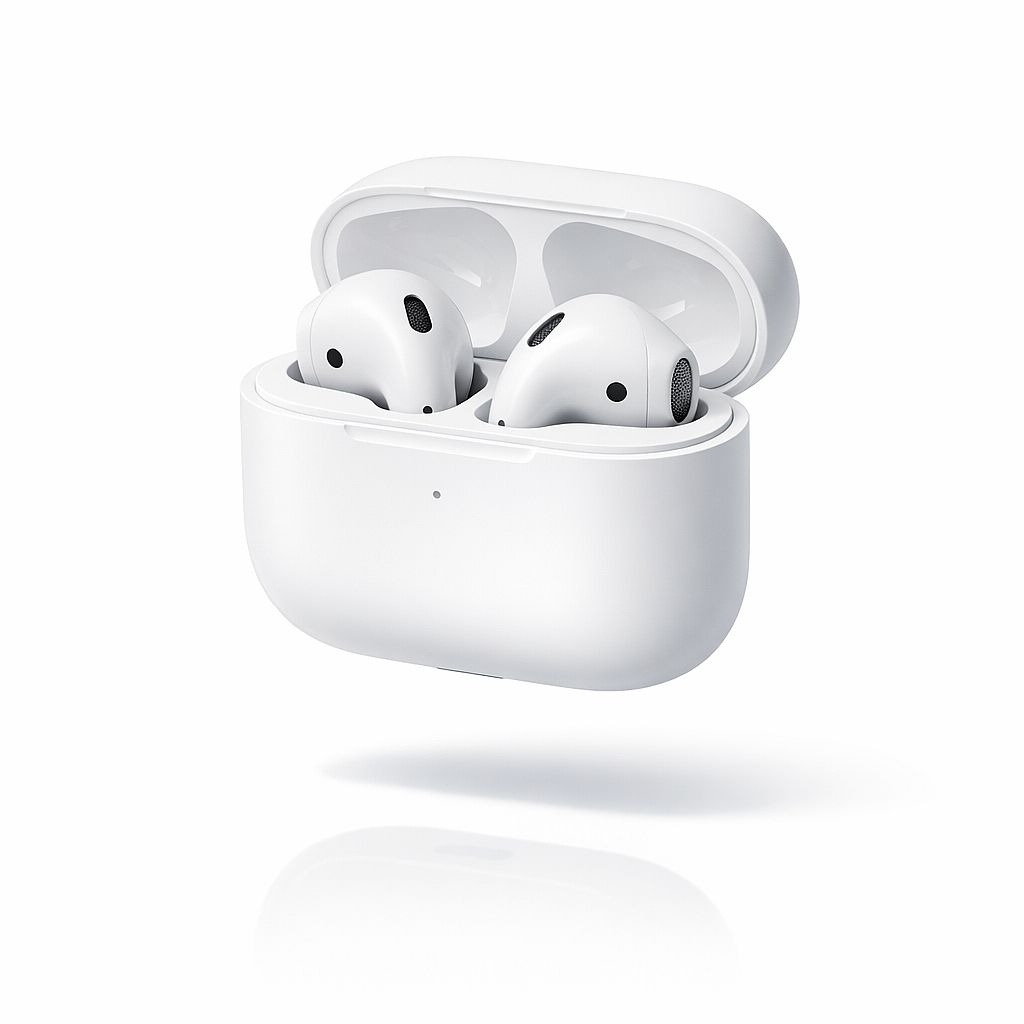
Prompt : Écouteurs sans fil élégants dans leur boîtier de charge, finition blanc mat, en suspension au-dessus d'une surface blanche réfléchissante, fond de studio blanc pur, ombre portée subtile en dessous, détail net sur la grille en maille des écouteurs, photographie commerciale d'électronique, esthétique catalogue Apple
15. Photo lifestyle avec bougie
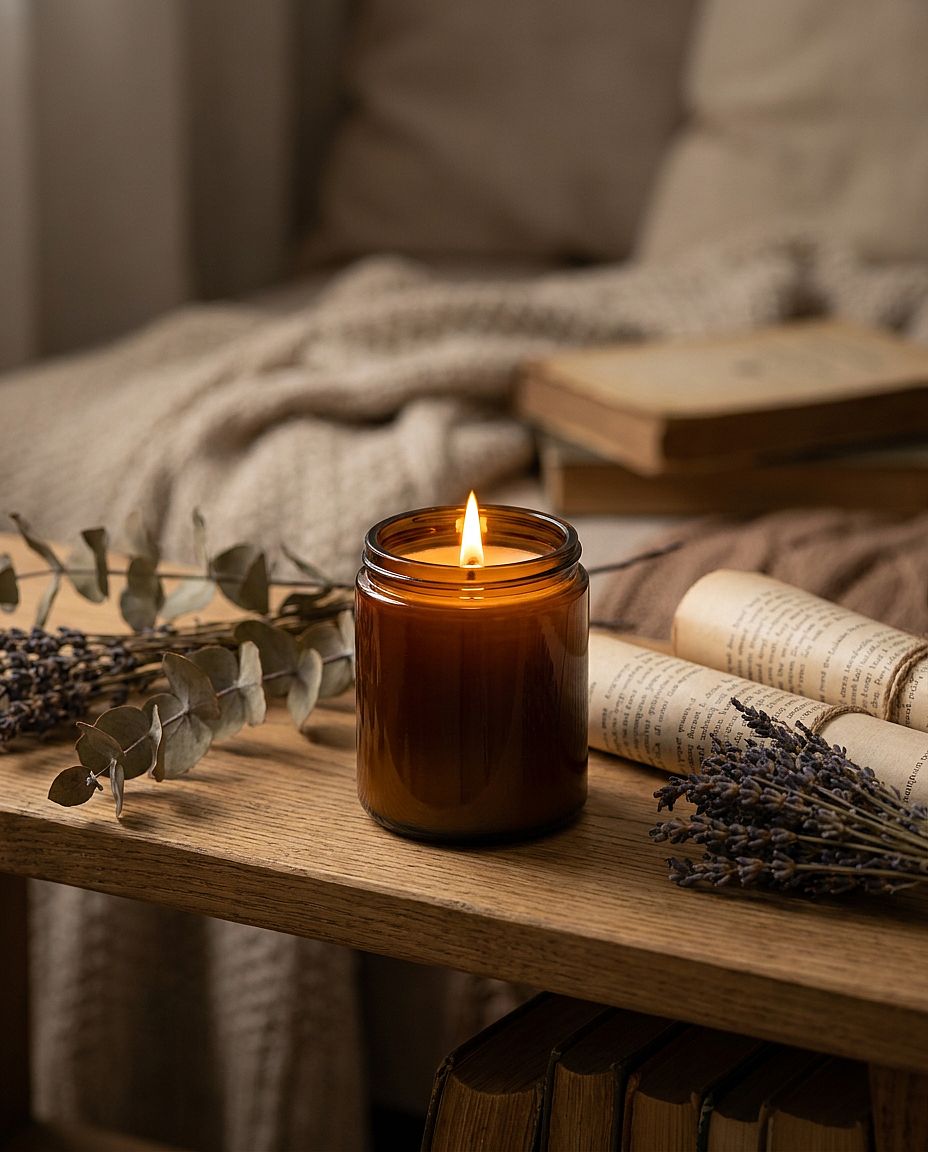
Prompt : Bougie en cire de soja dans un pot en verre ambré avec une flamme allumée, posée sur une étagère rustique en chêne avec des plantes séchées et de petits livres, chaude lumière de bougie dorée comme source lumineuse principale, faible profondeur de champ floutant l'étagère en arrière-plan, photographie produit lifestyle cosy
4. Prompts d'images IA pour logos et visuels de marque
Le Générateur de logos IA est un endroit pratique pour explorer les symboles, les formes et les palettes. Le « style vectoriel » donne à l'image un rendu graphique ; la sortie SVG modifiable dépend du modèle et des options d'export. Vectorise ou redessine un concept raster quand tu as besoin de tracés modifiables.
Modèle réutilisable : Concept de logo pour [TYPE DE MARQUE], avec [SYMBOLE], utilisant [COULEURS], avec [STYLE DE LIGNE OU DE FORME], disposé en [MISE EN PAGE], sur [ARRIÈRE-PLAN].
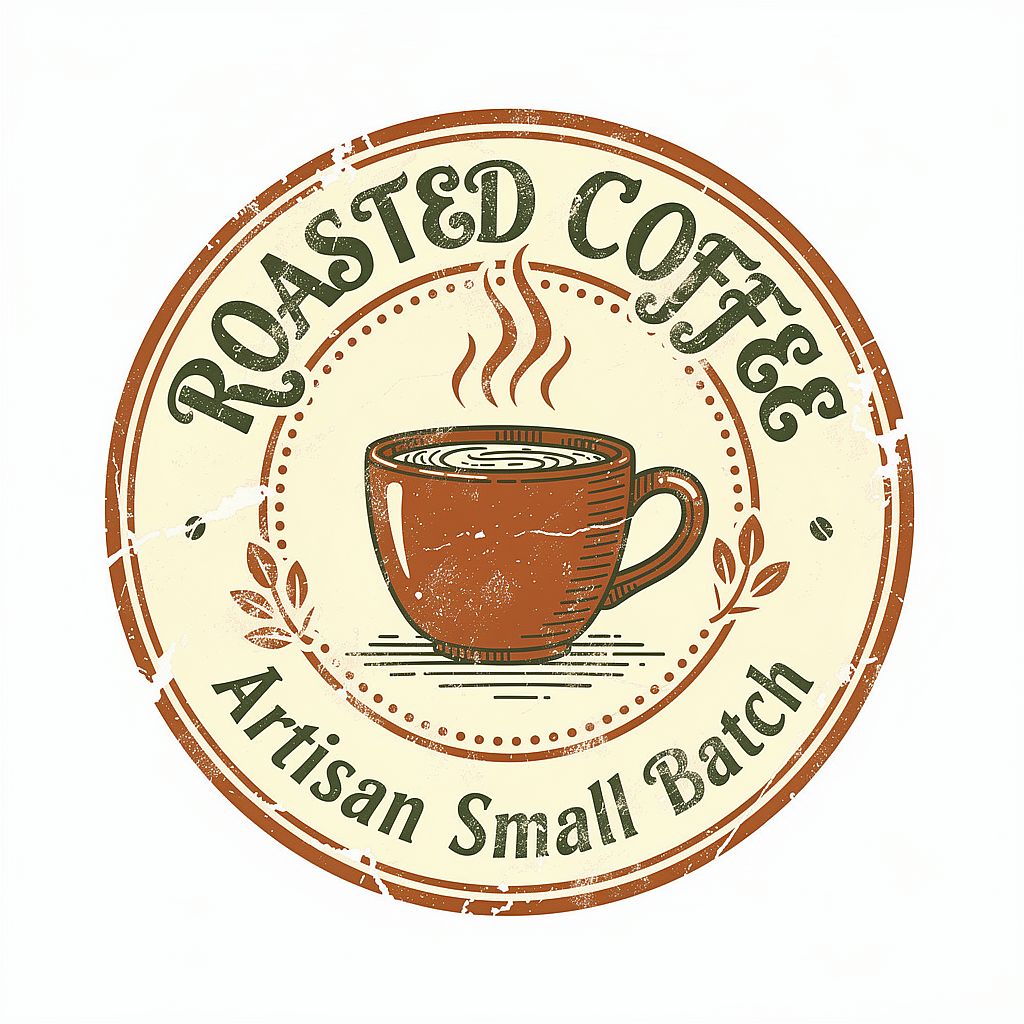
Pour l'écusson café ci-dessous, tu pourrais ajouter : « Les mots “CEDAR COFFEE” suivent la courbe supérieure de l'écusson en lettrage serif gras. » Donner le vrai nom te donne un concept plus utile à évaluer.
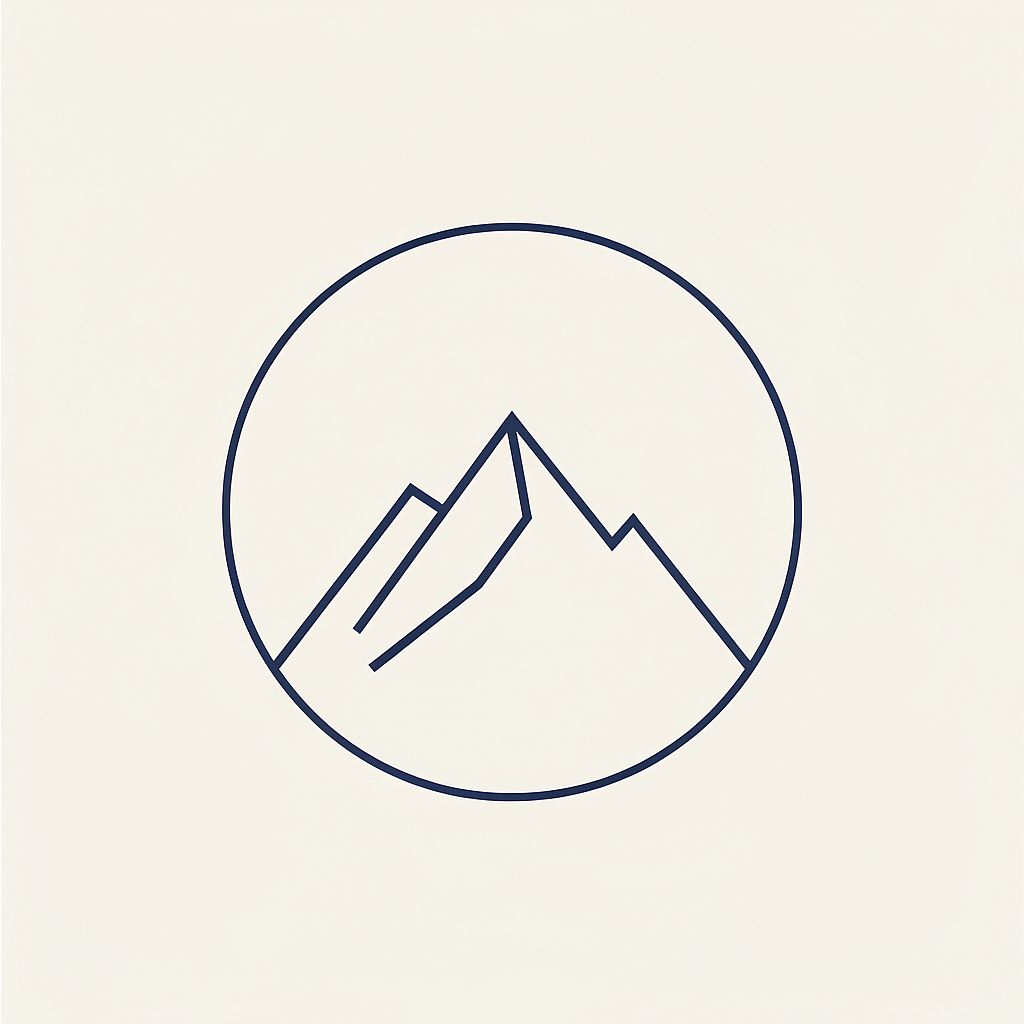
16. Logo minimaliste
Prompt : Logo géométrique minimaliste, un sommet de montagne stylisé dans un cercle parfait, épaisseur de trait unique et constante, bleu marine sur fond blanc crème, style illustration vectorielle, espace négatif abondant, design d'identité de marque moderne, sans dégradés, sans ombres
17. Badge café artisanal
Prompt : Logo badge de marque de café en lettrage manuscrit, tasse fumante illustrée au centre, palette de couleurs chaudes et terreuses de terracotta et vert forêt, texture de tampon à l'encre brute, format badge circulaire, esthétique artisanale de petite entreprise, isolé sur fond blanc
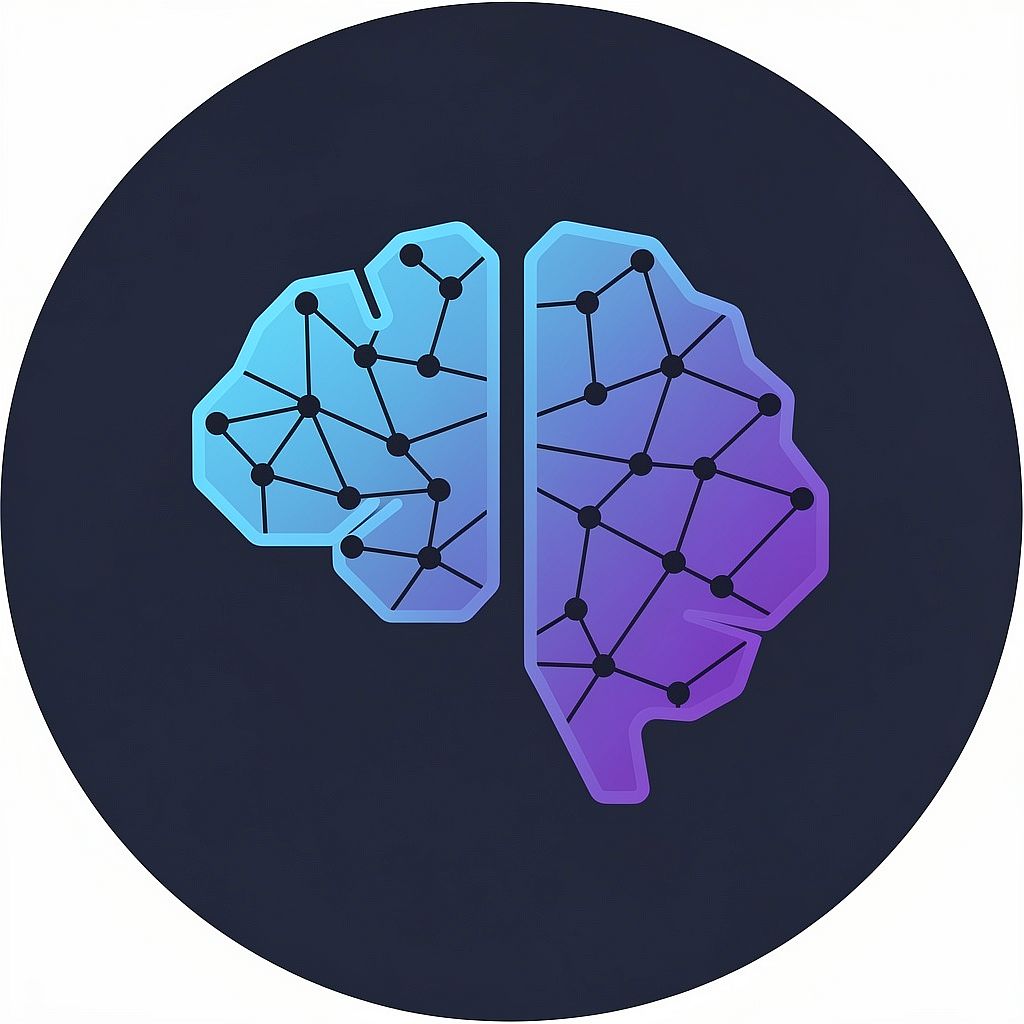
18. Icône de startup tech
Prompt : Icône de logo abstraite pour technologie IA, points et nœuds interconnectés formant une subtile silhouette de cerveau, dégradé du bleu électrique au violet profond, fond bleu marine foncé, style d'icône de marque SaaS moderne, marque adaptable, contours nets, esthétique design 2026
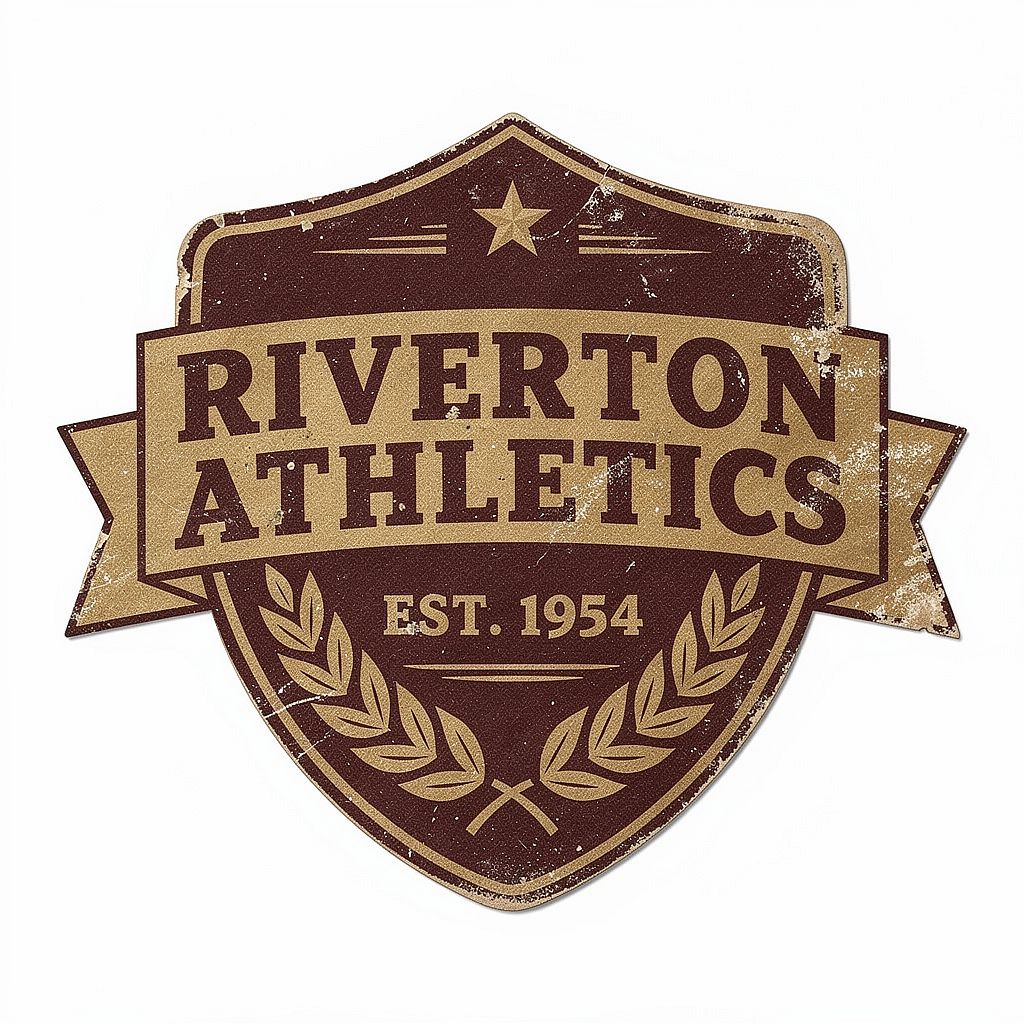
19. Écusson sportif rétro
Prompt : Logo d'écusson vintage d'équipe de sport, texture vieillie et usée, typographie serif condensée et audacieuse, design bicolore en bordeaux profond et or mat, forme de bouclier avec détail de couronne de laurier, esthétique d'articles de sport américains des années 1950, mise à plat sur fond blanc
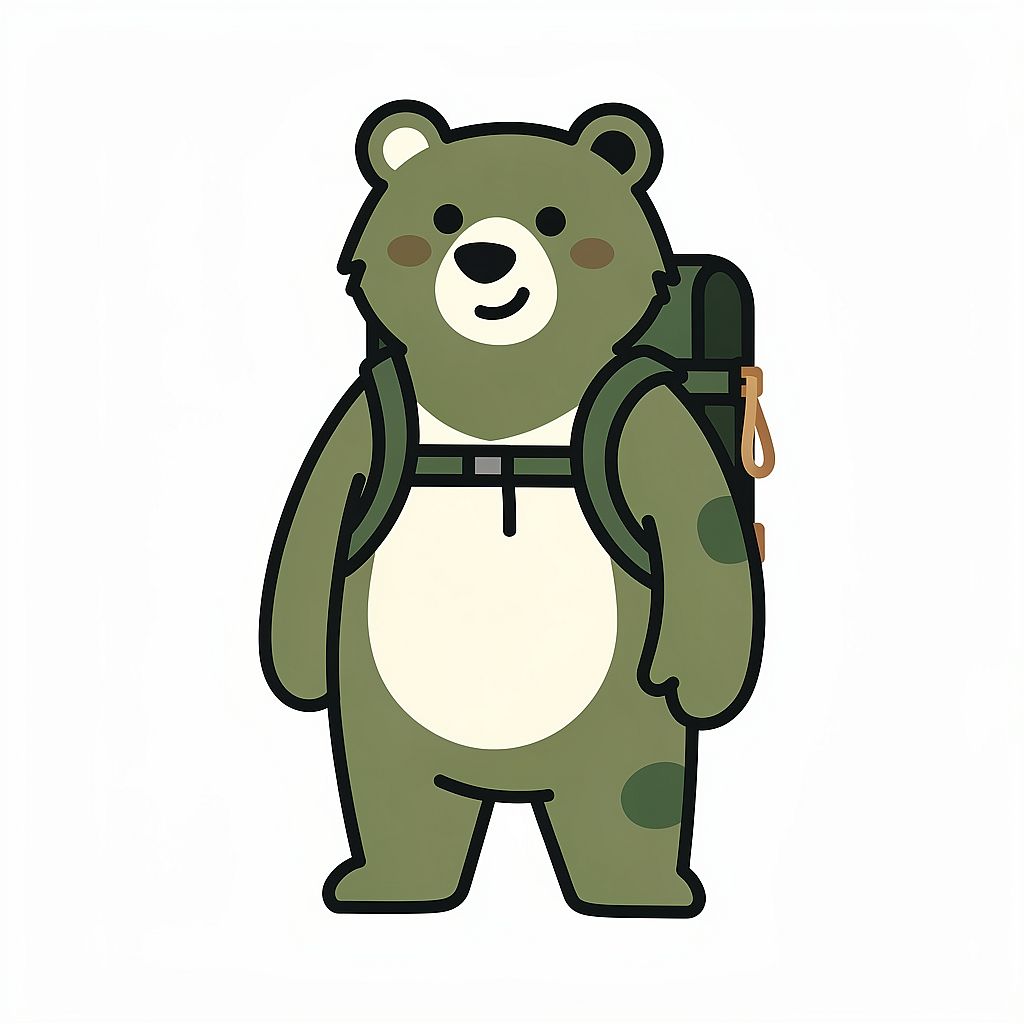
20. Mascotte de marque nature
Prompt : Personnage mascotte ours illustré et sympathique pour une marque outdoor, portant un petit sac à dos de randonnée, style d'illustration géométrique simplifié, palette de couleurs vert forêt chaud et blanc cassé, fond blanc épuré, personnage de marque pour usage en logo, formes légèrement arrondies, sans dégradés
5. Prompts d'images IA anime et manga
Les prompts anime fonctionnent mieux quand tu précises la qualité du trait, l'ombrage, les proportions, l'expression et la pose. Essaie ces exemples dans le Générateur d'anime IA, puis affine les détails visuels qui comptent pour ton personnage ou ta scène.
Modèle réutilisable : Illustration anime de [CHARACTER], avec [APPEARANCE], portant [OUTFIT], en [POSE], montrant [EXPRESSION], avec [LINE ART AND SHADING], [COLOR PALETTE] et [BACKGROUND].
Garde quelques détails distinctifs, comme la coiffure, la couleur des yeux et le costume, cohérents lorsque tu changes la pose d'un personnage. Une image de référence aide à reporter ces détails dans la scène suivante.
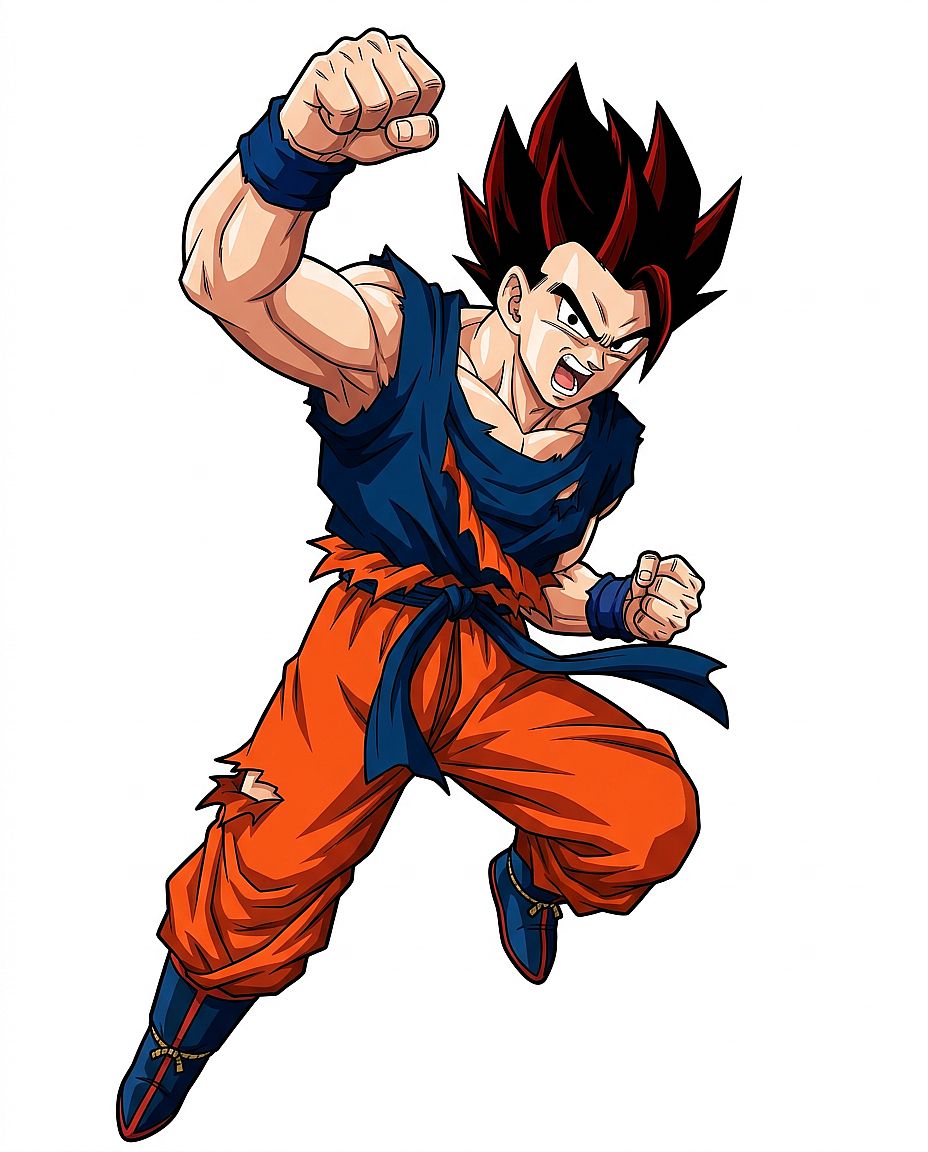
21. Héros de combat shonen
Prompt : Illustration en pied d'un jeune héros shonen adolescent, cheveux noirs hérissés avec des mèches rouges, gi d'entraînement de combat déchiré, pose d'action dynamique un poing levé, expression déterminée, style anime cel-shading classique, line art franc et net, fond blanc, sans décor
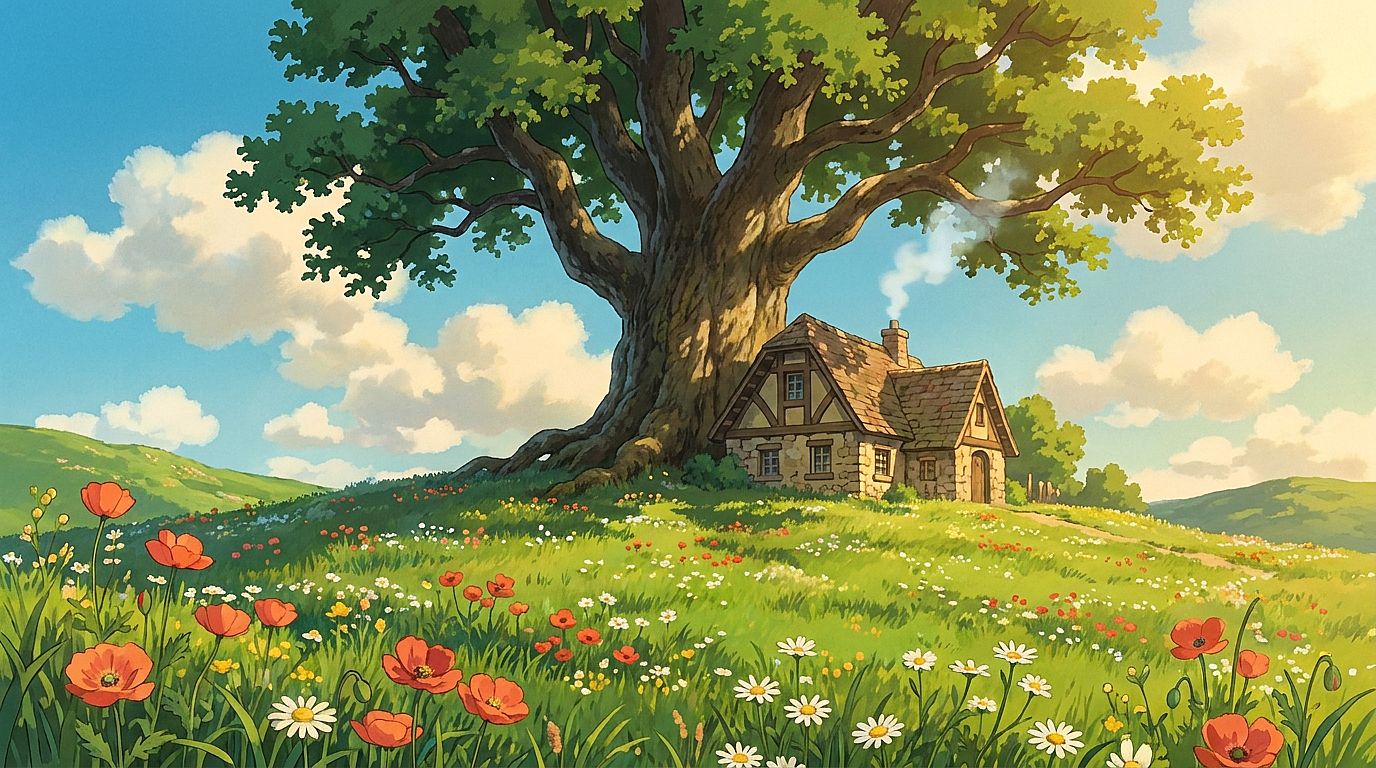
22. Campagne façon Ghibli
Prompt : Campagne pastorale dans le style d'animation Studio Ghibli, collines verdoyantes ondulantes parsemées de fleurs sauvages, un petit cottage en pierre avec de la fumée s'élevant de la cheminée, un immense chêne ancien au centre de l'image, ciel d'été dégagé avec de gros nuages cotonneux, qualité peinte à la main, chaude lumière d'après-midi
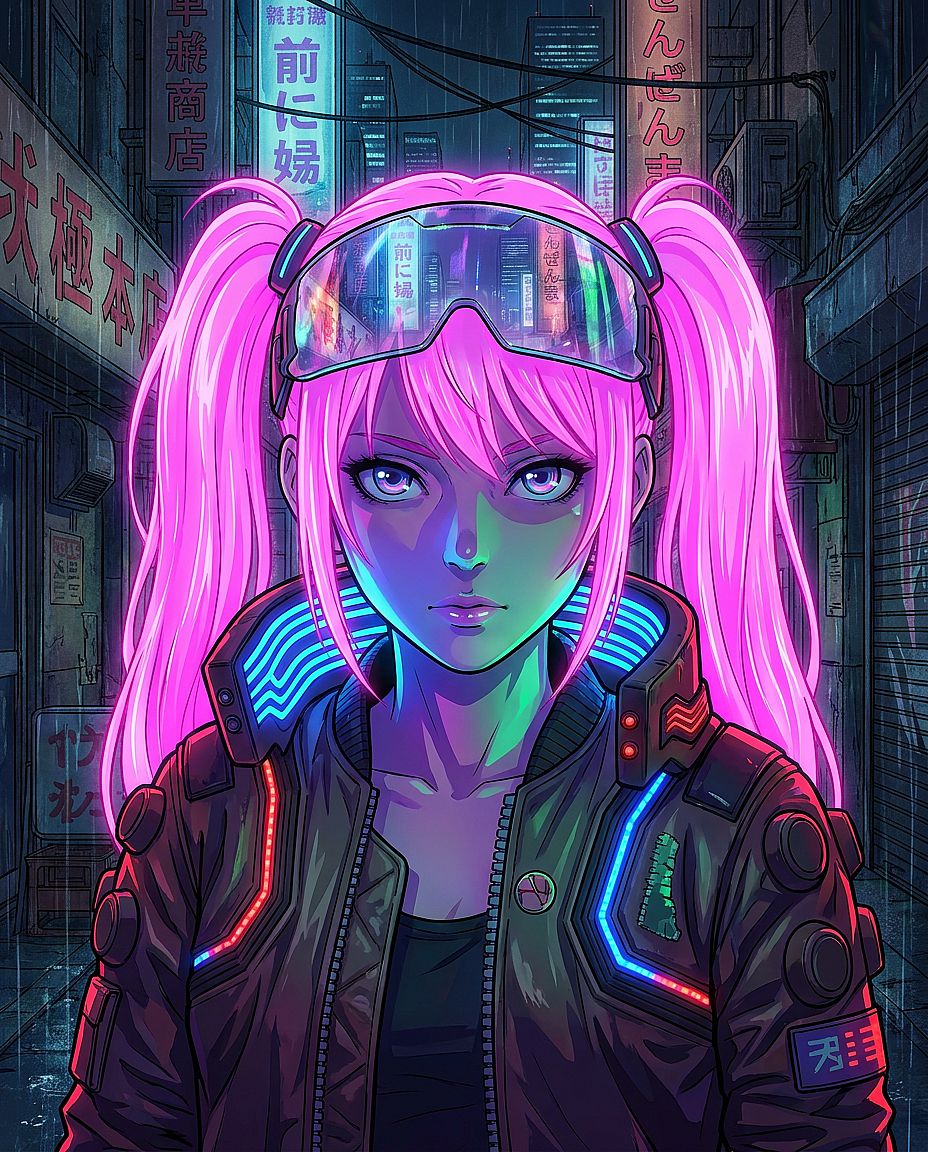
23. Portrait anime cyberpunk
Prompt : Portrait anime d'une jeune femme aux couettes rose néon, visière reflétant un paysage urbain néon, veste cyberpunk avec accents de bandes LED, éclairage néon dramatique par en dessous créant des ombres colorées sur son visage, composition de portrait style manga, qualité de production studio MAPPA
24. Personnage mage chibi
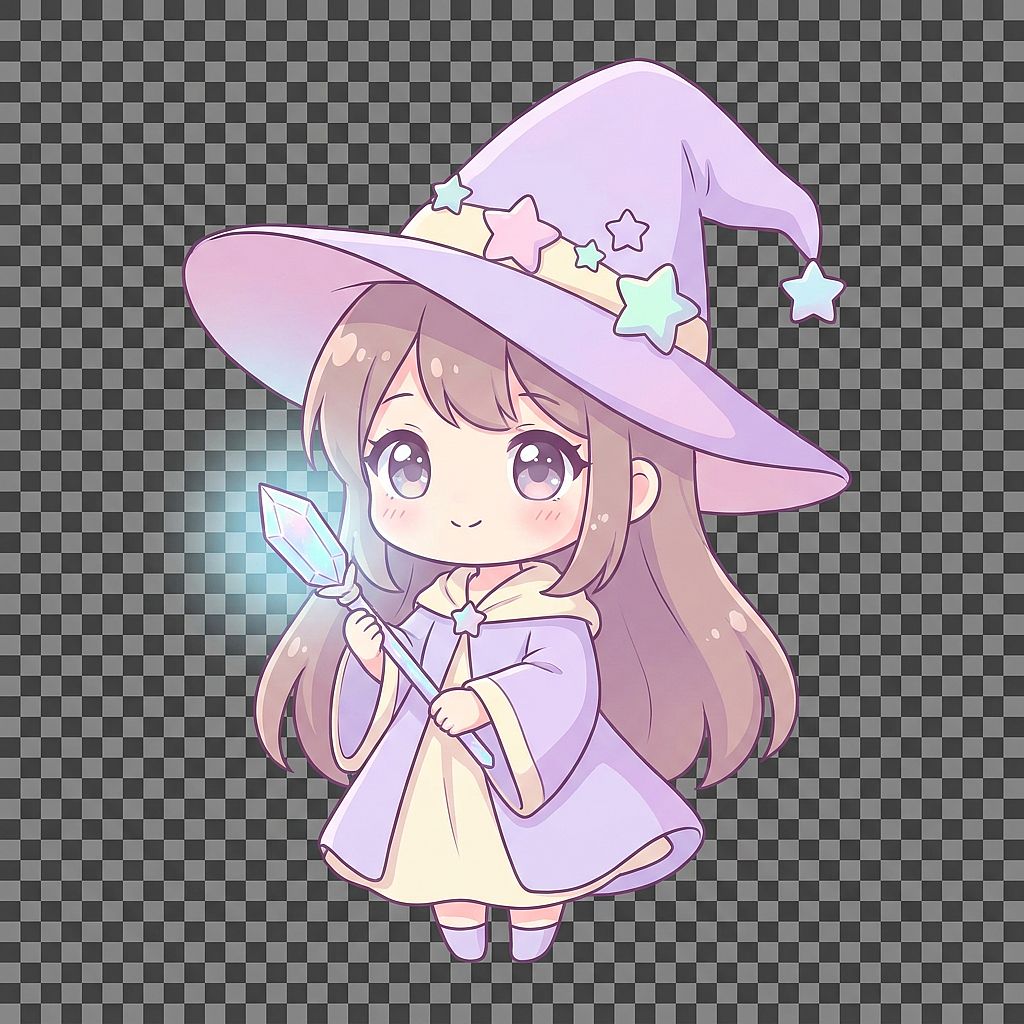
Prompt : Adorable personnage de mage féminine style chibi, chapeau de sorcière pointu surdimensionné avec des décorations d'étoiles, très grands yeux expressifs, tenant une baguette en cristal lumineuse, palette de couleurs lavande pastel et crème, proportions simples et arrondies, style d'illustration anime doux, fond transparent
Note sur l'export : Pour un découpage de personnage réutilisable, choisis une option de sortie qui prend en charge la transparence et télécharge un PNG avec canal alpha. Sinon, supprime l'arrière-plan après la génération.
25. Planche de manga classique
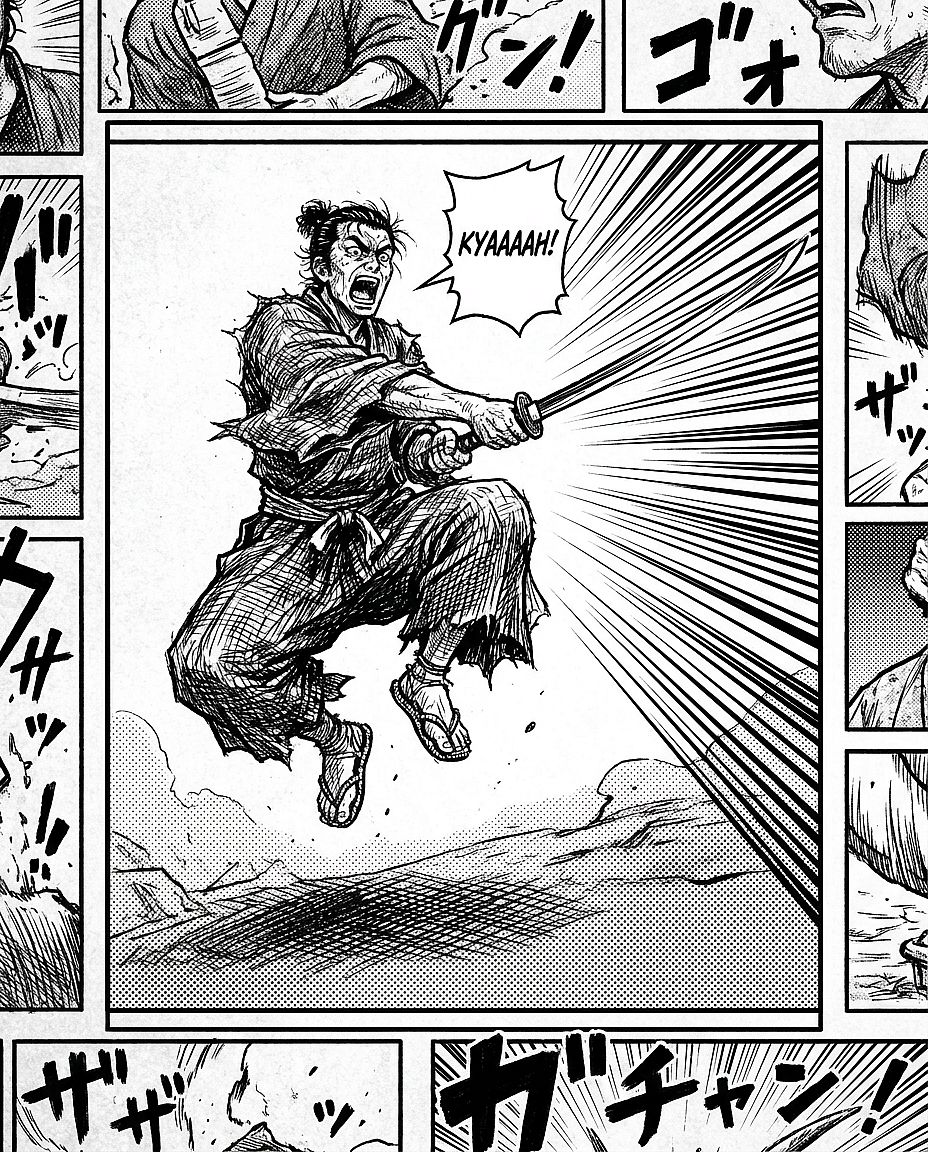
Prompt : Case de manga en noir et blanc, samouraï en pleine attaque, sabre dégainé, lignes de vitesse dramatiques en arrière-plan convergeant vers la lame, hachures marquées pour les ombres, texture en trame sur le sol, visage expressif et crispé montrant le kiai du combat, mise en page façon Shonen Jump
6. Prompts d'images IA de concept art et fantasy
L'art fantastique et conceptuel gagne à avoir un point focal clair, une notion d'échelle et une histoire visuelle. Utilise le Générateur d'images IA pour explorer ces scènes, puis affine la composition autour de l'élément que tu veux faire remarquer en premier.
Modèle réutilisable : Concept art de [SUJET OU LIEU], avec [ACTION PRINCIPALE OU DÉTAIL NARRATIF], [PREMIER PLAN] et [ARRIÈRE-PLAN], éclairé par [SOURCE DE LUMIÈRE], avec [PALETTE DE COULEURS], [COMPOSITION] et [MÉDIUM ARTISTIQUE].
Décide où l'image sera utilisée avant de choisir la composition. Une couverture de livre a besoin d'espace pour un titre ; une scène large peut laisser plus de place au paysage environnant.
26. Château flottant
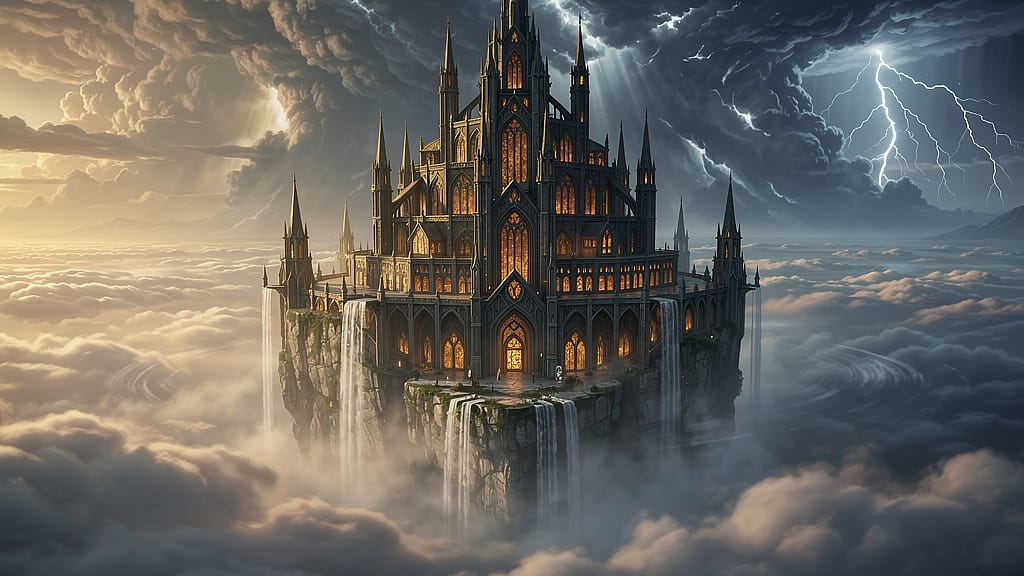
Prompt : Concept art cinématographique d'un immense château flottant au-dessus d'une mer de nuages, des cascades se déversant des bords dans le vide en contrebas, des flèches gothiques aux fenêtres chaleureusement illuminées, des nuages d'orage s'amoncelant à l'arrière-plan avec des éclairs, plan d'ensemble grand-angle, composition de couverture de livre de RPG fantasy
27. Chevaucheur de dragon
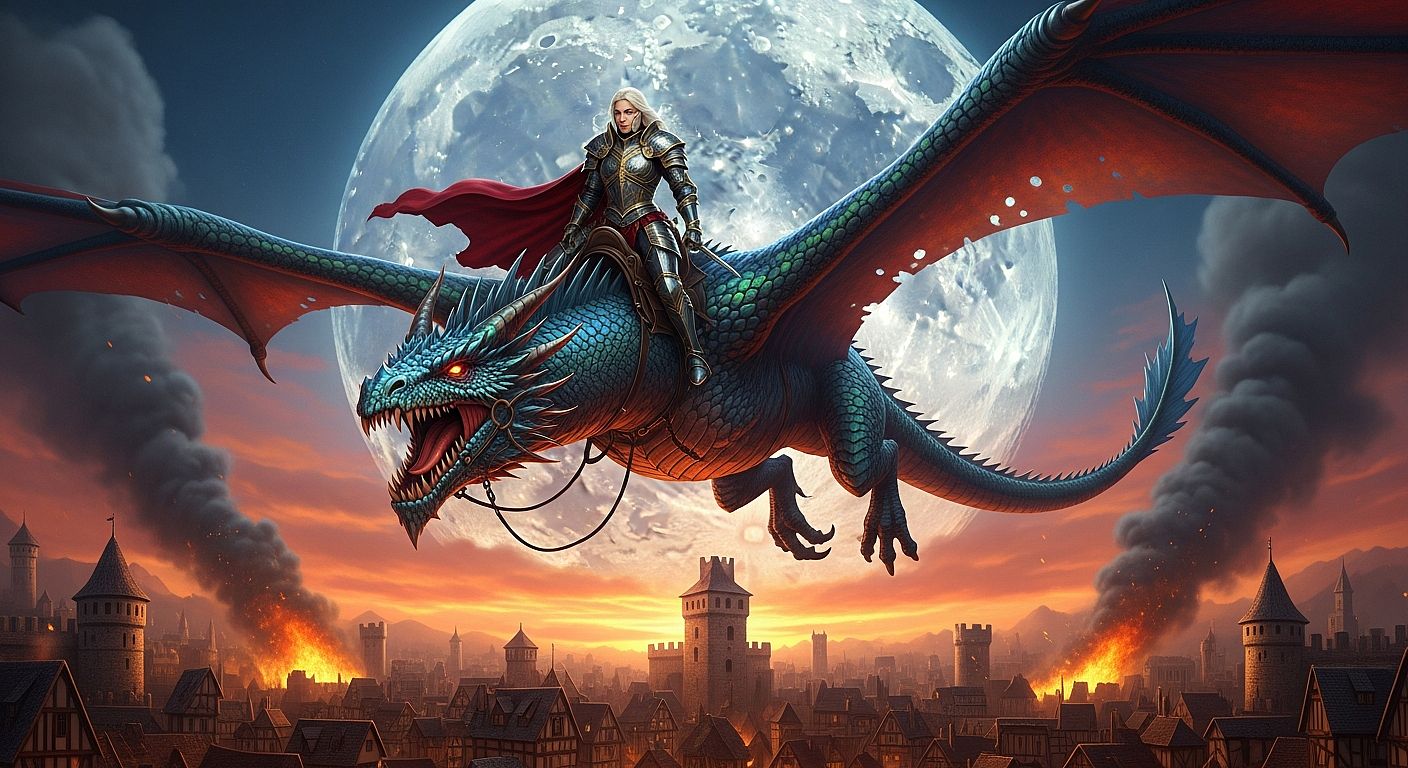
Prompt : Concept art de fantasy épique représentant une guerrière en armure de plates complète chevauchant un grand dragon iridescent, très haut au-dessus d'une cité médiévale en flammes, contre-jour spectaculaire d'une immense pleine lune, palette de couleurs riche en rouge et or, plan large d'ensemble, qualité key art de film fantasy, grand niveau de détail
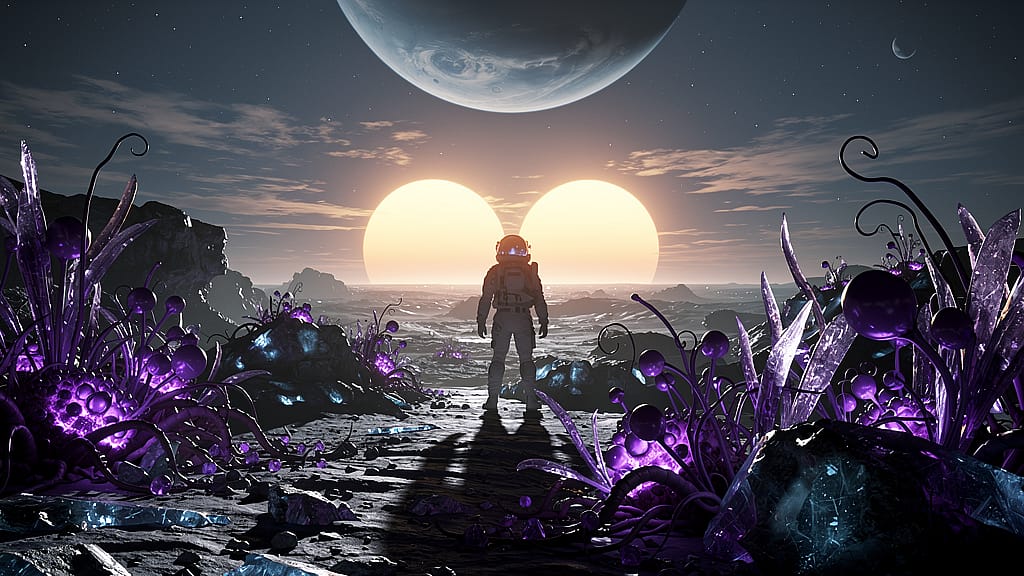
28. Paysage lunaire extraterrestre
Prompt : Concept art de science-fiction représentant la surface d'une lune extraterrestre avec deux soleils se couchant à l'horizon projetant des ombres doubles, une flore bioluminescente violette au premier plan, la silhouette d'un astronaute en combinaison EVA au centre du cadre, format cinématographique ultra-large 2.39:1, concept art VFX digne de James Cameron
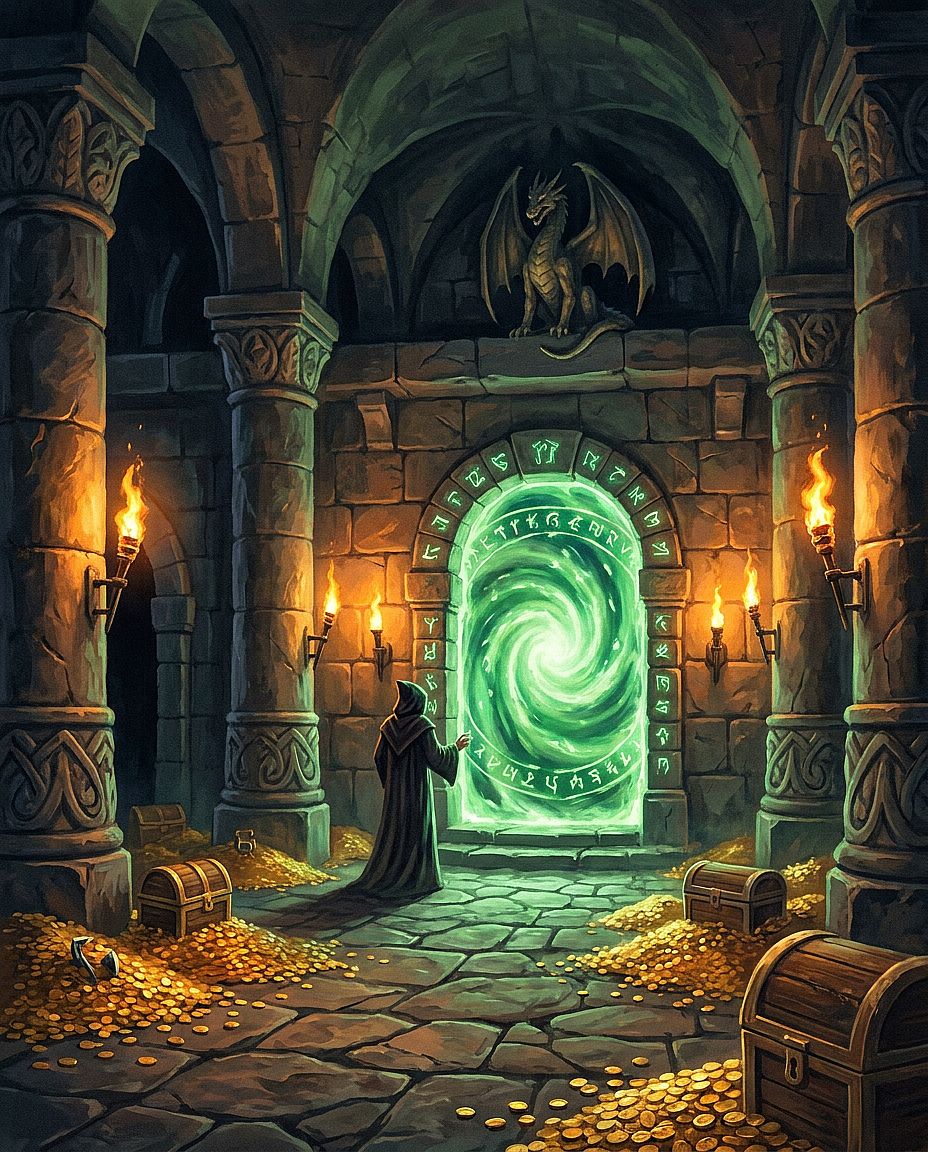
29. Salle du donjon
Prompt : Intérieur de donjon fantasy avec d'imposantes colonnes de pierre, un ancien portail fait de runes vertes lumineuses en son centre, des pièces d'or éparpillées et des restes squelettiques sur le sol de pierre, un éclairage dramatique de torches murales, style illustration de couverture de guide de maître du donjon, peinture à l'huile numérique
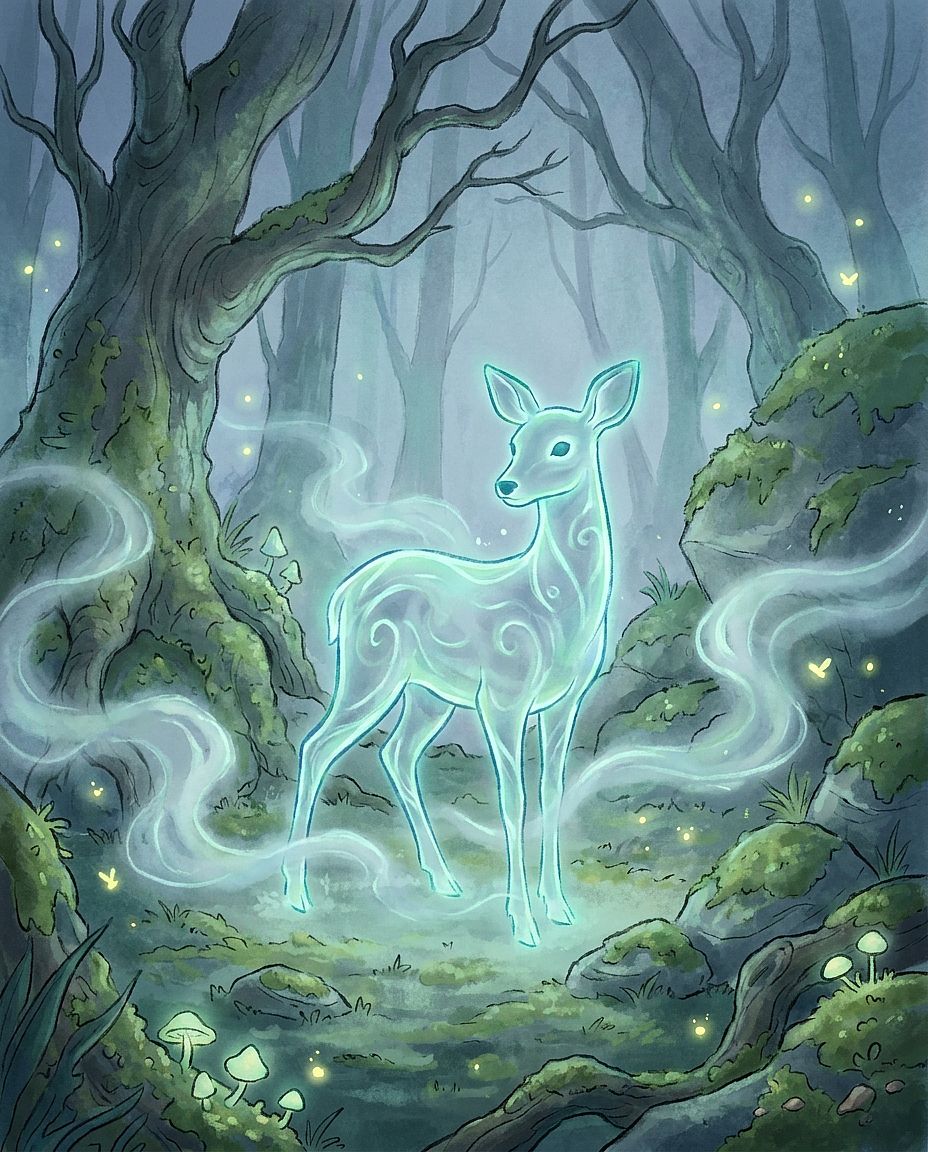
30. Esprit de la forêt
Prompt : Esprit de forêt éthéré, forme bioluminescente translucide en hybride cerf-humain, debout dans une clairière brumeuse en plein crépuscule, douce lueur bleu-vert émanant de sa silhouette, brume au sol à hauteur de genou, concept art pour un long métrage d'animation, détail impressionniste
7. Prompts d'images IA pour l'architecture et l'intérieur
Les prompts d'architecture gagnent à décrire concrètement les matériaux et l'agencement. Nomme le style de design, puis décris les surfaces, la disposition du mobilier, la position des fenêtres et l'angle de caméra qui le caractérisent.
Modèle réutilisable : [INTÉRIEUR OU EXTÉRIEUR] de style [STYLE ARCHITECTURAL], avec [MATÉRIAUX], [STRUCTURES OU MOBILIER CLÉS] et [AGENCEMENT], vu depuis [POSITION DE CAMÉRA], avec [ÉCLAIRAGE], [STYLE DE RENDU].
Essaie la même pièce avec du mobilier en chêne, en noyer ou peint pour explorer la palette. Si tu travailles avec un espace existant, ajoute une référence et précise la position des murs et des fenêtres dans le brief.
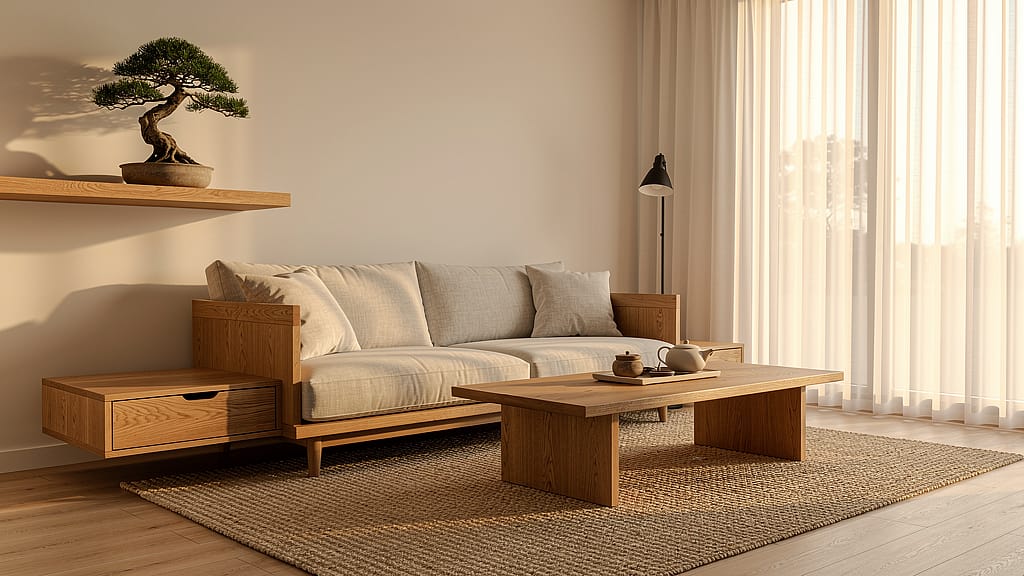
31. Salon japandi
Prompt : Photographie de design d'intérieur d'un salon de style Japandi, mobilier en chêne chaleureux aux lignes épurées et sans ornement, tapisserie en lin naturel, tapis en jute tressé, baies vitrées du sol au plafond avec lumière tamisée d'après-midi, un petit bonsaï sur une étagère flottante en chêne, qualité magazine d'architecture
32. Extérieur de musée brutaliste
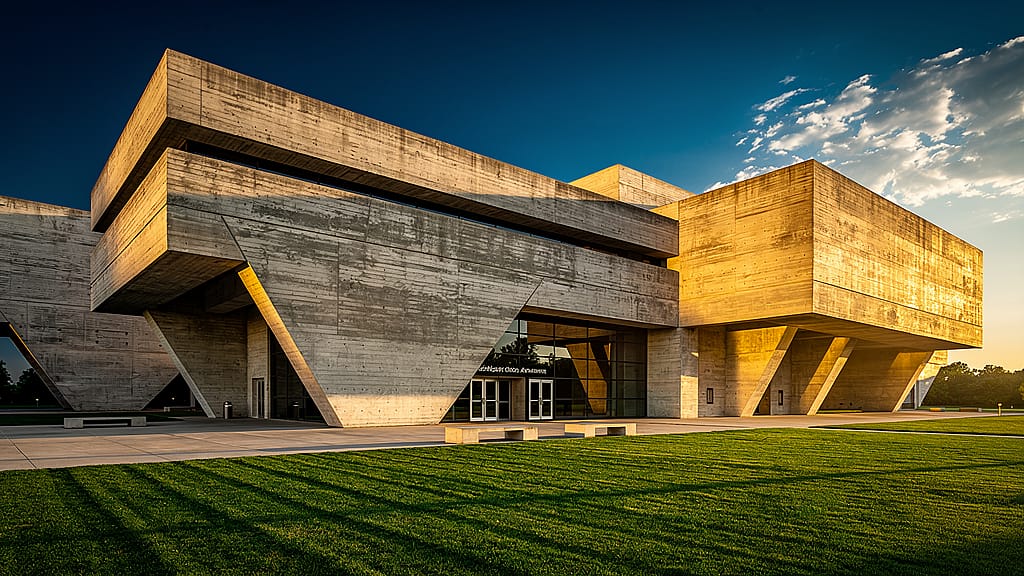
Prompt : Photographie architecturale extérieure d'un grand musée brutaliste en béton, spectaculaires porte-à-faux angulaires projetant de dures ombres géométriques, soleil de fin d'après-midi rasant la façade, pelouse parfaitement entretenue au premier plan, détail ultra-net, perspective large, qualité Architectural Digest
33. Chambre principale de luxe
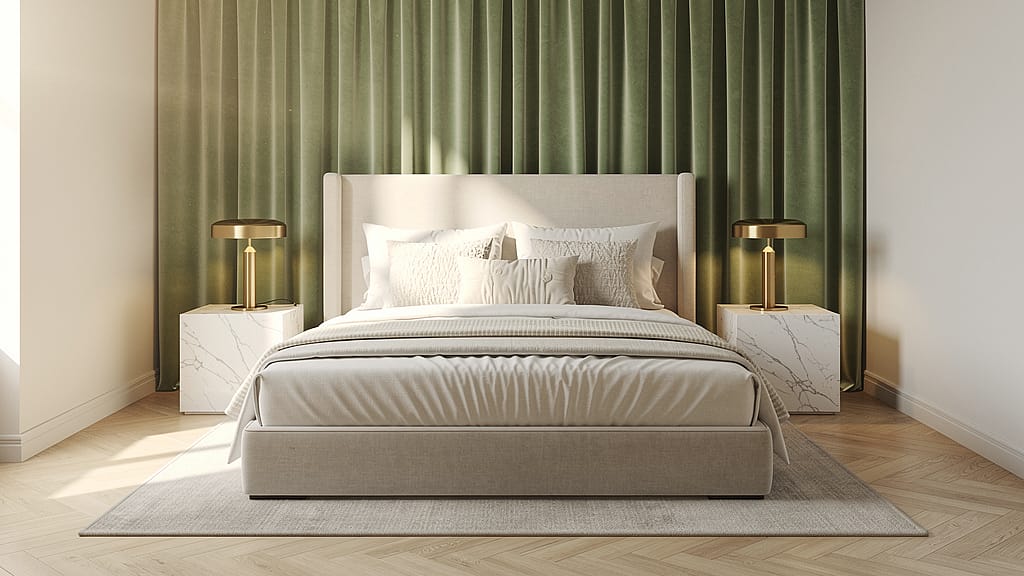
Prompt : Rendu de design d'intérieur d'une chambre parentale luxueuse, lit king-size avec du linge ivoire superposé, tables de chevet en marbre assorties avec lampes en laiton brossé, rideaux en velours vert sauge du sol au plafond, lumière du matin entrant par la gauche, photographie d'intérieur éditoriale, sans encombrement, calme aspirationnel
34. Vue aérienne d'une villa tropicale
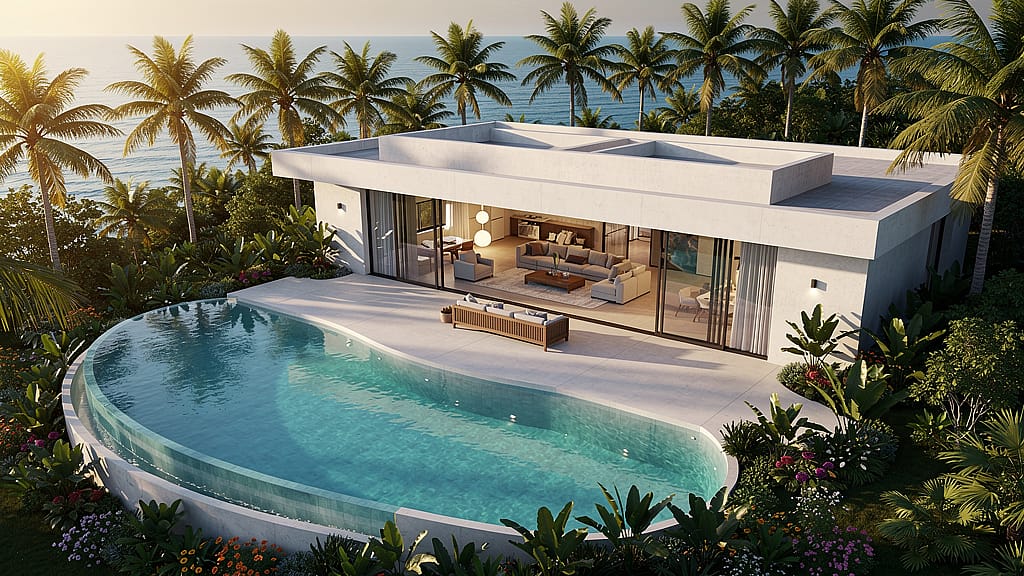
Prompt : Vue aérienne par drone d'une villa tropicale moderne avec une piscine à débordement incurvée, entourée de palmiers denses et d'un jardin tropical, salon ouvert visible à travers des parois coulissantes tout en verre, océan à l'horizon, lumière chaude de l'heure dorée, visualisation architecturale, rendu hyperréaliste et net
35. Ruelle étroite de Tokyo
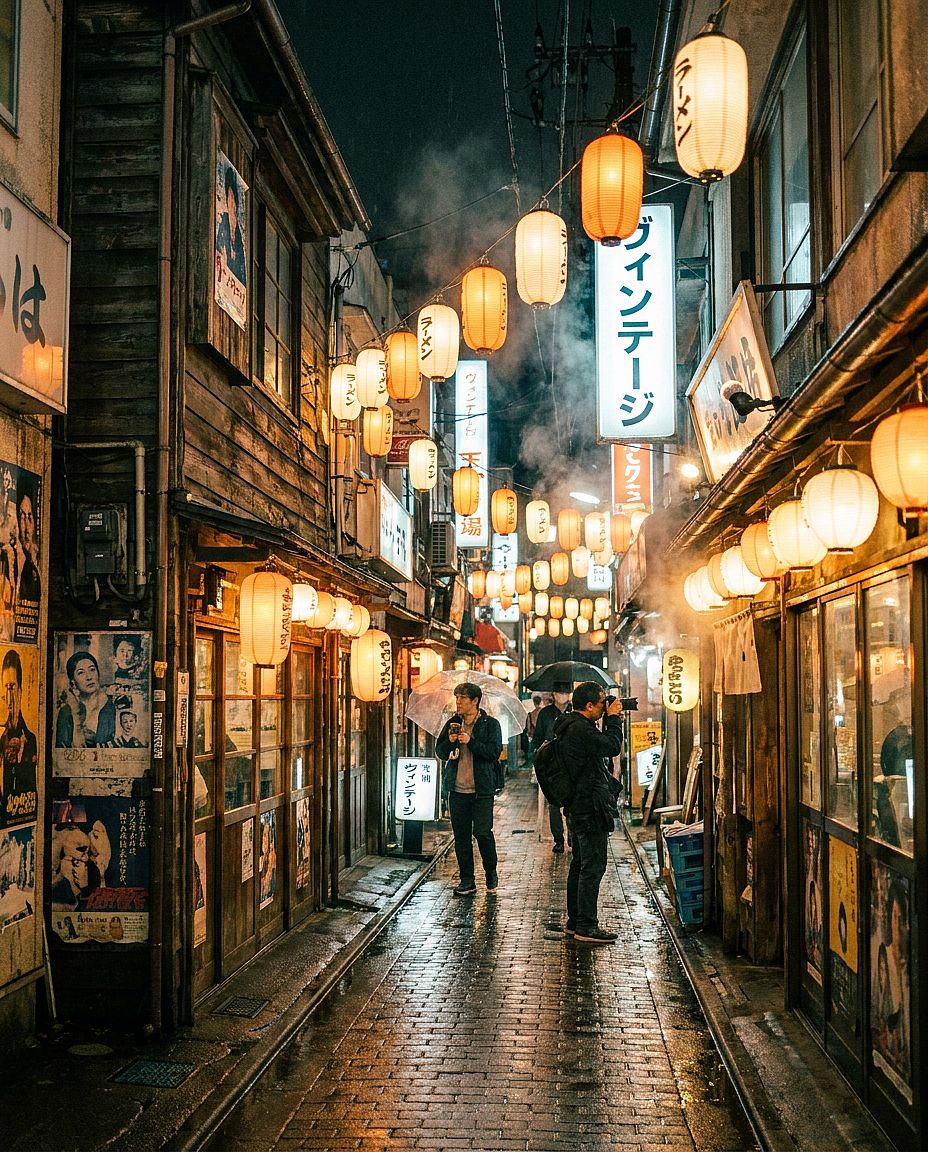
Prompt : Photo d'architecture au niveau de la rue dans une ruelle étroite du quartier de Shimokitazawa à Tokyo, bâtiments en bois vintage dépareillés avec des lanternes en papier suspendues, pavés mouillés reflétant la lumière chaude des boutiques après la pluie, enseignes vintage manuscrites, photographie de voyage documentaire, perspective 35mm
8. Prompts d'images IA cuisine et lifestyle
Les prompts food et lifestyle ont besoin d'un sujet clair, de textures crédibles et d'une direction lumineuse intentionnelle. Décris comment le plat est préparé et présenté, ainsi que les surfaces et accessoires autour.
Modèle réutilisable : Photo culinaire de [PLAT OU BOISSON], présentée avec [GARNITURE ET DÉTAILS DE SERVICE], sur [SURFACE], avec [ACCESSOIRES], photographiée depuis [ANGLE], éclairée par [ÉCLAIRAGE], [STYLE VISUEL].
Une vue en plongée convient à un petit-déjeuner, tandis qu'un angle plus bas peut révéler la hauteur et les couches d'un plat. Pour un menu de restaurant, utilise une référence pour comparer la portion et la présentation avec les plats que tu sers.
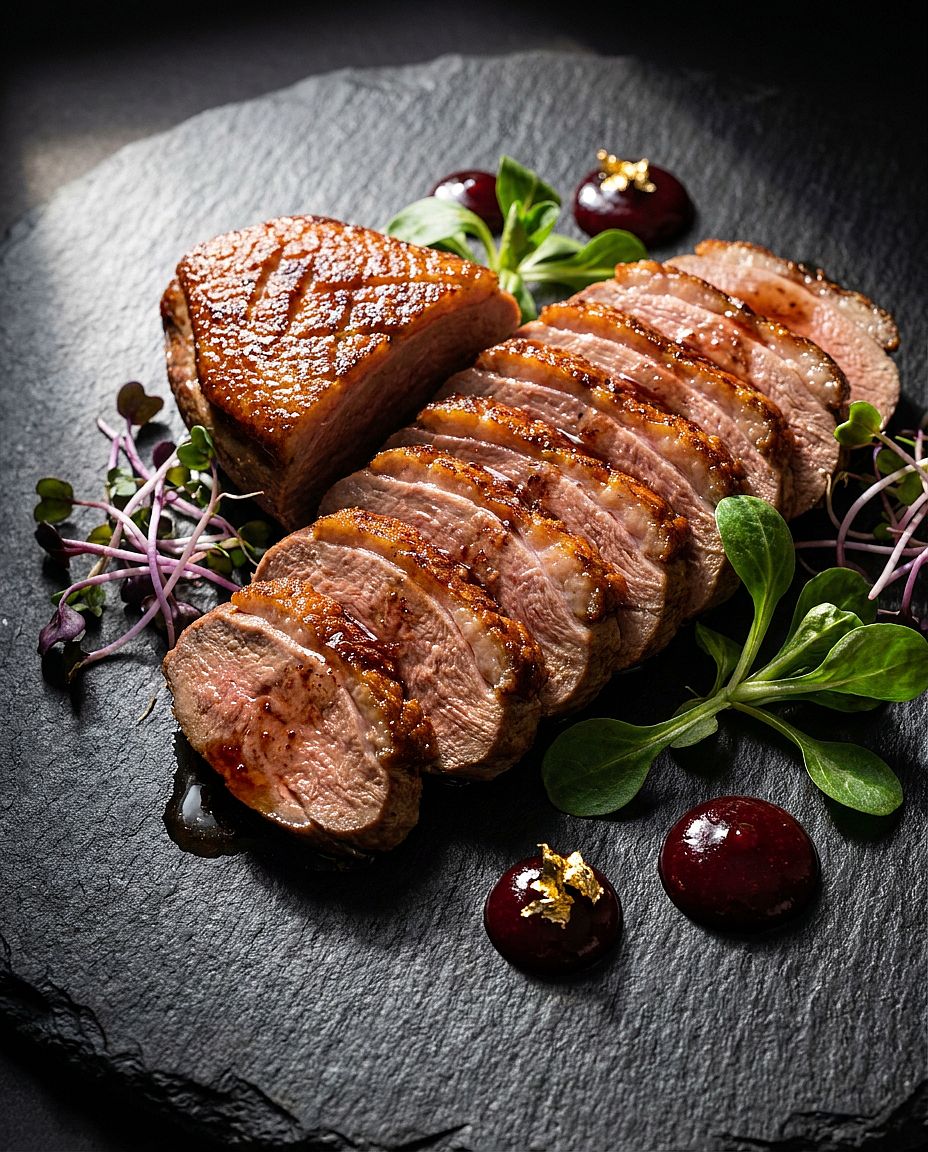
36. Photo phare de gastronomie
Prompt : Photo hero de menu de restaurant : un magret de canard parfaitement saisi, tranché finement et disposé en éventail sur une assiette d'ardoise, entouré de jeunes pousses et de points de gastrique aux cerises, garni de feuille d'or comestible, éclairage latéral dramatique à source unique venant de la gauche, photographie culinaire gastronomique, détail macro sur la texture de la viande
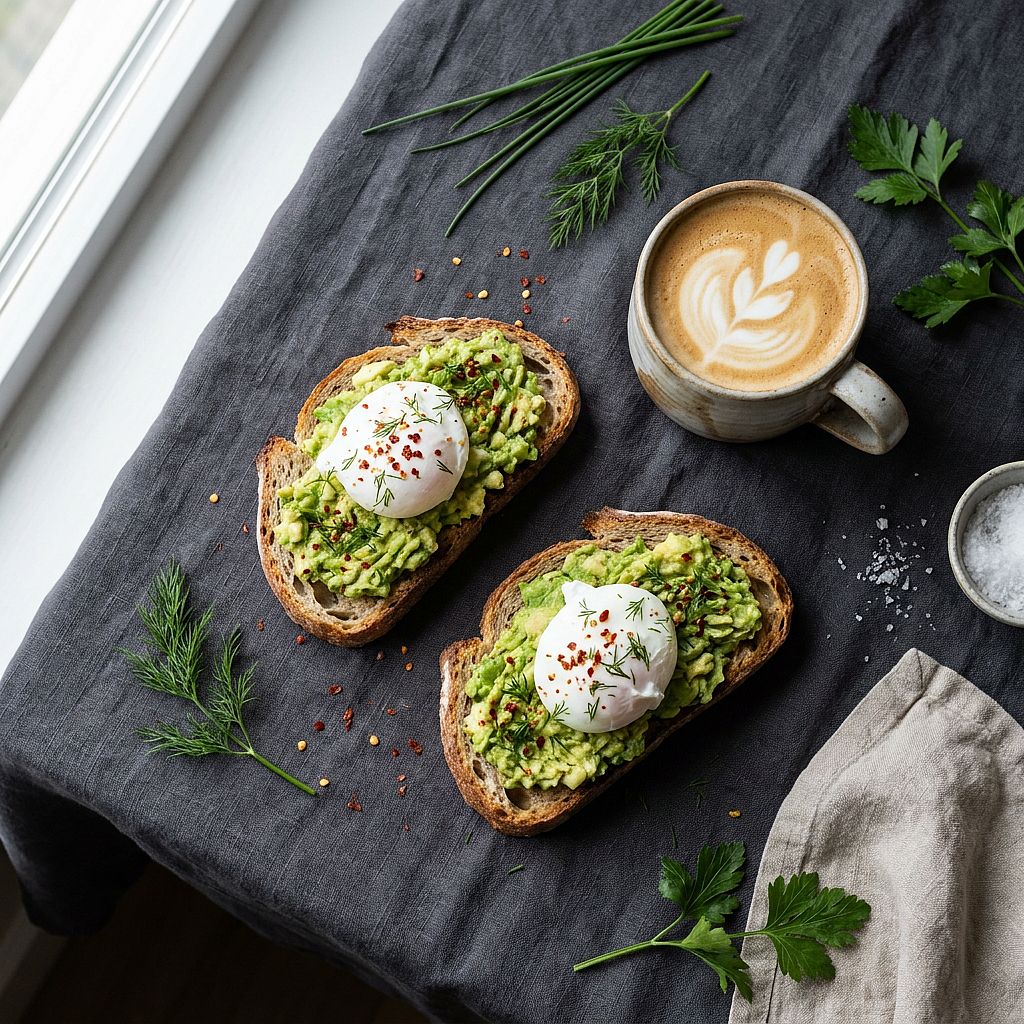
37. Toast à l'avocat du matin en flat lay
Prompt : Petit-déjeuner en vue de dessus, toast rustique au levain avec avocat et œufs pochés parsemés de flocons de piment, un mug en céramique de latte avec un latte art en feuille à côté, herbes fraîches éparpillées sur une nappe en lin sombre, douce lumière de fenêtre à gauche, stylisme culinaire scandinave, épuré et minimaliste
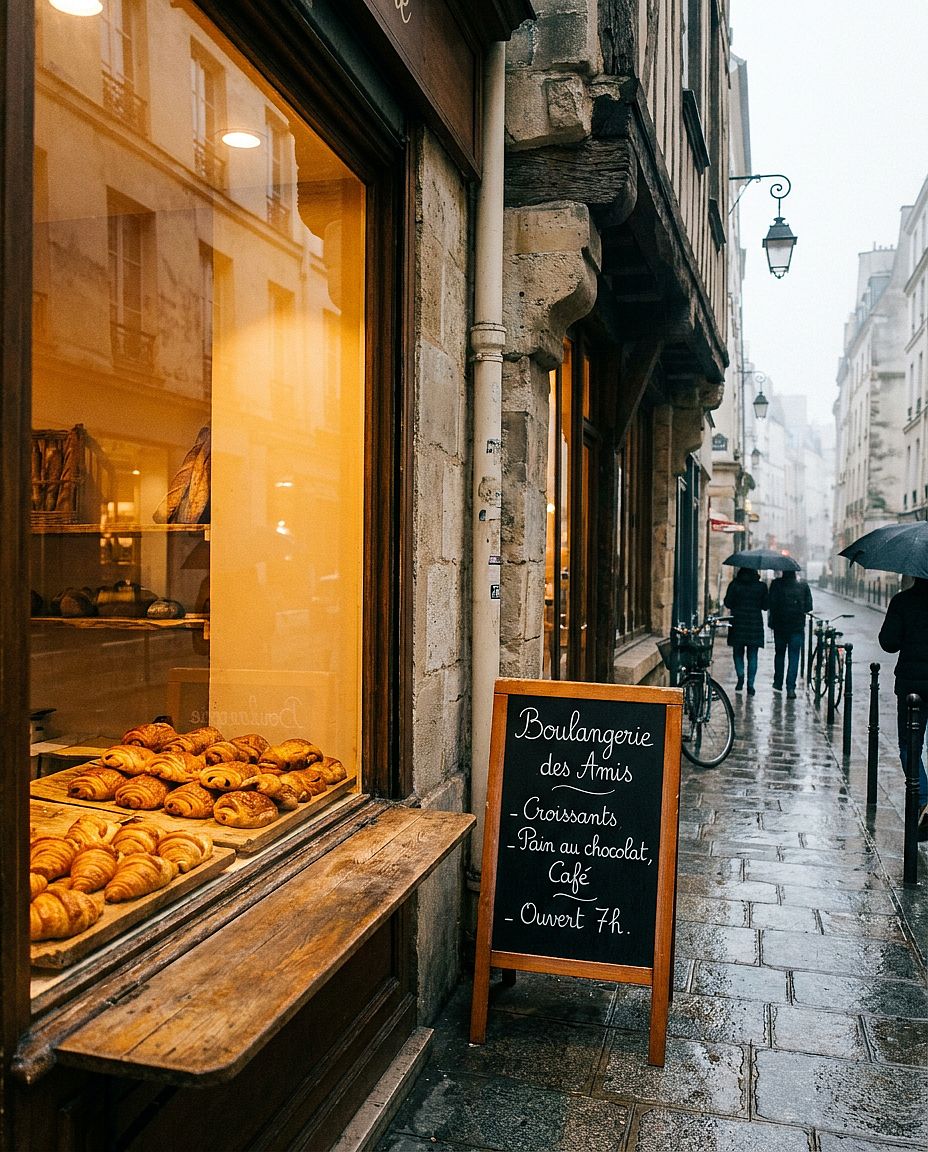
38. Vitrine de boulangerie française
Prompt : Vue extérieure de la vitrine d'une boulangerie parisienne, rangées bien alignées de croissants dorés et de pains au chocolat sur des planches de bois usé à l'intérieur, menu manuscrit à la craie en écriture cursive, lumière ambrée chaleureuse s'échappant de l'intérieur sur les pavés du matin, légère brume dehors, photographie lifestyle éditoriale
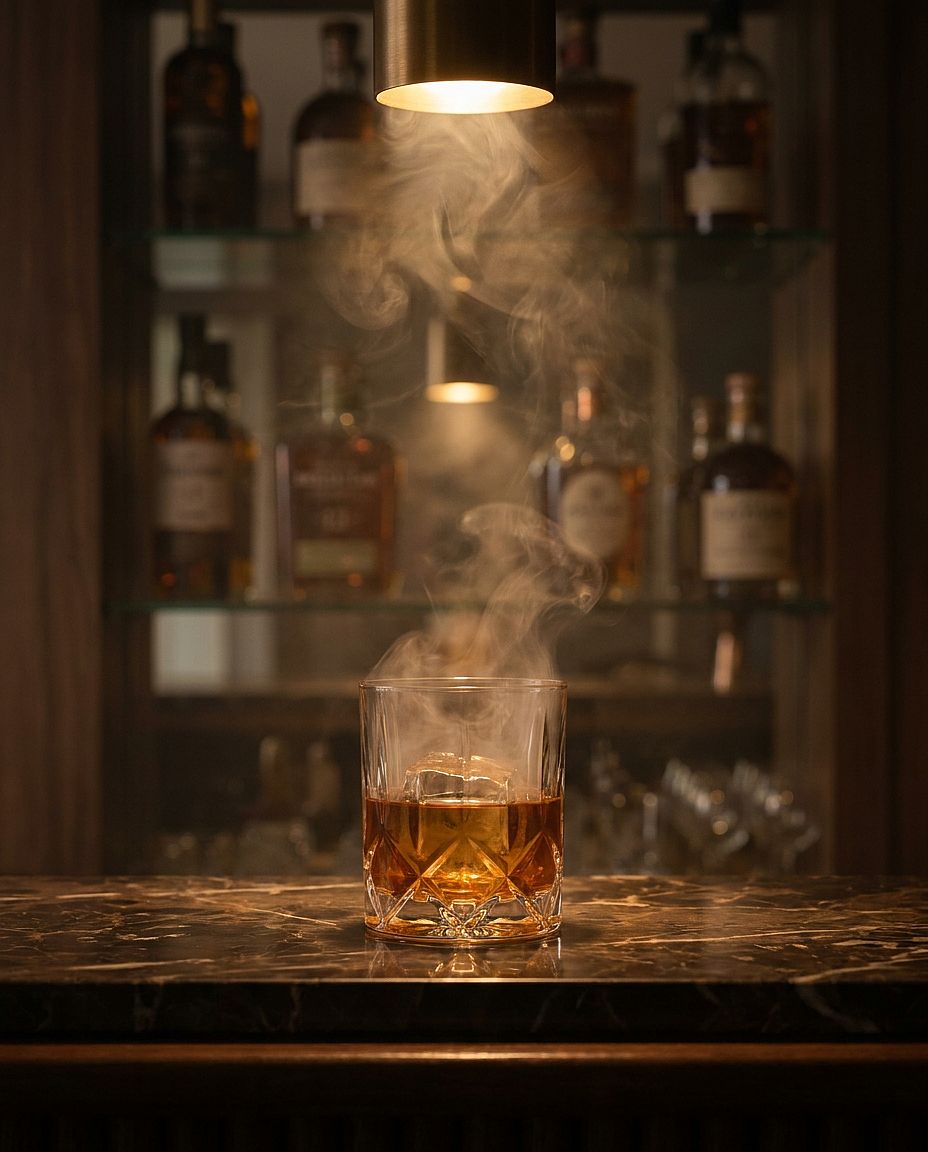
39. Bar à cocktails feutré
Prompt : Scène de bar à cocktails feutrée, whisky dans un verre en cristal empli de fumée sur un comptoir en marbre foncé, liquide ambré avec un gros glaçon transparent, bouteilles floues sur des étagères à miroirs derrière, projecteur tungstène chaud venant directement du dessus, étalonnage cinématographique, qualité publicité de spiritueux de luxe
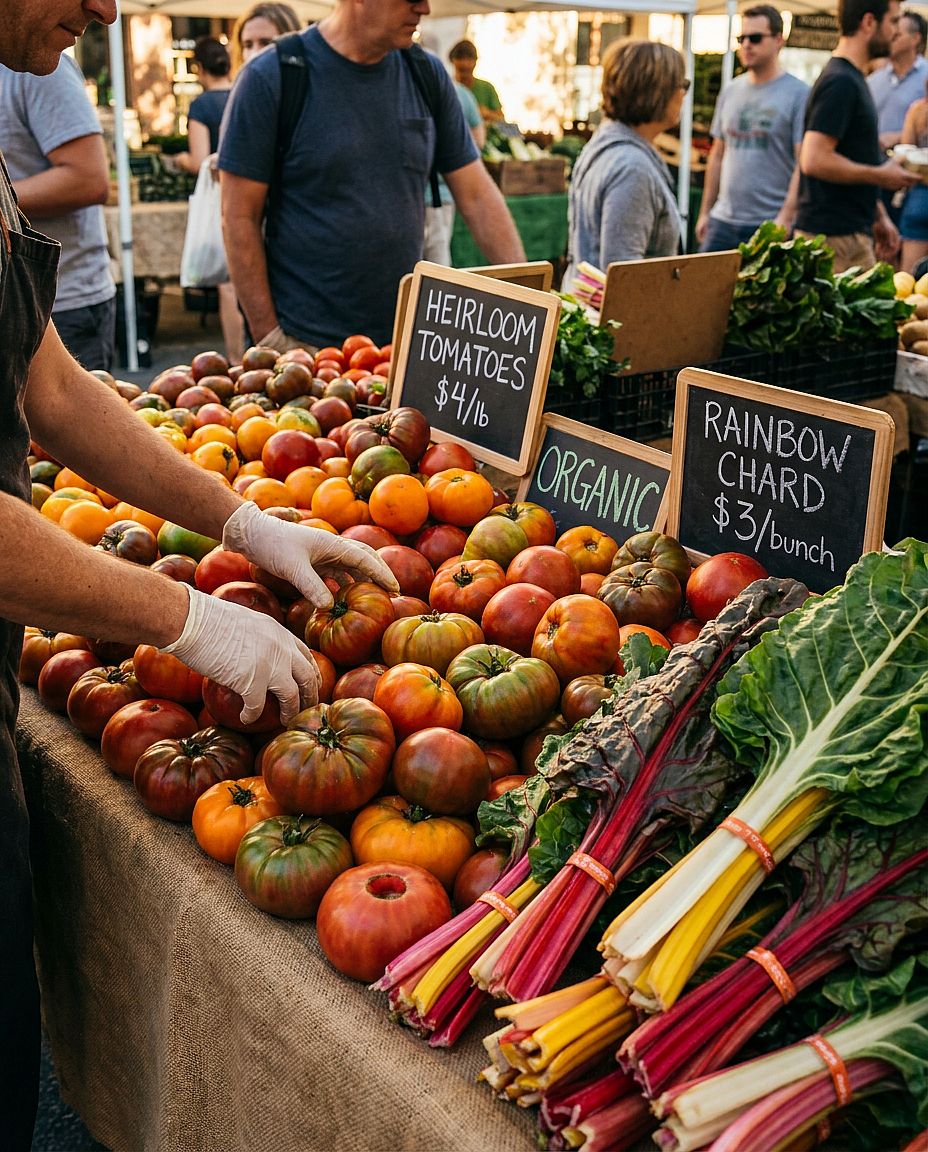
40. Étal de marché fermier
Prompt : Étal de marché fermier en plein air débordant de tomates anciennes rouges, oranges et vertes, blettes arc-en-ciel empilées, étiquettes de prix peintes à la main sur de petites ardoises, mains du vendeur disposant les produits dans le cadre, lumière chaleureuse et tamisée de l'après-midi, photographie lifestyle documentaire, tons naturels saturés
9. Prompts d'images IA cyberpunk et science-fiction
Les scènes cyberpunk et science-fiction demandent plus qu'une simple liste de couleurs néon. Précise d'où vient la lumière, ce qui la reflète et comment le sujet principal se détache de son environnement.
Modèle réutilisable : Scène de science-fiction de [SUJET OU LIEU], avec [DÉTAILS TECHNOLOGIQUES], comportant [ACTION PRINCIPALE], [SOURCES DE LUMIÈRE], [PALETTE DE COULEURS], [AMBIANCE] et [COMPOSITION DE LA CAMÉRA].
Choisis une ou deux couleurs de lumière dominantes et donne-leur une source, comme l'enseigne d'un magasin ou un panneau de contrôle bleu. Si une enseigne doit afficher un texte lisible, indique le texte exact et sa position.
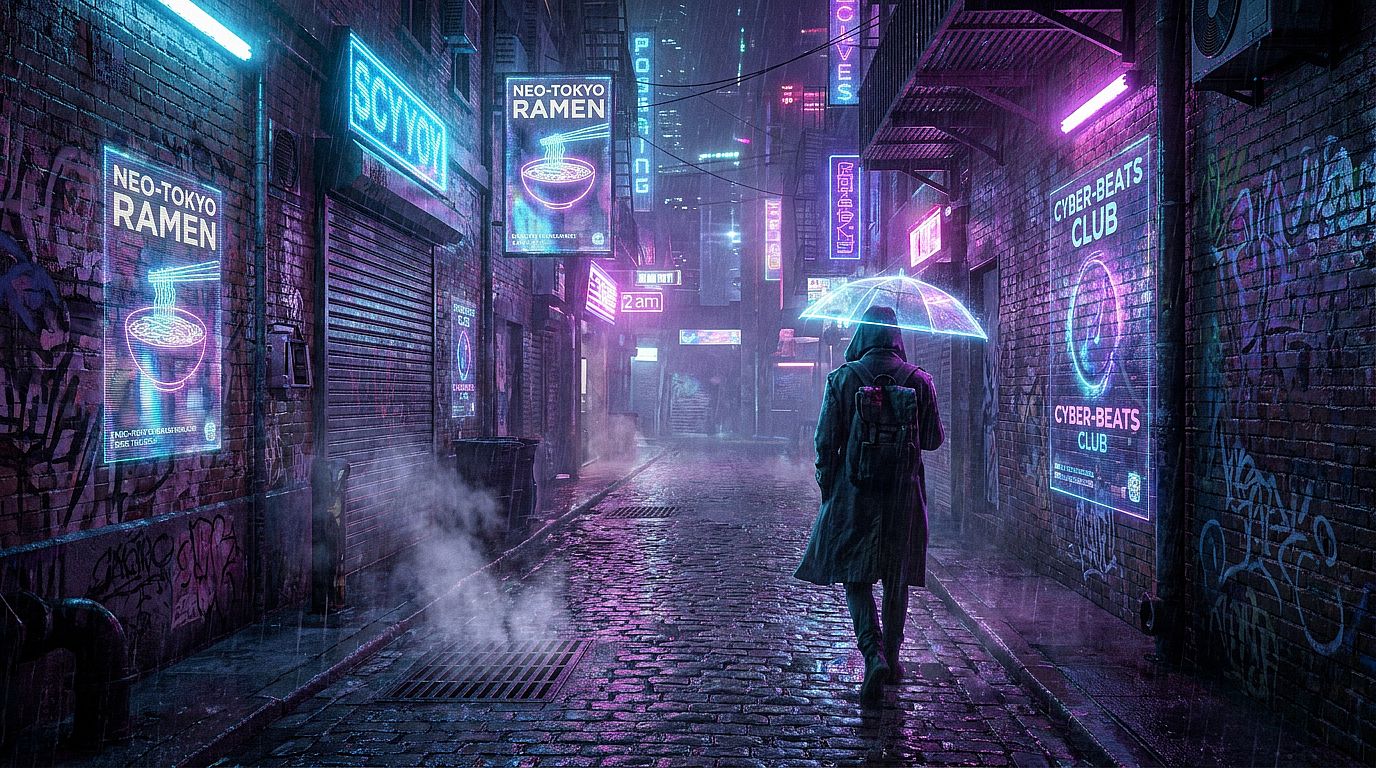
41. Ruelle néon de Tokyo
Prompt : Ruelle cyberpunk éclairée au néon et détrempée par la pluie à 2 h du matin, projections publicitaires holographiques scintillant sur les murs mouillés des immeubles, une silhouette solitaire en long trench-coat s'éloignant de la caméra, vapeur s'échappant des grilles d'égout au premier plan, reflets néon bleu électrique et rose vif dans les flaques, cinématique grand écran 2.39:1
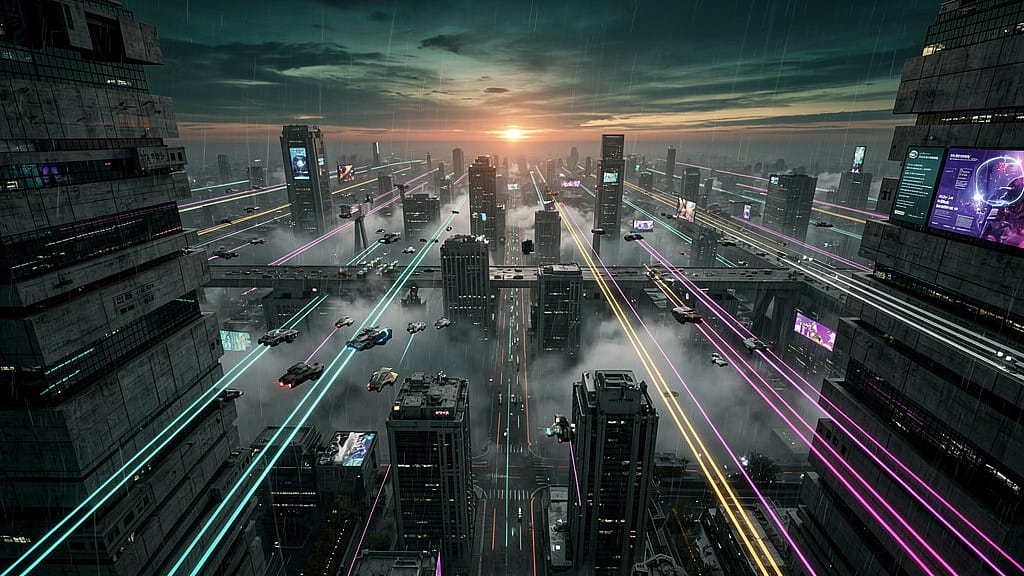
42. Mégalopole dystopique
Prompt : Vue aérienne d'une immense mégalopole dystopique au crépuscule, gratte-ciel brutalistes vertigineux s'étendant jusqu'à l'horizon, véhicules volants laissant de longues traînées lumineuses à mi-hauteur, épais smog captant les dernières lueurs orangées près de l'horizon, palette de couleurs façon Blade Runner 2049, concept art ultra-dense et ultra-détaillé
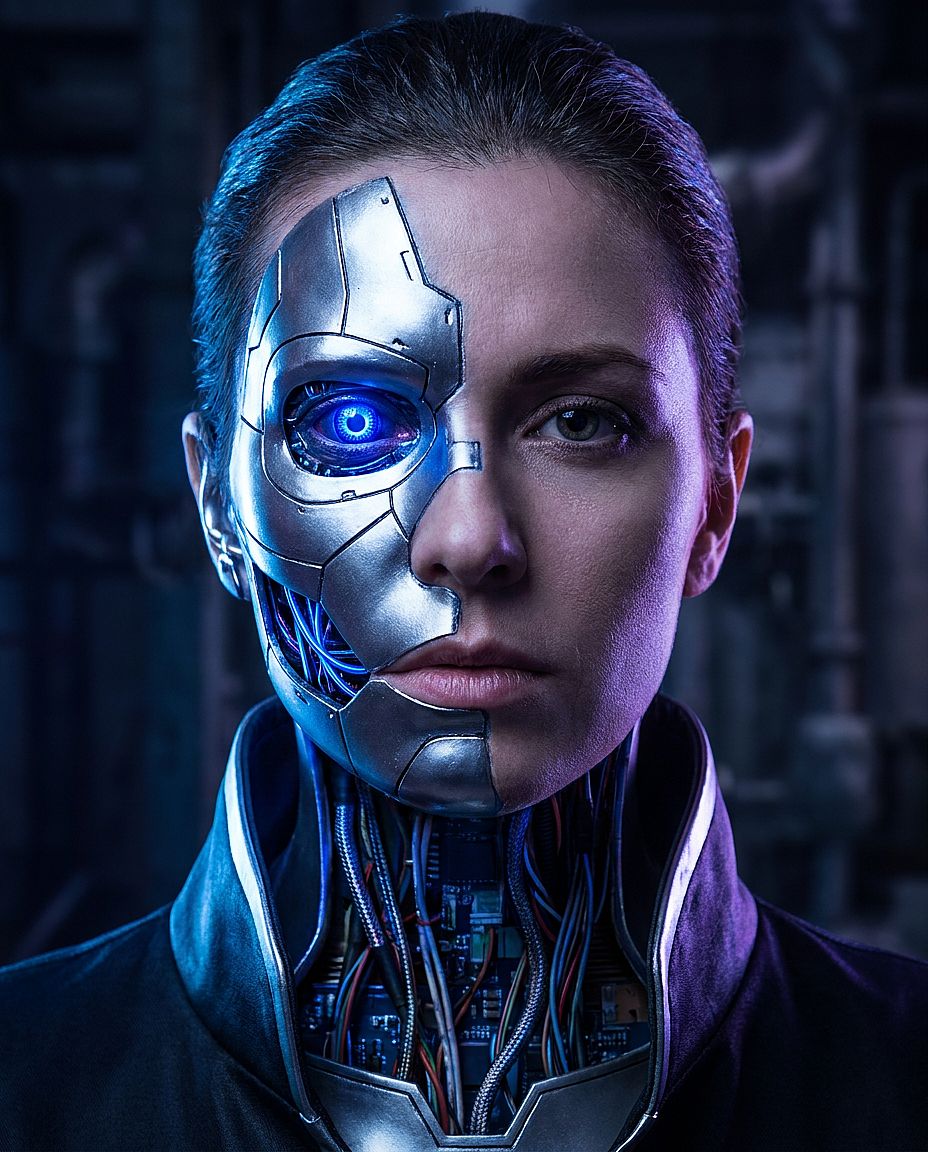
43. Portrait de cyborg
Prompt : Portrait en gros plan d'une femme cyborg, plaques de chrome et de titane recouvrant la moitié gauche de son visage avec des jointures visibles, un implant optique bleu cobalt lumineux dans l'œil gauche, câblage de circuits exposé à la jonction du cou, éclairage de contour spectaculaire par l'arrière, photoréaliste, qualité d'image de film de science-fiction
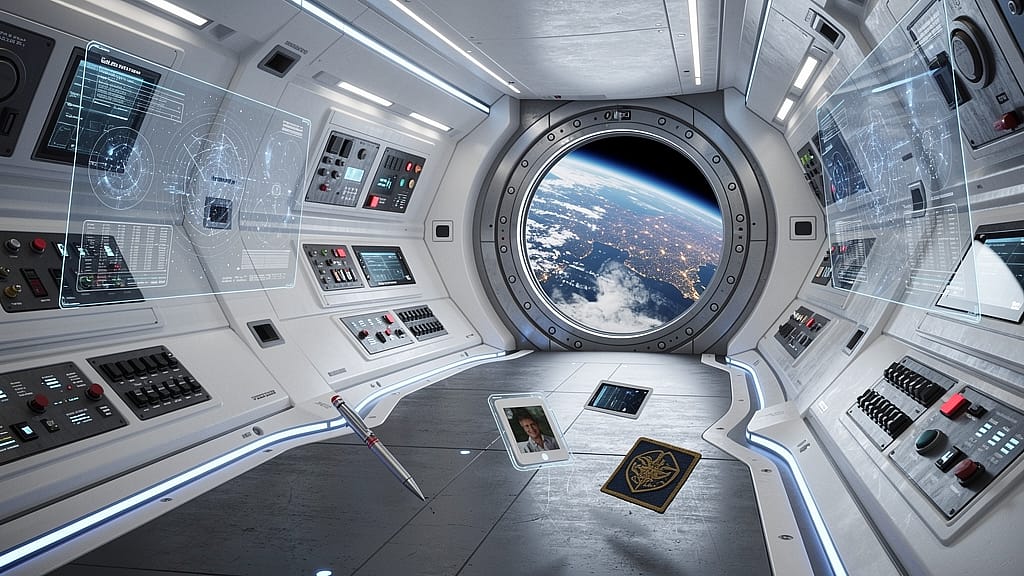
44. Intérieur de station spatiale
Prompt : Intérieur d'un couloir de hub de station spatiale futuriste, murs en polymère blanc incurvés avec bandes LED bleues intégrées, panneaux de contrôle avec affichages holographiques, un grand hublot circulaire montrant la Terre depuis l'orbite, objets personnels flottant en apesanteur, style visuel hard sci-fi photoréaliste
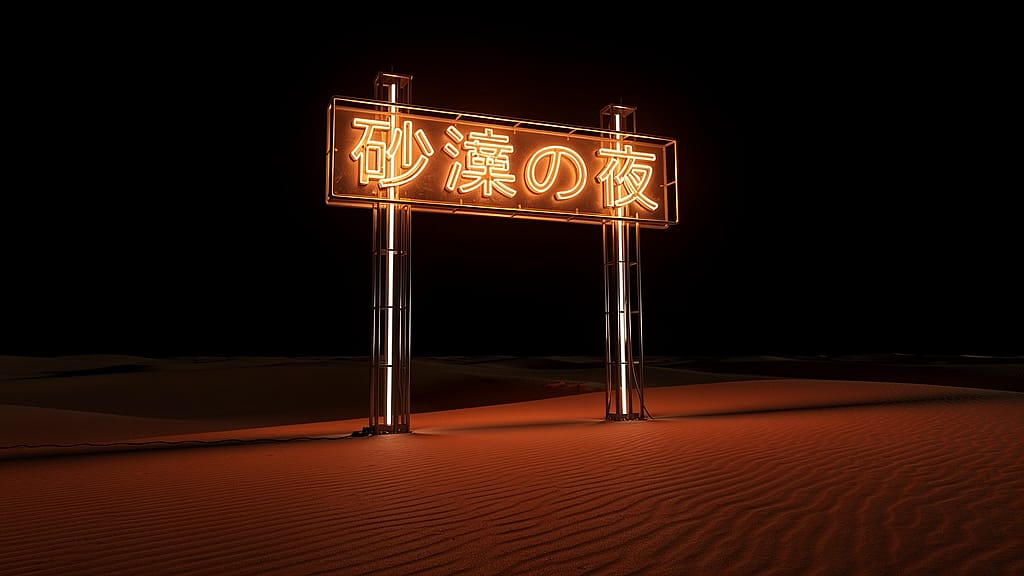
45. Installation dans le désert au néon
Prompt : La nuit, dans un désert vide, une immense enseigne néon lumineuse en caractères kanji japonais dressée seule dans le sable, une lumière néon chaude se répandant sur les dunes voisines et projetant de longues ombres, un ciel sombre infini au-dessus, composition minimaliste et épurée, photographie d'art rencontre installation sci-fi
10. Prompts d'images IA vintage et rétro
Les prompts rétro sont plus faciles à diriger quand tu précises la décennie, les vêtements, le décor et le traitement photographique. Décris les effets visuels que tu veux, comme des couleurs délavées, un flash direct, du grain ou un bord de tirage usé.
Modèle réutilisable : Photo inspirée des années [DECADE] de [SUBJECT], portant [CLOTHING], dans [SETTING], avec [LIGHTING], [COLOR TREATMENT], [TEXTURE] et [FRAMING].
Adapte les vêtements et les accessoires à l'époque que tu as en tête. Utilise le grain, le flash, la décoloration et les bordures de tirage pour façonner le rendu photographique ; vérifie séparément les détails d'époque quand l'exactitude historique compte.
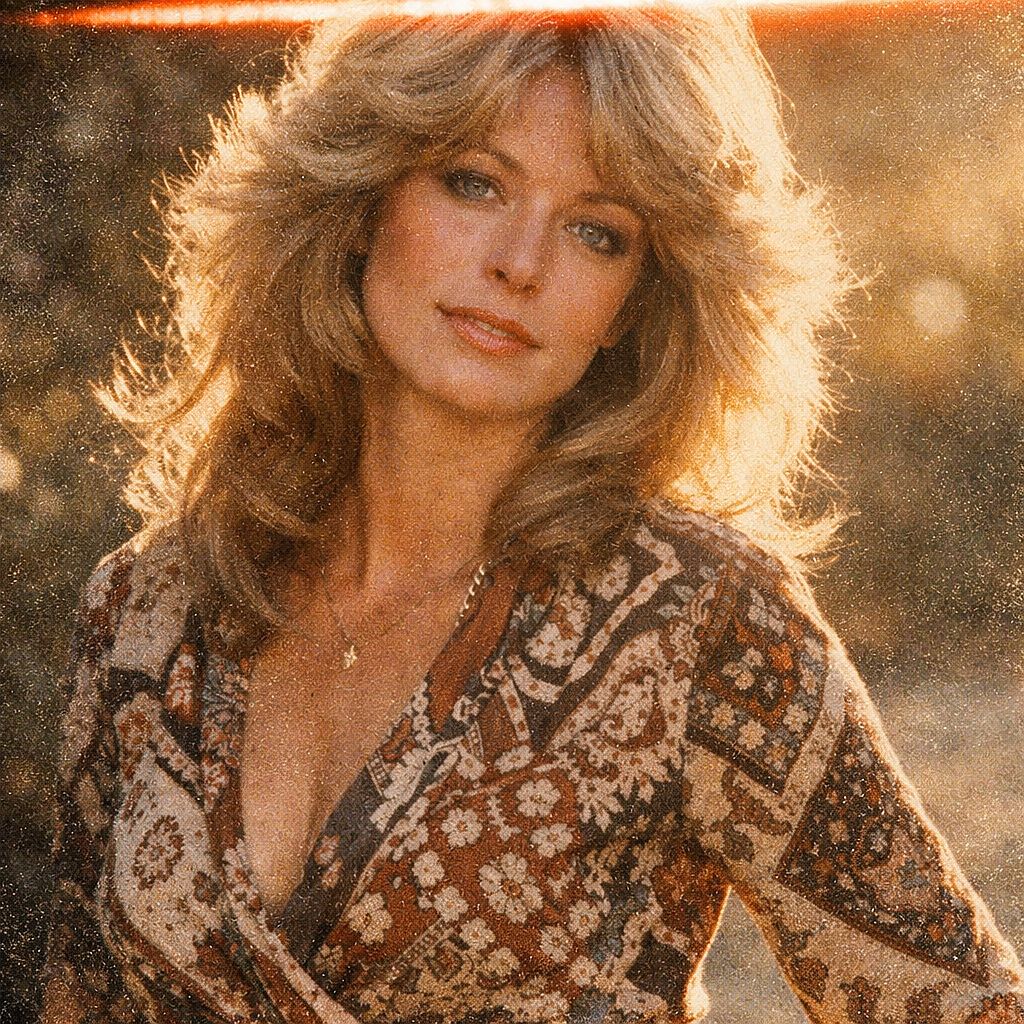
46. Portrait cinéma années 70
Prompt : Portrait en photo argentique années 1970 d'une femme d'une petite trentaine d'années, cheveux dégradés effilés façon Farrah Fawcett, robe portefeuille à motifs, léger contre-jour chaud d'un soleil de fin d'après-midi, grain argentique très prononcé, palette de couleurs analogiques délavées, traînée de fuite de lumière sur le bord supérieur, simulation de film Kodak Ektar
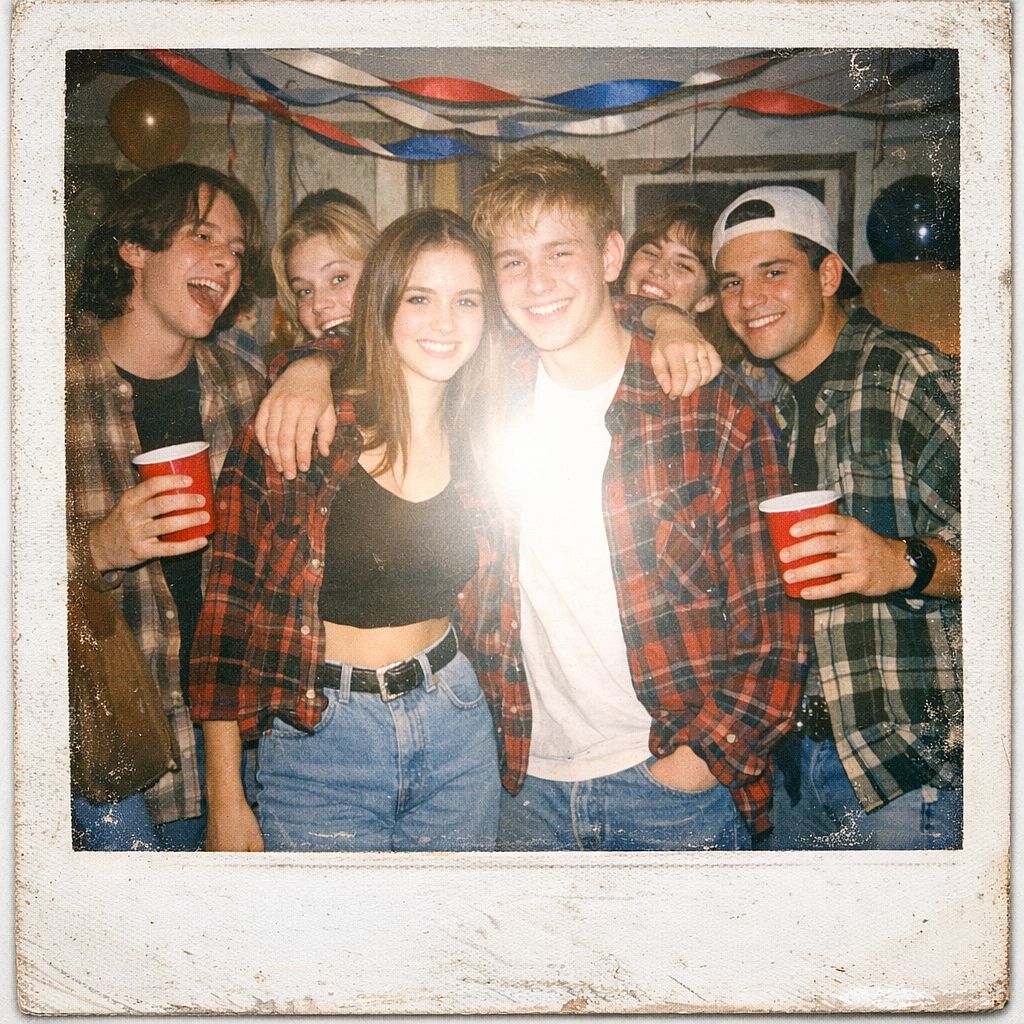
47. Fête Polaroid années 90
Prompt : Esthétique photo Polaroid, groupe d'ados à une house party des années 1990, chemises à carreaux, Doc Martens et jeans taille haute, flash d'appareil jetable qui blanchit le centre du cadre, hautes lumières surexposées, décorations de fête datées avec serpentins et gobelets Solo, bordure blanche usée et nostalgique du Polaroid
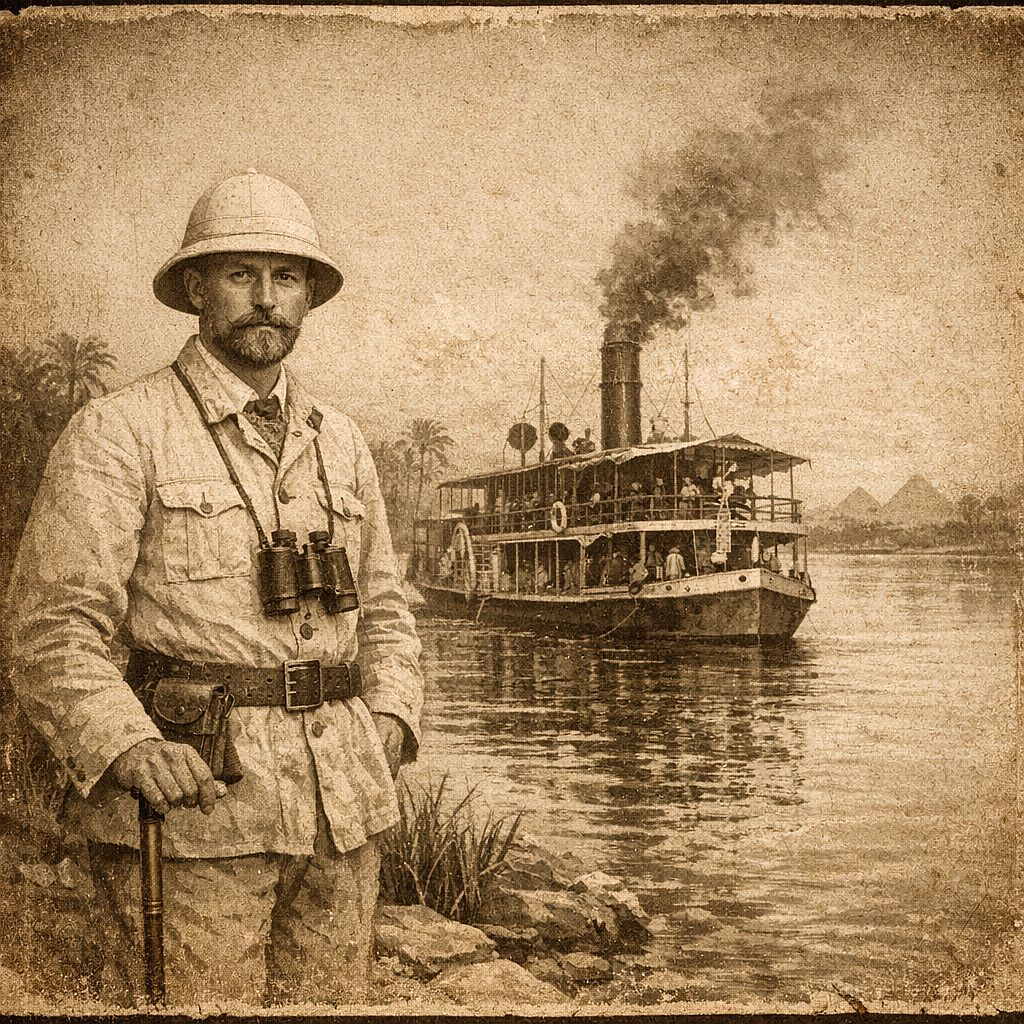
48. Photographie d'explorateur victorien
Prompt : Photographie ancienne aux tons sépia vers 1890, un explorateur européen coiffé d'un casque colonial en lin se tenant au bord du Nil, un bateau à vapeur au charbon derrière lui, portrait posé et formel, texture de papier vieilli aux tons bruns et crème, vignettage assombrissant les bords, sans artefacts numériques
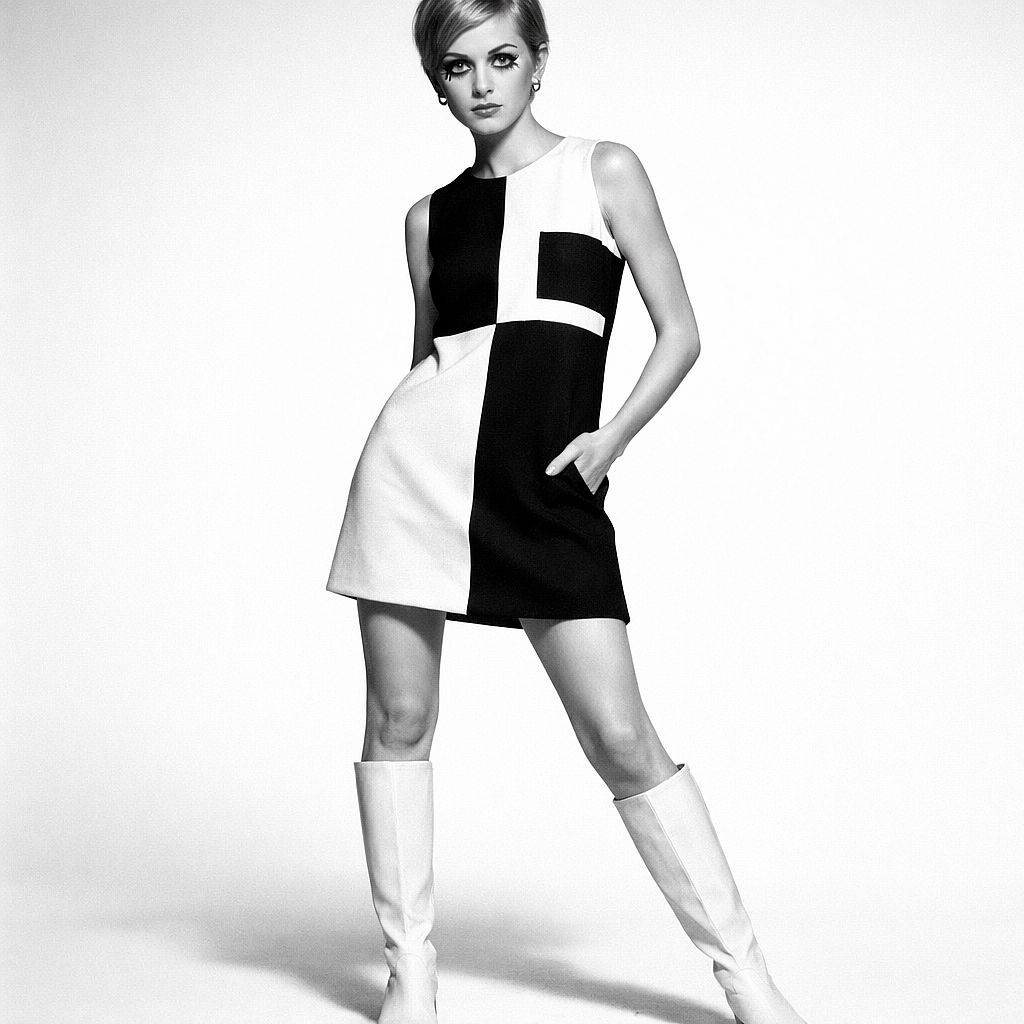
49. Mode Mod des années 1960
Prompt : photographie de mode éditoriale des années 1960, mannequin femme dans une mini-robe Mod géométrique noir et blanc audacieuse et des bottes go-go blanches, fond de studio blanc infini épuré, photographie noir et blanc à fort contraste, proportions et maquillage de l'ère Twiggy, qualité Vogue Paris, objectif 50 mm
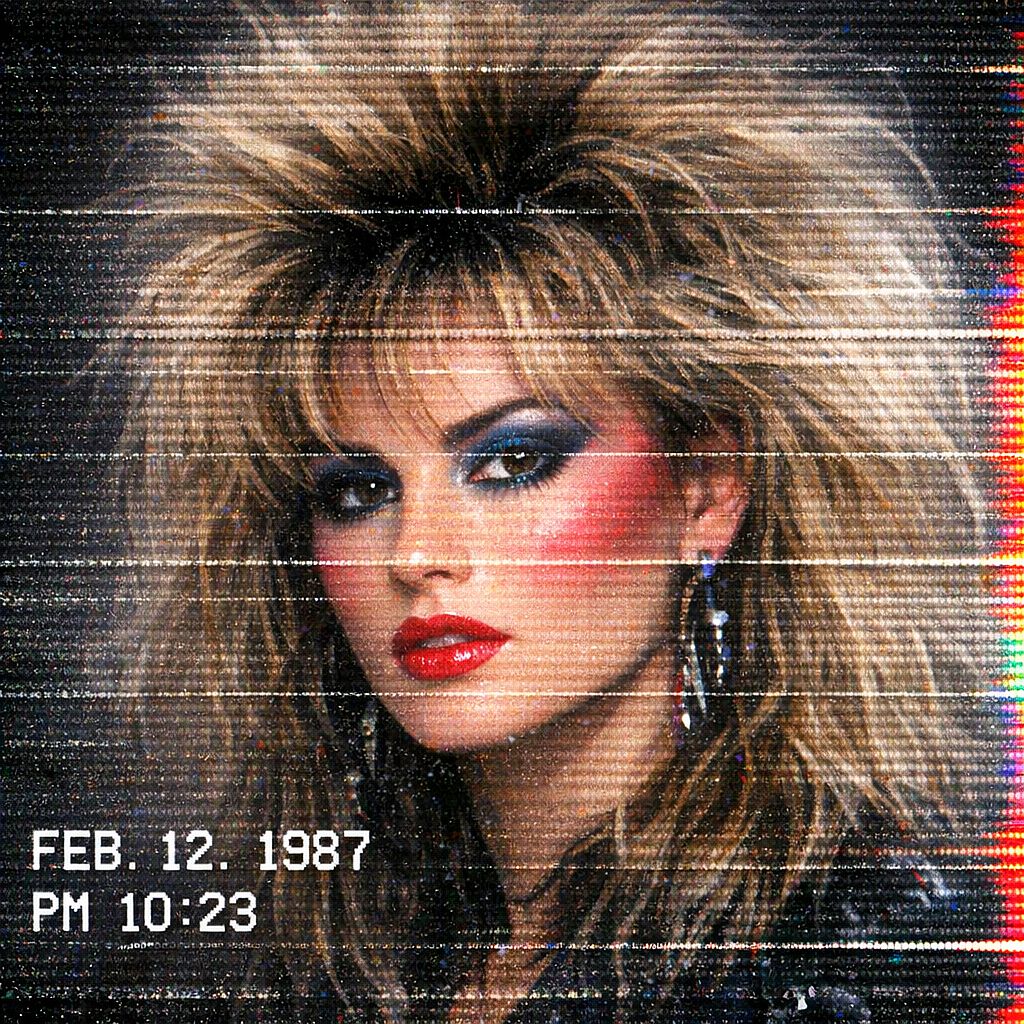
50. Portrait glitch VHS
Prompt : Portrait esthétique glitch VHS, sujet aux cheveux volumineux années 80 et au maquillage marqué, distorsion des lignes de balayage horizontales sur toute l'image, débordement des canaux de couleur sur le bord droit, incrustation d'un horodatage blanc dans le coin inférieur gauche, bruit numérique intense et texture statique, look d'un enregistrement de télévision rétro
Variante de texte : Pour un horodatage précis, ajoute le texte exact entre guillemets, par exemple « Un horodatage blanc affichant '20:42' apparaît dans le coin inférieur gauche ». Vérifie les caractères rendus avant d'utiliser l'image.
Prompts d'art IA par style
Le moyen le plus rapide de changer toute l'ambiance d'une image est de nommer un style artistique ou un médium. Utilise les mots de style ci-dessous comme antisèche, puis essaie-les avec les prompts d'art IA mentionnés plus haut.
| Style | Mots qui le déclenchent | Idéal pour |
|---|---|---|
| Aquarelle | lavis doux, bords diffus, texture de papier | Paysages, illustrations florales et pour enfants |
| Peinture à l'huile | empâtement épais, coups de pinceau visibles, texture de toile | Portraits, natures mortes |
| Ukiyo-e | gravure sur bois, aplats de couleur, contours marqués | Vagues, montagnes, scènes urbaines |
| Pixel art | 16 bits, palette limitée, pixels nets | Scènes de jeu, avatars |
| Surréalisme | onirique, échelle impossible, formes qui fondent | Illustrations conceptuelles, pochettes d'album |
| Bauhaus | couleurs primaires, cercles et rectangles, grille | Affiches, impressions abstraites |
| Dessin au trait | trait continu unique, noir sur blanc | Logos, tatouages, impressions minimalistes |
Astuces et techniques d'écriture de prompts d'images IA
Ces astuces de prompts d'images IA t'aident à adapter n'importe quel prompt ci-dessus à ton propre projet.
1. Choisis un modèle pour l'image dont tu as besoin
Commence par le type de création que tu veux réaliser. Les modèles ci-dessous sont disponibles sur OpenArt et offrent différentes façons de générer, modifier et affiner une image
| Modèle | Quand l'essayer | Comment utiliser ces prompts |
|---|---|---|
| GPT Image 2.5 | Photographie de produits, portraits, images avec texte et retouches ciblées. | Utilise Flare pour explorer des variations, ou Sunburst quand tu veux privilégier le détail. Précise le sujet, la mise en page et le libellé exact de tout texte. |
| Nano Banana 2 | Explore des styles photographiques et illustrés, y compris des scènes à plusieurs sujets | Décris où se place chaque sujet. Garde la composition fixe pendant que tu compares les variations d'éclairage, de tenue ou de style. |
Pour une comparaison utile, fais passer le même prompt et les mêmes références dans deux modèles avec des réglages similaires. Observe la ressemblance du visage pour les portraits, la fidélité du packaging pour les produits, et le lettrage pour les visuels de marque. Choisis le résultat qui colle le mieux à ton brief.
2. Choisis le format avant de générer
Adapte le canevas à l'emplacement final. Ce sont de bons points de départ, selon les ratios pris en charge par le modèle que tu as choisi :
- 1:1: Visuels sociaux carrés, avatars et compositions produit centrées.
- 4:5: Images de feed et visuels produits au format portrait.
- 9:16: Compositions verticales en plein écran.
- 16:9: Images d'en-tête de blog, miniatures paysage et visuels de présentation.
- 3:2: Compositions photographiques en format paysage.
- 2:3: Photographie de portrait, concepts d'affiche et concepts de couverture de livre.
Un cadre cinématographique 2.39:1 est plus large que le 16:9. Si ton modèle ne prend pas en charge le ratio demandé, choisis un canevas disponible adapté et laisse de la marge pour recadrer. Garde les visages, objets et textes importants à l'écart des bords de recadrage.
3. Utilise une référence quand des détails précis doivent être conservés
Utilise un workflow image vers image quand un visage, un produit, une pièce ou une composition existants doivent guider le résultat. Choisis un modèle qui accepte les références, importe l'image et décris à la fois les changements souhaités et les détails à préserver. La prise en charge des références et les contrôles varient selon le modèle.
Si tu veux une description écrite de l'éclairage, du cadrage, de la palette ou du style d'une référence, utilise le outil image-to-prompt. Modifie la description obtenue avant de générer. Sers-t'en comme point de départ pour décrire la référence, puis ajuste les détails pour ta propre image
4. Change une seule variable à la fois
Commence par l'écart le plus important : sujet, composition, éclairage ou style. Modifie l'un d'eux, génère à nouveau et compare. Enregistre le prompt, le nom du modèle, les réglages et les références à côté d'un résultat qui te plaît pour retrouver la même configuration.
Pour une retouche ciblée, essaie : « Change uniquement l'arrière-plan pour un mur de studio gris uni. Garde le visage, la coiffure, les vêtements, la pose et l'éclairage du sujet inchangés. » Après la retouche, vérifie que le visage, les vêtements et l'éclairage correspondent toujours à l'original.
5. Corrige les problèmes courants avec des instructions précises
| Problème | À essayer |
|---|---|
| La peau paraît cireuse ou trop lisse | Décris les pores visibles, les fines ridules, les subtiles variations de teint et une lumière douce et directionnelle. Réduis les demandes de peau parfaite ou de retouche marquée. |
| Un visage ou un produit change d'une image à l'autre | Utilise une référence et liste explicitement les détails d'identification à préserver. Compare ces détails après chaque génération. |
| Le texte est mal orthographié ou trop dense | Raccourcis le texte, place les mots exacts entre guillemets et précise leur position et leur taille. Corrige les erreurs persistantes séparément. |
| La composition paraît surchargée | Garde un seul sujet central, réduis les accessoires qui rivalisent et décris où l'espace vide doit rester |
| L'arrière-plan est incorrect mais le sujet est utilisable | Modifie la zone d'arrière-plan, puis vérifie le sujet, les contours et les ombres pour repérer les changements involontaires. |
| Une image censée être transparente a un fond plein | Vérifie la prise en charge de la transparence par le modèle et le fichier exporté. Un fond blanc ou en damier peut faire partie de l'image. |
Pour les portraits qui semblent encore trop lisses, voir comment corriger la peau plastique dans les portraits IA pour un workflow d'édition plus détaillé.
6. Les mots d'éclairage et de caméra qui transforment tes prompts d'images IA
Les mots liés à l'éclairage et à l'objectif transforment une image plus que n'importe quel adjectif. Glisse l'un d'eux dans un prompt et relance la génération pour voir la différence.
| J'adore ce style | Ajouter ces mots |
|---|---|
| Chaleureux et flatteur | golden hour, contre-jour doux, lumière de contour chaude |
| Sombre et dramatique | éclairage low-key, source dure unique, ombres profondes |
| Photo de produit épurée | éclairage softbox, fond blanc continu, lumière uniforme |
| Naturel et spontané | lumière de jour couverte, lumière de fenêtre, naturel |
| Cinématique | objectif anamorphique, étalonnage sarcelle et orange, plan large |
| Large et épique | objectif 24mm, contre-plongée, grande profondeur de champ. |
Comment utiliser ces prompts sur OpenArt
- Ouvre Créer une image. Connecte-toi à OpenArt et ouvre l'espace de création d'images.
- Choisis un modèle et un type d'entrée. Utilise du texte seul pour un nouveau concept, ou un modèle compatible avec les références quand une image existante doit guider le résultat.
- Colle un exemple ou personnalise un modèle. Remplace chaque champ entre crochets par tes propres détails. Règle le format, la résolution et les autres options disponibles dans l'interface
- Génère et inspecte. Vérifie le sujet, la composition, le texte et tout détail qui doit correspondre à une référence. Le temps de génération et l'utilisation de crédits varient selon le modèle et les réglages.
- Peaufine et exporte. Ajuste une partie du prompt ou modifie la zone concernée, puis télécharge le résultat et vérifie ses dimensions et son format de fichier
Pour une présentation complète de l'interface, suis comment générer une image IA sur OpenArt. Vérifie les crédits disponibles sur ton compte et le page des tarifs OpenArt pour les options d'abonnement actuelles.
Questions fréquentes
Qu'est-ce qui fait un bon prompt d'image IA ?
Un bon prompt communique les choix visuels qui comptent : le sujet, l'action, le décor, la composition, l'éclairage et le style. Place les exigences les plus importantes en premier. Des détails concrets comme « une lumière douce venant de la fenêtre à gauche » sont plus faciles à évaluer que des demandes vagues comme « rends-le beau ».
Puis-je utiliser ces prompts sur n'importe quel générateur d'images IA ?
Ces exemples utilisent un langage naturel, ils peuvent donc servir de point de départ sur de nombreux générateurs d'images. Les résultats et les fonctionnalités prises en charge varient. Vérifie la façon dont le modèle sélectionné gère les références, le texte, la transparence et les instructions d'exclusion, et définis les dimensions dans l'interface plutôt que de supposer que la formulation contrôlera le canevas.
Quel modèle d'IA offre les portraits les plus réalistes ?
GPT Image 2.5 et Nano Banana 2 sont de bons points de départ pour des portraits photographiques. Essaie le même prompt et la même référence avec les deux, puis compare la texture de la peau, les yeux, l'éclairage et la ressemblance. Pour un portrait, choisis l'image qui ressemble le plus à la personne que tu as photographiée.
Pourquoi mon image IA est-elle différente de l'exemple ?
Le prompt n'est qu'une partie de l'équation. La version du modèle, les réglages, les images de référence et l'aléatoire de la génération peuvent tous influer sur le résultat. Enregistre ces détails quand c'est possible. Pour une personne ou un personnage que tu veux réutiliser d'une scène à l'autre, la fonction d'OpenArt Créateur de personnages IA propose un workflow de personnage réutilisable ; vérifie tout de même l'identité et le style après chaque génération.
Quelle doit être la longueur d'un prompt d'image IA ?
Donne assez de détails pour exprimer l'image sans introduire d'instructions contradictoires. Un court paragraphe est un bon point de départ ; les concepts simples en demandent moins, et les scènes complexes davantage. Il n'existe pas de minimum universel de 30 mots ni de maximum de 60 mots. Les limites de saisie dépendent du modèle et de l'interface. Pour les prompts plus longs, sépare le sujet, la scène, le style et les contraintes en phrases claires ou en lignes étiquetées.
Les images générées par IA sont-elles libres d'usage commercial ?
L'accès gratuit à un prompt ne détermine pas les droits d'utilisation de l'image que tu génères. Les conditions actuelles d'OpenArt autorisent l'usage commercial des productions générées à partir du niveau d'abonnement Plus et supérieur, sous réserve des conditions et de la loi applicable. Consulte les conditions d'OpenArt avant d'utiliser tes créations dans des campagnes payantes ou des projets clients.
Puis-je modifier une image générée par IA après l'avoir créée ?
Oui. Tu peux utiliser l'inpainting par IA pour modifier une zone sélectionnée, par exemple remplacer un arrière-plan ou changer un accessoire. Décris la modification, puis inspecte les contours, la lumière et les ombres autour. Les autres options d'édition dépendent du modèle et des outils que tu choisis.
Commence avec un prompt, puis approprie-le-toi
Choisis la catégorie la plus proche de ton objectif, colle un exemple ou remplis son modèle réutilisable, et définis le canevas pour ton placement final. Utilise une référence quand des détails précis doivent être conservés, compare les résultats à ces exigences, et affine une décision à la fois. Enregistre la configuration quand tu trouves un résultat qui vaut la peine d'être développé.