

Grok Imagine
Générateur d'images et de vidéos par IA
Grok Imagine Image 2.0 apporte l'édition par régions à la bibliothèque de modèles d'OpenArt, en plus de la génération vidéo et audio que Grok Imagine prend déjà en charge sur OpenArt. Génère une image, modifie la partie exacte qui ne va pas, puis anime-la, le tout dans un seul compte.

Fonctionnalités clés de Grok Imagine
Grok Imagine, le modèle d'IA créative de xAI. Grok Imagine réunit création d'images, retouche, vidéo et son dans un seul flux créatif. Crée la première image, affine-la avec des références, puis mets-la en mouvement sans avoir à reconstruire l'idée dans un autre outil.
Texte vers image
Écris un prompt et Grok Imagine génère des images nettes avec un excellent suivi des instructions en 1K ou 2K. Avec OpenArt Générateur d'images IA, tu contrôles le ratio et le nombre, et tu obtiens plusieurs options à chaque génération pour les comparer côte à côte avant de choisir.
Essaie maintenantÉdition multi-images
Édite n'importe quelle image en langage naturel, ou combine jusqu'à 3 images de référence en une seule requête. Tu peux ainsi composer des sujets, transférer un style et construire une scène à partir de sources distinctes, sans masquage manuel.
Essaie maintenantTexte, image et référence vers vidéo
Grok Imagine prend en charge le 1080p natif pour le texte-vers-vidéo et l'image-vers-vidéo, avec des clips jusqu'à 15 secondes. Pour des scènes plus maîtrisées, le référence-vers-vidéo accepte jusqu'à 7 images, jusqu'à trois références vocales et une sortie jusqu'à 720p.
Essaie maintenantGénération audio native
Grok Imagine crée les dialogues, l'ambiance sonore et les effets en même temps que la vidéo, pour que l'audio suive l'action dès le départ. Avec Grok Imagine 1.5, le mode référence-vers-vidéo peut aussi utiliser jusqu'à trois références vocales pour définir qui parle et quelle voix la vidéo suit.
Essaie maintenantComment utiliser Grok Imagine sur OpenArt
Trois étapes te mènent du prompt au clip fini.
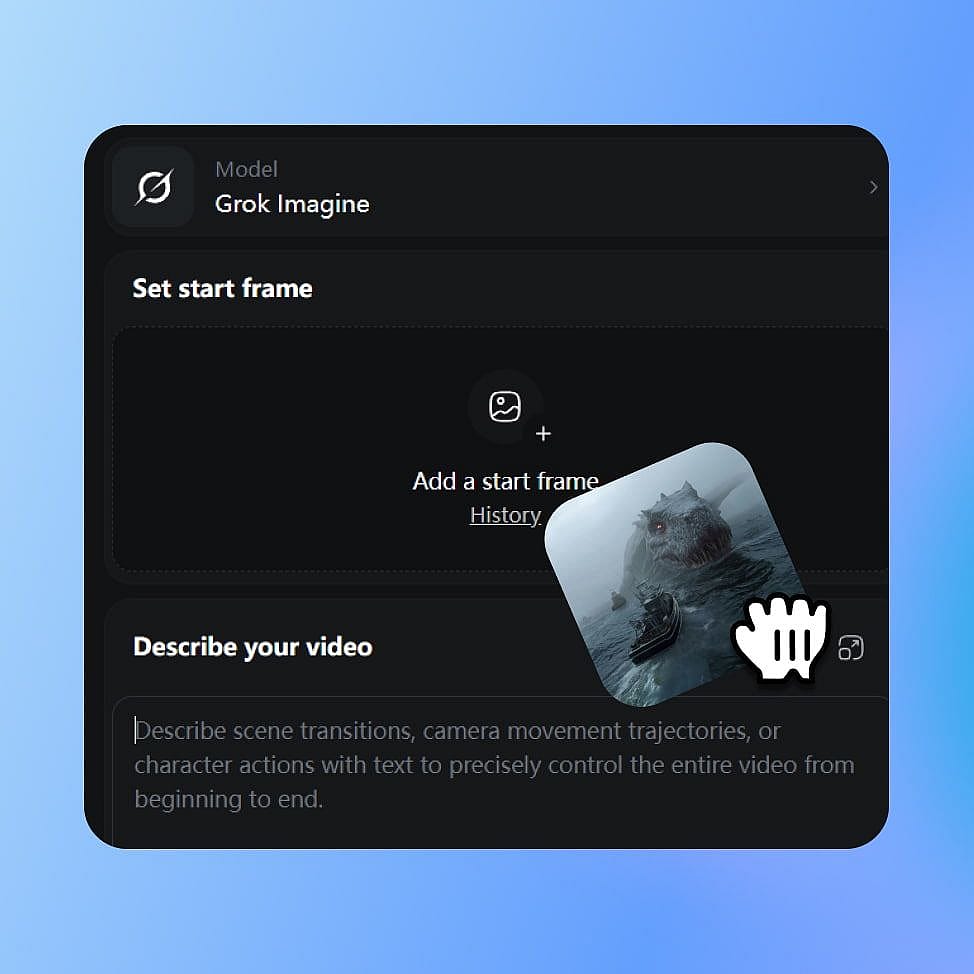
Choisis Grok Imagine
Ouvre les outils d'image ou de vidéo d'OpenArt et sélectionne Grok Imagine dans le menu des modèles. Choisis ton mode : créer une image, l'éditer ou générer une vidéo.
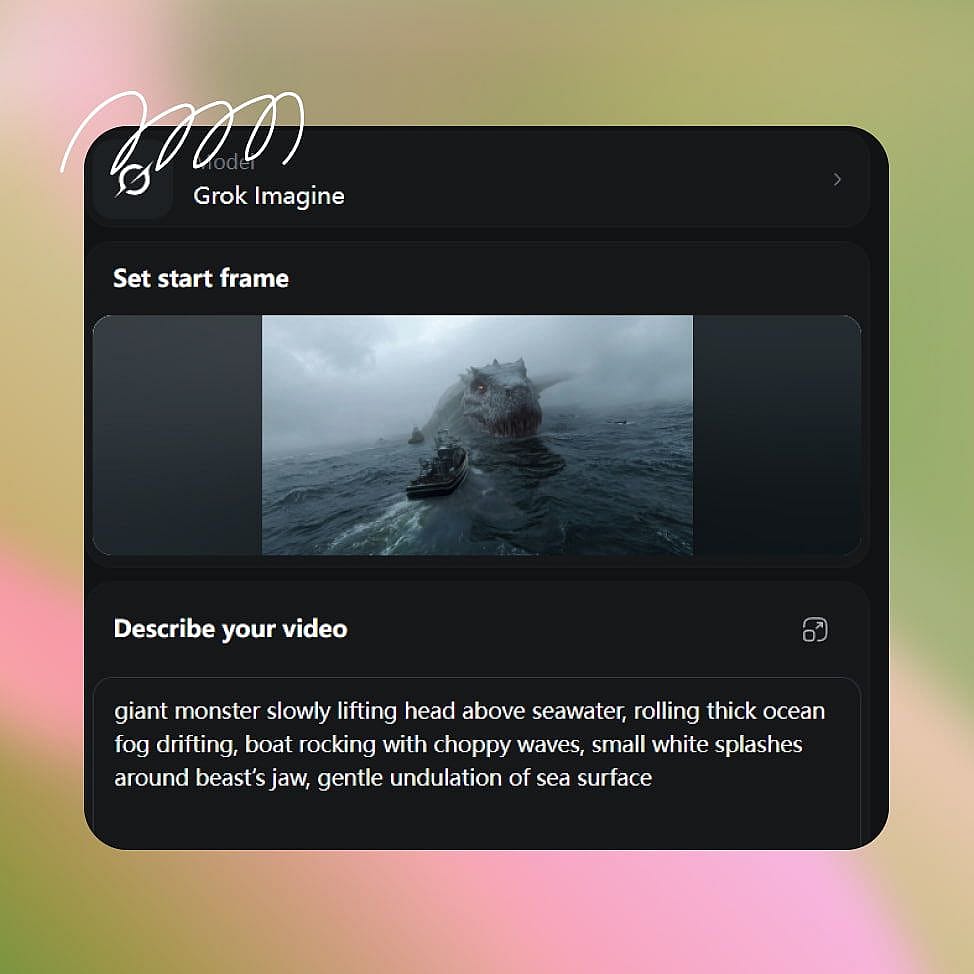
Rédige ton prompt
Décris ton sujet, ton style et les mouvements de caméra que tu souhaites. Pour l'image-vers-vidéo, importe ou génère une première image, et ajoute des images de référence quand tu veux plus de contrôle.
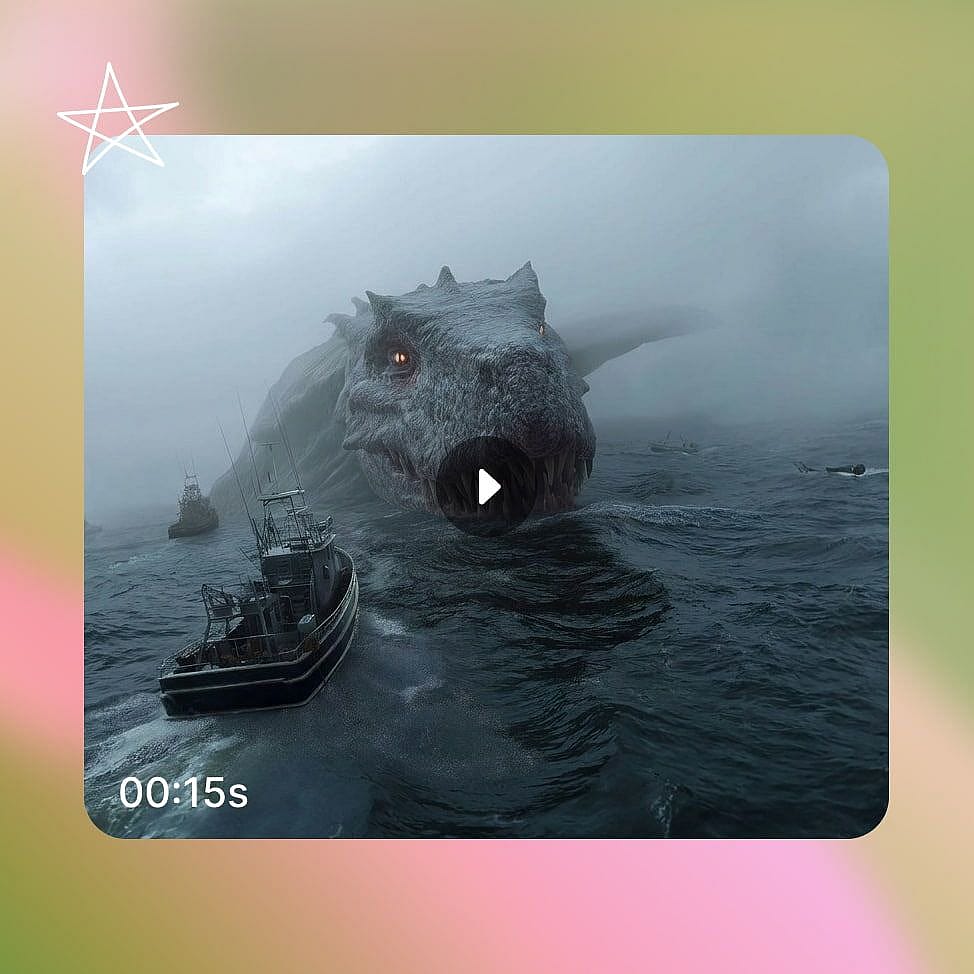
Créer et affiner
Définis ton format et ta résolution, puis génère. Affine ton prompt ou remplace une image de référence et relance pour figer le résultat.
Pour qui Grok Imagine est conçu
Grok Imagine convient à quiconque a besoin à la fois d'images fixes et de courtes vidéos, rapidement, à partir d'un seul modèle. Voici comment ça se traduit dans un vrai travail.
Créateurs de contenu sur les réseaux sociaux
Transforme une seule image en clip vertical avec audio synchronisé pour TikTok, Reels et Shorts. La génération rapide te permet de tester plusieurs accroches en autant de temps qu'un montage classique, pour publier plus et trouver ce qui marche.
Essaie maintenantMarketeurs qui utilisent le Brand Kit
Kit de marque applique tes couleurs, ta typographie et tes règles de marque enregistrées à la production de campagnes. Utilise Grok Imagine pour changer un détail produit ou l'arrière-plan sans régénérer toute l'image, puis redimensionne le même visuel pour chaque emplacement publicitaire.
Essaie maintenantCinéastes et conteurs
Anime des concept arts et des images fixes en plans cinématographiques avec contrôle de la caméra et dialogues synchronisés. L'image vers vidéo préserve ton image de départ, pour qu'un storyboard ou un design de personnage passe directement dans la scène.
Essaie maintenantPetites entreprises et e-commerce
Créer photos de produits et courts clips promotionnels sans studio ni équipe de tournage. Transforme une seule photo de produit en plusieurs scènes, puis fais de la meilleure une démo sonorisée, pour promouvoir ton lancement en toute autonomie.
Essaie maintenantConseils pour de meilleurs résultats
Choisis le bon point de départ
Utilise le texte-vers-vidéo pour créer une nouvelle scène à partir d'une description. Choisis l'image-vers-vidéo quand ton image de départ est déjà bonne. Utilise la référence-vers-vidéo quand ta scène nécessite plusieurs personnes, produits, décors ou références visuelles.
Dirige la caméra
Nomme le mouvement de caméra que tu veux, comme un lent travelling avant, un panoramique à l'épaule, un zoom ou une inclinaison. Décris ce qui bouge et comment la caméra réagit pour donner au plan une direction plus claire.
Planifie l'audio avant de générer
Inclus les dialogues, le son d'ambiance et les effets dans ta description avant de créer la vidéo. En mode référence-vers-vidéo, tu peux aussi ajouter une référence audio pour guider la voix du locuteur.
Donne un seul rôle à chaque référence
Grok Imagine 1.5 prend en charge jusqu'à 7 images en mode référence vers vidéo. Utilise chaque image pour définir un élément précis, comme la personne, le produit, la tenue, le décor ou le style visuel.
Adoré par les créateurs
J'ai essayé plein de plateformes IA... mais OpenArt reste le meilleur pour la création de personnages, la qualité image-vers-vidéo et la variété de modèles disponibles.
OpenArt propose une superbe palette d'outils IA... une fois que tu maîtrises les fonctionnalités, les possibilités créatives sont incroyables — et leur équipe d'assistance est exceptionnelle.
OpenArt est une plateforme IA très polyvalente avec de nombreux modèles d'image et de vidéo, une création de personnages cohérente et de puissants outils d'édition.
Des outils IA utiles réunis au même endroit — génération d'images et de vidéos, édition et bien plus… sans avoir besoin de plusieurs abonnements.
Le service client est toujours rapide et serviable... et la plateforme ne cesse de s'améliorer avec de nouvelles fonctionnalités et de nouveaux outils.
J'ai essayé plein de plateformes IA... mais OpenArt reste le meilleur pour la création de personnages, la qualité image-vers-vidéo et la variété de modèles disponibles.
OpenArt propose une superbe palette d'outils IA... une fois que tu maîtrises les fonctionnalités, les possibilités créatives sont incroyables — et leur équipe d'assistance est exceptionnelle.
OpenArt est une plateforme IA très polyvalente avec de nombreux modèles d'image et de vidéo, une création de personnages cohérente et de puissants outils d'édition.
Des outils IA utiles réunis au même endroit — génération d'images et de vidéos, édition et bien plus… sans avoir besoin de plusieurs abonnements.
Le service client est toujours rapide et serviable... et la plateforme ne cesse de s'améliorer avec de nouvelles fonctionnalités et de nouveaux outils.
J'ai essayé plein de plateformes IA... mais OpenArt reste le meilleur pour la création de personnages, la qualité image-vers-vidéo et la variété de modèles disponibles.
OpenArt propose une superbe palette d'outils IA... une fois que tu maîtrises les fonctionnalités, les possibilités créatives sont incroyables — et leur équipe d'assistance est exceptionnelle.
OpenArt est une plateforme IA très polyvalente avec de nombreux modèles d'image et de vidéo, une création de personnages cohérente et de puissants outils d'édition.
Des outils IA utiles réunis au même endroit — génération d'images et de vidéos, édition et bien plus… sans avoir besoin de plusieurs abonnements.
Le service client est toujours rapide et serviable... et la plateforme ne cesse de s'améliorer avec de nouvelles fonctionnalités et de nouveaux outils.
Avec autant de plateformes IA disponibles, OpenArt s'est démarqué comme un choix exceptionnel — je le recommanderais à tous les créateurs.
Cette plateforme réunit tout ce dont tu as besoin pour créer du contenu avec l'IA : images, vidéos, personnages, audio et plusieurs modèles d'IA au même endroit.
OpenArt repousse les limites de la création vidéo par IA... et il est clair que l'équipe est déterminée à améliorer l'expérience des créateurs.
J'ai réalisé mon premier clip musical IA avec OpenArt... et leur équipe support a été la meilleure aide que j'aie jamais connue.
Je suis très satisfait du support : mon problème a été résolu rapidement et l'équipe a rendu tout le processus facile.
Avec autant de plateformes IA disponibles, OpenArt s'est démarqué comme un choix exceptionnel — je le recommanderais à tous les créateurs.
Cette plateforme réunit tout ce dont tu as besoin pour créer du contenu avec l'IA : images, vidéos, personnages, audio et plusieurs modèles d'IA au même endroit.
OpenArt repousse les limites de la création vidéo par IA... et il est clair que l'équipe est déterminée à améliorer l'expérience des créateurs.
J'ai réalisé mon premier clip musical IA avec OpenArt... et leur équipe support a été la meilleure aide que j'aie jamais connue.
Je suis très satisfait du support : mon problème a été résolu rapidement et l'équipe a rendu tout le processus facile.
Avec autant de plateformes IA disponibles, OpenArt s'est démarqué comme un choix exceptionnel — je le recommanderais à tous les créateurs.
Cette plateforme réunit tout ce dont tu as besoin pour créer du contenu avec l'IA : images, vidéos, personnages, audio et plusieurs modèles d'IA au même endroit.
OpenArt repousse les limites de la création vidéo par IA... et il est clair que l'équipe est déterminée à améliorer l'expérience des créateurs.
J'ai réalisé mon premier clip musical IA avec OpenArt... et leur équipe support a été la meilleure aide que j'aie jamais connue.
Je suis très satisfait du support : mon problème a été résolu rapidement et l'équipe a rendu tout le processus facile.
Questions fréquentes Questions
Crée sans limites
Rejoins des milliers de créateurs qui utilisent OpenArt pour générer des images, des vidéos et bien plus — le tout sur une seule plateforme.
Commence gratuitement →