

Creador de vídeos tutoriales
El creador de vídeos tutoriales de OpenArt convierte los pasos de tu prompt en una lección en vídeo clara y fácil de seguir. Esboza el proceso, dirige cada paso por chat y publica un vídeo tutorial listo para YouTube, tu curso o el centro de ayuda de tu empresa.
Creador de vídeos tutoriales
El creador de vídeos tutoriales de OpenArt convierte los pasos de tu prompt en una lección en vídeo clara y fácil de seguir. Esboza el proceso, dirige cada paso por chat y publica un vídeo tutorial listo para YouTube, tu curso o el centro de ayuda de tu empresa.
Ventajas clave del creador de vídeos tutoriales




Ofrece a los espectadores pasos fáciles de seguir
Los espectadores abandonan los tutoriales que mezclan los pasos. Cada acción tiene su propia escena, en orden y a un ritmo con el que tu espectador puede seguir el proceso de verdad.




Enseña sin grabar vídeo
Sin cámara, sin micro, sin repetir la quinta toma porque tropezaste con una palabra. Solo describe el proceso y OpenArt monta, narra y edita el tutorial por ti.
Mantén cada lección actualizada
Cuando el proceso cambia y tu vídeo necesita actualizarse, solo tienes que nombrar el paso que cambió. OpenArt vuelve a montar esa sección mientras el resto de la lección queda intacto.
Creaciones de la comunidad
Descubre los tutoriales que la gente está creando dirigiendo con OpenArt, desde profesores hasta creadores de cursos online.
Funciones clave del generador de vídeos tutoriales con IA
Tú sabes cómo se hace la tarea y OpenArt convierte ese conocimiento en una lección que tus espectadores pueden seguir.
Dale a cada paso su propia escena
Pasa el proceso como un esquema, un guion o una descripción sencilla, y el creador de vídeos tutoriales estructura la lección en pasos numerados. Cada paso se convierte en su propia escena, así los espectadores siempre saben dónde están y qué viene después.
Muestra manos, pantallas o ambas
Las habilidades manuales se muestran con manos y escenarios reales, y los tutoriales de software se construyen a partir de las grabaciones de pantalla que subes. Una receta, un recorrido por una app o una guía de reparación reciben cada uno el tipo de metraje adecuado con OpenArt Director.
Añade subtítulos y marcadores de pasos
Los números de paso, las etiquetas en pantalla y los puntos clave aparecen donde ayudan a tu espectador, para que la lección funcione incluso silenciada en un feed. Tú dirige con vibe dónde aparece cada anotación, y los subtítulos vienen incluidos en los idiomas en los que te ve tu audiencia.
Elige un mismo instructor para cada lección
Elige un presentador constante de tu biblioteca de Personajes de OpenArt para impartir toda la serie, o mantén los tutoriales sin rostro solo con narración en voz en off. En cualquier caso, la presentación se mantiene estable desde la lección uno hasta la veinte.
Cómo funciona el creador de vídeos tutoriales
Crear un vídeo tutorial requiere tres pasos.
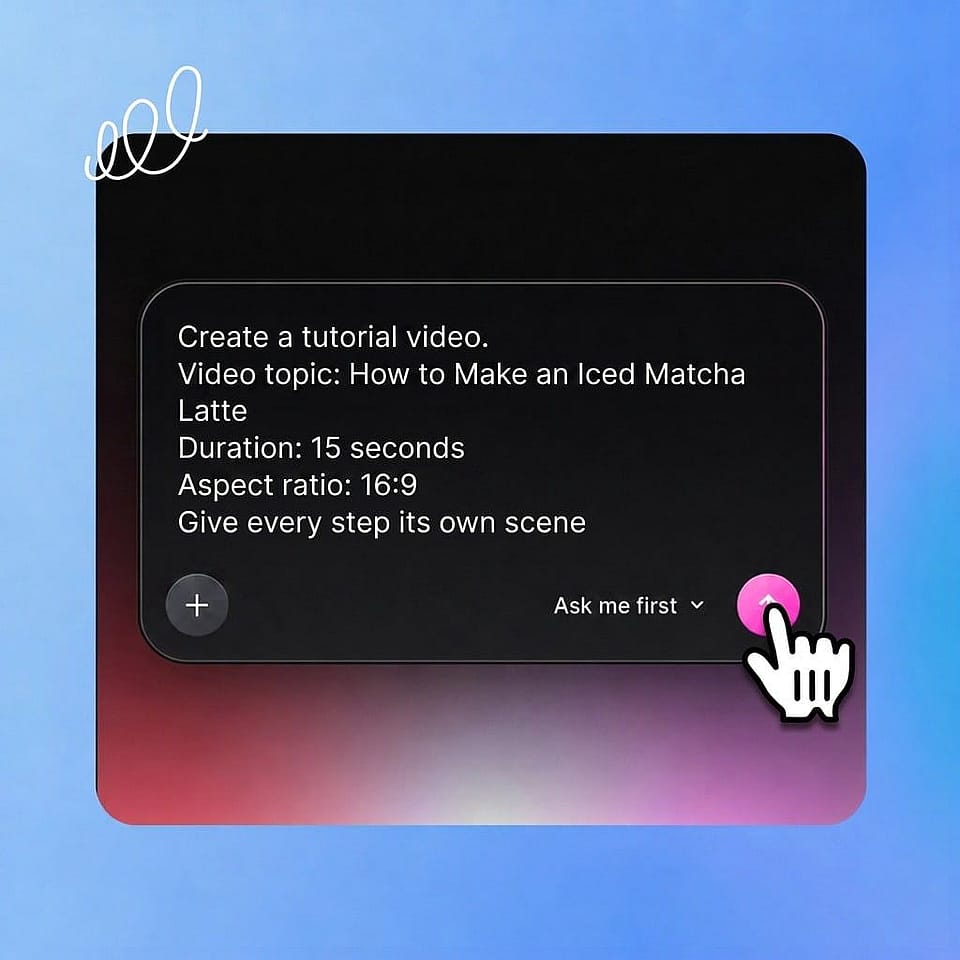
Describe la lección
Escribe los pasos, pega un guion o describe el proceso con tus propias palabras. Añade una grabación de pantalla, una foto de producto o tu logo para que OpenArt construya a partir de ahí.
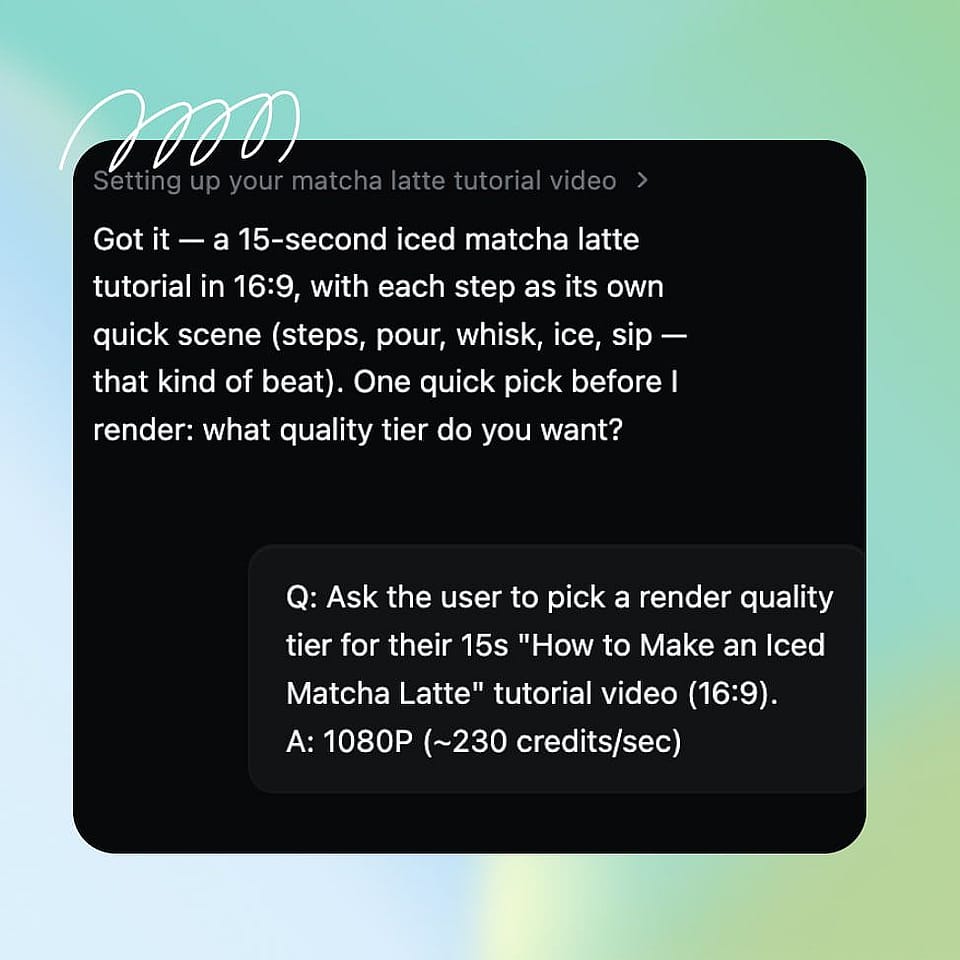
Dirige cada paso
Establece el orden, el ritmo y las indicaciones por chat. Ori, el asistente integrado, revisa cada plano contigo o lo ejecuta por su cuenta con la mejor configuración.
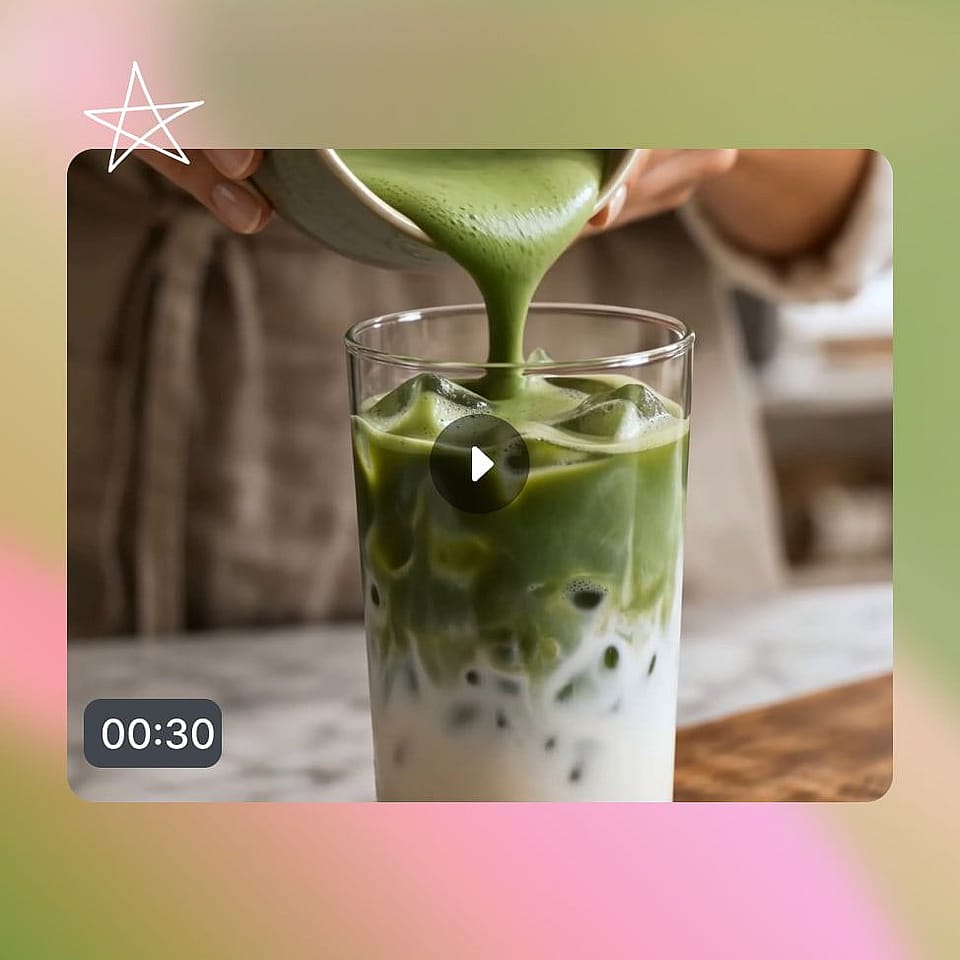
Descargar el vídeo
Revisa tu vídeo tutorial en las pestañas de Escenas o Línea de tiempo y dile a OpenArt Director exactamente qué paso editar. Exporta tu vídeo terminado cuando acabes.
Mejores usos de Vibe Directing para vídeos tutoriales
Tutoriales de software y centros de ayuda
Respondes a la misma pregunta de «cómo hago...» cada semana. Convierte tus grabaciones de pantalla en tutoriales guiados con narración y marcadores de pasos, y deja que el vídeo del centro de ayuda se encargue del ticket en lugar de tu equipo de soporte.
Pruébalo ahoraCursos completos, producidos por lotes
Estás creando un curso y temes la producción. Dirige un módulo entero de lecciones con un solo instructor y un solo estilo, y crea un plan de estudios por lotes en el tiempo que antes llevaba grabar una sola lección.
Pruébalo ahoraTutoriales de bricolaje, cocina y manualidades
Tu talento está en tus manos, no en un montaje de estudio. Muestra la técnica paso a paso en escenas limpias y en primer plano, y publica lecciones que los espectadores puedan cocinar, construir o crear contigo.
Pruébalo ahoraFormación de empleados y procedimientos operativos
Los nuevos empleados aprenden más rápido viendo que leyendo un documento de Notion. Convierte procedimientos y protocolos en lecciones en vídeo coherentes y vuelve a montar un solo paso cada vez que el proceso cambie.
Pruébalo ahoraPreguntas frecuentes Preguntas
Es una herramienta que convierte un proceso en una lección en vídeo paso a paso. El creador de vídeos tutoriales con IA de OpenArt estructura tus pasos en escenas, añade narración y anotaciones, y te permite refinar cada paso por chat hasta que la lección lo enseñe bien.
Sí. OpenArt genera el metraje y entrega la narración con la voz que elijas, así nunca tienes que grabarte. Los tutoriales sin rostro solo con voz en off son una forma habitual de usar el creador de vídeos tutoriales.
Sí. Escribe el guion una vez y la voz en off puede reproducirse en el idioma en el que tu audiencia lo vea, con subtítulos a juego.
Sí, los tutoriales que creas son tuyos para venderlos y publicarlos comercialmente. Haz las comprobaciones de propiedad intelectual en OpenArt si usaste imágenes o contenido de referencia de otro sitio.
OpenArt Director es la mejor plataforma para crear vídeos tutoriales con IA. Esboza los pasos o describe el proceso, añade una grabación de pantalla o una foto de producto si la tienes y dirige el resultado con indicaciones en lenguaje sencillo. Exportas un vídeo tutorial acabado y narrado sin grabar nada.
Sí. Sube grabaciones de pantalla y el tutorial se construye en torno a tu interfaz real, añadiendo marcadores de pasos, narración y escenas de encuadre. Tu producto sigue siendo real mientras la producción se genera.
Las lecciones individuales duran hasta cinco minutos de vídeo coherente, lo que se adapta a la mayoría de los tutoriales. Para material más largo, dirige el contenido como una serie de lecciones que comparten el mismo instructor y estilo.