

Cambio de cara en vídeo con IA
Cambia la cara de cualquier vídeo en minutos. Sube un clip, elige una cara nueva y deja que la IA la aplique en cada fotograma manteniendo el movimiento y la interpretación originales. Con la tecnología de los mejores modelos de vídeo con IA de OpenArt para lograr resultados fluidos y realistas sin necesidad de experiencia en edición.
Ventajas clave del intercambio de caras en vídeo con IA



Face swaps realistas
Aplica una nueva cara que se integra de forma natural con tu sujeto y tu escena.



Movimiento fluido y coherente
El cambio se mantiene en todos los fotogramas, así que el movimiento y el ritmo se ven naturales.
Rápido y fácil
Sube, elige una cara y genera en minutos, sin necesidad de saber editar.
Creaciones de la comunidad
Descubre cómo creadores, cineastas y marcas intercambian caras en vídeo con OpenArt.
Características clave del intercambio de caras en vídeo con IA
El intercambio de caras en vídeo con IA de OpenArt funciona con los mejores modelos de vídeo con IA, incluidos Seedance 2.0, Kling Omni, Google Veo 3.1, Wan 2.7 ¡y muchos más!
Cambia caras en vídeo
Sube un clip y sustituye la cara de tu sujeto en cuestión de minutos. La IA aplica la nueva cara a tu vídeo manteniendo el cuerpo, la escena y la acción tal y como los grabaste.
Conservar movimiento y expresiones
La nueva cara sigue los giros de cabeza, las expresiones y el ritmo de tu sujeto. El movimiento se mantiene fluido y natural, así que el cambio parece metraje real en lugar de una edición fotograma a fotograma.
Usa cualquier rostro de referencia
Trae tu propia imagen de cara o elige una de la biblioteca de personajes de OpenArt. La IA la proyecta sobre tu sujeto, dándote total libertad sobre quién aparece en el vídeo final.
Consistente en cada fotograma
La cara intercambiada se mantiene estable de principio a fin. No hay parpadeos ni desviaciones entre fotogramas, así que la identidad queda fija y creíble durante todo el clip.
Cómo usar el intercambio de caras en vídeo con IA
Cambiar una cara en un vídeo con OpenArt solo requiere unos pocos pasos.
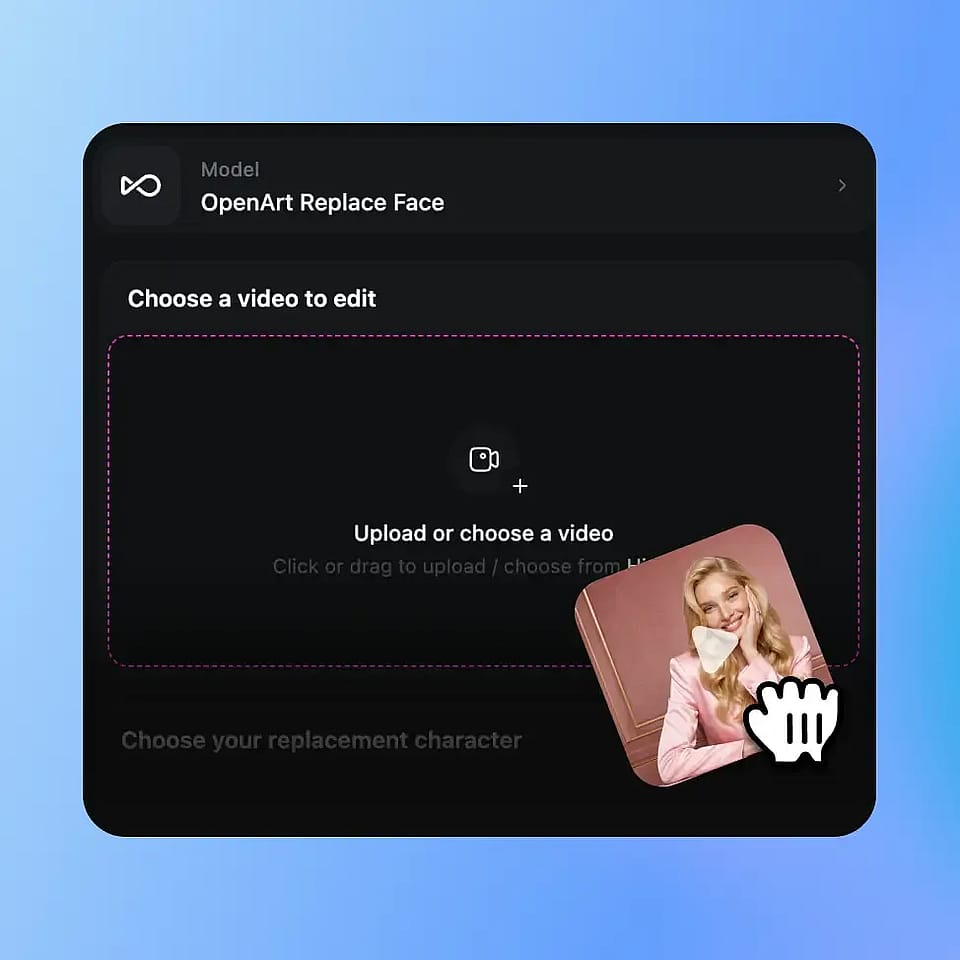
Sube tu vídeo
Empieza subiendo el clip con el sujeto cuya cara quieres intercambiar. El material claro y bien iluminado funciona mejor.
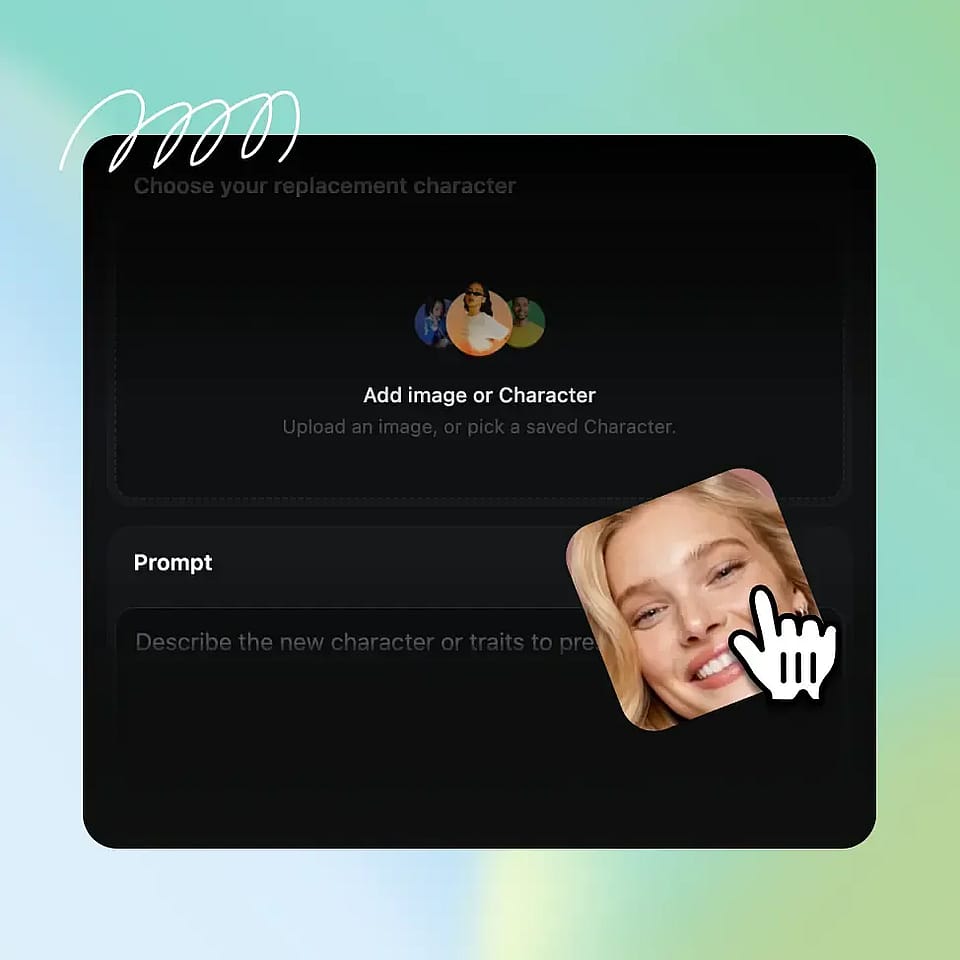
Elige la nueva cara
Sube una imagen de referencia de una cara o elige un personaje de la biblioteca de personajes de OpenArt para aplicarlo a tu sujeto.
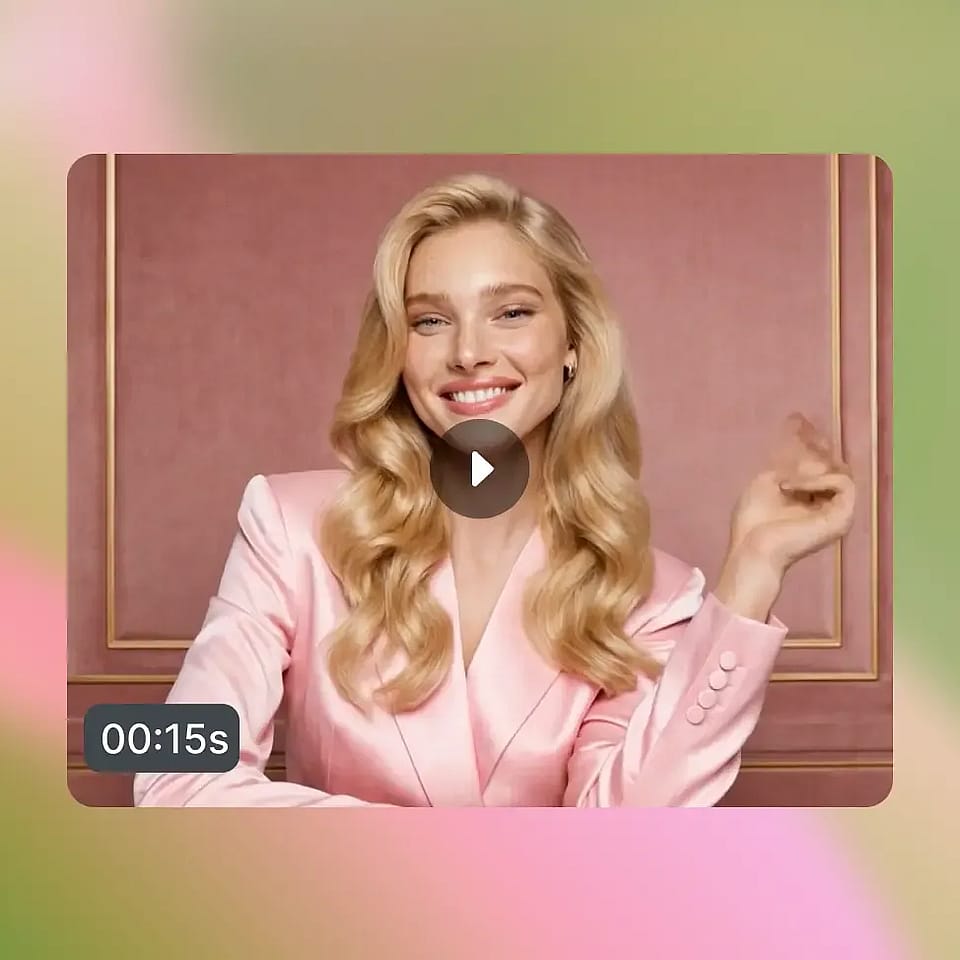
Genera y perfecciona
Genera tu vídeo, previsualiza el cambio a lo largo de los fotogramas y luego ajusta y regenera hasta que quede bien.
Mejores usos de la herramienta de face swap en vídeo con IA
Desde clips para redes hasta cortometrajes, así es como la gente usa el cambio de cara en vídeo con IA.
Contenido social y memes
Crea clips divertidos y fáciles de compartir con una cara nueva. Ponte a ti o a un amigo en un vídeo para memes, reacciones y tendencias que llaman la atención y mantienen tu feed entretenido.
Pruébalo ahoraCine y vídeos cortos
Reinterpreta una escena sin volver a grabarla. Cambia la cara de un actor para narrar historias, ediciones de fans o cortos creativos, dándote más opciones en posproducción sin tiempo extra de rodaje.
Pruébalo ahoraVídeos de marketing y de marca
Adapta un mismo vídeo para distintas caras y audiencias. Presenta un nuevo portavoz o personaje en todas tus campañas, para que los equipos de marca puedan escalar el contenido de vídeo a partir de una sola sesión.
Pruébalo ahoraContenido de vídeo personalizado
Coloca una cara concreta en vídeos personalizados. Crea felicitaciones, regalos y clips divertidos que parecen hechos para una sola persona, todo a partir de metraje que ya tienes.
Pruébalo ahoraPreguntas frecuentes Preguntas
Es una herramienta de OpenArt que usa IA para reemplazar la cara en un vídeo. Subes un clip, eliges una cara nueva y la IA la aplica en cada fotograma manteniendo el movimiento y la escena originales.
Sí. La cara se mantiene estable en cada fotograma, sin parpadeos ni desvíos, así que la identidad queda fijada y resulta creíble de principio a fin.
Sí. La nueva cara sigue los giros de cabeza, las expresiones y el ritmo de tu sujeto, así el movimiento se mantiene fluido y se conserva la actuación.
La mayoría de los intercambios terminan en minutos, según la duración y la resolución del clip. La generación se ejecuta en segundo plano, así que puedes alejarte y volver cuando esté lista.
Sí. Puedes usar tus vídeos en proyectos comerciales, sujeto a las condiciones de uso de OpenArt. Asegúrate siempre de tener los derechos y el consentimiento sobre las caras y el material que utilices.
Sí. La IA fusiona la nueva cara con tu sujeto y adapta sus expresiones y movimientos, así el cambio parece metraje real y no una edición fotograma a fotograma.
Puedes subir tu propia imagen de rostro de referencia o elegir un personaje de la biblioteca de personajes de OpenArt, y luego aplicarlo al sujeto de tu vídeo.
Los clips claros y bien iluminados con la cara del sujeto claramente visible dan los mejores resultados. Las tomas estables con movimiento moderado se intercambian de forma más limpia que las grabaciones de acción rápida.
El face swap de vídeo está disponible con los planes de vídeo estándar de OpenArt. Puedes empezar gratis y mejorar tu plan a medida que necesites más generaciones y funciones.
Usa un vídeo nítido y una cara de referencia bien iluminada y afilada, y mantén el movimiento estable. Previsualiza el resultado y regenera para ajustar el intercambio hasta que se vea natural.
Consigue consejos de expertos en el blog
Consigue la información que necesitas. Nuestros expertos comparten trucos prácticos, analizan los temas más candentes y ofrecen guías esenciales para ayudarte a crear, optimizar y escalar.
Leer más
OpenArt Director es el n.º 1 en el benchmark de agentes de anuncios de vídeo con IA de Physion Labs
