

MiniMax H3 — Modelo de generación de vídeo
Genera hasta 15 segundos de vídeo nativo en 2K con audio y diálogos sincronizados usando MiniMax H3. Cambia a la variante H3 Max para una estética más nítida y un mayor apego al prompt. Añade referencias multimodales para fijar el personaje, el estilo y la voz en cada toma.

Creaciones de la comunidad
Descubre lo que están creando otros usuarios con MiniMax H3 y H3 Max en OpenArt. Explora los vídeos de la comunidad e inspírate para tu primera generación.
Funciones clave de MiniMax H3
Genera vídeo nativo en 2K y con gran nitidez
Ya empieces desde un prompt escrito en texto a vídeo o desde una imagen de referencia en imagen a vídeo, MiniMax H3 renderiza en 2K completo dentro del propio modelo, sin una fase de mejora aparte. Ambos modos te dan el mismo resultado nítido, que aguanta en pantallas grandes o para entregas con especificaciones de alta resolución.
Pruébalo ahoraConsigue un movimiento cinematográfico auténtico
MiniMax H3 genera a unos fijos 24 fotogramas por segundo, la misma cadencia con la que se graban el cine y las emisiones, así que tu clip encaja en una línea de tiempo real sin necesidad de conformado ni mezcla de fotogramas. La variante posentrenada H3 Max ofrece una consistencia temporal aún mayor y mantiene el movimiento estable durante toda la toma.
Pruébalo ahoraGenera hasta 15 segundos
MiniMax H3 amplía de Hailuo la duración de la generación de vídeo hasta 15 segundos y genera varios planos dentro de un mismo clip. El modelo H3 Max genera esos mismos 15 segundos con una entrega aún más rápida. Además, puedes usar la herramienta Extender vídeo de OpenArt para estirarlo hasta los 30 segundos.
Pruébalo ahoraMantén un personaje coherente
MiniMax H3 acepta hasta nueve imágenes de referencia, tres clips de vídeo de referencia y tres clips de audio en una sola generación, y mantiene el rostro, el estilo, el movimiento y la voz del personaje en cada toma. Combínalo con un personaje guardado de OpenArt Characters para mantener a la misma persona a lo largo de toda una secuencia.
Pruébalo ahoraEdita vídeos chateando
MiniMax H3 acepta instrucciones de edición sobre una generación existente y las aplica a personajes, objetos, escenas, sonido o ritmo. La edición y el apego al prompt son aún más precisos en H3 Max. Cambia el color de una chaqueta, sustituye el fondo o reajusta el tiempo de la acción describiendo el cambio con palabras, todo dentro del mismo Generador de vídeo con IA.
Pruébalo ahoraConsigue audio totalmente sincronizado
MiniMax H3 y H3 Max producen diálogos, efectos de sonido y ambiente de la sala junto con el vídeo en una sola pasada, sincronizados con lo que ocurre en pantalla. El habla encaja con el movimiento de los labios y el cristal cruje al romperse, así que te ahorras el paso aparte de diseño de sonido en los trabajos de formato corto.
Pruébalo ahoraCómo usar MiniMax H3 y H3 Max
Tres pasos te llevan de un prompt en blanco a tu primer clip.
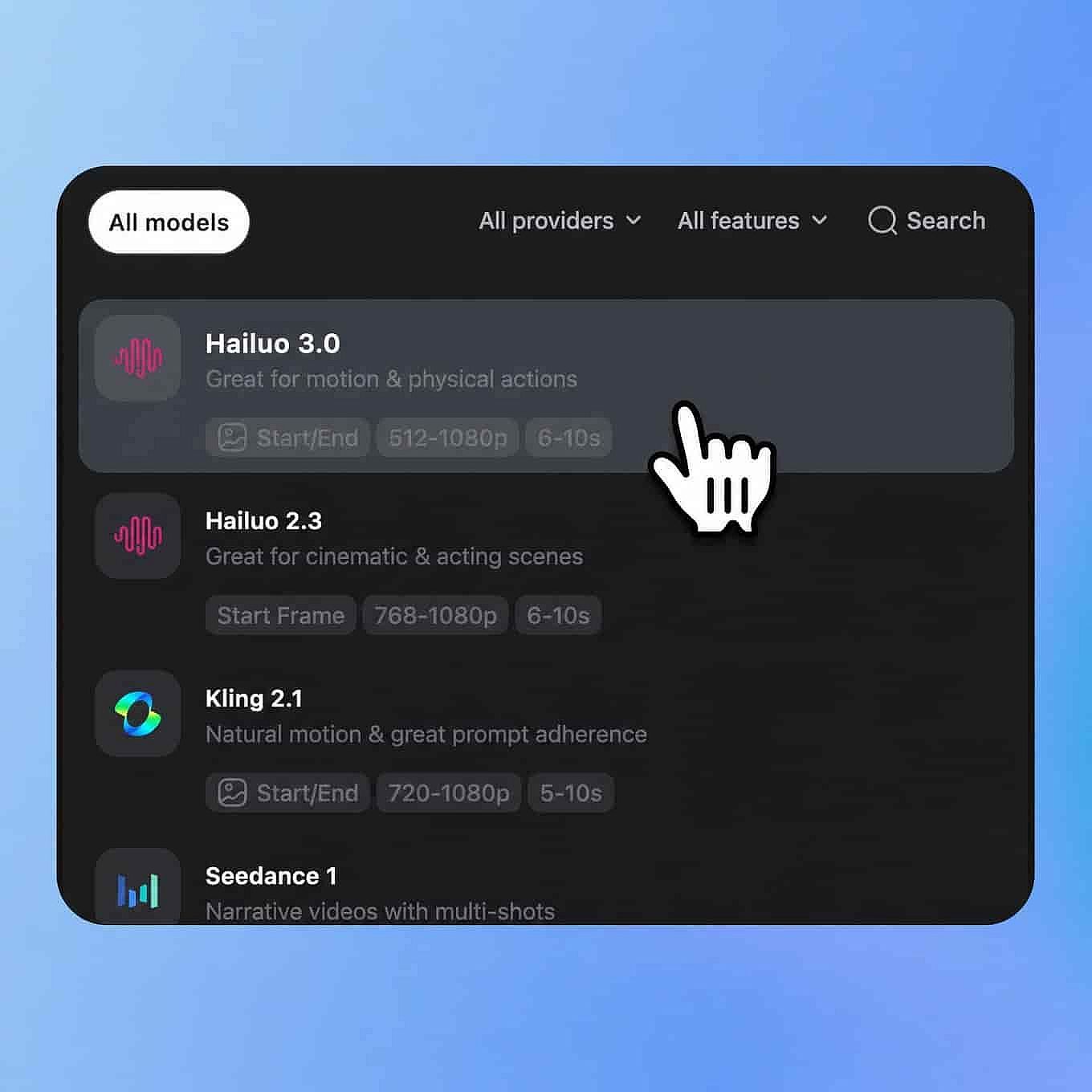
Elige tu modelo
Abre las herramientas de vídeo de OpenArt y selecciona MiniMax H3 (o H3 Max) en el menú de modelos.
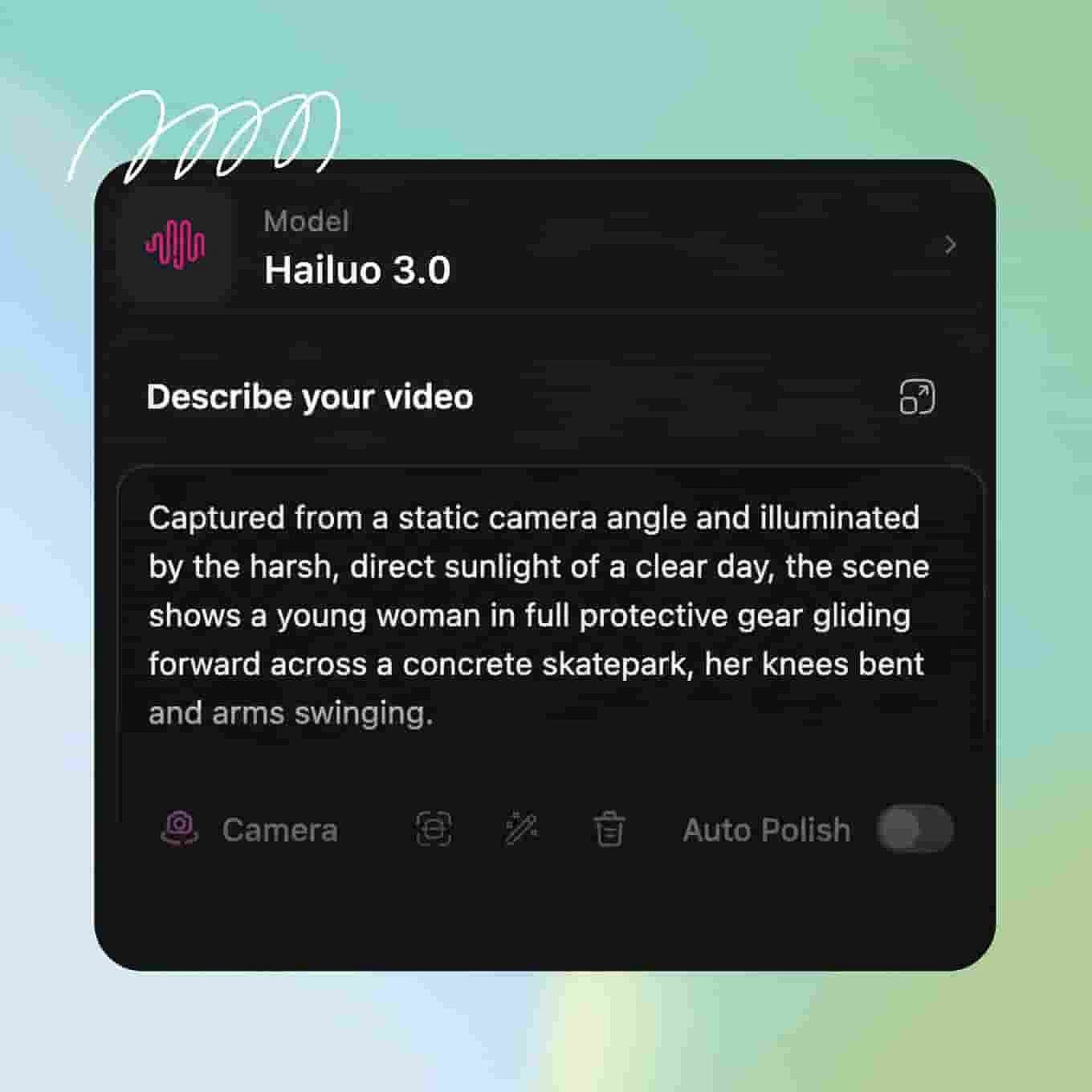
Escribe el prompt y añade referencias
Describe tu sujeto, la acción, el movimiento de cámara y la iluminación, y detalla el diálogo y los sonidos que quieres.
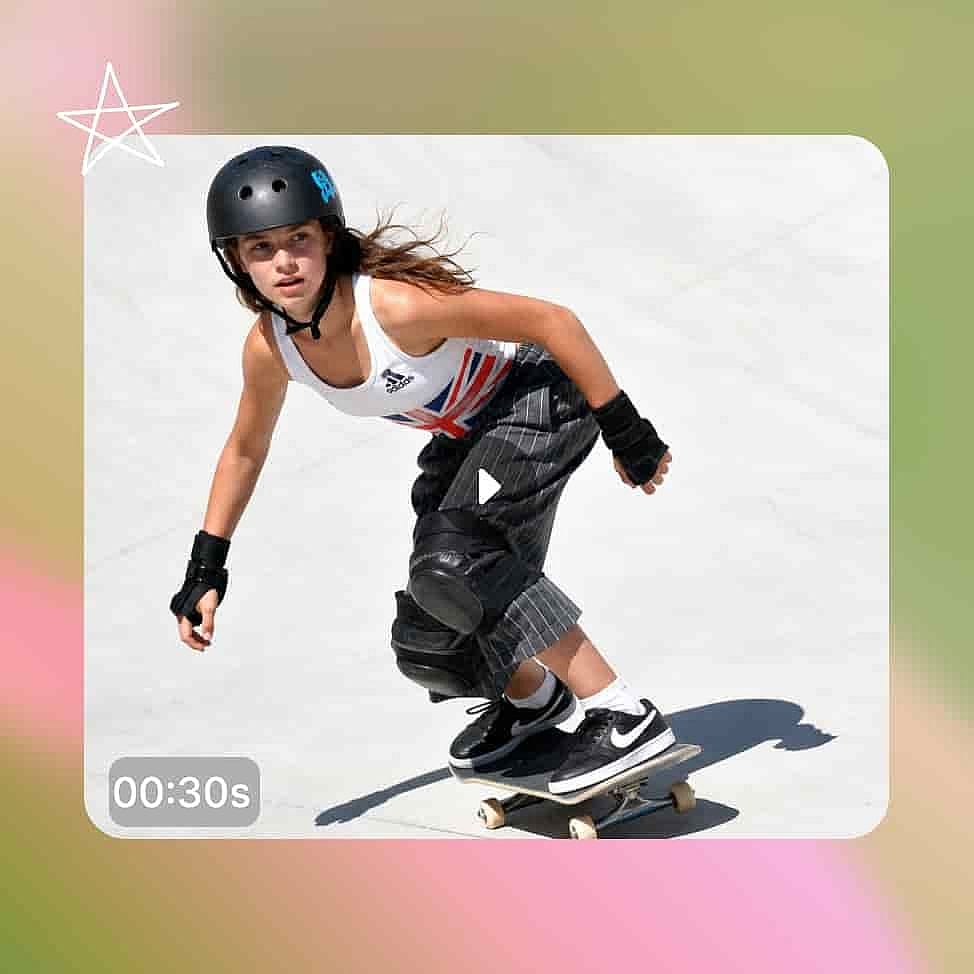
Genera y exporta
Define la duración y la relación de aspecto, luego genera y revisa el clip con el sonido activado. Descárgalo cuando termines.
Diseñado para vídeo más largo y más nítido
Creatividades publicitarias más largas
Un spot completo necesita una apertura, un momento de producto y un fotograma de cierre. Con 15 segundos y varias tomas en una sola generación, tu iluminación y la apariencia del producto se mantienen consistentes del primer al último fotograma, así que revisas un solo clip en vez de cuadrar tres por separado en un editor.
Pruébalo ahoraEscenas de acción y cine
La iluminación, la atmósfera, la coreografía de cámara y la interpretación deben estar en sintonía para que una toma parezca cine y no un simple clip. MiniMax H3 y H3 Max resuelven todo eso en una sola pasada de generación y graban a 24 FPS, lo que los hace ideales para previsualización, películas de ambiente y escenas de acción.
Pruébalo ahoraNarrativa impulsada por personajes
Un cortometraje necesita que la misma persona aparezca en un plano general, un primer plano y un perfil sin que su cara ni su voz cambien. MiniMax H3 mantiene la identidad del personaje a partir de tus recursos de referencia y genera varios planos por clip, de modo que una escena completa con movimientos de cámara y un final entra de una sola vez.
Pruébalo ahoraProducción de contenido comercial
Los listados de e-commerce, las redes de marca, los tráilers de videojuegos y el motion design de interfaces esperan un máster limpio en alta resolución. La generación nativa en 2K te da un archivo que cumple esa especificación sin pasar por un escalador de vídeo con IA, y MiniMax H3 maneja fácilmente los textos superpuestos, los elementos de marca y las presentaciones de producto.
Pruébalo ahoraConsejos para obtener los mejores resultados

Nombra tu movimiento de cámara en el prompt
Describe el movimiento con lenguaje profesional de cámara, por ejemplo «órbita lenta hacia la derecha» o «plano de seguimiento a cámara en mano». La IA sigue el lenguaje de cámara mientras genera, así que nombrar el movimiento te da una trayectoria de cámara más consistente que describir solo la escena.

Perfecciona con una instrucción de edición
Cuando una generación se queda cerca pero hay un detalle que no encaja, envía una instrucción de edición en lugar de empezar un prompt nuevo desde cero. Editar el clip existente conserva el encuadre, la iluminación y la interpretación que ya aprobaste y solo cambia la parte que indiques.

Sube una referencia nítida para trabajar personajes
Para cualquier persona recurrente, usa imágenes de referencia con iluminación uniforme, un ángulo de cara frontal y sin nada que cubra los rasgos, y añade un clip de audio limpio para la voz. La consistencia funciona a partir de los datos de esas referencias, así que un perfil o una grabación con ruido le dan al modelo menos con lo que trabajar.
Adorado por los creadores
He probado muchas plataformas de IA... pero OpenArt sigue siendo la mejor para crear personajes, por la calidad de imagen a vídeo y por la variedad de modelos disponibles.
OpenArt ofrece una excelente variedad de herramientas de IA... una vez que aprendes las funciones, las posibilidades creativas son increíbles, y su equipo de soporte es excepcional.
OpenArt es una plataforma de IA muy versátil con muchos modelos de imagen y vídeo, creación de personajes consistentes y potentes herramientas de edición.
Herramientas útiles de IA en un solo lugar: generación de imágenes y vídeo, edición y mucho más... sin necesidad de varias suscripciones.
El servicio de atención al cliente siempre es rápido y útil... y la plataforma no deja de mejorar con nuevas funciones y herramientas.
He probado muchas plataformas de IA... pero OpenArt sigue siendo la mejor para crear personajes, por la calidad de imagen a vídeo y por la variedad de modelos disponibles.
OpenArt ofrece una excelente variedad de herramientas de IA... una vez que aprendes las funciones, las posibilidades creativas son increíbles, y su equipo de soporte es excepcional.
OpenArt es una plataforma de IA muy versátil con muchos modelos de imagen y vídeo, creación de personajes consistentes y potentes herramientas de edición.
Herramientas útiles de IA en un solo lugar: generación de imágenes y vídeo, edición y mucho más... sin necesidad de varias suscripciones.
El servicio de atención al cliente siempre es rápido y útil... y la plataforma no deja de mejorar con nuevas funciones y herramientas.
He probado muchas plataformas de IA... pero OpenArt sigue siendo la mejor para crear personajes, por la calidad de imagen a vídeo y por la variedad de modelos disponibles.
OpenArt ofrece una excelente variedad de herramientas de IA... una vez que aprendes las funciones, las posibilidades creativas son increíbles, y su equipo de soporte es excepcional.
OpenArt es una plataforma de IA muy versátil con muchos modelos de imagen y vídeo, creación de personajes consistentes y potentes herramientas de edición.
Herramientas útiles de IA en un solo lugar: generación de imágenes y vídeo, edición y mucho más... sin necesidad de varias suscripciones.
El servicio de atención al cliente siempre es rápido y útil... y la plataforma no deja de mejorar con nuevas funciones y herramientas.
Con tantas plataformas de IA por ahí, OpenArt destacó como una opción excelente; se la recomendaría a cualquier creador.
Esta plataforma incluye todo lo que necesitas para crear contenido con IA: imágenes, vídeo, personajes, audio y múltiples modelos de IA en un solo lugar.
OpenArt está superando los límites de la creación de vídeo con IA... y está claro que el equipo se compromete a mejorar la experiencia de los creadores.
Hice mi primer videoclip musical con IA con OpenArt... y su equipo de soporte fue la mejor ayuda que he tenido nunca.
Estoy muy contento con el soporte: mi problema se resolvió rápido y el equipo hizo que todo fuera fácil.
Con tantas plataformas de IA por ahí, OpenArt destacó como una opción excelente; se la recomendaría a cualquier creador.
Esta plataforma incluye todo lo que necesitas para crear contenido con IA: imágenes, vídeo, personajes, audio y múltiples modelos de IA en un solo lugar.
OpenArt está superando los límites de la creación de vídeo con IA... y está claro que el equipo se compromete a mejorar la experiencia de los creadores.
Hice mi primer videoclip musical con IA con OpenArt... y su equipo de soporte fue la mejor ayuda que he tenido nunca.
Estoy muy contento con el soporte: mi problema se resolvió rápido y el equipo hizo que todo fuera fácil.
Con tantas plataformas de IA por ahí, OpenArt destacó como una opción excelente; se la recomendaría a cualquier creador.
Esta plataforma incluye todo lo que necesitas para crear contenido con IA: imágenes, vídeo, personajes, audio y múltiples modelos de IA en un solo lugar.
OpenArt está superando los límites de la creación de vídeo con IA... y está claro que el equipo se compromete a mejorar la experiencia de los creadores.
Hice mi primer videoclip musical con IA con OpenArt... y su equipo de soporte fue la mejor ayuda que he tenido nunca.
Estoy muy contento con el soporte: mi problema se resolvió rápido y el equipo hizo que todo fuera fácil.
Preguntas frecuentes Preguntas
MiniMax H3 (también llamado inicialmente Hailuo 3.0) es el último modelo de vídeo insignia de MiniMax, el laboratorio detrás de Hailuo 02 y Hailuo 2.3. El modelo ofrece generación nativa en 2K a 24 FPS, clips de 5 a 15 segundos, texto a vídeo e imagen a vídeo, soporte de referencia omni para entradas de imagen, vídeo y audio, narrativa multiplano, edición basada en instrucciones y generación de audio sincronizado.
Hailuo 2.3 genera clips en 1080p de hasta unos 10 segundos a partir de un prompt de texto o una sola imagen. MiniMax H3 da el salto al 2K nativo con clips de hasta 15 segundos, y añade entradas de omnirreferencia, edición basada en instrucciones, narrativa multitoma y audio sincronizado, además de la calidad de movimiento humano que ya tiene Hailuo 2.3.
Sí. MiniMax H3 admite edición basada en instrucciones, así que puedes ajustar personajes, objetos, escenas, sonido y ritmo en una generación terminada describiendo el cambio con palabras. Eso te permite iterar sobre un clip aprobado en lugar de regenerarlo desde el prompt.
MiniMax H3 genera 2K nativo a 24 FPS. Puedes elegir 21:9, 16:9, 4:3, 1:1, 3:4 o 9:16, o dejar la relación adaptativa para que el modelo elija el encuadre que mejor se ajuste a tu prompt.
H3 Max es una versión mejorada y ajustada del modelo base MiniMax H3 por Fal, creada para afinar la precisión de los prompts y la estética visual. Admite generación basada en texto, imagen (con un fotograma final opcional) y referencias multimodales (mezclando entradas etiquetadas de imagen, vídeo y audio) para clips de hasta 15 segundos a 480p o 768p.
Estos modelos funcionan solo con un prompt de texto, con una imagen de fotograma inicial o final, o con recursos de referencia. Puedes aportar hasta 9 imágenes de referencia, hasta tres clips de vídeo de referencia y hasta tres clips de audio de referencia en una sola generación, y el modelo los usa como guía de estilo, personaje, movimiento o voz sin forzarlos como fotogramas clave.
Sí. Los diálogos, los efectos de sonido y el ambiente del entorno se generan junto con el vídeo en la misma pasada y se sincronizan con la acción en pantalla, lo que elimina el paso de audio aparte en la mayoría de proyectos de formato corto.