限时优惠!年度套餐低至 27% 折扣,开启一整年无限创作。

查看套餐 ›

URL to Video

URL to Video 能在 OpenArt 上将任意网页链接转换成视频。粘贴博客文章、产品页面或视频 URL,然后描述你想制作的视频或想要的改动。聊天模式和 OpenArt Director 中均可使用。

试试 URL to Video

URL to Video 生成工具的优势

任何链接都适用

URL to Video 能把任意网页——从博客文章、亚马逊商品页面到 YouTube 视频——变成一支全新的视频。

由你的描述说了算

你输入想要的视频效果,URL to Video 便会围绕你的指令生成视频。

适用于你自己的视频

URL to Video 还能以你粘贴的链接内容作为参考,来修改和编辑你上传的视频。

URL to Video 生成器的核心功能

把任意网页变成视频

URL to Video 会读取你粘贴的页面,并根据其中的内容生成视频。给 URL to Video 一篇博客文章,要求生成一支简短讲解视频;给它一个产品页面,要求生成一支广告。视频呈现什么、看起来如何,都由你决定。

用链接引导全新视频

URL to Video 可将链接作为参考来创作全新内容。粘贴你喜欢其视觉风格的视频或页面,然后描述你自己的主题,URL to Video 就会朝那个方向生成一个全新视频。展示范例比用文字描述风格要快得多。

把链接中的产品放进你的视频里

URL to Video 可以修改你已有的视频。上传你的视频,粘贴一个产品页面,要求把视频里的产品换成链接中的那款。你的镜头保持不变,只有产品发生变化。这样你的第一支视频就能继续用来推广下一件商品。

从一个链接获得不同的视频

URL to Video 让一个链接能产出你想到的任意多支视频。粘贴你的落地页,要求生成一支沉稳高端的广告;再粘贴同一个页面,要求生成一支快节奏、活泼俏皮的版本。每条指令都会生成各自的视频,方便你测试哪一个效果更好。

如何使用 URL to Video 创作工具

URL to Video 在聊天模式和 OpenArt Director 中的使用方式完全相同。
Paste your link
第 01 步

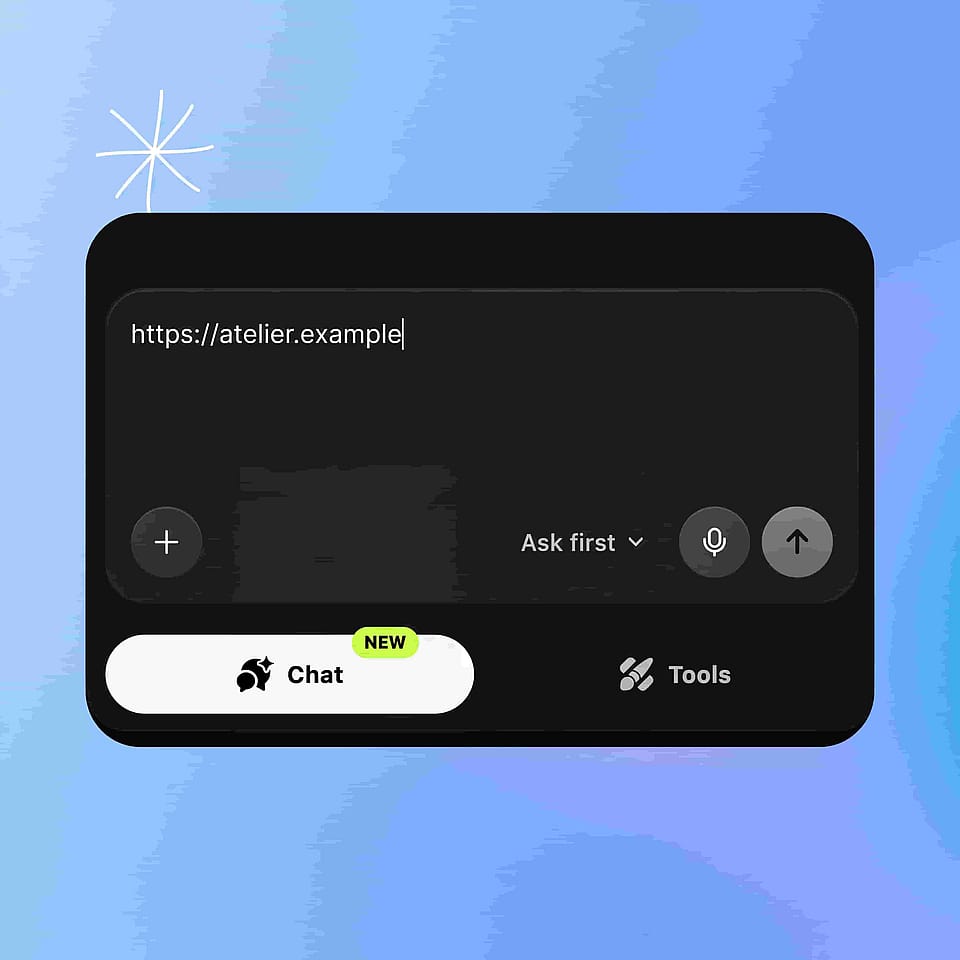
粘贴你的链接

打开聊天模式或 OpenArt Director,将 URL 粘贴到消息框中。如果你想让 URL to Video 修改你的视频,也可以一并上传。
Describe what you want
第 02 步

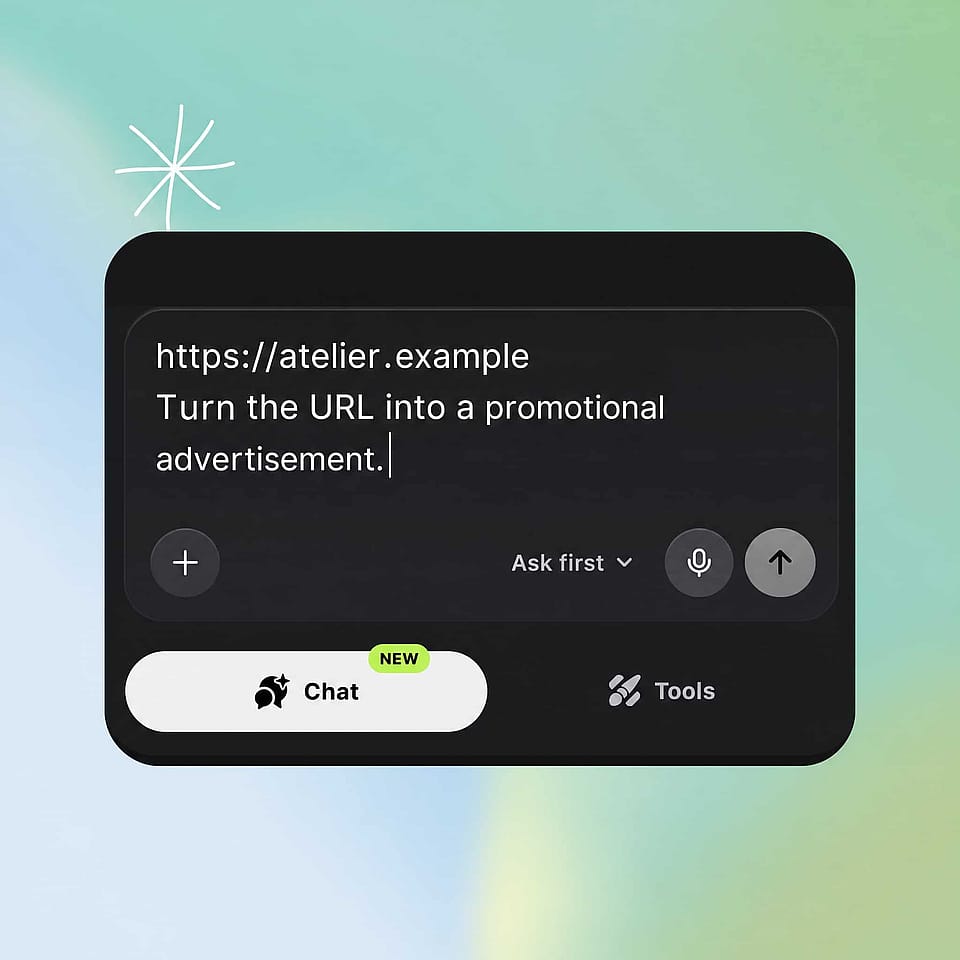
描述你想要的效果

输入你想制作的视频,或你想对上传视频所做的改动。

Review and download
第 03 步

查看并下载

看看视频效果,然后调整指令,再生成另一个版本。

URL to Video Maker 的最佳用途

推广你已在线上架的商品

小微企业主和网店卖家用 URL to Video 把现成的商品列表变成视频。粘贴产品页面,要求生成一支广告。上新商品时,把它的链接连同旧视频一起粘贴,要求替换其中的产品,你的第一支视频就能一并覆盖下一件商品。

立即试用

将你发布的文章变成视频

内容和 SEO 团队用 URL to Video 为博客文章增添第二种呈现形式。粘贴文章,要求生成一支适合社交平台的简短讲解视频;再粘贴同一篇文章,从不同角度面向不同受众。你已发布的文字无需重新立项,就能变成视频。

立即试用

用你自己的页面制作营销视频

营销人员和代理商用 URL to Video 从已有的活动页面制作视频。粘贴落地页并描述活动所需的广告。再要一个语气不同的版本,然后对比两者。你的页面和指令会将整场活动带入视频。

立即试用

用你喜欢的链接制作内容

创作者用 URL to Video 在自己收藏的页面和视频上进行再创作。粘贴一篇关于你感兴趣话题的文章,要求生成一支俏皮的视频;粘贴一支你喜欢其风格的视频,然后描述你自己的版本。你找到的链接就此变成可以直接使用的起点。

立即试用

常见问题 问题

URL to Video 是 OpenArt 的一项功能,可将网页链接变成视频。你粘贴任意 URL,比如博客文章、产品页面或 YouTube 视频,然后描述想要的视频。URL to Video 在聊天模式和 OpenArt Director 中均可使用。
URL to Video 支持任意网页 URL。博客文章、新闻资讯、产品页面(包括亚马逊商品页)、YouTube 视频、其他视频链接以及普通网页都可以使用。这些页面类型只是举例,并非固定清单,所以即便某类页面没有列出,也值得一试。
可以。上传你的视频,粘贴一个链接,然后描述想要的改动。最直观的例子就是替换产品:把一个亚马逊商品页面连同你的视频一起粘贴,要求 URL to Video 把视频里的产品换成链接中的那款。
不需要。你只需用自己的话写一条指令,描述想要的视频即可。类似「把这篇博客变成一支面向新手的简短讲解视频」这样的一句话,就足以让 URL to Video 开工。
OpenArt 的免费试用为期七天,赠送 40 积分,无需信用卡,作品也不带水印。试用结束后,每天仍会继续发放免费积分。
URL to Video 依托两个要素:链接和你的指令。链接为 OpenArt 提供内容,你的指令则说明如何处理这些内容。你可以让 URL to Video 将页面转换成视频、以页面作为新视频的参考,或修改你上传的视频。
可以。把 YouTube URL 粘贴进 URL to Video,然后描述你的需求。你可以要求根据该 YouTube 视频的内容生成一支视频,也可以把这个 YouTube 链接作为参考,来制作一支关于你自己主题的新视频。
可以。URL to Video 会根据你的指令来生成视频,所以同一个链接能产出截然不同的视频。粘贴一个落地页,要求生成一支沉稳高端的广告;再粘贴同一个页面,要求生成一支快节奏、俏皮活泼的版本。
URL to Video 可在聊天模式和 OpenArt Director 中使用。两者的操作相同:将链接粘贴到消息框中,输入你想要的内容即可。Director 有时也称为 Director 模式,两个名称指的是同一个地方。
URL to Video starts from something that already exists, so you write less. Paste the product page and OpenArt already has the product. Your instruction then only has to cover what the video should do with it. Internal SEO Targets (strip before publishing) Primary keyword: url to video (1,900 volume, KD 13) Secondary keywords: * url to video converter (1,091, KD 21) * convert url to video (126, KD 10) * link to video generator (90, KD 32) * url to video ai (70, KD 21) * website to video (58, KD 22) * blog to video (50, KD 4) * url to video generator (40, KD 22) * url to video free (40, KD 11) * url to video maker (30, KD 11) Long-tail queries answered: * how does url to video work * what kinds of links work with url to video * can I turn a YouTube link into a video * do I need to write a script for url to video * can I try url to video for free Keywords deliberately skipped: "link to video" (5,287) and "youtube link to video" (1,230) both return navigational intent, so the volume is not available to this page. Higgsfield's twelve-variant long-tail farm (recipe to video, real estate to video, tweet to video) was checked in Gauge and returned no usable volume. In-body internal links used: * https://openart.ai/ai-video-generator/ (深度解析简介)* https://openart.ai/features/chat-mode/ (操作指南简介,常见问题)* https://openart.ai/features/director/ (How-To intro, FAQ) Internal Notes (strip before publishing) Source of every capability claim: the URL to Video entry in openart-video-tools.md, which was written from the September 15, 2026 product marketing doc. The doc's positioning was deliberately ignored per Sameer's instruction on September 21, 2026, because it is launch-framed rather than keyword-led. This page is evergreen: no "new", "introducing", or launch framing anywhere. Never add to this page: automatic script writing, voiceover or narration, captions or subtitles, avatars or presenters, translation inside this flow, Brand Kit inside this flow, batch conversion of multiple URLs, aspect-ratio resizing, or any duration, resolution, credit cost or plan figure. Every competitor URL-to-video page leads with that whole list, so it is the easiest thing to absorb by accident. Two lines that need a product check before publishing: 1. The deep-dive intro says URL to Video runs on the same video models as the AI video generator and names Seedance 2.5, Wan 3.0, Veo 3.1 and Kling Omni. The template calls for a model name-drop in this position, but the product doc does not confirm which models serve URL to Video specifically. Confirm or cut the model names. 2. The "Can I try URL to Video for free?" answer uses OpenArt's standard free trial terms (40 credits over seven days, no card, no watermark, daily free credits after). Plan access for URL to Video was listed as "to be supplied" in the product doc. Confirm URL to Video is included in the free trial, or replace the answer. Chat Mode page is unchanged. Chat Mode also reads a pasted URL, and its "Paste a link and get ads" block, "Make ads from a product page" use case and link FAQ all stay as they are. Sameer's call, September 21, 2026: Chat Mode is a different way to use OpenArt, and this page is the SEO-optimized one. Differentiator to protect in any rewrite: using a link to change a video the user already has. Higgsfield, HeyGen and Creatify are all one-directional, URL in and new video out. Product replacement from a listing into the user's own footage is unclaimed across the category, which is why it holds a full feature block and a use case here.

创作无极限

加入数千名创作者的行列,使用 OpenArt 生成精美的图像、视频等——全部集于一个平台。

免费开始使用 →