


 ChatGPT
 Perplexity
 Claude
 Gemini
印了 500 个盒子才发现 logo 太小,这种学习代价可不便宜。样机 prompt 让你先看到盒子的样子。
我们写了 40 个,从产品、Logo 样机到包装、周边和手机界面。大多数分组都包含可用你自己设计的 prompt,这样样机上展示的就是你实际的 Logo 或标签。
复制一个 prompt,然后在 OpenArt 的 AI 样机生成器。如需其他风格的 prompt,请参阅我们的指南: 最佳 AI 图像生成器 prompt.
要点总结
- 一个样机 prompt 需要包含物体以及你的设计在其上的位置。
- 要使用你自己的 Logo 或标签,请上传它并以「Keep my design exactly as it is.」开头。
- 与场景匹配的柔和阴影和光线会让样机看起来更真实。
- 让产品上的文字简短,并凑近检查。
- 下面每组都包含一张示例图片以及我们所用的 OpenArt 模型。
什么是样机 Prompt?
样机 prompt 描述的是一个物体,比如盒子或 T 恤,上面放着你的设计。它能在打印之前展示 logo 或标签在现实中的样子。
样机展示的是你的设计在某个物件上的效果。当你需要一张用于产品列表本身的照片时,请参阅我们的指南 亚马逊商品摄影 为你解答。
样机 Prompt 公式
大多数出色的样机 prompt 都遵循同样的顺序。填好每一部分,你就有了一个样机设计 prompt:
[your design and where it sits] + [object, material and color] + [setting and props] + [lighting] + [camera angle and framing] + [style]
- 你的设计及其所在位置。 如果你要上传标志或标签,先写「完全保留我的设计」,再说明放置位置,比如「放在袋子正面」。
- 物体、材质和颜色。 说明设计放在什么上面,比如"哑光白色咖啡袋"或"拉丝金属标牌"。
- 场景与道具。 说清楚它的位置,比如"放在浅橡木台面上,旁边摆着咖啡豆。"
- 光线。 选定一种光,比如「来自左侧的柔和窗光」。
- 相机角度与取景。 试试"45 度角,特写"或"俯拍平铺"。
- 风格。 以你想要的效果结尾,比如"干净、极简的产品照"。
保持顺序不变,换成你自己的细节,它就像一个简单的样机 prompt 生成器一样好用。
Keep my design exactly as it is. Place it on the front of a matte white coffee bag, standing on a light oak counter next to a few coffee beans. Soft window light from the left, gentle shadow, 45-degree angle, clean and minimal product photo.
按类型分类的样机 Prompt
我们按你要放置设计的载体对 prompt 进行了分组。每组都有一张示例图片以及我们使用的 OpenArt 模型。标注 “with your design” 的 prompt 需要你先上传自己的 logo 或产品照片。
产品样机 prompt
为什么有效:产品下方柔和的阴影会让你的眼睛觉得它真的放在某个表面上。
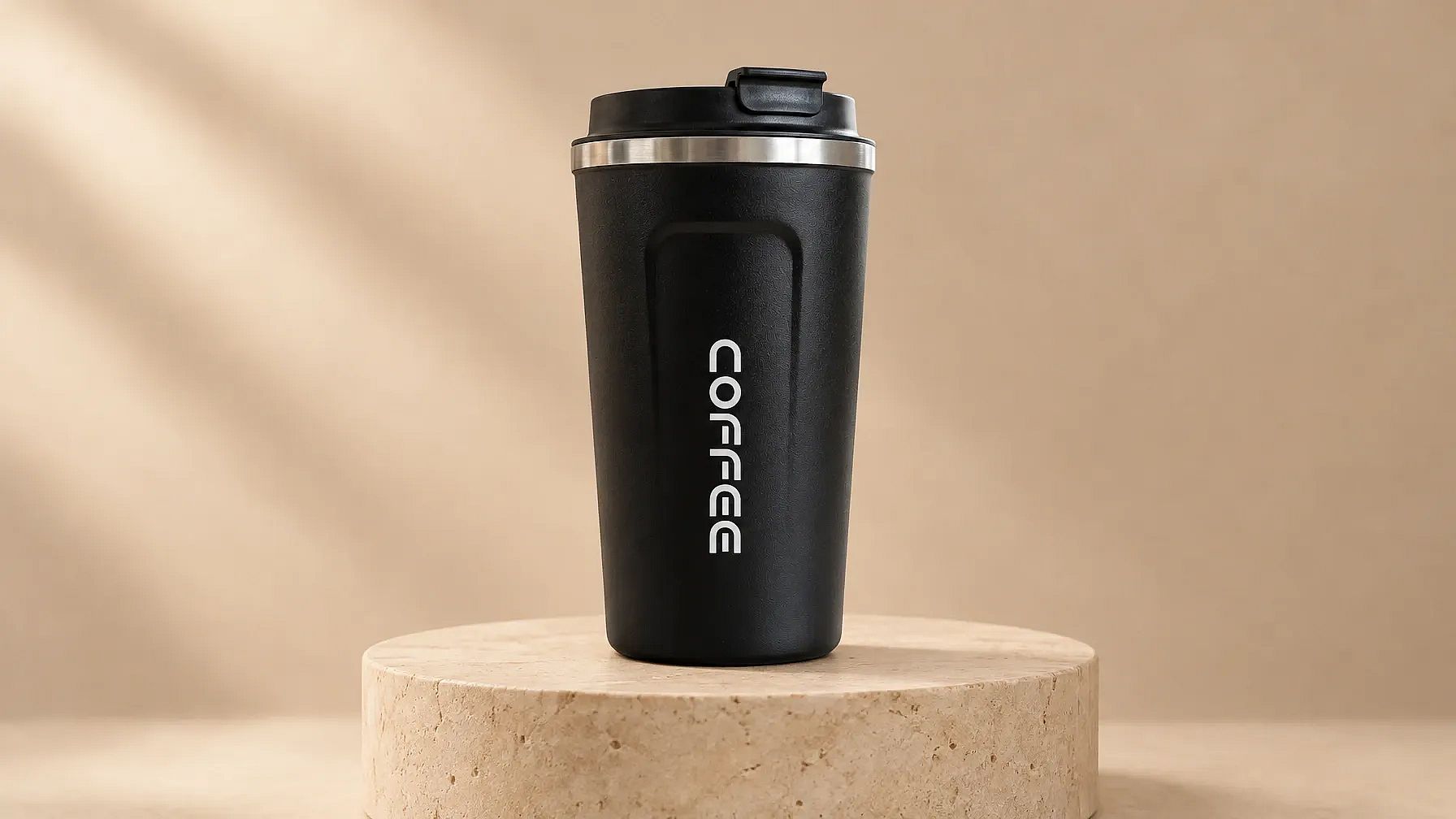
1. 石基座上的产品(带上你的设计)
Keep my product exactly as it is. Place it on a round beige stone plinth against a soft sand-colored backdrop. Soft studio light from the top left, gentle contact shadow, 45-degree angle.
2. 亚麻布上的平铺摆拍
Top-down flat lay product mockup of a skincare bottle on white linen, with dried eucalyptus, a small towel and a ceramic dish around it. Bright, even daylight, 1:1.
3. 3D 悬浮产品
3D product mockup of a sleek wireless speaker floating above a glossy surface with a clear reflection below it. Dark gradient background, soft rim light around the edges.
4. 厨房场景中的产品
Product mockup of a glass olive oil bottle with a blank label on a marble kitchen counter, next to fresh tomatoes and a wooden board. Warm morning light, shallow depth of field.
5. 手持产品(带你的设计)
Keep my product and its label exactly as they are. Show it held in one hand against a plain light background, label facing the camera. Natural skin tones, soft light, close-up.
Logo 展示样机 prompt
为什么有效:说明材质,比如拉丝金属或皮革,能告诉 AI 你的 logo 应该呈现什么样子。在 OpenArt 上试试这些 prompt AI logo 生成器.
6. 墙上的 3D 金属标牌(含你的设计)
Keep my logo exactly as it is. Turn it into a 3D brushed metal sign mounted on a smooth concrete wall in a modern office lobby. Soft spotlight from above, small shadow behind the letters.
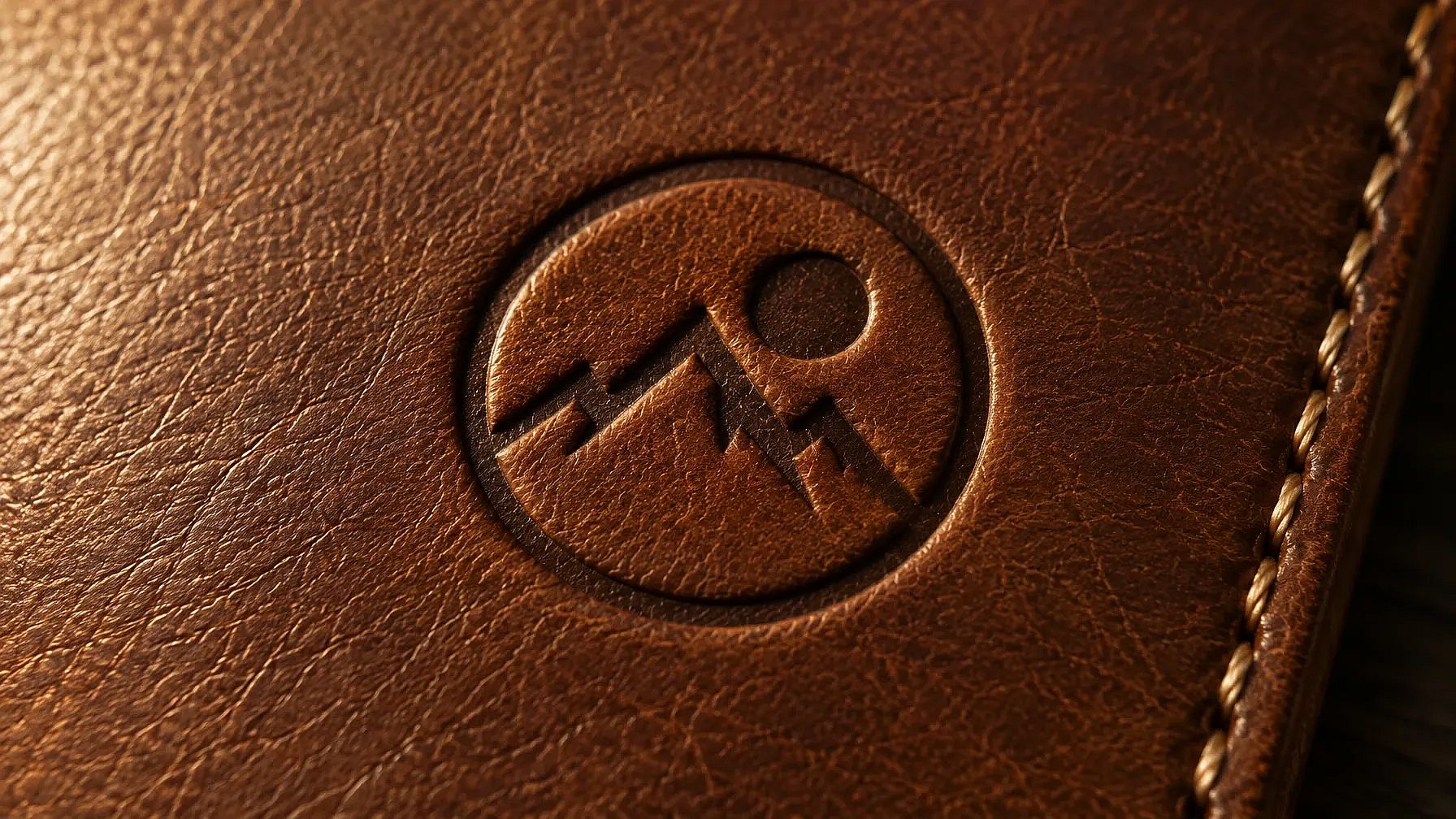
7. 皮革上的压印 Logo
Logo mockup of a simple round logo embossed into brown leather, close-up, with visible stitching along one edge. Warm side light that shows the depth of the emboss.
8. 磨砂玻璃门上的 logo
Logo mockup of a logo etched on a frosted glass office door, with a soft blurred office behind it. Cool daylight, straight-on view.
9. 店铺遮阳篷上的 Logo
Logo mockup of a small café storefront with a dark green awning and a cream logo printed on it. Street-level view, morning sun, a few potted plants by the door.
10. 信纸文具上的 logo(带你的设计)
Keep my logo exactly as it is. Place it on a letterhead, an envelope and a business card laid out on a light gray desk. Top-down view, soft even light.
包装与标签样机 prompt
为什么有效:当标签贴合容器形状时,包装看起来才真实,所以要指明形状,比如圆形罐子或高瓶子。
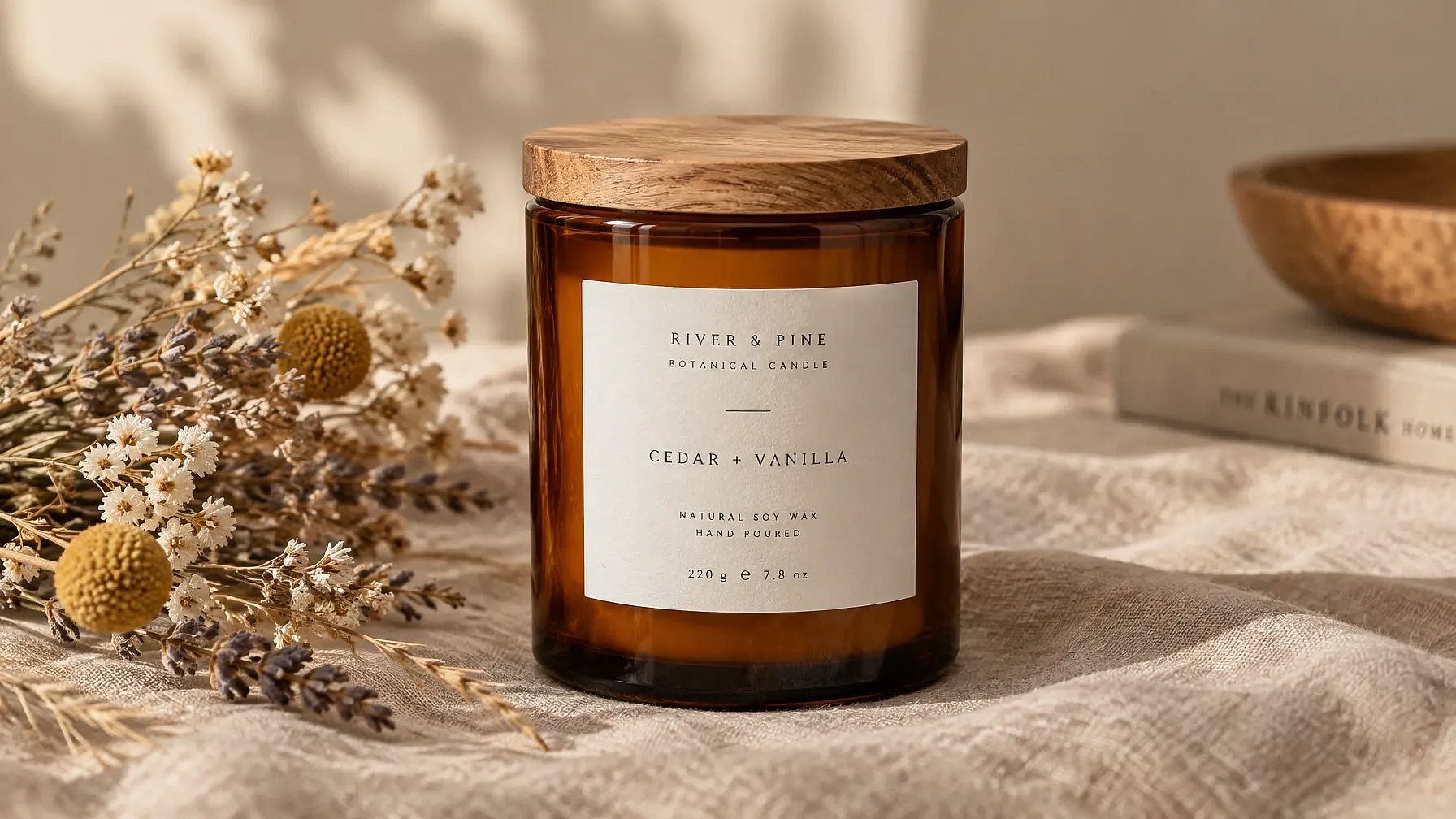
11. 奢侈品产品包装
Photorealistic mockup of a product packaging, elegant and sophisticated style, ideal for luxury brands.
12. 带包装标签的玻璃瓶(带上你的设计)
Keep my label design exactly as it is. Wrap it around a tall clear glass bottle with a cork stopper, standing on a dark wood shelf. Soft side light, small reflection on the glass.
13. 带极简标签的蜡烛罐
Packaging mockup of an amber glass candle jar with a minimal white label and a wooden lid, on a linen cloth next to dried flowers. Warm, soft light.
14. 化妆品罐与软管套装
Packaging mockup of a matching cosmetic jar and squeeze tube in soft pink with blank labels, on a white marble shelf. Bright, clean light, straight-on view.
15. 开口牛皮纸邮寄盒
Box mockup of an open kraft mailer box with white tissue paper inside and a small thank-you card on top, on a light wood table. Top-down view, soft daylight.
如需完整的包装设计,请查看我们的 包装设计 prompt,或试试 AI 包装设计生成器.
服装与周边样机 prompt
为什么有效:真实的布料会有褶皱,所以要主动要求。衬衫上平整完美的印花看起来像是硬贴上去的。
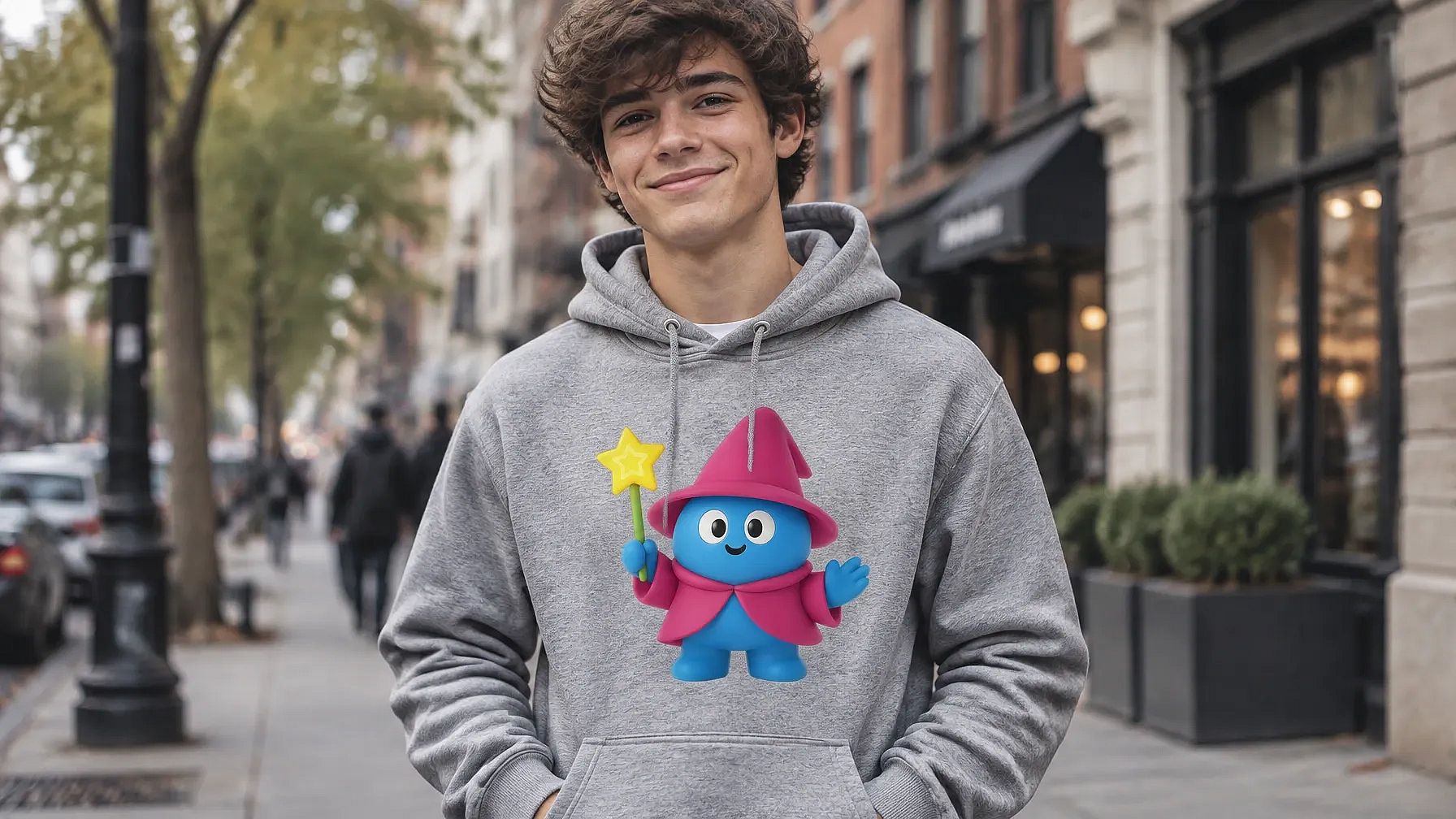
16. 街头风格 T 恤
Photorealistic mockup of a T-shirt, casual and contemporary style, ideal for streetwear brands.
17. 模特身上的连帽衫(搭配你的设计)
Keep my design exactly as it is. Print it on the front of a heather gray hoodie worn by a young man on a city street. Natural fabric folds, soft overcast light, waist-up shot.
18. 刺绣帽
Cap mockup of a navy baseball cap with a small embroidered logo on the front, resting on a wooden table. Close-up, soft side light that shows the stitching.
19. 帆布手提袋
Tote bag mockup of a natural canvas tote with a simple printed design, hanging on the back of a wooden chair. Soft daylight, straight-on view.
20. 咖啡馆桌上的马克杯
Mug mockup of a white ceramic mug with a printed logo, on a café table with a little steam rising from the coffee. Warm morning light, shallow depth of field.
查看更多 T 恤样机,请看我们的 T 恤设计 prompt.
印刷样机 prompt
为什么有效:纸张有不同的质感,因此指明它是哑光还是光面,会改变成品看起来有多真实。
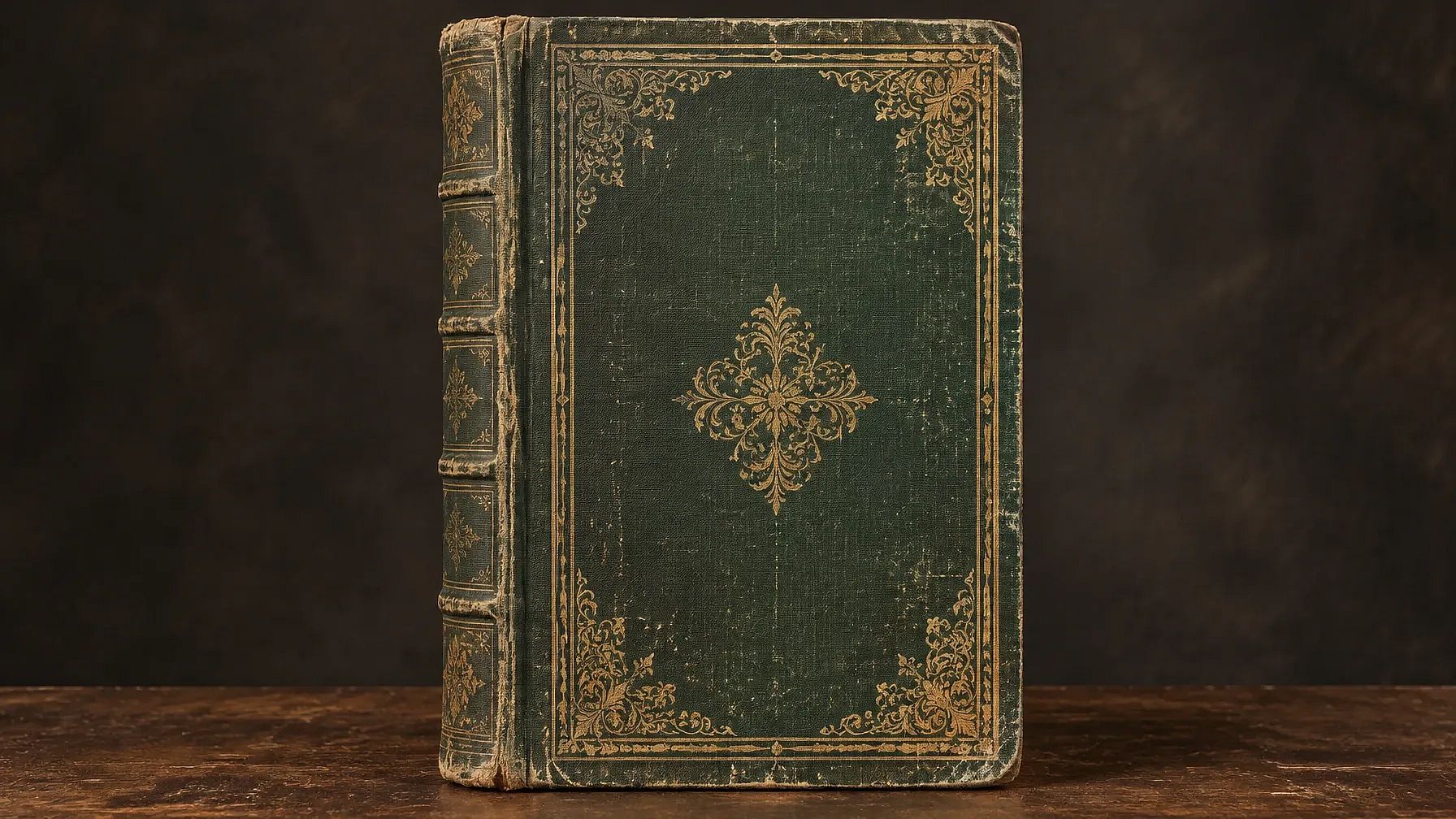
21. 经典书籍封面
High-resolution mockup of a book cover, classic and timeless style, suitable for literary fiction.
22. 书架上的精装书(配你的设计)
Keep my cover design exactly as it is. Put it on a hardcover book standing upright on a wooden bookshelf, next to a small plant. Soft warm light, slight angle so the spine shows.
23. 客厅里的带框海报
Poster mockup of a large framed poster with a thin black frame, hanging above a beige sofa in a bright living room. Natural daylight, straight-on view.
24. 凸版印刷名片
Business card mockup of a small stack of thick cream letterpress business cards on dark slate, with the top card slightly turned. Close-up, soft side light that shows the pressed letters.
25. 咖啡馆桌上折叠的传单
Flyer mockup of a folded A5 flyer lying on a café table next to a coffee cup. Top-down view, soft morning light, matte paper.
手机、笔记本和网站样机 prompt
为什么有效:整洁的桌面和柔和的光线能让焦点集中在屏幕上。让屏幕正对镜头,这样你的设计更易于辨读。
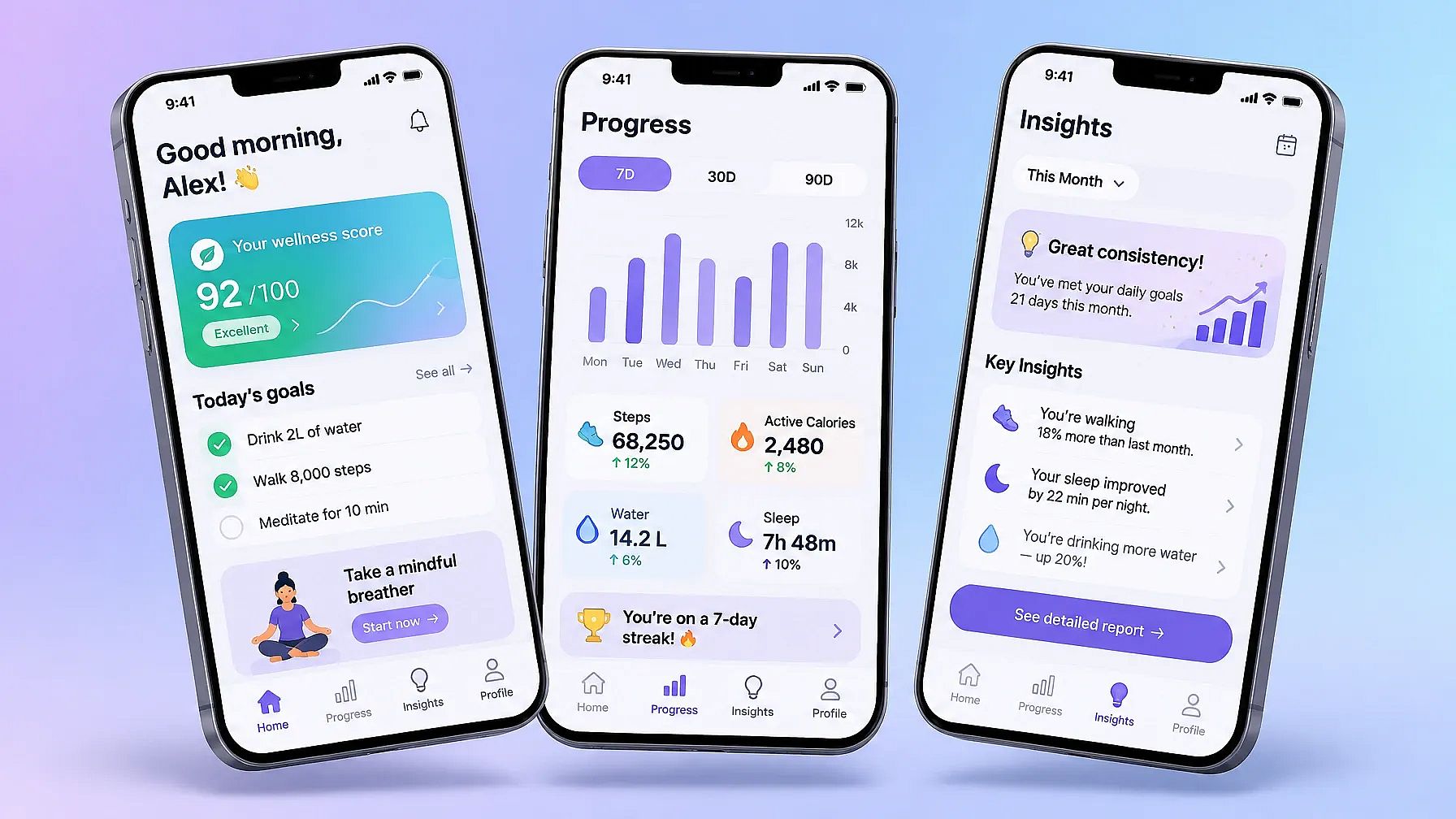
26. 时尚智能手机
High-resolution mockup of a smartphone, sleek and modern style, suitable for tech product showcases.
27. 展示你网站(含你的设计)的笔记本电脑
Keep my website screenshot exactly as it is. Show it on the screen of an open laptop on a clean white desk, with a notebook and a coffee cup beside it. Soft daylight, screen facing the camera.
28. 倾斜角度的应用界面
App mockup of three smartphone screens floating at a slight angle, side by side, on a soft gradient background. Clean, modern, soft shadows under each phone.
29. 浏览器窗口中的网站
Website mockup of a homepage shown in a clean browser window on a large desktop monitor, in a bright home office. Straight-on view, sharp screen.
30. 平板与手机同框
Responsive design mockup of a tablet and a smartphone lying side by side on a light wood desk, showing the same app. Top-down view, even light.
广告牌与标识样机 prompt
为什么有效:招牌都是从远处看到的,所以相机角度很关键。要求采用街道视角,让尺度看起来更真实。
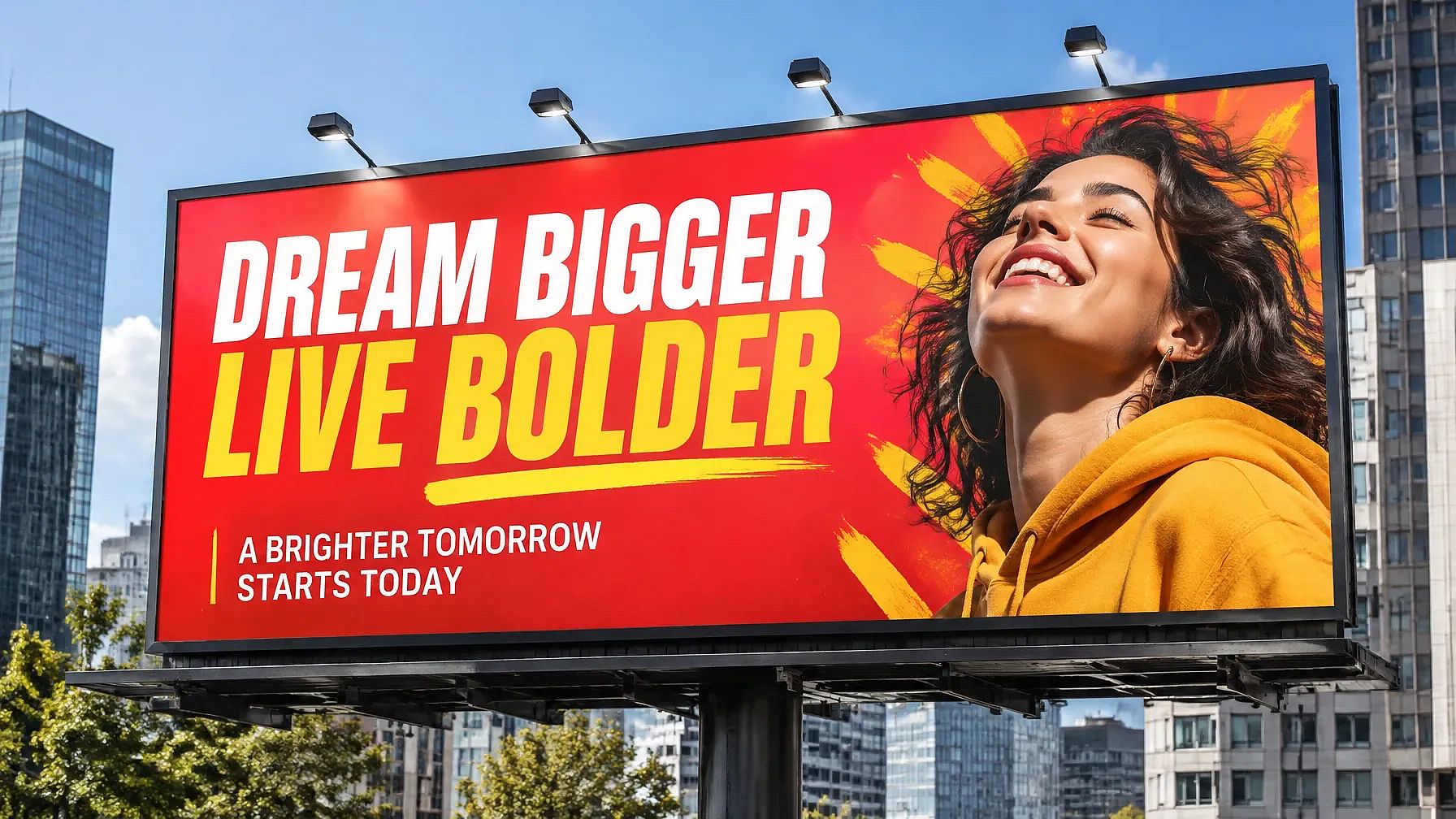
31. 城市广告牌
Realistic mockup of a billboard advertisement, eye-catching and bold style, perfect for urban settings.
32. 夜晚的公交站海报(带上你的设计)
Keep my poster design exactly as it is. Place it in a lit bus stop ad panel on a city street at night, with a few blurred car lights passing by. Street-level view.
33. 橱窗贴纸
Signage mockup of a white vinyl logo decal on a clean shop window, with the store interior softly blurred behind the glass. Daylight, straight-on view.
34. 悬挂的咖啡馆招牌
Signage mockup of a round hanging wooden sign with a painted logo, on a metal bracket outside a brick café. Morning light, slight upward angle.
35. 展会展位横幅
Mockup of a trade show booth with a tall roll-up banner and a branded back wall, in a bright exhibition hall. Wide view, even lighting.
社交媒体与广告样机 prompt
为什么有效:把你的帖子展示在手机屏幕上,能让人一眼看出它的实际呈现效果,从而更容易通过样机审核。
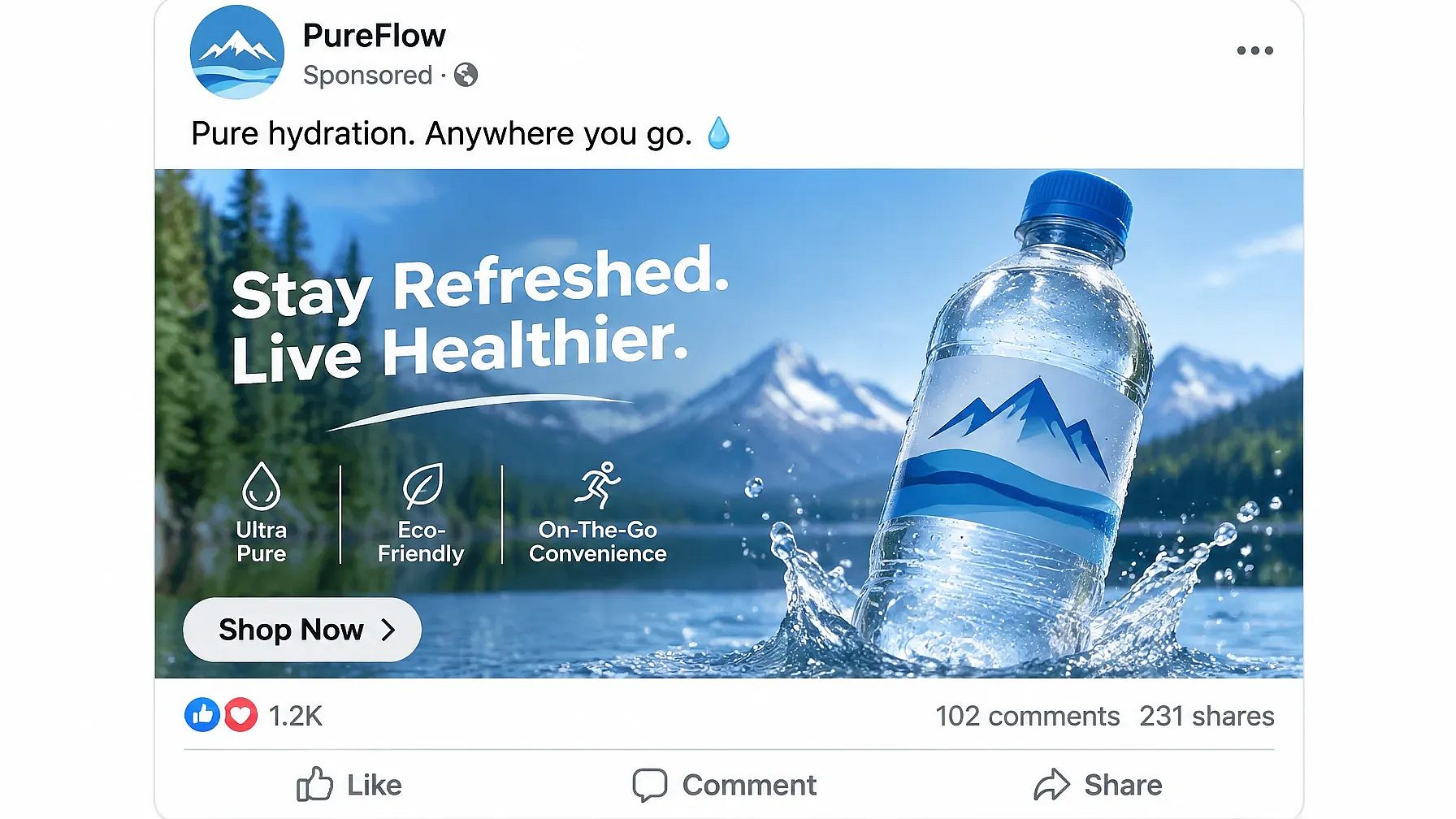
36. 手持手机上的帖子(配上你的设计)
Keep my post design exactly as it is. Show it as a square post on a social media feed, on a smartphone held in one hand. Soft natural light, background slightly blurred.
37. 手机上的故事广告
Mockup of a vertical 9:16 story ad on a smartphone screen, the phone propped on a desk next to a coffee cup. Clean, bright, screen facing the camera.
想让你的产品样机动起来?把它上传到 AI 视频生成器 并描述动态效果,比如产品在展台上缓缓转动。短视频片段非常适合 Reels 和故事广告。
38. 一款产品,一整套广告
Ad mockup showing the same product ad in three sizes side by side: a square post, a tall story and a wide banner, on a light gray background. Clean and evenly lit.
39. 笔记本电脑上的邮件页眉
Mockup of a marketing email open on a laptop screen, with a colorful header image at the top. Clean desk, soft daylight, screen facing the camera.
40. 新闻网站上的展示广告
Mockup of a display ad inside a news website shown on a desktop monitor, with the ad clearly visible in the sidebar. Straight-on view, sharp screen.
正在策划节日营销活动?我们的 圣诞营销创意 指南中有更多广告 prompt 以及一份发布日程表。
如何把自己的设计放到样机上?
上传你的 logo 或产品照片作为参考图,然后在 prompt 开头写上“保持我的设计完全不变”。AI 会围绕它生成样机,并保留设计本身不动。
- 上传你的设计。 打开 AI 样机生成器或在其中选择「创建图片」 AI 图像生成器,并将你的 logo 或产品照片添加为参考图。
- 粘贴一个 prompt。 使用上面任意标注了“配合你的设计”的 prompt。
- 精准定位。 如果设计放错了位置,打开 OpenArt AI 图片编辑器,选择区域编辑并标出它应该放置的位置。
- 生成并下载。 多生成几个版本,保留设计看起来最自然的那个。
同样的 prompt 也适用于 ChatGPT 和 Gemini。在聊天中上传你的设计并粘贴 prompt。新账户可获得 40 个免费试用积分,所以你可以先免费制作几个样机再付费。
在聊天中或通过 Claude 制作样机
你也可以跳过编写 prompt。
- 聊天模式。 用简单的语言描述你想要的样机,OpenArt 会为你挑选模型并生成图像。
- Claude。 OpenArt's MCP 连接器 让 Claude 在你聊天时帮你制作产品样机。
- 一种风格贯穿每个样机。 添加包含你的 logo 和品牌色的品牌套件。它在「创建图像」中支持 GPT Image 2.5 和 GPT Image 2,让吉祥物或 logo 在每一个马克杯和手提袋上都保持一致。
样机 Prompt 技巧
当设计像是浮在物体表面上时,样机就会显得很假。下面这些词能让设计贴合在表面上。
| 让样机看起来更真实的词汇 | 容易出问题的词 |
|---|---|
| 自然的布料褶皱,标签环绕瓶身 | 平整、完美的印刷效果 |
| 柔和的接触阴影 | 无阴影,悬浮 |
| 与场景相匹配的光线 | 强烈的霓虹光晕 |
| 保持我的 logo 原样不变 | 产品上的长句 |
| 正确透视,45 度角 | 混合或极端角度 |
常见的样机 prompt 错误
- 没有说明设计放在哪里,结果就随机出现在某个位置。
- 在产品上要求显示长文本。请控制在一个名称或一句短语。
- 上传了模糊或过小的标志。请使用你手头最清晰的文件。
- 在一张图里放太多物件,导致产品被淹没。
- 在分享样机前,跳过对字母和边缘的放大检查。
样机 Prompt 常见问题
什么是样机 prompt?
样机 prompt 是对一个物体的文字描述,上面放置你的设计,比如马克杯上的 logo 或瓶身上的标签。配合 AI 图片生成器使用,就能看到设计在现实中的效果。
做产品样机的最佳 prompt 是什么?
先说明产品及其材质,再说明它所放置的表面和光线。例如:"保持我的产品原样不变。将它放在米色石基座上,柔和的影棚光,淡淡的阴影,45 度角。"第 1 到 5 个 prompt 可直接复制使用。
如何把我的 logo 放到样机上?
打开 OpenArt AI 图生图生成器,上传你的 logo 作为参考图,并以“保持我的 logo 完全不变”作为 prompt 的开头。然后描述物体以及 logo 放置的位置。如果 logo 落在了错误的位置,可在编辑图像中使用区域编辑来调整它。
AI 能制作书籍样机吗?
可以。上传你的封面设计,要求将其呈现在一本立在书架上的精装书上,就像 prompt 22 那样。要求稍微带点角度,让书脊可见。
样机和产品照片有什么区别?
样机展示的是设计本身,比如标签或 logo 贴在物体上的样子。产品照则展示用于商店或广告的成品本身。我们的指南为你讲解 AI 产品摄影 演示如何制作它们。
这些样机 prompt 能在 ChatGPT 或 Gemini 中使用吗?
可以。在聊天中上传你的设计并粘贴一条 prompt。在 OpenArt 上,你还可以在 Nano Banana 2.1 和 GPT Image 2 等模型之间选择。
有免费的 AI 样机生成器吗?
可以。OpenArt 的 AI 样机生成器为新账户提供 40 个免费试用积分,你可以免费制作几个样机。本页上的每个 prompt 也都可以免费复制。
如何在多个样机之间保持品牌一致?
添加 品牌套件 将你的 logo 和品牌色导入 OpenArt 项目。它可在 Create Image 中配合 GPT Image 2.5 和 GPT Image 2 使用,让整套样机风格统一。