

Ideogram 4.5 — AI 图像模型
修改图片的某一处,其余部分完全保持原样;持续编辑也不会丢失原图的一致性;在 OpenArt 上使用 Ideogram 4.5 生成 2K 高清图像。
Ideogram 4.5 的核心功能
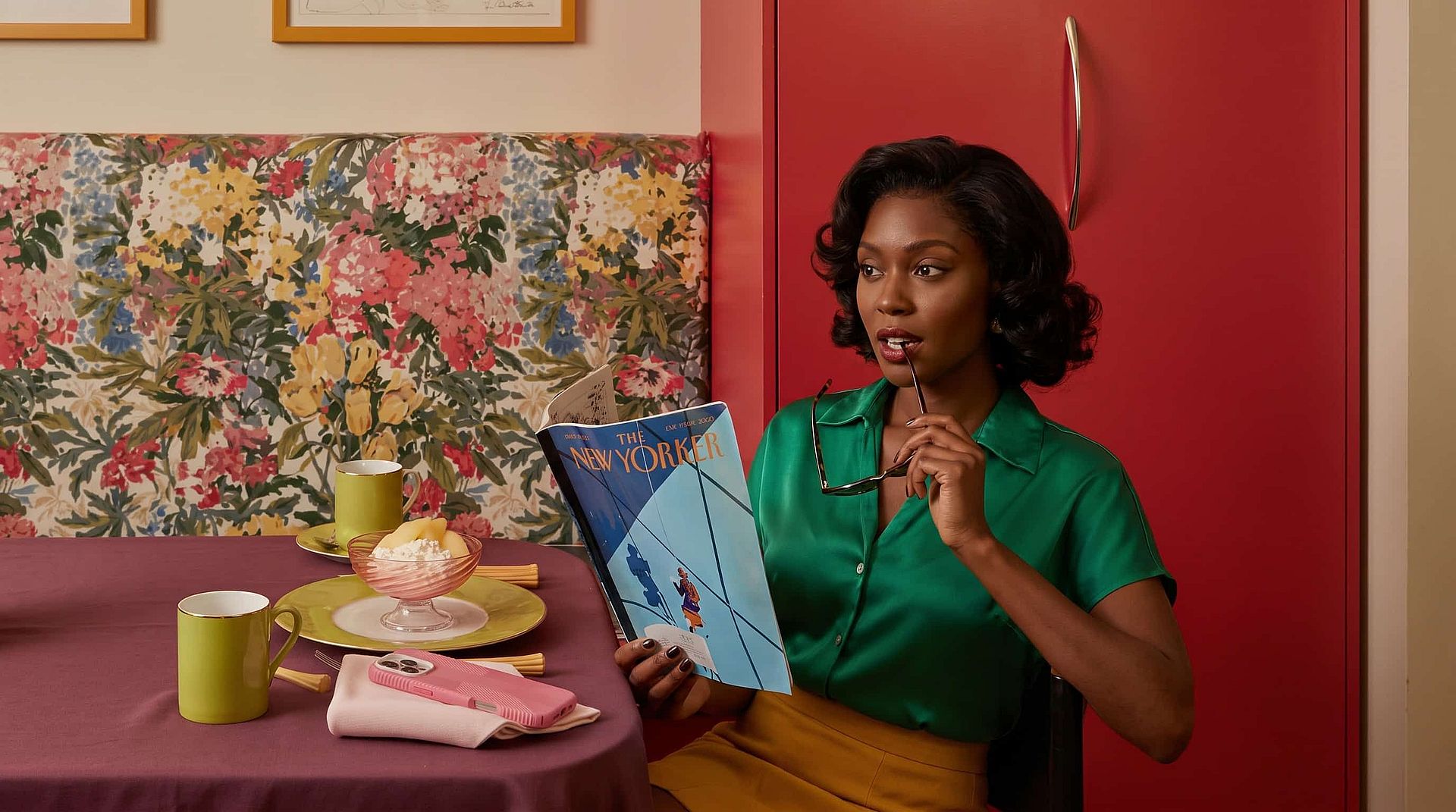
根据详尽的 prompt 生成 2K 图像
Ideogram 4.5 还能根据文字 prompt 生成最高 2K 的全新图像。你可以写一段详尽的长 prompt,指定主体、场景、光线以及想出现在画面中的文字,Ideogram 4.5 都会一一呈现。上传最多四张参考图,生成结果就能匹配你的产品、角色或风格。
立即试用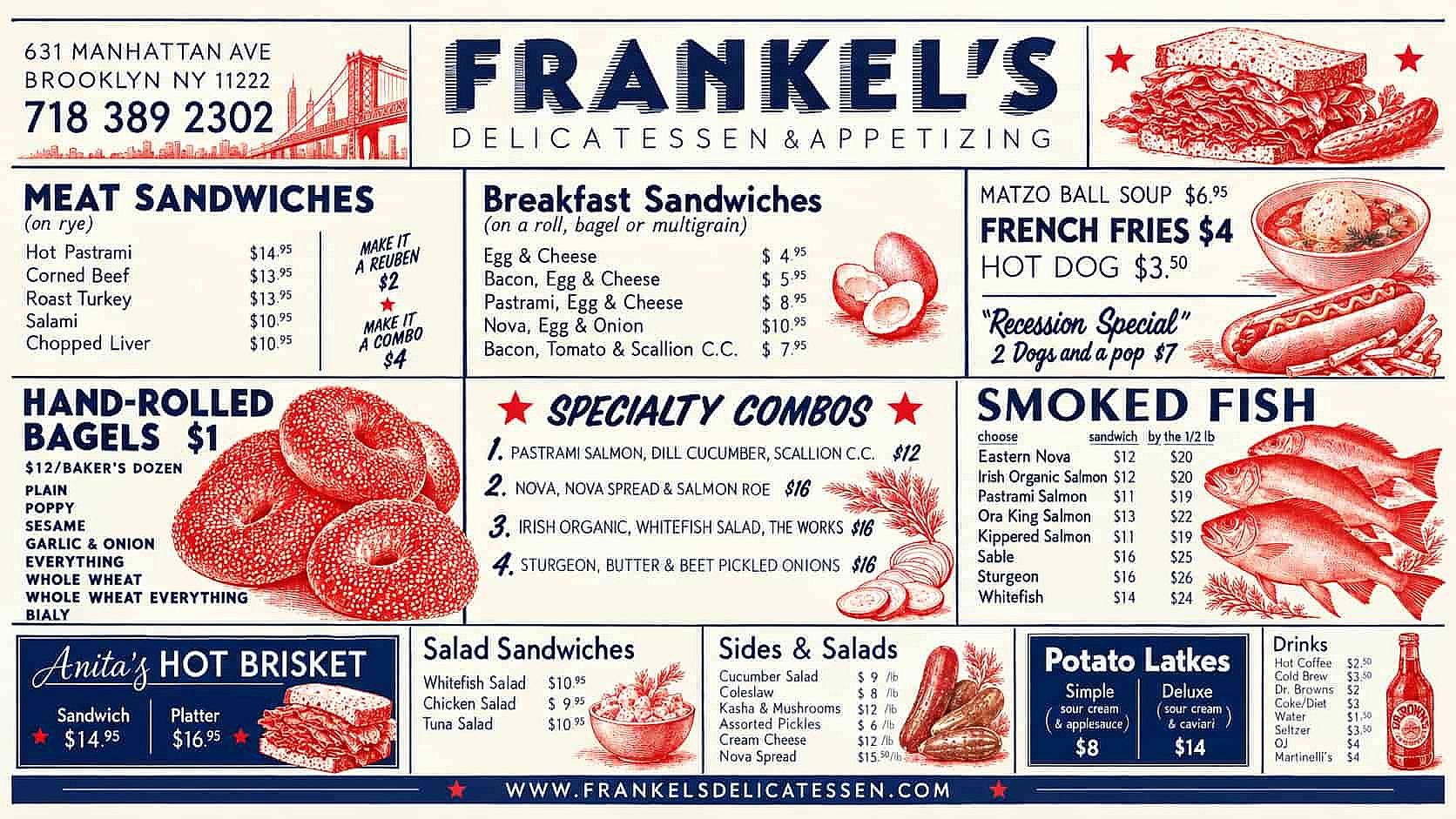
让图像中的文字清晰丰富、易于阅读
Ideogram 4.5 会把你在 prompt 中输入的文字以真实、可读的文本呈现出来,并采用你描述的字体风格。把标题、价格和日期写进 prompt,它们就会准确拼写、按你要求的位置落在海报上,没有任何文字扭曲。你还可以修改现有招牌或菜单上的文字,新字样会保持与原来相同的字体、大小和位置。非常适合制作带文案的海报、菜单、包装和广告。
立即试用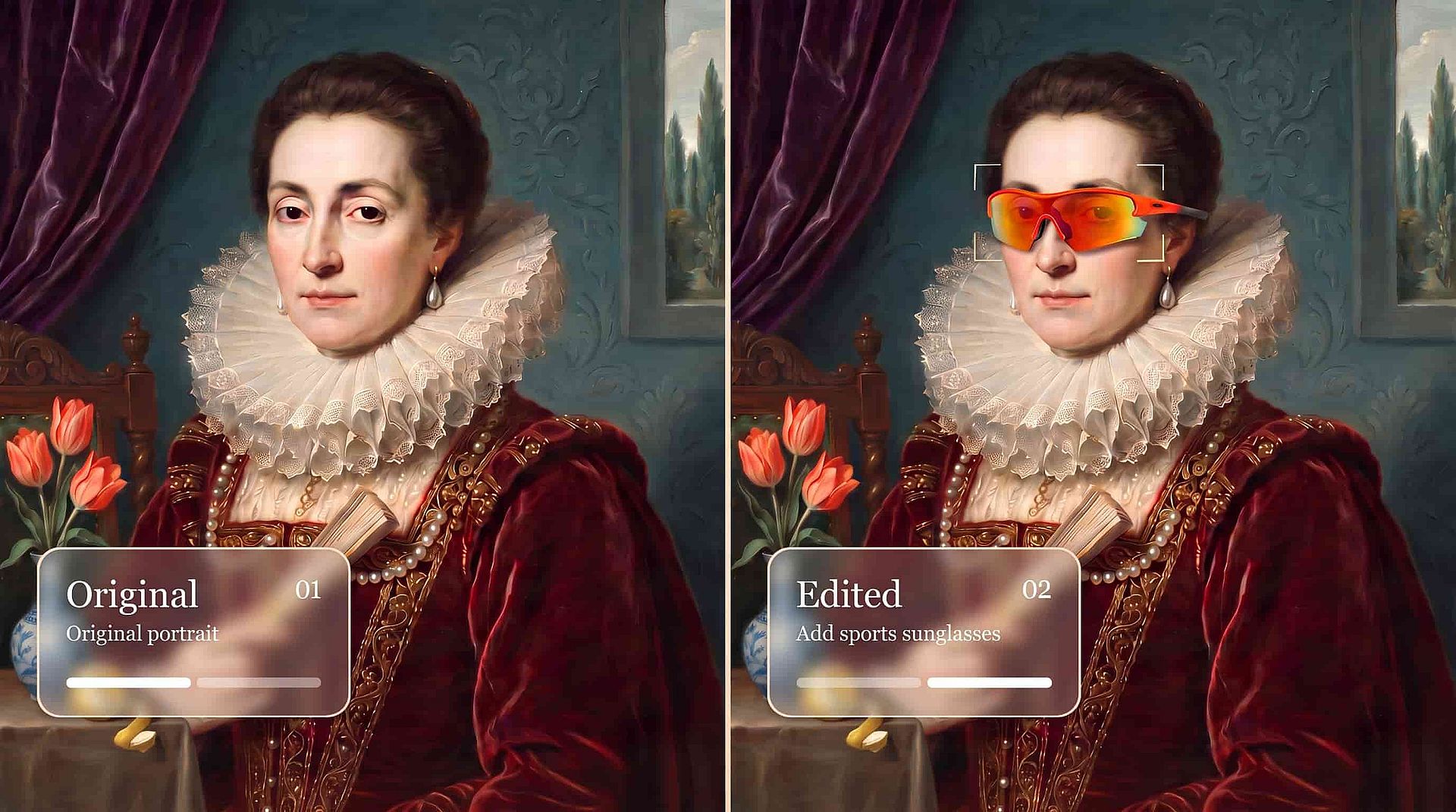
只精准编辑你指定的部分
Ideogram 4.5 只改动你描述的那一处,其余一切都保持原样。要把红衬衫换成蓝衬衫,面孔、背景和光线都会连最细微的细节也分毫不差。你还可以框选想改动的区域,让编辑只发生在那个范围内。有了 Ideogram 4.5,你既能修正想修正的那一处,又能保留画面中你本就满意的其余部分。
立即试用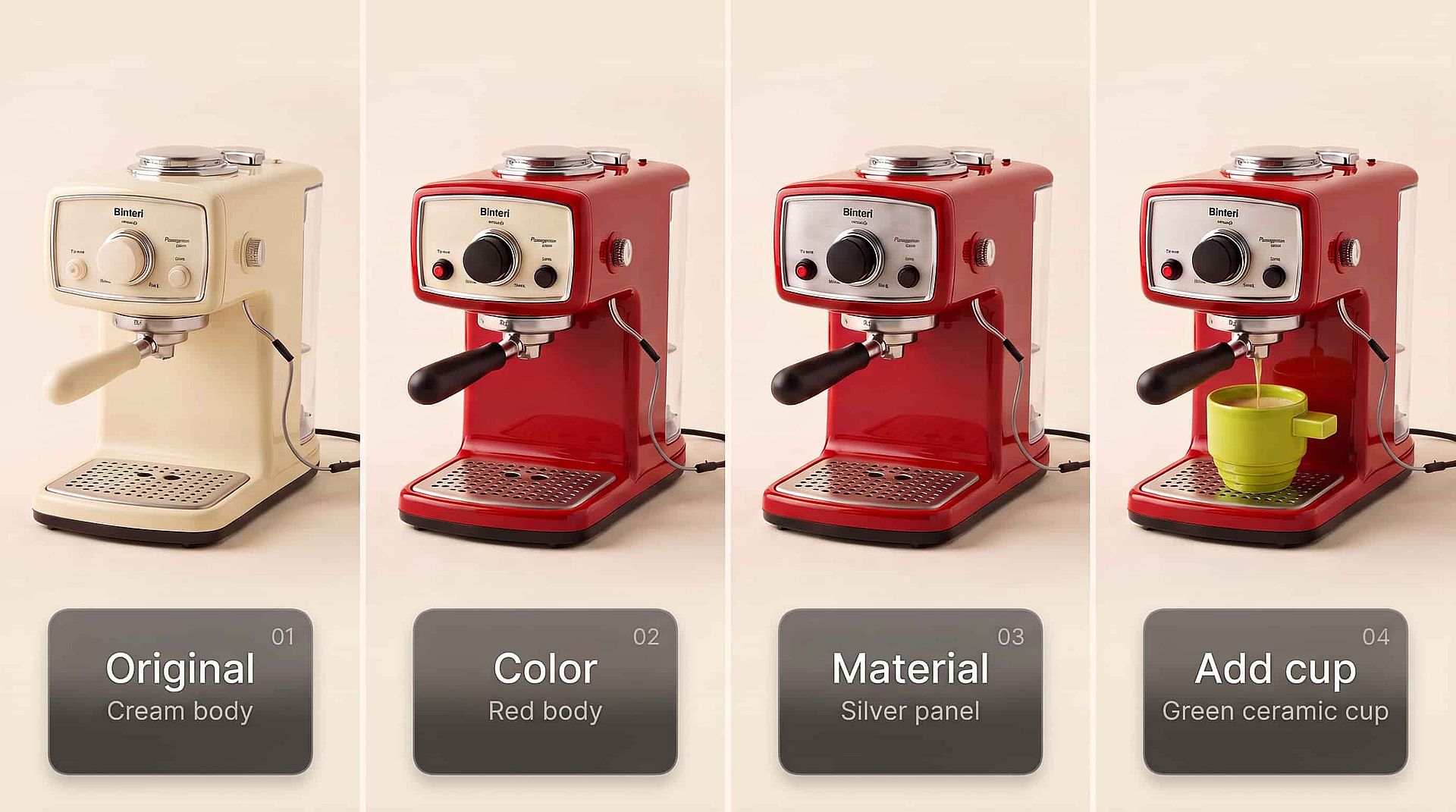
连续多次编辑仍保持原图一致性
Ideogram 4.5 在长链条的连续编辑中依然稳定可靠。先改墙面颜色,再改光线,接着改海报上的文字,到了第十个版本,画面依然像第一版一样干净。旧的 AI 图像模型每编辑一次都会累积瑕疵、细节偏移和色彩变化,几轮之后图片就无法再用。Ideogram 4.5 则能在每次编辑之间保持形状、纹理和色彩稳定如一。
立即试用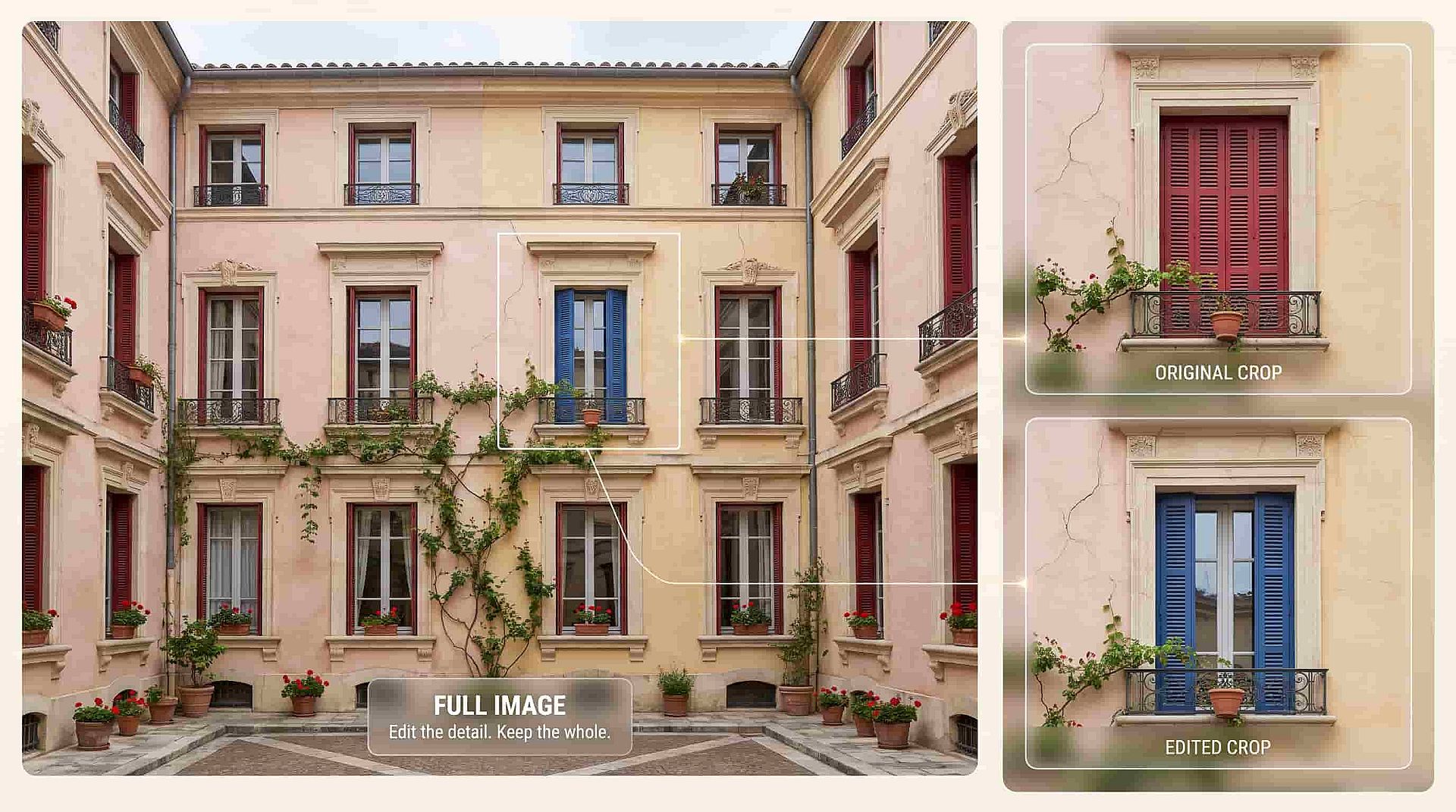
以原始尺寸编辑大尺寸照片
Ideogram 4.5 能直接编辑大尺寸高分辨率照片,无需先缩小。Ideogram 展示了它处理一张 2400 万像素照片的效果,编辑后的图片会以你上传时的原始尺寸返回。你还可以放大图像的某一部分,只编辑那一块裁剪区域,边缘会自然衔接,拼回原图后看不出任何接缝。
立即试用如何使用 Ideogram 4.5
只需三步,就能从 prompt 或照片得到成品图像。
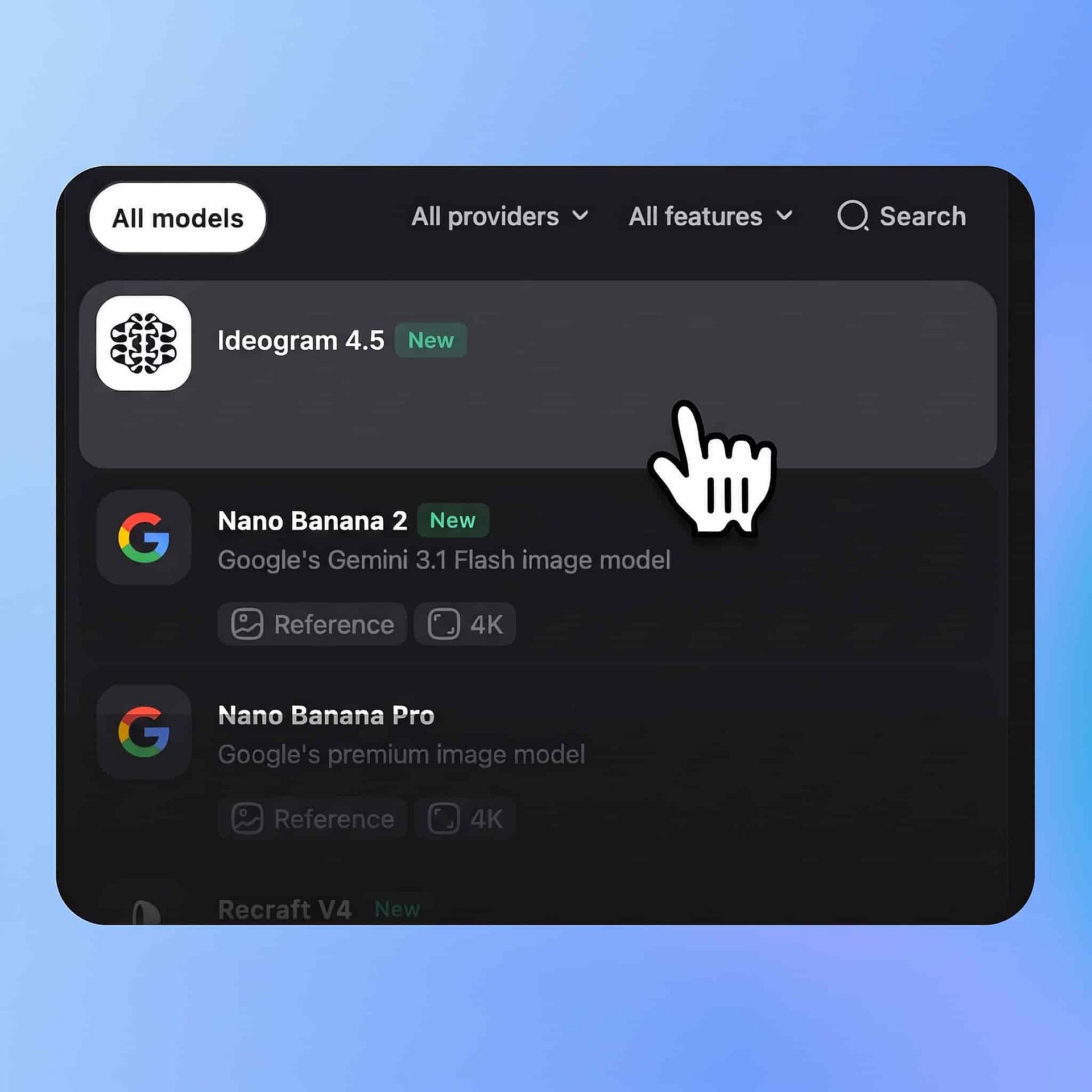
选择模型
打开 OpenArt 的 AI 图像生成器来创作新图像。在模型菜单中选择 Ideogram 4.5。
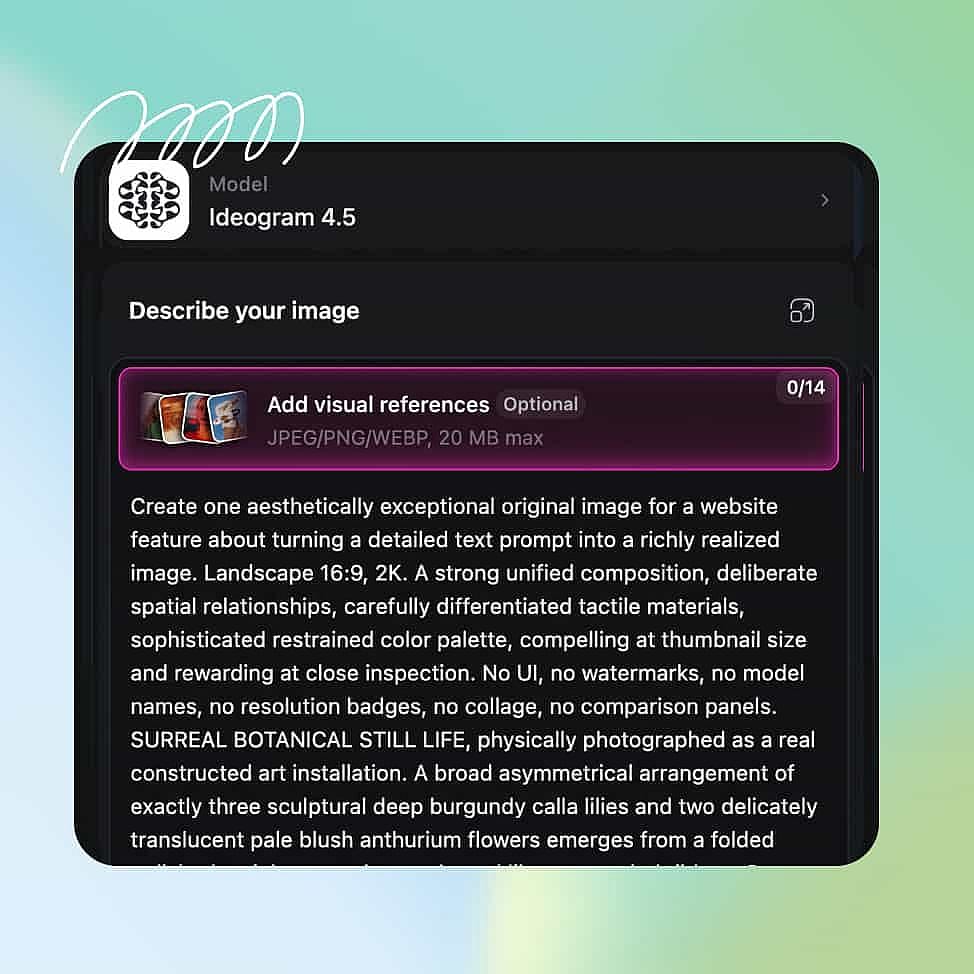
输入你的 prompt
描述你想要的图像或编辑内容。如果希望结果匹配某个产品、人物或风格,请上传参考图。
生成并下载
设置好宽高比、分辨率和输出数量,然后开始生成。挑出效果最好的结果并下载图像。
Ideogram 4.5 的最佳使用场景
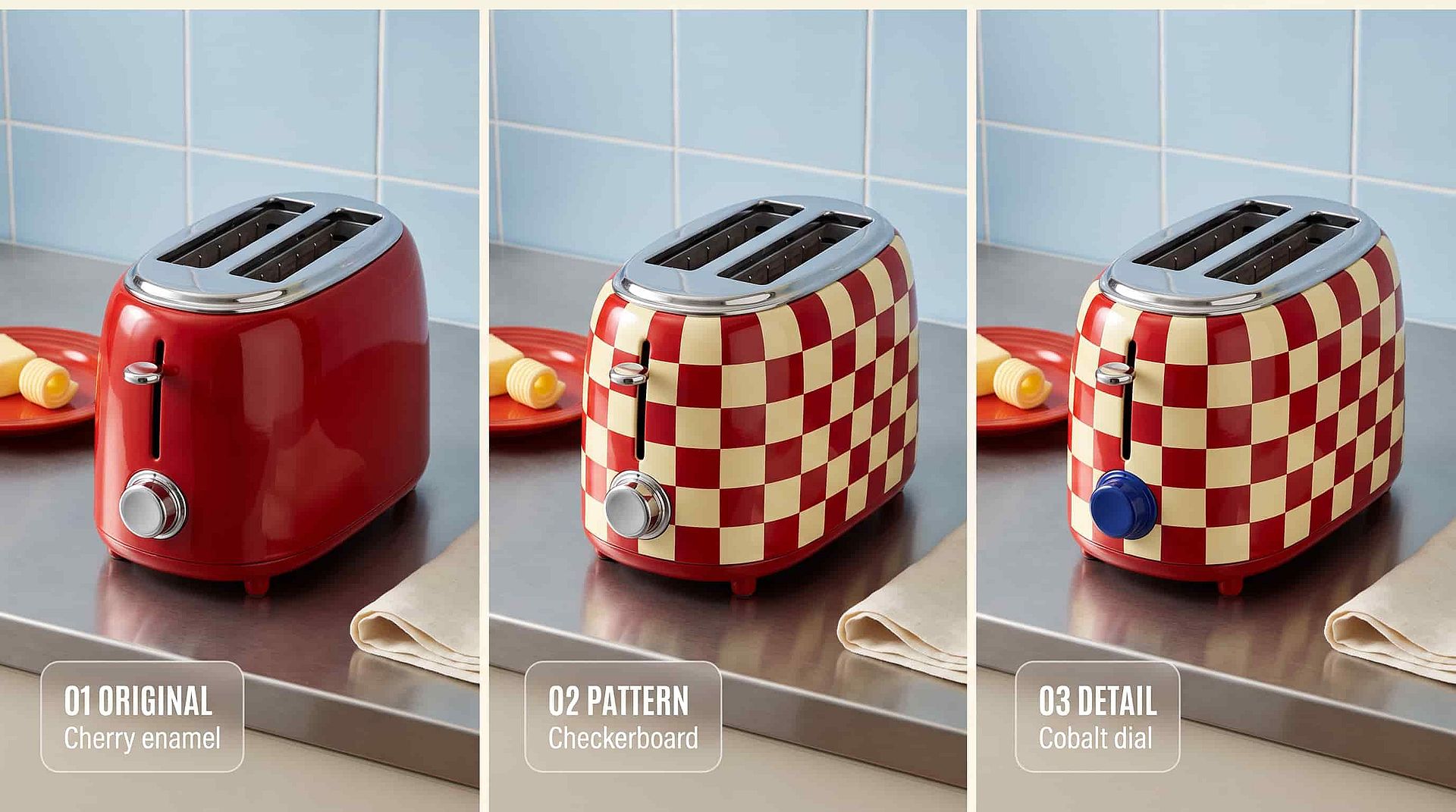
逐步修正产品照片,一次改一处
Ideogram 4.5 lets you take one good product photo and turn it into a full set. Start with your bottle on a white background, then ask for warmer lighting, then a new label color, then a wooden table under it. The bottle shape, the logo, and the reflections stay the same in every version, because Ideogram 4.5 only touches the part you named. You can zoom into the label, fix a single word, and drop the crop back into the full-size shot with no seam. A whole product page worth of pictures comes from one photo and a few short prompts. You skip the reshoot and the hours of manual retouching.
立即试用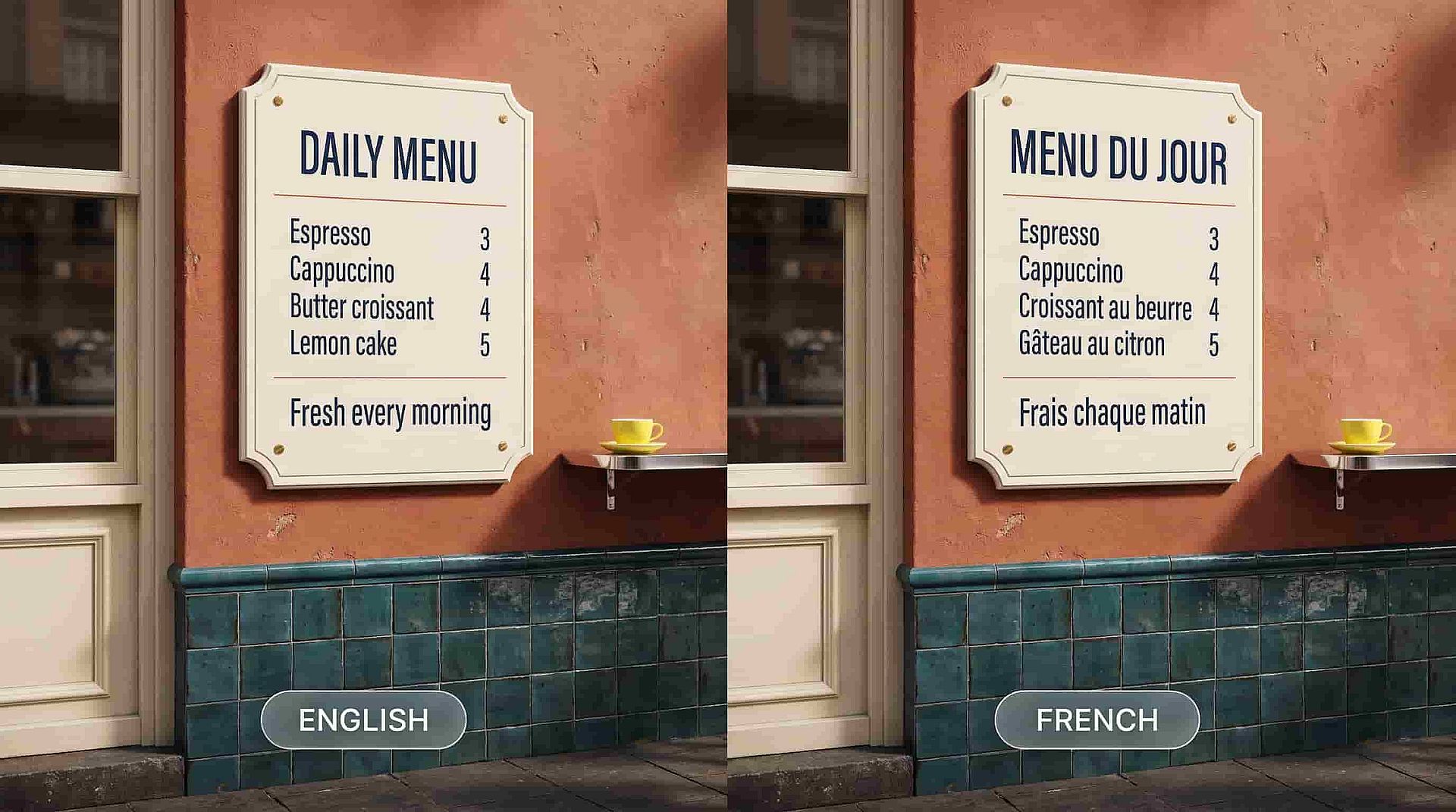
为新市场翻译招牌、菜单和包装
Ideogram 4.5 changes the words inside a picture while the lettering keeps its style, size, and place. Upload a storefront photo with an English sign and ask for the same sign in Japanese or French, and the new words sit in the same spot in the same font. A restaurant menu, a product box, or a poster can be made in several languages from one original. Older AI image models often misspelled words or redrew the whole sign in a different style. With Ideogram 4.5 you keep the design your team already approved and only swap the language. You launch in a new market without redoing the artwork.
立即试用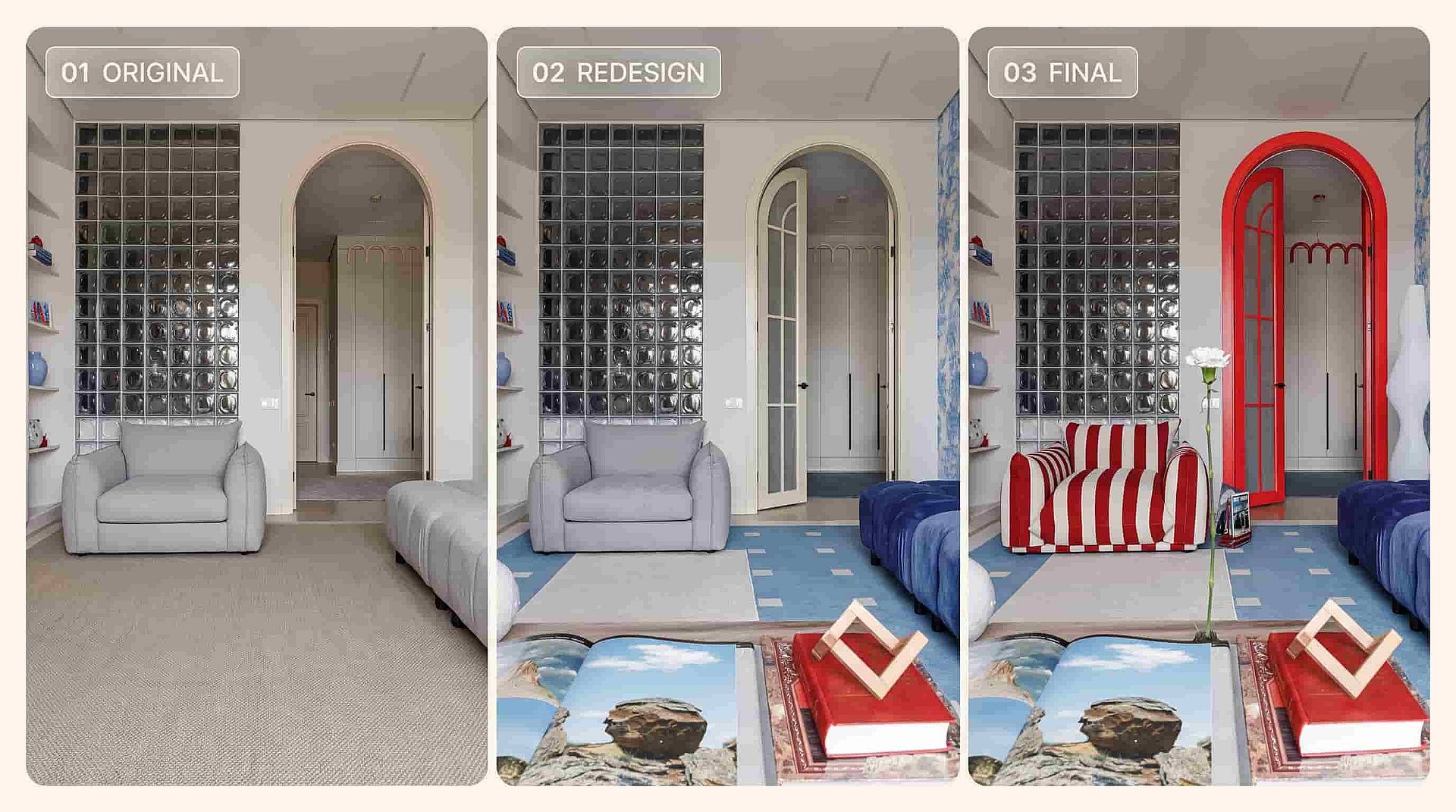
为房间和建筑尝试全新外观
Ideogram 4.5 lets you redesign a space one decision at a time. Upload a photo of a living room, then ask for green walls, then a different sofa, then evening light through the window. Each change lands on its own and the rest of the room stays exactly as you photographed it. Architects and real estate teams can show a client five versions of the same building front, each with one material or color changed. Because Ideogram 4.5 keeps edits clean across many rounds, you can keep refining until the client says yes. One site photo replaces a day of mockups.
立即试用深受创作者喜爱
我试过很多 AI 平台……但在角色创作、图生视频质量和可用模型的丰富度上,OpenArt 仍然是最出色的。
OpenArt 提供了一系列出色的 AI 工具……一旦掌握了这些功能,创作的可能性令人惊叹——而且他们的支持团队也非常给力。
OpenArt 是一个功能非常多样的 AI 平台,拥有众多图像和视频模型、一致的角色创建能力以及强大的编辑工具。
实用的 AI 工具尽在一处——图像和视频生成、编辑等等……无需多个订阅。
客服总是快速又贴心……而且平台不断推出新功能和新工具,越来越好用。
我试过很多 AI 平台……但在角色创作、图生视频质量和可用模型的丰富度上,OpenArt 仍然是最出色的。
OpenArt 提供了一系列出色的 AI 工具……一旦掌握了这些功能,创作的可能性令人惊叹——而且他们的支持团队也非常给力。
OpenArt 是一个功能非常多样的 AI 平台,拥有众多图像和视频模型、一致的角色创建能力以及强大的编辑工具。
实用的 AI 工具尽在一处——图像和视频生成、编辑等等……无需多个订阅。
客服总是快速又贴心……而且平台不断推出新功能和新工具,越来越好用。
我试过很多 AI 平台……但在角色创作、图生视频质量和可用模型的丰富度上,OpenArt 仍然是最出色的。
OpenArt 提供了一系列出色的 AI 工具……一旦掌握了这些功能,创作的可能性令人惊叹——而且他们的支持团队也非常给力。
OpenArt 是一个功能非常多样的 AI 平台,拥有众多图像和视频模型、一致的角色创建能力以及强大的编辑工具。
实用的 AI 工具尽在一处——图像和视频生成、编辑等等……无需多个订阅。
客服总是快速又贴心……而且平台不断推出新功能和新工具,越来越好用。
在众多 AI 平台中,OpenArt 脱颖而出,是绝佳之选——我会向任何创作者推荐它。
这个平台囊括了 AI 内容创作所需的一切——图像、视频、角色、音频以及多种 AI 模型,尽在一处。
OpenArt 正在不断拓展 AI 视频创作的边界……显然,团队致力于提升创作者的体验。
我用 OpenArt 制作了我的第一支 AI 音乐视频……他们的支持团队是我遇到过最棒的帮手。
我对支持服务非常满意——我的问题很快得到解决,团队让整个过程变得轻松。
在众多 AI 平台中,OpenArt 脱颖而出,是绝佳之选——我会向任何创作者推荐它。
这个平台囊括了 AI 内容创作所需的一切——图像、视频、角色、音频以及多种 AI 模型,尽在一处。
OpenArt 正在不断拓展 AI 视频创作的边界……显然,团队致力于提升创作者的体验。
我用 OpenArt 制作了我的第一支 AI 音乐视频……他们的支持团队是我遇到过最棒的帮手。
我对支持服务非常满意——我的问题很快得到解决,团队让整个过程变得轻松。
在众多 AI 平台中,OpenArt 脱颖而出,是绝佳之选——我会向任何创作者推荐它。
这个平台囊括了 AI 内容创作所需的一切——图像、视频、角色、音频以及多种 AI 模型,尽在一处。
OpenArt 正在不断拓展 AI 视频创作的边界……显然,团队致力于提升创作者的体验。
我用 OpenArt 制作了我的第一支 AI 音乐视频……他们的支持团队是我遇到过最棒的帮手。
我对支持服务非常满意——我的问题很快得到解决,团队让整个过程变得轻松。
常见问题 问题
Ideogram 4.5 是 Ideogram 推出的最新图像模型,你可以在 OpenArt 的图像工具中使用它。它能根据 prompt 生成最高 2K 的全新图像,也能对现有图片进行编辑,只改动你描述的那一部分。
可以,而且这正是选它的主要理由。Ideogram 4.5 只改动你指定的那一处,其余部分直接从原图照搬,面孔、标签和纹理都保持原样。你还可以框选出想改动的精确区域。
Ideogram 4.5 能生成 1K 或 2K 的全新图像。编辑时,它会以原始尺寸处理大尺寸照片,并以你上传时相同的宽高返回结果,Ideogram 展示了它在一张 2400 万像素照片上的效果。
Ideogram 4.5 新增了精准编辑功能,让你在多轮编辑中只改动画面的某一部分,其余保持不变。Ideogram 4.0 是一款文生图模型,以可读文字和排版控制著称。当你有一张想修改的图片时,或者想用同一个模型同时完成生成与编辑时,就选 Ideogram 4.5。
可以。在 OpenArt 的图像编辑工具中上传你的照片,选择 Ideogram 4.5,输入你想要的改动即可。编辑后的图片会以你上传照片的原始尺寸返回。
可以。Ideogram 4.5 专为长链条连续编辑而打造,第十次改动依然像第一次一样干净。许多 AI 图像模型每次编辑都会累积细小瑕疵,直到图片无法再用,而 Ideogram 4.5 能避免这种累积。
可以。Ideogram 4.5 能替换招牌、菜单或包装上的文字,同时让字体保持原有的风格、大小和位置。这样一来,无需重新制作就能快速把设计翻译成另一种语言。
OpenArt 付费套餐按月计费低至每月 14 美元,年付更划算。请查看 OpenArt 定价页,找到支持商用的套餐,并确保你对上传的照片、logo 或人物拥有合法使用权。