

GPT Image 2 —— AI 图像生成器
在 OpenArt 上用 GPT Image 2 生成高质量视觉内容,文字近乎完美、细节始终一致,迭代速度最高可提升 4 倍。

社区作品
看看创作者们如何生成广告创意、UI 原型和产品视觉,文字清晰可读、版式结构井然、特征始终一致。
GPT Image 2 核心功能
OpenAI 最新的图像模型现已登陆 OpenArt,带来快速生成和便捷的指令式编辑能力。
近乎完美的文字渲染
GPT Image 2.0 generates visuals with text that doesn’t mutate or break unlike in other AI image models. In fact, this AI model achieves ~99% text rendering accuracy in common scenarios. This makes GPT Image 2.0 highly effective for advertising, product marketing, branded content, and UI/UX design. Moreover, this means that you save time and effort on post-generation edits or iterations, and even if they are required, GPT Image 2.0 is amazingly precise and consistent with editing images based on your prompts.
立即试用生成与迭代速度最高提升 4 倍
使用 GPT Image 2.0 的标准生成速度比前代 GPT Image 1.5 快最多 4 倍,让你出图明显更快。更棒的是,更快并不意味着牺牲质量——事实上,与以往图像模型相比,GPT Image 2.0 在同时兼顾更高质量和更快速度。它的提速在图像编辑中同样明显,对已生成的图像做修改只需几秒!
立即试用无需重新生成的精准编辑
Older AI image models used to regenerate major parts of the image or alter some features when applying edits. With GPT Image 2.0, that problem doesn’t exist anymore. OpenArt offers region selection when editing images so you can make highly accurate edits when you make changes on our platform. You can precisely change the color of some hair streaks, or change the buttons on a shirt, simply by highlighting those areas and explaining your desired changes in the text prompts. This enables multi-step edits without quality degradation.
立即试用如何使用 GPT Image 2
在 OpenArt 上用 GPT Image 2.0 生成或编辑图像,只需三步。
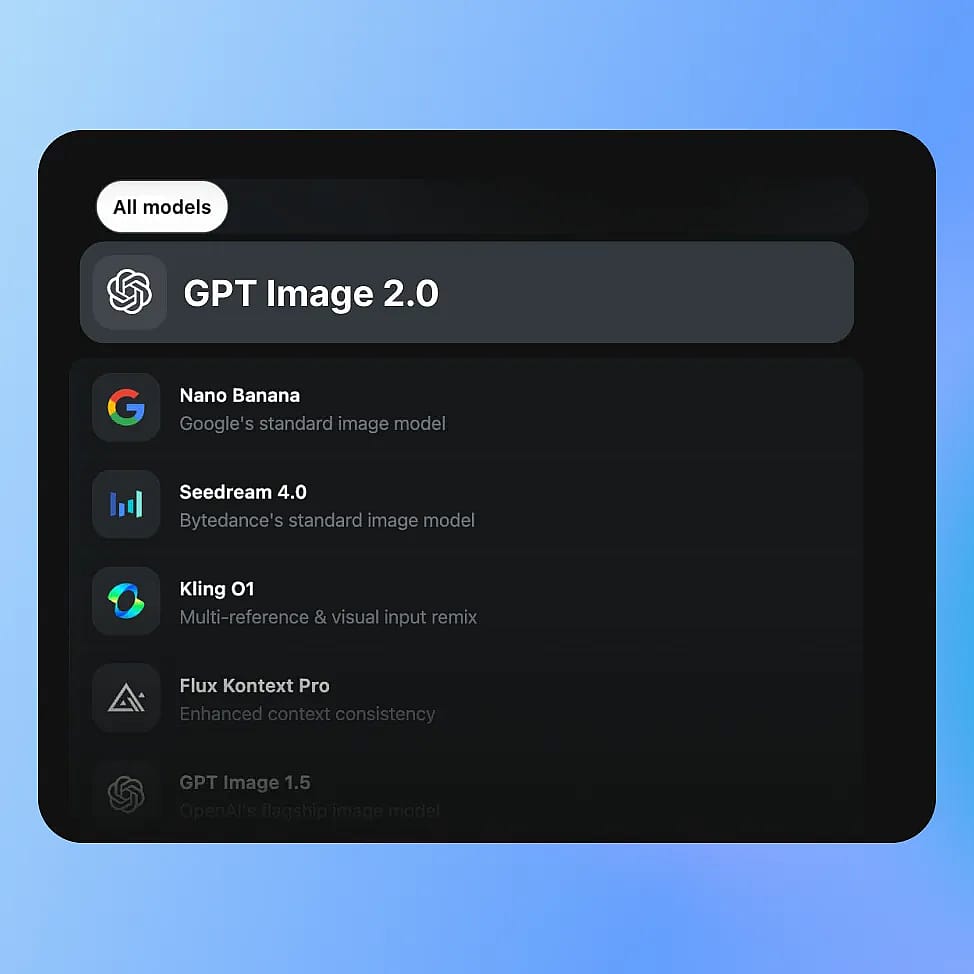
选择模型
进入 OpenArt 的图像工具,选择模式:创建图像、编辑图像或图像变体,然后从可用模型中选择 GPT Image 2.0。
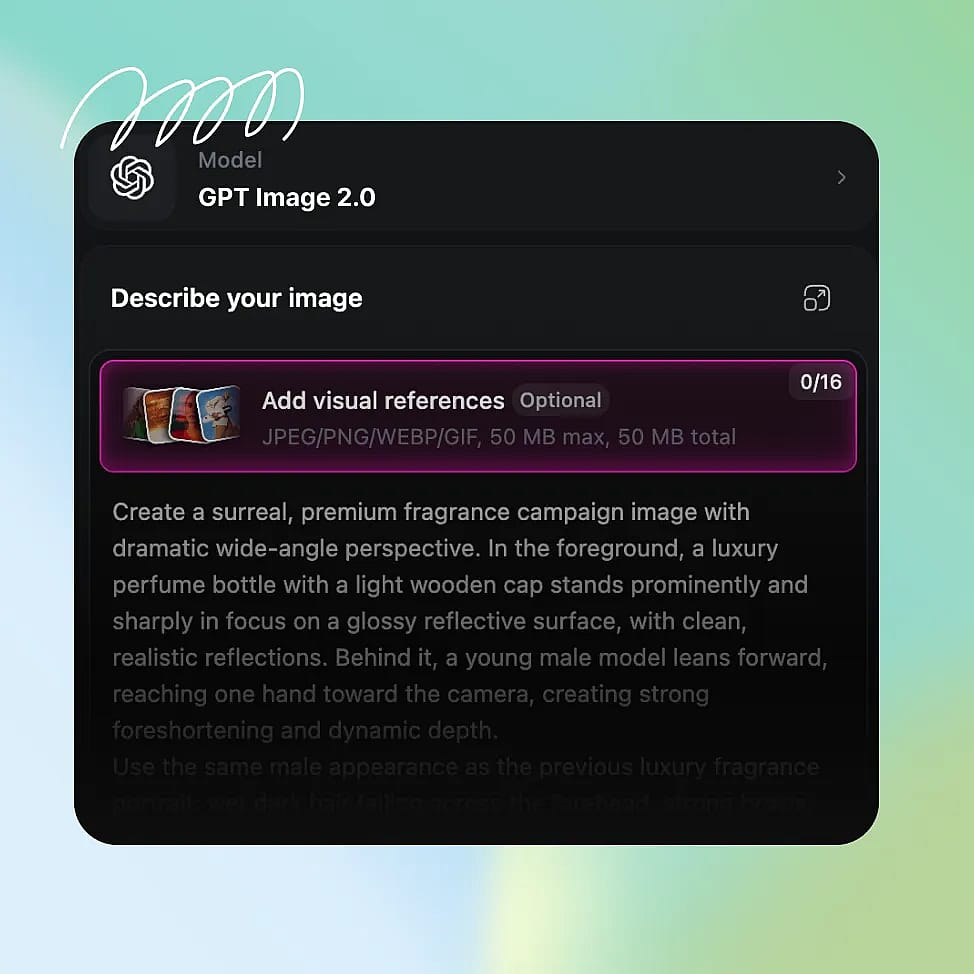
撰写你的 prompt
用清晰的细节描述你的图像:主体、构图、光线,以及任何你想加入的文字或版式元素。你也可以上传参考图以获得更精准的控制。
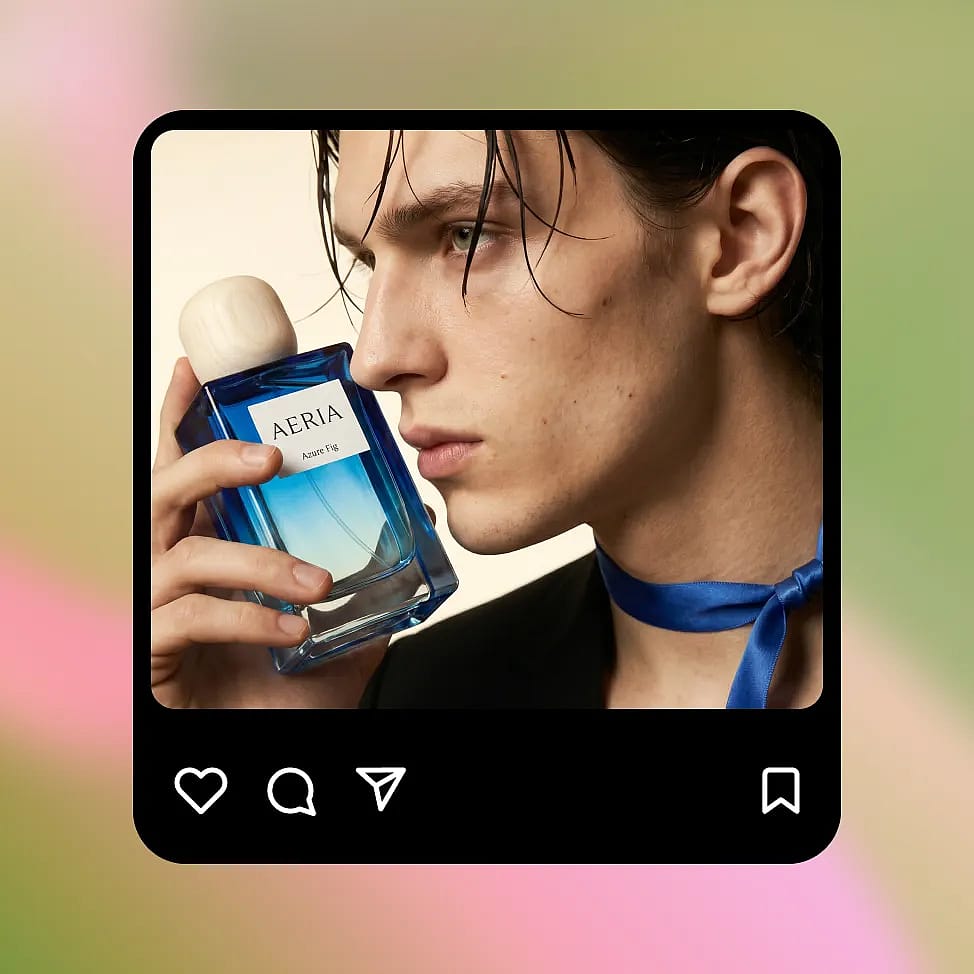
生成与迭代
选择分辨率和宽高比,然后生成图像。用定向编辑或微调 prompt 来优化输出,同时保持一致性。
GPT Image 2 为你带来最高质量的输出——更快、更省
创作营销视觉、产品图、UX 原型和趣味编辑,文字精准、视觉一致,迭代快速可控。
带真实文案的营销素材
Create ad banners and social posts that already include usable text instead of placeholder gibberish. You can ask for a clear headline, short supporting line, and a button, and the model places them in a logical order. For example, a simple product ad can include a readable headline at the top, a product image in the center, and a call-to-action at the bottom. If you want to test variations, you can change only the headline or button text and keep everything else the same. This makes it easy to create multiple versions of the same ad without rebuilding the layout each time.
立即试用个性化编辑与趣味变换
GPT Image 2.0 also works great for more casual, creative use like transforming selfies or generating stylized edits. You can upload a photo and ask for changes like a new background, different lighting, or a themed look, and the model will keep your face and key details consistent. For example, you can turn a normal selfie into a cinematic portrait, a studio-style headshot, or place yourself in a completely different setting. You can also experiment with celebrity-style edits or visual mashups while keeping the image coherent. Because edits are targeted, you can keep refining the same image instead of starting over each time.
立即试用规模化产品营销视觉
You can create product images in different settings while keeping the product itself consistent. Start with a clean studio shot, then place the same product in a kitchen, outdoors, or in a lifestyle scene. The shape, color, and branding stay stable across changes, so the product does not get distorted as you iterate. This is useful when you need multiple images for a product page or campaign but do not want to organize a full photoshoot. You can also test different lighting or backgrounds quickly, and keep refining the same image instead of generating a completely new one each time.
立即试用UI/UX 界面与结构化图像
GPT Image 2.0 can generate simple app screens and layouts with readable labels and clear structure. If you describe a screen with a title at the top, content in the middle, and a button at the bottom, the model follows that layout instead of placing elements randomly. Text like “Balance” or “Send Money” appears clearly and in the right place. You can then update specific parts, like changing button text or adding a new section, without affecting the rest of the screen. This makes it useful for quickly visualizing ideas before moving into a proper design tool.
立即试用常见问题 问题
GPT Image 系列模型的图像生成速度最高提升至 4 倍,编辑时效率更高,因为只会重新生成改动的区域。
是的。与早期版本相比,GPT Image 2.0 在照片级真实感、光影精度和细节一致性上都有显著提升。
GPT Image 2.0 集快速生成、精准编辑、精确文字渲染和版式感知输出于一身——相比传统的扩散模型,更契合真实的创作工作流。
GPT Image 2.0 大幅提升了文字渲染能力,在 UI 标签、广告文案等许多常见场景中已接近完美准确度(约 99%)。
是的。它能更稳定地处理多物体场景和结构化布局,保持各元素之间的关系,减少常见的生成错误。
用 GPT Image 2 获得最佳效果的小技巧
来我们的博客获取更多洞见
获取你所需的洞见。我们的专家分享实用技巧,解析热门话题,并提供必备的操作指南,助你构建、优化和扩展。
别只认准一个模型:为什么要用多模型创作
新模型不断问世,旧模型持续进化,整个格局也在不断改写。在这样的时刻,最有回报的创作方式,是围绕灵活性构建,而非死守某一款工具。
深受创作者喜爱
我试过很多 AI 平台……但在角色创作、图生视频质量和可用模型的丰富度上,OpenArt 仍然是最出色的。
OpenArt 提供了一系列出色的 AI 工具……一旦掌握了这些功能,创作的可能性令人惊叹——而且他们的支持团队也非常给力。
OpenArt 是一个功能非常多样的 AI 平台,拥有众多图像和视频模型、一致的角色创建能力以及强大的编辑工具。
实用的 AI 工具尽在一处——图像和视频生成、编辑等等……无需多个订阅。
客服总是快速又贴心……而且平台不断推出新功能和新工具,越来越好用。
我试过很多 AI 平台……但在角色创作、图生视频质量和可用模型的丰富度上,OpenArt 仍然是最出色的。
OpenArt 提供了一系列出色的 AI 工具……一旦掌握了这些功能,创作的可能性令人惊叹——而且他们的支持团队也非常给力。
OpenArt 是一个功能非常多样的 AI 平台,拥有众多图像和视频模型、一致的角色创建能力以及强大的编辑工具。
实用的 AI 工具尽在一处——图像和视频生成、编辑等等……无需多个订阅。
客服总是快速又贴心……而且平台不断推出新功能和新工具,越来越好用。
我试过很多 AI 平台……但在角色创作、图生视频质量和可用模型的丰富度上,OpenArt 仍然是最出色的。
OpenArt 提供了一系列出色的 AI 工具……一旦掌握了这些功能,创作的可能性令人惊叹——而且他们的支持团队也非常给力。
OpenArt 是一个功能非常多样的 AI 平台,拥有众多图像和视频模型、一致的角色创建能力以及强大的编辑工具。
实用的 AI 工具尽在一处——图像和视频生成、编辑等等……无需多个订阅。
客服总是快速又贴心……而且平台不断推出新功能和新工具,越来越好用。
在众多 AI 平台中,OpenArt 脱颖而出,是绝佳之选——我会向任何创作者推荐它。
这个平台囊括了 AI 内容创作所需的一切——图像、视频、角色、音频以及多种 AI 模型,尽在一处。
OpenArt 正在不断拓展 AI 视频创作的边界……显然,团队致力于提升创作者的体验。
我用 OpenArt 制作了我的第一支 AI 音乐视频……他们的支持团队是我遇到过最棒的帮手。
我对支持服务非常满意——我的问题很快得到解决,团队让整个过程变得轻松。
在众多 AI 平台中,OpenArt 脱颖而出,是绝佳之选——我会向任何创作者推荐它。
这个平台囊括了 AI 内容创作所需的一切——图像、视频、角色、音频以及多种 AI 模型,尽在一处。
OpenArt 正在不断拓展 AI 视频创作的边界……显然,团队致力于提升创作者的体验。
我用 OpenArt 制作了我的第一支 AI 音乐视频……他们的支持团队是我遇到过最棒的帮手。
我对支持服务非常满意——我的问题很快得到解决,团队让整个过程变得轻松。
在众多 AI 平台中,OpenArt 脱颖而出,是绝佳之选——我会向任何创作者推荐它。
这个平台囊括了 AI 内容创作所需的一切——图像、视频、角色、音频以及多种 AI 模型,尽在一处。
OpenArt 正在不断拓展 AI 视频创作的边界……显然,团队致力于提升创作者的体验。
我用 OpenArt 制作了我的第一支 AI 音乐视频……他们的支持团队是我遇到过最棒的帮手。
我对支持服务非常满意——我的问题很快得到解决,团队让整个过程变得轻松。