

 ChatGPT
 Perplexity
 Claude
 Gemini
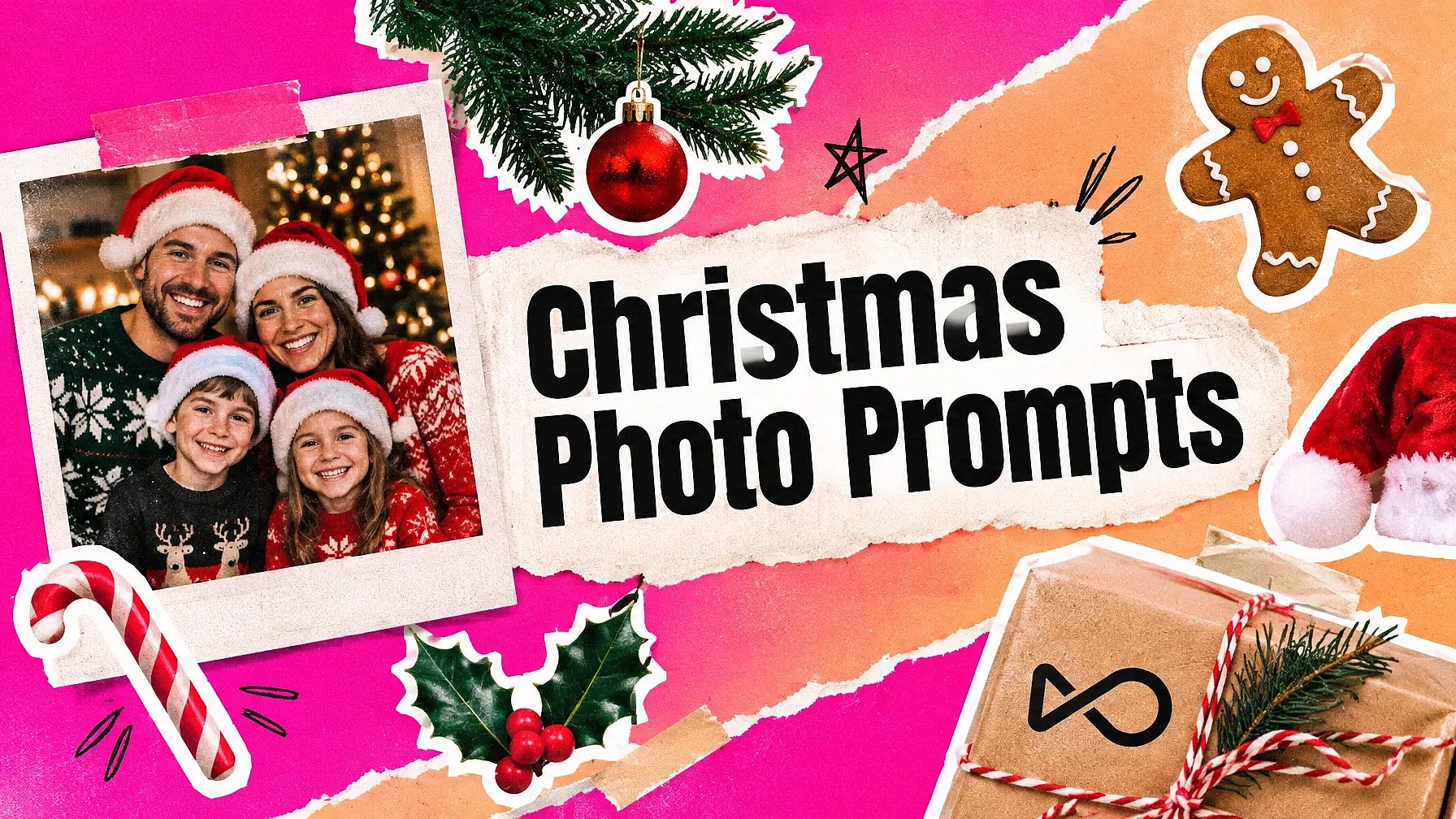
Selbst der Grinch hat kapiert, dass es an Weihnachten vor allem um die Menschen am Tisch geht – und genau das sollte ein gutes Weihnachtsfoto zeigen.
Ein KI-Weihnachtsfoto-Prompt hilft dir dabei. Starte mit einem klaren Foto aus diesem Jahr, auf dem jedes Gesicht gut zu sehen ist, und der Prompt baut die Weihnachtsszene um dich herum auf. Jeder Prompt hier beginnt mit einer Zeile, die eure Gesichter so lässt, wie sie sind.
Hier sind 42 Prompts für die Feiertagssaison 2026. Die meisten funktionieren mit deinem eigenen Foto, gruppiert danach, wer oder was darauf zu sehen ist. Ein kurzer Satz am Ende funktioniert ganz ohne Foto.
Füge eines davon in OpenArts KI-Weihnachtsfoto-Generator um das Foto direkt dort zu erstellen.
Wichtigste Erkenntnisse
- Beginne jeden Foto-Prompt mit „Behalte mein Gesicht exakt gleich.“ Diese eine Zeile erledigt den Großteil der Arbeit.
- Verwende ein klares Foto von vorne bei gutem Licht. Unscharfe Fotos liefern unscharfe Ergebnisse.
- Halte den Text für Karten auf wenige Wörter und prüfe die Rechtschreibung, bevor du druckst.
- Jede Gruppe unten enthält ein Beispielbild und das OpenArt-Modell, das wir verwendet haben.
- Kein Foto? Spring direkt zu den reinen Text-Prompts am Ende.
So machst du den KI-Weihnachtsfoto-Trend mit
Der KI-Weihnachtsfoto-Trend ist simpel: Du lädst ein Foto von dir hoch und fügst einen Prompt ein. Die KI baut eine Weihnachtsszene um dich herum. So geht's auf OpenArt.
- Lade dein Foto hoch. Öffne das KI-Bildgenerator und lade ein klares Foto hoch, auf dem dein Gesicht gut zu sehen ist.
- Füge einen Prompt ein. Kopiere einen beliebigen Prompt aus den Gruppen unten.
- Generieren. Wähle ein Modell und generiere ein paar Versionen.
- Herunterladen. Behalte die, die dir am ähnlichsten sieht.
Dieselben Prompts funktionieren in Gemini und ChatGPT. Lade dein Foto im Chat hoch, füge den Prompt ein und sende ihn ab.
Weihnachts-KI-Foto-Prompts für dein eigenes Foto
Diese KI-Prompts für Weihnachtsfotos gehen von einem Bild aus, das du hochlädst. Jeder beginnt damit, der KI zu sagen, das Gesicht gleich zu lassen, und beschreibt dann alles andere.
Wir haben sie danach gruppiert, was auf deinem Foto zu sehen ist. Jede Gruppe hat ein Beispielbild mit dem OpenArt-Modell, das wir verwendet haben.
Selfie- und Porträt-Prompts
Warum es funktioniert: Ein Porträt braucht nur eine starke Idee, etwa einen Pullover oder Schnee, und das Licht erledigt den Rest.
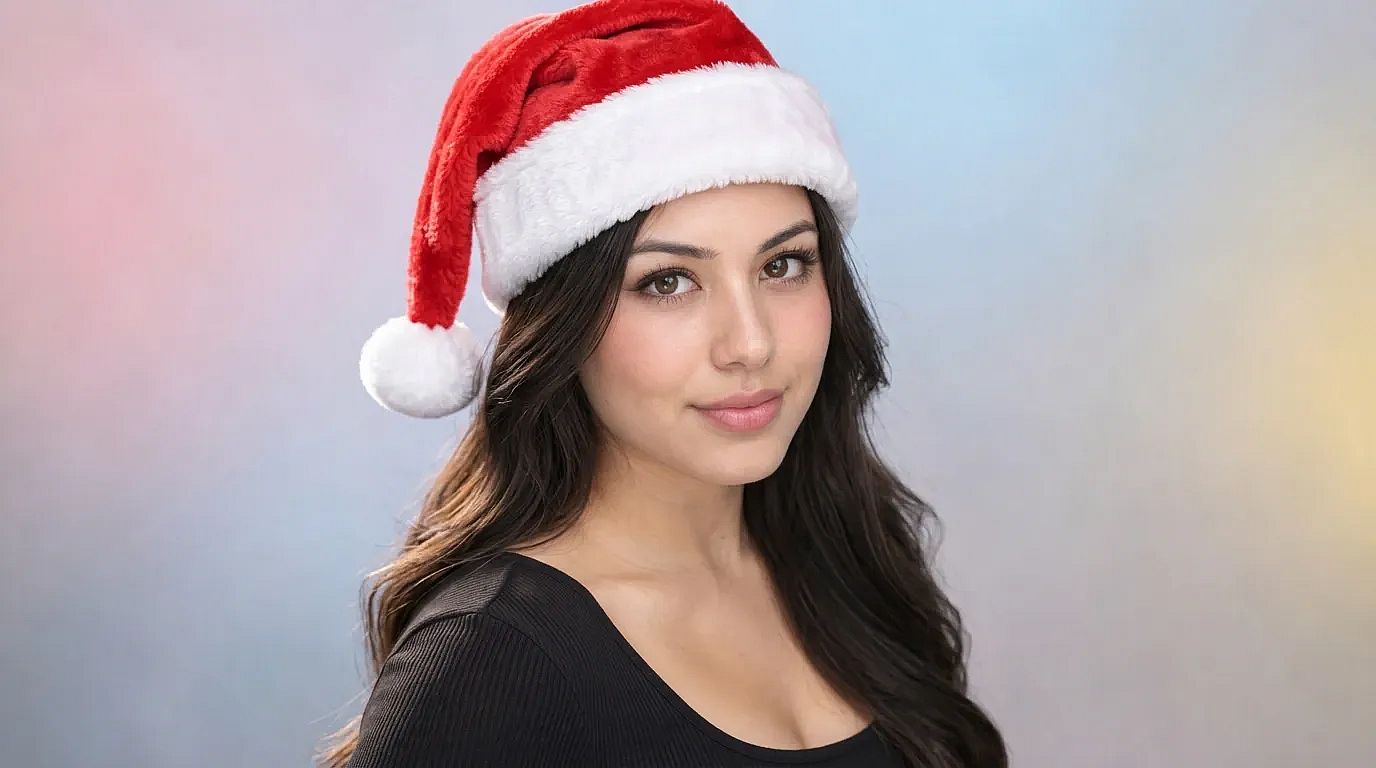 Erstellt auf OpenArt mit Nano Banana 2.1
1. Gemütlicher Pullover am Weihnachtsbaum
Keep my face exactly the same. Dress me in a red and white knit Christmas sweater, sitting next to a lit Christmas tree in a warm living room. Soft lamp light, gentle smile, 4:5 portrait.
2. Verschneite Straße in der Dämmerung
Keep my face exactly the same. Place me on a snowy street at dusk with glowing shop windows and string lights behind me. Light snow falling, warm coat and scarf, cinematic portrait.
3. Selfie mit Weihnachtsmütze
Keep my face exactly the same. Add a soft red Santa hat with white fur trim, a little tilted. Keep my expression and the background as they are.
4. Outfit für die Weihnachtsfeier
Keep my face exactly the same. Dress me in a deep green velvet party outfit, standing in front of a wall of warm fairy lights and gold ornaments. Full-body shot, festive mood.
5. Feiertagsporträt für Männer
Keep my face exactly the same. Dress me in a dark wool coat over a cream turtleneck, standing by a snowy pine forest at golden hour. Natural light, sharp focus on my face, 4:5.
Willst du einen anderen Look? Füge "Polaroid-Foto" oder "Vintage-Filmlook der 1950er" ans Ende eines beliebigen Prompts oben hinzu. Für einen schnellen Hut ohne Prompt probiere füge eine Weihnachtsmütze hinzu.
KI-Prompts für Weihnachts-Familienfotos
Warum es funktioniert: Anzugeben, wie viele Personen auf dem Foto sind, hilft der KI, jedes Gesicht zu behalten, und verhindert, dass sie eine fremde Person hinzufügt.
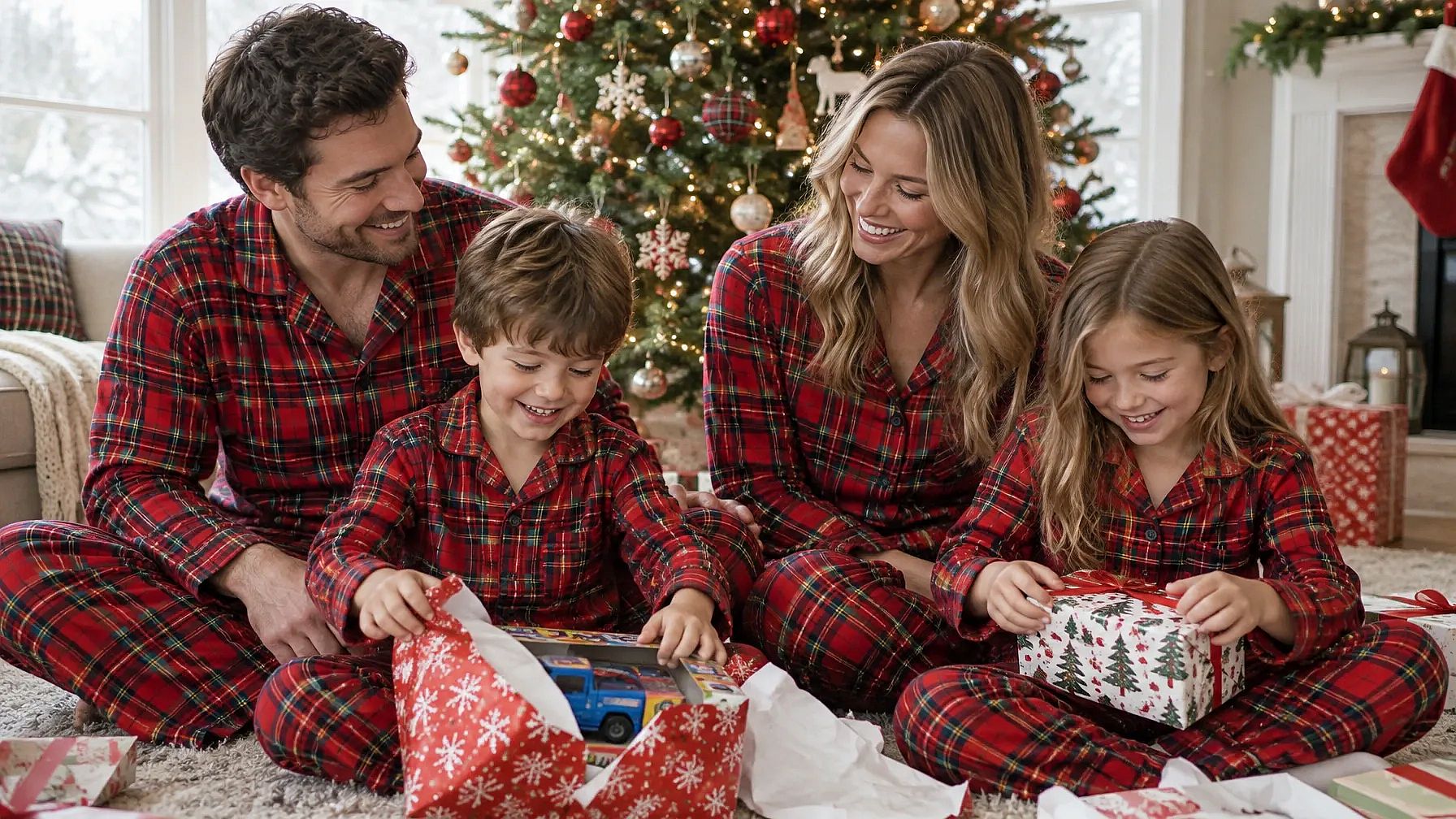 Erstellt mit OpenArt und GPT Image 2.5 Flare
6. Partnerlook-Pyjamas am Kamin
Keep all [number] faces exactly the same. Dress our family in matching red plaid pajamas, sitting together on a rug by a crackling fireplace with stockings hung above it. Warm firelight, relaxed and happy, 4:5.
7. Familie im Schnee
Keep every face exactly the same. Place our family outside a snowy log cabin, wearing warm coats and knit hats, with soft snow falling and warm light from the windows behind us. Wide family portrait.
8. Geschenke am Weihnachtsmorgen
Keep every face exactly the same. Show our family on Christmas morning, opening gifts under a tall lit tree in a bright living room. Wrapping paper everywhere, natural morning light, candid moment.
9. Formelles Familienporträt
Keep every face exactly the same. Dress our family in coordinated deep green and cream outfits, standing in front of a grand decorated staircase with garlands and gold lights. Classic studio-style family portrait.
10. Weihnachtsessen mit der Familie
Keep every face exactly the same. Seat our family around a long dinner table set for Christmas, with candles, a roast and red napkins. Warm candlelight, everyone laughing.
Prompts für Weihnachtsfotos von Paaren
Warum es funktioniert: Pärchen-Prompts wirken am besten mit einem gemeinsamen Moment, etwa einem Kuss unter dem Mistelzweig, und nur wenigen Requisiten.
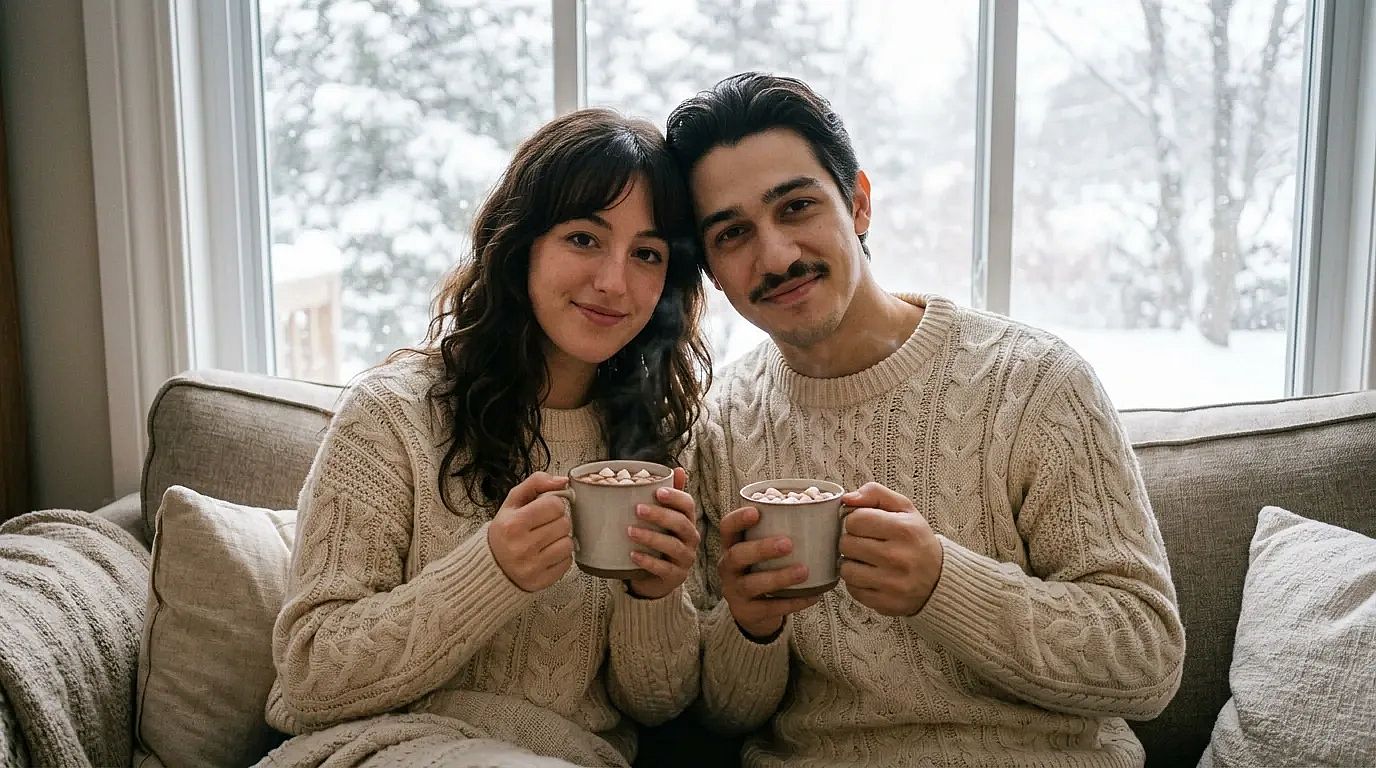 Erstellt auf OpenArt mit Nano Banana 2.1
11. Unter dem Mistelzweig
Keep both our faces exactly the same. Place us under a sprig of mistletoe in a doorway, smiling at each other, with soft blurred Christmas lights behind us. Romantic, warm tones.
12. Schlittschuhlaufen unter Lichterketten
Keep both our faces exactly the same. Show us ice skating hand in hand on an outdoor rink, wearing scarves and mittens, with string lights overhead and light snow falling. Evening, joyful.
13. Passende Pullover und Kakao
Keep both our faces exactly the same. Dress us in matching cream knit sweaters, holding mugs of hot cocoa on a couch by a window with snow outside. Cozy, soft daylight.
14. Weihnachtsmarkt-Termin
Keep both our faces exactly the same. Place us at a busy Christmas market at night, sharing a cup of mulled wine between wooden stalls covered in lights. Candid, warm glow.
Weihnachts-Prompts für Kinder und Babys
Warum es funktioniert: Weiches Licht und schlichte Requisiten halten den Fokus auf deinem Kind – genau so, wie es ein Studiofotograf einrichten würde. Verwende ein Foto deines eigenen Kindes.
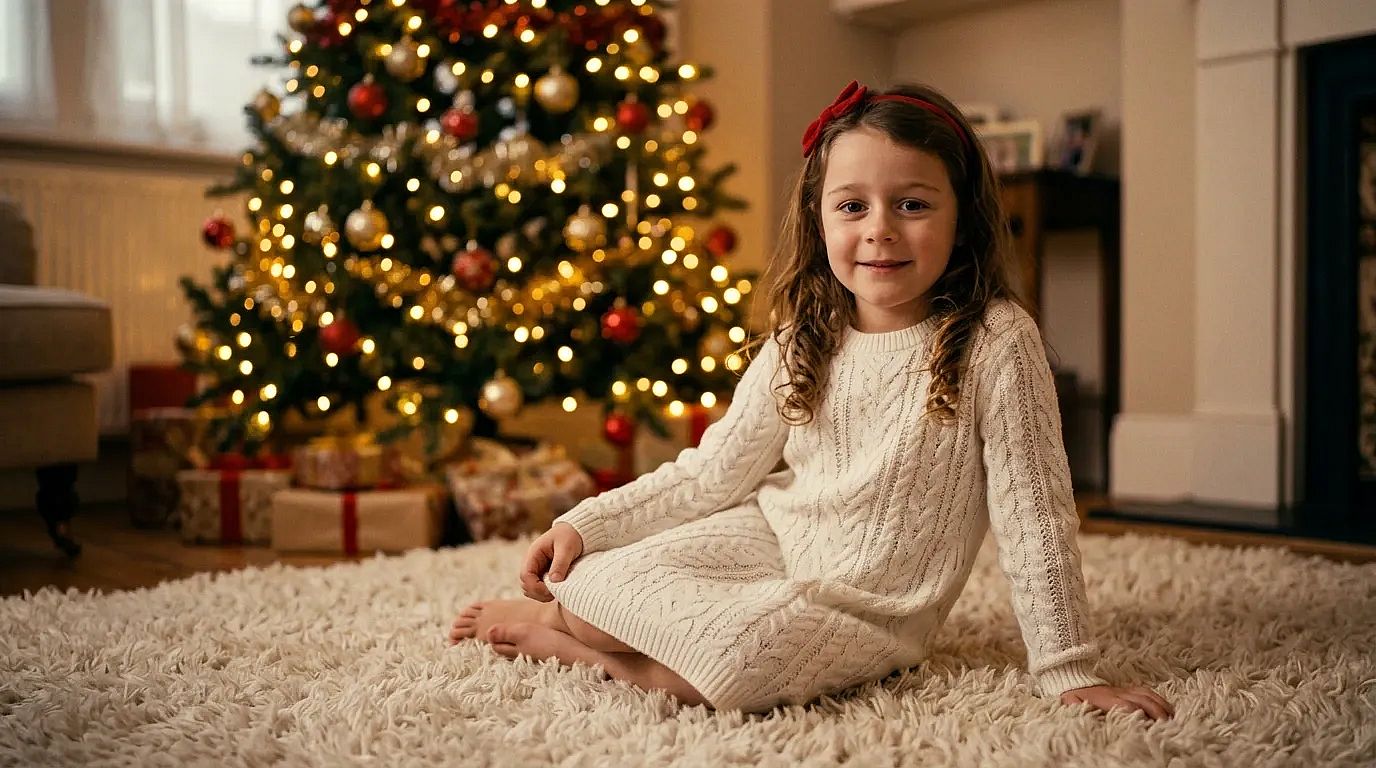 Erstellt auf OpenArt mit Nano Banana 2.1
15. Baby im Weihnachtsmann-Outfit
Keep my baby's face exactly the same. Dress my baby in a tiny red Santa outfit with a white fur trim hat, lying on a soft cream knit blanket with small pine branches around. Soft studio light, sweet and calm.
16. Baby in einer Geschenkbox
Keep my baby's face exactly the same. Show my baby peeking out of a big open gift box with a red bow, surrounded by wrapping paper and a few ornaments. Bright, soft light, playful.
17. Kleines Mädchen am Weihnachtsbaum
Keep my baby's face exactly the same. Dress my baby girl in a white knit dress with a small red bow headband, sitting on a fluffy rug in front of a softly lit Christmas tree. Warm and dreamy.
18. Kleiner Junge als kleiner Elf
Keep my baby's face exactly the same. Dress my baby boy in a green elf outfit with a pointy hat, sitting on a wooden sled in a snowy studio set with fake snow and lanterns. Cute, soft light.
19. Kinder im Pyjama am Weihnachtsmorgen
Keep every child's face exactly the same. Show my kids in matching striped pajamas, laughing as they open presents under the tree on Christmas morning. Natural window light, candid.
Weihnachtsfoto-Prompts für Haustiere
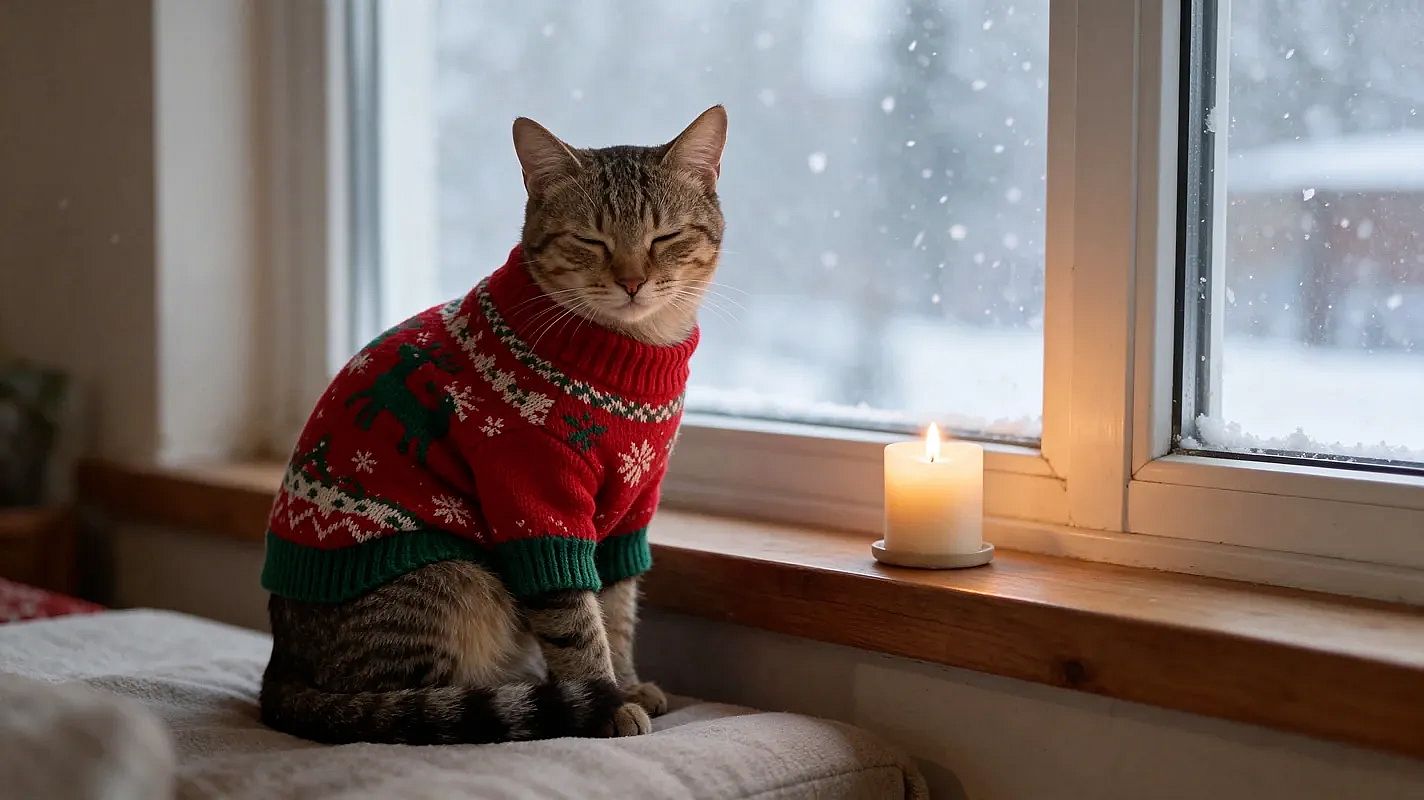
Warum es funktioniert: Dein Hund sitzt für ein Weihnachtsfoto nicht still, und die KI braucht das auch nicht. Nenne Rasse und Farbe, damit dein Tier trotzdem wie dein Tier aussieht.
 Made on OpenArt with Seedream 5.5
20. Hund mit Rentiergeweih
Keep my dog's face and fur exactly the same. Put a pair of soft brown reindeer antlers on my dog, sitting in front of a lit Christmas tree with presents. Warm light, 4:5.
21. Unbeeindruckter Hund, lustige Version
Keep my dog's face and fur exactly the same. Put a tiny Santa hat and a big red bow on my dog, looking completely unimpressed at the camera, with tangled Christmas lights around its paws. Funny holiday card style.
22. Katze in einem Weihnachtsstrumpf
Keep my cat's face and fur exactly the same. Show my cat curled up inside a big red knit Christmas stocking hanging by the fireplace, only its head peeking out. Cozy firelight.
23. Haustier am Fenster im Schnee
Keep my pet's face and fur exactly the same. Show my pet wearing a small knit sweater, sitting by a window with snow falling outside and a candle on the sill. Soft, quiet mood.
Weihnachtliche Produktfoto-Prompts für Shops und Marken
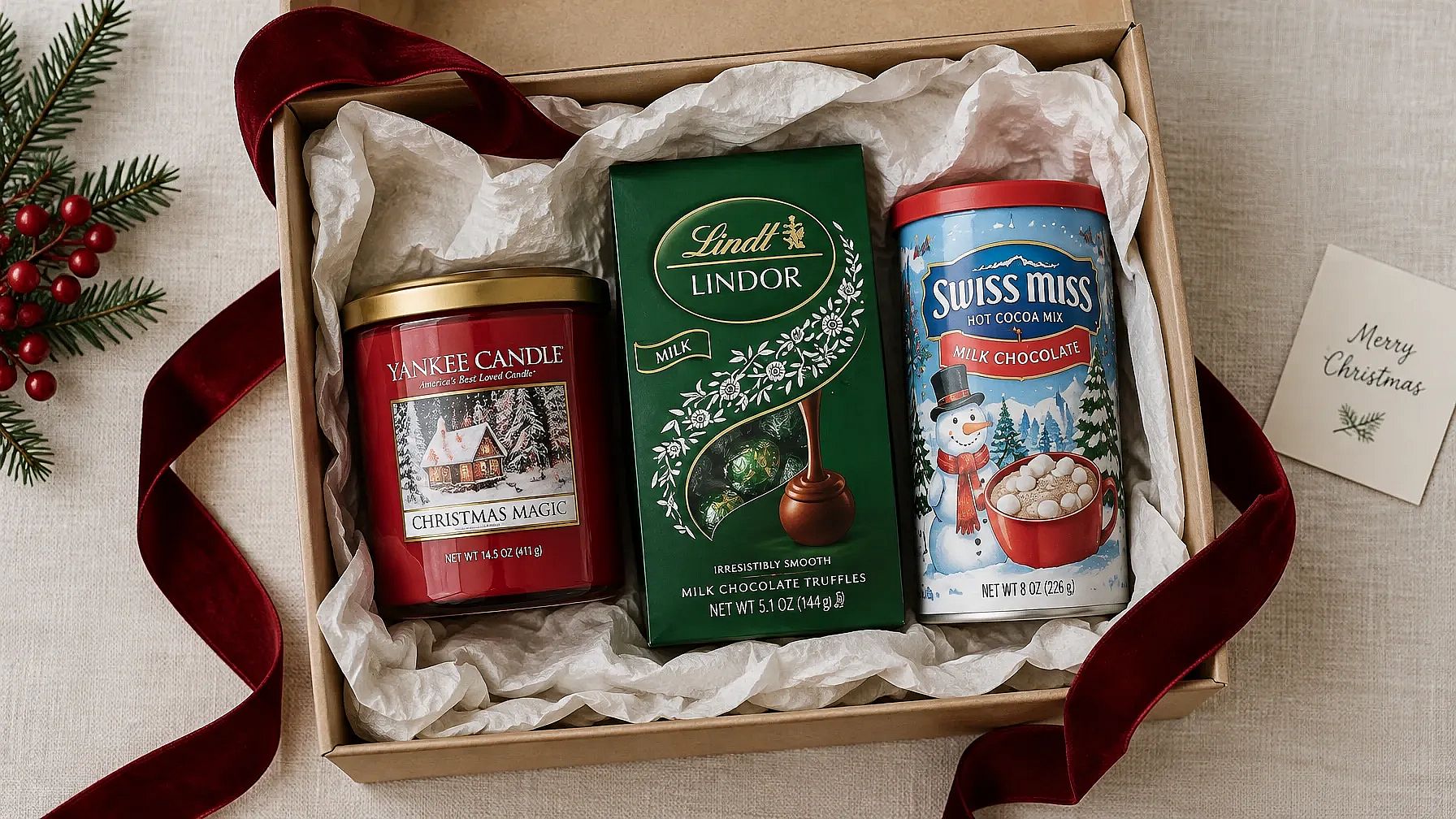
Warum es funktioniert: "das Produkt genau gleich lassen" schützt dein Label und deine Form, während sich die Szene drumherum passend zur Saison verändert.
 Erstellt mit OpenArt und GPT Image 2.5 Flare
24. Produkt zwischen eingepackten Geschenken
Keep the product in my photo exactly the same. Place it among wrapped gifts with red and gold ribbons, on a wooden table with warm blurred Christmas lights behind. Soft, warm product photo.
25. Festliches Flat Lay
Keep the product in my photo exactly the same. Show it in a top-down flat lay on white linen, with pine branches, pinecones, a few gold ornaments and cinnamon sticks around it. Bright, clean light, 1:1.
26. Feiertags-Sale-Foto mit Platz für Text
Keep the product in my photo exactly the same. Place it on the right side of a deep red background with soft falling snow and a few gold sparkles. Leave the left half empty for sale text. 16:9.
27. Produkt an einem gemütlichen Kamin
Keep the product in my photo exactly the same. Set it on a wooden mantel by a glowing fireplace, next to a small candle and a sprig of holly. Warm, homey light.
Wenn du Markenfarben und ein Logo hast, füge deinem Projekt ein Brand Kit hinzu. Es funktioniert in Create Image mit GPT Image 2.5 und GPT Image 2, sodass jede Weihnachtsaufnahme zu deiner Marke passt. Planst du eine komplette Weihnachtskampagne? Unser Guide zu Weihnachts-Marketingideen hat einen Posting-Kalender und weitere Prompts für Anzeigen und Social-Media-Posts.
Prompts für Weihnachtskarten
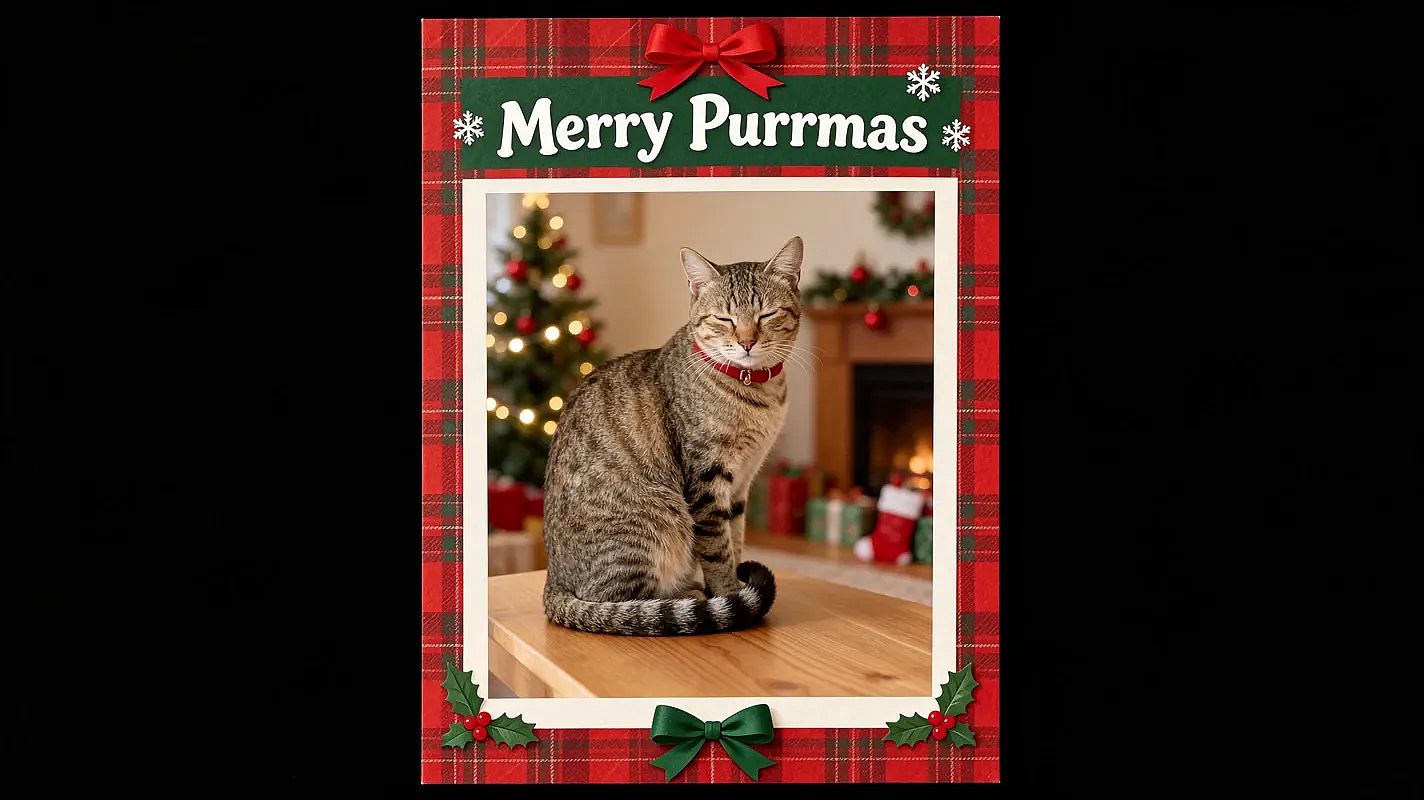
Warum das funktioniert: Wenn du die genauen Wörter in Anführungszeichen setzt, weiß die KI, was sie schreiben soll. Kurze Grüße kommen sauberer raus als lange.
 Made on OpenArt with Seedream 5.5
28. Familien-Weihnachtskarte
Keep every face exactly the same. Turn our family photo into a Christmas card with a cream border and small pine branches in the corners. Add the words "Merry Christmas from the [Name] Family" in elegant gold script at the bottom. 5:7 card.
29. Weihnachtskarte mit Haustier
Keep my pet's face and fur exactly the same. Turn this photo into a Christmas card with a red plaid border and the words "Merry Woofmas" in playful white letters at the top. 5:7 card.
30. Minimalistische Frohe-Weihnachten-Karte
Keep my face exactly the same. Make a simple Christmas card with my photo in a round frame on a plain forest green background. Add "Merry Christmas" in thin gold letters below. Lots of empty space, 5:7.
31. Vintage-Weihnachtskarte
Keep every face exactly the same. Turn our photo into a vintage 1950s Christmas card with soft faded colors, a snowy village illustration around the photo and the words "Season's Greetings" in retro red letters.
32. Frohe-Feiertage-Karte fürs Büro
Keep every face exactly the same. Turn our team photo into a holiday card with a clean white background, small silver snowflakes and the words "Happy Holidays from [Company Name]" in dark blue. 5:7 card.
Drucktipp: Halte den Gruß kurz und zoome rein, um jeden Buchstaben zu prüfen. Jage die Karte vor dem Druck durch Image Upscale auf OpenArt, damit sie bei 5 x 7 Zoll gestochen scharf bleibt.
Weihnachts-Hintergrund-Prompts
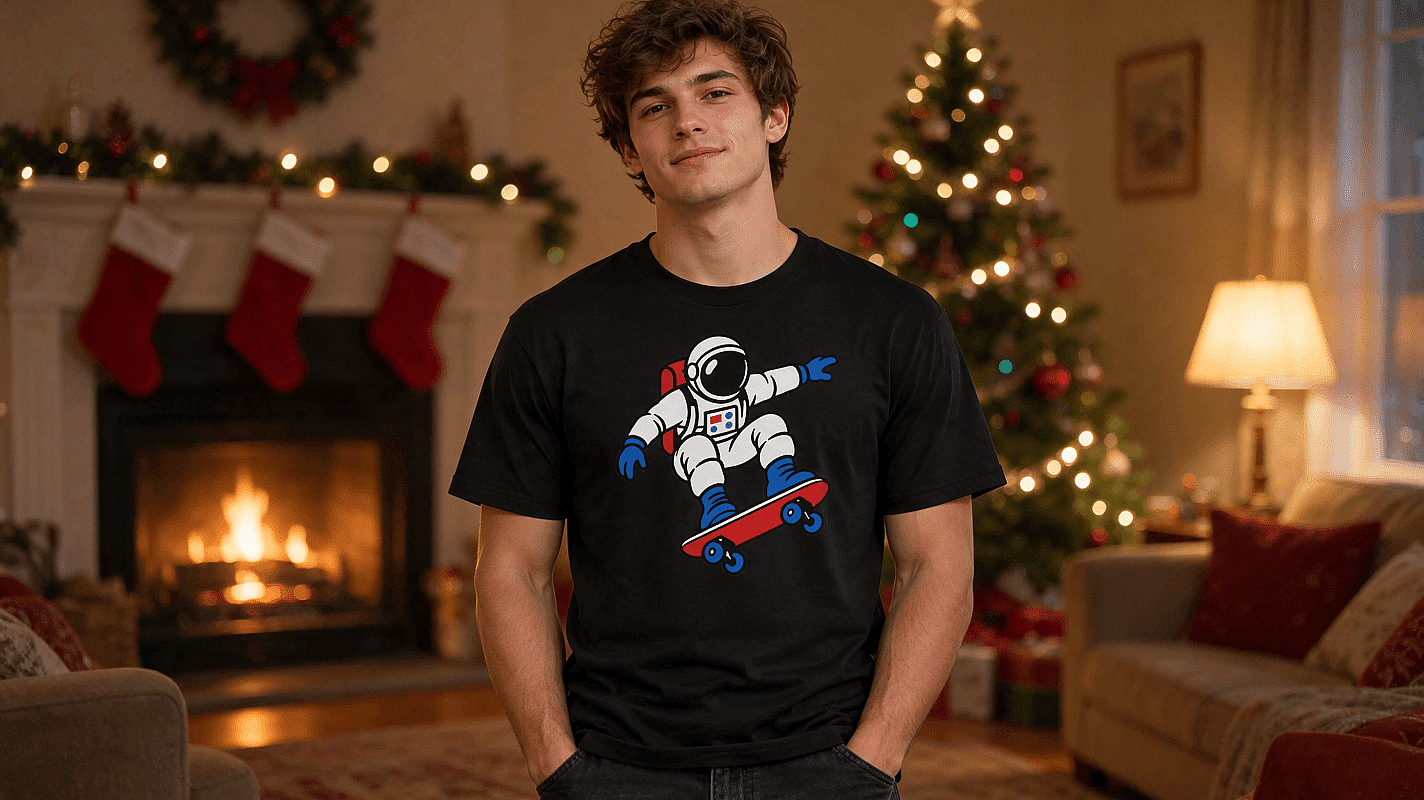
Warum es funktioniert: Du behältst die Person und die Pose, nur der Hintergrund ändert sich. Das Licht an die neue Szene anzupassen ist das, was es echt aussehen lässt.
 Made on OpenArt with GPT Image 2.6
33. Gemütliches Wohnzimmer als Hintergrund
Keep me, my pose and my clothes exactly the same. Replace only the background with a cozy living room decorated for Christmas, with a fireplace, stockings and warm lamp light. Match the light on me to the room.
34. Beleuchteter Weihnachtsbaum hinter dir
Keep me and my pose exactly the same. Add a tall, fully lit Christmas tree with gold and red ornaments right behind me, slightly blurred. Warm glow on my face.
35. Verschneites Dorf bei Nacht
Keep me and my pose exactly the same. Replace the background with a snowy village street at night, with glowing windows, string lights and soft falling snow. Cool blue night with warm lights.
36. Schlichter Studio-Hintergrund für Feiertage
Keep me and my pose exactly the same. Replace the background with a plain deep red studio backdrop with soft blurred gold bokeh lights. Clean, even studio light.
Für eine Ein-Klick-Version probiere füge einen weihnachtlichen Hintergrund hinzu oder füge einen Weihnachtsbaum hinzu zu deinem Foto.
Weihnachts-KI-Prompts ohne Foto
Kein Foto? Diese Weihnachts-KI-Prompts erstellen eine ganze Szene allein aus Text. Perfekt für Wallpaper und Feiertagsposts.
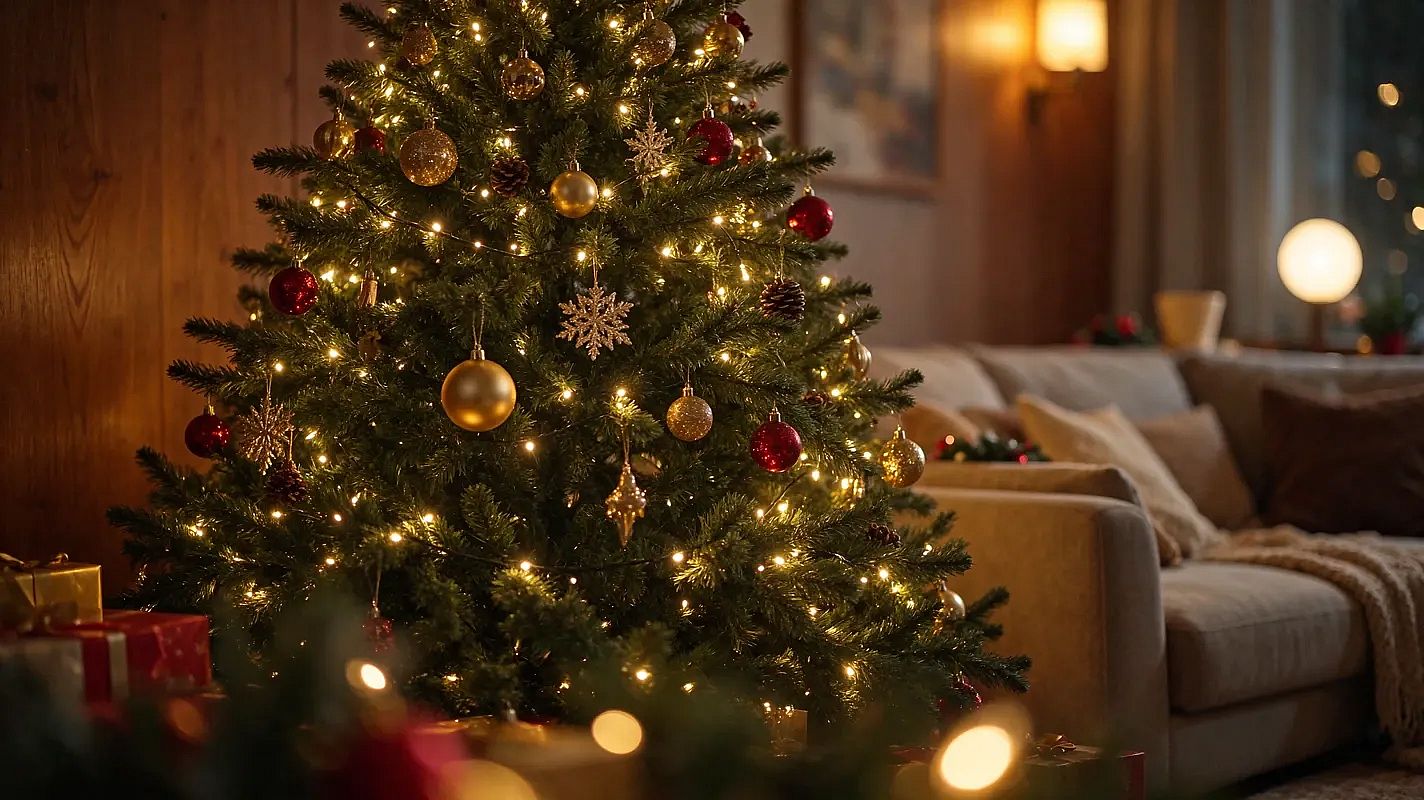 Made on OpenArt with GPT Image 2.6
37. Weihnachtsbaum in einem gemütlichen Wohnzimmer
Christmas tree decorated with lights and ornaments, in a cozy living room, photorealistic style.
38. Der Schlitten des Weihnachtsmanns über einem verschneiten Dorf
Reindeer pulling Santa's sleigh, flying over a snowy village, photorealistic style.
39. Lebkuchenhaus
Gingerbread house with candy decorations, photorealistic style.
40. Verschneite Hütte
Snow-covered cabin in the woods, warm light from windows, photorealistic style.
41. Weihnachtsmarkt bei Nacht
Christmas market with stalls and lights, bustling atmosphere, photorealistic style.
42. Heißer Kakao in einer Weihnachtstasse
Hot cocoa with marshmallows, in a Christmas-themed mug, photorealistic style.
Tipps für bessere KI-Weihnachtsfotos
Die meisten schlechten Ergebnisse fangen beim Foto an. Mach das zuerst richtig.
- Nutze ein scharfes Foto. Schau in die Kamera, nutze Tageslicht und halte dein Gesicht frei von Haaren oder Sonnenbrille.
- Ein Foto, alle drauf. Lade für Familien- und Paarfotos ein Bild hoch, auf dem jedes Gesicht sichtbar ist.
- Beginne mit der Gesichtszeile. "Mein Gesicht genau gleich lassen" kommt immer zuerst.
- Ändere immer nur eine Sache auf einmal. Wenn ein Ergebnis fast passt, ändere ein Detail und generiere erneut.
- Wähle das Format. Nutze 4:5 für Instagram-Posts und 5:7 für gedruckte Karten.
Erstelle dein KI-Weihnachtsfoto
Wähle einen Prompt und lade dein Foto in den KI-Weihnachtsfoto-Generator hoch. Deine Weihnachtskarte ist fertig, bevor die Plätzchen es sind. Animiere deine Fotos und entdecke mehr Ideen für Weihnachtsvideos auf OpenArt.
FAQ zu KI-Weihnachtsfotos
Ist das Ausprobieren kostenlos?
Ja. Neue OpenArt-Konten erhalten 40 kostenlose Test-Credits, sodass du ein paar Weihnachtsfotos erstellen kannst, bevor du etwas bezahlst. Jeder Prompt auf dieser Seite kann kostenlos kopiert werden.
Welches Foto funktioniert am besten?
Das beste Foto ist scharf und gut ausgeleuchtet, mit deinem Gesicht direkt zur Kamera. Bei Gruppen wähle ein Foto, auf dem jedes Gesicht groß genug ist, um es klar zu erkennen.
Kann ich mein KI-Weihnachtsfoto für Karten nutzen?
Ja. Nutze die Karten-Prompts oben, halte den Gruß kurz und prüfe dann die Rechtschreibung. Fürs Drucken solltest du das Bild zuerst hochskalieren, damit es bei 5 × 7 Zoll scharf bleibt.
Sieht das Foto noch aus wie ich?
Meistens, wenn du mit „Behalte mein Gesicht genau gleich“ startest und ein klares Foto hochlädst. Die Ergebnisse können etwas variieren, also erstelle ein paar Versionen und behalte die, die dir am ähnlichsten sieht.
Funktionieren diese Prompts in Gemini oder ChatGPT?
Ja. Lade dein Foto im Chat hoch, füge einen Prompt ein und sende ihn ab. Geminis Bildmodell ist Nano Banana, das du auch auf OpenArt neben Modellen wie GPT Image 2 nutzen kannst.
Kann ich aus einem Bild ein Weihnachtsfoto für meine ganze Familie erstellen?*
Ja. Lade ein Foto hoch, auf dem alle drauf sind, und gib im Prompt an, wie viele Personen es sind, etwa „Halte alle fünf Gesichter exakt gleich.“ Das hilft der KI, jedes Gesicht beizubehalten.