

 ChatGPT
 Perplexity
 Claude
 Gemini
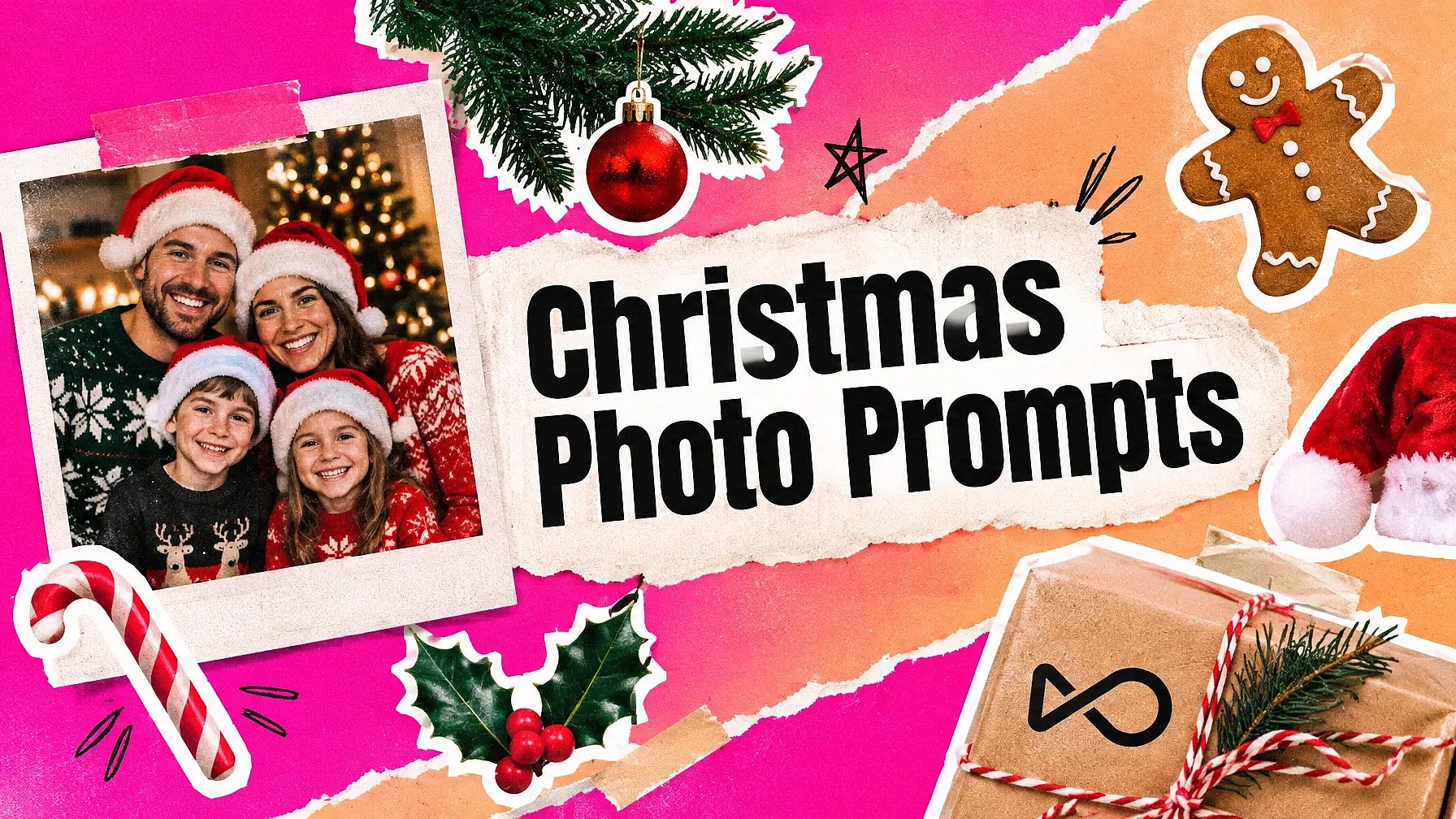
그린치조차도 크리스마스의 진짜 의미는 식탁에 둘러앉은 사람들에게 있다는 걸 깨달았죠. 좋은 크리스마스 사진이 담아야 할 것도 바로 그것입니다.
AI 크리스마스 사진 프롬프트가 도와드립니다. 모두의 얼굴이 잘 보이는 올해의 선명한 사진으로 시작하면 프롬프트가 그 주위에 크리스마스 장면을 만들어줍니다. 여기 모든 프롬프트는 얼굴을 그대로 유지하는 한 줄로 시작합니다.
아래는 2026 홀리데이 시즌을 위한 42개의 프롬프트입니다. 대부분은 사진 속 인물이나 대상에 따라 분류되어 있으며 내 사진에 바로 사용할 수 있습니다. 마지막의 짧은 세트는 사진 없이도 사용할 수 있습니다.
다음 중 아무거나 OpenArt의 AI 크리스마스 사진 생성기 바로 그 자리에서 사진을 만드세요.
핵심 요약
- 모든 사진 프롬프트를 "내 얼굴을 완전히 그대로 유지해줘."로 시작하세요. 이 한 줄이 거의 모든 일을 해냅니다.
- 밝은 조명에서 정면을 바라보는 선명한 사진을 사용하세요. 흐릿한 사진은 흐릿한 결과를 만듭니다.
- 카드에는 텍스트를 몇 단어로 짧게 유지하고, 인쇄 전에 철자를 확인하세요.
- 아래 각 그룹에는 예시 이미지 하나와 저희가 사용한 OpenArt 모델이 포함되어 있습니다.
- 사진이 없으세요? 마지막에 있는 텍스트 전용 프롬프트로 건너뛰세요.
AI 크리스마스 사진 트렌드 따라 하는 법
AI 크리스마스 사진 트렌드는 간단합니다. 자신의 사진을 업로드하고 프롬프트를 붙여넣으면 AI가 당신을 중심으로 크리스마스 장면을 만들어 줍니다. OpenArt에서 하는 방법을 알려드릴게요.
- 사진을 업로드하세요. 열기 AI 이미지 생성기 얼굴이 잘 보이는 선명한 사진을 업로드하세요.
- 프롬프트를 붙여넣으세요. 아래 그룹에서 원하는 프롬프트를 복사하세요.
- 생성하세요. 모델을 선택하고 몇 가지 버전을 생성하세요.
- 다운로드. 가장 당신과 닮은 것을 선택하세요.
동일한 프롬프트가 Gemini와 ChatGPT에서도 작동합니다. 채팅에 사진을 업로드하고 프롬프트를 붙여넣은 후 전송하세요.
내 사진을 위한 크리스마스 AI 사진 프롬프트
크리스마스 사진을 위한 이 AI 프롬프트들은 업로드한 사진에서 시작됩니다. 각 프롬프트는 AI에게 얼굴을 그대로 유지하라고 지시한 뒤, 나머지 모든 것을 설명합니다.
사진에 담긴 내용별로 묶어 정리했습니다. 각 그룹에는 사용한 OpenArt 모델과 함께 예시 이미지가 하나씩 있습니다.
셀피와 인물 사진 프롬프트
효과적인 이유: 인물 사진은 스웨터나 눈처럼 강렬한 아이디어 하나만 있으면 되고, 나머지는 빛이 알아서 처리해 줍니다.
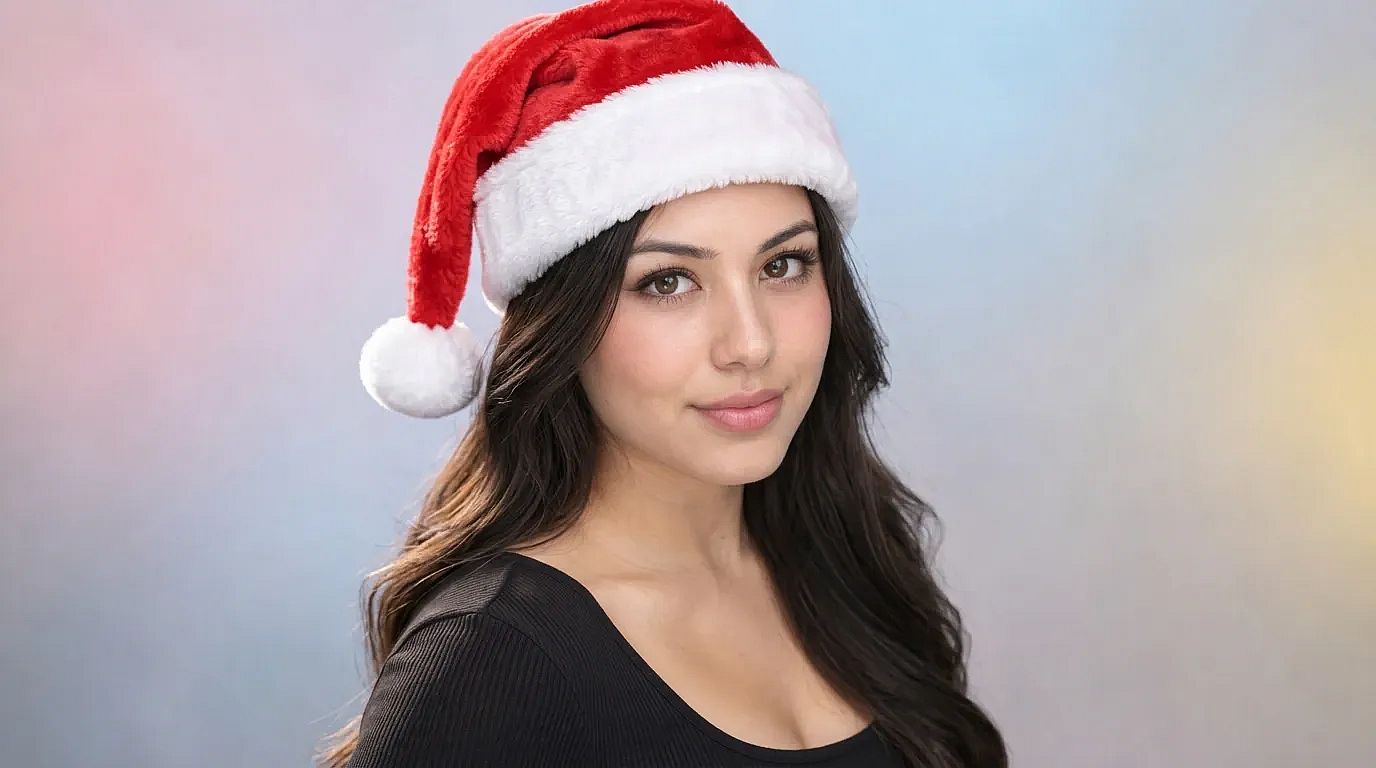 OpenArt에서 Nano Banana 2.1로 제작
1. 트리 옆 포근한 스웨터
Keep my face exactly the same. Dress me in a red and white knit Christmas sweater, sitting next to a lit Christmas tree in a warm living room. Soft lamp light, gentle smile, 4:5 portrait.
2. 해 질 녘 눈 내린 거리
Keep my face exactly the same. Place me on a snowy street at dusk with glowing shop windows and string lights behind me. Light snow falling, warm coat and scarf, cinematic portrait.
3. 산타 모자 셀카
Keep my face exactly the same. Add a soft red Santa hat with white fur trim, a little tilted. Keep my expression and the background as they are.
4. 크리스마스 파티 의상
Keep my face exactly the same. Dress me in a deep green velvet party outfit, standing in front of a wall of warm fairy lights and gold ornaments. Full-body shot, festive mood.
5. 남성용 홀리데이 인물 사진
Keep my face exactly the same. Dress me in a dark wool coat over a cream turtleneck, standing by a snowy pine forest at golden hour. Natural light, sharp focus on my face, 4:5.
다른 분위기를 원하시나요? 위의 어떤 프롬프트든 끝에 "폴라로이드 사진"이나 "1950년대 빈티지 필름 느낌"을 추가해 보세요. 프롬프트 없이 빠르게 산타 모자를 씌우고 싶다면 다음을 시도해 보세요 산타 모자 추가하기.
AI 크리스마스 가족 사진 프롬프트
작동 원리: 사진 속 인원수를 명시하면 AI가 모든 얼굴을 유지하고 낯선 사람을 추가하지 않도록 도와줍니다.
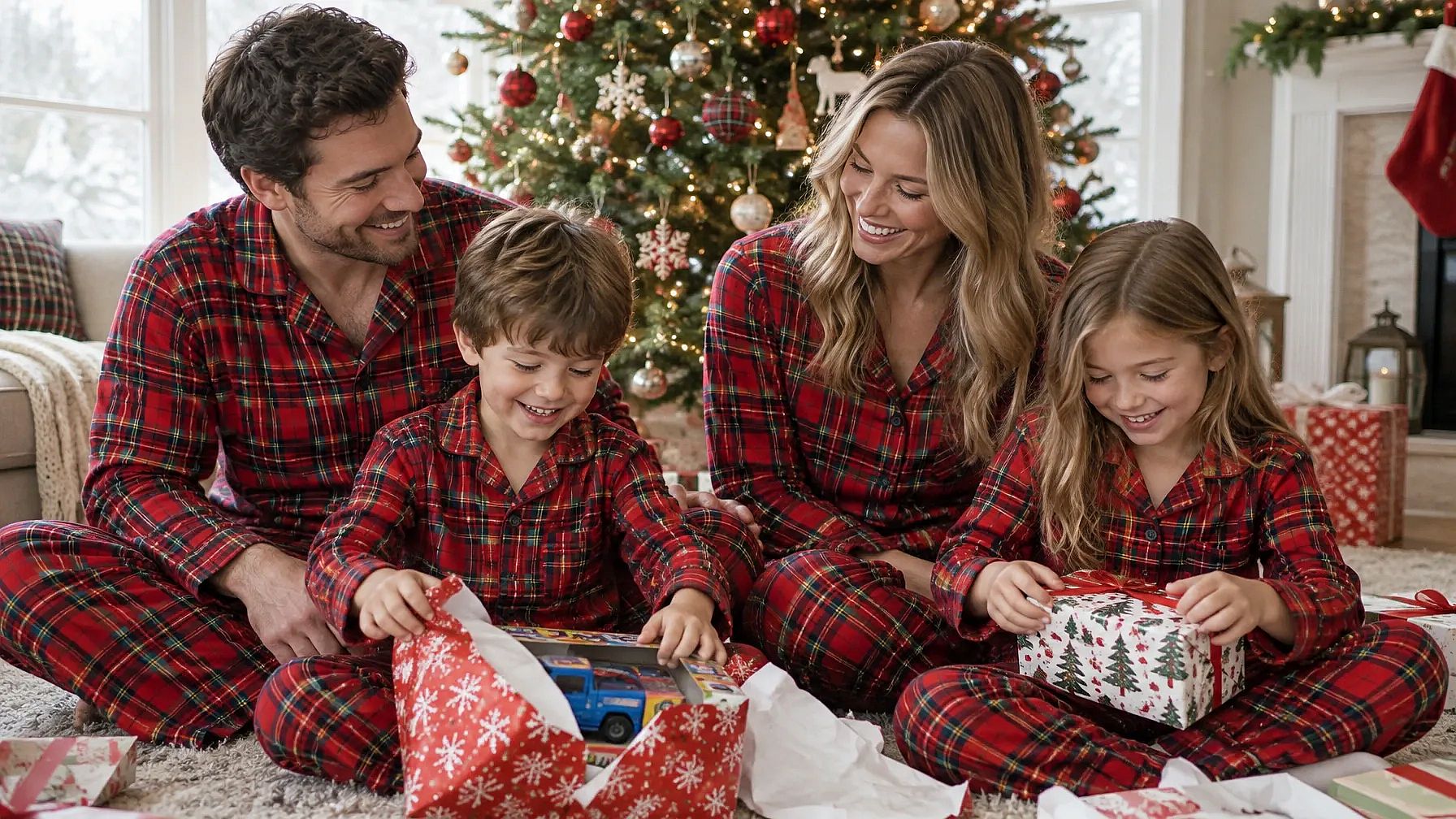 OpenArt에서 GPT Image 2.5 Flare로 제작
6. 벽난로 옆 커플 파자마
Keep all [number] faces exactly the same. Dress our family in matching red plaid pajamas, sitting together on a rug by a crackling fireplace with stockings hung above it. Warm firelight, relaxed and happy, 4:5.
7. 눈 속의 가족
Keep every face exactly the same. Place our family outside a snowy log cabin, wearing warm coats and knit hats, with soft snow falling and warm light from the windows behind us. Wide family portrait.
8. 크리스마스 아침 선물
Keep every face exactly the same. Show our family on Christmas morning, opening gifts under a tall lit tree in a bright living room. Wrapping paper everywhere, natural morning light, candid moment.
9. 격식 있는 가족 인물 사진
Keep every face exactly the same. Dress our family in coordinated deep green and cream outfits, standing in front of a grand decorated staircase with garlands and gold lights. Classic studio-style family portrait.
10. 가족 크리스마스 만찬
Keep every face exactly the same. Seat our family around a long dinner table set for Christmas, with candles, a roast and red napkins. Warm candlelight, everyone laughing.
커플 크리스마스 사진 프롬프트
효과적인 이유: 커플 프롬프트는 겨우살이 아래 키스처럼 함께하는 순간 하나와 몇 가지 소품만으로 가장 멋지게 나옵니다.
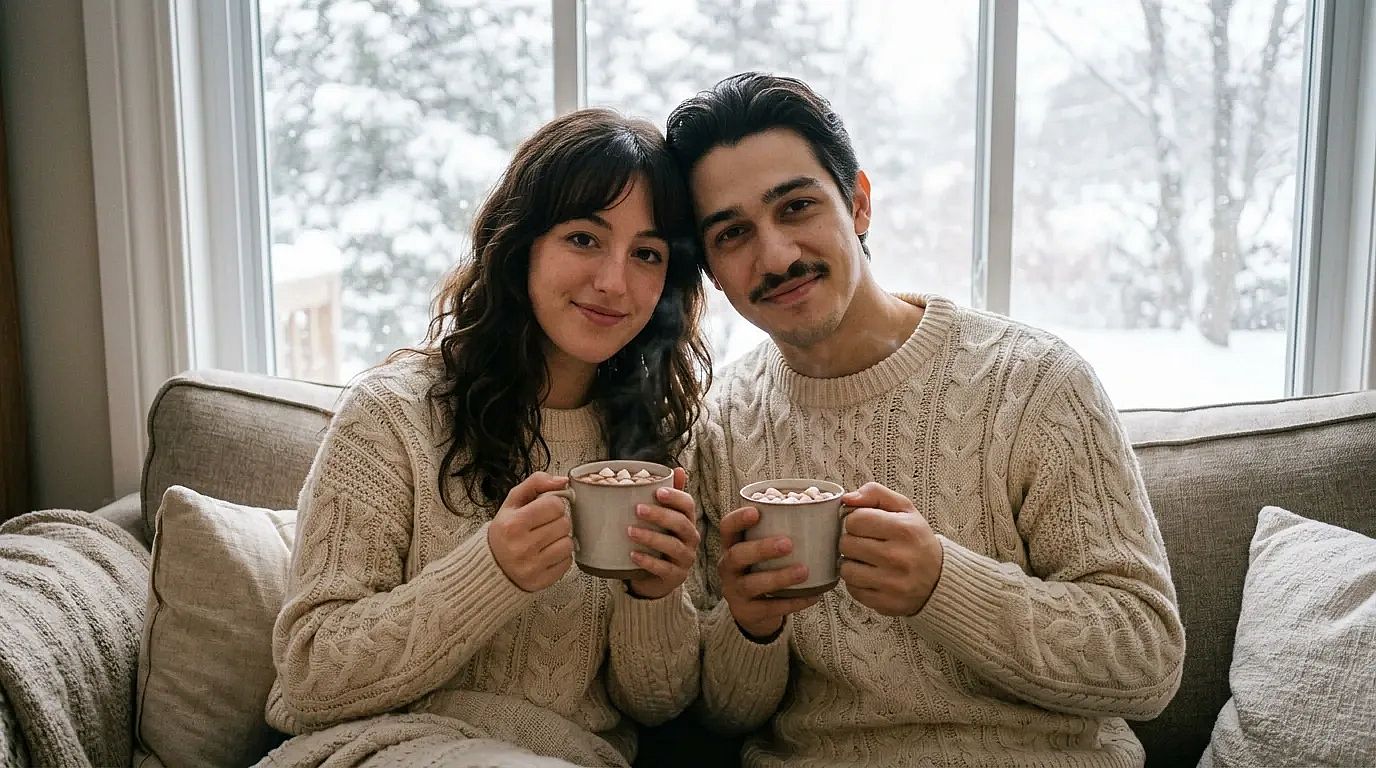 OpenArt에서 Nano Banana 2.1로 제작
11. 겨우살이 아래에서
Keep both our faces exactly the same. Place us under a sprig of mistletoe in a doorway, smiling at each other, with soft blurred Christmas lights behind us. Romantic, warm tones.
12. 조명 아래에서 즐기는 아이스 스케이팅
Keep both our faces exactly the same. Show us ice skating hand in hand on an outdoor rink, wearing scarves and mittens, with string lights overhead and light snow falling. Evening, joyful.
13. 커플 스웨터와 코코아
Keep both our faces exactly the same. Dress us in matching cream knit sweaters, holding mugs of hot cocoa on a couch by a window with snow outside. Cozy, soft daylight.
14. 크리스마스 마켓 데이트
Keep both our faces exactly the same. Place us at a busy Christmas market at night, sharing a cup of mulled wine between wooden stalls covered in lights. Candid, warm glow.
아이와 아기 크리스마스 사진 프롬프트
작동 원리: 부드러운 조명과 간단한 소품은 스튜디오 사진작가가 세팅하듯 아이에게 초점을 유지시켜 줍니다. 직접 찍은 아이 사진을 사용하세요.
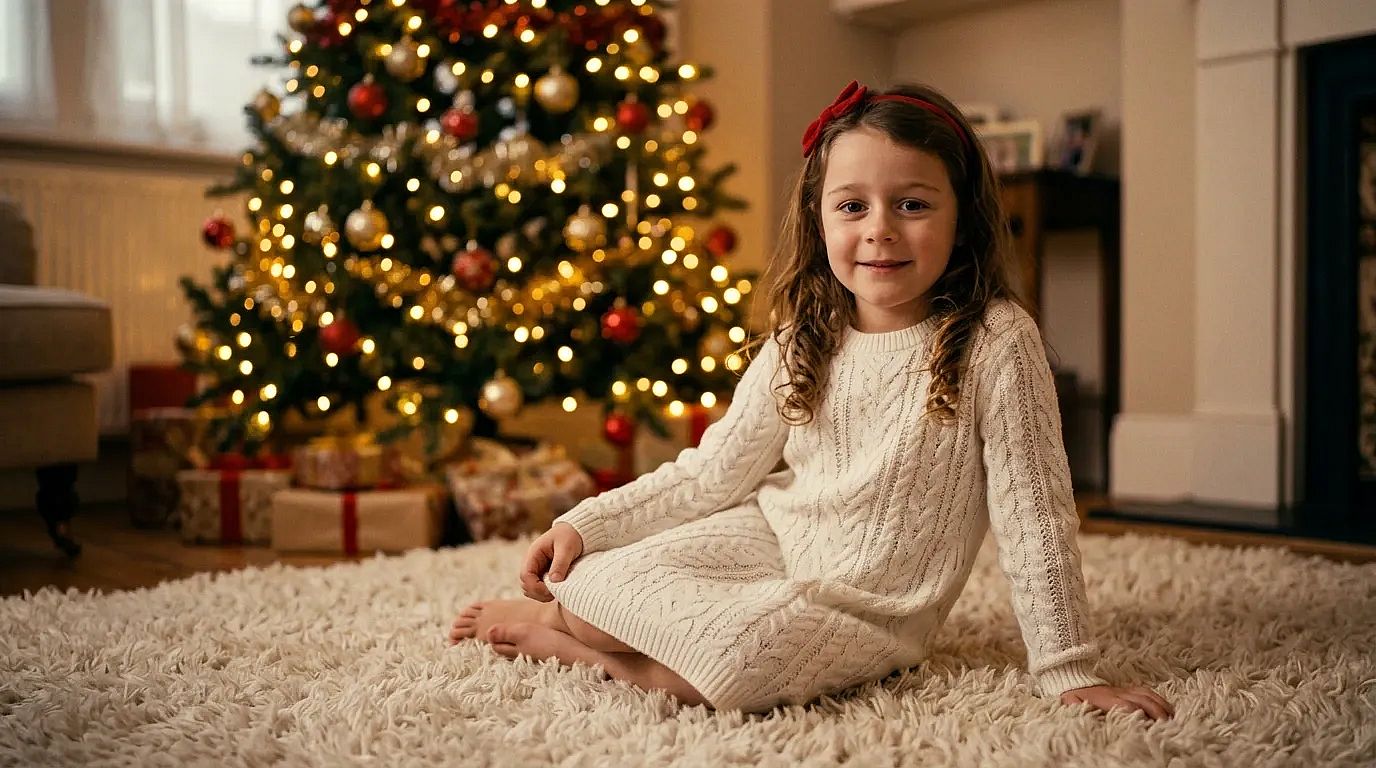 OpenArt에서 Nano Banana 2.1로 제작
15. 산타 복장을 한 아기
Keep my baby's face exactly the same. Dress my baby in a tiny red Santa outfit with a white fur trim hat, lying on a soft cream knit blanket with small pine branches around. Soft studio light, sweet and calm.
16. 선물 상자 속 아기
Keep my baby's face exactly the same. Show my baby peeking out of a big open gift box with a red bow, surrounded by wrapping paper and a few ornaments. Bright, soft light, playful.
17. 트리 옆의 여자 아기
Keep my baby's face exactly the same. Dress my baby girl in a white knit dress with a small red bow headband, sitting on a fluffy rug in front of a softly lit Christmas tree. Warm and dreamy.
18. 꼬마 요정이 된 남자 아기
Keep my baby's face exactly the same. Dress my baby boy in a green elf outfit with a pointy hat, sitting on a wooden sled in a snowy studio set with fake snow and lanterns. Cute, soft light.
19. 크리스마스 아침 잠옷 차림의 아이들
Keep every child's face exactly the same. Show my kids in matching striped pajamas, laughing as they open presents under the tree on Christmas morning. Natural window light, candid.
반려동물 크리스마스 사진 프롬프트
이렇게 작동합니다: 강아지는 명절 사진을 위해 가만히 앉아 있지 않지만 AI는 그럴 필요가 없습니다. 품종과 색상을 지정하면 반려동물이 여전히 내 반려동물처럼 보입니다.
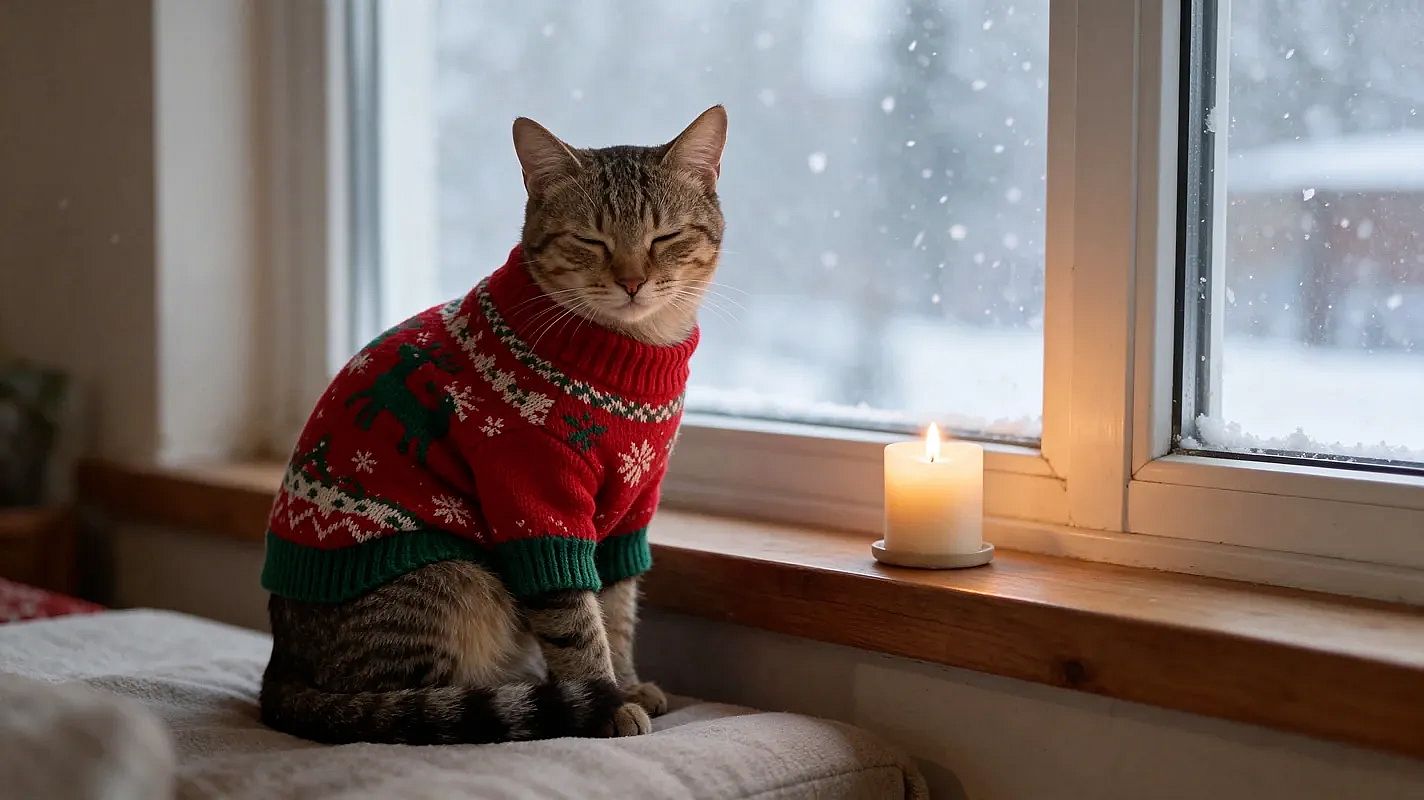 OpenArt에서 Seedream 5.5로 제작
20. 순록 뿔을 쓴 강아지
Keep my dog's face and fur exactly the same. Put a pair of soft brown reindeer antlers on my dog, sitting in front of a lit Christmas tree with presents. Warm light, 4:5.
21. 시큰둥한 강아지, 재미있는 버전
Keep my dog's face and fur exactly the same. Put a tiny Santa hat and a big red bow on my dog, looking completely unimpressed at the camera, with tangled Christmas lights around its paws. Funny holiday card style.
22. 크리스마스 양말 속 고양이
Keep my cat's face and fur exactly the same. Show my cat curled up inside a big red knit Christmas stocking hanging by the fireplace, only its head peeking out. Cozy firelight.
23. 눈 내리는 창가의 반려동물
Keep my pet's face and fur exactly the same. Show my pet wearing a small knit sweater, sitting by a window with snow falling outside and a candle on the sill. Soft, quiet mood.
상점과 브랜드를 위한 크리스마스 제품 사진 프롬프트
이렇게 작동합니다: "제품을 똑같이 유지하기"가 라벨과 모양을 보호하는 동안 주변 장면은 계절에 맞게 바뀝니다.
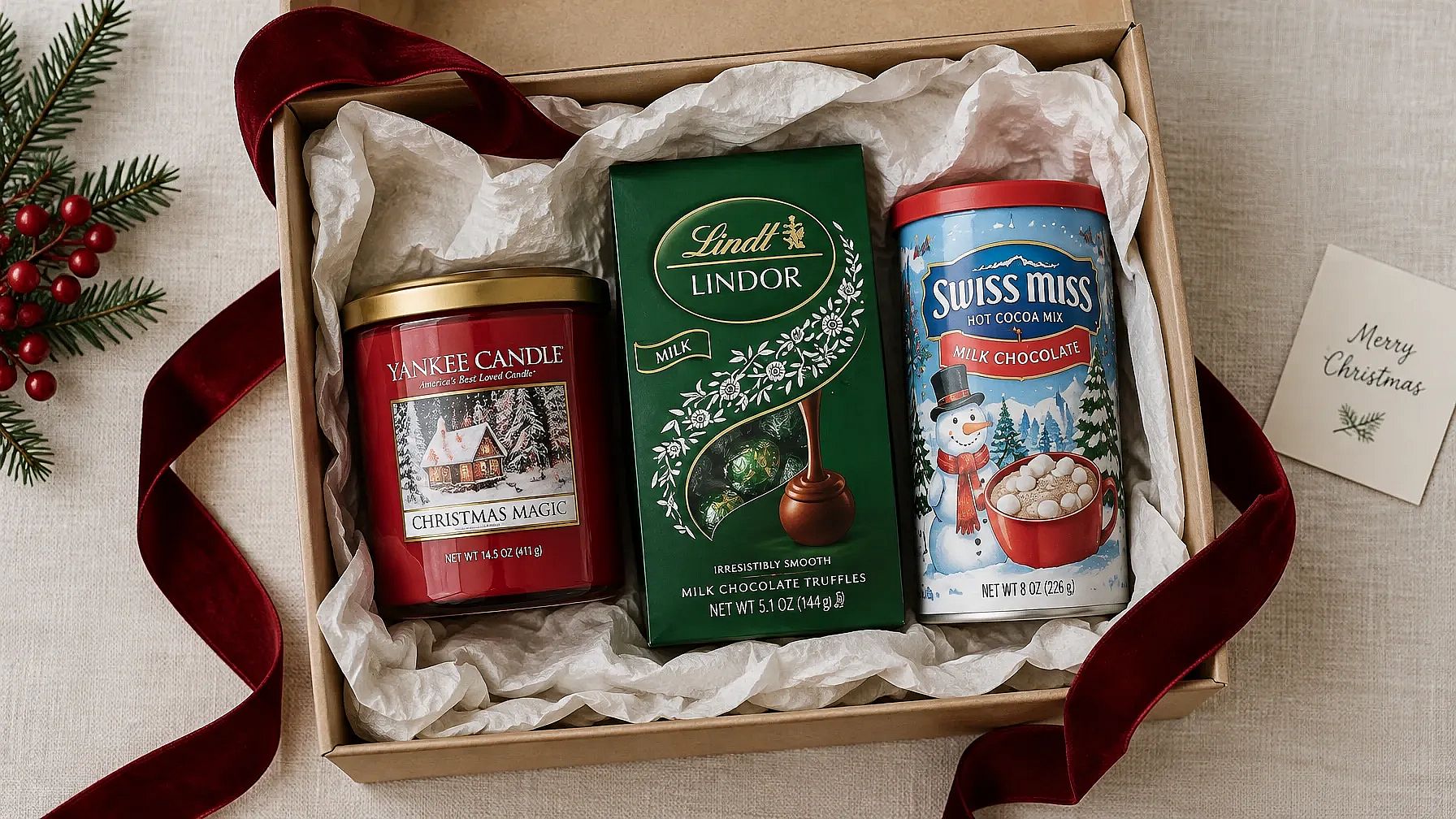 OpenArt에서 GPT Image 2.5 Flare로 제작
24. 포장된 선물 사이의 제품
Keep the product in my photo exactly the same. Place it among wrapped gifts with red and gold ribbons, on a wooden table with warm blurred Christmas lights behind. Soft, warm product photo.
25. 연말 플랫 레이
Keep the product in my photo exactly the same. Show it in a top-down flat lay on white linen, with pine branches, pinecones, a few gold ornaments and cinnamon sticks around it. Bright, clean light, 1:1.
26. 텍스트 공간이 있는 홀리데이 세일 샷
Keep the product in my photo exactly the same. Place it on the right side of a deep red background with soft falling snow and a few gold sparkles. Leave the left half empty for sale text. 16:9.
27. 아늑한 벽난로 옆의 제품
Keep the product in my photo exactly the same. Set it on a wooden mantel by a glowing fireplace, next to a small candle and a sprig of holly. Warm, homey light.
브랜드 색상과 로고가 있다면 프로젝트에 브랜드 키트를 추가하세요. GPT Image 2.5와 GPT Image 2의 이미지 생성에서 작동하므로 모든 연말 사진이 브랜드와 어울립니다. 연말 캠페인 전체를 기획 중이신가요? 다음 가이드를 참고하세요: 크리스마스 마케팅 아이디어 게시 일정과 광고 및 소셜 게시물용 프롬프트가 더 많이 있습니다.
크리스마스 카드 프롬프트
작동 원리: 정확한 문구를 따옴표로 묶으면 AI에게 무엇을 쓸지 알려줍니다. 짧은 인사말이 긴 것보다 더 깔끔하게 나옵니다.
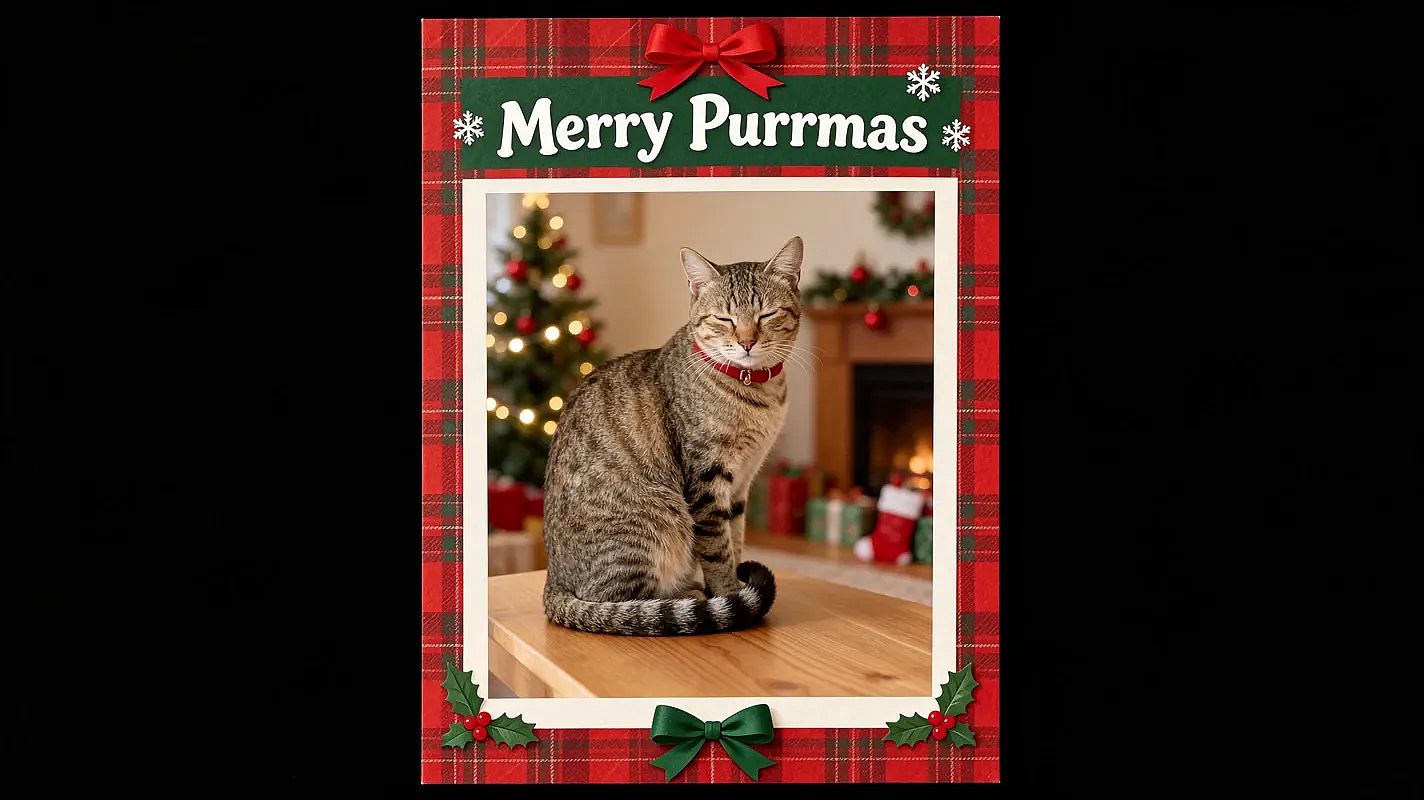 OpenArt에서 Seedream 5.5로 제작
28. 가족 크리스마스 카드
Keep every face exactly the same. Turn our family photo into a Christmas card with a cream border and small pine branches in the corners. Add the words "Merry Christmas from the [Name] Family" in elegant gold script at the bottom. 5:7 card.
29. 반려동물 크리스마스 카드
Keep my pet's face and fur exactly the same. Turn this photo into a Christmas card with a red plaid border and the words "Merry Woofmas" in playful white letters at the top. 5:7 card.
30. 미니멀한 메리 크리스마스 카드
Keep my face exactly the same. Make a simple Christmas card with my photo in a round frame on a plain forest green background. Add "Merry Christmas" in thin gold letters below. Lots of empty space, 5:7.
31. 빈티지 크리스마스 카드
Keep every face exactly the same. Turn our photo into a vintage 1950s Christmas card with soft faded colors, a snowy village illustration around the photo and the words "Season's Greetings" in retro red letters.
32. 직장용 즐거운 홀리데이 카드
Keep every face exactly the same. Turn our team photo into a holiday card with a clean white background, small silver snowflakes and the words "Happy Holidays from [Company Name]" in dark blue. 5:7 card.
인쇄 팁: 인사말은 몇 단어로 짧게 유지하고 확대해서 글자 하나하나 확인하세요. 인쇄하기 전에 OpenArt의 이미지 업스케일로 카드를 처리하면 5 x 7인치에서도 선명하게 유지됩니다.
크리스마스 배경 프롬프트
이렇게 작동합니다: 인물과 포즈는 그대로 유지하고 배경만 바뀝니다. 새로운 장면에 조명을 맞추는 것이 사실적으로 보이게 하는 핵심입니다.
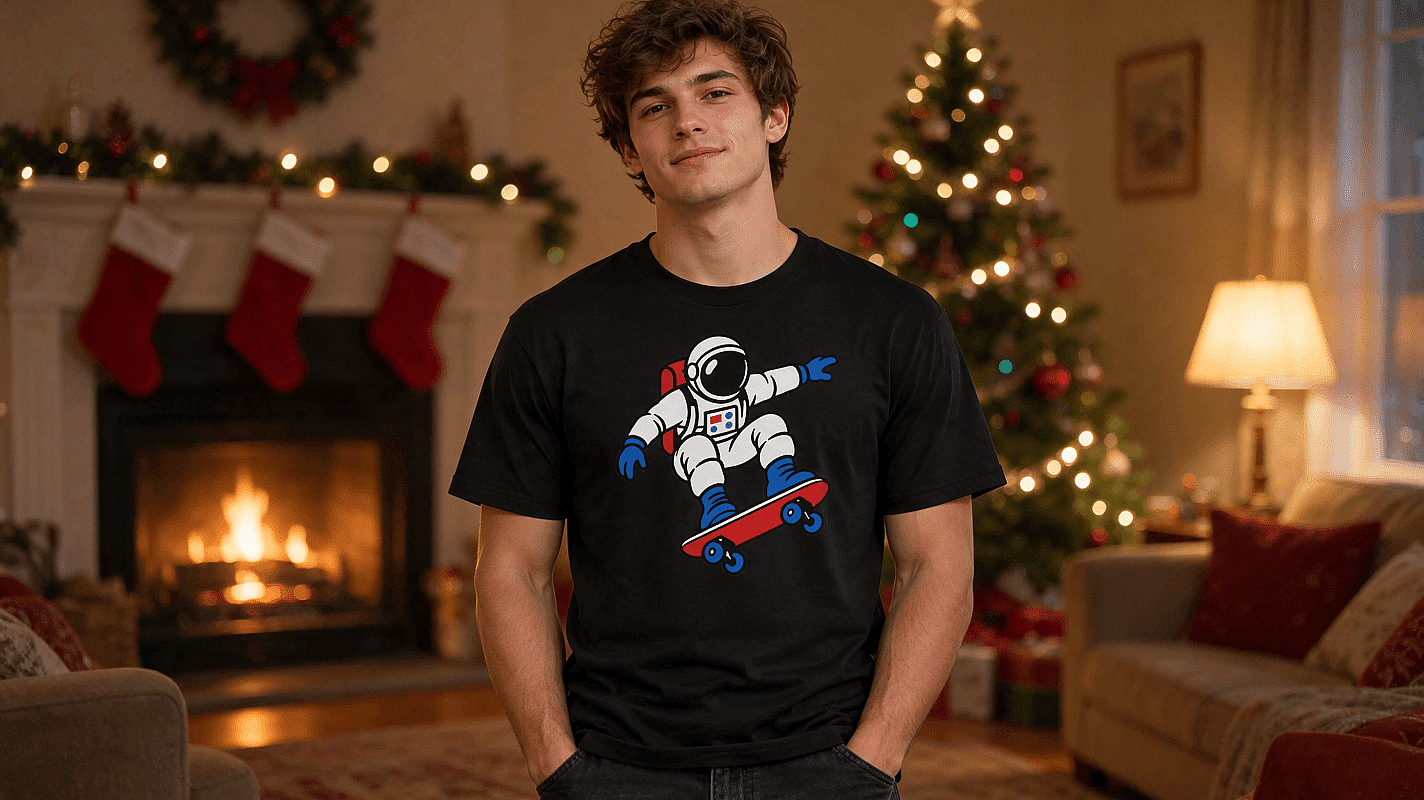 OpenArt에서 GPT Image 2.6으로 제작
33. 아늑한 거실 배경
Keep me, my pose and my clothes exactly the same. Replace only the background with a cozy living room decorated for Christmas, with a fireplace, stockings and warm lamp light. Match the light on me to the room.
34. 당신 뒤로 불 밝힌 크리스마스 트리
Keep me and my pose exactly the same. Add a tall, fully lit Christmas tree with gold and red ornaments right behind me, slightly blurred. Warm glow on my face.
35. 밤의 눈 내린 마을
Keep me and my pose exactly the same. Replace the background with a snowy village street at night, with glowing windows, string lights and soft falling snow. Cool blue night with warm lights.
36. 심플한 명절 스튜디오 배경
Keep me and my pose exactly the same. Replace the background with a plain deep red studio backdrop with soft blurred gold bokeh lights. Clean, even studio light.
원클릭 버전은 다음을 사용해 보세요 크리스마스 배경 추가하기 또는 크리스마스 트리 추가하기 사진에.
사진 없이 쓰는 크리스마스 AI 프롬프트
사진이 없나요? 이 크리스마스 AI 프롬프트는 텍스트만으로 완성된 장면을 만들어 줍니다. 배경화면과 연말 게시물에 안성맞춤입니다.
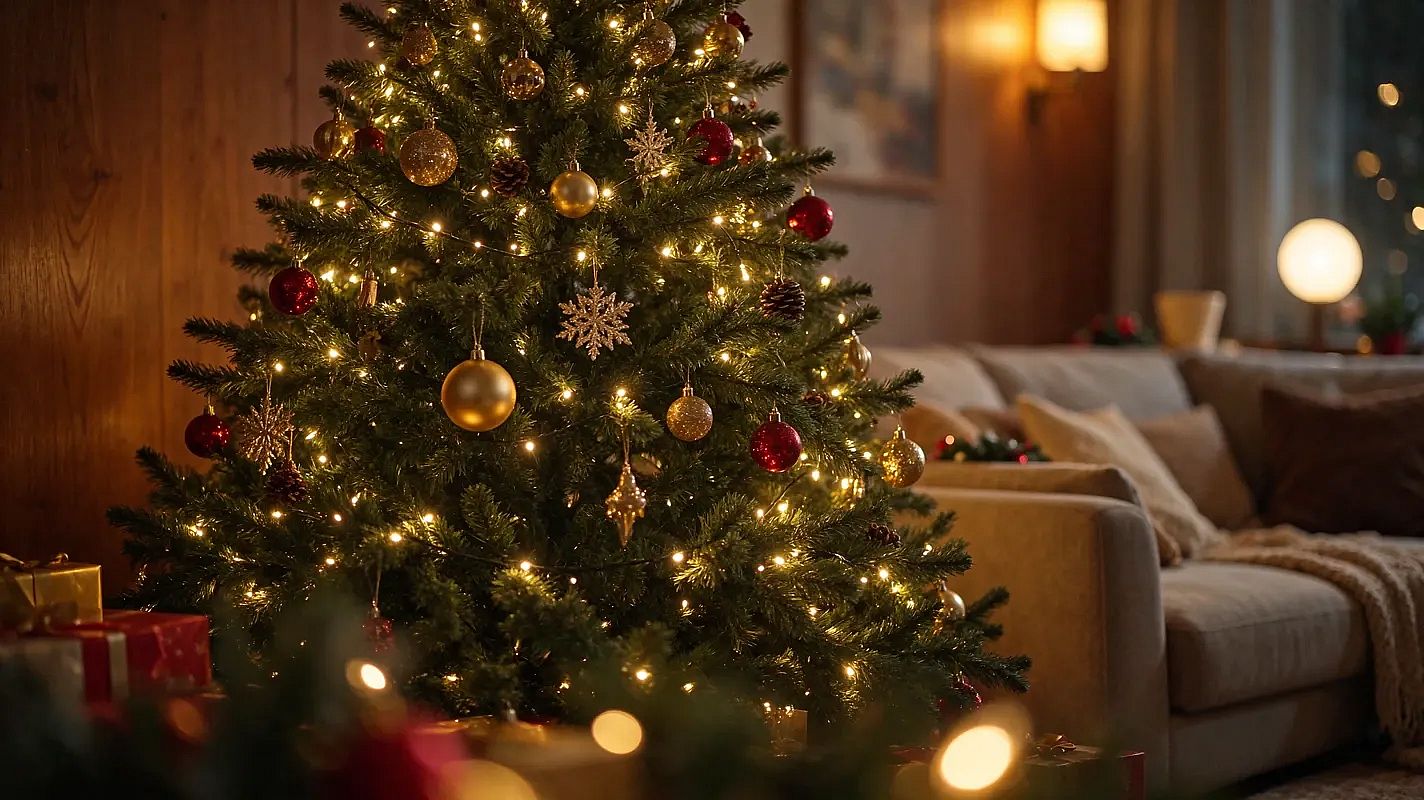 OpenArt에서 GPT Image 2.6으로 제작
37. 아늑한 거실의 크리스마스 트리
Christmas tree decorated with lights and ornaments, in a cozy living room, photorealistic style.
38. 눈 덮인 마을 위를 나는 산타의 썰매
Reindeer pulling Santa's sleigh, flying over a snowy village, photorealistic style.
39. 진저브레드 하우스
Gingerbread house with candy decorations, photorealistic style.
40. 눈 덮인 오두막
Snow-covered cabin in the woods, warm light from windows, photorealistic style.
41. 밤의 크리스마스 마켓
Christmas market with stalls and lights, bustling atmosphere, photorealistic style.
42. 크리스마스 머그잔에 담긴 핫 코코아
Hot cocoa with marshmallows, in a Christmas-themed mug, photorealistic style.
더 멋진 AI 크리스마스 사진을 위한 팁
대부분의 나쁜 결과는 사진에서 시작됩니다. 이것부터 제대로 하세요.
- 선명한 사진을 사용하세요. 카메라를 정면으로 바라보고 자연광을 활용하며 머리카락이나 선글라스로 얼굴이 가려지지 않게 하세요.
- 한 장의 사진에 모두가 함께. 가족사진이나 커플 사진은 모든 얼굴이 보이는 사진 한 장을 업로드하세요.
- 얼굴 관련 문장으로 시작하세요. "내 얼굴을 똑같이 유지하기"를 항상 맨 앞에 두세요.
- 한 번에 하나씩만 바꾸세요. 결과가 거의 마음에 들면 세부 사항 하나를 조정하고 다시 생성하세요.
- 비율을 고르세요. 인스타그램 게시물에는 4:5, 인쇄용 카드에는 5:7을 사용하세요.
나만의 AI 크리스마스 사진 만들기
프롬프트를 고르고 AI 크리스마스 사진 생성기에 사진을 업로드하세요. 쿠키가 다 구워지기도 전에 크리스마스 카드가 완성됩니다. 사진에 움직임을 더하고 더 많은 것을 탐색해 보세요 크리스마스 영상 아이디어 OpenArt에서요.
AI 크리스마스 사진 자주 묻는 질문
무료로 체험할 수 있나요?
네. 새 OpenArt 계정에는 40개의 무료 체험 크레딧이 제공되므로 결제하기 전에 크리스마스 사진 몇 장을 만들어 볼 수 있습니다. 이 페이지의 모든 프롬프트는 무료로 복사할 수 있습니다.
어떤 사진이 가장 좋나요?
가장 좋은 사진은 선명하고 조명이 좋으며 얼굴이 카메라를 정면으로 바라보는 사진입니다. 단체 사진은 모든 얼굴이 또렷이 보일 만큼 충분히 큰 사진을 고르세요.
AI 크리스마스 사진을 카드에 사용할 수 있나요?
네. 위의 카드 프롬프트를 사용하고 인사말은 짧게 유지한 다음 철자를 확인하세요. 인쇄할 때는 이미지를 먼저 업스케일하면 5 x 7인치에서도 선명하게 유지됩니다.
사진이 여전히 나처럼 보일까요?
보통은 "내 얼굴을 똑같이 유지해줘"로 시작하고 선명한 사진을 올리면 됩니다. 결과가 조금씩 달라질 수 있으니 여러 버전을 생성한 뒤 나와 가장 닮은 것을 고르세요.
이 프롬프트가 Gemini나 ChatGPT에서도 작동하나요?
네. 채팅에 사진을 업로드하고, 프롬프트를 붙여넣어 보내세요. Gemini의 이미지 모델은 Nano Banana이며, OpenArt에서 GPT Image 2 같은 모델과 함께 사용할 수도 있습니다.
사진 한 장으로 온 가족의 크리스마스 사진을 만들 수 있나요?*
네. 모두가 함께 나온 사진 한 장을 업로드하고 "다섯 명의 얼굴을 모두 똑같이 유지해 줘"처럼 프롬프트에 인원 수를 적어 주세요. 그러면 AI가 모든 얼굴을 유지하는 데 도움이 됩니다.