

 ChatGPT
 Perplexity
 Claude
 Gemini
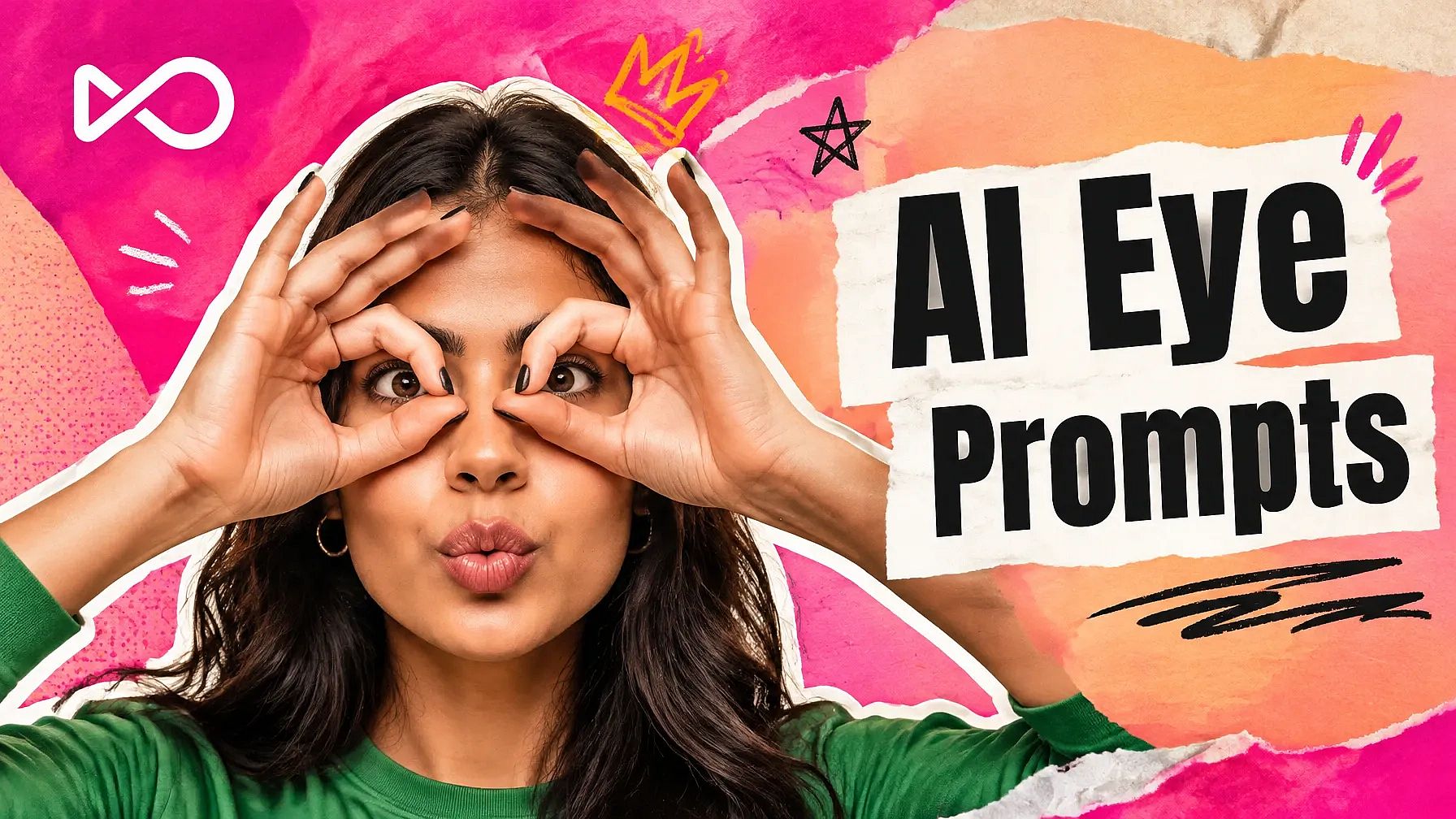
당신의 최고 매력은 한 번도 따로 올려본 적 없는 부분일지도 모릅니다. 셀카를 눈만 남기고 잘라내고 부드러운 조명을 더하면, 평범한 사진이 사람들이 멈춰서 저장하는 클로즈업으로 바뀝니다.
바로 요즘 유행하는 눈 사진 편집인데, 눈 프롬프트 하나면 전부 해결됩니다. 사진을 업로드하고 프롬프트를 붙여넣으면 눈과 콧대만 화면을 가득 채웁니다.
눈을 위한 AI 프롬프트 40개를 각각 복사해 붙여넣을 수 있는 블록으로 작성했습니다. 대부분은 눈 클로즈업, 시선 맞춤 샷, 눈 색상 편집처럼 당신의 사진에서 시작합니다. 나머지는 눈에 비친 반사, 홍채 매크로, 눈 배경화면처럼 텍스트만으로 작동합니다.
눈 프롬프트를 OpenArt의 다음에 붙여넣으세요 AI 이미지 생성기, 사진을 업로드하고 생성하세요.
핵심 요약
- 모든 사진 프롬프트를 "업로드한 내 사진을 사용하고 내 얼굴은 똑같이 유지해"로 시작하세요.
- 눈과 콧대만 담긴 극단적인 클로즈업을 요청하세요.
- 광원을 하나 지정해 홍채의 디테일과 밝은 캐치라이트가 드러나게 하세요.
- 인스타그램 릴스와 스토리에는 9:16 세로 프레임을 사용하세요.
- 이 눈 프롬프트는 Gemini와 ChatGPT에서도 작동합니다.
눈 프롬프트란 무엇인가요?
눈 프롬프트는 AI 이미지 생성기에게 눈에 집중하라고 지시하는 텍스트입니다. 구도, 홍채와 속눈썹 디테일, 빛, 원하는 분위기를 묘사합니다.
대부분의 눈 프롬프트는 다음 유형 중 하나에 속합니다:
- 눈 편집 프롬프트. 내 사진을 업로드하면 AI가 눈 클로즈업으로 바꿔 줍니다. 요즘 유행하는 눈 사진 편집을 만드는 바로 그 기능입니다.
- 눈 매크로 프롬프트. 홍채 사진 스타일로 텍스트만으로 눈을 묘사합니다.
- 눈 효과 프롬프트. 눈 색깔이나 은은한 빛처럼 사진 속 눈의 무언가를 바꿉니다.
눈 사진 편집 프롬프트에는 항상 얼굴을 그대로 유지하는 라인이 필요합니다. 텍스트 전용 눈 이미지 프롬프트는 사진이 전혀 필요 없습니다.
눈 프롬프트 공식
최고의 눈 프롬프트는 이 항목들을 순서대로 채웁니다. 사진을 사용하지 않을 때만 keep 라인을 생략하세요.
[keep line] + [framing: extreme close-up of eyes and nose bridge] + [eye details: iris, lashes, kohl] + [what frames the eyes: hair, hands, glasses] + [light] + [reflection or mood] + [9:16 vertical]
- 유지 문구. "업로드한 사진을 사용하고 내 얼굴은 그대로 유지하세요."
- 프레이밍. "내 눈과 콧등만 담은 극도의 클로즈업." 더 넓은 눈 초상화나 눈 샷을 원한다면 "눈과 눈썹, 이마는 잘라냄"이라고 요청하세요.
- 눈 디테일. 선명하게 보여야 할 부분을 지정하세요: 홍채 패턴, 긴 속눈썹, 혹은 가느다란 콜 라인.
- 눈을 둘러싸는 요소. 몇 가닥의 머리카락, 얼굴을 가로지르는 손가락, 선글라스의 가장자리가 이야기를 더해줍니다.
- 빛. "왼쪽에서 들어오는 부드러운 창문 빛"처럼 빛 하나를 지정하세요. 홍채의 디테일을 살리고 각 눈에 밝은 캐치라이트를 더해 줍니다.
- 반사 또는 분위기. 반사광, 눈물 또는 차분하고 강렬한 시선을 더해보세요.
- 프레임. 릴스에 바로 쓸 수 있는 눈 사진을 위해 "9:16 세로, 사실적인"으로 마무리하세요.
다음은 공식을 채운 예시입니다:
use my uploaded photo and keep my face exactly the same, extreme close-up of only my eyes and nose bridge, sharp brown iris detail, long natural lashes, a few strands of messy hair across one eye, soft window light from the left, calm intense stare, 9:16 vertical, photorealistic
프롬프트 작성이 처음이신가요? 다음 가이드를 참고하세요: 최고의 AI 이미지 생성기 prompt 어떤 사진에도 통하는 기본기를 다룹니다.
스타일별 눈 프롬프트 40선
각 그룹은 예시 이미지 하나로 시작합니다. 사진 프롬프트의 경우, 먼저 선명한 셀카를 업로드한 뒤 프롬프트를 붙여넣으세요.
사진에 어울리는 인기 눈 클로즈업 프롬프트
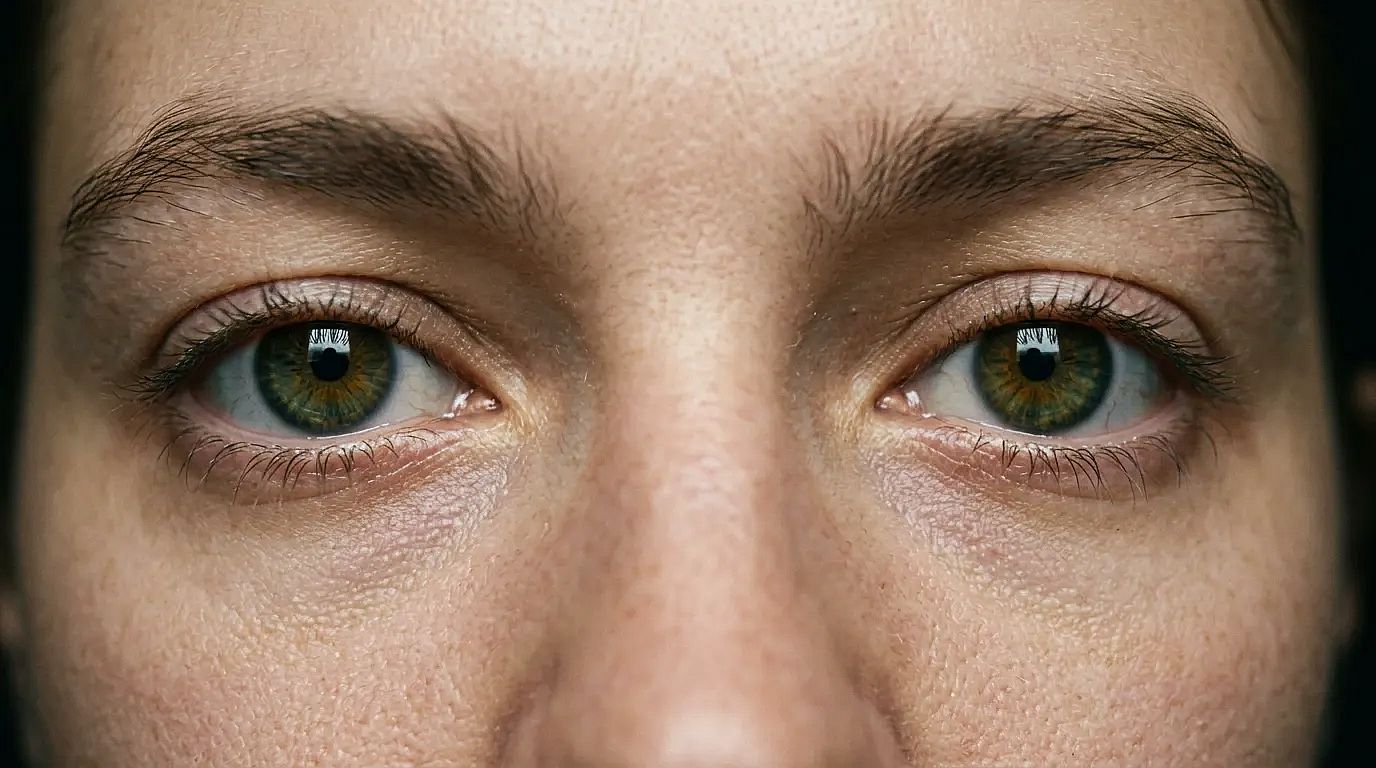
이것은 릴스에서 "eye wala" 또는 "aankhon wala" 사진으로 유행하는 AI 눈 사진 프롬프트입니다. 프롬프트 1번이 바이럴 원조예요. 나머지 7개는 빛이나 눈을 가리는 요소 같은 한 가지를 바꾼 새로운 눈 프롬프트로, 당신의 눈만 담은 사진을 더 돋보이게 합니다.
1. 바이럴 눈과 콧등 클로즈업
use my uploaded photo and keep my face exactly the same, ultra-realistic cinematic extreme close-up of only my eyes and the bridge of my nose, sharp iris detail, natural skin texture, soft light from the front, calm intense stare, dark background, 9:16 vertical
2. 눈을 가리는 헝클어진 머리카락
use my uploaded photo and keep my face exactly the same, extreme close-up of my eyes, a few strands of messy hair falling across one eye, soft side light, moody brown tones, sharp lashes, 9:16 vertical, photorealistic
3. 얼굴 반쪽을 손으로 가리기
use my uploaded photo and keep my face exactly the same, close-up of my eyes with my fingers spread across the lower half of my face, eyes looking straight ahead, soft window light, shallow depth of field, 9:16 vertical
4. 골든아워 눈동자
use my uploaded photo and keep my face exactly the same, extreme close-up of my eyes in warm golden hour sunlight, glowing amber iris, light catching every lash, soft warm background, 9:16 vertical, photorealistic
5. 흑백의 강렬한 눈
use my uploaded photo and keep my face exactly the same, black and white extreme close-up of my eyes, high contrast, deep shadows under the brows, sharp iris texture, intense stare into the camera, film grain
6. 창문에 맺힌 빗방울
use my uploaded photo and keep my face exactly the same, close-up of my eyes seen through a rainy window, raindrops in soft focus on the glass, eyes perfectly sharp, cool blue evening light, 9:16 vertical
7. 얼굴 반쪽을 그림자에
use my uploaded photo and keep my face exactly the same, cinematic close-up of my eyes with one side of my face lit and the other in deep shadow, single hard light from the left, dark background, 9:16 vertical
8. 선글라스 위로 드러난 눈
use my uploaded photo and keep my face exactly the same, close-up of my eyes peeking over lowered sunglasses, the city reflected in the lenses, bright daylight, playful look, 9:16 vertical, photorealistic
시선 맞춤 프롬프트
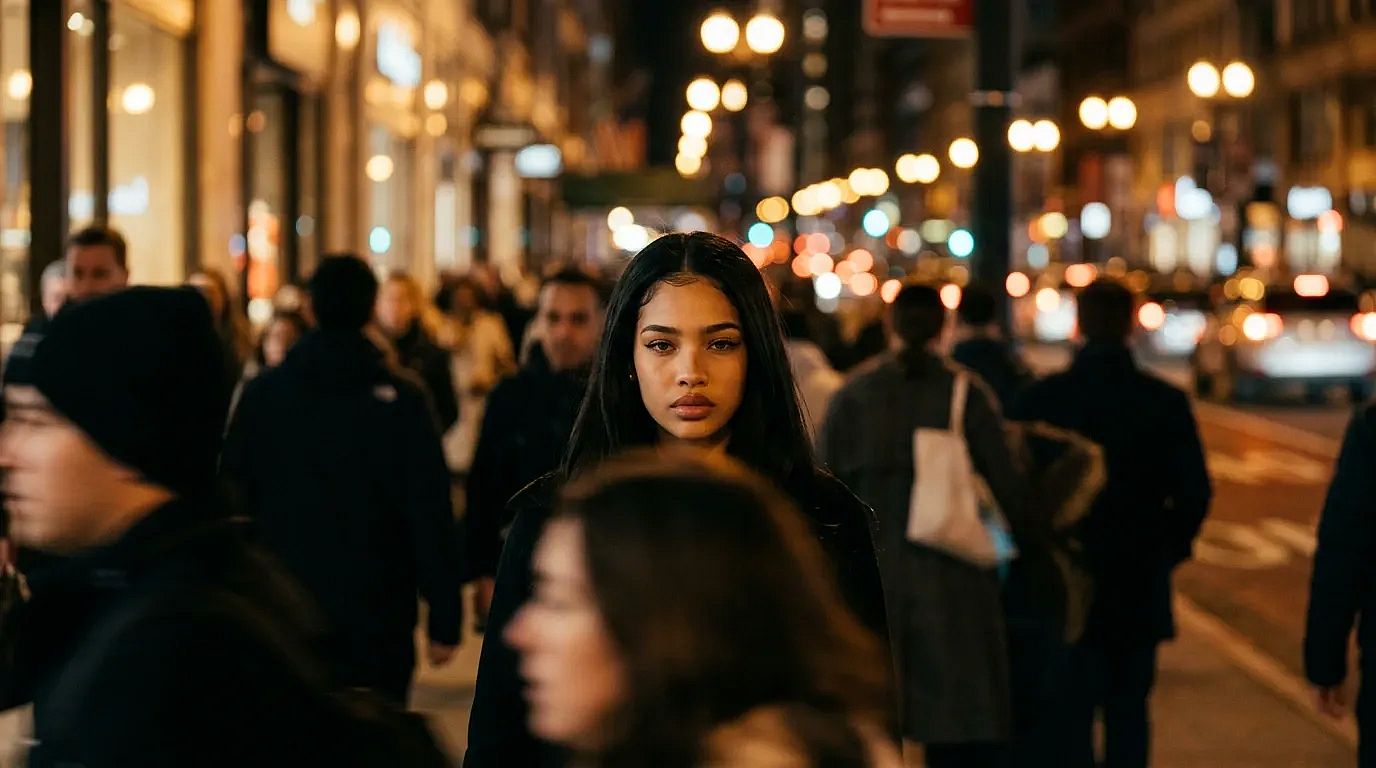
시선 맞춤 프롬프트는 눈이 보는 사람을 똑바로 바라보게 만들어, 그래서 이런 사진들이 유독 친밀하게 느껴집니다. "카메라 렌즈를 똑바로 바라보기"처럼 시선이 향할 곳을 정확히 적어 주세요.
9. 카메라를 정면으로 바라보는 눈맞춤
use my uploaded photo and keep my face exactly the same, close-up portrait with strong eye contact, eyes looking straight into the camera lens, soft front light, neutral background, sharp focus on both eyes, 9:16 vertical
10. 거울에 비친 나와 눈을 마주하다
use my uploaded photo and keep my face exactly the same, side close-up of me looking eye to eye with my own reflection in a mirror, both pairs of eyes sharp, soft bathroom light, quiet mood
11. 어깨 너머로 나를 바라보는 눈
use my uploaded photo and keep my face exactly the same, I look back over my shoulder with direct eye contact, eyes sharp and slightly narrowed, soft evening light, blurred street behind me, 9:16 vertical
12. 군중 속 눈맞춤
use my uploaded photo and keep my face exactly the same, my eyes making eye contact with the camera through a busy blurred crowd, only my eyes in sharp focus, warm street lights, cinematic look
여성과 남성을 위한 감성적인 눈 프롬프트
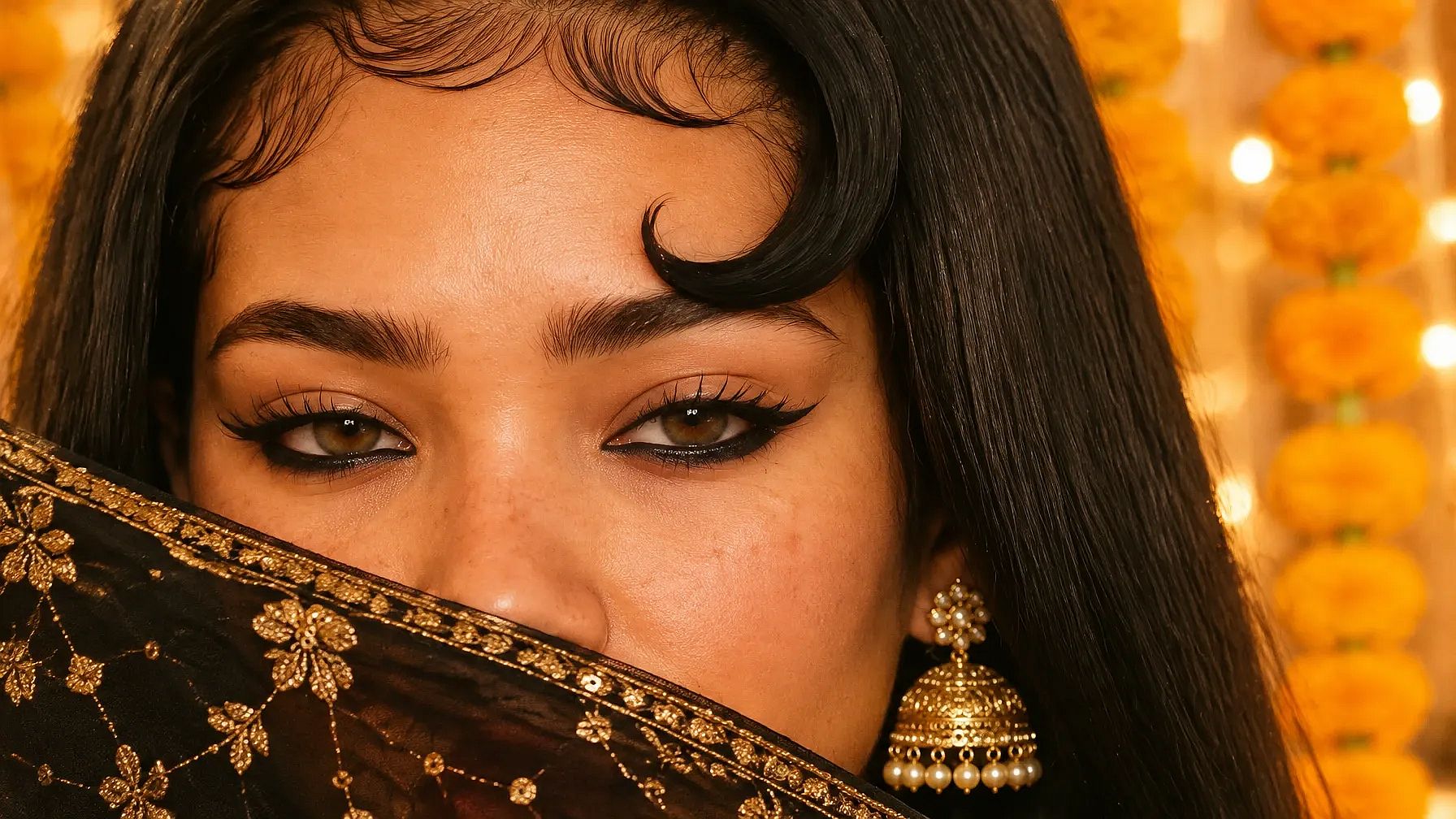
감성적인 눈 프롬프트는 메이크업, 액세서리, 부드러운 색감을 더해 사진을 스타일링된 느낌으로 만듭니다. 처음 세 개는 여성용 아름다운 눈 프롬프트에 어울리고, 다음 두 개는 남성용 눈 프롬프트로 적합합니다. 눈 주변의 사실적인 피부 표현은 다음을 참고하세요 피부 프롬프트 가이드.
13. 줌카를 곁들인 콜 아이
use my uploaded photo and keep my face exactly the same, aesthetic close-up of my eyes with soft black kohl, a gold jhumka earring at the edge of the frame, warm festive light, blurred marigold background, 9:16 vertical
14. 윙드 라이너와 글리터
use my uploaded photo and keep my face exactly the same, extreme close-up of my eyes with sharp winged eyeliner and a little silver glitter on the lids, soft pink light, glossy lashes, beauty photo
15. 몽환적인 파스텔 눈동자
use my uploaded photo and keep my face exactly the same, dreamy close-up of my eyes framed by small pastel flowers, soft hazy light, light pink and lavender tones, gentle look, 9:16 vertical
16. 후드 아래 영화 같은 눈
use my uploaded photo and keep my face exactly the same, cinematic close-up of my eyes under the shadow of a black hoodie, cool blue street light, sharp focused stare, dark moody tones, 9:16 vertical
17. 선글라스를 내리며
use my uploaded photo and keep my face exactly the same, close-up of me pulling my sunglasses down to show my eyes, confident look, bright sunny street, warm tones, photorealistic
18. 부드러운 햇살 속 주근깨
use my uploaded photo and keep my face exactly the same, aesthetic close-up of my eyes and freckles in soft natural daylight, light brown iris detail, natural lashes, no makeup look, 9:16 vertical
감정을 담은 눈 프롬프트
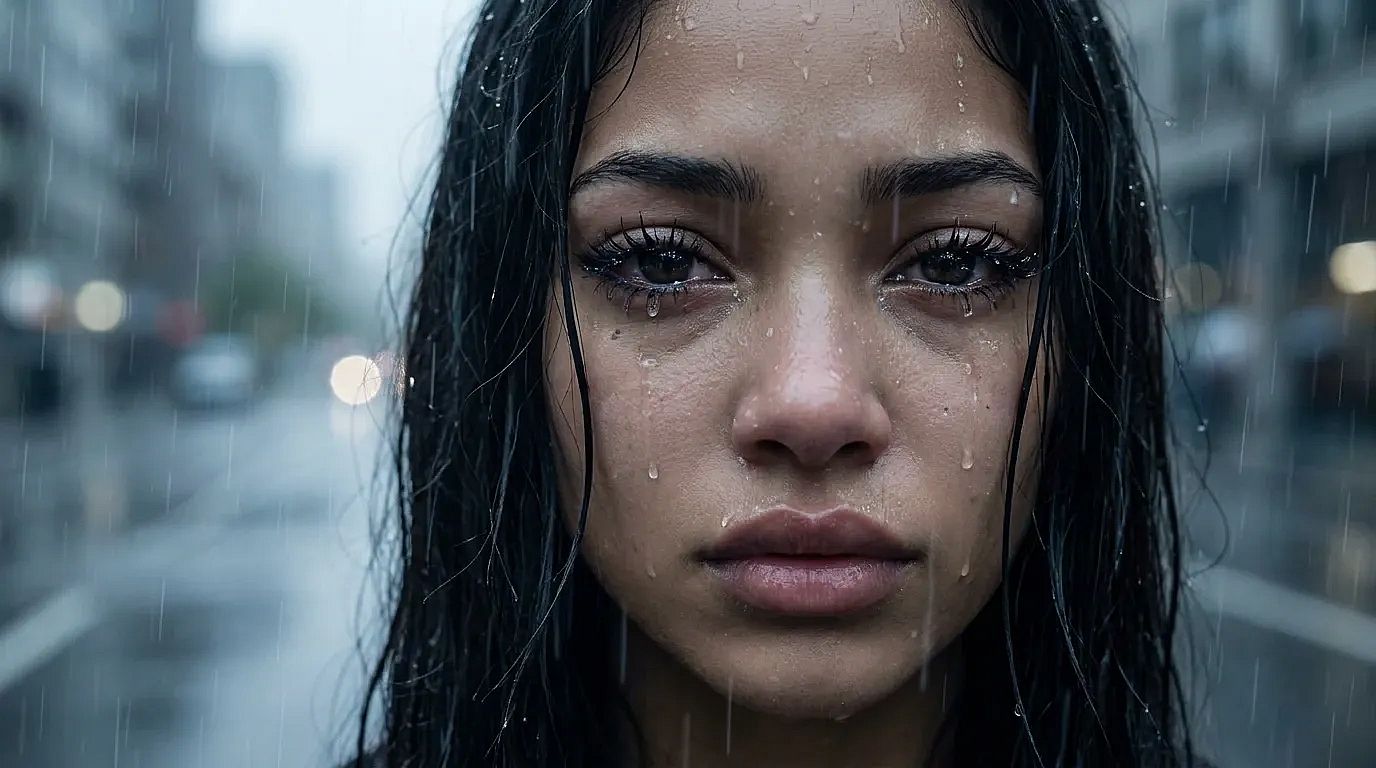
감성 눈 프롬프트는 눈물이나 감은 눈 같은 작은 디테일 하나로 이야기를 전합니다. 눈에 감정이 드러나도록 빛을 부드럽게 유지하세요.
19. 한 방울의 눈물
use my uploaded photo and keep my face exactly the same, extreme close-up of my eyes with a single tear running down one cheek, soft side light, glassy eyes, quiet emotional mood, 9:16 vertical
20. 빗속의 촉촉한 눈물 눈
use my uploaded photo and keep my face exactly the same, close-up of my teary eyes in the rain, raindrops on my lashes, cool gray light, blurred city behind, cinematic emotional look
21. 지그시 감은 눈
use my uploaded photo and keep my face exactly the same, close-up of my face with eyes gently closed, peaceful expression, warm morning light across my eyelids, soft background, calm mood
눈 반사 프롬프트
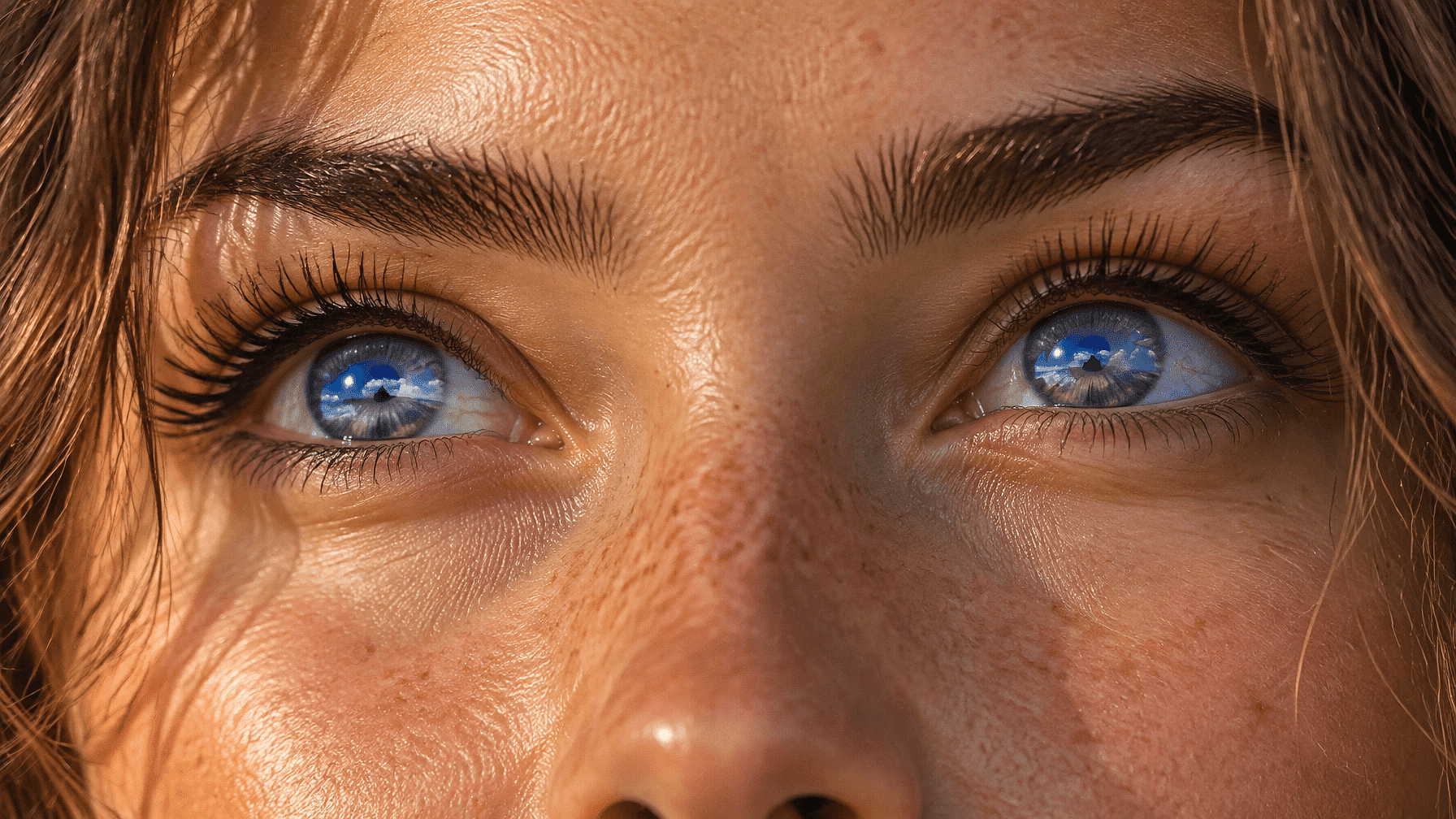
눈 반사 프롬프트는 눈 안에 장면 전체를 담습니다. 텍스트만으로도 작동하며, keep 라인을 추가해 본인 사진을 사용할 수도 있습니다.
22. 밤의 도시 스카이라인
extreme close-up of a brown eye, a glowing city skyline at night reflected in the iris and pupil, sharp lashes, dark background, photorealistic macro photo
23. 홍채 속 은하수
extreme close-up of a human eye with a swirling purple and blue galaxy reflected in the iris, tiny stars in the pupil, soft rim light, photorealistic macro photo
24. 눈 속의 노을
close-up of a woman's eyes with a glowing orange sunset and ocean horizon reflected in both irises, warm golden light on the lashes, 9:16 vertical, photorealistic
25. 별이 가득한 밤하늘
extreme close-up of a dark eye with a starry night sky and a faint milky way reflected in the iris, cool blue tones, quiet mood, photorealistic macro photo
26. 산호초
extreme close-up of a blue-green eye with a bright coral reef and small fish reflected in the iris, water light ripples on the skin, photorealistic macro photo
매크로 홍채 프롬프트, 사진 불필요
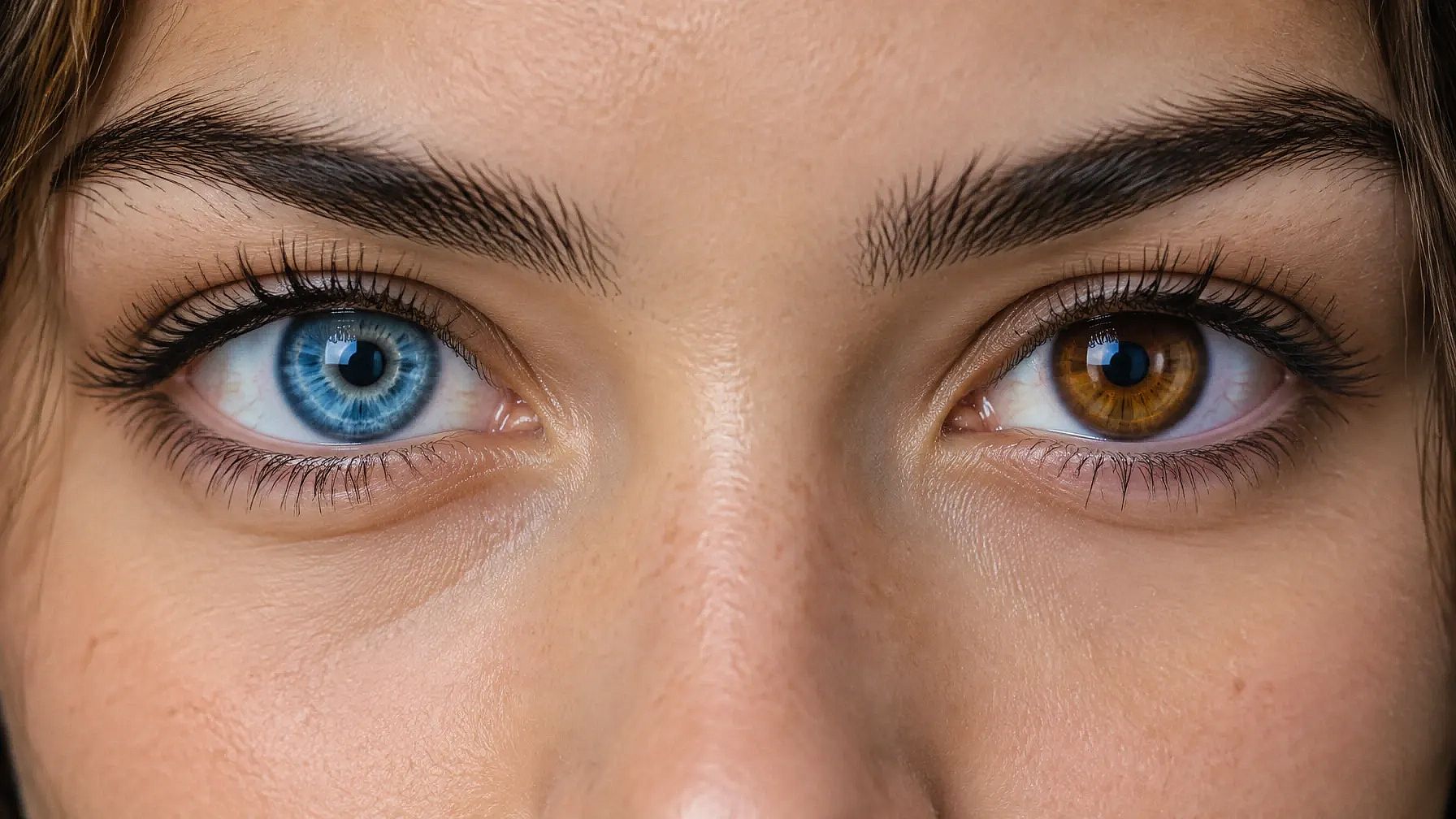
이 프롬프트들은 홍채 사진과 매크로 눈 사진의 느낌을 재현합니다. 참고 사진이 필요 없어 아트, 배경화면, 모델 테스트에 좋습니다.
27. 블루 아이리스 매크로
macro eye photography of a bright blue iris, every fiber and fleck in sharp detail, small round catchlight, black pupil, soft ring light, ultra sharp
28. 핏줄 하나하나까지 보이는 녹색 눈
high detail close-up of a green eye, tiny veins in the white, gold flecks near the pupil, natural lashes, soft daylight, photorealistic
29. 홍채이색증
close-up of two eyes with heterochromia, one ice blue and one warm brown, both sharp, soft even light, neutral skin tones, photorealistic portrait crop
30. 마스카라를 바른 긴 속눈썹
macro shot of one eye with long curled lashes and black mascara, soft brown eyeshadow, light reflecting on the lashes, beauty photography
31. 콘택트렌즈 디테일
extreme close-up of an eye wearing a clear contact lens, the thin edge of the eye lens visible over the iris, soft light reflection on the lens, clinical clean background
눈 색깔 및 빛나는 눈 프롬프트
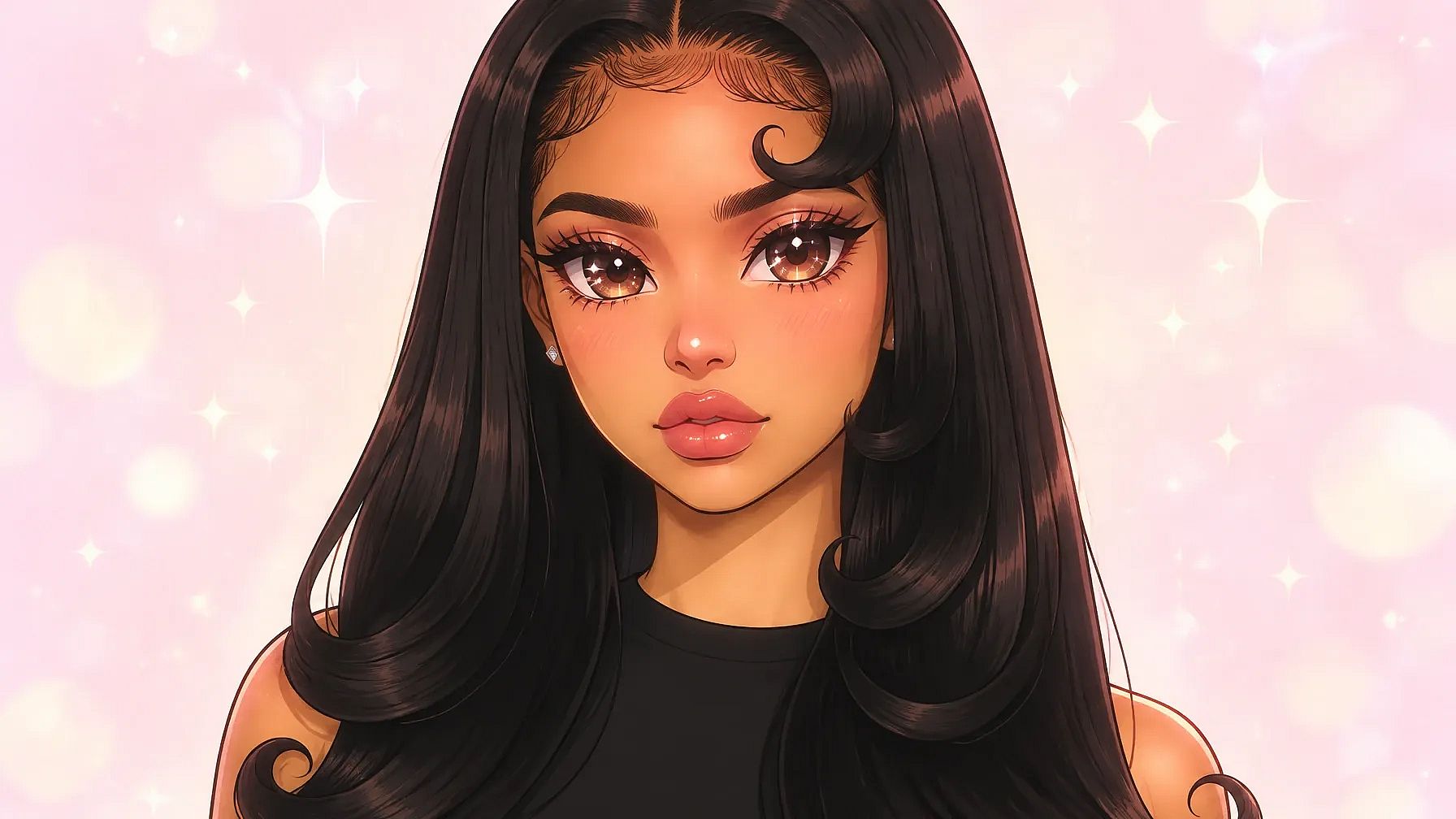
이미지 편집에서 프롬프트로 눈 색깔을 바꿀 수 있습니다. 원클릭 결과를 원한다면 OpenArt의 다음 기능을 사용해보세요: 눈 색상 변경기, 그 블루 아이 필터, 그 빛나는 눈 필터 또는 캣아이 필터.
32. 아이스 블루 눈 색깔
change my eye color to ice blue, keep the iris pattern natural, keep my face, skin and everything else exactly the same
33. 빛나는 눈
make my eyes glow soft electric blue, light spilling onto my lashes and cheeks, dark night background, keep my face exactly the same
34. 고양이 눈
change my eyes to golden cat eyes with narrow vertical pupils, keep my face, skin and expression exactly the same
35. 애니메이션 눈동자
turn me into an anime character with large sparkling anime eyes, bright highlights in the iris, soft pastel colors, keep my hairstyle and face shape
눈 배경화면, 배경 및 콜라주 프롬프트
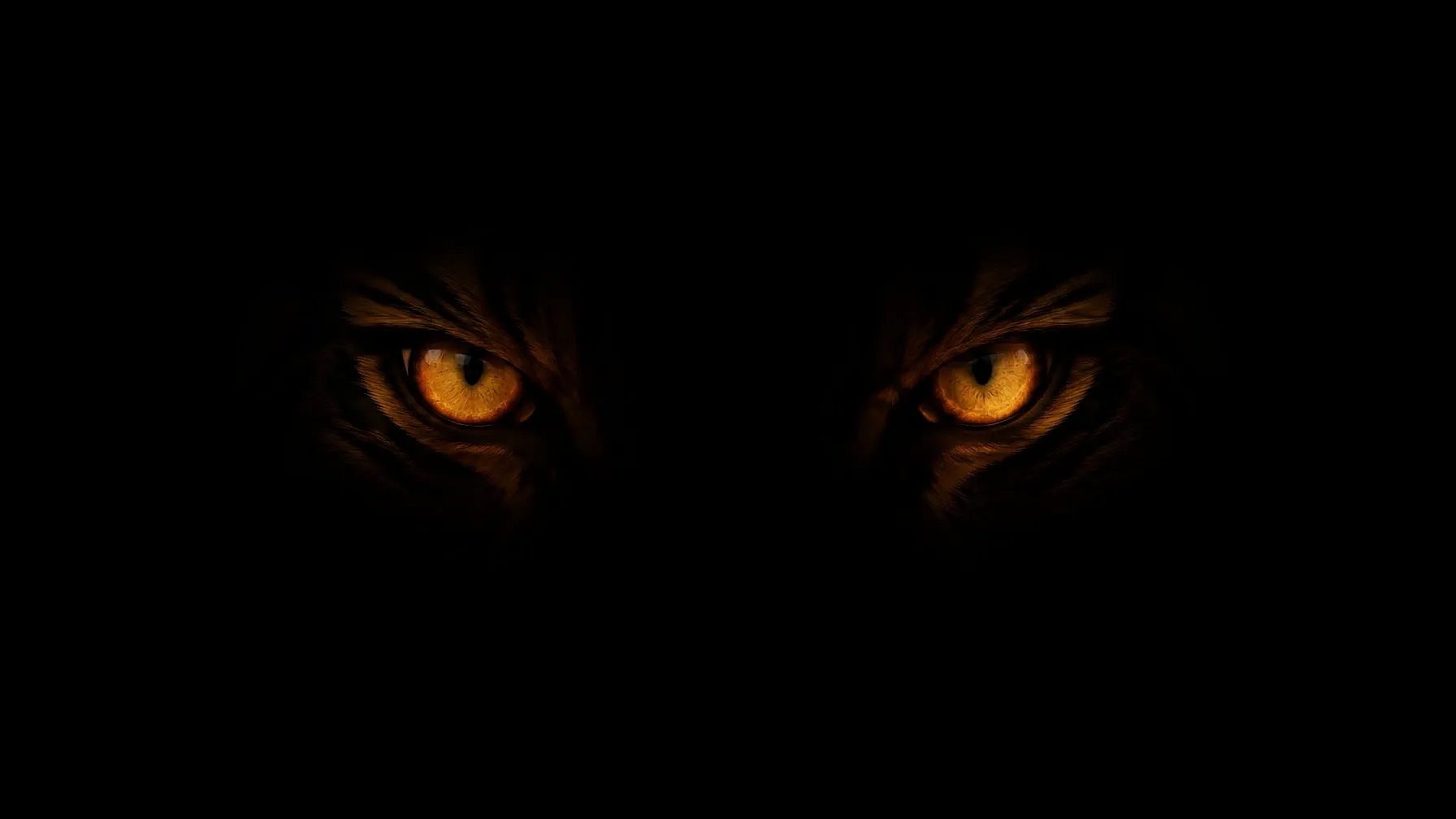
눈 배경화면 프롬프트는 휴대폰 시계가 들어갈 공간을 남길 만큼 눈을 작게 유지합니다. 9:16 비율과 심플한 눈 배경을 요청하세요.
36. 눈만 담은 배경화면
only a pair of eyes glowing softly in the middle of a dark background, everything else fading into black, minimal eye art, 9:16 phone wallpaper
37. 눈 콜라주
use my uploaded photo and keep my face exactly the same, an eye collage of four close-ups of my eyes in a grid, one in daylight, one in neon light, one in black and white, one with golden light
38. 또렷한 눈, 흐릿한 배경
use my uploaded photo and keep my face exactly the same, my eyes in sharp focus with a strong eye blur effect on everything else, soft bokeh lights behind me, 9:16 vertical
눈 영상 프롬프트
짧은 눈 영상은 클로즈업을 생생하게 만들어 줍니다. 눈 사진을 다음에 업로드하세요 AI 영상 생성기 그리고 작은 움직임 하나를 묘사하세요.
39. 느린 눈 깜박임
extreme close-up of my eyes, I blink slowly once, then look straight into the camera, light shifts softly across my iris, camera stays still
40. 아침 햇살에 눈을 뜨는 모습
close-up of my closed eyes in soft morning light, my eyes slowly open and focus on the camera, sunlight catches my lashes, camera stays still
선명하고 사실적인 눈을 위한 팁
흐릿하거나 밋밋한 눈은 보통 시작 사진이 약하거나 빛을 지정하지 않은 프롬프트에서 비롯됩니다. 다음 해결책이 도움이 됩니다:
- 밝은 정면 셀카로 시작하세요. 두 눈 모두 뜨고 있어야 하며, 초점이 맞고 짙은 그림자가 없어야 합니다.
- 빛 하나를 지정하세요. "왼쪽에서 들어오는 부드러운 창문 빛"은 홍채에 질감과 캐치라이트를 더해 줍니다. 빛을 지정하지 않으면 눈이 밋밋하고 칙칙하게 나오는 경우가 많습니다.
- 9:16 세로 비율을 요청하세요. 릴스, 스토리, 휴대폰 배경화면에 잘 어울리며, 얼굴을 꽉 채우는 타이트한 구도를 유지합니다.
- 크롭을 말로 조절하세요. "내 눈과 콧등만"은 바이럴 룩을 만들어줍니다. "눈과 눈썹"은 얼굴을 조금 더 보여줍니다.
- 한 번에 한 눈씩 수정하세요. 한쪽 눈이 어색해 보인다면, 이미지 편집의 영역 편집으로 그 눈을 선택하고 수정 내용을 묘사하세요.
- 마지막에 선명하게 다듬으세요. 최종 이미지를 얼굴 향상 기능을 켠 상태로 Image Upscale에 통과시켜 속눈썹과 홍채 디테일을 되살려보세요.
- 배경은 심플하게 유지하세요. 어둡거나 흐릿한 배경은 눈을 가장 먼저 보이게 만듭니다.
눈 클로즈업 만들기
눈 프롬프트를 고르고, 셀카를 업로드한 뒤 이미지 생성에서 만들어보세요. 바이럴 룩을 원하면 프롬프트 1번으로 시작하고, 다음 게시물을 위해 골든아워나 콜 아이 버전도 시도해보세요
자주 묻는 질문
유행하는 눈 사진 프롬프트는 무엇인가요?
인기 눈 사진 프롬프트는 셀카를 눈과 콧대만 담은 극단적인 클로즈업으로 바꿔줍니다. 얼굴을 그대로 유지하는 유지 문구와 함께 부드러운 시네마틱 조명, 9:16 프레임을 사용합니다. 위의 프롬프트 1이 바이럴 버전이고, 프롬프트 2부터 8까지는 새로운 변형입니다.
내 사진으로 눈 클로즈업을 만들려면 어떻게 하나요?
선명한 정면 셀카를 업로드하고 눈 클로즈업 프롬프트를 붙여넣으세요. "업로드한 사진을 사용하고 내 얼굴을 완전히 똑같이 유지해줘"로 시작하세요. 몇 가지 버전을 생성하고 가장 선명한 것을 고르세요.
이 눈 프롬프트가 Gemini와 ChatGPT에서도 작동하나요?
네. 쉬운 말로 된 프롬프트라서 Gemini, ChatGPT, OpenArt에서 모두 작동합니다. 사진을 업로드하고 전체 프롬프트를 하나의 메시지로 붙여넣으세요. 더 많은 아이디어는 다음 목록을 참고하세요 Gemini AI 사진 프롬프트.
참고 사진이 필요한가요?
"업로드한 내 사진 사용"으로 시작하는 프롬프트에만 해당됩니다. 눈 반사, 매크로 홍채, 배경화면 프롬프트는 텍스트만으로 작동합니다.
왜 눈이 흐릿하게 나올까요?
흔한 원인은 어둡거나 흐릿한 셀카, 또는 빛을 지정하지 않은 프롬프트입니다. 밝은 사진으로 시작해 "부드러운 창문 빛" 같은 빛 하나를 추가하고, 선명한 홍채 디테일을 요청하세요. 얼굴 향상 기능을 켠 Image Upscale로 최종 이미지를 또렷하게 다듬을 수 있습니다.
AI로 눈 색깔을 어떻게 바꾸나요?
사진을 업로드하고 "내 눈 색을 아이스 블루로 바꾸고 얼굴은 똑같이 유지해"라고 적으세요. 원클릭 결과를 원한다면 눈 색상 변경기나 블루 또는 빛나는 눈 필터 같은 눈 필터를 사용하세요.
AI 사진에서 시선 맞춤은 어떻게 하나요?
"눈이 카메라 렌즈를 똑바로 바라보기"처럼 시선이 향할 곳을 적으세요. AI가 눈을 또렷하게 유지하도록 "두 눈 모두 선명한 초점"을 추가하세요.
OpenArt에서 Midjourney 눈 프롬프트를 사용할 수 있나요?
네. 여기 있는 프롬프트는 평범한 설명이라 OpenArt에서 그대로 작동합니다. Midjourney 설정은 --ar 설정 패널에서 화면 비율을 선택하므로 필요하지 않습니다.
이 눈 프롬프트를 무료로 사용해볼 수 있나요?
일부 기능은 무료로 사용해 볼 수 있습니다. 신규 계정은 신용카드 없이 무료 크레딧 40개를 받습니다. 모든 생성에는 크레딧이 사용되며, 정확한 비용은 생성 버튼을 클릭하기 전에 표시됩니다. 계속 만들려면 유료 요금제를 선택하세요. 요금제, 가격, 연간 결제 옵션을 비교할 수 있습니다: 요금제 페이지. 상업적 사용에는 Plus 이상의 요금제가 필요합니다.