

 ChatGPT
 Perplexity
 Claude
 Gemini
OpenAI는 2026년 4월에 GPT Image 2를 출시했고, 이 모델은 세밀한 배경이나 정확한 이미지 내 텍스트가 필요할 때 대부분의 사람들이 찾는 모델이 되었습니다. GPT Image 2.5는 2026년 9월 8일에 출시되었으며 Image 2의 모든 기능을 개선했습니다.
새 모델은 두 가지 모드로 제공됩니다. 속도를 위한 Flare, 품질과 깊이를 위한 Sunburst입니다. 새 버전에서 무엇이 업그레이드되었는지, 그리고 작업에 맞게 둘 중 어느 것을 고를지 살펴봅시다.
핵심 요약
- 지금 사용할 모델은 GPT Image 2.5이며, 두 가지 모드를 제공합니다. 일상 작업에는 Flare, 가장 정교한 작업에는 Sunburst를 사용하세요.
- OpenAI는 Flare가 GPT Image 2보다 절반의 시간에 더 나은 이미지를 만든다고 밝혔습니다.
- GPT Image 2.5는 이미지를 투명 배경으로 저장해, 어떤 색상 위에도 바로 올릴 수 있습니다.
- 편집은 요청하신 특정 부분만 바꾸고 나머지 이미지는 그대로 둡니다.
- 여러 편집을 연달아 쌓아도 앞선 편집들이 일관되게 그대로 유지됩니다.
GPT Image 2 vs GPT Image 2.5 한눈에 보기
| GPT Image 2 | GPT Image 2.5 | |
|---|---|---|
| 출시됨 | April 21, 2026 | September 8, 2026 |
| 모드 | 하나의 모델, 하나의 속도 | Flare와 Sunburst |
| 최대 해상도 | 3840 x 2160, 2560 x 1440 이상은 실험적으로 표시됨 | 3840 x 2160 |
| 투명 배경 | 나중에 직접 잘라내기 | 기본 내장, PNG 또는 WebP로 저장 |
| 이미지 속 텍스트 | 강함 | 강력함, 이제 차트와 도표, 라벨까지 |
하나의 모델이 두 가지 모드로
GPT Image 2는 하나의 모델과 하나의 속도만 제공했습니다. GPT Image 2.5는 생성 버튼을 누르기 전에 선택권을 줍니다.
Flare는 일상적인 제작과 편집을 위한 빠른 모드입니다. OpenAI에 따르면 Flare는 GPT Image 2보다 더 높은 품질의 이미지를 절반의 시간에 만들어냅니다. 아이디어를 이것저것 시도하는 단계에서 사용하세요.
Sunburst는 최고 품질 모드로, 중간 속도로 실행됩니다. 섬세한 디테일과 세심한 편집이 가장 중요한 작업에 선택하세요.
들일 만한 습관은 간단합니다. Flare에서 초안을 잡고, 마음에 드는 프롬프트를 Sunburst에서 다시 실행해 최종 이미지를 만드세요.
투명 배경 기본 제공
GPT Image 2.5는 배경이 투명한 이미지를 PNG나 WebP 파일로 저장할 수 있습니다.
그래서 스티커, 로고 마크, 제품 컷아웃, 앱 아이콘이 원하는 어떤 색 위에도 바로 올릴 수 있는 상태로 나옵니다. GPT Image 2에서는 이미지를 먼저 저장한 뒤 다른 앱에서 직접 배경을 잘라내야 했습니다.
이 한 가지 변화로 대부분의 패키지, 굿즈, 광고 작업에서 한 단계가 줄어듭니다.
편집한 부분은 지정한 자리에 그대로
첫 시도 이후에도 이미지를 계속 손보는 사람에게 이것은 가장 큰 업그레이드입니다.
편집한 이미지에서 GPT Image 2.5에게 파란 재킷을 요청하면 파란 재킷이 나옵니다. 얼굴, 포즈, 조명, 배경은 모두 그대로 유지됩니다. 교체하고 싶은 정확한 지점을 표시하고 그 밖의 모든 영역은 손대지 않을 수도 있습니다.
그리고 계속 이어가세요. 하늘을 바꾸고, 셔츠를 바꾸고, 커피잔을 추가해도 세 번째 편집 때 앞선 두 변경 사항이 그대로 남아 있습니다.
오래된 모델들은 요청할 때마다 이미지를 조금씩 더 다시 그리는 경향이 있었습니다. 프레임을 그대로 유지하는 능력 덕분에 처음부터 다시 시작하지 않고도 작은 부분 하나를 고칠 수 있습니다.
참조 사진이 그대로 살아남습니다
GPT Image 2.5는 참조 사진 속 인물이나 제품이 새 이미지에서도 알아볼 수 있게 유지하는 능력이 더 뛰어납니다.
이것은 다섯 가지 배경에 배치한 창업자 프로필 사진이나, 한 번 촬영한 운동화를 해변, 도심 거리, 스튜디오 배경에 각각 보여줄 때 중요합니다. 피사체는 여전히 같은 피사체처럼 보입니다.
텍스트, 차트, 라벨
GPT Image 2는 단어를 정확하게 표기했기 때문에 이미 포스터나 세일 배너에 안전한 선택이었습니다.
GPT Image 2.5는 그 능력을 유지하면서 읽을 수 있는 실제 정보를 더합니다. 차트 라벨, 다이어그램, 가격표, 영양 성분표 등이죠. 게시하기 전에 이미지 속 텍스트를 읽어보고, 잘못 나온 부분은 후속 편집으로 고치세요.
샘플 생성물
세 가지 프롬프트를 GPT Image 2와 GPT Image 2.5(Sunburst) 양쪽에서 실행한 결과를 비교하여 사실적 표현, 인체, 복잡한 배경을 살펴보겠습니다.
프롬프트 1: 다중 인물 액션, 움직임 속 복잡한 해부 구조
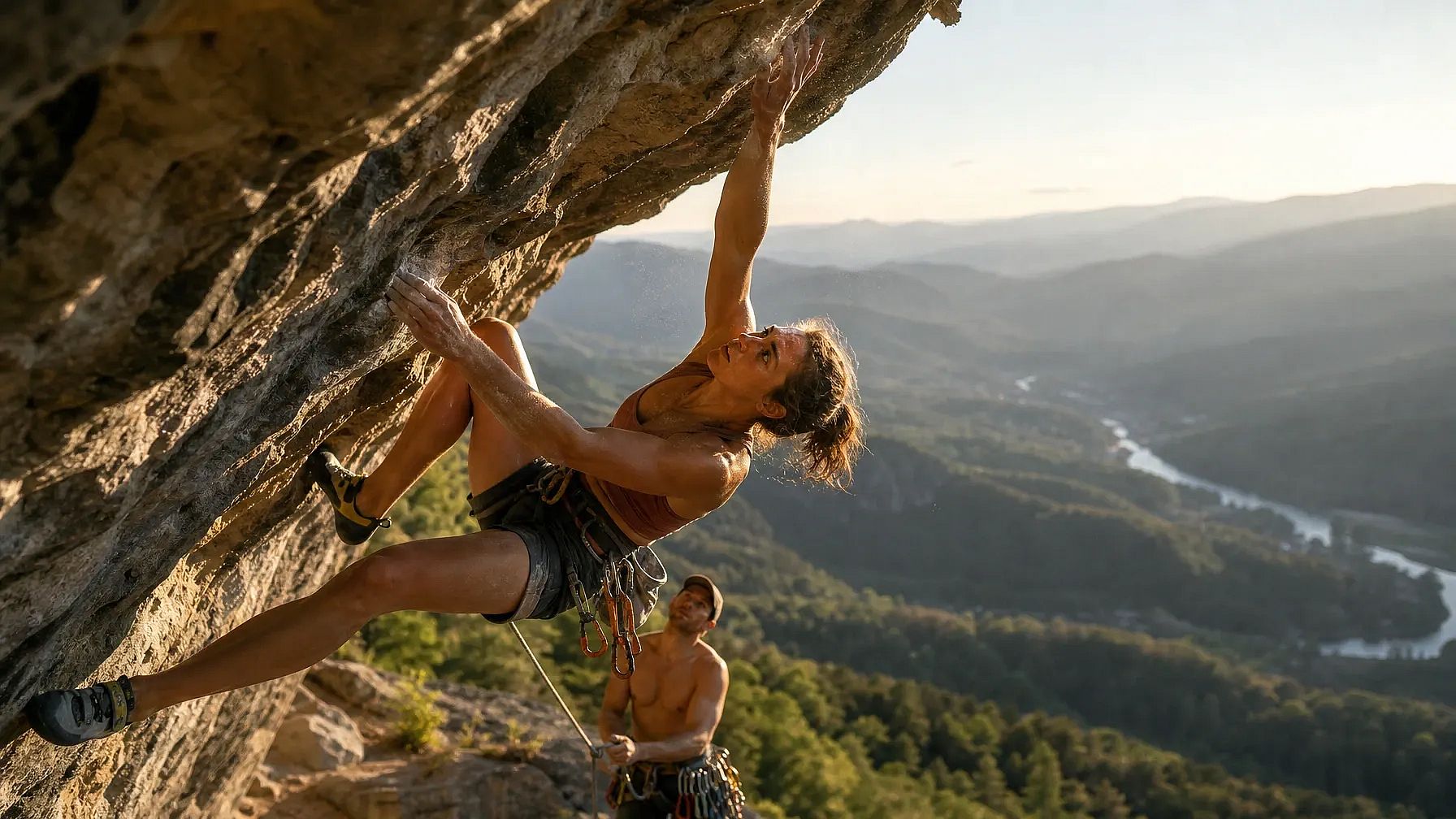
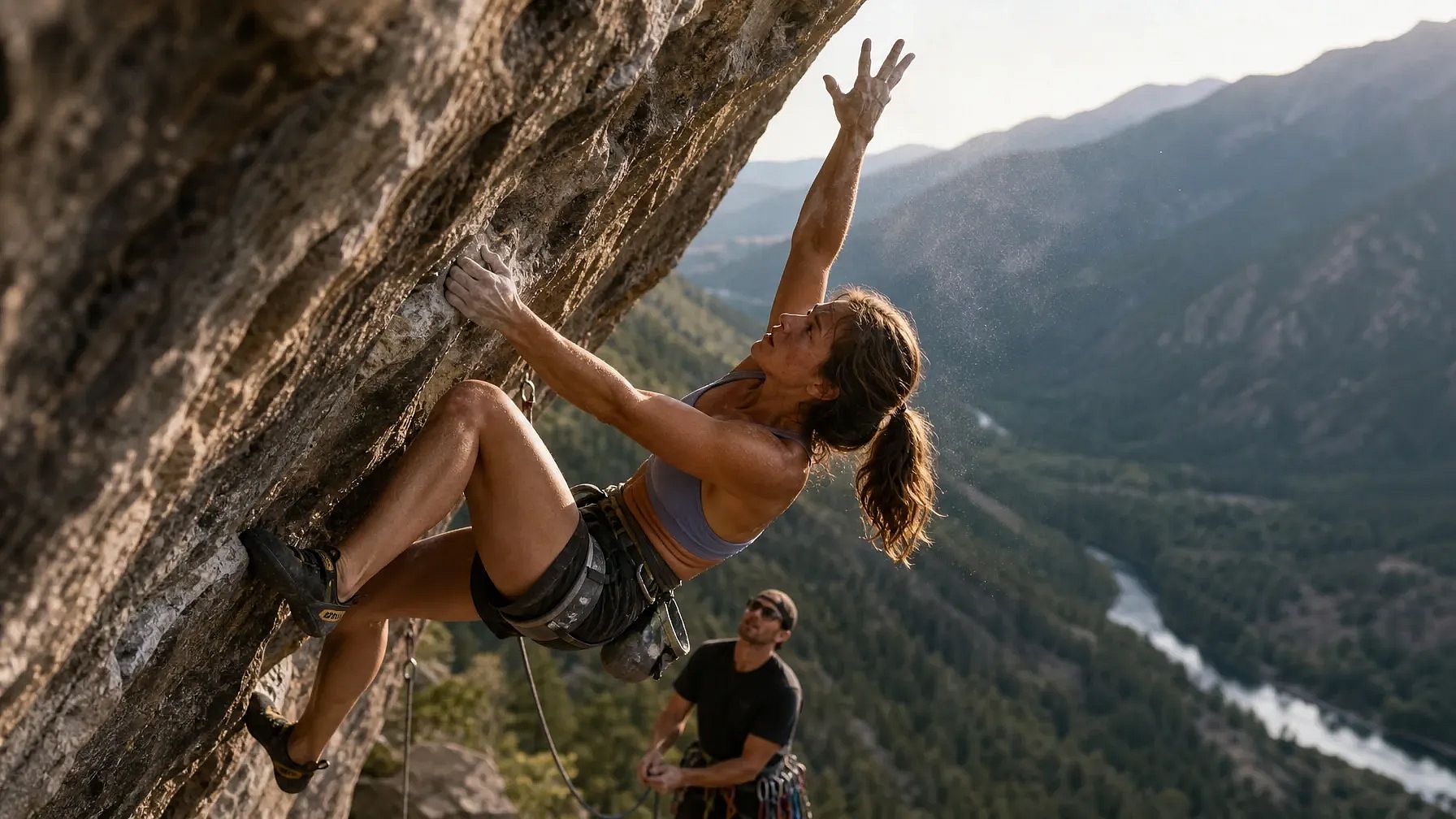
A photorealistic action shot of a professional rock climber mid-dynamic-move on an overhanging cliff face, one hand gripping a small hold and the other reaching upward, fingers splayed and tendons visible under strain. Her body is twisted in a diagonal torque, left leg bent with the knee driving toward the wall while the right leg extends outward for balance. Chalk dust drifts off her hands, caught in a shaft of late-afternoon sunlight. Below her, a belayer looks upward, rope taut, with a cluttered gear rack of carabiners and cams clipped to his harness. The background shows a sprawling valley with layered mountain ridges fading into haze, a river winding through a forest far below. Skin texture should show sweat, sun exposure, and fine hair on the forearms. Shadows fall correctly across the rock's uneven texture, matching the sun's low angle. Capture this on a 35mm lens, shallow depth of field on the climber, sharp foreground rock texture, natural film grain.
GPT Image 2 결과:
GPT Image 2.5 결과:
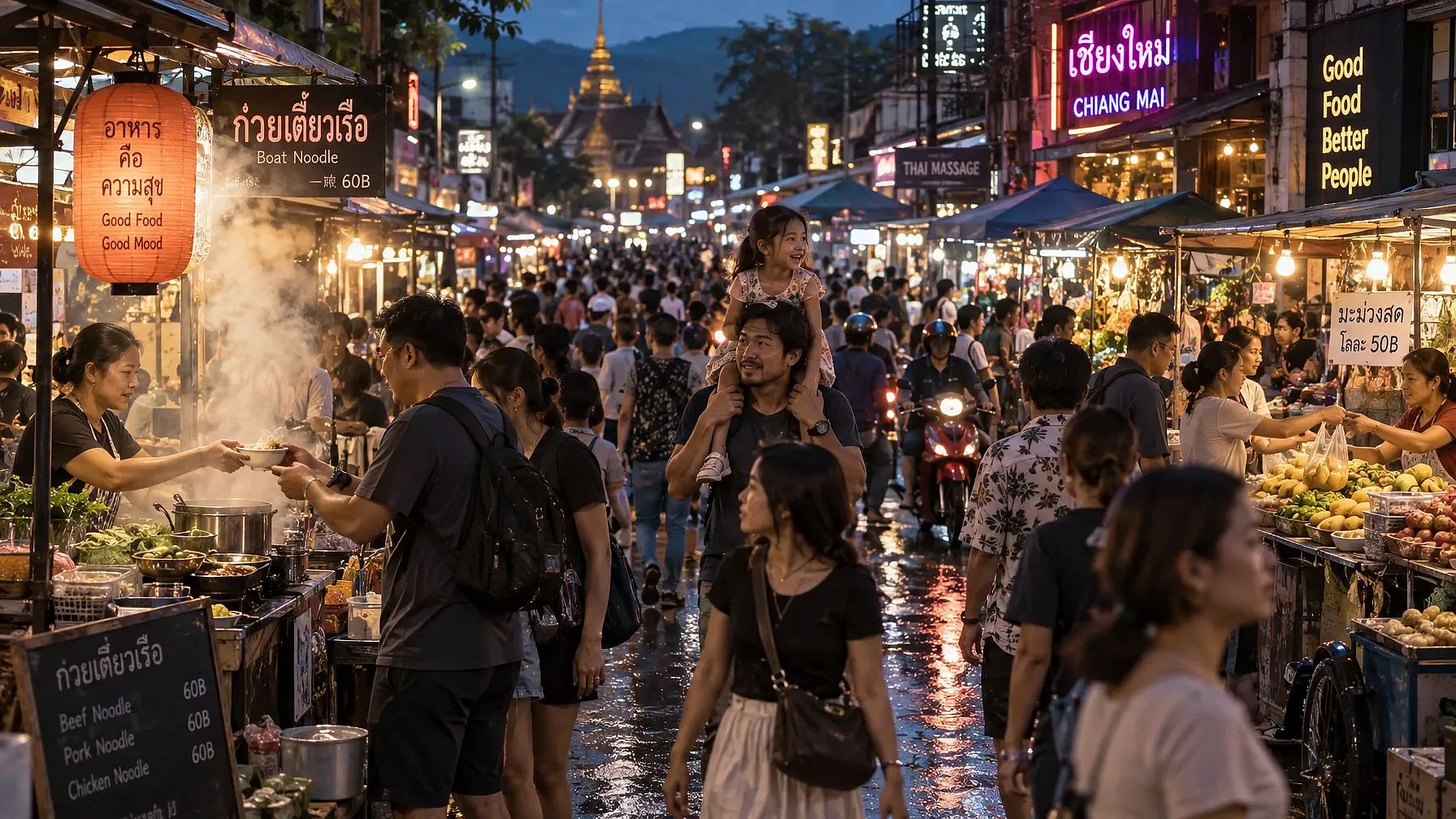
프롬프트 2: 밀집된 군중 장면, 반복되는 인체 형태
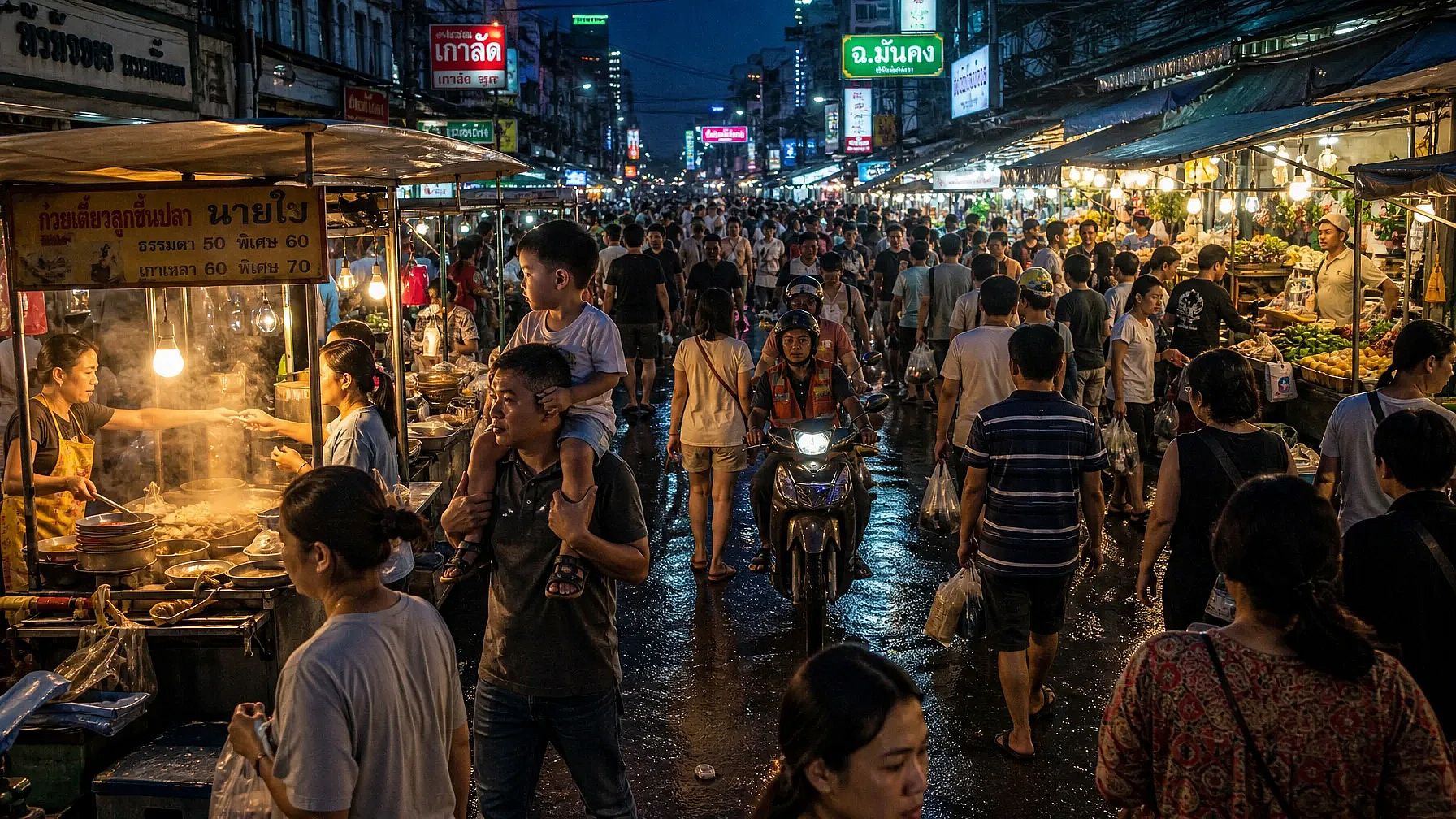
A photorealistic wide shot of a crowded night market street in Southeast Asia, packed with dozens of people walking in different directions, each with distinct clothing, height, and posture. Vendors lean over stalls stacked with produce and lit by strings of warm bulbs, their hands mid-gesture as they hand items to customers. In the foreground, a child sits on a parent's shoulders, both faces lit by the glow of a nearby food cart's steam. Reflections of neon signage ripple across wet pavement from a recent rain. Steam rises from a noodle stall, partially obscuring two figures mid-conversation. Background stalls recede into a blur of motion and color, with motorbikes weaving through gaps in the crowd. Every visible hand and face should maintain correct proportions even at a small scale. Lighting is mixed, warm tungsten stalls against cool blue ambient dusk light, creating complex color temperature interplay across skin tones.
GPT Image 2 결과:
GPT Image 2.5 결과:
프롬프트 3: 단일 인물과 반사·투명 표면
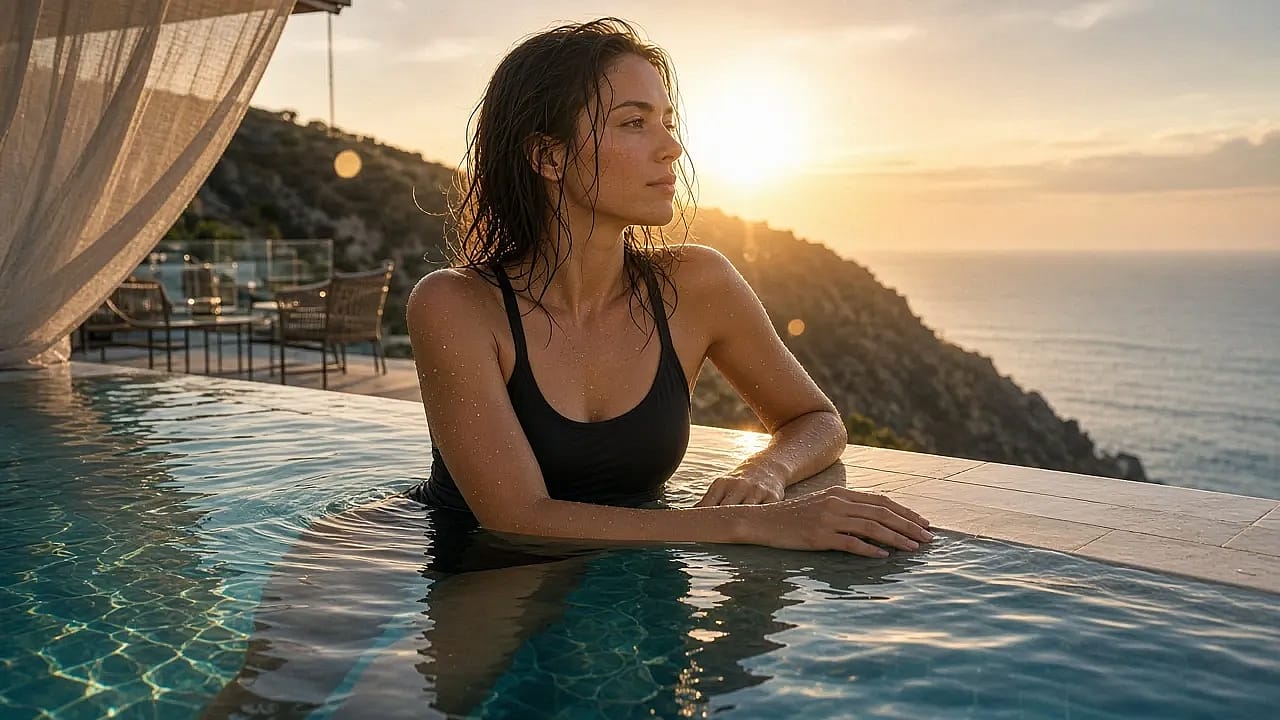
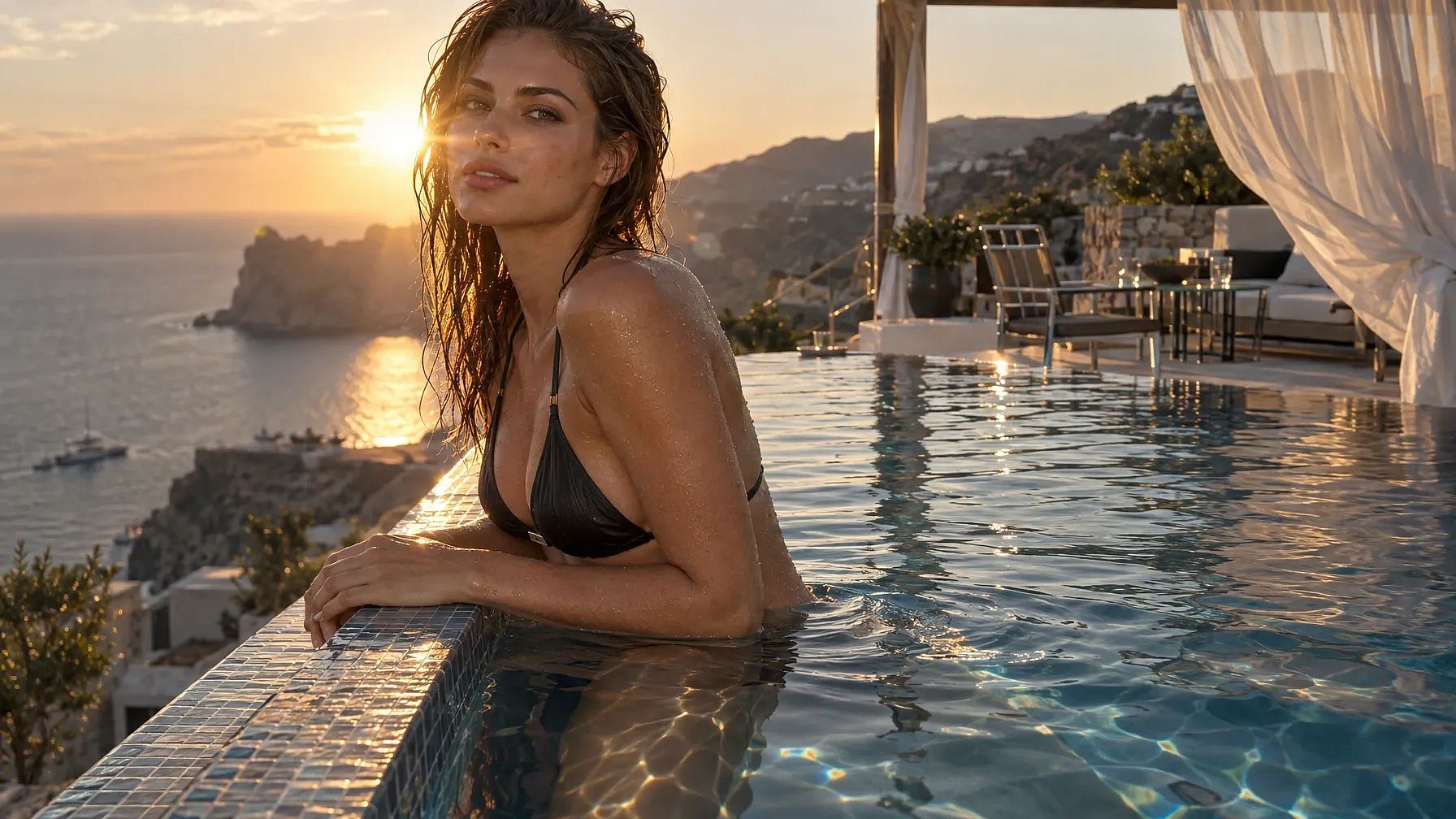
A photorealistic portrait of a swimmer standing waist-deep at the edge of an infinity pool overlooking a coastal cliffside at golden hour, water dripping down her arms and shoulders with individually visible droplets. Her reflection appears distorted but physically accurate in the pool's rippling surface, and a faint refraction line is visible where her legs submerge into the water. Behind her, the pool's edge blends into the ocean horizon, with a lounge area of glass tables and metal chairs catching scattered sun glare. A gauzy curtain from a nearby cabana billows in the wind, partially translucent with visible weave texture. Wet hair clings unevenly to her collarbone and neck, individual strands catching backlight. Her hands rest on the pool's tiled edge, fingers naturally relaxed, nails and knuckle creases rendered accurately. The sun sits low behind her, producing lens flare and a rim-light halo along her shoulders. Overall color grading should favor warm highlights against cool shadow tones, with accurate caustic light patterns dancing on the underwater tile.
GPT Image 2 결과:
GPT Image 2.5 결과:
GPT Image 2.5 vs 2.0: 어떤 것을 사용해야 할까요?
GPT Image 2.5를 기본값으로 삼으세요. Flare 모드에서 GPT Image 2보다 빠르고, 이미지도 더 잘 나오며, 위의 모든 업그레이드가 그 위에 얹힙니다.
선택 Flare 일상 작업에 사용하세요. 소셜 게시물, 빠른 콘셉트, 여러 광고 사이즈 배치 등 보고 다시 시도할 계획인 모든 작업에요.
선택 선버스트 이미지가 고객 앞에 나갈 때, 투명 배경이 필요할 때, 또는 같은 이미지를 여러 번 편집할 계획일 때 유용합니다.
이것으로 거의 모든 작업을 처리할 수 있습니다. Flare에서 시작하고 Sunburst에서 마무리하세요. 아직 옮기지 않은 오래된 프롬프트가 있을 때만 GPT Image 2를 사용하세요.
자주 묻는 질문
GPT Image 2와 GPT Image 2.5의 차이점은 무엇인가요?
GPT Image 2.5에는 Flare와 Sunburst 두 가지 모드가 있는 반면, GPT Image 2에는 하나의 모델과 하나의 속도만 있습니다. GPT Image 2.5는 또한 투명 배경을 기본으로 제공하고, 여러 번의 편집에서도 수정 내용을 유지하며, 참조 사진의 주제를 더 정확하게 보존하고, 일반 텍스트뿐 아니라 차트, 다이어그램, 라벨도 잘 처리합니다.
GPT Image 2와 GPT Image 2.5는 언제 출시되었나요?
OpenAI는 GPT Image 2를 2026년 4월 21일에, GPT Image 2.5를 2026년 9월 8일에 출시했습니다.
Flare와 Sunburst의 차이점은 무엇인가요?
Flare는 일상적인 생성과 편집을 위한 빠른 모드입니다. OpenAI에 따르면 GPT Image 2보다 절반의 시간으로 더 높은 품질의 이미지를 만듭니다. Sunburst는 최고 품질 모드로 중간 속도로 실행되어, 최종 이미지, 세밀한 작업, 여러 번 편집할 이미지에 적합합니다.
GPT Image 2.5로 투명 배경 이미지를 만들 수 있나요?
네. GPT Image 2.5는 투명 배경 이미지를 PNG 또는 WebP 파일로 저장할 수 있습니다. GPT Image 2에서는 다른 앱에서 직접 배경을 제거해야 했습니다.
OpenArt에서 GPT Image 2와 GPT Image 2.5를 사용해볼 수 있나요?
네. 두 모델 모두 OpenArt AI 이미지 생성기의 모델 메뉴에 있어, 같은 프롬프트를 각 모델에 실행해 결과를 비교할 수 있습니다.
OpenArt에서 둘 다 사용해 보기
두 모델 모두 모델 메뉴에 있습니다 OpenArt의 AI 이미지 생성기그래서 동일한 프롬프트를 각 모델에 실행하고 마음에 드는 이미지를 고를 수 있습니다. 또한 저장해 둔 색상과 폰트를 가져올 수도 있습니다 브랜드 키트 저장해 둔 얼굴을 다시 활용하세요 OpenArt 캐릭터.
사용해 보기 OpenArt의 GPT Image 2.5.