
AI Face Smooth Tool
Transform any selfie into a flawless, retouched portrait in seconds. OpenArt's online face smooth tool uses advanced AI to automatically soften skin, erase imperfections, and refine your facial features.

AI-Powered Skin Smoothing
Automatically detects facial features and applies natural-looking skin refinement in one click

Blemish & Imperfection Removal
Erases acne, spots, and uneven texture while preserving authentic skin details

One-Tap Professional Results
Get studio-quality retouching without manual editing or complex software
Community Creations
Explore what our users have achieved with the AI face smooth tool.
Skin That Looks Refreshed, Not Like Plastic
Most AI tools or online photo filters make your skin look like plastic when you use them to smooth your facial skin or features. However, OpenArt's face smooth tool is powered by the latest AI image models that excel at photorealism and high-fidelity, consistent visuals. So your images come out looking refreshed, not fake.
Blemish and Imperfection Removal
Looking for that perfect glass skin look? The face smooth tool can remove any and all blemishes from your face. Remove acne, scars, or any other marks or imperfections from your skin within seconds and get the perfect image of your face. And for further editing beyond your face, try the Background Remover tool.
Just Prompt and See the Magic
Type in whatever improvements or changes you want to make to the skin in your image, and our AI face smooth tool will instantly handle those with amazing prompt adherence. Additionally, you can upload a reference image for inspiration to make your skin look like the one in the reference.
One-Click Professional Results
Skip the hours of manual retouching. With OpenArt's online face smooth tool, you get red-carpet-ready results in under 30 seconds. If you want to transform your selfie into an entirely new photo, you can also explore the AI Headshot Generator, Avatar Maker, and Profile Picture Maker.
How to Use AI Face Smooth
Get your retouched, smooth face portrait in short, simple steps.
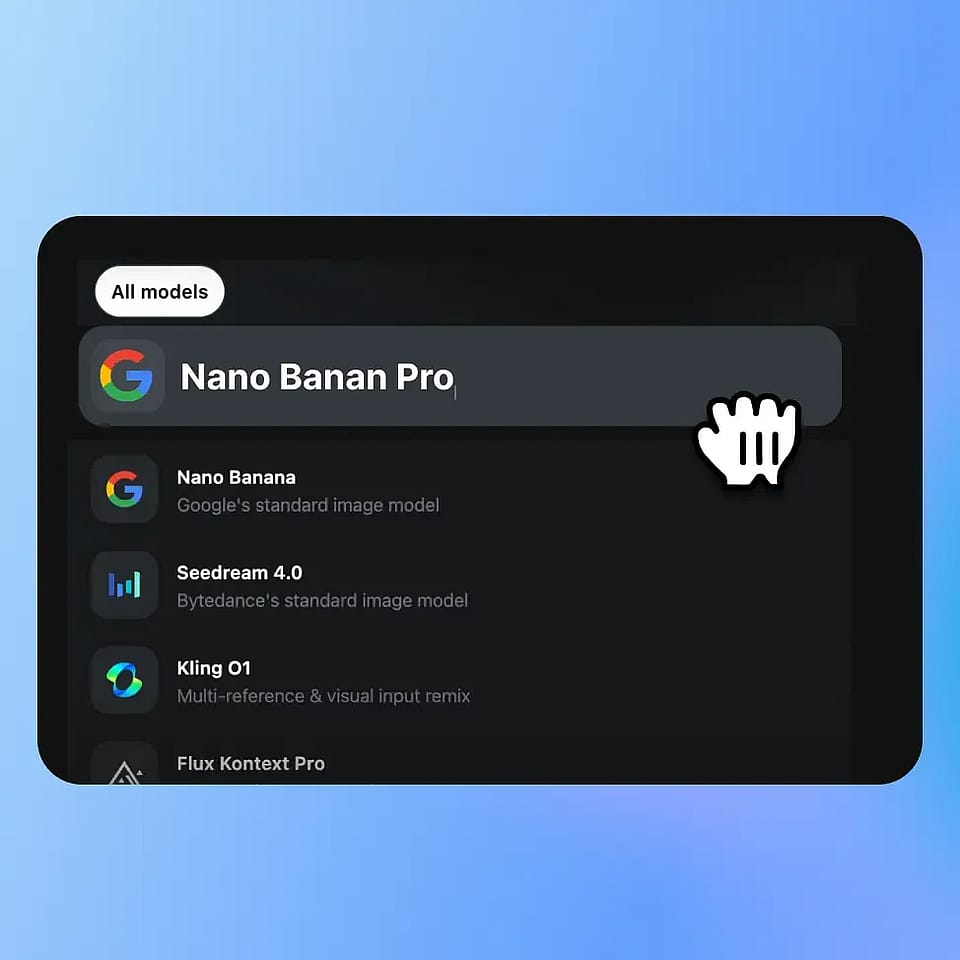
Choose Model & Upload
Pick a portrait retouching model and upload your photo.
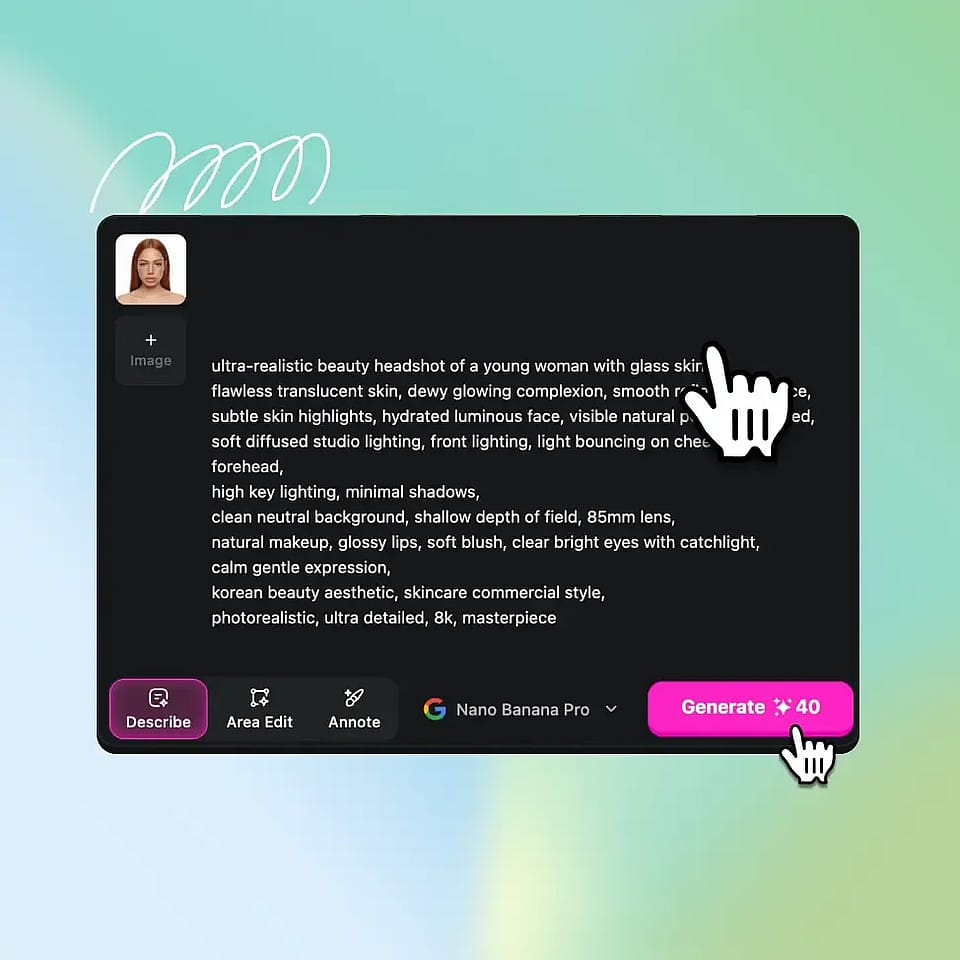
Describe & Customize
Specify skin improvements (e.g., glass skin, natural glow), set resolution/aspect ratio, and add a reference if needed.
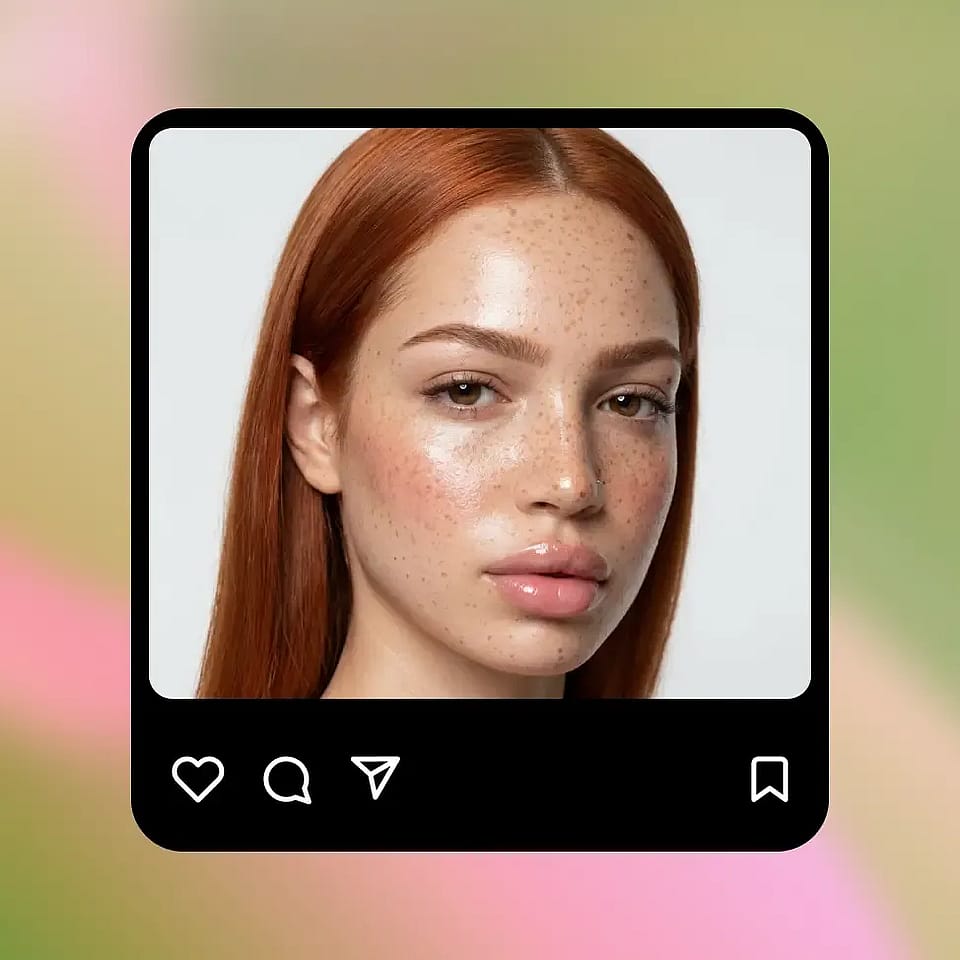
Generate, Refine & Download
Create results instantly, tweak until satisfied, and download your final polished image.
Smooth Your Face for Every Platform
Whether it’s social, professional, or personal, get the right level of polish without over-editing.
Social Media Glow-Ups
Your selfies don’t need heavy filters or over-editing anymore. Smooth out skin, reduce blemishes, and enhance your natural features while still looking like you. Perfect for Instagram, TikTok, and anywhere your face is front and center.
Dating Profiles That Catch Attention
First impressions matter, but so does authenticity. Clean up minor imperfections, even out skin tone, and present your best self while still looking natural — not filtered beyond recognition.
Content Creators & Personal Branding
Whether you're shooting thumbnails, reels, or personal brand content, consistency matters. Quickly refine your look across images so your content feels cohesive, polished, and professional without spending hours editing.
Creative & Stylized Looks
Go beyond natural edits. Experiment with glass skin, soft glam, or stylized portrait looks using prompts and reference images. Whether subtle or dramatic, you stay in control of how your final image turns out.