
IPAdapter attention masking --automatic select person using clipseg
5.0
2 reviews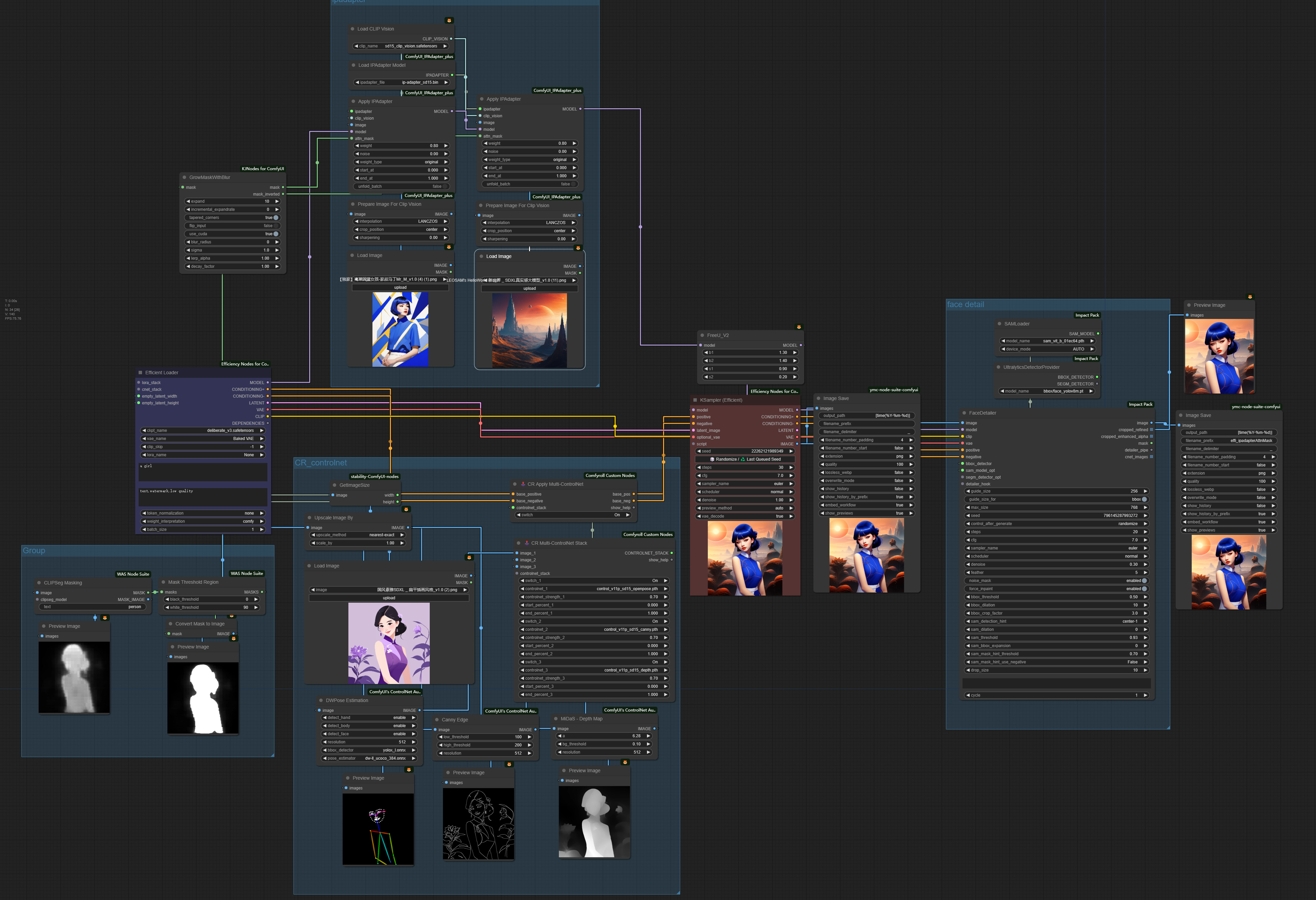


Description
(This template is used for Workflow Contest)
What this workflow does
👉This workflow uses clipseg to select any part you want to separate from the background (here I am selecting person). and using ipadapter attention masking, you can assign different styles to the person and background by load different style images.
How to use this workflow
👉 Load two reference pictures in the ipadapter section to assign different styles of these region (by the way, make some changes to the workflow, you can even have more than two different styles in one image). Load your source image and input the words you want to select, and write you prompt and run.
Tips about this workflow
🎥 Video demo link (optional)
Chinese:
https://www.bilibili.com/video/BV1Jj411p7BT/
English:
https://www.bilibili.com/video/BV1YG411e7fd/
Discussion
(No comments yet)
Loading...

Reviews
No reviews yet
Versions (1)
- latest (2 years ago)
Node Details
Primitive Nodes (2)
IPAdapterApply (2)
Custom Nodes (32)
- CR Apply Multi-ControlNet (1)
- CR Multi-ControlNet Stack (1)
ComfyUI
- CLIPVisionLoader (1)
- PreviewImage (6)
- FreeU_V2 (1)
- LoadImage (3)
- ImageScaleBy (1)
- MaskToImage (1)
- SAMLoader (1)
- UltralyticsDetectorProvider (1)
- FaceDetailer (1)
- DWPreprocessor (1)
- CannyEdgePreprocessor (1)
- MiDaS-DepthMapPreprocessor (1)
- IPAdapterModelLoader (1)
- PrepImageForClipVision (2)
- KSampler (Efficient) (1)
- Efficient Loader (1)
- GrowMaskWithBlur (1)
- GetImageSize (1)
- Image Save (2)
- CLIPSeg Masking (1)
- Mask Threshold Region (1)
Model Details
Checkpoints (0)
LoRAs (0)