
Redux BG and Character, Replace Background
5.0
1 reviews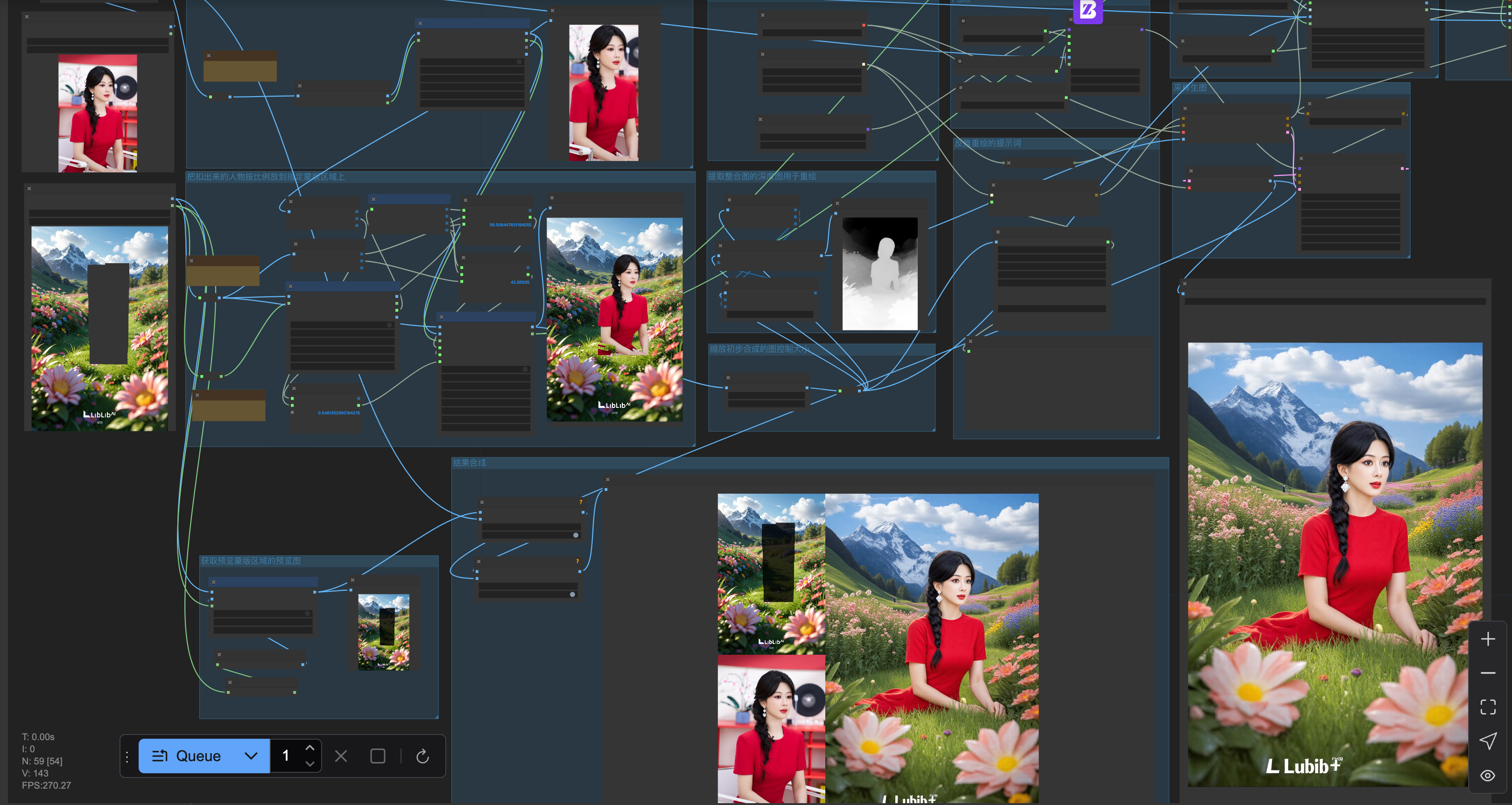

Description
一、工作流流程说明:

    1、把人物扣出来;
    2、把扣出来的人物按比例放到指定蒙版区域上;

    然后对预先合成的图,进行depth重绘制。
        3、Flux Depth 模型加载;
        4、提取整合图的深度图用于重绘;
        5、反推重绘的提示词;
        6、Pulid控制人脸;
        7、Redux 背景;
        8、Redux 人物;
        9、采样生图。

二、使用步骤说明:
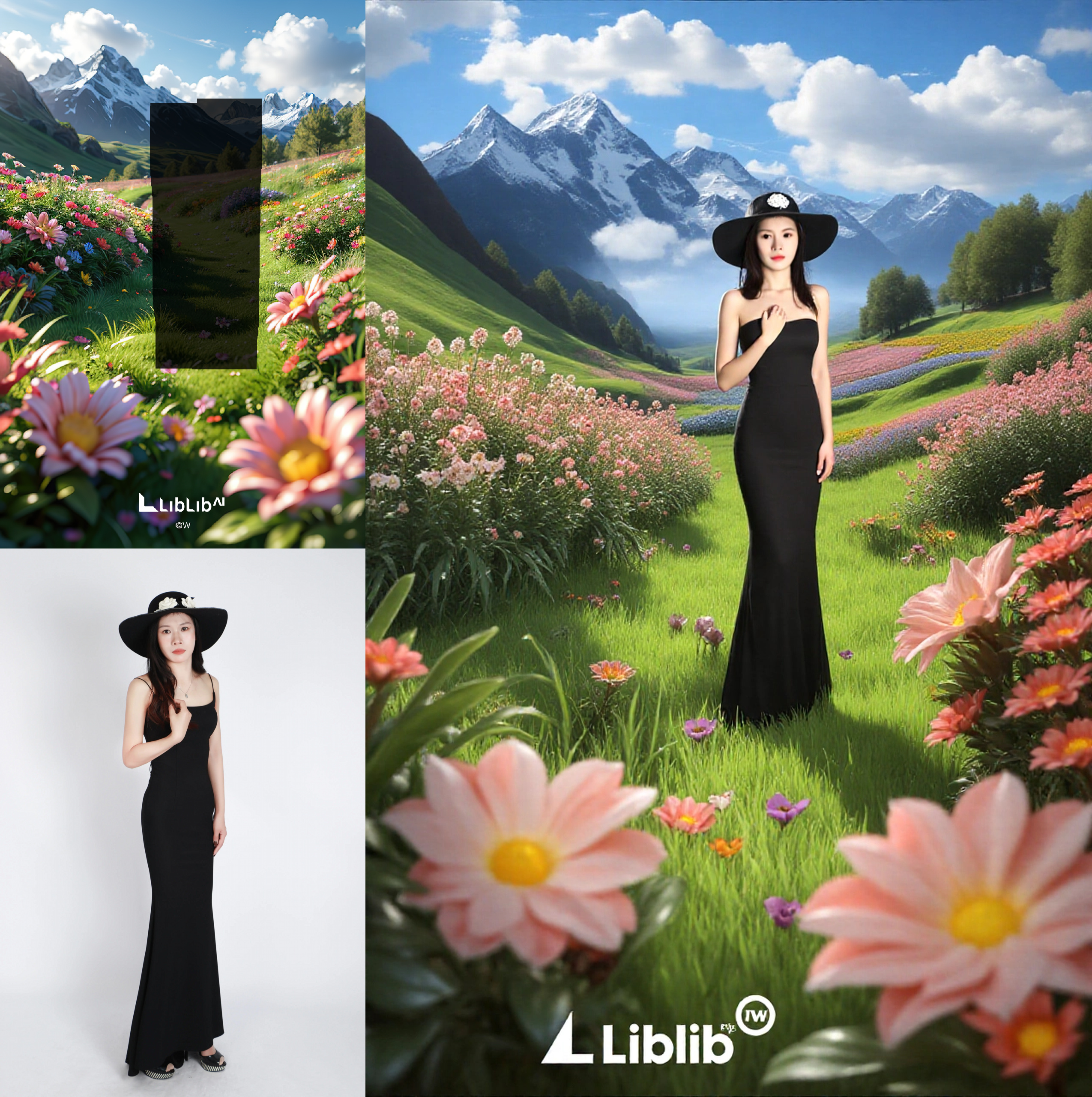
    1、在人物区域上传人物图像,人物尽可能清晰完整,脸部区域要大;
    2、在背景区域上传背景;
    3、在背景上涂抹蒙版,上下涂抹即可,左右区域自适应。


三、参数调节说明:
    1、人物脸部相似度可以调节pulid的weight权重。
    2、背景相似度可以调节Redux 背景区域的downsampling_factor, 1是最强最相似,3是最弱变化最大。
    3、人物其它区域相似度可以调节Redux 人物区域的downsampling_factor, 1是最强最相似,3是最弱变化最大。


### I. Workflow Process Description:

    1. Extract the character from the background;
    2. Place the extracted character proportionally onto the designated masked area;

    Then, perform depth redrawing on the pre-composited image.
        3. Load the Flux Depth model;
        4. Extract and consolidate the depth map of the composited image for redrawing;
        5. Derive the prompt for redrawing;
        6. Control the face using Pulid;
        7. Apply Redux to the background;
        8. Apply Redux to the character;
        9. Sample and generate the final image.

### II. Usage Instructions:
    1. Upload a character image in the character area, ensuring it is as clear and complete as possible, with a large facial region;
    2. Upload the background in the background area;
    3. Paint a mask on the background; painting up and down is sufficient, while the left and right areas adapt automatically.

### III. Parameter Adjustment Instructions:
    1. The similarity of the character's face can be adjusted by changing the weight of Pulid.
    2. The similarity of the background can be adjusted by modifying the downsampling_factor of the Redux background area; 1 represents the strongest and most similar effect, whereas 3 indicates the weakest with the greatest change.
    3. The similarity of other areas of the character can be adjusted by modifying the downsampling_factor of the Redux character area; 1 represents the strongest and most similar effect, whereas 3 indicates the weakest with the greatest change.
Discussion
(No comments yet)
Loading...

Resources (1)
Reviews
No reviews yet
Versions (1)
- latest (a year ago)
Node Details
Primitive Nodes (30)
BizyAirJoyCaption2 (1)
BizyAirRemoveBackground (1)
BizyAirZoe_DepthMapPreprocessor (1)
BizyAir_ApplyPulidFlux (1)
BizyAir_CLIPTextEncode (2)
BizyAir_CLIPVisionLoader (1)
BizyAir_DualCLIPLoader (1)
BizyAir_FluxGuidance (1)
BizyAir_InstructPixToPixConditioning (1)
BizyAir_KSampler (1)
BizyAir_PulidFluxEvaClipLoader (1)
BizyAir_PulidFluxInsightFaceLoader (1)
BizyAir_PulidFluxModelLoader (1)
BizyAir_ReduxAdvanced (2)
BizyAir_StyleModelLoader (1)
BizyAir_UNETLoader (1)
BizyAir_VAEDecode (1)
BizyAir_VAELoader (1)
Display Any (rgthree) (1)
Note (4)
Reroute (5)
Custom Nodes (30)
ComfyUI
- MaskToImage (1)
- InvertMask (2)
- PreviewImage (5)
- SaveImage (1)
- GrowMask (1)
- LoadImage (2)
- GetImageSize+ (3)
- MaskPreview+ (2)
- LayerUtility: ImageBlend (1)
- LayerUtility: CropByMask (2)
- LayerUtility: CropBoxResolve (1)
- LayerUtility: ImageBlendAdvance V2 (1)
- PixelPerfectResolution (1)
- ImageConcanate (2)
- MathExpression|pysssss (3)
- JWImageResizeByLongerSide (2)
Model Details
Checkpoints (0)
LoRAs (0)