
AnimateDiff after Frame Interpolation of Key frame
5.0
0 reviews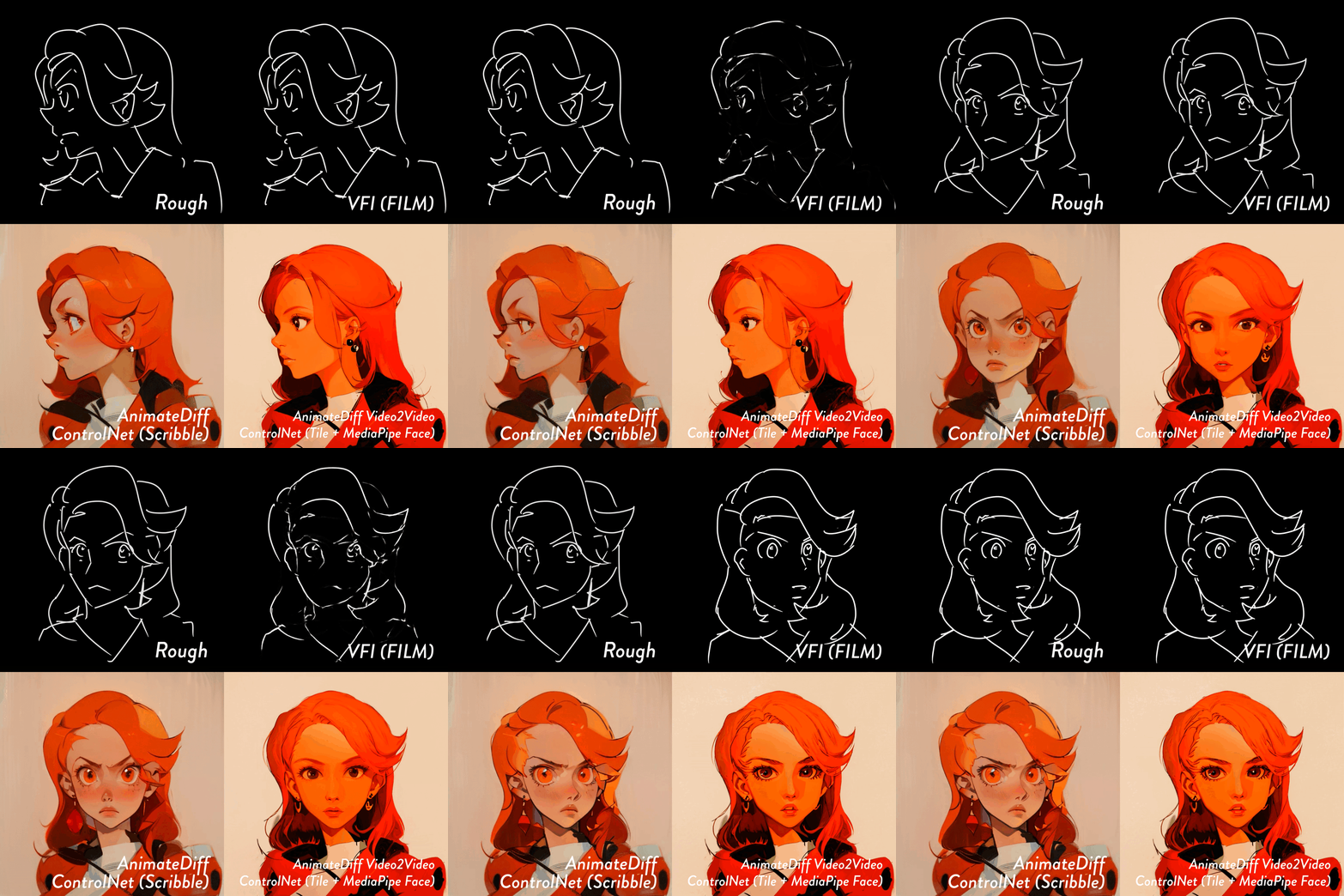
Description
The original idea that I had the privilege of referencing :
What's this? :
- The idea is to apply AnimateDiff for video2video conversion after frame interpolation of the key frames using VFI.
- Personally, I believe SparseCtrl should be used in such situations, but I found this idea intriguing and decided to replicate it.
- If someone is exceptionally good at drawing, this method might be more suitable for them😎
Regarding the workflow :
- The most important part is just the top section.
- What you see in the middle section is a technique to reduce detail using the KSamplerAdvanced node.
- In the lower section, we are changing the checkpoint and performing Hires.fix × AnimateDiff for video-to-video conversion.
Discussion
(No comments yet)
Loading...

Resources (3)
Reviews
No reviews yet
Versions (1)
- latest (2 years ago)
Node Details
Primitive Nodes (2)
Reroute (2)
Custom Nodes (44)
- ImageEffectsAdjustment (1)
- ADE_AnimateDiffLoaderGen1 (2)
- ADE_StandardStaticContextOptions (2)
ComfyUI
- LoadImage (3)
- CLIPSetLastLayer (2)
- VAELoader (3)
- CheckpointLoaderSimple (2)
- CLIPTextEncode (4)
- KSampler (2)
- VAEDecode (3)
- ControlNetApplyAdvanced (3)
- EmptyLatentImage (1)
- KSamplerAdvanced (1)
- LoraLoader (1)
- PreviewImage (1)
- ImageInvert (1)
- FILM VFI (1)
- ImpactMakeImageBatch (1)
- MediaPipe-FaceMeshPreprocessor (1)
- ControlNetLoaderAdvanced (3)
- VHS_VideoCombine (4)
- NNLatentUpscale (1)
- ImageResize (1)
Model Details
Checkpoints (2)
😎-v1.x\meinamix_meinaV11.safetensors
😎-v1.x\seekyou_mikan.safetensors
LoRAs (1)
1.5\🖼️\add_detail.safetensors