
FLUX.1 - Outpainting - Optimized Workflow
5.0
0 reviews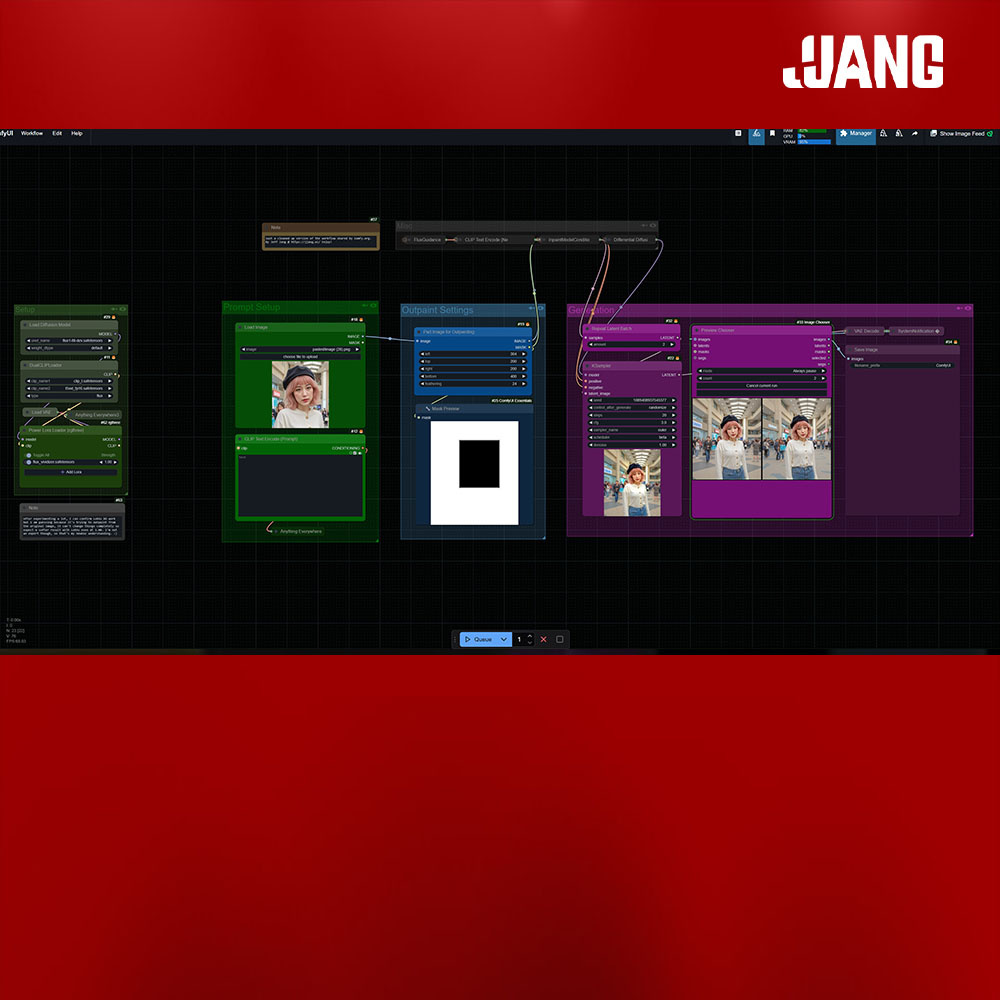

Description

The Text Edit node can be found here.
THIS IS JUST AN OPTIMIZED VERSION OF THE BASIC WORKFLOW FOR FLUX OUTPAINTING
I was excited to try out the new Flux Dev Fill model and used the latest workflows provided by the amazing folks at ComfyUI. Link for more details.
As a designer though, I always like to tidy up my workflows and add small changes that make it easier for me to incorporate into my work.
What I've done:
- Hidden away the nodes you'll likely be leaving alone.
- Grouped the major 3 steps (upload, adjust settings/prompt, and generate) so it's easier to work with.
- You may not like it, but I like a notification when my generation is done.
- Added LoRAs, but note: I think because this is for outpainting (or inpainting) it's really trying to keep to the original image, so don't expect drastic changes even if you crank up the LoRAs to max. I've tested it a bunch, and they do affect the generations.
- Added batch generations and choosing which ones work out best.
Discussion
(No comments yet)
Loading...

Reviews
No reviews yet
Versions (2)
- latest (a year ago)
- v20241121-210731
Node Details
Primitive Nodes (6)
Anything Everywhere (1)
Anything Everywhere3 (1)
FluxGuidance (1)
Note (2)
Power Lora Loader (rgthree) (1)
Custom Nodes (24)
ComfyUI
- DualCLIPLoader (1)
- CLIPTextEncode (2)
- InpaintModelConditioning (1)
- VAELoader (1)
- VAEDecode (3)
- LoadImage (1)
- ImagePadForOutpaint (1)
- DifferentialDiffusion (1)
- KSampler (3)
- UNETLoader (1)
- RepeatLatentBatch (1)
- SaveImage (2)
- LatentUpscaleBy (2)
- PreviewImage (1)
- MaskPreview+ (1)
- Preview Chooser (1)
- SystemNotification|pysssss (1)
Model Details
Checkpoints (0)
LoRAs (0)