
[v3.0] BG Changer v2
5.0
0 reviews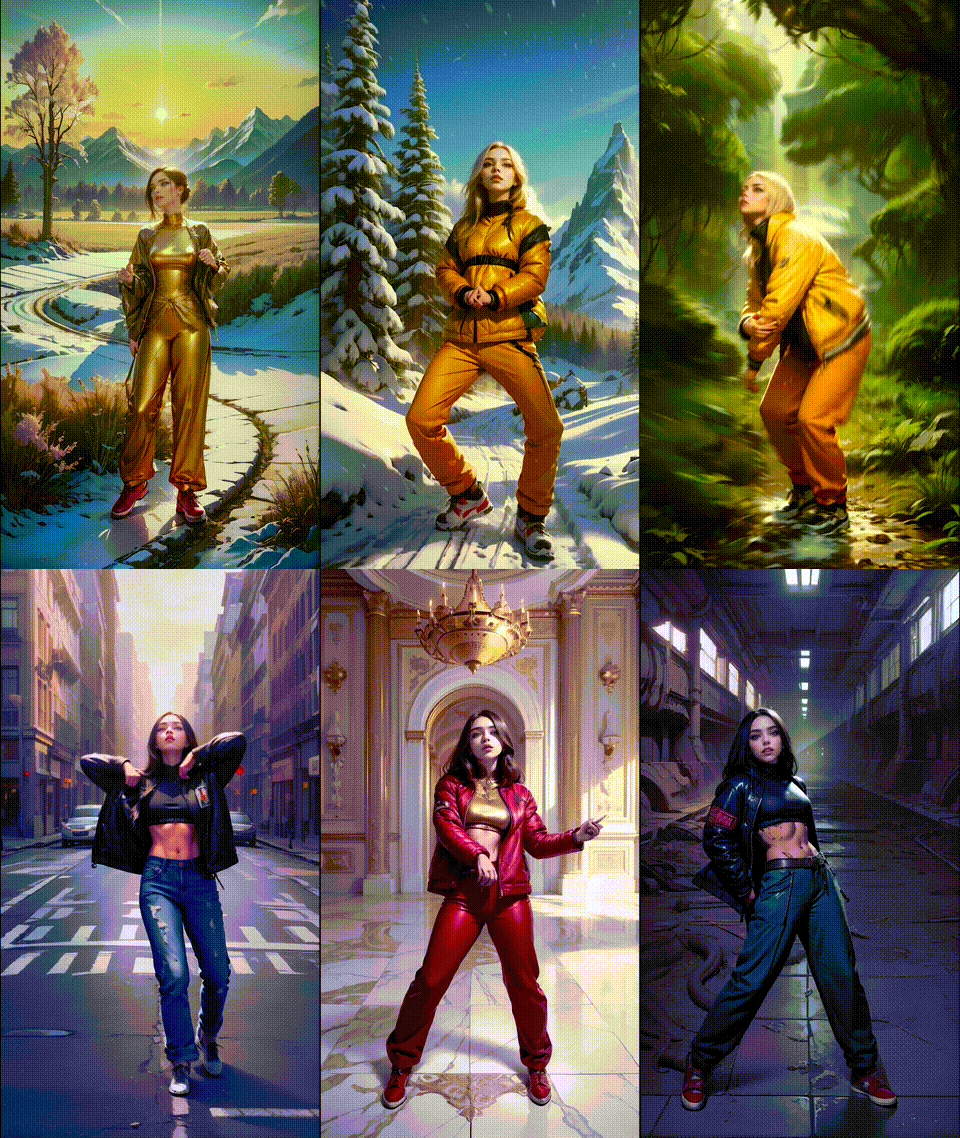
Description
1) First Time Video Tutorial : https://www.youtube.com/watch?v=qczh3caLZ8o&ab_channel=JerryDavosAI
.
2) Free Breakdown Tutorial: https://www.patreon.com/posts/v3-0-bg-changer-97728634
.
.
- Render Video 1 - Collide - https://youtube.com/shorts/Xayw0JYn6yI
- Render Video 2 - Bad Devil - YT : https://youtube.com/shorts/wzfYILSeTMA
.
HOW TO USE:
Important : You need 2 Controlnet Passes From here first : https://www.patreon.com/posts/v3-0-raw-masking-96587664
And Automask from here : https://www.patreon.com/posts/update-v3-0-96482739
1) Choose Model checkpoint you want to use
2) Enter Width and Height of your Output Image
3) Choose Positive Prompts, you want to see in the output
4) Choose Loras, (You have to experiment which looks good or not)
5) Paste the Passes Directories in ControlNets (1 and 2) Loaders and set their models and weight (See Neon Purple note)
Enter Single or Sequence Background here:

6) Paste The Directory where you want to save the Images in the Output Save Directory Node
7) Select Batch Range (Number of images you want to render in one Queue)
8) Choose LCM, Highres and AD Motion Settings, Default is good but experimental (See note)
9) After every batch you can increase the batch naming for organizing the batches.
10) After every queue increase the skip frames to the Total number of images rendered already.
11) After All the batches are rendered it's Ready for #3 LCM Refiner workflow
*Don't Use Overlapping Technique in this phase, Use that in the final refiner phase,
________________________________________
Breakdown :

A New File - 2_6) BG_Changer v2 has been added in the GDrive folder :
https://drive.google.com/drive/folders/1HoZxKUX7WAg7ObqP00R4oIv48sXCEryQ
.
Now you can have consistent custom Single Background or Sequence background.
Better backgrounds which are close to inputted image.
Prerequisites
1) If you are new to this workflow, Watch these Video and tutorial first to get how things work:
2) Controlnet - SoftedgePlus and AutoMask from this workflow: https://www.patreon.com/posts/update-v3-0-lcm-96482739

.
Breakdown 1 [ Single Background ]
Render Video Link : https://youtube.com/shorts/Xayw0JYn6yI

Controlnets Preview:

For the Single Background:
Controlnets weights -
1) SoftedgePlus [ 0.9 , 0 , 0.85 ]
2) OpenPose [ 0.8, 0 , 0.8 ]
Mask 
Softedge and Auto Mask generated from file 1_1) Controlnet_Automasking_SoftedgePlus : https://www.patreon.com/posts/update-v3-0-lcm-96482739
.
Since It is not LCM Settings are updated to the following in the workflow file.
.
1) Umute the Single Group and Connect it the Image Adjustment node to use it (See the Above Picture For Reference
2) Upload a single image into the Background Single Node

One By one, the above backgrounds were uploaded to the background node and rendered.
CON
Flickering is observed in the renders of Single Background.... will try to fix this.
It's due to injection of Background latents in the middle of the render process, so it acts like img2img renders and flickers.
It can be reduced by decreasing the value in "Start Highres Fix from nth Step" node ) but the original background will be lost.
---------------------------------------------------------------------------------------------------------
Breakdown 2 - [ Sequence Background ]

Render Video : https://youtube.com/shorts/wzfYILSeTMA
All Controlnets Settings, Mask , and other were same like the Single Background one.
.
Background



The Fire Video was brought into after Effects, cropped and Rendered out as Image Sequence, and then the folder path was used as the Input in the background node.
Like this:

.
Unmute Background Sequence Group and Make the connection to Image Adjustment node
.

For Part 1 normal "Yellow" was used for Fire and In Part 2 - It was color hue shifted to blue with the above adjustment to look like a Blue fire which will after render will looks like "Abstract water fire"

Multiple Loras and It's weights were tested and the 4th one has the most "water fire" with similar fire physics and motion, So went with it.
Face Fix Reactor
1) Images were refined
2) Then face fixed with v2.1 Face Fix file then
3) Face swapped with scarlett johansson using the old "5) Batch Face Swap - ReActor [Experimental] workflow" with the following settings:

Then All frames were composed in After Effects
___________________________________________________________________
Models and Lora List

niMerge Model was used for making the above renders: https://civitai.com/models/144249?modelVersionId=250801
Lora List :
Some of the Loras are renamed in my PC, please find it in the above list or search for similar Loras on Civitai.
_________________________________________________________________________
Downloads Raw
Prompts and Settings Folder Has the All Raw Files of the workflows mentioned above to study. Drag and Drop into Comfyui workspace to use them.

Prompts and Settings Folder : https://drive.google.com/drive/folders/1nCOjN1qETfRiQGmQhiyM7f3TUTTlulPA?q=parent:1nCOjN1qETfRiQGmQhiyM7f3TUTTlulPA
The workflows above in the photos embeds might be different from the Main Uploaded 2_6) Bg Changer workflow as they were prototypes workflows for testing out. Use main 2_6) workflow to get the Best results.
___________________________________________________________________
If you need Cloud GPU : https://www.runcomfy.com/?ref=jerrydavos
My Discord Server : https://discord.gg/z9rgJyfPWJ
Discussion
(No comments yet)
Loading...

Reviews
No reviews yet
Versions (1)
- latest (2 years ago)
Node Details
Primitive Nodes (89)
GetNode (29)
Note (17)
PrimitiveNode (3)
Reroute (25)
SetNode (15)
Custom Nodes (89)
- ImageEffectsAdjustment (1)
- CheckpointLoaderSimpleWithNoiseSelect (1)
- ADE_AnimateDiffLoaderWithContext (1)
- ADE_AnimateDiffUniformContextOptions (1)
- ADE_AnimateDiffModelSettingsSimple (1)
- CR Integer To String (1)
- CR Apply LoRA Stack (1)
- CR LoRA Stack (2)
ComfyUI
- PreviewImage (6)
- FreeU_V2 (1)
- ImageToMask (1)
- InvertMask (1)
- VAELoader (1)
- CLIPSetLastLayer (1)
- LatentUpscaleBy (1)
- LoadImage (1)
- ImageScale (2)
- VAEDecode (1)
- VAEEncode (1)
- LatentUpscale (1)
- LatentCompositeMasked (1)
- KSamplerAdvanced (2)
- ImpactSwitch (2)
- LineArtPreprocessor (1)
- BNK_InjectNoise (1)
- TonemapNoiseWithRescaleCFG (1)
- ControlNetLoaderAdvanced (3)
- ACN_AdvancedControlNetApply (3)
- LoadImagesFromDirectory (4)
- Int (2)
- VHS_SplitImages (6)
- BatchPromptSchedule (1)
- FloatConstant (9)
- ImageBatchRepeatInterleaving (1)
- MathExpression|pysssss (2)
- Int Literal (7)
- Cfg Literal (3)
- LatentGaussianNoise (1)
- smZ CLIPTextEncode (2)
- Image Save (1)
- Text String (1)
- Text Concatenate (1)
- Text Multiline (3)
- Logic Boolean (2)
- Image Blank (1)
- String to Text (1)
Model Details
Checkpoints (1)
animerge_v23.safetensors
LoRAs (0)