
[v2.1] ControlNet Passes Extractor with Custom Save Folders [Part 1]
5.0
0 reviews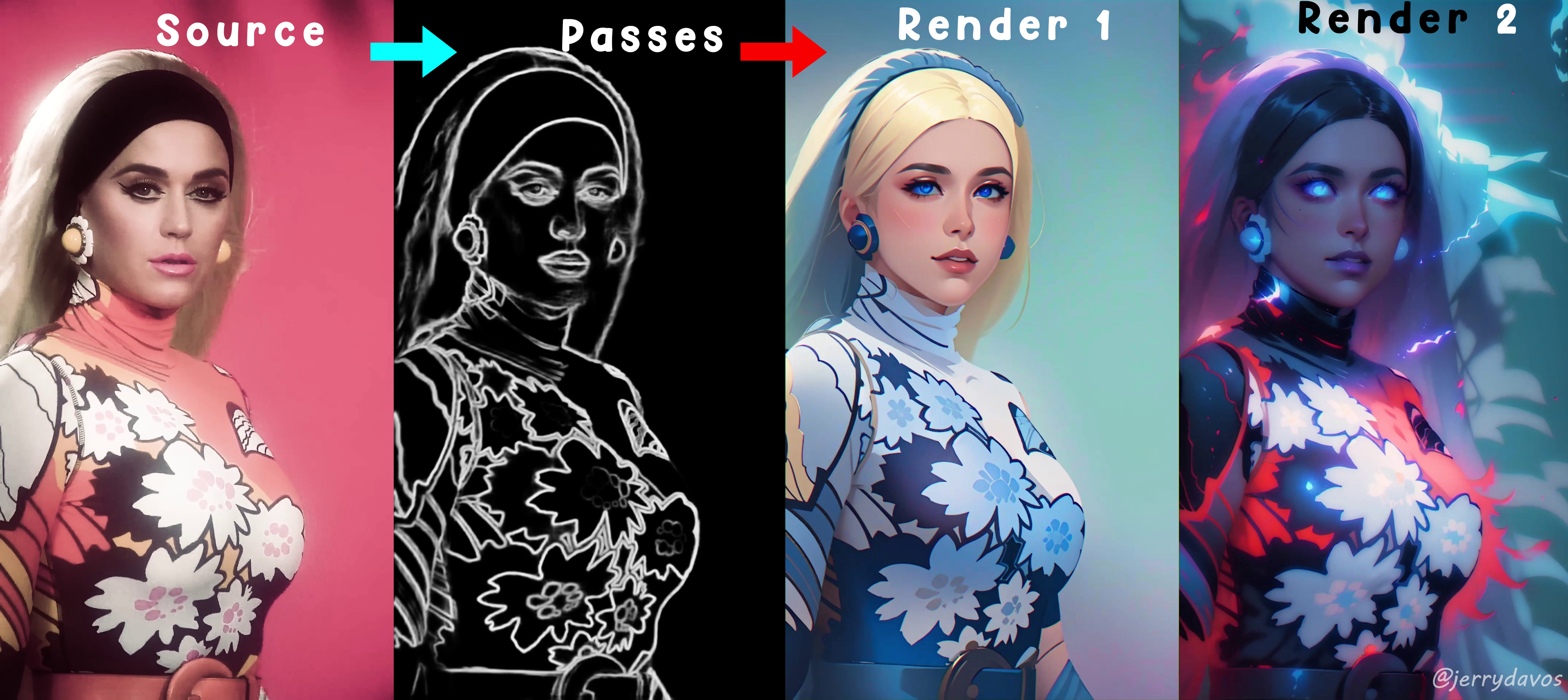
Description
1) Video Tutorial : https://youtu.be/qczh3caLZ8o
2) Documented Tutorial : https://www.patreon.com/posts/update-v2-1-lcm-95056616
Instruction
- 1) "Copy as Path" - Right Click on your Video inside explorer and click copy as path and paste it inside the Input Video Path node. It should NOT be in quotes. Eg: F:\Test\video.mp4
- 2) Copy Address - Copy the address of the folder you want to save the Passes and paste it in the Output path node. It should NOT be in quotes. Eg: F:\Test
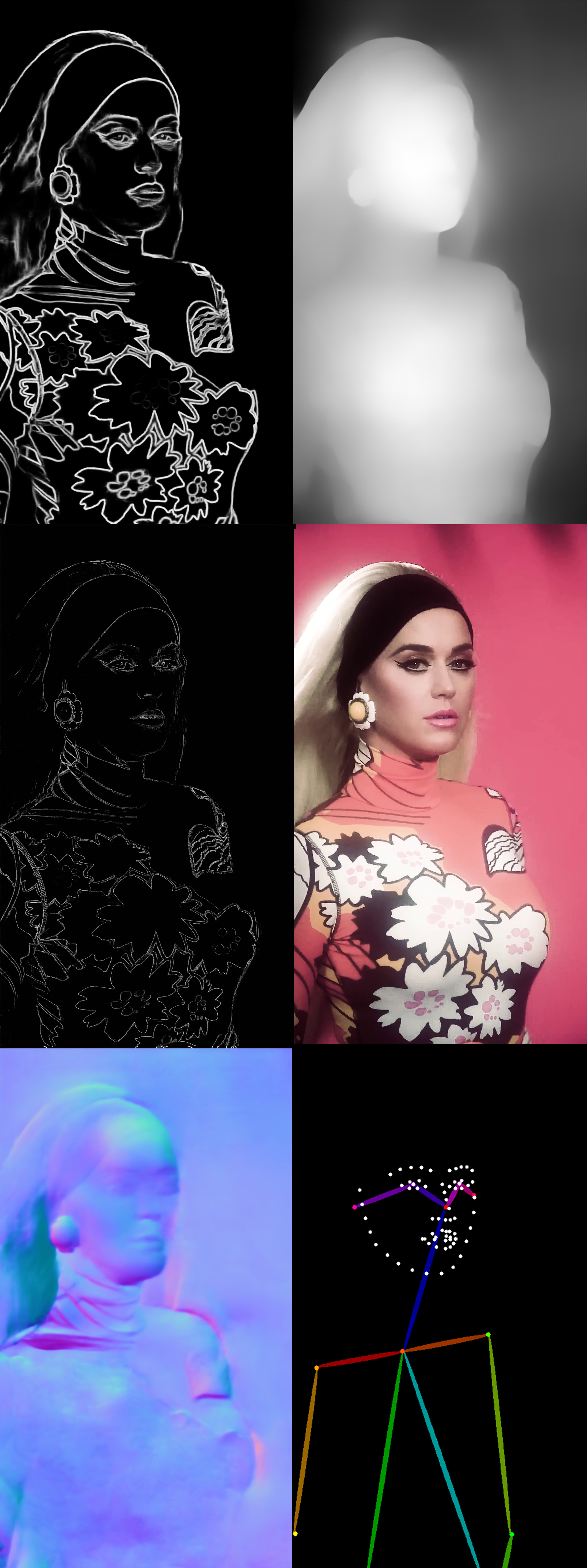
- 3) Select the Passes you want to extract. Enable = 1, Disable = 0. Edit their properties if you want.
- 4) [Optional] If you have a high-resolution video like 4k, you might want to downscale it to 1k to get optimal results for rendering. Enter multiplier in "scale_by" input.
- 5) [optional] You can also custom resize it. Enable it by entering value as 1 and use custom dimensions.
- 6) Save Source Images is enabled by default for original reference and sequencing.
if your video is longer than 20 second, you may encounter "Out of Memory" errors, then use the batch workflow.
- Batch Range: Specify how much frames your pc can handle in one go. (eg: 400 Images for 1280x720 size is safe for 8GB vram, 200-300 frames for 1920x1080). If your save node crashes use lower.
- Skip Frames: After Every Batch skip the total rendered frames.
How to use Batch workflow Example:
If you have a 30 second video of 1280x720 with 30 fps then your total frames will be 30x30 = 900 frames
Then
- Batch 1: Range - 400 | Skip Frames - 0
- Batch 2: Range - 400 | Skip Frames - 400
- Batch 3: Range - 100 | Skip Frames - 800
Total rendered frames: 900
ControlNet Usage Tips
- For Face Closeups - Use Line Art and soft edge.
- For Half Body Shots - Use Line Art with Soft edge or Open Pose.
- For Full body shots - Use Open Pose with line Art or Soft edge
- For Architecture or landscape - Use Depth with Soft edge, line art or Canny.
- For Flat Logos, or Typos - Use Normal with Line Art, Soft edge.
At least 2 Passes are required to use raw animation workflow and get a quality render.
Results
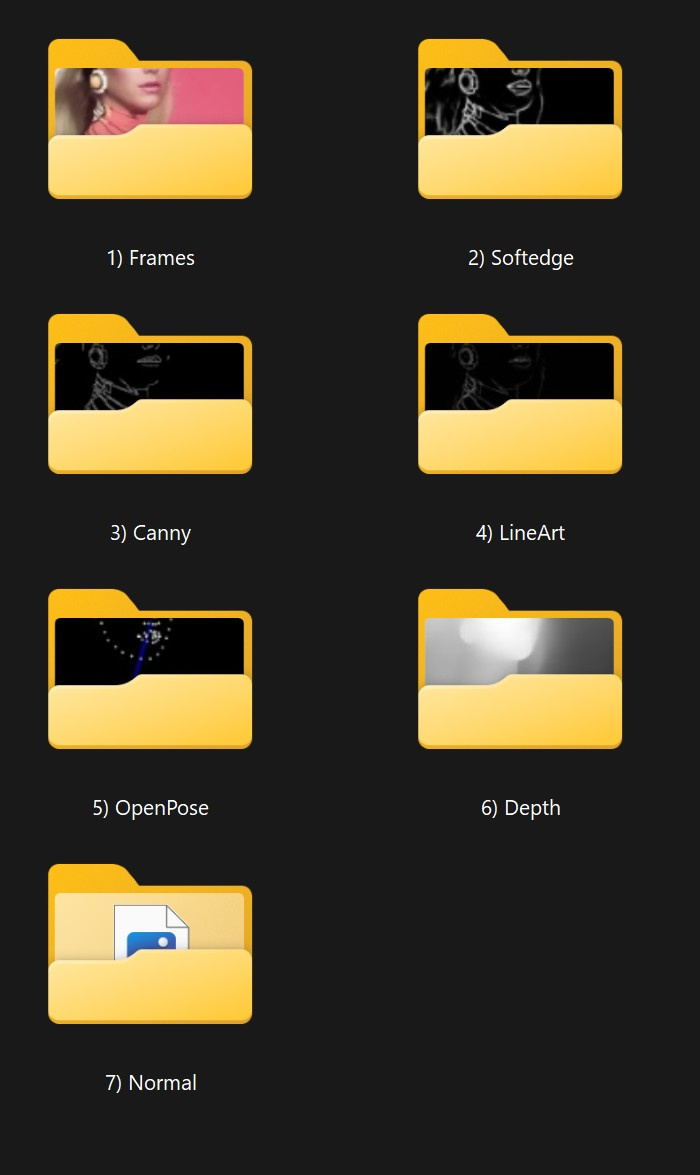
It will export your enabled passes in the specified folder
Documented Tutorial Can be found here : https://www.patreon.com/posts/update-v2-1-lcm-95056616
My Discord Server : https://discord.gg/z9rgJyfPWJ
If you need Cloud GPU : https://www.runcomfy.com/?ref=jerrydavos
Discussion
(No comments yet)
Loading...

Reviews
No reviews yet
Versions (1)
- latest (2 years ago)
Node Details
Primitive Nodes (15)
Note (3)
PrimitiveNode (7)
Reroute (5)
Custom Nodes (66)
ComfyUI
- ImageScale (1)
- EmptyImage (1)
- ImageScaleBy (1)
- DWPreprocessor (1)
- MiDaS-DepthMapPreprocessor (1)
- CannyEdgePreprocessor (1)
- BAE-NormalMapPreprocessor (1)
- HEDPreprocessor (1)
- LineArtPreprocessor (1)
- If ANY execute A else B (16)
- VHS_LoadVideoPath (1)
- ReroutePrimitive|pysssss (7)
- GetImageSize (1)
- Image Save (7)
- Text String (7)
- Text Concatenate (7)
- String to Text (1)
- Constant Number (2)
- Logic Boolean (8)
Model Details
Checkpoints (0)
LoRAs (0)