
Masked editing with Gemini 2.0 Flash Experimental
5.0
0 reviews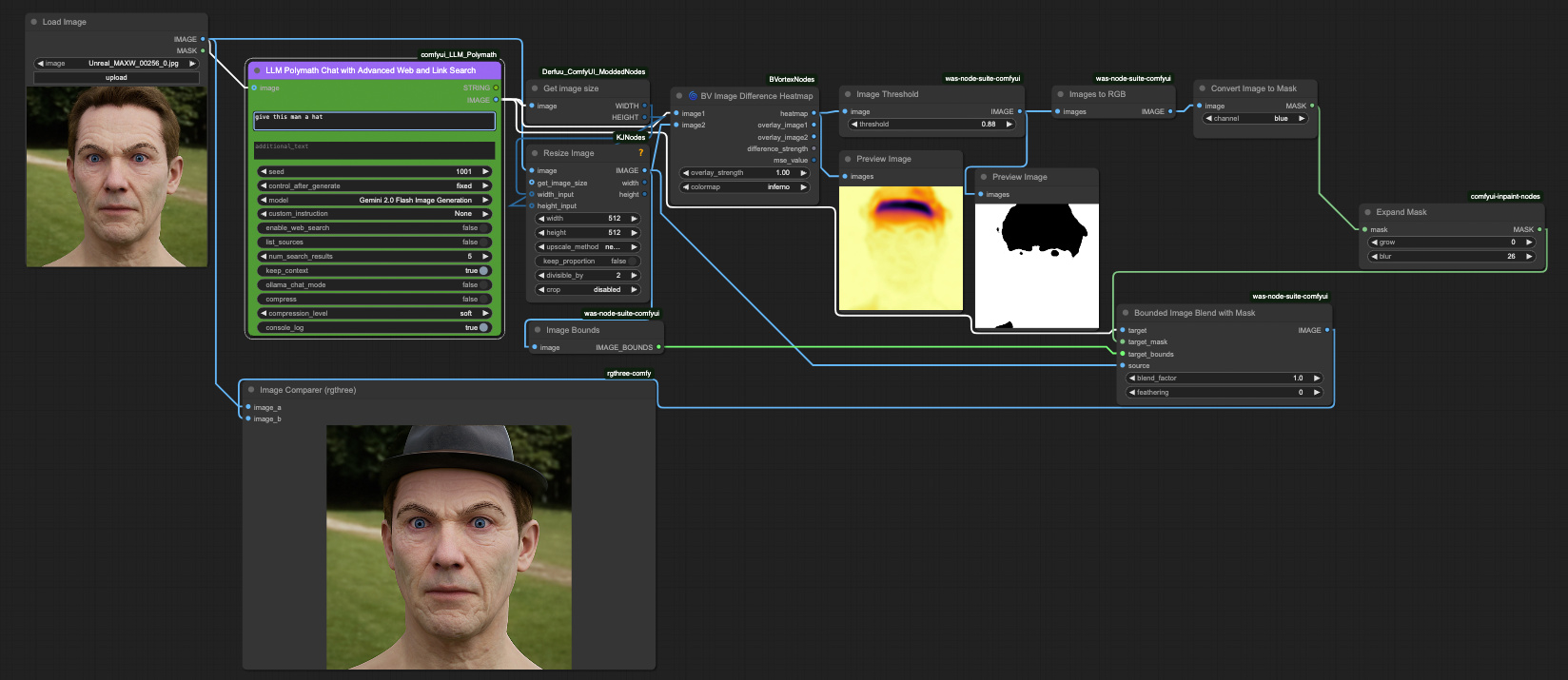
Description
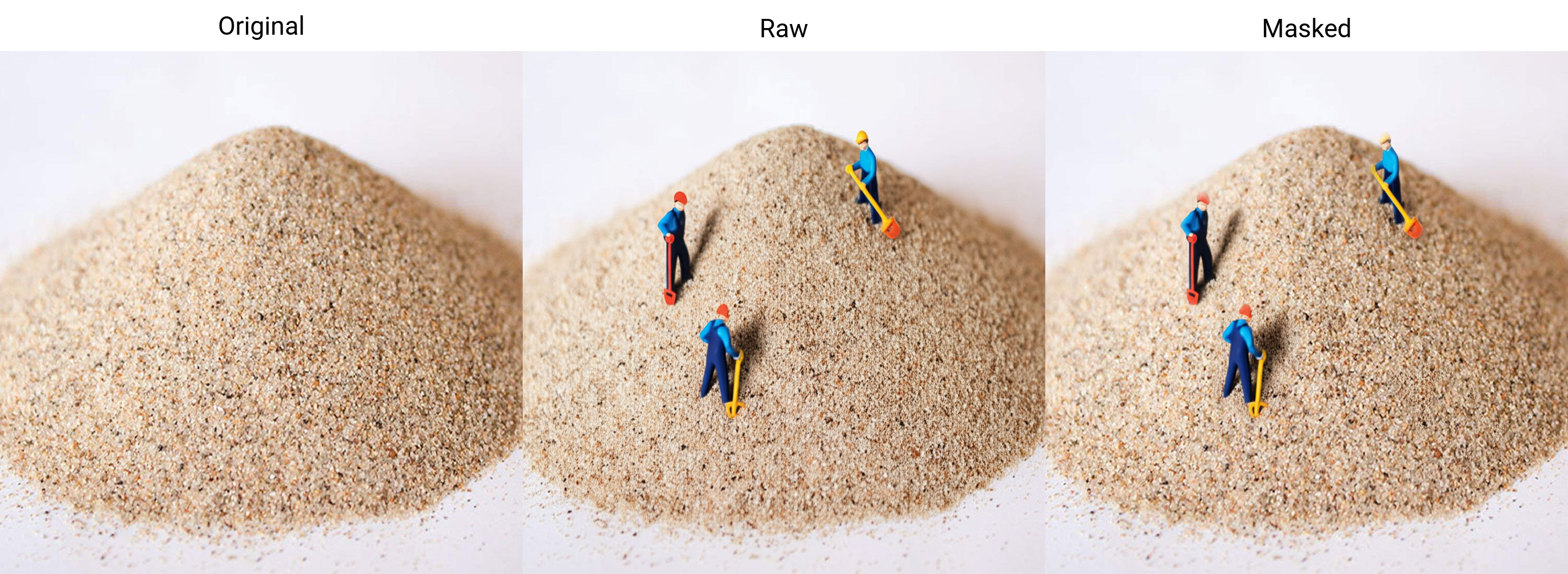
Gemini 2.0 Flash Experimental introduces noticeable artifacts after multiple edits due to its embedding-based editing process, which significantly degrades image quality over time. To counter this, I apply a mask derived from the difference between the input and output images. This approach greatly reduces artifacts in repeated edits and preserves a much cleaner original.
- Initial Edit Apply the first edit using Gemini 2.0 Flash Experimental.
- Compare Input and Output Generate a difference mask by comparing the original input image with the edited output. This highlights only the changed areas.
- Create Mask Use the difference to define a precise edit mask, isolating modified regions.
- Apply Masked Edits Feed the mask back into the editing process for subsequent changes. Edits are now localized, preventing unnecessary reprocessing of unchanged areas.
- Repeat Edits Carefully Continue editing using masked workflow to minimize quality degradation. This preserves image fidelity across multiple iterations.
- Result Cleaner, sharper outputs with fewer artefacts, even after repeated edits.
Discussion
(No comments yet)
Loading...

Reviews
No reviews yet
Versions (1)
- latest (a year ago)
Node Details
Primitive Nodes (5)
BV Image Difference Heatmap (1)
DF_Get_image_size (1)
INPAINT_ExpandMask (1)
Image Comparer (rgthree) (1)
polymath_chat (1)
Custom Nodes (9)
ComfyUI
- PreviewImage (2)
- ImageToMask (1)
- LoadImage (1)
- ImageResizeKJ (1)
- Image Bounds (1)
- Images to RGB (1)
- Bounded Image Blend with Mask (1)
- Image Threshold (1)
Model Details
Checkpoints (0)
LoRAs (0)