
Advanced Inpaint of Humans (SDXL & SD1.5)
5.0
0 reviews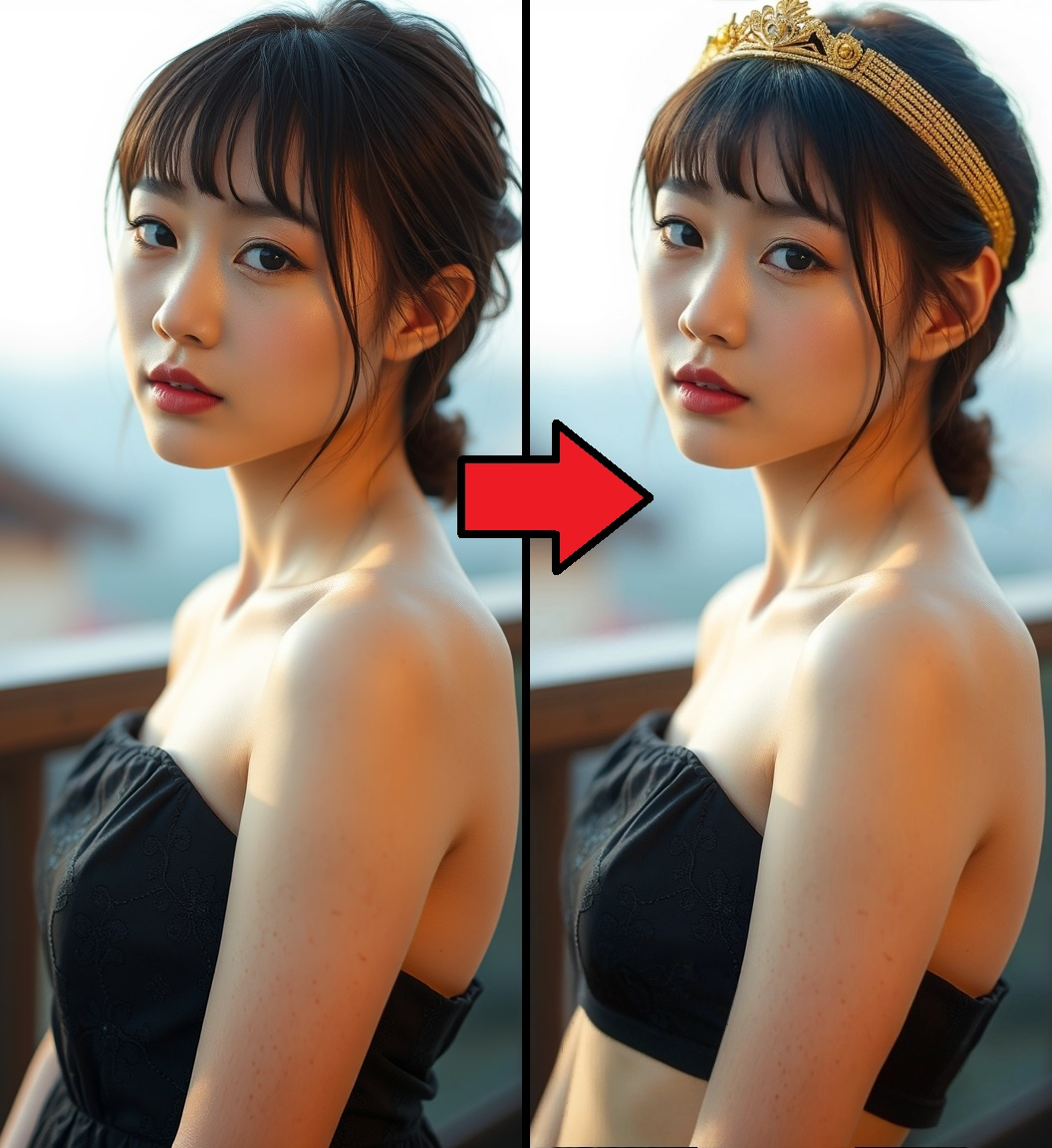
Description
SD1.5 OpenPose and Depth ControlNets: https://huggingface.co/webui/ControlNet-modules-safetensors/tree/main
SDXL DensePose ControlNet: https://huggingface.co/jschoormans/controlnet-densepose-sdxl/tree/main
SDXL Depth ControlNet: https://huggingface.co/diffusers/controlnet-depth-sdxl-1.0/tree/main
Fooocus Patch and Inpaint Head: https://huggingface.co/lllyasviel/fooocus_inpaint/tree/main
Segment Anything v1 Model (SAM): https://huggingface.co/datasets/Gourieff/ReActor/tree/main/models/sams
Ultralytics Detectors: https://huggingface.co/Bingsu/adetailer/tree/main
This is an inpaint workflow designed for altering images of humans. This workflow is intended for advanced users. It assumes familiarity with basic ComfyUI operations and image generation concepts. For beginners, it's recommended to start with more basic workflows.
Features:
- Crop and Stitch for optimal quality and blending
- Inpaint with either SD1.5 or SDXL models
- Fill the mask area with your desired color for better color-matching
- Depth Controlnet
- Pose Controlnet (OpenPose for SD1.5, DensePose for SDXL)
- Color Transfer for better color matching
- SDXL Detailer, with optional Depth Controlnet
- Hotkeys 1, 2, 3, 4, 5 to jump around the workflow
Instructions:
- Check all Purple nodes because they may require customization or additional model downloads
- Upload source image to "Original Image"
- Right click and copy the image to the mask nodes: "Mask", "Mask Context Window" and "Color Transfer Mask"
- For "Mask" node, right click and select Open In Mask Editor. Draw your inpaint mask.
- For "Mask Context Window" node, right click and select Open In Mask Editor. Draw the boundaries of your inpaint crop area.
- For "Color Transfer Mask" node, right click and select Open In Mask Editor. Mask an area to take a color sample for Color Transfer.
- For "GrowMask" node, specify the pixels to expand the mask AFTER applying mask fill. This is recommended to reduce edge artifacts when using mask fill
- For "Inpaint Blend" node, specify the pixels to blend the edges of the inpaint image with the original image.
- For "Canvas Size" node, specify the size to scale the cropped area to for inpainting. 768 is recommended for SD1.5 and 1024 is recommended for SDXL.
- For "Fill Color" node, enter the color to fill the mask area. Hex values such as "#ABCDEF" can be entered as "0xABCDEF".
- For "Detailer Switch" node, select the detailer model you want to use.
- For "Switchboard" node, select the features you require.
- For "Denoise" node, specify the denoise for the inpaint.
- For "Detail Denoise" node, specify the denoise for the detailer pass.
- For "CT Strength" and "CT Sensitivity" nodes, specify parameters of the Color Transfer strength and mask area. It will attempt to mask the object in the middle of the image.
- For "Positive Prompt" and "Negative Prompt" nodes, specify your inpaint prompt.
Limitations:
- Detailer will only work with one human in the image
(日本語訳)
これは人間の画像を変更するためのインペイントワークフローです。このワークフローは上級ユーザー向けです。ComfyUIの基本的な操作と画像生成の概念に精通していることを前提としています。初心者の方は、より基本的なワークフローから始めることをお勧めします。
機能:
- 最適な品質とブレンディングのためのCrop and Stitch
- SD1.5またはSDXLモデルでのインペイント
- より良い色合わせのためにマスク領域の色塗り(Mask Fill)
- Depth Controlnet
- Pose Controlnet(SD1.5用のOpenPose、SDXL用のDensePose)
- より良い色合わせのためのColor Transfer
- SDXL Detailer(オプションのDepth Controlnet付き)
- ワークフロー内を移動するためのホットキー1、2、3、4、5
使い方:
- まず、すべての紫色のノードを確認してください。カスタマイズや追加モデルのダウンロードが必要な場合があります。
- 元の画像を "Original Image" にアップロードします。
- その画像を右クリックしてコピーし、以下の3つのマスクノードに貼り付けます:"Mask", "Mask Context Window", "Color Transfer Mask"
- "Mask" ノードで右クリックし、Open In Mask Editorを選択します。ここでインペイントしたい領域をマスクで描きます。
- "Mask Context Window" ノードも同様に開き、インペイントのクロップ領域の境界を描画します。
- "Color Transfer Mask" ノードも同様に開き、Color Transfer用の色サンプルを取る領域を描画します。
- "GrowMask" ノードでは、Mask Fillの適用後にマスクを何ピクセル拡大するか設定します。これはMask Fill使用時の縁のアーティファクトを減らすのに役立ちます。
- "Inpaint Blend" ノードでは、インペイント領域の縁を元の画像とブレンドするピクセル数を指定します。
- "Canvas Size" ノードで、インペイント用にクロップした領域のサイズを設定します。SD1.5なら768、SDXLなら1024がおすすめです。
- "Fill Color" ノードでは、マスク領域を塗りつぶす色を設定します。Hex値カラーコード(例:#ABCDEF)を使う場合は、0xABCDEFのように入力してください。
- "Detailer Switch" ノードで、使いたいディテーラーモデルを選びます。
- "Switchboard" ノードで、必要な機能を選択します。
- "Denoise" ノードで、インペイントのデノイズ強度を設定します。
- "Detail Denoise" ノードでは、ディテーラーのデノイズ強度を指定します。
- "CT Strength" と "CT Sensitivity" ノードで、Color Transferの強度とマスク領域のパラメータを指定します。画像の中央にある物体をマスクしようとします
- 最後に、"Positive Prompt" と "Negative Prompt" ノードで、インペイント用のプロンプトを入力します。
制限事項:
- ディテーラー: 画像内の1人の人間にのみ対応
Discussion
(No comments yet)
Loading...
Reviews
No reviews yet
Versions (2)
- latest (2 years ago)
- v20240802-205541
Node Details
Primitive Nodes (154)
Any Switch (rgthree) (5)
Bookmark (rgthree) (5)
Context (rgthree) (10)
Context Big (rgthree) (10)
Context Merge Big (rgthree) (1)
Context Switch (rgthree) (3)
Context Switch Big (rgthree) (4)
DF_DynamicPrompts_Text_Box (2)
DF_Float (6)
DF_Get_image_size (1)
DF_Int_to_Float (1)
DF_Integer (3)
DF_Text_Box (4)
DepthAnythingV2Preprocessor (2)
Fast Groups Muter (rgthree) (1)
Note (1)
Reroute (52)
Reroute (rgthree) (37)
Seed (rgthree) (2)
workflow/Prompt Append (4)
Custom Nodes (78)
- BNK_CLIPTextEncodeAdvanced (2)
- BNK_CLIPTextEncodeSDXLAdvanced (4)
- Color Transfer (1)
ComfyUI
- VAEEncodeForInpaint (2)
- EmptyImage (1)
- ImageCompositeMasked (1)
- VAEDecode (2)
- InpaintModelConditioning (2)
- PerturbedAttentionGuidance (2)
- PatchModelAddDownscale (2)
- ControlNetApply (3)
- MaskToImage (4)
- ImageBlend (4)
- CLIPSetLastLayer (1)
- CLIPTextEncode (1)
- ControlNetLoader (4)
- CheckpointLoaderSimple (3)
- ImageToMask (1)
- KSampler (1)
- GrowMask (1)
- PreviewImage (1)
- LoadImage (4)
- ImpactMakeImageList (1)
- MaskToSEGS (1)
- ToDetailerPipe (1)
- ImpactSimpleDetectorSEGSPipe (1)
- SegsToCombinedMask (1)
- ImpactSwitch (4)
- DetailerPipeToBasicPipe (1)
- SAMLoader (1)
- FromDetailerPipe_v2 (1)
- EditDetailerPipe (1)
- ImpactKSamplerBasicPipe (1)
- SAMDetectorCombined (1)
- UltralyticsDetectorProvider (2)
- INPAINT_ApplyFooocusInpaint (2)
- INPAINT_LoadFooocusInpaint (1)
- DWPreprocessor (1)
- DensePosePreprocessor (1)
- InpaintCrop (5)
- InpaintStitch (3)
- Save_as_webp (1)
Model Details
Checkpoints (3)
Afroditexl.v31.safetensors
realisticVisionV51.Inpainting.safetensors
LoRAs (0)