
OpenAI meets Flux
5.0
0 reviews

Description
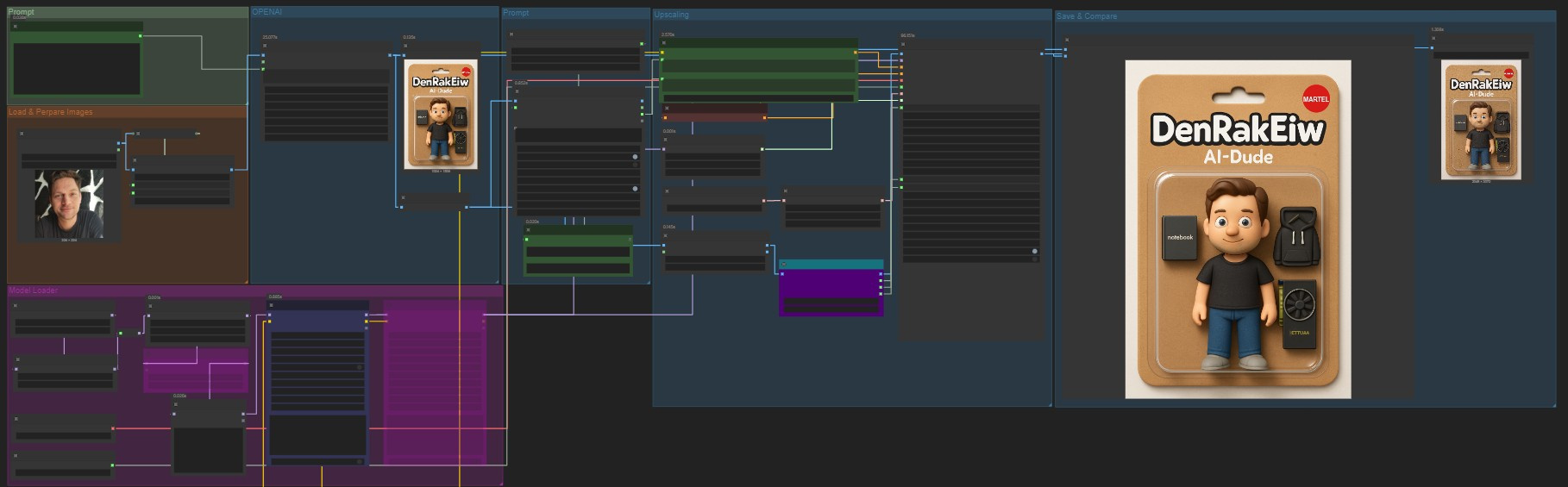
OpenAI meets Flux [ComfyUI Workflow]
- An initial image is generated using OpenAI GPT Image1 via the ComfyUI API.
- The generated image is described/analyzed by a local Ollama LLaVA VLM, which creates detailed prompts specifically for upscaling.
- These prompts are encoded with CLIP and T5XXL for optimal conditioning.
- The image is then upscaled and enhanced using the Flux Ultimate SD Upscaler and Flux models, with advanced detail restoration and block-busting.
- The final high-resolution, high-quality image is saved and can be compared to the original for quality assessment.
This workflow automates prompt creation and upscaling, ensuring the best possible image quality with minimal manual input.
Discussion
(No comments yet)
Loading...

Reviews
No reviews yet
Versions (1)
- latest (8 months ago)
Node Details
Primitive Nodes (14)
CLIPTextEncodeFlux (1)
CXH_DownloadAndLoadFlorence2Model (1)
CXH_Florence2Run (1)
FL_SDUltimate_Slices (1)
FluxAttentionSeeker+ (1)
FluxBlocksBuster+ (1)
Image Comparer (rgthree) (1)
LyingSigmaSampler (1)
NoisePlusBlend (1)
OpenAIGPTImage1 (1)
PAGAttention (1)
Reroute (1)
TeaCache (1)
UltimateSDUpscaleCustomSample (1)
Custom Nodes (18)
- AlphaChanelRemove (1)
- CM_NearestSDXLResolution (1)
ComfyUI
- ConditioningZeroOut (1)
- KSamplerSelect (1)
- VAELoader (1)
- UNETLoader (1)
- LoraLoaderModelOnly (1)
- BasicScheduler (1)
- ImageScale (1)
- SaveImage (1)
- UpscaleModelLoader (1)
- LoadImage (1)
- PreviewImage (1)
- DualCLIPLoader (1)
- LoraLoaderBlockWeight //Inspire (2)
- ShowText|pysssss (1)
- Text _O (1)
Model Details
Checkpoints (0)
LoRAs (3)
flux\42lux HighResFix.safetensors
flux\Flux_Skin_Detailer.safetensors
flux\alimama-creativeFLUX1-Turbo-Alpha.safetensors