
Stable Cascade t2i
5.0
0 reviews


Description
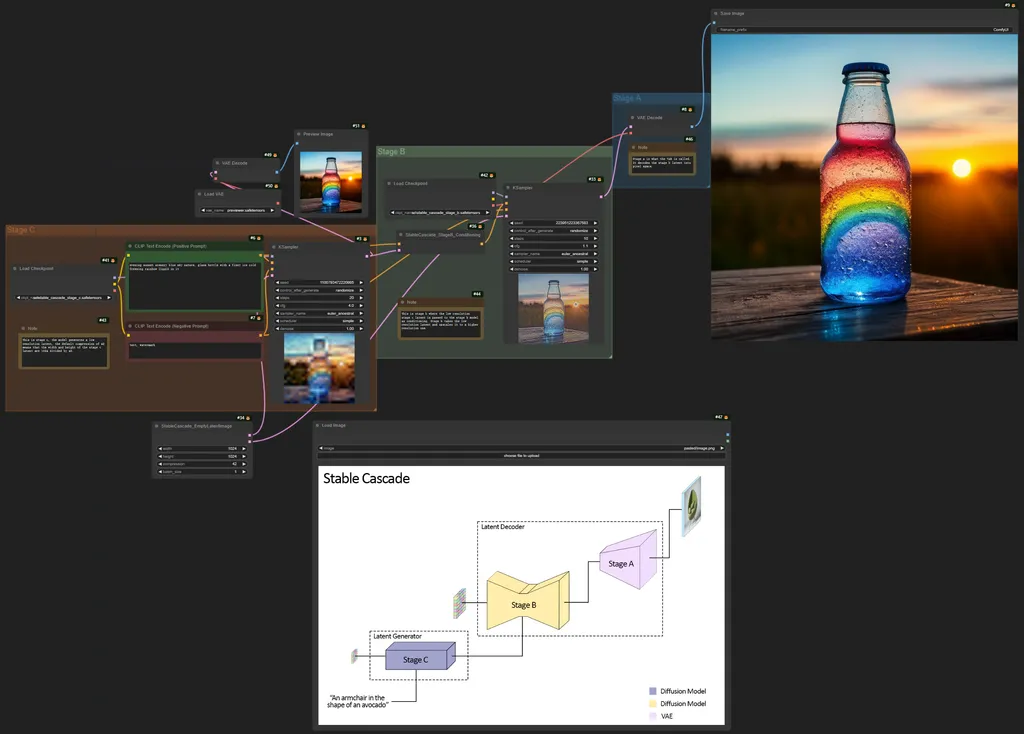
1. Update ComfyUI
2. download the stable_cascade_stage_c.safetensors and stable_cascade_stage_b.safetensors checkpoints and put them in the ComfyUI/models/checkpoints folder.
3. download the previewer.safesensor from https://huggingface.co/stabilityai/stable-cascade/tree/main and put it in the ComfyUI/models/vae folder.
https://comfyanonymous.github.io/ComfyUI_examples/stable_cascade/
----
https://github.com/kijai/ComfyUI-DiffusersStableCascade
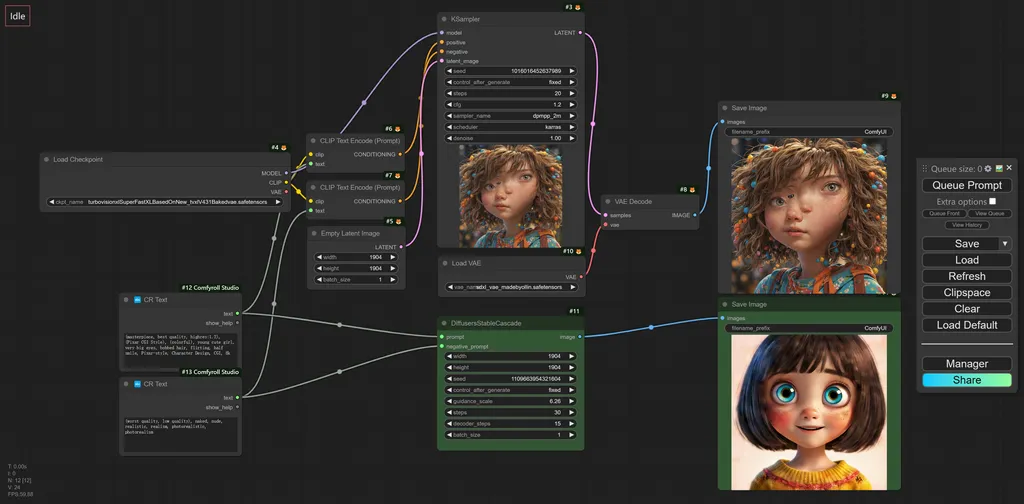
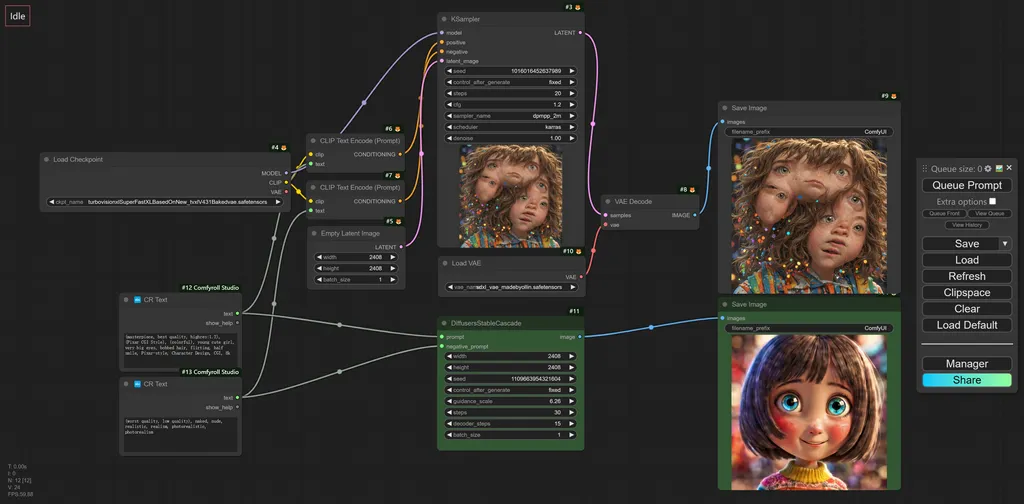
I ran some tests and found that the SC model supports higher resolutions than 1024x1024. For example, the composition is still correct at 2408x2408 resolution. When generating high-resolution images, the SC model takes up less graphics memory and has faster inference speed.
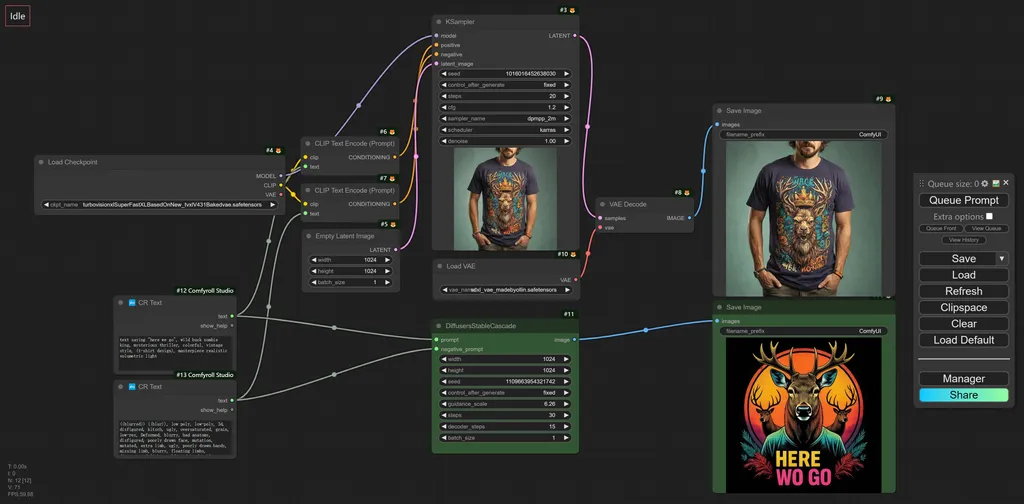
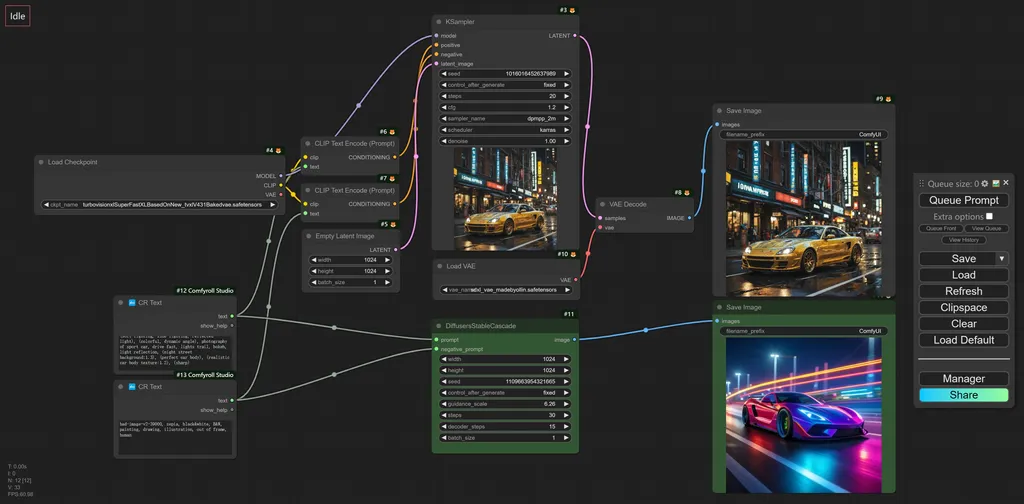
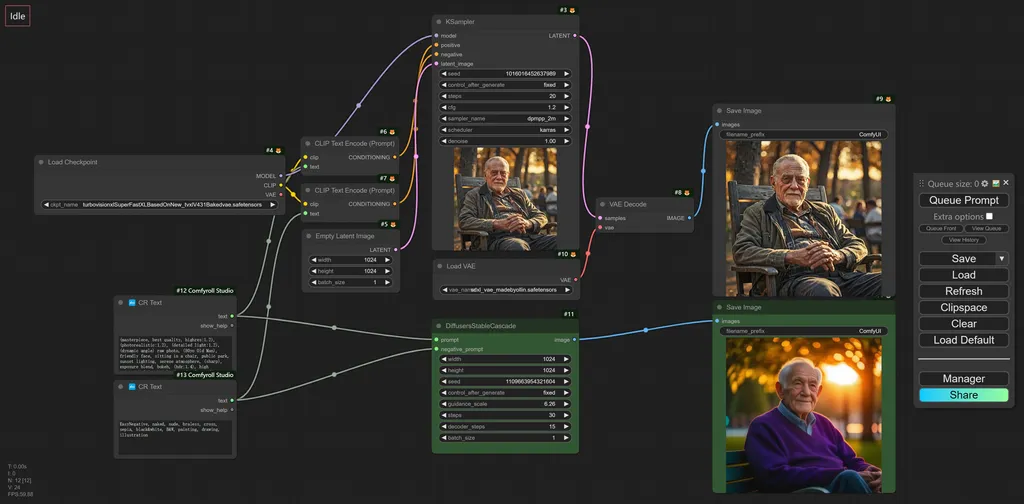
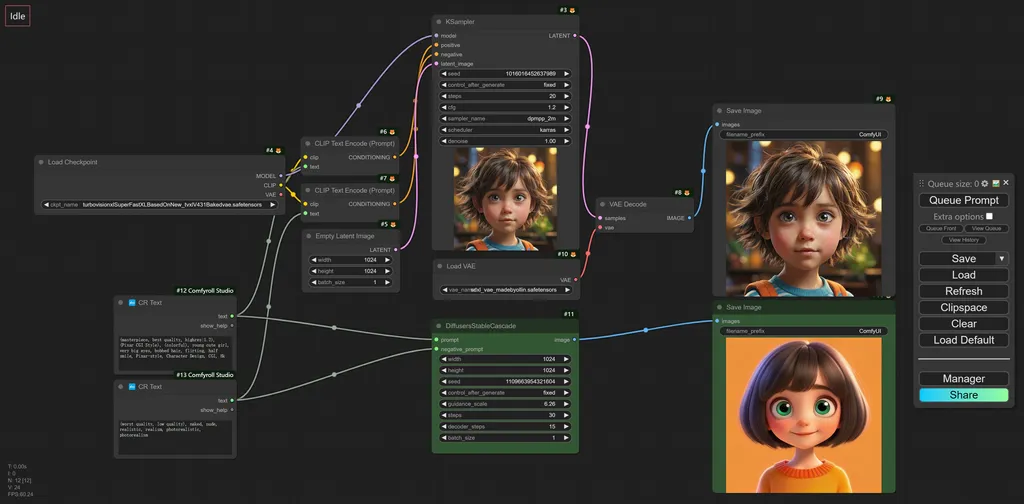
1024x1904

1904x1904
2408x2408
2904x2904
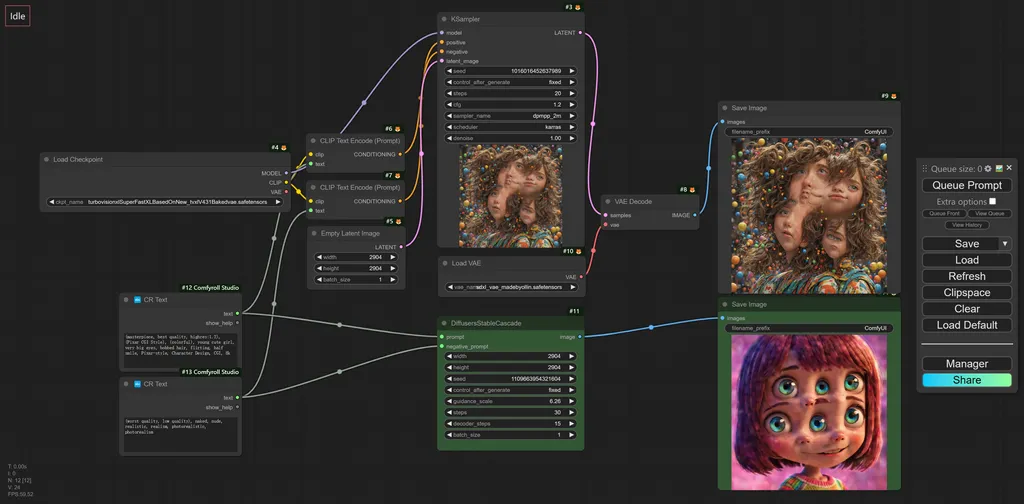
Discussion
(No comments yet)
Loading...

Resources (1)
Reviews
No reviews yet
Versions (5)
- latest (2 years ago)
- v20240221-152643
- v20240220-144320
- v20240217-140446
- v20240214-013117
Node Details
Primitive Nodes (3)
Note (3)
Custom Nodes (14)
ComfyUI
- CLIPTextEncode (2)
- VAEDecode (2)
- CheckpointLoaderSimple (2)
- VAELoader (1)
- PreviewImage (1)
- KSampler (2)
- StableCascade_StageB_Conditioning (1)
- StableCascade_EmptyLatentImage (1)
- LoadImage (1)
- SaveImage (1)
Model Details
Checkpoints (2)
sc\stable_cascade_stage_b.safetensors
sc\stable_cascade_stage_c.safetensors
LoRAs (0)