
Easy Theme Photo 简易主题摄影
5.0
6 reviews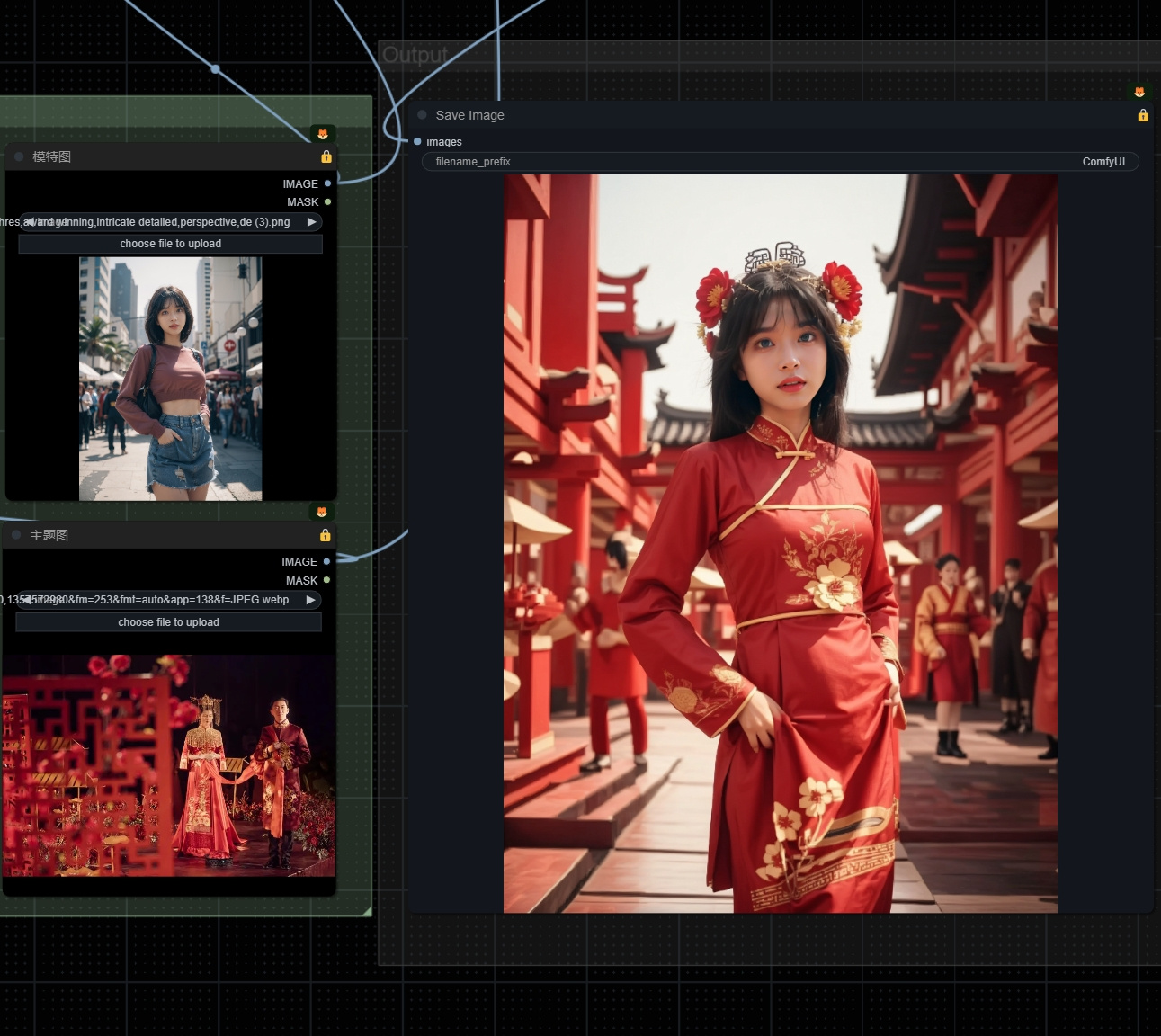
Description
What this workflow does
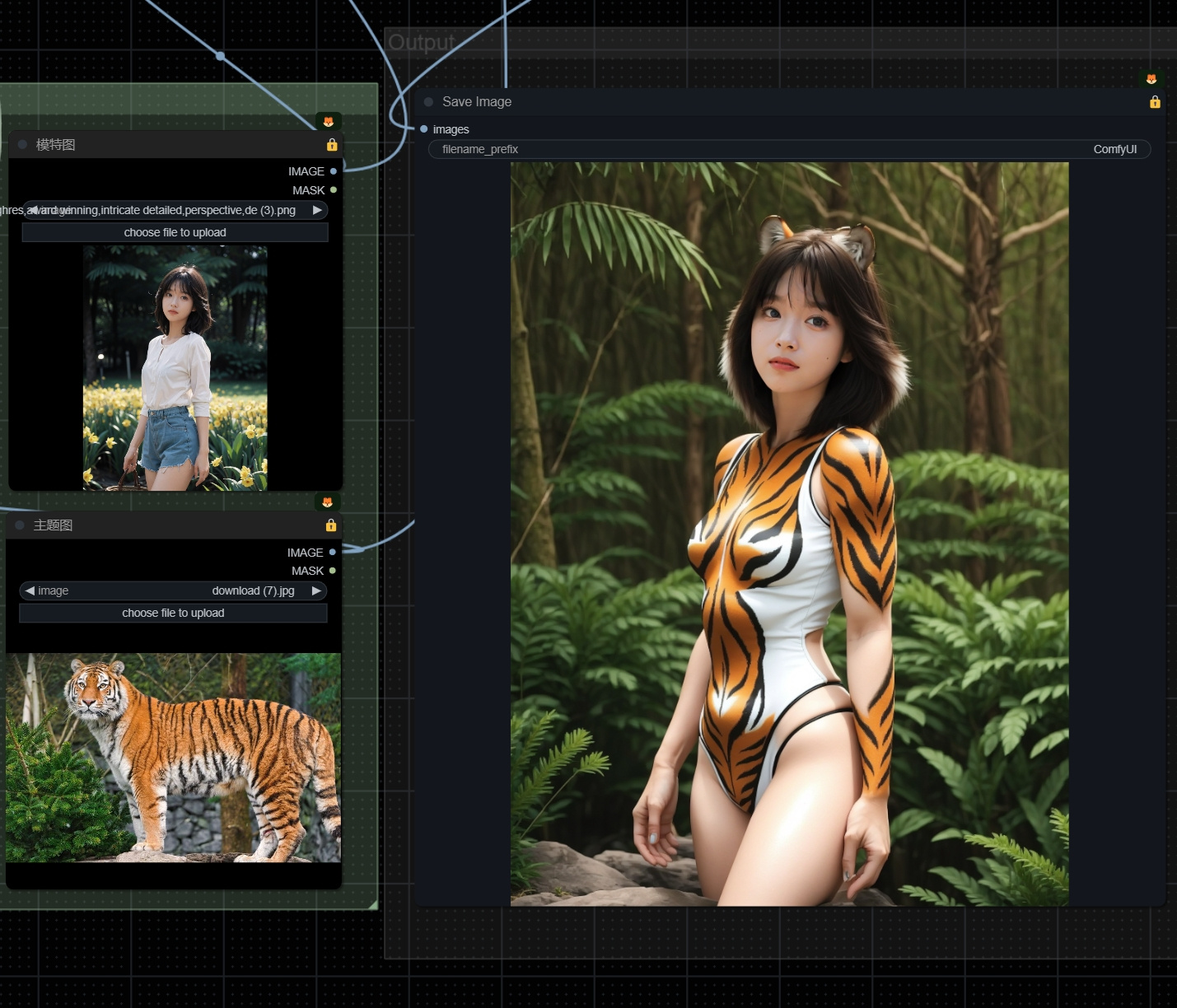
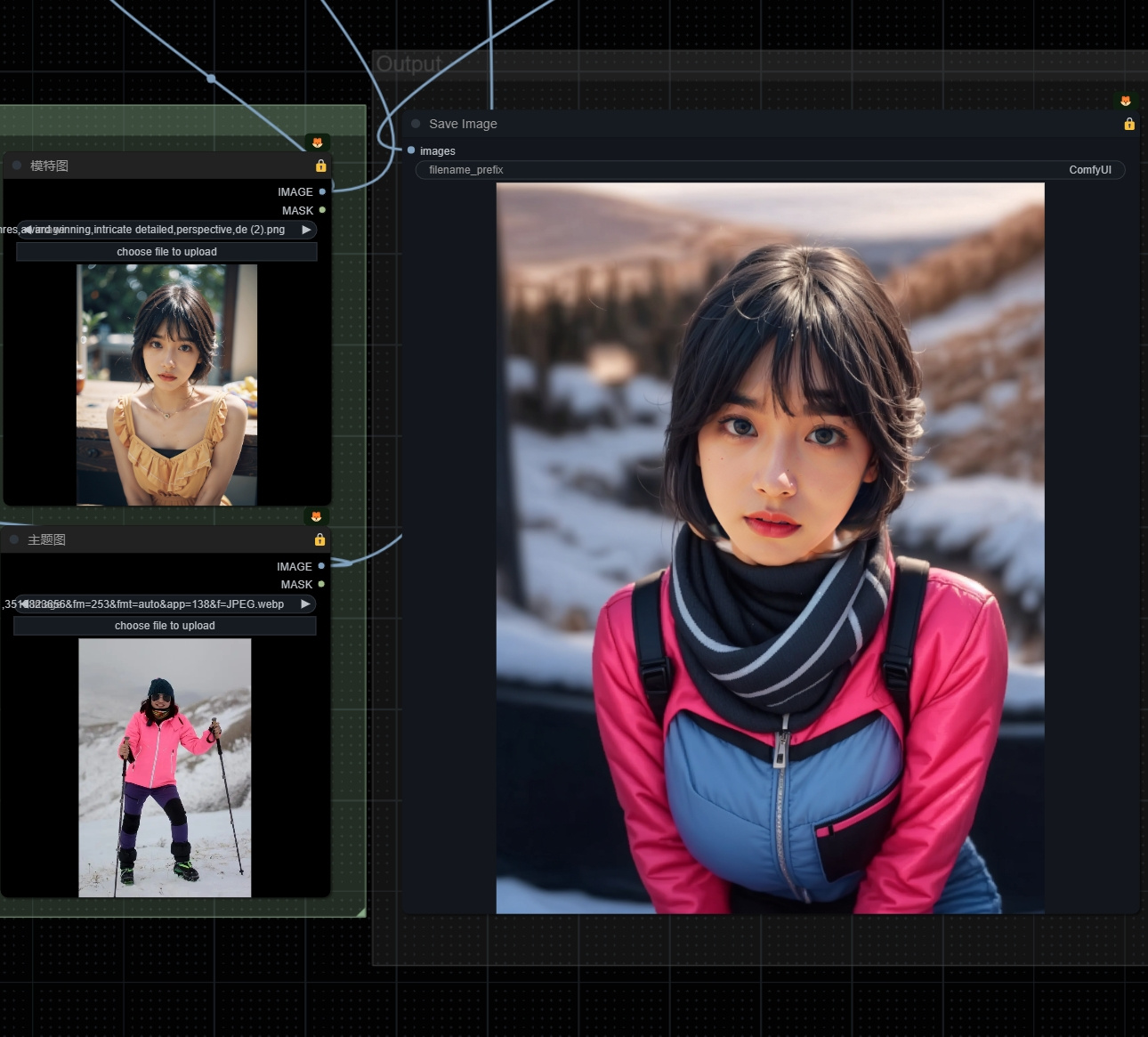
You can easily customize the theme of the photo with one image.
使用一张图片就可以轻松对照片进行主题定制
How to use this workflow
1. Upload a model photo and a theme photo
2. If there are specially designated clothes, you can write them in the prompt word
3. Similarly, using lora can also enhance control, but in most cases a picture is enough
1. 上传一张模特照片,一张主题照片
2. 如果有特别指定的衣服,可以写在提示词内
3. 同样的 使用lora也可以加强控制,但绝大多数情况一张图片就够了
Tips about this workflow
This process is relatively simple. You need to draw cards and have fun.
这个流程比较简单需要抽卡,玩的开心。
🎥 Video demo link (optional)
👉 [Please add here]
Discussion
(No comments yet)
Loading...
Reviews
No reviews yet
Versions (3)
- latest (2 years ago)
- v20231214-103522
- v20231214-101148
Node Details
Primitive Nodes (2)
IPAdapterApply (1)
Note (1)
Custom Nodes (41)
CLIPSeg
- CLIPSeg (2)
- CR Prompt Text (2)
- CR Multi-ControlNet Stack (1)
- CR LoRA Stack (1)
ComfyUI
- LoadImage (2)
- VAEEncode (3)
- GrowMask (2)
- ImageUpscaleWithModel (1)
- UpscaleModelLoader (1)
- ImageScale (2)
- MaskToImage (1)
- ImageToMask (1)
- MaskComposite (1)
- LatentCompositeMasked (1)
- SaveImage (1)
- SetLatentNoiseMask (2)
- InvertMask (2)
- CLIPVisionLoader (1)
- DWPreprocessor (1)
- PixelPerfectResolution (1)
- Zoe-DepthMapPreprocessor (1)
- WD14Tagger|pysssss (1)
- IPAdapterModelLoader (1)
- Efficient Loader (1)
- Apply ControlNet Stack (1)
- KSampler (Efficient) (2)
- Get Image Size (1)
- ConstrainImage|pysssss (2)
- SDXLPromptStyler (1)
- Text Concatenate (1)
Model Details
Checkpoints (0)
LoRAs (0)