
FLUX+Molmo:Delicate and Bright Paint Dot Style - Characters/Illustrations/Posters..
5.0
0 reviews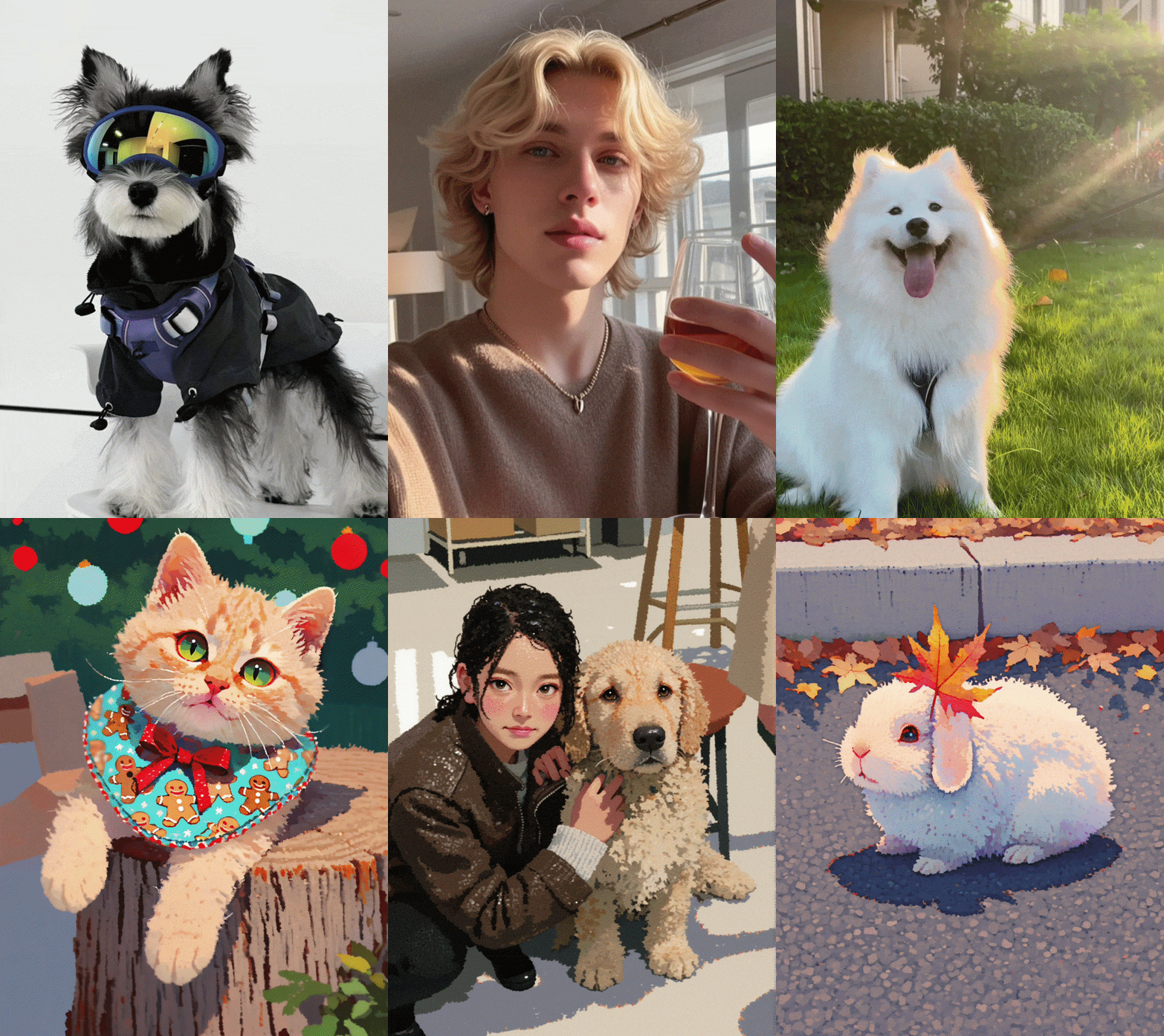
Description
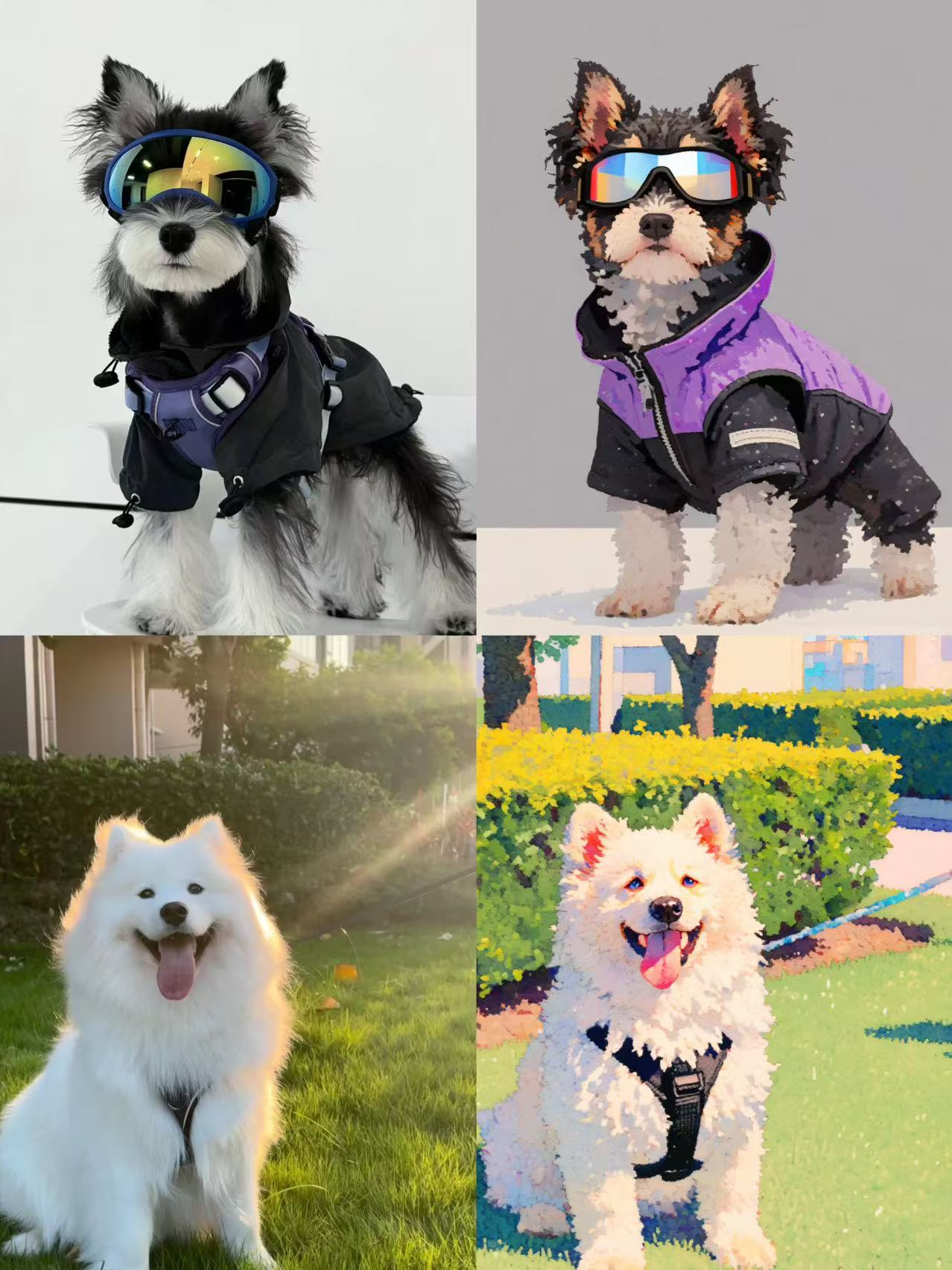
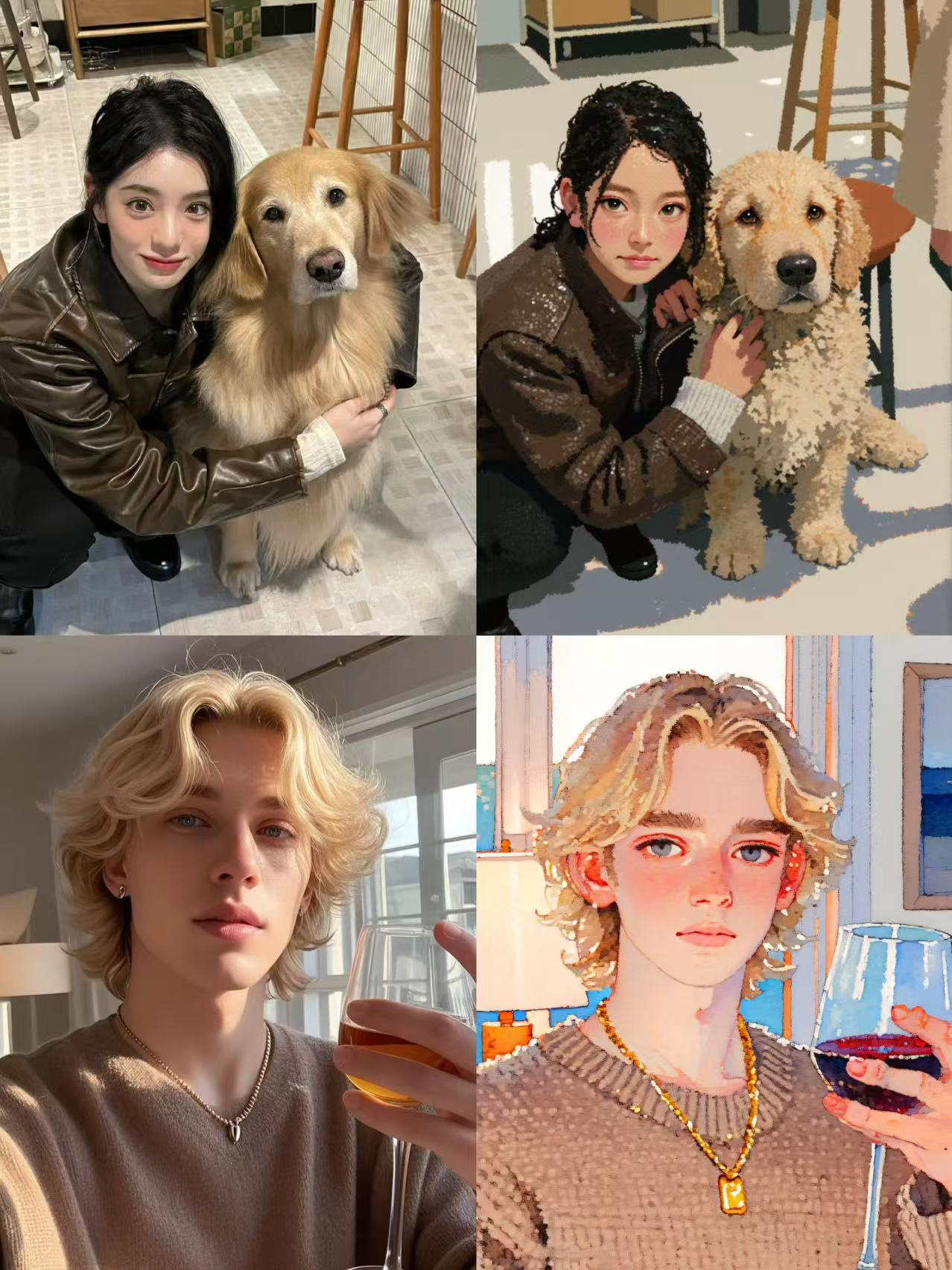
Welcome everyone to use this brand new ComfyUI workflow, which supports converting any photo into a painting style! The latest update introduces Molmo prompt reversal, allowing you to achieve one-click stylization without adjusting any parameters, making it easy to get the ideal stylized result!
Usage Tips:
- Upload an Image: Based on the photo you upload of a person, pet, scene, or object, the system will automatically use the built-in Molmo prompt reversal to generate the corresponding stylized result. You can also manually add some prompt words to optimize the effect.
- Trigger Word: Please keep the trigger word "diancai" — it is crucial for the generation process, so do not delete it!
- High-Resolution Repair: The workflow includes 4x-UltraSharp high-resolution repair, ensuring your image is clearer and more detailed.
- Simplified Process: All parameters are preset, so all you need to do is upload the image and click “Run.”
Workflow Process:
- Open the workflow and upload your image.
- Keep the trigger word"diancai" , then combine the image with the LoRA model and input it into the sampler for processing.
- In the end, you’ll get an artwork stylized based on your image, with all settings already done. Simply click “Run” to get started.
Try this convenient workflow and enjoy the creative process! Have fun!
-----------------------------------------------------------------------------------------------------------------
欢迎大家使用这款全新的 ComfyUI 工作流,它支持将任意照片转换为绘画风格!此次更新加入了 Molmo 提示词反推 功能,让你实现 一键风格化转换,无需调节任何参数,轻松得到理想的风格化效果!
使用提示:
- 上传图片:根据你上传的人物、宠物、场景或物品照片,系统将自动利用内置的 Molmo 提示词反推功能,生成相应的风格化结果。你也可以手动添加部分提示词来优化效果。
- 触发词:请务必保留触发词
diancai,这对于生成效果非常重要,切勿删除! - 高清修复:工作流内置了 4x-UltraSharp 高清修复功能,让你的图像更加清晰细致。
- 简化操作:所有参数已经预设好,你只需要上传图片并点击“运行”即可。
工作流流程:
- 打开此工作流,上传你的图像。
- 保持触发词
-diancai,然后将图片与 LoRA 模型结合,输入到采样器中进行处理。 - 最终,你将获得根据图片风格化的艺术效果,所有的设置都已完成,你只需点击“运行”即可。
快来试试这个便捷的工作流,享受创作的乐趣!希望你们玩的开心!
Discussion
(No comments yet)
Loading...

Reviews
No reviews yet
Versions (1)
- latest (10 months ago)
Node Details
Primitive Nodes (9)
ApplyFluxControlNet (1)
DepthAnything_V2 (1)
DownloadAndLoadDepthAnythingV2Model (1)
FluxGuidance (1)
Image Comparer (rgthree) (1)
LoadFluxControlNet (1)
ModelSamplingFlux (1)
Molmo7BDbnb (1)
XlabsSampler (1)
Custom Nodes (20)
ComfyUI
- PreviewImage (2)
- EmptyLatentImage (1)
- VAELoader (1)
- VAEDecode (1)
- ImageUpscaleWithModel (1)
- DualCLIPLoader (1)
- CLIPTextEncode (3)
- UNETLoader (1)
- UpscaleModelLoader (1)
- LoraLoader (1)
- LoadImage (1)
- ImageResize+ (1)
- ImpactSwitch (1)
- WD14Tagger|pysssss (1)
ComfyUI_tinyterraNodes
- ttN concat (1)
- ShowText|pysssss (2)
Model Details
Checkpoints (0)
LoRAs (0)